TL;DR: best web scraping tools
- AI-native APIs: Firecrawl, ScrapeGraphAI, Crawl4AI. Best when sites are complex, JavaScript-heavy, or inconsistent and you don't want to write selectors.
- No-code platforms: Octoparse, Browse.AI. Best for non-technical users who need a drag-and-drop setup.
- Python libraries: Beautiful Soup, Scrapy. Best for developers who want control over static or medium-scale scraping.
- Browser automation: Selenium, Playwright, Puppeteer. Best for dynamic pages that need clicks, form fills, or full browser interaction.
- Firecrawl in one line: the AI-native option, single API for search, scrape, crawl, and interact, free tier with 1,000 credits per month, or try it keyless with no signup.
The best web scraping tools in 2026 handle most of the manual work: layout detection, JavaScript rendering, and the site-specific quirks that used to need custom code for every page. Since joining Firecrawl, I've watched AI-powered tools compress what used to be days of selector maintenance into a single API call.
That shift is showing up in the numbers. The web scraping market is projected to grow from USD 1.56 billion in 2026 to USD 3.49 billion by 2031, a 17.39% CAGR, driven by enterprises replacing shrinking API access, feeding generative-AI models, and keeping up with real-time competitive intelligence.
This is a categorized list of the best web scraping tools across four areas: AI-native APIs, no-code platforms, Python libraries, and browser automation frameworks, plus a handful of other solutions worth knowing about. Each tool has honest pros and cons. Your pick depends on two things: your technical background and the shape of the site you're scraping.
If you want a narrower comparison of hosted API vendors specifically (Firecrawl, BrightData, ScraperAPI, ZenRows, and others), read the sister post on the best web scraping APIs. This post is broader and covers the full toolbox.
For detailed comparisons, check our guides on open-source web scraping libraries and browser automation tools. For no-code options, explore n8n workflows and LangFlow visual development.
Some tools are designed for non-coders and offer visual interfaces or drag-and-drop workflows, while others provide full-featured libraries for those who prefer to write code and customize every detail. Pricing also varies widely, from free open-source libraries to premium cloud-based platforms.
What are web scraping tools?
Web scraping tools are software that pull data from websites and hand it back in a usable format: raw HTML, clean markdown, structured JSON, or a spreadsheet.
They span a wide range. Code libraries you install and run yourself (Beautiful Soup, Scrapy). Browser automation frameworks that drive a real browser (Playwright, Selenium). No-code platforms with visual editors (Octoparse, Browse.AI). And AI-native APIs that return LLM-ready output from a single call, like Firecrawl.
The right tool depends on what the site looks like, how technical you are, and where the data needs to go next.
Under the hood, most of them do a few of the same jobs: fetch a page (sometimes through a real browser to render JavaScript), navigate or paginate through it, extract specific fields, and return structured output. Firecrawl exposes these as separate endpoints: /scrape for single pages, /crawl for full sites, /search for finding sources on the live web, /interact for pages behind clicks or logins, and /parse for PDFs and documents.
How we evaluated these web scraping tools
"Best" is context-dependent: a tool that's perfect for a one-off pull from a static site is the wrong pick for a continuous, JavaScript-heavy pipeline. We evaluated each tool across the criteria that matter across categories, not just headline features.
- Site coverage: How well does it handle static HTML, JavaScript-rendered SPAs, and pages behind logins, pagination, or dynamic content?
- Output quality: Does it return raw HTML you have to parse, or clean markdown, structured JSON, or another format ready for downstream use (LLMs, databases, spreadsheets)?
- Ease of use: How much setup, code, and ongoing maintenance does it take to get from URL to usable data?
- Scalability: Does it work for a single page and also for thousands per hour? Who manages the concurrency, proxies, and retries: you or the tool?
- Developer experience: Quality of SDKs, docs, error messages, and how quickly a competent developer can get a working pipeline shipped.
- AI and LLM readiness: Does it slot into agent loops, RAG pipelines, and LLM workflows without a separate cleanup step?
- Pricing transparency: Are limits, credit multipliers, and overage charges clearly documented, or hidden in footnotes?
- Real user feedback: Sentiment from G2, TrustPilot, and Capterra plus developer discussion on HackerNews, Reddit, and X.
AI-native web scraping tools: point, describe, extract
AI-native web scraping tools use machine learning and large language models to extract data from complex, JavaScript-heavy sites. Instead of writing selectors that break every time a site redesigns, you point at a URL and describe what you want, and the tool figures out the layout for you. These are the fastest-growing category in 2026 and the default pick for anyone building agents, RAG pipelines, or LLM workflows.
1. Firecrawl
Firecrawl provides web data APIs built for AI agents. It covers the full workflow: find sources, scrape them, parse documents, and clean everything into token-efficient markdown or structured data your agent can use directly. You can try it keyless (no signup, no API key, rate-limited free tier) before deciding whether to grab a key for higher limits. There's also a command-line tool so you can pull data straight into a terminal or agent workflow:
firecrawl scrape https://example.com --format markdown -o out.md
firecrawl search "best web scraping tools 2026" --scrape --limit 5
firecrawl crawl https://docs.example.com --wait --progress -o crawl.json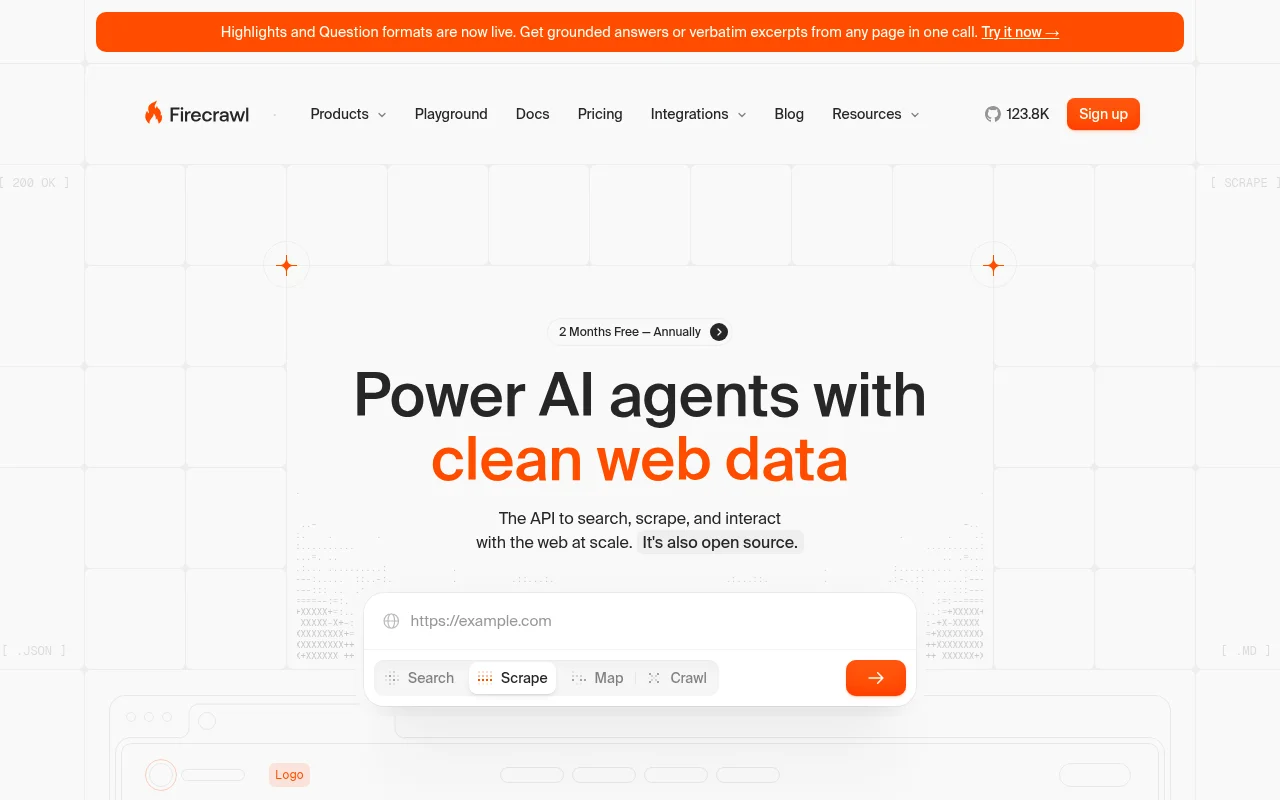
Key features:
- Search: Finds fresh, relevant sources from the live web and returns full page content alongside results, not just links
- Scrape: Turns any URL into clean markdown, structured JSON, or a screenshot. Works on the real web: JS-heavy sites, SPAs, and dynamic pages (see our scrape endpoint guide)
- Crawl: Gathers content from every page of a site, returning LLM-ready markdown for each
- Map: Discovers all URLs on a website without extracting content
- Parse: Converts PDFs and documents into usable text
- Interact: Handles clicks, form fills, logins, and multi-step pagination in a real browser session, returning content once the actions run
Pros:
- Sub-3-second scrapes and batch operations for high-volume AI agent loops.
- Works on the real web: JavaScript-heavy sites, SPAs, and geo-sensitive pages.
- Output formats built for AI: token-efficient markdown, JSON field extraction, and summary/highlight modes.
- One API replaces multi-vendor stacks: search, scrape, parse, crawl, and interact in a single integration.
Cons:
- Advanced features and customizations may have a learning curve, particularly for non-technical users. The playground runs search, scrape, map, and crawl with no code at all, and the n8n and Lovable integrations cover teams that never touch the API.
Pricing:
- Free: $0/month
- Hobby: $19/month billed monthly, or $16/month billed annually
- Standard: $99/month billed monthly, or $83/month billed annually
- Growth: $399/month billed monthly, or $333/month billed annually
- Enterprise: custom pricing
Example code:
from firecrawl import Firecrawl

firecrawl = Firecrawl(
  # No API key needed to get started — add one for higher rate limits:
  # api_key="fc-YOUR-API-KEY",
)

# Scrape a website:
doc = firecrawl.scrape("https://example.com", formats=["markdown", "html"])
print(doc)
2. ScrapeGraphAI
ScrapeGraphAI
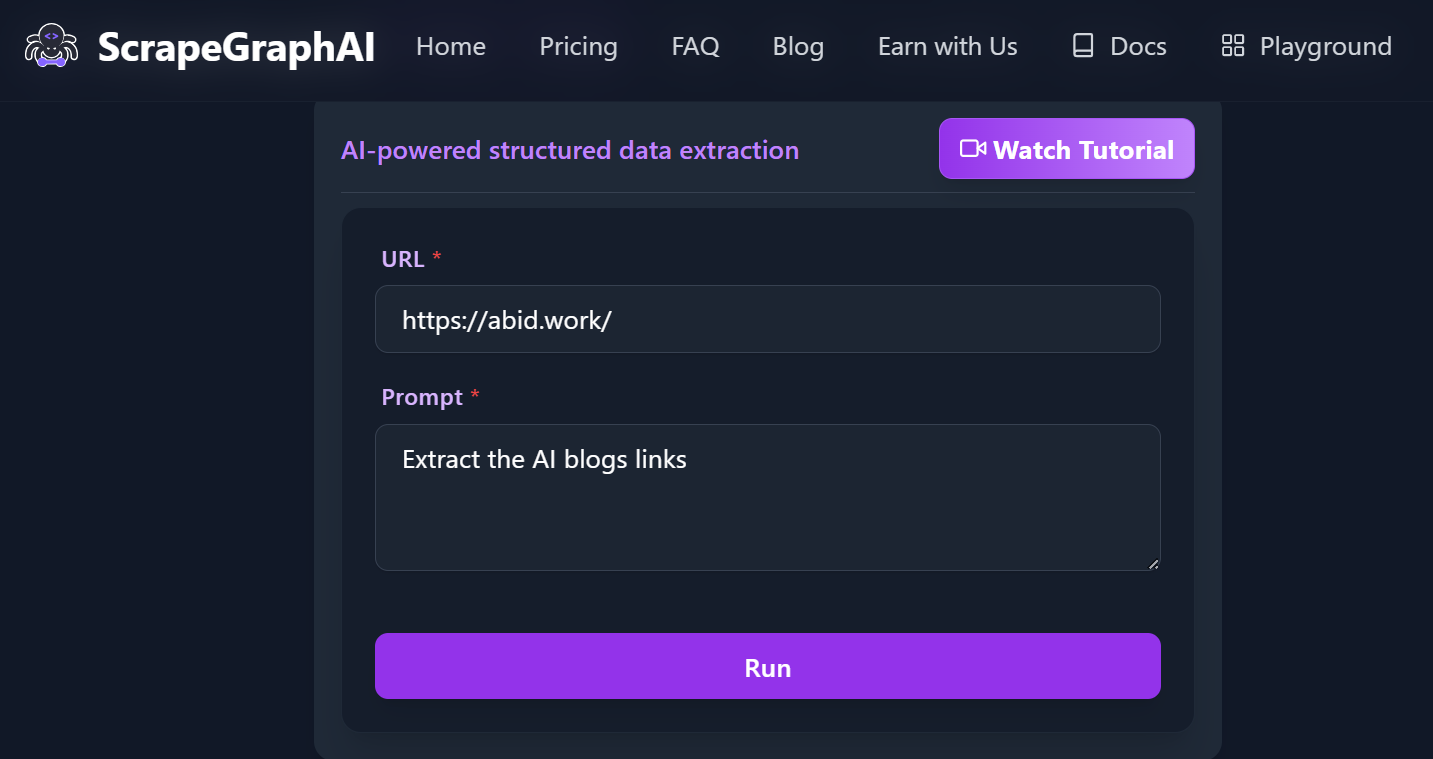
is an AI-powered web data extraction tool that excels at understanding complex web page structures, enabling highly accurate data extraction. It is available as both an open-source library and a premium API.
Key features:
- SmartScraper: AI-driven extraction for any webpage, requiring only a user prompt and input source.
- SearchScraper: LLM-powered web search service.
- SmartCrawler: Crawls and extracts data from multiple pages.
- Markdownify: Converts website content into Markdown format.
Pros:
- AI-powered extraction reduces the need for manual HTML analysis
- Extremely flexible and adaptable, handling a wide range of web structures and content types.
- Open-source with MIT license.
Cons:
- Performance and accuracy can vary depending on the complexity of the target website and the quality of AI prompts.
- Support and feature set may be less extensive than some large commercial competitors.
- Results may sometimes need manual validation or post-processing.
Pricing:
- Free: $0/month
- Starter: $17/month
- Growth: $85/month
- Pro: $425/month
- Enterprise: custom pricing
Example code:
from scrapegraph_py import Client
from scrapegraph_py.logger import sgai_logger

sgai_logger.set_logging(level="INFO")

# Initialize the client
sgai_client = Client(api_key="your-sgai-api-key")
# SmartScraper request
response = sgai_client.smartscraper(
    website_url="https://abid.work/",
    user_prompt="Extract the AI blogs' links"
)

# Print the response
print(f"Request ID: {response['request_id']}")
print(f"Result: {response['result']}")
if response.get('reference_urls'):
    print(f"Reference URLs: {response['reference_urls']}")

sgai_client.close()
3. Crawl4AI
Crawl4AI
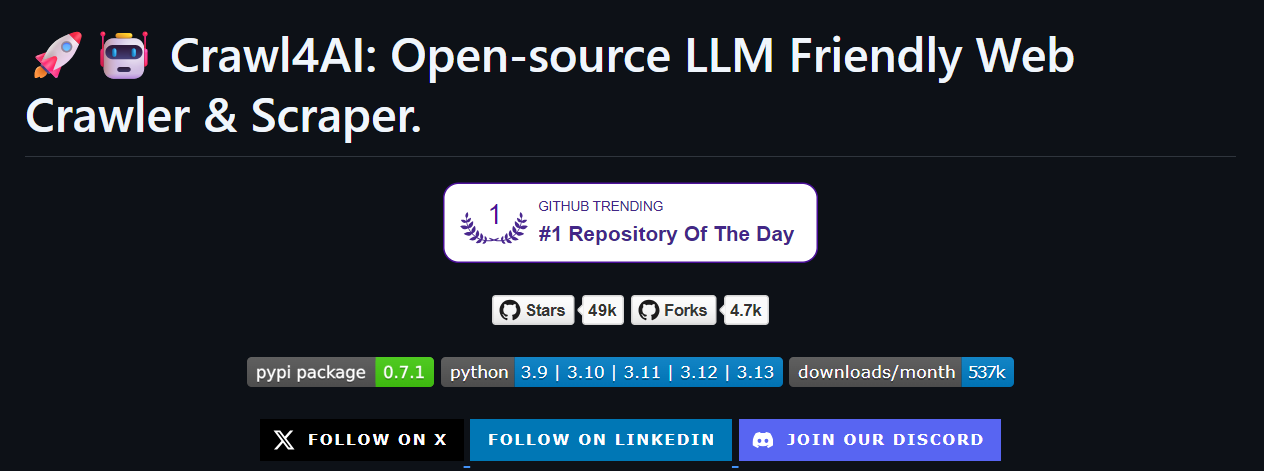
is an open-source Python library optimized for LLM-based web scraping agents. It leverages large language models to extract structured data from both static and dynamic websites, including those with complex JavaScript rendering.
Key features:
- Adaptive Crawling: Learns website patterns and knows when to stop, optimizing crawl efficiency.
- Structured Data Extraction: Supports LLM-driven, CSS/XPath, and schema-based extraction for structured outputs.
- Markdown Generation: Produces clean, concise Markdown optimized for LLMs and RAG pipelines.
- Flexible Browser Control: Offers session management, proxy support, and multi-browser compatibility.
- Media & Metadata Extraction: Captures images, videos, tables, and metadata, including PDF processing.
Pros:
- Fully open source with no API keys or paywalls, ensuring accessibility and transparency.
- Fast crawling and efficient resource management.
- Easy deployment via pip or Docker, with cloud integration and scalable architecture.
Cons:
- Advanced features and configuration options may present a learning curve for beginners.
- Performance and extraction quality can vary depending on website complexity and JavaScript rendering requirements.
- As an open-source project, some features may be experimental or subject to change.
Pricing: Free and open-source (users may pay for LLM API calls and infrastructure).
Example code:
import asyncio
from crawl4ai import *

async def main():
    async with AsyncWebCrawler() as crawler:
        result = await crawler.arun(
            url="https://abid.work/",
        )
        print(result.markdown)

if __name__ == "__main__":
    asyncio.run(main())
If you want to know other tools in this category, please check out the blog Top 7 AI-Powered Web Scraping Solutions in 2025.
No-code or low-code web scraping tools
No-code or low-code web scraping tools are designed for non-technical users, allowing anyone to extract website data using intuitive point-and-click interfaces, pre-built templates, and AI-powered automation.
4. Octoparse
Octoparse
is a no-code web scraping platform with a drag-and-drop interface, making data extraction accessible to everyone, regardless of technical background. It offers pre-built templates, cloud extraction, and anonymous scraping features.
P.S: For developer-centric or API-first tools in the same space, see the best Octoparse alternatives.
Key features:
- No-code Workflow Designer: Build and visualize scraping tasks in a browser-based interface.
- AI-powered Assistant: Auto-detects data fields and provides real-time tips to streamline setup.
- Cloud-based Automation: Schedule scrapers to run 24/7 in the cloud, with automatic data export and OpenAPI support.
- Advanced Interaction: Supports proxies, infinite scrolling, AJAX, dropdowns, and more.
- Template Library: Hundreds of ready-made templates for popular sites like Twitter, Google Maps, LinkedIn, Amazon, and more.
- Flexible Export: Export data in multiple formats and integrate with other tools via API.
Pros:
- No code user-friendly interface, ideal for beginners and non-technical users.
- Fast setup with AI auto-detection and a large library of pre-built templates.
- Cloud-based automation enables hands-free, scheduled scraping.
Cons:
- Advanced customization is limited compared to code-based or open-source tools.
- Slower performance when dealing with large-scale scraping tasks.
- Free plan has significant limitations.
Pricing:
- Free: $0/month
- Standard: $99/month
- Professional: $249/month
- Enterprise: custom pricing
5. Browse.AI
Browse.AI
is a no-code tool that lets users create "robots" to mimic human browsing and extract data. It is designed for business users seeking to automate data collection without technical expertise.
Key features:
- No-code Point-and-click Setup: Extract data from any website in minutes without writing code.
- AI-powered Monitoring: Automatically keeps your data up to date with site layout monitoring and human-like behavior emulation.
- Deep Scraping: Automate extraction from pages and subpages using connected robots.
- Prebuilt Robots: 200+ ready-to-use robots for popular sites and use cases, or create custom robots for any website.
- Cloud-based Automation: Schedule tasks to run at specific intervals and receive real-time alerts on data changes.
- Reliable Data Access: Proxy management and rate limiting for consistent extraction.
- Broad Integrations: Connect extracted data to Google Sheets, Airtable, Zapier, APIs, webhooks, and 7,000+ other apps.
Pros:
- Fast setup with intuitive point-and-click interface and prebuilt robots.
- Scalable for both small and enterprise-level data extraction needs.
- Reliable data extraction with AI-powered monitoring and automatic retries.
Cons:
- Some paid options are limited, and higher subscriptions can become costly.
- May face challenges with highly dynamic or login-protected websites.
- Extraction speed and reliability can vary depending on website complexity and JavaScript rendering requirements.
Pricing:
- Free: $0/month
- Personal: $19/month
- Professional: $69/month
- Premium: $500/month
Python web scraping tools
Python web scraping tools simplify collecting, parsing, and automating data extraction from websites. They can handle everything from static HTML to dynamic JavaScript-driven content, but require technical expertise.
6. Beautiful Soup
Beautiful Soup
is a popular Python library for parsing HTML and XML documents, making it a go-to tool for web
scraping tasks. It is typically used alongside the requests library. Its simple and intuitive API
makes it beginner-friendly and ideal for small to medium-scale web scraping projects. For a
side-by-side look at when to reach for Beautiful Soup vs. Scrapy, see the BeautifulSoup4 vs. Scrapy
comparison.
Key features:
- Accurate Parsing: Parses and navigates HTML and XML documents to extract data.
- Flexible Searching: Supports searching for elements by tag, class, id, attributes, and text content.
- Tree Navigation: Allows traversing the document tree to find parent, sibling, and child elements.
- Data Modification: Enables modification of the parsed document, such as editing or removing elements.
- Multiple Parser Support: Compatible with different parsers like
lxmlandhtml.parserfor speed and flexibility.
Pros:
- Excellent for small to medium-scale projects and quick prototyping.
- Flexible and capable for parsing and extracting data from HTML/XML
- Handles poorly formatted HTML well.
Cons:
- Lacks built-in support for handling JavaScript-rendered content.
- Can be slower than some alternatives when parsing very large documents.
- Requires manual handling of rate limiting and request management.
Pricing: Free and open-source.
Example code:
import requests
from bs4 import BeautifulSoup

url = "https://abid.work/"
response = requests.get(url)
html_content = response.content

soup = BeautifulSoup(html_content, "html.parser")
page_title = soup.title.string
print("Page Title:", page_title)
7. Scrapy
Scrapy
is an open-source Python framework designed for large-scale web scraping and crawling. It enables developers to build custom spiders that extract data from websites efficiently, using asynchronous requests and a scalable architecture.
Key features:
- Asynchronous Requests: Handles multiple requests concurrently for high-speed scraping.
- Custom Spiders: Define Python classes called "spiders" to crawl pages and extract data flexibly
- Built-in Data Pipelines: Process, clean, and store scraped data in various formats (JSON, CSV, databases).
- Reliable Selectors: Scrapy supports both CSS and XPath selectors for reliable data extraction.
- Automatic Throttling and Retries: Manages request rates and handles failed requests gracefully.
Pros:
- Highly scalable and efficient for large-scale scraping projects.
- Asynchronous processing enables fast data extraction from multiple sources.
- Strong community support and extensive documentation.
Cons:
- Steeper learning curve compared to simpler libraries like Beautiful Soup.
- Limited support for JavaScript-heavy websites without additional tools or middleware.
- Requires more setup and configuration for basic tasks.
Pricing: Free and open-source.
Example code:
import scrapy

class AbidSpider(scrapy.Spider):
    name = "abid"
    start_urls = ["https://abid.work/"]

    def parse(self, response):
        # Extract and yield the page title
        yield {"page_title": response.xpath('//title/text()').get()}
        # Extract and yield all <h2> headings
        for heading in response.xpath('//h2/text()').getall():
            yield {"h2_heading": heading}

# To run this spider without a Scrapy project, use:
# scrapy runspider abid_spider.py -o results.json
If you are interested in other tools in this category, check out the blog Best Open-source Web Scraping Libraries in 2025.
Browser automation frameworks for web scraping
Imagine you need to automate a complex series of actions on a website, such as logging in, clicking buttons, and navigating menus, all to extract data. This is where browser automation tools come into play. They are designed to scrape data from modern, highly interactive websites that use JavaScript, dynamic content, or that require human-like interactions to access and retrieve information.
8. Selenium
Selenium
is a long-standing, open-source browser automation framework widely used for both web testing and web scraping. Supporting multiple programming languages (including Python, Java, C#, and JavaScript) and all major browsers, Selenium enables users to automate browser actions such as clicking, form submission, navigation, and data extraction. For a hands-on walkthrough, see the Selenium web scraping guide; for how it stacks up against Chromium-only alternatives, see Puppeteer vs. Selenium.
Key features:
- Cross-browser Support: Works with Chrome, Firefox, Edge, Safari, etc.
- Multi-language Compatibility: Supports popular languages including Python, Java, C#, and more.
- Full Browser Automation: Automates clicking, typing, scrolling, navigation, file uploads.
- Dynamic content Handling: Excellent for JavaScript-rendered pages and AJAX interactions
- Headless Mode: Runs browsers in headless mode for faster, GUI-less operation.
Pros:
- Great for automating complex workflows beyond simple scraping.
- Supports scraping of dynamic and JavaScript-heavy websites.
- Integrates easily with other testing and automation tools.
Cons:
- It launches full browsers, which is resource-heavy and slower than libraries like
requests. - Downloads full page assets (CSS, JS, images), increasing load.
- Requires more setup and maintenance compared to lightweight scraping libraries.
Pricing: Free and open-source.
Example code:
from selenium import webdriver
from selenium.webdriver.chrome.options import Options
from selenium.webdriver.common.by import By
import time

options = Options()
options.add_argument("--headless")  # Headless mode, no GUI
# Do NOT add --user-data-dir unless necessary

driver = webdriver.Chrome(options=options)

try:
    driver.get("https://abid.work/")
    time.sleep(2)  # Wait for page to load

    print("Page Title:", driver.title)

    h2_elements = driver.find_elements(By.TAG_NAME, "h2")
    for h2 in h2_elements:
        print("H2 Heading:", h2.text)
finally:
    driver.quit()
9. Playwright
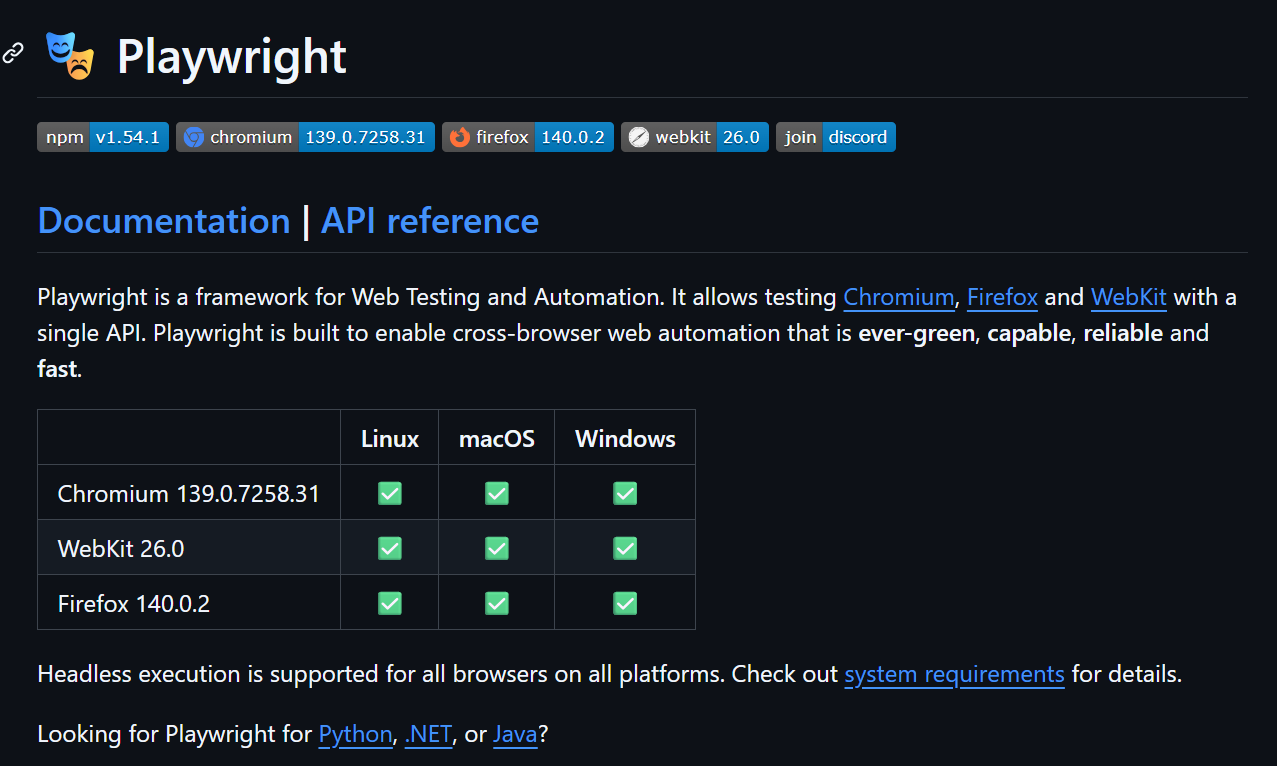
Playwright
is a modern, open-source browser automation tool developed by Microsoft, designed for fast and reliable automation of web applications. It supports automation and testing across Chromium, Firefox, and WebKit browsers using a single API, making it ideal for scraping and interacting with modern, dynamic web apps. If you're weighing frameworks, the Playwright vs. Puppeteer comparison covers the practical differences, and Playwright vs. Firecrawl walks through when to use raw browser automation versus a hosted API.
Key features:
- Cross-browser Automation: Supports Chromium, Firefox, and WebKit with a unified API
- Headless and Headed Modes: Run browsers with or without a GUI for flexible automation.
- Fast Execution: Optimized for speed and reliability, with automatic waits and retries.
- Advanced Interaction: Automate clicks, typing, file uploads, downloads, and handle dialogs.
- Flexible Selectors: Use CSS, XPath, and text selectors for precise element targeting.
Pros:
- Fast, reliable, and consistent automation across all major browsers.
- Excellent for scraping and testing modern, dynamic web applications.
- Supports multiple programming languages and integrates with CI/CD pipelines.
Cons:
- Slightly steeper learning curve compared to simpler scraping libraries.
- More resource-intensive than lightweight HTTP-based scrapers.
- May require additional configuration for complex web infrastructure.
Pricing: Free and open-source.
Example code:
import asyncio
from playwright.async_api import async_playwright

async def main():
    async with async_playwright() as p:
        browser = await p.chromium.launch(headless=True)
        page = await browser.new_page()
        await page.goto("https://abid.work/")

        # Get the page title
        title = await page.title()
        print("Page Title:", title)

        # Get all <h2> headings
        h2s = await page.locator("h2").all_text_contents()
        for h2 in h2s:
            print("H2 Heading:", h2)

        await browser.close()

asyncio.run(main())
10. Puppeteer
Puppeteer
is a high-performance Node.js library for automating Chrome and Chromium browsers, providing a flexible API for browser automation and web scraping tasks. It is especially effective for scraping dynamic, JavaScript-heavy websites and automating complex browser interactions.
Key features:
- Headless Browser Automation: Runs Chrome or Chromium in headless mode for fast, resource-efficient scraping.
- High-level API: Offers a simple, full-featured API to control browser actions such as navigation, clicking, typing, and form submission.
- JavaScript Execution: Handles JavaScript-rendered content and AJAX requests seamlessly.
- Screenshot and PDF Generation: Capture screenshots or generate PDFs of web pages for reporting or archiving.
- Network Interception: Intercept and modify network requests and responses for advanced scraping scenarios.
Pros:
- Excellent support for JavaScript-heavy and single-page applications.
- Maintained by the Chrome DevTools team, ensuring up-to-date browser compatibility.
- Supports both headless and full browser modes for different use cases.
Cons:
- Requires Node.js environment and familiarity with JavaScript.
- Limited to Chrome and Chromium browsers (no native support for Firefox or Safari).
- Heavier than pure HTTP scrapers due to full browser usage.
Pricing: Free and open-source.
Example code:
import puppeteer from "puppeteer";

const browser = await puppeteer.launch();
const page = await browser.newPage();

await page.goto("https://abid.work/");
await page.setViewport({ width: 1080, height: 1024 });

// Get the page title
const pageTitle = await page.title();
console.log("Page Title:", pageTitle);

// Get all <h2> headings
const h2Headings = await page.$$eval("h2", (elements) =>
  elements.map((el) => el.textContent.trim()),
);
for (const heading of h2Headings) {
  console.log("H2 Heading:", heading);
}

await browser.close();
Discover browser automation tools and their use cases by reading the blog Top 9 Browser Automation Tools for Web Testing and Scraping in 2025.
More solutions worth knowing about
A few tools don't fit cleanly into the categories above but come up often enough that they deserve a mention. These lean toward managed infrastructure and hosted browser sessions, and they're useful when you outgrow a DIY setup but don't want to move fully to an AI-native API.
11. Apify
Apify
is a scraping platform built around Actors: pre-configured scrapers you can either grab from a marketplace or build yourself. If your target is a mainstream platform (marketplaces, professional networks, maps, real estate portals), there's a good chance an Actor already exists that runs in a few minutes. For a look at where Apify falls short and what else fills the gap, see the Apify alternatives guide.
Key features:
- Actor marketplace: Thousands of community and officially maintained Actors for popular sites.
- Managed infrastructure: Runs Actors in the cloud with scheduling, retries, and storage handled for you.
- SDK and API: Build custom Actors in Node.js or Python with a polished developer experience.
- Proxy support: Datacenter and residential proxies with automatic rotation.
- Integrations: Webhooks, cloud storage, and Zapier for connecting extracted data downstream.
Pros:
- Prebuilt Actors let you skip development for common targets.
- Solid managed platform with versioning, monitoring, and logs.
- Scales cleanly from small runs to continuous large crawls.
Cons:
- Heavier than needed for one-off or lightweight scraping jobs.
- Once you leave the marketplace, you own the custom Actor code and its maintenance.
- Compute-unit pricing can scale nonlinearly at high volume.
Pricing:
- Free: $0/month (limited compute)
- Starter: $49/month
- Scale: $499/month
- Business: $999/month
12. Browserless
Browserless
is a hosted headless browser service. You send Puppeteer, Playwright, or Selenium code to their infrastructure and they run it against real Chrome instances, so you don't have to manage the browser fleet yourself.
Key features:
- Hosted Chrome: Managed pool of Chrome instances, no local setup or Docker.
- Framework-agnostic: Works with Puppeteer, Playwright, and Selenium over WebSocket or REST.
- BrowserQL: A GraphQL-style API for scripting page interactions without full framework code.
- Session management: Reusable sessions with cookies and storage preserved between calls.
- Concurrency controls: Predictable parallelism and queueing built in.
Pros:
- Clean fit if you already have Puppeteer or Playwright scripts and just want them hosted.
- Removes the operational cost of running Chrome at scale.
- Straightforward pricing based on units of browser time.
Cons:
- Under high concurrent load, some users report reliability dips.
- You still write and maintain the browser automation code yourself.
- Not a great fit if you want an AI-native "give me the data" interface.
Pricing:
- Free trial available
- Starter: $50/month
- Scale: $200/month
- Enterprise: custom
13. Hyperbrowser
Hyperbrowser
is a newer cloud browser platform focused on long-running scraping and agent workflows. It runs sessions with built-in stealth, proxies, and session persistence, and exposes them through Playwright, Puppeteer, or a REST API.
Key features:
- Managed browser sessions: Long-running sessions with persisted cookies and storage.
- Built-in stealth and proxies: Handles the messy parts of real-web sessions so scripts don't die on quirky sites.
- Playwright and Puppeteer support: Drop-in replacement for local browsers in existing code.
- Agent-ready APIs: Designed for AI agents that need to drive a browser over multiple steps.
- Concurrent session pool: Runs many browsers in parallel with predictable performance.
Pros:
- Steadier on long runs than DIY headless setups; less time patching scripts.
- Handles messy sites more gracefully thanks to built-in session hardening.
- Straightforward drop-in for teams already on Playwright or Puppeteer.
Cons:
- Younger product, so the ecosystem and integrations are still growing.
- Not the cheapest for high-volume static scraping (a plain HTTP library will be more efficient).
- Like other browser platforms, you write the automation code yourself.
Pricing:
- Free: $0/month (limited sessions)
- Hobby: $30/month
- Startup: $100/month
- Scale: $500/month
- Enterprise: custom
Feature and pricing comparison
Here is a highlight of the top web scraping tools, giving you a quick, byte-sized overview of their type, pricing, and key features.
| Tool | Type | Paid Plans (Monthly) | Key Features |
|---|---|---|---|
| Firecrawl | AI, API, Python | $19 to $749/mo ($16 to $599/mo billed annually), Add-ons, Enterprise | Web data APIs for AI agents: Search, Scrape, Parse, Crawl, Map, Interact. |
| ScrapeGraphAI | AI, Python, API | 17 (Starter), 85 (Growth), $425 (Pro), Enterprise | Advanced AI extraction, open-source & API, LLM-driven |
| Crawl4AI | AI, Python, OpenSrc | Free (infra/LLM costs extra) | LLM-powered, context-aware, open-source |
| Octoparse | No-Code, Cloud | 99 (Standard), 249 (Professional), Enterprise | Drag-and-drop, templates, AI assistant |
| Browse.AI | No-Code, Browser | 19 (Personal), 69 (Professional), $500 (Premium) | Visual robots, easy setup, monitoring |
| Beautiful Soup | Python Library | Free | Simple parsing, beginner-friendly, HTML/XML |
| Scrapy | Python Framework | Free | Large-scale, async, extensible |
| Selenium | Browser Automation | Free | Multi-step forms, cross-browser, multi-language |
| Playwright | Browser Automation | Free | Interactive dashboards, JavaScript-heavy sites, fast execution |
| Puppeteer | Browser Automation | Free | Scraping SPAs, screenshots, headless Chrome/Chromium |
| Apify | Cloud Platform | Free tier, 49 (Starter), 499 (Scale), $999 (Business) | Actor marketplace, managed cloud, custom scrapers in Node/Python |
| Browserless | Cloud Browser | Free trial, 50 (Starter), $200 (Scale), Enterprise | Hosted Chrome fleet for Puppeteer, Playwright, Selenium |
| Hyperbrowser | Cloud Browser | Free tier, 30 (Hobby), 100 (Startup), $500 (Scale) | Long-running sessions, built-in stealth and proxies, agent-friendly |
How to choose the right web scraping tool (including free options)
The right tool depends on four questions: what does the site look like, how technical are you, how often do you need the data, and what's your budget? For a deeper walkthrough with worked examples, see the guide on choosing web scraping tools.
Start with your budget and skill level. If you're not a developer and need data now, no-code platforms like Octoparse and Browse.AI let you point and click. Both have free tiers that cover small jobs. If you're comfortable in Python and the target is static or lightly dynamic, Beautiful Soup and Scrapy are free and open source. If you need real browser interaction, Playwright, Puppeteer, and Selenium are also free frameworks; you just own the infrastructure.
Then look at the site. Static HTML with predictable structure? A lean Beautiful Soup script does the job. JavaScript-heavy single-page app? You need a real browser (Playwright, Puppeteer) or an AI-native API that renders JavaScript by default (Firecrawl). Pages behind logins, clicks, or pagination? Playwright and Selenium can script it in code; Firecrawl's /interact endpoint does it in a single API call.
Then think about scale. A one-off pull for a report is different from a continuous pipeline. For recurring pipelines, selector-based scrapers (Scrapy spiders, Octoparse workflows) need active maintenance because sites redesign and class names change. AI-native tools like Firecrawl adapt to layout changes without you rewriting selectors, which is often the deciding factor for teams running scrapers over months.
Free options worth knowing:
- Scrapy, Beautiful Soup, Playwright, Puppeteer, Selenium. All free and open source; you host and maintain everything.
- Firecrawl free tier. 1,000 credits per month, no credit card, includes AI-native scraping, crawling, and search. You can also try Firecrawl keyless with no signup at all: a rate-limited free tier that works straight from the CLI, MCP, or a plain HTTP call.
- Octoparse, Browse.AI, ScrapeGraphAI, Apify, Browserless, Hyperbrowser. All have limited free tiers useful for testing and small projects.
AI web scraping is the future, traditional web scraping solutions are breaking
Traditional scraping is a maintenance treadmill. A developer writes a Scrapy spider on a Monday. It works. On Thursday the target site ships a frontend update: a CSS class gets renamed, a lazy-loading component appears, an iframe wraps the content that used to live in plain HTML. The spider returns empty results. Nobody notices for three days.
That's the pattern across selector-based tools. Any tool that pins itself to specific HTML structure inherits that structure's fragility. As more sites move to React, Vue, and Angular, the pattern gets worse: content that used to sit in the initial HTML now loads after page initialization, and static HTTP libraries return an empty shell. You either add a real browser to the stack (more infrastructure, see the guide to dynamic web scraping tools) or accept broken pipelines.
AI-native tools flip the model. Instead of "here's a CSS selector for the price field," you point at a URL and describe what you want. The tool renders the page, understands the layout, and returns clean output regardless of whether the site redesigned yesterday. Firecrawl, ScrapeGraphAI, and Crawl4AI all work this way, with different trade-offs on maturity, ecosystem, and price.
The traditional tools aren't going away. For genuinely static, well-structured sites at high volume, a tuned Scrapy spider is still cheaper per page than any AI-native tool. Open-source control is a legitimate preference. And for one-off pulls, any free tool beats setup time.
But the ratio of "sites that are pleasant to scrape with selectors" to "sites that fight you on every layout change" keeps shifting. If you're building something that needs to keep working six months from now, biasing toward AI-native tools trades a bit of per-page cost for a lot of maintenance time.
Which web scraping tool should you choose?
There isn't a single best web scraping tool: the right answer depends on the site, your stack, and how much of the pipeline you want to own.
- Building an AI agent, RAG pipeline, or LLM workflow? Start with Firecrawl. Markdown output, JavaScript rendering, and /interact for multi-step flows all live behind one API.
- Non-technical and just need data in a spreadsheet? Octoparse or Browse.AI. Point-and-click, no code, ready templates for common sites.
- Comfortable in Python and scraping static or medium-scale sites? Beautiful Soup for parsing, Scrapy when you're ready to scale.
- Site needs full browser interaction? Playwright is the modern default. Selenium if you need cross-language support; Puppeteer if you're a Node.js shop.
- Running scrapers at scale and don't want to manage browser infrastructure? Apify for prebuilt Actors, Browserless for hosted Chrome, Hyperbrowser for long-running agent sessions.
If you want a narrower vendor comparison of hosted scraping APIs specifically, read 8 Best Web Scraping APIs in 2026. To go deeper on browser automation frameworks, see Top 9 Browser Automation Tools. And if you're eager to start building, check 15 Python Web Scraping Projects.
Frequently Asked Questions
What are the best web scraping tools in 2026?
It depends on your stack and skill level. Firecrawl is the AI-native pick for developers building agents or LLM pipelines because it returns clean markdown and handles JavaScript, crawling, and interaction in one API. Octoparse and Browse.AI lead the no-code space. Beautiful Soup and Scrapy are the Python defaults for static and medium-scale scraping. Playwright, Puppeteer, and Selenium handle full browser automation. Apify, Browserless, and Hyperbrowser cover cloud-hosted browser infrastructure for scale.
What is the best free web scraping tool?
For developers, Scrapy and Beautiful Soup are free and open source. Playwright and Puppeteer are also free browser automation frameworks. Firecrawl has a free tier that includes 1,000 credits per month, which covers small projects and prototypes without a credit card.
Which web scraping tool is best for AI and LLM workflows?
Firecrawl is built for this use case. It returns token-efficient markdown, handles JavaScript rendering by default, and exposes search, scrape, crawl, and interact endpoints designed for agent loops. ScrapeGraphAI and Crawl4AI are other AI-native options, both with LLM-driven extraction.
Do I need to know Python to scrape the web?
No. No-code tools like Octoparse and Browse.AI let you build scrapers with point-and-click interfaces. Firecrawl also works from the command line and connects to no-code platforms like n8n, Zapier, and Lovable. Python helps if you want to customize behavior or process data downstream, but it's not a hard requirement.
How do I scrape JavaScript-heavy or dynamic sites?
Static HTTP libraries like requests or plain Beautiful Soup will return an empty shell. You need either a full browser (Playwright, Puppeteer, Selenium), a cloud browser platform (Apify, Browserless, Hyperbrowser), or an AI-native tool that renders JavaScript by default. Firecrawl renders JS on every request, so most single-page apps work without configuration.
What is the difference between web scraping libraries and web scraping APIs?
Libraries like Scrapy and Beautiful Soup are code you run and maintain yourself, including proxies, retries, and infrastructure. APIs like Firecrawl are hosted services that return clean data from a single call. Libraries give you full control at the cost of maintenance. APIs trade some control for reliability and speed to production.
How do I scrape pages that require login or clicking through pagination?
Use a tool that supports browser actions. Playwright, Puppeteer, and Selenium can script logins and clicks in code. Firecrawl's interact endpoint handles this in a single request: describe the actions in a JSON payload (click, fill, wait), and it returns the resulting page content.
Which tool is best for scraping at scale?
Scrapy is the standard for self-hosted large-scale scraping if you have the engineering resources. For managed infrastructure, Apify, Browserless, and Hyperbrowser handle browser fleets in the cloud. Firecrawl's batch scrape endpoint runs concurrent requests without you managing the concurrency or retries.
How does Firecrawl compare to Apify?
Apify is a platform for building and running Actors (custom scrapers) with a marketplace of pre-built ones. Firecrawl is an API-first product where every URL returns clean markdown or structured JSON by default, with no Actor to write or maintain. Apify shines when you need a prebuilt scraper for a specific platform. Firecrawl shines when you want general web extraction, especially for AI pipelines.