Apify's 40,000+ actor marketplace offers extensive coverage for web scraping needs. Different teams have different requirements when it comes to web scraping tools - from pricing models and support structures to technical approaches and infrastructure preferences.
We tested leading Apify alternatives to help you find the best fit for your specific use case.
TL;DR: Quick comparison
Here's a quick overview of leading web scraping alternatives and what makes each one unique:
| Alternative | Best For | Starting Price | Key Advantage |
|---|---|---|---|
| Firecrawl | AI apps, developers, no-code users | $0 (1,000 credits/month free) | API + no-code + open-source in one. LLM-ready markdown, 1 credit per page |
| Octoparse | Business users needing visual scraping | $119/month | 600+ templates, point-and-click interface |
| Oxylabs | Proxy-dependent scraping at scale | $49/month | 175M+ owned IPs, 99.95% success rate |
| Scrapy | Developers wanting full control | Free (open-source) | Zero vendor lock-in, unlimited scale |
| Browse.AI | Automated monitoring workflows | $48.75/month | Built-in change alerts, visual training |
What is Apify: Quick overview

Apify is a cloud-based web scraping and automation platform that lets you build, run, and scale web scrapers (called "Actors") through a marketplace-style ecosystem. Founded in 2015, it's grown into one of the largest scraping platforms with over 40,000 community-built and official Actors covering everything from Google Maps to Instagram.
For a deeper feature-by-feature breakdown, see Firecrawl vs. Apify.
Quick feature overview:
- Actor marketplace with 40,000+ pre-built scrapers for popular websites
- Cloud infrastructure for running scrapers at scale without managing servers
- Proxy management with residential, datacenter, and mobile IP rotation
- Crawlee SDK (open-source) for building custom scrapers in JavaScript/Python
- Scheduling and monitoring for automated data collection
- Credit-based pricing where you pay for compute units, actor usage, and proxy bandwidth
- API access for programmatic scraper execution and data retrieval
- Integrations with Zapier, Make, Google Sheets, and various AI/LLM platforms
Apify works well for developers comfortable with JavaScript who need access to a wide variety of pre-built scrapers. The platform offers a marketplace of community-maintained actors and a credit-based pricing model.
Top 5 Apify alternatives to test in 2026
Different teams have different requirements for web scraping tools. Some prefer API-first approaches, others need no-code interfaces, and some want open-source control.
We've organized these alternatives into three categories based on what matters most to you:
- API-first alternatives for developers who want programmatic control without marketplace chaos
- No-code alternatives for business users who need data without learning JavaScript
- Open-source alternatives for technical teams who want self-hosting and full code access
1. Firecrawl - LLM-ready, open-source API (offers no-code integrations)

While Apify evolved from a developer marketplace into a sprawling platform with thousands of community-built actors, Firecrawl was purpose-built from the ground up as the best web scraping API and service for modern AI and LLM applications that demand clean, structured, machine-readable data.
What makes Firecrawl unique: It's the only Apify alternative that genuinely serves all user types. Whether you're a developer who wants API control, a business user who needs no-code simplicity, or a technical team that prefers open-source self-hosting, Firecrawl delivers without compromise.
How Firecrawl differs from Apify
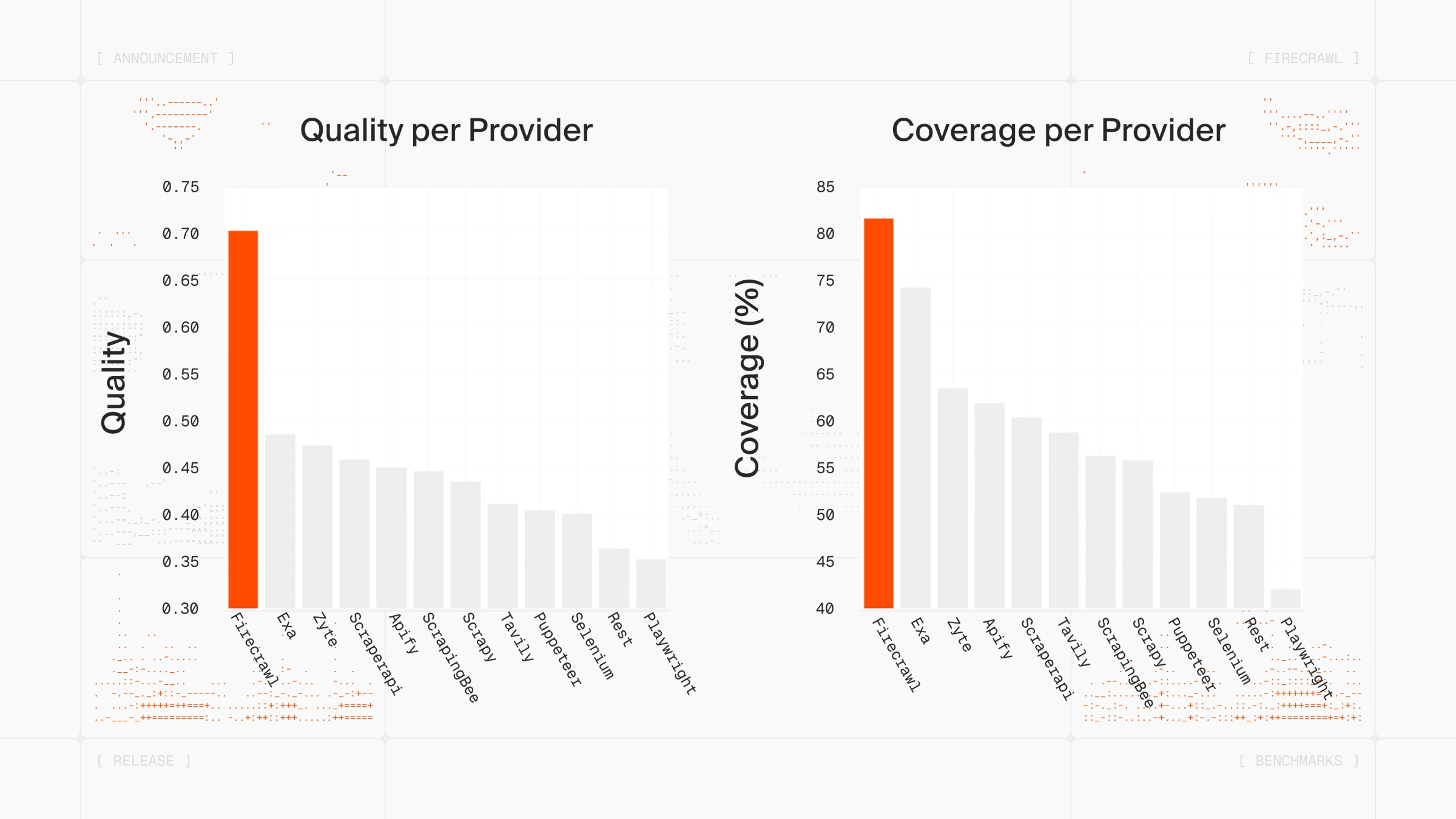
The key difference lies in architecture and output format.
Apify delivers HTML and JSON output with a credit system based on compute units, actor usage, and proxy bandwidth.
Firecrawl outputs clean markdown natively, reducing token consumption by an average of 67% and eliminating the need for additional parsing, with a transparent 1 credit per page pricing model.
Apify offers a marketplace of 40,000+ community-built actors covering various use cases. Firecrawl provides LLM-ready markdown with structured metadata, screenshots, and links extracted automatically from scrapers maintained by the Firecrawl team.
| Feature | Firecrawl | Apify |
|---|---|---|
| Output Formats | Markdown, HTML, JSON, screenshots, links | HTML, JSON, XML, screenshots |
| AI Extraction | Natural language prompts with Pydantic schemas | CSS selectors or community-built AI actors |
| JavaScript Rendering | Automatic with smart wait (1 credit) | Configurable (variable credits) |
| Response Time | Less than 1 second for cached, 2-5s for fresh | Variable based on actor and configuration |
| Marketplace Reliability | All scrapers maintained by Firecrawl | 40,000+ community-maintained actors |
| Pricing Model | 1 credit per page | Compute units + actor usage + proxy fees |
| Support | Email support with documented response times | Discord-based community support |
| No-Code Access | Playground, Zapier, n8n, Make integrations | Requires actor selection and configuration |
| Open Source | 180K+ GitHub stars, self-hostable | Open SDK (Crawlee), closed platform |
| API Quality | Clean REST API with comprehensive SDKs | API available with marketplace-based actors |
| Browser Sandbox | Yes (programmable browser via API) | No |
| CLI | Yes (built-in Claude skill) | No |
| Autonomous Web Extraction | Yes (/agent endpoint) | Actor-based automation |
For developers: API-first architecture
Firecrawl's API is built for developers who want control without complexity. While Apify offers a marketplace approach where you search for and select actors, Firecrawl provides direct endpoints with consistent behavior.
Performance advantage
Firecrawl's caching system delivers sub-second response times for previously scraped content, while fresh scrapes complete in 2-5 seconds including JavaScript rendering.
One developer shared their experience: "Moved our internal agent's web scraping tool from Apify to Firecrawl because it benchmarked 50x faster with AgentOps."

AI-powered Agent for complex data gathering
Firecrawl's Agent endpoint uses AI to autonomously navigate and gather data from complex websites, handling multi-step workflows that would require multiple Apify actors chained together.
const result = await firecrawl.agent({
  url: "https://example.com",
  prompt:
    "Find all products, extract name, price, availability, then get full specs from each product page",
});
The agent handles navigation, pagination, and extraction autonomously. No need to find the right actor in the marketplace, configure parameters, or maintain selectors when websites change.
Natural language extraction vs CSS selector maintenance
Firecrawl's /agent endpoint accepts plain English instructions and handles extraction automatically. No CSS selectors or XPath required:
from firecrawl import Firecrawl

app = Firecrawl(api_key='fc-YOUR_API_KEY')

result = app.agent(
    prompt='Go to https://example.com/products and extract all product names, prices, and availability status',
)

print(result.data)
With Apify, the approach typically involves:
- Search the marketplace for a relevant actor
- Review actor maintenance status and reviews
- Configure CSS selectors or XPath expressions
- Update selectors when websites change their structure
When websites change their CSS classes, Firecrawl's natural language instructions adapt automatically, while selector-based approaches require manual updates to maintain functionality.
For business users: No-code access
Firecrawl offers no-code access through the Playground. Test scraping any website directly in your browser, no signup required, no code needed. See exactly what data you'll get before committing to anything. You can also call the API directly without a key to try it, then add one for higher rate limits.
No-code integrations
Both Apify and Firecrawl offer integrations with automation tools. Firecrawl's approach focuses on simplicity:
- n8n: Build automated scraping workflows without coding
- Zapier: Connect Firecrawl to 6,000+ apps with triggers
- Make: Create complex automation scenarios
- Bubble.io: Integrate scraped data into visual web apps
- Lovable: Build full-stack apps in plain English with Firecrawl powering the data layer — the firecrawl lovable tutorial walks through building a brand analyzer and trend tracker in minutes
With Firecrawl, you simply specify the URL and get clean data back, while Apify requires actor selection and parameter configuration within these tools.
For technical teams: Open-source flexibility
Apify offers Crawlee as an open-source SDK, while the platform itself is a managed service. Firecrawl takes a different approach with a fully open-source project.
With 180K+ GitHub stars, Firecrawl offers:
- Self-host on your own infrastructure
- Audit the entire codebase
- Contribute improvements
- Customize for your specific needs
- Deploy without vendor lock-in
You get the reliability of a managed service with the flexibility of open source. Start with Firecrawl's hosted API, then move to self-hosting if your needs change.
Production-ready reliability
Apify's marketplace model offers extensive coverage through community developers, providing flexibility across a wide range of use cases.
Firecrawl takes a centrally-maintained approach where scrapers are built and maintained by the Firecrawl team. When websites change, updates are pushed automatically.
Firecrawl v2.5 introduced enterprise-grade reliability features including enhanced error handling, automatic retries, and improved caching, designed for business-critical workflows.
Transparent pricing model
Apify uses a credit-based pricing system that accounts for compute units, actor usage, and proxy bandwidth separately.
Firecrawl's pricing is straightforward: 1 credit per successful scrape, regardless of JavaScript rendering, page size, or proxy complexity. A scrape that returns no result is not charged. A page that responds with an error status such as 403 or 404 is still returned to you and costs 1 credit.
| Plan | Price (billed monthly) | Price (billed annually) | Credits Included |
|---|---|---|---|
| Free | $0 | $0 | 1,000 credits |
| Hobby | $19/mo | $16/mo | 5,000 credits |
| Standard | $99/mo | $83/mo | 100,000 credits |
| Growth | $399/mo | $333/mo | 500,000 credits |
| Scale | $749/mo | $599/mo | 1,000,000 credits |
No compute units to calculate. No actor rental fees. No proxy charges.
Browser sandbox, Claude plugin, and CLI
For sites requiring authentication, multi-step flows, or complex user interactions, Firecrawl's browser sandbox provides a full programmable browser environment exposed via API. Script real browser interactions, fill forms, capture screenshots, and extract content from authenticated pages, without managing headless browser infrastructure yourself.
Firecrawl is also available as an official Claude plugin, integrating directly into Claude for AI-powered web research without writing code. The Firecrawl CLI, with a built-in Claude skill, lets you run scraping workflows directly from your terminal.
When to choose Firecrawl over Apify
Choose Firecrawl if you're:
- Building AI applications (chatbots, RAG systems, ML models, AI agents)
- Need LLM-ready markdown without post-processing
- Want API control, no-code simplicity, OR open-source flexibility (Firecrawl delivers all three)
- Working with JavaScript-heavy, dynamic websites
- Prefer centrally-maintained scrapers over a community marketplace
- Need affordable, transparent pricing per page
- Want automatic adaptation to website changes via natural language extraction
- Scaling to business-critical workflows
- Using LangChain, LlamaIndex, or other AI frameworks
- Want to test thoroughly before committing (Playground access)
For teams building AI-powered products, Firecrawl offers a different architectural approach focused on LLM-ready output, transparent pricing, and centrally-maintained infrastructure.
2. Octoparse - Desktop no-code scraper for visual workflow builders
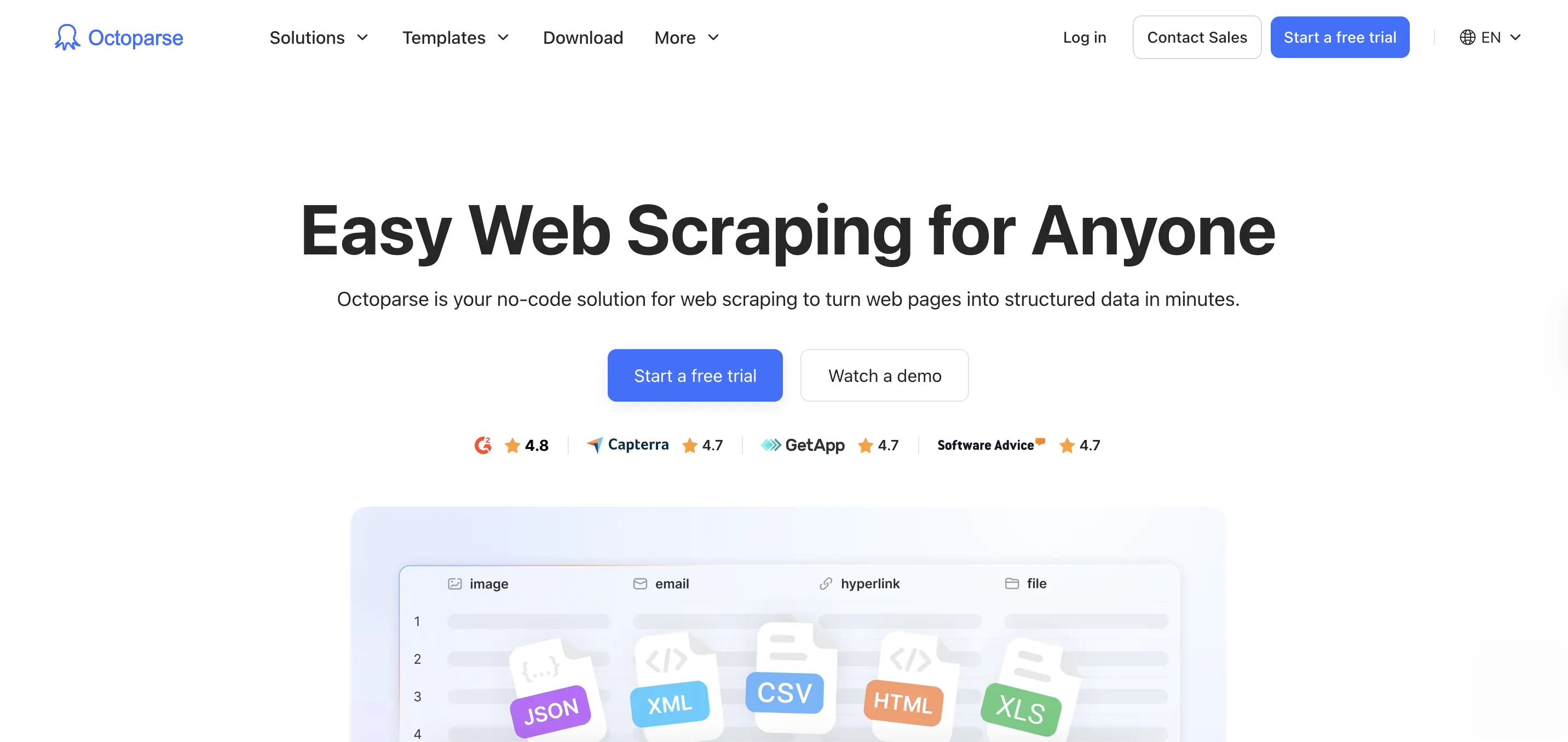
Octoparse is a desktop application for web scraping that uses visual point-and-click configuration, designed for users who need powerful scraping without coding.
How Octoparse differs from Apify for non-technical users
The key difference lies in the interface approach.
Apify uses a web-based marketplace where you select actors and configure parameters. Octoparse provides a standalone desktop application where you visually configure scrapers by clicking on the data you want.
For data analysts, market researchers, and business intelligence teams who work primarily with Excel and don't write code, Octoparse offers a visual point-and-click interface.
| Feature | Octoparse | Apify |
|---|---|---|
| Interface | Desktop app (Windows, Mac beta) | Web platform with marketplace |
| Setup Method | Visual point-and-click | Code or pre-built actors |
| Pre-built Templates | 600+ for popular sites | 40,000+ actors (varying quality) |
| Local Execution | Yes (runs on your computer) | Cloud-only |
| Cloud Execution | Optional (paid plans) | All execution |
| Data Export | Excel, CSV, database, Google Sheets | API response, requires integration |
| Scheduled Tasks | Built-in scheduling interface | Requires configuration per actor |
| Free Version | Yes (10 crawlers, 10K records) | $5 credit (depletes quickly) |
| Support | Self-service, community | Discord-based |
Template marketplace eliminates configuration
Octoparse provides 600+ pre-built templates covering:
- E-commerce: Amazon, eBay, Alibaba, Walmart, Target
- Social Media: Twitter, Facebook, Instagram (limited)
- Business Directories: Yelp, Yellow Pages, Google Maps
- Real Estate: Zillow, Realtor.com, Trulia
- Job Boards: Indeed, LinkedIn Jobs, Glassdoor
These templates work immediately without training. Enter your search parameters (product name, location, category) and click "Run." The scraper executes immediately.
Apify's actors allow for customizable configuration with various parameters. Octoparse's templates are officially supported and updated when websites change.
Visual scraper builder for custom needs
When templates don't cover your use case, Octoparse's visual builder lets you:
- Navigate to your target page
- Click the data points you want (prices, titles, descriptions)
- Octoparse auto-detects patterns and builds the scraper
- Run on-demand or schedule for automatic execution
The platform handles pagination automatically and adapts when websites change their layout. Octoparse's visual approach is designed specifically for non-technical users.
When to choose Octoparse over Apify
Choose Octoparse if you:
- Need a visual interface without code or marketplace navigation
- Are a business user without coding background
- Want built-in scheduling and monitoring
- Need data flowing directly into Excel, CSV, or databases
- Prefer point-and-click over marketplace navigation
- Want a free tier for testing (10 crawlers included)
- Don't need API integration
3. Oxylabs - Premium proxy infrastructure with web scraping APIs
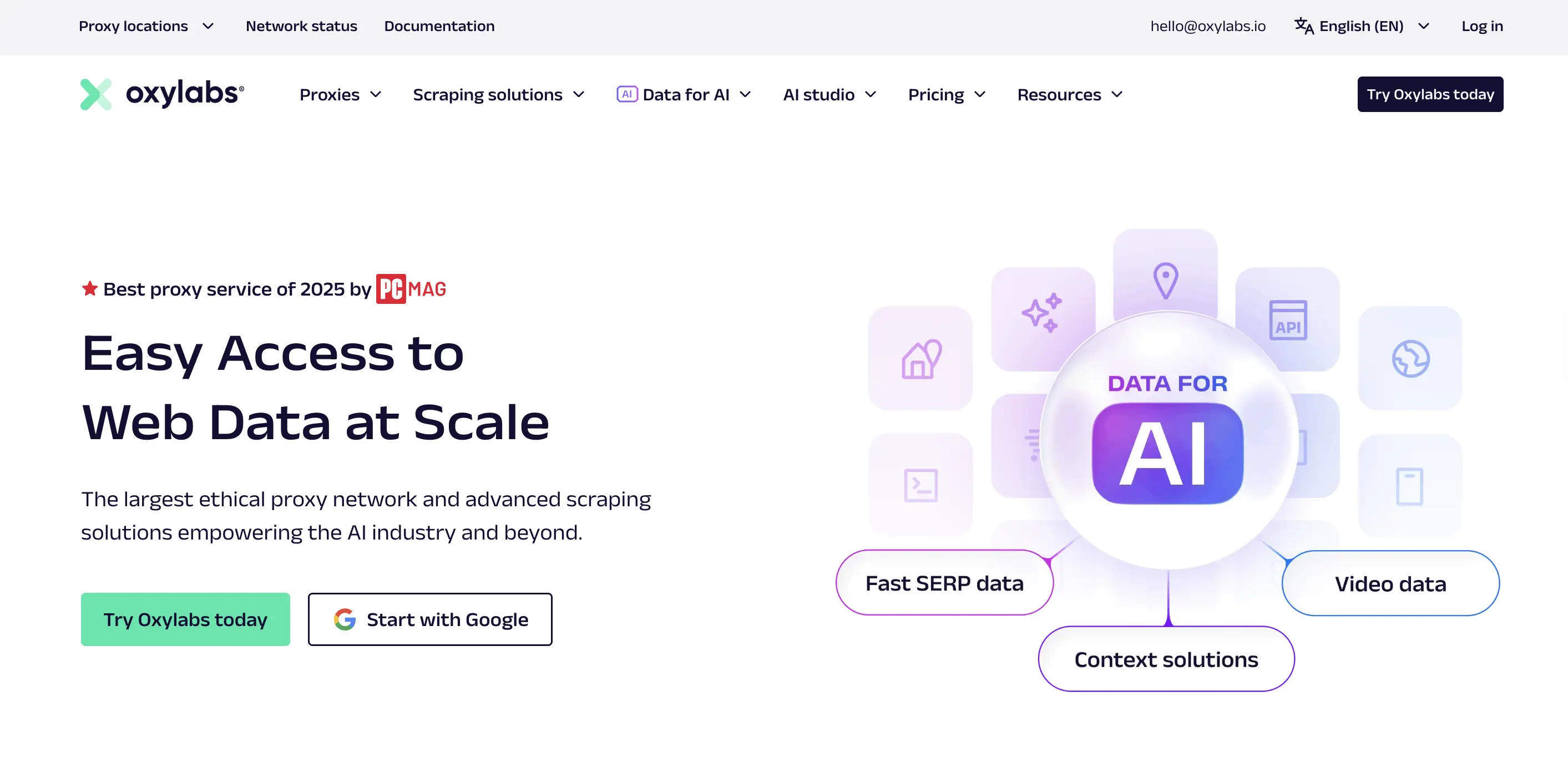
Oxylabs operates 175M+ proxy IPs across 195 countries, delivering high success rates and fast response times. While it started as a proxy provider, it has expanded into web scraping APIs to compete with platforms like Apify.
Why Oxylabs outperforms Apify for proxy-dependent scraping
The core difference is infrastructure ownership.
Apify requires you to purchase proxies separately or consume additional credits for proxy usage, then hope the community actor you selected handles proxy rotation correctly. Oxylabs owns the proxy network and built the scrapers specifically to work with their infrastructure.
When runtime reliability matters (remember the user complaint: "sometimes it fails to do an accurate work and only scrape a few posts"), having the proxy provider and scraper built by the same team eliminates a major failure point.
| Feature | Oxylabs | Apify |
|---|---|---|
| IP pool | 175M+ (owned infrastructure) | Requires separate proxy purchase |
| Success rate | 99.95% (tested) | Variable by actor quality |
| Response time | 0.6s average | Variable, users report slowness |
| Web Scraper API | 49+realtimerealreadyscrapers | 40,000+ actors (varying quality) |
| Proxy management | Built-in, optimized | Manual or actor-dependent |
| Starting price | $49/month (Web Scraper API) | $39/month |
| Support | Dedicated account managers | Discord, slow response |
| Target market | Data teams needing reliability | Developers comfortable with marketplace |
Built-in proxy infrastructure eliminates configuration
With Apify, proxy management becomes a puzzle. Do you buy proxies separately? Use an actor's built-in proxies (if it has them)? How do you know if the proxy pool is good enough for your target site?
Oxylabs eliminates this decision fatigue. The Web Scraper API includes proxy rotation and infrastructure management as core features. You don't configure proxies because the infrastructure is designed for scraping from the ground up.
This addresses multiple Apify pain points: the learning curve (no proxy configuration to learn), reliability (professionally maintained infrastructure), and cost predictability (no separate proxy billing).
When to choose Oxylabs over Apify
Choose Oxylabs if you:
- Need premium proxy infrastructure without separate vendor management
- Scraping sites with aggressive anti-bot protection
- Want 99.95% success rates vs. Apify's variable reliability
- Require fast response times (0.6s vs. reported slowness)
- Prefer professionally maintained scrapers over marketplace roulette
- Budget allows for $49+ monthly spend
- Need dedicated support, not Discord-based community help
4. Scrapy - Open-source Python framework for developers
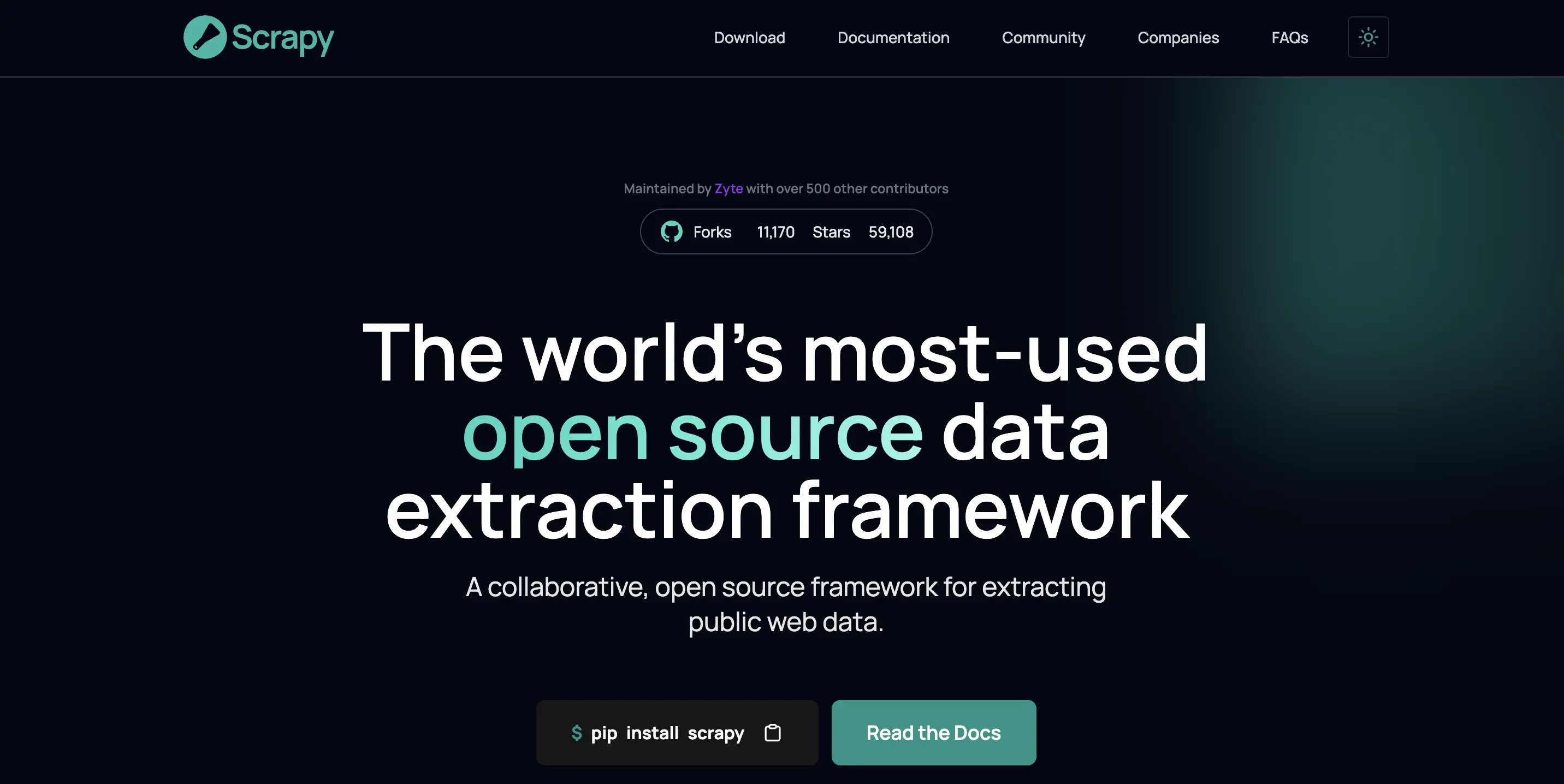
Scrapy is a Python web scraping framework that provides complete architecture for building, deploying, and maintaining web crawlers at scale. Unlike Apify's marketplace model, Scrapy gives you full control over every aspect of the scraping pipeline.
Why Scrapy outperforms Apify for developers who want control
The core difference is ownership and cost.
Apify is a managed service where you pay per request and work within their marketplace constraints. Scrapy is an open-source framework where you own the infrastructure, pay only for hosting, and customize every aspect of the scraping pipeline.
For developers comfortable with Python who need maximum flexibility or have budget constraints, Scrapy offers capabilities that paid services fundamentally can't match. Remember the Reddit user who said Apify isn't reliable "if you're trying to build an actual business at scale"? With Scrapy, you control the entire stack.
| Feature | Scrapy | Apify |
|---|---|---|
| Licensing | Open source (BSD) | Proprietary service |
| Cost | Free (infrastructure costs only) | $39-$999/month |
| Concurrency | Asynchronous (thousands simultaneously) | Limited by plan tier |
| Infrastructure | Self-hosted or cloud deployment | Managed service |
| GitHub Stars | 58,900+ | Closed platform (Crawlee SDK: 15K+) |
| Customization | Complete control over architecture | Limited to actor parameters |
| JavaScript Rendering | Requires integration (Splash, Playwright) | Built into some actors |
| Community | Large, active (11.1K forks) | Discord-based, limited |
| Support | Community forums, extensive docs | Discord, slow response times |
Asynchronous architecture for true scale
Scrapy uses Twisted, an asynchronous networking library, to handle multiple requests simultaneously without blocking. This makes it exceptionally fast for large-scale projects.
When scraping 10,000 pages:
- Scrapy: Sends hundreds of concurrent requests, completing in minutes
- Apify: Limited by concurrent request caps (varies by plan tier) and actor efficiency
Scrapy's asynchronous engine automatically manages request queuing, retries, and throttling. You define the concurrency level and download delays, and Scrapy handles the rest. No credits consumed by failed requests, no compute units to calculate.
Complete control over the scraping pipeline
Scrapy provides:
Built-in middleware system:
- Request/response processing pipelines
- Automatic cookie handling
- User-agent rotation
- Custom header injection
Data processing:
- Item pipelines for cleaning and validating
- Multiple export formats (JSON, CSV, XML, database)
- Built-in XPath and CSS selectors
Spider management:
- Command-line tools for running and managing spiders
- Built-in debugging and logging
- Statistics collection
Apify handles proxies and JavaScript rendering through actors, but offers limited control over the request pipeline, data processing, or export formats. With Scrapy, you can integrate any Python library, customize retry logic, or implement complex data transformations that would be impossible within Apify's actor constraints.
Zero vendor lock-in
The biggest advantage over Apify? Complete freedom.
With Apify, you're locked into their marketplace ecosystem. If they change pricing (which affects your budget), deprecate features (which breaks your scrapers), or if the indie developer abandons the actor you depend on (which forces you to rebuild), you have limited options.
With Scrapy:
- Your code runs anywhere (local, AWS, GCP, Azure)
- No marketplace dependencies
- No credit system limitations
- No surprise pricing changes
- Complete portability
When to choose Scrapy over Apify
Choose Scrapy if you:
- Comfortable with Python development
- Scraping millions of pages monthly (massive cost savings)
- Need complete control over scraping logic and infrastructure
- Building complex crawlers with custom processing
- Want zero vendor lock-in
- Have infrastructure to host scrapers (or budget for cloud hosting)
- Working with sites that have simpler infrastructure (or willing to integrate additional tools)
- Building long-term scraping infrastructure for your company
Scrapy addresses Fabio V.'s complaint about Apify head-on. Instead of needing "solid JavaScript skills" to customize actors, you write Python code with full control. Instead of scattered documentation, you get comprehensive guides built by a 58,900-star community. Instead of credit confusion, you pay only for hosting.
The trade-off is real: you're responsible for infrastructure, anti-bot measures, and maintenance. But for developers who want control and cost efficiency at scale, that's exactly the trade-off they're looking for. Scrapy offers unmatched flexibility and zero ongoing subscription costs that Apify's marketplace model fundamentally cannot provide.
5. Browse.AI - Visual no-code scraper with monitoring and automation
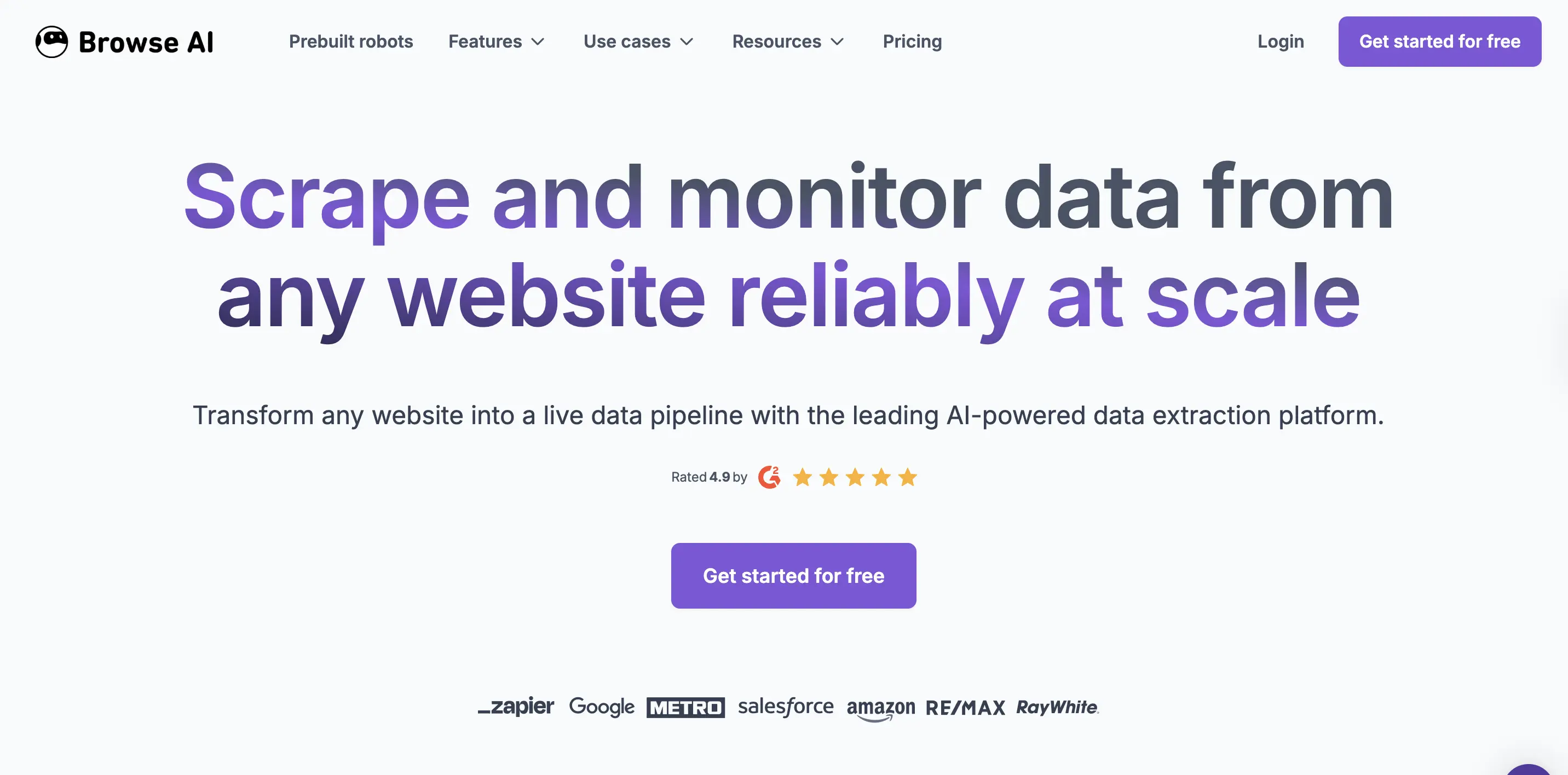
Browse.AI is a no-code web scraping tool that lets non-technical users extract data through point-and-click selection, with built-in monitoring for website changes and automated workflows.
Why Browse.AI outperforms Apify for business automation
The fundamental difference is interface philosophy and workflow focus.
Apify requires navigating a marketplace of 40,000+ actors, understanding input schemas, and configuring parameters even with pre-built scrapers. Browse.AI provides a Chrome extension and visual interface where you click the data you want, and it automatically generates the scraper.
For business users building automated monitoring workflows (tracking competitor prices, monitoring job listings, watching product availability), Browse.AI removes the technical barrier that drives Turi M.'s complaint about Apify: "As a newbie to workflow design, it's a bit challenging to be sure that you've got the best module chosen for what you need to do."
| Feature | Browse.AI | Apify |
|---|---|---|
| Setup Method | Chrome extension with visual selection | Marketplace navigation + configuration |
| Learning Curve | Minutes (point-and-click) | Hours to days (marketplace + JSON) |
| Pre-built Scrapers | 150+ templates for popular sites | 40,000+ actors (varying quality) |
| Monitoring | Built-in change detection with alerts | Requires custom actor or integration |
| Data Export | Google Sheets, CSV, webhooks, REST API | API response requires integration |
| Browser Interface | Yes (Chrome extension + web dashboard) | No (web platform only) |
| Pricing Model | Credit-based with free tier | Credit-based, $39 minimum |
| Support | Email support, tutorials | Discord-based |
The robot training advantage
Browse.AI uses "robots" that you train by demonstrating what data to extract. The workflow:
- Install the Chrome extension
- Navigate to your target page
- Click the data points you want (prices, titles, descriptions)
- Browse.AI auto-detects patterns and builds the scraper
- Run on-demand or schedule for automatic execution
The platform handles pagination automatically, works with infinite scroll, and adapts when websites change their layout. While Apify requires you to find an actor, configure input parameters, and debug when selectors break, Browse.AI's visual approach works immediately.
Built-in monitoring vs custom implementation
Browse.AI's monitoring feature tracks specific data points and sends alerts when they change. Set up monitors for competitor prices, product availability, or job listings, and receive email notifications automatically.
For example, monitoring competitor pricing:
- Train a robot to extract prices from competitor product pages
- Set monitoring frequency (hourly, daily, weekly)
- Receive alerts when prices change
- Export historical data to track trends
With Apify, you'd need to build this infrastructure yourself: find or create an actor for scraping, set up scheduling, implement change detection logic, configure notifications, and manage data storage for historical tracking. Browse.AI handles all of this out of the box.
When to choose Browse.AI over Apify
Choose Browse.AI if you:
- Need a visual interface without marketplace navigation
- Are a business user without coding background
- Want built-in monitoring and change alerts for tracking competitors or market data
- Need data flowing into Google Sheets or business apps automatically
- Prefer point-and-click over understanding actor configurations
- Building automated workflows for price monitoring, lead generation, or market research
- Want to test thoroughly with a free tier before committing
Conclusion: Choosing the right web scraping tool
Different web scraping tools serve different needs. Apify's marketplace model offers extensive coverage for various use cases. For a comprehensive comparison of all the major options, see our guide to the best web scraping APIs or our dynamic web scraping tools comparison covering headless browser frameworks, managed APIs, and no-code platforms. If you're evaluating proxy-heavy platforms specifically — Bright Data, ScrapingBee, and Scrape.do — see the Bright Data alternatives comparison for a dedicated side-by-side. For a focused comparison of ScrapingBee itself against other tools, see our guide to ScrapingBee alternatives.
Firecrawl offers a different approach with team-maintained scrapers, transparent 1-credit-per-page pricing, and LLM-ready markdown for AI applications. Whether you need API access, no-code tools, or open-source flexibility, it handles all three.
For specialized needs: Visual no-code tools like Octoparse work well for business users, while Scrapy offers developers complete control with zero ongoing costs.
Test Firecrawl's Playground before committing. No signup required, and you can call the API directly without a key, then add one for higher rate limits.
Frequently Asked Questions
What is the best alternative to Apify for AI applications?
Firecrawl is purpose-built for AI workflows, delivering native markdown output that reduces LLM token consumption by 67% versus raw HTML. Unlike Apify's HTML/JSON requiring post-processing, Firecrawl integrates directly with LangChain, LlamaIndex, and custom models. The Agent endpoint handles complex multi-step data gathering autonomously.
Why do teams explore alternatives to Apify?
Different teams have different requirements for web scraping tools. Some seek different pricing models, centrally-maintained infrastructure, specific output formats for AI applications, or alternative support structures. The best choice depends on your specific use case and priorities.
Is Apify good for web scraping at scale?
Apify offers extensive marketplace coverage with 40,000+ actors for various use cases. The platform can handle large-scale scraping, though specific performance depends on the actors you choose and your configuration. Testing at your expected scale is recommended.
What's the cheapest alternative to Apify?
Scrapy is free (open-source), with costs limited to infrastructure hosting. For managed services, Firecrawl offers transparent 1-credit-per-page pricing starting at $19/month billed monthly, or $16/month billed annually, for 5,000 credits, with failed requests not consuming credits.
Which Apify alternative has the best support?
Support models vary by provider. Firecrawl provides email support with documented response times. Oxylabs offers dedicated account managers for enterprise plans. Apify uses Discord-based community support.
Can I use Apify web scraping alternatives without coding?
Yes. Octoparse and Browse.AI offer visual point-and-click interfaces that may be more accessible for non-technical users. Firecrawl's Playground lets you test scraping without writing code, and offers no-code integrations with Lovable, Zapier, n8n, and Make.