Octoparse Alternatives: 5 Tools for Faster, More Reliable Data Extraction
 Hiba Fathima
Octoparse's visual web scraper works well for many basic tasks. In our review, teams may explore alternatives when they need API access, cloud-native architecture, or data optimized for AI applications.
We evaluated popular Octoparse alternatives based on five key criteria: dynamic content handling, pricing transparency, API-first architecture, scalability for enterprise workloads, and integration with modern development tools.
Whether you're building AI agents, running large-scale data extraction, or exploring different approaches to web scraping, here are your options.
What is Octoparse: Quick Overview
Octoparse is a visual web scraping tool that promises "no-coding" data extraction for both technical and non-technical users through a point-and-click interface to turn web pages into structured data.
Quick feature overview:
- Template marketplace with 460+ pre-built scrapers for popular sites (Amazon, LinkedIn, etc.)
- Visual workflow builder with point-and-click interface
- Cloud-based extraction for 24/7 scheduled scraping
- IP rotation and proxy support on paid plans
- Auto-detection for data fields
- Export options: CSV, Excel, JSON, HTML, XML
- API access for integration
- CAPTCHA solving capabilities
Best suited for:
Small teams running one-off scraping projects on stable websites with simple structures. Teams building enterprise AI pipelines or requiring API-first architecture may prefer cloud-native alternatives.
Why Users Look for Octoparse Alternatives
| Issue Category | Key Problem |
|---|---|
| Data access | No export functionality with free templates |
| Performance | Slow execution and data limits at scale |
| Usability | Steep learning curve, unreliable auto-detection |
| Technical limitations | Dynamic content handling, manual maintenance requirements |
| Billing & pricing | Unexpected charges, difficult cancellations, hidden costs |
While Octoparse serves as a popular no-code scraper, some teams explore alternatives based on their specific needs:
Reason #1: Learning curve and auto-detection
Some users find Octoparse's learning curve steeper than expected for a no-code tool.
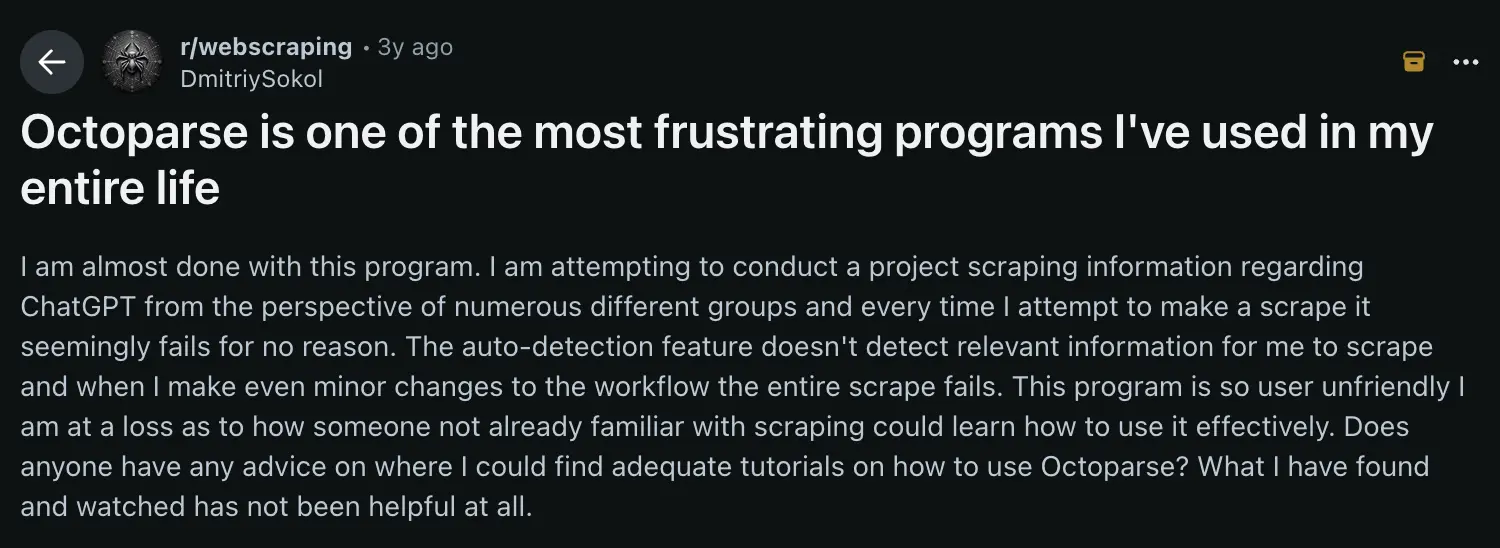
One developer shared their experience, noting that "the auto-detection feature doesn't detect relevant information" and "when I make even minor changes to the workflow, the entire scrape fails." Individual experiences may vary. - Source
Reason #2: No data export with free templates
One of Octoparse's most significant restrictions affects users relying on pre-built templates.
As one frustrated user discovered, there's "no data export if you use their free templates" - you must "learn how to create your own scraper if you want to retrieve the data." - Source.
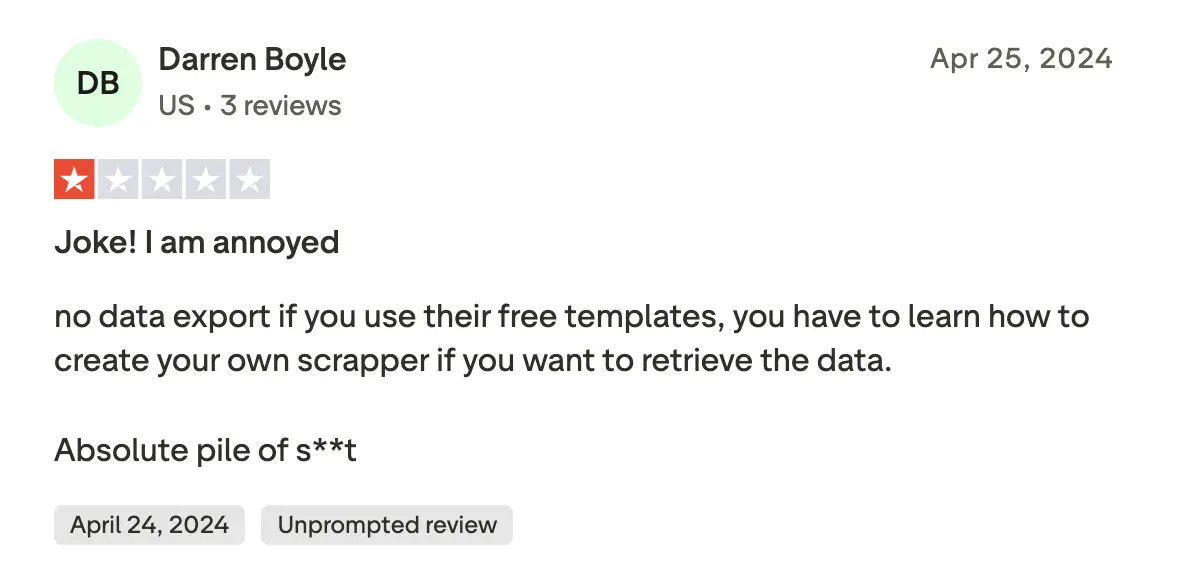
Based on this review, users may need to create custom scrapers to export data from free templates, though this may have changed since the review was posted.
Reason #3: Performance considerations with large-scale scraping
Enterprise teams and data-intensive projects may encounter limitations at scale.
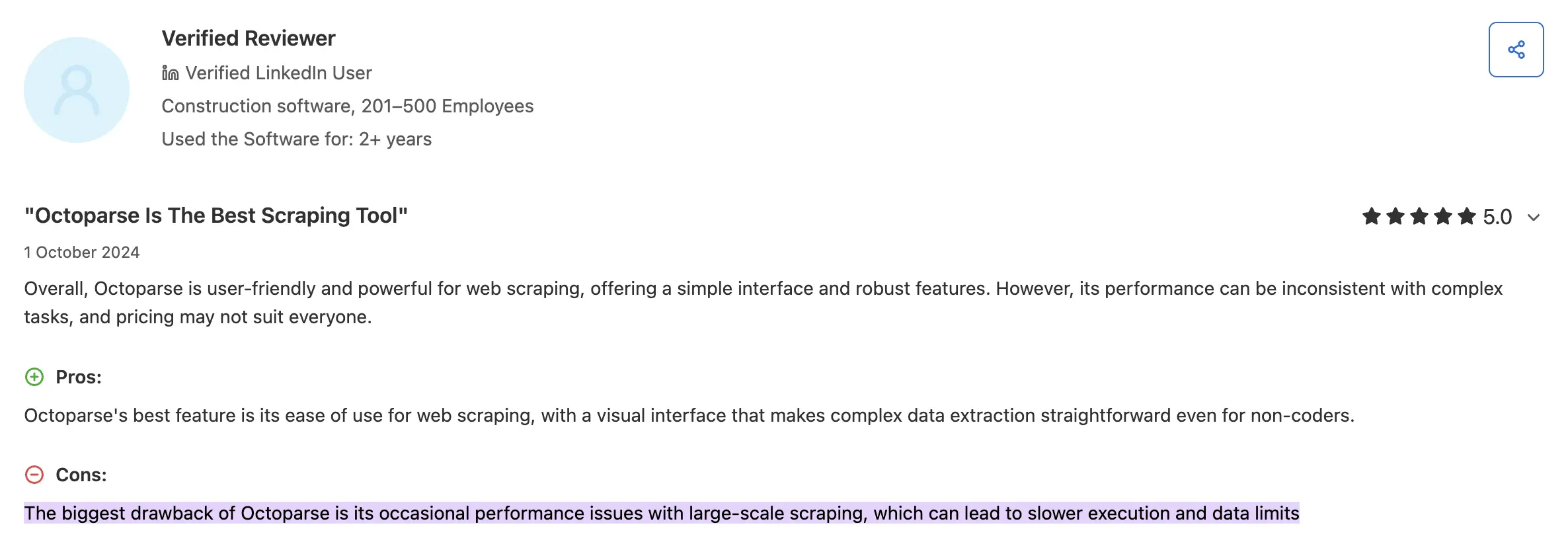
Some reviews note "occasional performance issues with large-scale scraping, which can lead to slower execution and data limits." Individual experiences may vary. - Source
The desktop-based architecture may require additional steps to integrate with modern cloud-based development workflows.
Reason #4: Dynamic content handling and maintenance
Modern websites rely heavily on JavaScript and dynamic content loading. Octoparse can handle basic AJAX content with timeouts, though complex dynamic sites may require additional configuration.
Each scraping task requires manual point-and-click configuration, which may need updates when target websites change their structure.
Reason #5: Billing issues and hidden costs
The pricing concerns go beyond the sticker price.
Multiple users report alarming billing experiences, including one who warned that "despite cancelling and requesting deletion of my personal details, a substantial amount of money was removed from my account." - Source.
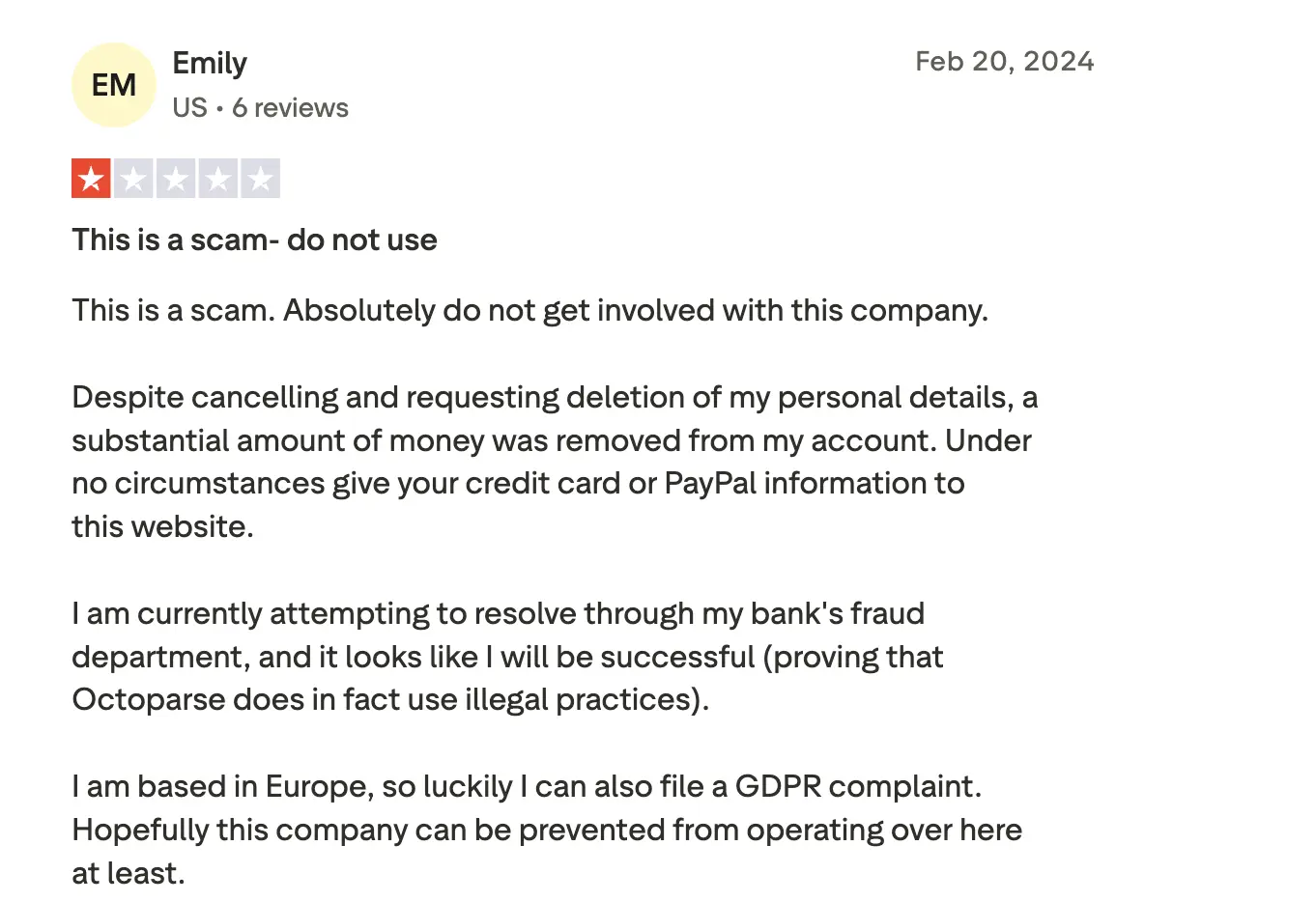
Some users have reported billing concerns, including unexpected charges after cancellation attempts, though individual experiences may vary. - Source
Beyond subscription costs, teams should consider ongoing maintenance, workflow updates when websites change, and integration requirements for modern development pipelines.
Top 5 Octoparse alternatives in 2026
These alternatives offer different approaches to web scraping, with features like API access, cloud-native architecture, and automatic adaptation when websites change.
| Alternative | Best for | Quick differentiator |
|---|---|---|
| Firecrawl | AI teams needing clean, structured output | All-in-one search + scrape + extract APIs |
| Nimble | Enterprise no-code scraping | AI automation + premium proxy infrastructure |
| Apify | Marketplace-led scraping | 4,000+ pre-built Actors with full API control |
| ScraperAPI | Developer-first scraping APIs | Managed proxies, browsers, and CAPTCHAs |
| Bright Data | Enterprise-scale operations | Massive proxy network + SLA reliability |
1. Firecrawl - API-first web scraping built for AI applications
While Octoparse positions itself as a GUI-based scraping tool for general data collection, Firecrawl is the best web scraping service and API, purpose-built for modern AI and LLM applications that demand clean, structured, machine-readable data.
How Firecrawl compares to Octoparse for AI teams
The fundamental difference comes down to architecture and design focus.
Octoparse is an easy-to-use web scraping tool developed to accommodate complicated web scraping for non-coders. Firecrawl is designed with AI-native features for modern machine learning workflows.
Firecrawl, by contrast, is an API-first web data API designed specifically for AI practitioners who require both web scraping and data cleaning in a single solution.
| Feature | Firecrawl | Octoparse |
|---|---|---|
| Dynamic content handling | Smart wait + JS rendering | AJAX handling with timeouts |
| Output formats | AI-optimized (Markdown, structured JSON) | CSV, Excel, JSON, XML |
| Developer API | Python, Node.js, REST | Desktop app (API on paid plans) |
| LLM-ready outputs | Native support with automatic formatting | Standard formats available |
| Integration architecture | Cloud-native, webhooks, real-time | Desktop app with optional cloud |
| Maintenance | Automatic adaptation via AI | Manual workflow updates |
| Scalability | Enterprise AI workloads | Plan-based task limits |
| Open source | 180K+ GitHub stars | Proprietary |
| Browser sandbox | Yes (programmable browser via API) | No |
| CLI | Yes (built-in Claude skill) | No |
| Autonomous web extraction | Yes (/agent endpoint) | Workflow-based automation |
Firecrawl is the web data API to search, scrape, and interact with the web at scale. The /agent endpoint searches, navigates, and gathers data from complex websites, returning structured outputs in minutes. When you need to scale, Parallel Agents lets you batch hundreds or thousands of /agent queries at once (CSV or JSON), using an intelligent waterfall that tries fast retrieval first and only upgrades to deeper agent research when needed.
Octoparse does offer an API, but it’s only accessible on paid plans and is generally positioned for lighter-weight or smaller-scale use cases compared to API-first platforms.
Support is also tiered: Octoparse offers direct support on paid plans, while free users typically rely on documentation. Firecrawl provides robust support with multiple channels including email, an active community forum, and more.
For further reading, check out our Firecrawl vs Octoparse blog.
Performance characteristics
Firecrawl's proprietary Fire Engine technology is designed for dynamic content handling.
One user shared their experience, stating "moved our internal agent's web scraping tool to Firecrawl because it benchmarked 50x faster with AgentOps." Individual results may vary based on use case.
For JavaScript-heavy websites, Firecrawl handles dynamic content automatically in our testing. Octoparse may require manual configuration for dynamic elements, with users selecting 'Load with AJAX' and setting timeouts for each website.
Pricing
Firecrawl offers transparent, usage-based pricing:
| Plan | Price (billed monthly) | Price (billed annually) | Credits Included |
|---|---|---|---|
| Free | $0 | $0 | 1,000 credits |
| Hobby | $19/mo | $16/mo | 5,000 credits |
| Standard | $99/mo | $83/mo | 100,000 credits |
| Growth | $399/mo | $333/mo | 500,000 credits |
| Enterprise | Custom | Custom | Unlimited |
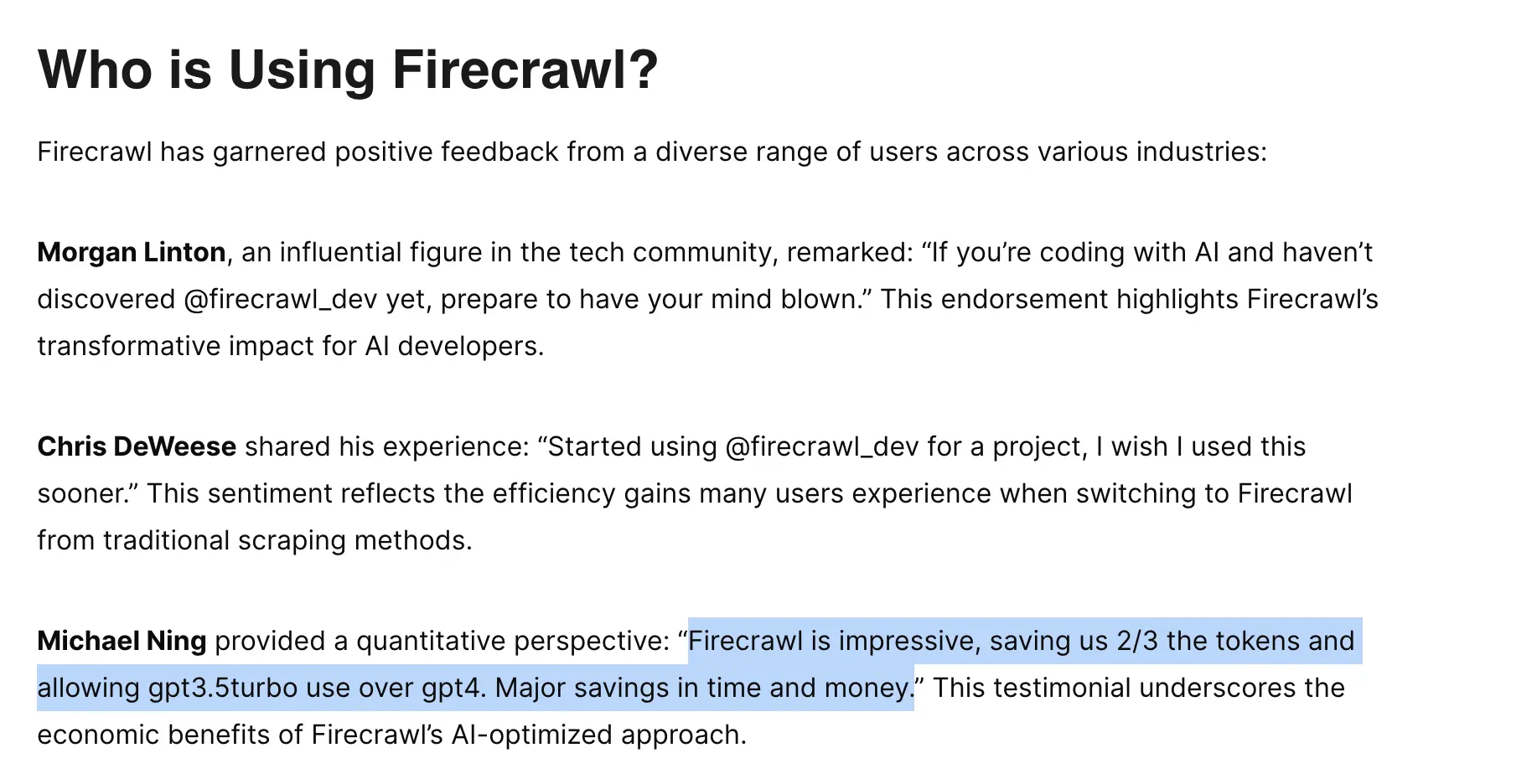
Compared to Octoparse's subscription pricing, Firecrawl's credit system scales with actual usage. One user noted the economic impact: "Firecrawl is impressive, saving us 2/3 the tokens and allowing gpt3.5turbo use over gpt4. Major savings in time and money."
Developer-first doesn't mean developers-only
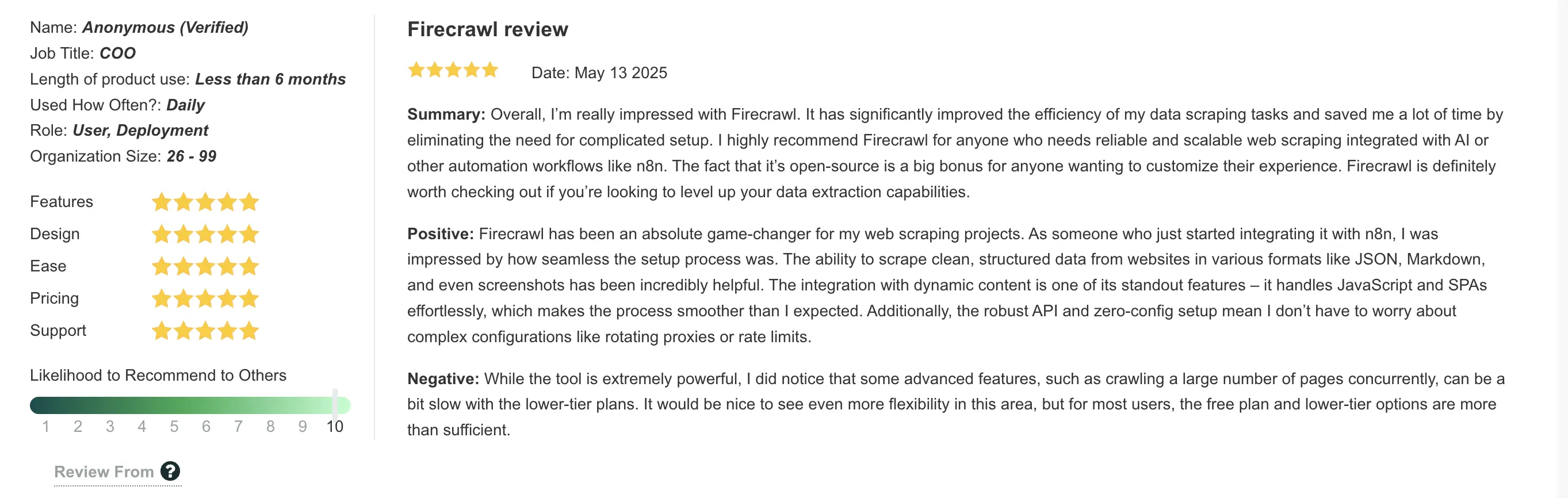
While Firecrawl is API-native, it integrates seamlessly with no-code and low-code platforms. As one reviewer explained, "Firecrawl has been an absolute game-changer for my web scraping projects. As someone who just started integrating it with n8n, I was impressed by how seamless the setup process was."
Compatible with no/low-code tools:
- Lovable: Build full-stack apps in plain English with Firecrawl powering the data layer
- n8n: Build automated scraping workflows without coding
- Zapier: Connect Firecrawl to 6,000+ apps with triggers
- Bubble.io: Integrate scraped data into visual web apps
- Flowise AI and Langflow: Pipe web data into AI agent workflows
- Make (Integromat): Create complex automation scenarios
Browser sandbox, Claude plugin, and CLI
For sites requiring authentication, multi-step flows, or complex user interactions, Firecrawl's browser sandbox provides a full programmable browser environment via API. Script real interactions, fill forms, and capture screenshots without managing headless browser infrastructure.
Firecrawl is also an official Claude plugin, integrating directly into Claude for AI-powered web research. The Firecrawl CLI, with a built-in Claude skill, rounds out the toolkit for terminal-based workflows.
When to choose Firecrawl over Octoparse
Choose Firecrawl Scraper API if you're:
- Building AI applications (chatbots, RAG systems, ML models)
- Need LLM-ready, structured data without post-processing
- Working with JavaScript-heavy, dynamic websites
- Require reliable API access and webhook integrations
- Want automatic adaptation to website changes
- Scaling beyond occasional scraping to production workflows
Choose Octoparse if you're:
- Running simple, one-off projects on static sites
- Prefer GUI tools over APIs
- Need a desktop application
- Don't require AI-optimized outputs
For teams building AI-powered products, Firecrawl is purpose-built for the workflow, delivering production-ready outputs that feed directly into your models with API-first architecture and automatic adaptation.
2. Nimble (Nimbleway) - No-code web scraping for enterprises
Nimble is an enterprise-grade web data platform that combines AI-driven no-code scraping tools, premium proxies, and automated browser technology - offering both the accessibility of Octoparse's no-code approach with advanced AI automation capabilities.
How Nimble compares to Octoparse for AI-powered data collection
Both platforms offer no-code scraping, with different approaches to automation.
Nimble provides no-code capabilities with AI-powered automation that handles sophisticated anti-scraping measures and geo-restrictions.
| Feature | Nimble | Octoparse |
|---|---|---|
| Platform type | AI-powered no-code + API infrastructure | Desktop GUI no-code application |
| No-code capability | Yes (AI-powered templates and automation) | Yes (drag-and-drop visual builder) |
| Free trial | 7 days | Yes (limited features, local only) |
| AI capabilities | AI optimization engine, automated parsing | Standard scraping features |
| Proxy network | Premium residential proxies, AI-optimized | Proxy support available |
| Architecture | Cloud-native, API-first with no-code options | Desktop app with cloud option |
| Automation | Fully automated pipelines | Manual workflow configuration |
| JavaScript handling | AI browser with real-time validation | Manual timeout configuration |
| Anti-bot evasion | Advanced AI-driven | IP rotation |
| Batch processing | 1,000 URLs on autopilot | Limited by concurrent tasks |
| Data delivery | Direct to cloud storage (S3, Google Cloud) | Manual export available |
When to choose Nimble over Octoparse
Choose Nimble if you're:
- An enterprise requiring an AI-powered no-code scraping infrastructure
- Need 92%+ success rates on challenging, protected sites
- Require compliance certifications (SOC 2, GDPR, CCPA)
- Want zero-maintenance automated pipelines vs. manual configuration
- Need direct cloud storage integration (S3, Google Cloud)
- Processing thousands of URLs in a batch
- Building AI/ML applications requiring clean data feeds
- Have a budget for enterprise solutions ($600+/month)
- Need both no-code and API flexibility
Choose Octoparse if you're:
- Small business with limited budget (<$600/month)
- Non-technical user requiring a simple GUI
- Running simple, occasional scraping projects
- Don't need AI optimization or enterprise features
- Prefer a desktop application over a cloud platform
- Don't require advanced anti-bot evasion
Both Nimble and Octoparse offer no-code scraping, but target different users. Octoparse provides accessible point-and-click scraping for small businesses. Nimble elevates the no-code concept with AI-powered automation, making it ideal for businesses needing scalable, accurate, and efficient data solutions for market research, competitive analysis, and AI model training.
3. Apify - Web scraping platform with a marketplace
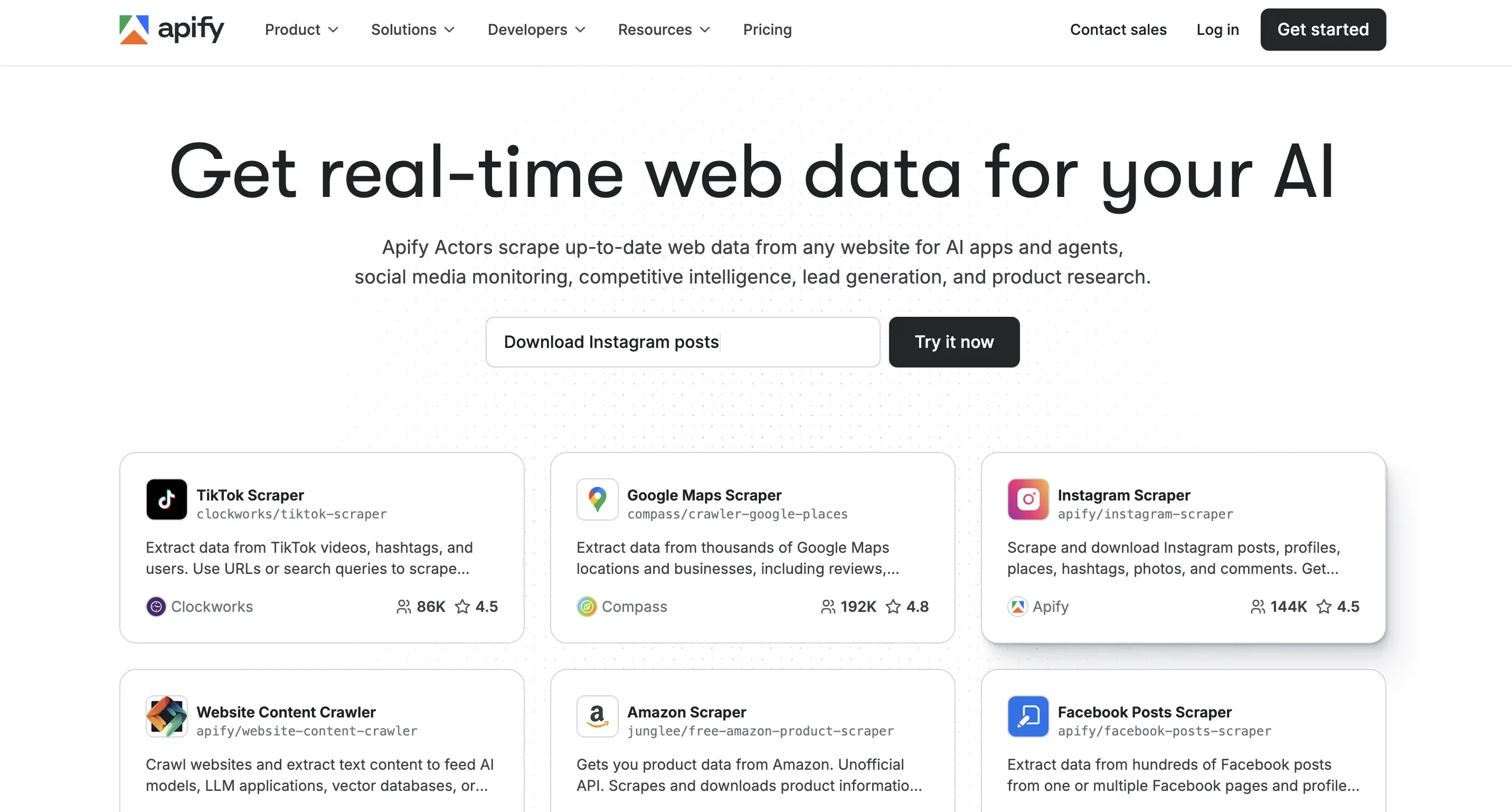
Apify is a full-stack web scraping and automation platform that combines a powerful API infrastructure with a unique marketplace of 4,000+ pre-built scrapers (called Actors).
How Apify compares to Octoparse for flexibility and scale
The core difference is architectural: Octoparse is a desktop GUI application with cloud capabilities, while Apify is a complete cloud platform with both an API and a marketplace.
Octoparse requires downloading proprietary software to build and run scrapers. Apify provides a fully cloud-based experience, allowing you to build scrapers, run them, and monitor them entirely in the cloud.
Apify's marketplace model eliminates the need to build most scrapers from scratch. All Apify plans - even the free tier - provide complete access to the Actors available on the Apify Store. This community-powered marketplace lets you use or rent Actors to scrape data from numerous websites, including Twitter (X), Instagram, and Facebook.
| Feature | Apify | Octoparse |
|---|---|---|
| Platform type | Web scraping API + Actor marketplace | Desktop GUI application |
| Ready-made scrapers | 4,000+ Actors in marketplace | Limited templates |
| Cloud experience | Full cloud, no downloads required | Desktop app required for building |
| Custom development | Full API + code support (Python, JavaScript) | GUI only, no custom code |
| Export formats | JSON, HTML, XML, CSV, RSS, Excel | Excel, CSV, HTML, JSON, XML |
| Integrations | Gmail, Slack, Make, Zapier, webhooks, more | Zapier, Google Sheets, MySQL, SQLServer |
| API access | All plans including free | Professional ($299/month) and above only |
| Scalability | Auto-scales with usage | Limited by concurrent tasks |
| Proxy management | Built-in datacenter + residential proxies | Limited proxy support |
Developer flexibility
Unlike Octoparse's GUI limitations, Apify lets you code, host, and run your custom solutions on Apify servers. Build Actors locally or directly in the platform's Web IDE, using a full suite of developer tools.
When to choose Apify over Octoparse
Choose Apify if you're:
- Need pre-built scrapers for popular platforms (Instagram, TikTok, LinkedIn, Google Maps, Amazon)
- Want API-first architecture for programmatic control
- Require full cloud operation without desktop software
- Need better pricing (starting at $49 vs $119/month)
- Want API access on all plans (vs. $299/month on Octoparse)
- Building workflows that integrate with modern tools (Zapier, Make, n8n)
- Need flexibility to write custom scrapers when the marketplace doesn't have what you need
- Scaling beyond Octoparse's concurrent task limits
Choose Octoparse if you're:
- Exclusively non-technical and require a pure point-and-click GUI
- Uncomfortable with API-based workflows
- Don't need pre-built scrapers for specific platforms
- Prefer a desktop application over a web-based platform
Apify's combination of API infrastructure and marketplace model delivers more value at a lower cost.
4. ScraperAPI - Simple API for developers
ScraperAPI is a developer-focused API service that simplifies web scraping by automatically handling proxies, browsers, and CAPTCHAs - eliminating the infrastructure complexity that Octoparse's GUI doesn't address and that developers typically manage manually.
How ScraperAPI compares to Octoparse for API-first development
The fundamental difference is architectural approach.
Octoparse targets non-programmers, data analysts, and small businesses, offering a point-and-click desktop application (Windows/macOS) with a visual workflow builder for easy data extraction.
ScraperAPI is built for developers and technical users who need to integrate scraping directly into applications. It's API-driven and includes a dashboard for monitoring requests and performance.
| Feature | ScraperAPI | Octoparse |
|---|---|---|
| Platform type | API-based service | Desktop GUI application |
| Interface | API with monitoring dashboard | Visual workflow designer |
| Ease of use | Requires coding knowledge | Point-and-click, no code required |
| Proxy management | Automatic rotation with each request | Basic proxy support, manual configuration |
| CAPTCHA handling | Automatic solving | Manual intervention required |
| JavaScript rendering | Built-in headless browser | Available with timeouts |
| Geotargeting | 12 countries | Limited |
| Concurrent requests | Plan-based (5-250+ threads) | 6-10 tasks (plan-dependent) |
| Uptime guarantee | 99.9% | No published SLA |
| Pricing model | Credit-based (usage-dependent) | Fixed monthly tiers |
When to choose ScraperAPI over Octoparse
Choose ScraperAPI if you're:
- A developer who wants API-first integration
- Building scraping into automated workflows or applications
- Need automatic proxy rotation and CAPTCHA handling
- Want predictable infrastructure without managing servers
- Prioritize speed and high-volume asynchronous scraping
- Need better pricing than Octoparse ($49 vs $119/month starting)
- Want a 99.9% uptime guarantee
Choose Octoparse if you're:
- Non-technical and require GUI-based workflows
- Prefer point-and-click over writing code
- Don't need API integration
- Want a desktop application over a cloud API
For developers, ScraperAPI delivers clear value: automatic infrastructure management at half the starting price ($49 vs $119/month), API-first architecture, and the ability to integrate scraping directly into applications - capabilities that Octoparse's desktop GUI fundamentally cannot provide.
5. Bright Data - Enterprise-grade proxy infrastructure for large-scale operations
Bright Data operates at the opposite end of the spectrum from Octoparse - built for enterprises requiring massive-scale data collection with mission-critical reliability rather than point-and-click simplicity.
How Bright Data compares to Octoparse for enterprise teams
The fundamental difference is scale and infrastructure. Octoparse targets small to medium businesses and individual users who need reliable data extraction without technical complexity. Bright Data focuses on enterprise needs with its large IP proxy network and infrastructure designed for high-scale operations.
| Feature | Bright Data | Octoparse |
|---|---|---|
| Proxy network | 72M+ residential IPs, 195 countries | Limited proxy pool |
| Architecture | API-first, distributed infrastructure | Desktop GUI with cloud option |
| Concurrent requests | Unlimited (scales linearly) | 6-10 tasks (plan-dependent) |
| Uptime | 99.99% SLA | No published SLA |
| Anti-bot capabilities | Advanced (Web Unlocker, CAPTCHA solving) | Basic proxy rotation |
| Compliance | SOC2, GDPR, CCPA certified | Basic guidelines |
| Support | 24/7 dedicated account managers | Self-service, community |
| Enterprise features | Comprehensive | Limited |
| Technical complexity | High (requires developers) | Low (GUI-based) |
Infrastructure advantage
Bright Data's technical architecture reflects enterprise requirements. The platform maintains residential proxies from real devices in 195 countries, datacenter proxies for high-speed extraction, and mobile proxies for app-specific requirements.
Bright Data's infrastructure is designed for enterprise scale with redundant systems and automatic failover. Octoparse's cloud infrastructure supports 6-10 concurrent tasks depending on plan level, which suits most small business needs.
When to choose Bright Data over Octoparse
Choose Bright Data if you're:
- Operating at enterprise scale (millions of pages)
- Require 99.99% uptime and SLA guarantees
- Need advanced anti-bot capabilities for protected sites
- Subject to compliance requirements (SOC2, GDPR, CCPA)
- Have development resources to manage API integration
- Scraping data that drives high-value business decisions
- Need precise geo-targeting across 195 countries
Choose Octoparse if you're:
- Running small-to-medium scale projects
- Prefer GUI over API integration
- Don't have dedicated development resources
- Budget is under $500/month
- Don't need enterprise compliance certifications
In many cases, teams benefit from using both - Octoparse for quick tests and smaller extractions, and Bright Data for full-scale, production-level workflows. This approach combines ease of use with enterprise power.
Switching from Octoparse to Firecrawl: A Quick Migration Guide
When websites change, GUI-based workflows may require updates. Firecrawl takes a different approach. It's API-first and adapts automatically to website changes. If you're feeding data into AI models or building any kind of automated system, this can be beneficial.
Here's how to migrate to Firecrawl - the process is straightforward and typically takes less than an hour.
You don't need to jump straight into writing code. Start with the Playground to see what you'll get before you write a single line.
Step 1: Get set up with Firecrawl
You can try Firecrawl's endpoints without an API key to start. When you're ready to go further, head over to firecrawl.dev and create an account for higher rate limits and more credits. You'll get 1,000 free credits per month to test things out - no credit card needed.
Once you're in, grab your API key from the dashboard.
Step 2: Start with the Playground
Head to firecrawl.dev/playground and try scraping right in your browser. Just paste in a URL and see the results instantly. You get four different modes to experiment with:
- Scrape (
/scrape): Test scraping a single page - Crawl (
/crawl): See how it would crawl an entire site - Map (
/map): Get a list of all URLs on a site - Agent (
/agent): Autonomously navigate and extract data from complex sites
The Playground shows you exactly what data you'll get back - formatted as markdown, JSON, or HTML - before you commit to anything.
This provides immediate feedback compared to GUI-based configuration. You can test different URLs, adjust settings, and see results immediately.
Pro tip: Check out the Templates dropdown in the Playground. We've got pre-configured setups for common tasks like crawling entire websites or scraping JavaScript-heavy pages. Just load a template, swap in your URL, and you're done. It's like having someone who's already figured out the hard parts hand you the answer.
Step 3: Choose your integration path
Now that you've tested everything in the Playground, you have two ways to use Firecrawl in your actual workflow. Pick whichever fits how you work.
Option A: Integrate directly into your code
If you're building an application or want full control, just use the API code you got from the Playground. Firecrawl works with whatever tech stack you're using.
Here's an example setup in Python:
# Install Firecrawl
pip install firecrawl-py
from firecrawl import Firecrawl
app = Firecrawl(api_key="your_api_key")
To scrape a single URL, use the scrape method:
from firecrawl import Firecrawl
firecrawl = Firecrawl(api_key="fc-YOUR-API-KEY")
# Scrape a website:
doc = firecrawl.scrape("https://firecrawl.dev", formats=["markdown", "html"])
print(doc)
SDKs will return the data object directly. cURL will return the payload exactly as shown below:
{
  "success": true,
  "data": {
    "markdown": "Launch Week I is here! [See our Day 2 Release 🚀](https://www.firecrawl.dev/blog/launch-week-i-day-2-doubled-rate-limits)[💥 Get 2 months free...",
    "html": "<!DOCTYPE html><html lang=\"en\" class=\"light\" style=\"color-scheme: light;\"><body class=\"__variable_36bd41 __variable_d7dc5d font-inter ...",
    "metadata": {
      "title": "Home - Firecrawl",
      "description": "Firecrawl crawls and converts any website into clean markdown.",
      "language": "en",
      "keywords": "Firecrawl,Markdown,Data,Mendable,Langchain",
      "robots": "follow, index",
      "ogTitle": "Firecrawl",
      "ogDescription": "Turn any website into LLM-ready data.",
      "ogUrl": "https://www.firecrawl.dev/",
      "ogImage": "https://www.firecrawl.dev/og.png?123",
      "ogLocaleAlternate": [],
      "ogSiteName": "Firecrawl",
      "sourceURL": "https://firecrawl.dev",
      "statusCode": 200
    }
  }
}
Firecrawl has native integrations with LangChain, LlamaIndex, CrewAI, and other popular frameworks. If you're building AI applications, you're probably already using one of these - just add Firecrawl and you're set.
Explore the Firecrawl API documentation for additional languages and functions, such as search and crawl.
Option B: Connect to your low/no-code tools
Not a developer? No problem. Build market intelligence bot, public email scraper, stock trade report generation, and so much more with little to no code. Want to learn how? Read this detailed guide.
Firecrawl connects to the same automation platforms you're probably already using with Octoparse:
Zapier & Make: Create workflows that trigger scraping automatically. Set it up once for automated workflows.
n8n: Use the visual workflow builder with Firecrawl's pre-built nodes. Drag, drop, connect - no coding required. Read more about Web Scraping with n8n and Firecrawl here.
Bubble.io: Build your entire app without code and add Firecrawl for the scraping parts.
Lovable: Build full-stack apps in plain English and let Firecrawl power the data layer. Our Lovable tutorial walks through a brand analyzer using the Scrape endpoint and a trend tracker using the /agent endpoint, plus tips for prompt structure and handling longer-running agent jobs with webhooks or user-triggered fetches.
With Firecrawl, even in no/low-code tools, you get:
- Automatic adaptation when websites change
- LLM-ready markdown output
- Real-time data access
What about my existing Octoparse workflows?
If you've got Zapier or Make workflows connected to Octoparse, you can swap them out pretty easily:
- Keep the same trigger (schedule, webhook, whatever)
- Replace the Octoparse action with Firecrawl's API call
- Keep the same next steps (send to Sheets, trigger email, etc.)
The data coming out of Firecrawl will actually be cleaner, so you might even be able to remove some of those "clean up the CSV" steps you've been dealing with.
Should you actually switch from Octoparse?
If you're just scraping a handful of pages once in a while, Octoparse may work well. But if you're:
- Building AI applications that need clean, structured data
- Working with modern JavaScript-heavy websites
- Wanting to integrate scraping directly into your application
- Needing API-first architecture
...then consider Firecrawl. The migration is straightforward, and the API-first approach can reduce maintenance overhead.
Frequently Asked Questions
Which AI is the best for web scraping?
Firecrawl is the web data API to search, scrape, and interact with the web at scale, using its FIRE-1 AI agent to automatically adapt to website changes and deliver LLM-ready markdown for dynamic sites.
Can I use Octoparse for free?
Yes, Octoparse offers a free plan. Note that data export may be limited when using free templates, requiring custom scrapers for data retrieval.
Why do users explore alternatives to Octoparse?
Users explore alternatives for various reasons, including needing API access, cloud-native architecture, better integration with development workflows, or features optimized for AI applications.
Is Firecrawl better than Octoparse for AI applications?
Firecrawl is purpose-built for AI with automatic markdown formatting, native LLM integration, and API-first architecture. Octoparse provides standard export formats that may require additional processing for AI workflows.
How much does it cost to switch from Octoparse to Firecrawl?
Firecrawl offers 1,000 free credits per month to start. The Hobby plan costs $19/month billed monthly, or $16/month billed annually, for 5,000 credits versus Octoparse's $75-89/month, making it more affordable for most users.
Can I use Firecrawl without coding experience?
Yes, Firecrawl integrates with no-code platforms like Lovable, Zapier, Make, n8n, and Bubble.io. You can also test scraping visually in the Playground before using any code or automation tools.