The other day, I watched my fiancé, who is an AI engineer, ship a feature end-to-end without touching his laptop. Devin built it while he gave instructions from Slack on his iPhone. Then he had his browser agent test it: it ran the code, navigated every new page, tested all flows, fixed what broke, recorded a video walkthrough, and sent it back to him on Slack. I was stunned.
That's where browser agents are right now. You give an AI a goal and it figures out how to navigate, click, and extract what you need.
The space has grown fast. The AI browser market is projected to grow from $4.5 billion in 2024 to $76.8 billion by 2034 (a 32.8% CAGR), and 79% of companies have already adopted some form of AI agent technology. On GitHub, Browser Use hit 97,000+ stars and Firecrawl crossed 180,000+ — landing in GitHub's top 100 repos.
But the space is noisy. Consumer browsers, developer frameworks, infrastructure platforms, specialized tools. My team and I tested the top ones across web extraction, form automation, and research workflows. Here's what we found.
TL;DR
- Browser agents fall into three buckets: AI-assisted consumer browsers (Comet, Atlas, Dia, Opera Neon), open-source agent frameworks (Browser Use, Stagehand, Skyvern, Agent Browser), and managed infrastructure (Firecrawl, Browserbase, Steel).
- Best overall for AI agents that need web data: Firecrawl, which now includes Firecrawl Browser Sandbox for managed browser sessions on top of search and scrape
- Best open-source framework: Browser Use, with a state-of-the-art 89.1% success rate on the WebVoyager benchmark.
- Best for form-heavy, no-code workflows: Skyvern, which scored 85.85% on WebVoyager and leads on form-filling tasks.
- Best consumer browser: Perplexity Comet for daily AI browsing, ChatGPT Atlas if you live inside ChatGPT.
- Pricing models matter: per-session (Browserbase, Steel), per-page credits (Firecrawl), and flat subscription (Comet, Atlas) each fit different workloads. Match the model to how your usage scales.
TL;DR: Quick comparison
| Tool | Best for | Type | Pricing | GitHub stars |
|---|---|---|---|---|
| Firecrawl | Web data layer + Firecrawl Browser Sandbox for AI agents | API + open-source | Free tier, then $16/mo+ | 180,000+ |
| Browser Use | Developers building custom agents | Open-source framework | Free (+ LLM costs) | 97,000+ |
| Stagehand | TypeScript developers | Open-source SDK | Free (+ LLM costs) | 23,000+ |
| Agent Browser | CLI-first browser control for AI agents | Open-source CLI | Free | 35,000+ |
| Browserbase | Managed browser infrastructure | Cloud platform | Usage-based | - |
| Skyvern | No-code workflow automation | Open-source + cloud | Free tier, usage-based | 20,000+ |
| Perplexity Comet | AI-powered daily browsing | Consumer browser | Free, $200/mo Max | - |
| ChatGPT Atlas | ChatGPT ecosystem users | Consumer browser | Free, $20/mo Plus | - |
| Steel | Open-source browser API | Infrastructure | Open-source | 7,100+ |
| Dia Browser | Privacy-conscious browsing | Consumer browser | Waitlist | - |
| Opera Neon | General AI-assisted browsing | Consumer browser | Free, $19.90/mo | - |
Traditional vs AI-assisted vs agentic browsers
"Browser agent" gets used loosely. Three categories are getting blurred together, and picking the right tool starts with knowing which one you actually need.
| Traditional browser | AI-assisted browser | Agentic browser | |
|---|---|---|---|
| Example | Chrome, Safari, Firefox | Brave Leo, Edge Copilot, Arc Max | Comet, Atlas, Browser Use, Firecrawl |
| Who does the work | You | You, with an AI sidebar that summarizes or answers | The agent, given a goal |
| Input | Clicks, keystrokes | Clicks plus chat prompts | Natural-language goal |
| Output | A rendered page | A page plus an AI answer | A completed task or structured data |
| Best for | Everyday browsing | Reading, research, summarization | Multi-step automation, scraping, form filling |
| Reliability | Fully deterministic | Deterministic with AI overlay | Probabilistic, 30 to 89% task success |
Most "AI browser" lists conflate the second and third categories. This post focuses on the third: tools that can take an outcome and figure out the steps. The consumer browsers we cover (Comet, Atlas, Dia, Opera Neon) include agent modes that move them into category three.
What are browser agents?
A browser agent is an AI system that can autonomously control a web browser to complete tasks. Instead of you clicking through pages, the agent navigates websites, fills forms, extracts data, and executes multi-step workflows on your behalf.
The concept builds on decades of browser automation. We started with Selenium in 2004 for automated testing, moved to Puppeteer and Playwright for programmatic browser control (see our Puppeteer vs Selenium breakdown for context on how these headless browser tools compare), and added RPA tools like UiPath for business process automation. But all of these required humans to write explicit instructions: click this button, fill that field, wait for this element.
Browser agents flip the model. You describe the outcome you want, and the AI figures out the steps.
Here's a simplified view of how they work:
- Intent interpretation: You give the agent a natural language browser automation goal (e.g., "find the pricing page and extract plan details")
- Page analysis: The agent reads the current page structure (DOM, accessibility tree, or screenshot) and identifies interactive elements
- Action planning: It determines the next action: click a link, fill a field, scroll down, or navigate to a new URL
- Execution with adaptation: It performs the action and monitors the result. If something unexpected happens (a popup, a CAPTCHA, a page layout change), it adapts
- Result validation: After completing the task, it verifies the outcome and returns structured results
The key difference from traditional automation? Browser agents use LLMs to reason about what they see. A Playwright script breaks when a button's class name changes from btn-primary to button-main. A browser agent recognizes it's still a "Submit" button and clicks it anyway.
Why browser agents matter now
Three things converged to make browser agents viable in 2026:
- LLMs got good enough at reasoning about web pages. Models like GPT-4o, Claude 4, and Gemini 2.5 can accurately interpret page structure, understand navigation patterns, and plan multi-step actions.
- Infrastructure matured. Tools like Browserbase and Steel provide managed, cloud-hosted browsers purpose-built for agents, solving the headless browser scaling problem.
- The economics shifted. A McKinsey 2025 survey found that 88% of organizations now use AI regularly (up from 78% in 2024), and 62% are experimenting with or using AI agents. Browser agents are no longer experimental. They're becoming core infrastructure.
What are people actually using browser agents for in 2026?
I dug through hundreds of discussions on Hacker News, Reddit's r/AI_Agents, and X to find what developers and teams are actually building with browser agents.
1. Web scraping and data extraction
This is the dominant use case. The web scraping software market reached $754 million in 2024 and is projected to hit $2.87 billion by 2034 (14.3% CAGR). Teams are using browser agents to:
- Extract pricing data across competitor sites for dynamic pricing models
- Gather product information from e-commerce platforms that block traditional scrapers
- Build training datasets for LLMs from dynamic, JavaScript-heavy websites
- Monitor content changes across hundreds of pages in real time
Firecrawl's Agent endpoint was built specifically for this: describe what you need, and it searches, navigates, and returns structured results from anywhere on the web. For recurring extraction jobs, Firecrawl Monitoring runs scrape, crawl, or search on a schedule and alerts you when the data changes, so you don't have to poll or rebuild the pipeline yourself.
2. Form filling and workflow automation
Skyvern reports that automating insurance quote requests, government form submissions, and job applications at scale are among the top use cases from their users. In benchmarks, AI-powered form filling completes 30-field forms in about 90 seconds versus 12+ minutes with manual approaches.
Enterprise teams are using browser agents to:
- Automate HR onboarding across multiple portals
- Submit compliance forms to government websites that lack APIs
- Process insurance claims across legacy systems
- Transfer data between apps that don't have integrations
For workflows like these, Firecrawl's /interact endpoint is purpose-built. You scrape the page, then issue natural-language prompts (Fill the applicant name field with "Jane Doe" and submit) or run Playwright code in the same browser session. State carries between calls, so multi-step flows (login, navigate, fill, submit, verify) chain together without rebuilding the session each time.
3. Research and competitive intelligence
Browser agents are becoming the backbone of autonomous deep research workflows. Instead of manually checking 20 competitor websites, an agent can:
- Monitor competitor pricing daily across 195 countries
- Track product launches and feature changes
- Compile structured research reports from multiple sources
- Cross-reference information across academic databases, news sites, and social media
For a code-driven approach to competitor monitoring — scheduling scrapes, diffing changelog and pricing pages, and routing AI-filtered alerts — see the Firecrawl Monitor guide.
4. Automated testing and QA
The automation testing market is valued at $24.25 billion in 2026, projected to hit $84 billion by 2034. Browser agents are augmenting traditional testing by:
- Generating and running end-to-end tests from natural language descriptions
- Adapting test scripts automatically when UI changes (no more flaky selectors)
- Running visual regression tests across browsers and devices
- Identifying UX issues through exploratory testing
Playwright remains the most popular framework (45.1% adoption among QA professionals), but agent-powered tools like Stagehand are adding an AI reasoning layer on top.
5. Personal productivity and agentic commerce
On the consumer side, browsers like Perplexity Comet and ChatGPT Atlas are enabling:
- Automated flight and hotel booking with price comparison
- Grocery ordering and delivery management
- Social media management and outreach
- Email triage and response drafting
Self-hosted options like OpenClaw extend this further, letting you run a personal agent on your own hardware with full messaging app integration and Firecrawl for live web data. See the best OpenClaw skills for a curated list of what you can add to your setup.
Adobe Analytics reported a 4,700% year-over-year increase in traffic from AI agents to US retail sites in July 2025, a clear signal that agentic research and shopping is moving from experiment to mainstream.
38% of consumers used AI for shopping tasks by Q3 2025, with 52% planning to use it regularly going forward.
Top 11 browser agents in 2026
1. Firecrawl
Firecrawl is the web data API to search, scrape, and interact with the web at scale: it can search the web, navigate to any page, and extract structured data from anywhere on the internet. And with the launch of Firecrawl Browser Sandbox, Firecrawl now gives your agents a secure, fully managed browser environment — no local setup, no Chromium installs, no driver compatibility issues.
What makes it stand out:
- Firecrawl Browser Sandbox - Secure, isolated browser sessions your agents can control. Each session runs in a disposable container with Playwright and Agent Browser pre-installed. Launch hundreds of parallel sessions without managing any infrastructure
- Zero config - No Chromium to install, no browser framework to configure. One call and your agent has a browser ready in seconds
- Skill + CLI first - Run
npx skills add firecrawl/cliand your agent (Claude Code, Codex, OpenCode, Cursor) has browser access immediately — this also addresses Codex CLI's lack of live internet access without any MCP configuration - Live View - Every session returns a live view URL you can embed to watch the browser in real time, useful for debugging, demos, or building browser-powered UIs
- CDP access - Connect your own Playwright instance over WebSocket when you need full local control
- Full web data layer - Search, navigate, and extract from anywhere on the internet. Firecrawl turns websites into LLM-ready data with 96% web coverage
- Agent endpoint - Describe what data you want in natural language, and the agent autonomously navigates and extracts it. No brittle selectors needed
- /interact endpoint - Scrape a page, then keep going: click buttons, fill forms, paginate, or extract dynamic content from the same browser session. Drive it with natural-language prompts (
Search for iPhone 16 Pro Max) or run Playwright/agent-browser code directly. Every session returns a live view URL so you can watch or hand off to a human - Search endpoint - Search the web and get structured results, built for AI applications
- Clean output - Native markdown and structured JSON output that reduces LLM token consumption by 67% compared to raw HTML
- Parallel agents - Batch process hundreds or thousands of agent queries at once with real-time streaming results
- MCP server - Integrates directly with Claude Code, Cursor, and other AI coding assistants
Quick start:
# Install CLI and add browser skills to your agents
npx -y firecrawl-cli@latest init --all --browser

# Use Firecrawl Browser Sandbox
firecrawl browser "open https://example.com"
firecrawl browser "snapshot"
firecrawl browser "click @e5"
from firecrawl import Firecrawl
app = Firecrawl(api_key="fc-YOUR_API_KEY")
# Launch a browser session
session = app.browser()
# Execute code in the sandbox
result = app.browser_execute(session["id"], {
"code": 'await page.goto("https://example.com"); const title = await page.title(); console.log(title);',
"language": "node"
})
# Close the session
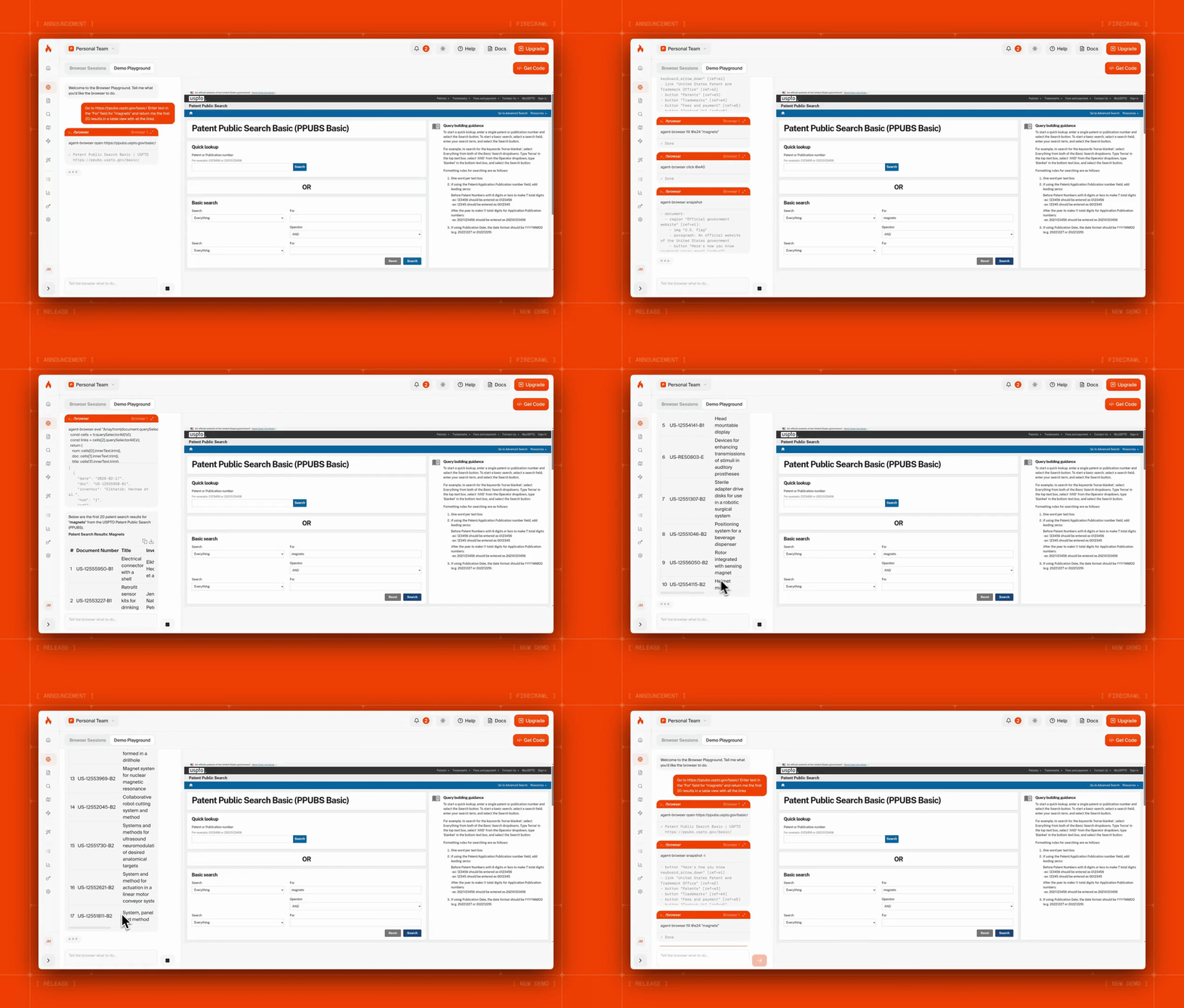
app.delete_browser(session["id"])Here's Firecrawl Browser Sandbox fetching dozens of patents with a single prompt:
With 180K+ GitHub stars, 1.25M+ developers, and 5B+ requests served, Firecrawl has become the default web data layer for AI applications. It's SOC 2 Type 2 compliant, which matters for enterprise teams.
Limitations: Firecrawl is a web data layer, not a general-purpose browser agent. For open-ended interaction like booking flights or managing social media accounts, pair it with a framework like Browser Use for the reasoning layer and let Firecrawl handle retrieval and page actions.
Best for: Teams building AI applications, RAG systems, or data pipelines that need clean web data at scale, and agents that need to interact with the web through a secure, managed browser.
Pricing: Free tier with 1,000 credits per month (includes 5 hours of free browser usage). Paid plans from $16/month, making it one of the most affordable options for browser-based data extraction. Firecrawl Browser Sandbox is 2 credits per browser minute.
2. Browser Use
Browser Use is the most popular open-source framework for building AI browser agents, and for good reason. It hit 89.1% success rate on the WebVoyager benchmark (586 diverse web tasks), making it the current state-of-the-art for autonomous web interaction.
What makes it stand out:
- Model agnostic - Works with OpenAI, Anthropic, Google, or local models via LiteLLM
- Built on Playwright - Full browser control with JavaScript rendering, screenshots, and network interception
- DOM distillation - Strips pages down to essential interactive elements, reducing token consumption significantly
- Multi-tab support - Agents can work across multiple browser tabs simultaneously
- Memory and context - Maintains conversation history and page context across navigation steps
Quick start:
from browser_use_sdk import BrowserUse

client = BrowserUse(api_key="bu_...")

task = client.tasks.create_task(
    task="Search for top 10 Hacker News posts",
    llm="browser-use-llm"
)

result = task.complete()
print(result.output)
Limitations: You're responsible for your own infrastructure (browser management, proxies, scaling). For production use, pair it with a managed browser provider like Browserbase or use Firecrawl as the web data layer. See our Firecrawl vs Browser Use comparison for a detailed look at how they complement each other.
Best for: Developers building custom AI agents who want maximum flexibility and model choice.
Pricing: Free and open-source. You pay for LLM API calls and any infrastructure you use.
3. Stagehand
Stagehand is Browserbase's open-source SDK that bridges the gap between traditional Playwright automation and full AI agents. It's the tool for TypeScript developers who want AI-powered browser control without giving up the precision of Playwright. For teams who need a complete TypeScript agent framework rather than just browser automation, the newer Flue and Eve TypeScript agent frameworks are worth comparing.
What makes it stand out:
- Three core primitives -
act()(take actions),extract()(get structured data), andobserve()(analyze the page) - Built on Playwright - You get full Playwright power with an AI reasoning layer on top
- TypeScript-first - Native TypeScript support with strong typing for extracted data
- Deterministic + AI hybrid - Use Playwright for predictable steps, Stagehand for dynamic ones
- Browserbase integration - Seamless cloud browser infrastructure for scaling
Quick start:
import { Stagehand } from "@browserbasehq/stagehand";

const stagehand = new Stagehand();
await stagehand.init();
await stagehand.page.goto("https://news.ycombinator.com");

const headlines = await stagehand.extract({
  instruction: "Extract the top 10 story titles and their URLs",
  schema: z.object({
    stories: z.array(
      z.object({
        title: z.string(),
        url: z.string(),
      }),
    ),
  }),
});
Limitations: TypeScript only (no Python SDK). Best used with Browserbase's cloud infrastructure. Running locally requires more setup.
Best for: TypeScript/JavaScript developers who want AI-enhanced browser automation with Playwright's precision.
Pricing: Open-source. Browserbase cloud starts with a free trial, then usage-based pricing.
4. Agent Browser
Agent Browser is Vercel Labs' open-source CLI tool built in Rust that gives AI agents direct browser control through the command line. Instead of writing Playwright scripts or using a GUI, your agent issues simple CLI commands like agent-browser click @e2 or agent-browser fill @e3 "test@example.com". With 35,000+ GitHub stars, it's quickly become a go-to for teams building agents that need fast, headless browser interaction.
What makes it stand out:
- CLI-first design - Every browser action is a single CLI command. Chain them together in any language or framework
- Accessibility tree snapshots - The
snapshotcommand returns a full accessibility tree with element references (@e1, @e2), so agents target elements semantically instead of with brittle CSS selectors - Rust-native performance - Built in Rust for speed, with a Node.js fallback if needed
- Semantic element finding - Find elements by ARIA role, text content, or label without knowing the DOM structure
- Multi-session support - Run isolated browser sessions in parallel for concurrent agent workflows
- Persistent profiles - Save and restore login state across sessions, so agents don't need to re-authenticate — the foundation of stateful web scraping
Quick start:
npm install -g agent-browser
agent-browser install

agent-browser open example.com
agent-browser snapshot
agent-browser click @e2
agent-browser fill @e3 "test@example.com"
agent-browser screenshot page.png
agent-browser close
Limitations: CLI-based approach means more overhead per action compared to in-process SDKs like Stagehand. No built-in LLM reasoning layer, your agent framework handles the decision-making. For web data extraction at scale, you're better off using Firecrawl's API which handles rendering and structured output out of the box.
Best for: Developers building AI agents in any language who want lightweight, fast browser control without heavy SDK dependencies.
Pricing: Free and open-source.
5. Browserbase
Browserbase is the infrastructure layer that many browser agents run on top of. Think of it as "AWS for headless browsers." It provides managed, cloud-hosted browser instances optimized for AI agents.
After raising $40 million in Series B (at a $300 million valuation) in June 2025, Browserbase has become the go-to infrastructure for teams deploying browser agents at scale. They processed 50 million sessions in 2025 across 1,000+ customers.
What makes it stand out:
- Purpose-built for agents - Unlike generic headless browser providers, Browserbase is optimized for AI agent workflows
- Session management - Persistent browser sessions with cookie/localStorage management across agent runs
- Session recordings - Watch exactly what your agent did for debugging
- Playwright/Puppeteer compatible - Drop-in replacement for local browser instances
- Stagehand integration - Their own AI SDK runs natively on their infrastructure
Limitations: Not a browser agent itself, it's infrastructure. You still need a framework like Browser Use, Stagehand, or your own agent code to drive the browser. For a full feature comparison, see Firecrawl vs Browserbase.
Best for: Teams deploying browser agents in production who need managed, scalable browser infrastructure without handling proxies and scaling themselves.
Pricing: Free trial available. Usage-based pricing after that.
6. Skyvern
Skyvern takes a different approach: instead of requiring you to write code, it uses LLMs and computer vision to automate browser tasks from natural language descriptions. It achieved 85.85% on WebVoyager with its 2.0 release and is the best-performing agent specifically on form-filling ("WRITE") tasks.
What makes it stand out:
- No selectors needed - Uses computer vision + LLM reasoning to identify elements, making it resilient to layout changes
- Planner-actor-validator loop - Decomposes goals into steps, executes them, then validates the results
- Visual workflow builder - Create automations without writing code through a point-and-click interface
- Pre-built templates - Common workflows (insurance quotes, job applications, invoice downloading) ready to use
Quick start:
from skyvern import Skyvern
import asyncio

skyvern = Skyvern(api_key="YOUR API KEY")
# OR pass the base_url to use any Skyvern service
# skyvern = Skyvern(base_url="http://localhost:8000", api_key="YOUR API KEY")

asyncio.run(skyvern.run_task(prompt="Find the top post on hackernews today"))
Specific use cases where Skyvern excels include automating Geico insurance quotes, California EDD form submissions, and materials procurement on platforms like FinditParts.
Limitations: Computer vision-based approach can be slower and more expensive (more LLM calls per task) than DOM-based frameworks. Less suitable for high-volume data extraction compared to Firecrawl's web data layer.
Best for: Non-technical users or teams automating form-heavy workflows across legacy systems without APIs.
Pricing: Free open-source version. Cloud tier is usage-based.
7. Perplexity Comet
Perplexity Comet is arguably the most polished consumer-facing browser agent. Launched in July 2025, it's a full Chromium-based browser with Perplexity's AI search engine built in. The Comet Assistant can autonomously navigate websites, fill forms, manage your email and calendar, and complete multi-step tasks.
What makes it stand out:
- Autonomous browsing - The Comet Assistant navigates websites, clicks elements, and fills forms on your behalf
- AI-powered search - Built-in Perplexity search replaces Google as your default search engine
- Email and calendar integration - Reads and responds to Gmail, checks Google Calendar availability
- Voice control - Hands-free interaction via voice commands
- Chrome extension support - Compatible with existing Chrome extensions
- Smart tab management - AI-powered tab hibernation and preloading based on your browsing patterns
Perplexity has seen massive growth: 780 million queries in May 2025 alone, with 20%+ month-over-month growth.
Limitations: The big concern from the developer community is security. A widely-discussed Hacker News thread (97 points, 31 comments) demonstrated that Comet was vulnerable to indirect prompt injection attacks. Perplexity has since worked on mitigations, but the fundamental challenge of LLMs distinguishing between user instructions and webpage content remains.
It's also a consumer product, not designed for developer automation or enterprise-scale scraping.
Best for: Individual users who want AI-enhanced daily browsing and are comfortable being early adopters.
Pricing: Free. Max plan at $200/month for advanced features.
8. ChatGPT Atlas
ChatGPT Atlas is OpenAI's entry into the agentic browser space. Launched in October 2025, it puts ChatGPT in every tab, with an Agent Mode that can autonomously browse the web and complete tasks on your behalf.
What makes it stand out:
- Agent Mode - ChatGPT can independently navigate, click, fill forms, and complete web tasks
- Context-aware sidebar - ChatGPT understands the page you're looking at without you needing to explain it
- Memory system - Remembers your preferences, previous sessions, and browsing context
- Privacy controls - Clear options to prevent training on your data, delete chats, and customize agent access
- ChatGPT ecosystem - Uses your existing account, conversation history, and custom GPTs
OpenAI's Computer-Using Agent achieved 87% success rate on WebVoyager and 58.1% on WebArena in internal benchmarks. Atlas has partnerships with DoorDash, Instacart, OpenTable, and Uber for direct integrations.
Limitations: Currently Mac-only. Consumes more system resources than competitors. Lacks basic browser features like tab groups. The agent mode requires a Plus subscription ($20/month).
Best for: Existing ChatGPT users who want AI browsing integrated into the ChatGPT ecosystem.
Pricing: Free tier available. Plus plan at $20/month for Agent Mode.
9. Steel
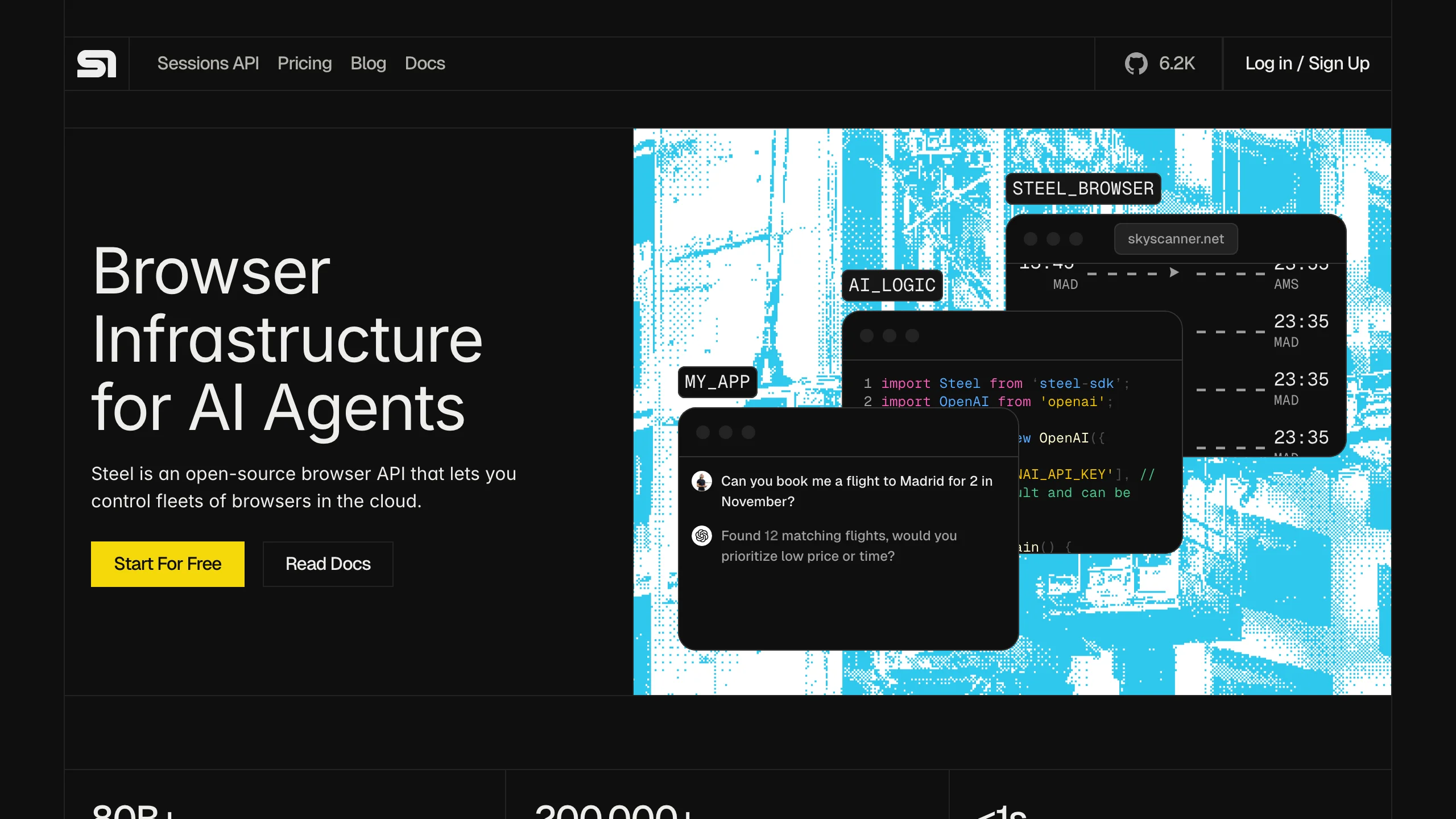
Steel is an open-source browser API for AI agents that focuses on providing the infrastructure layer with maximum transparency. If Browserbase is the managed cloud option, Steel is the self-hosted alternative.
What makes it stand out:
- Fully open-source - Run your own browser infrastructure without vendor lock-in
- Session management - Persistent browser sessions with full cookie and storage control
- Stateful workflows - Maintain complex state across multi-step agent interactions
- Lightweight API - Simple REST API for controlling browser instances
- Self-hosted option - Deploy on your own infrastructure for maximum control and data privacy
Limitations: Smaller community than Browserbase (7,100 stars vs. Browserbase's enterprise backing). Self-hosting means you're responsible for scaling, uptime, and security. Check out Firecrawl vs Steel to see how the two approaches compare.
Best for: Teams that need browser infrastructure but want to self-host for privacy, compliance, or cost reasons.
Pricing: Free and open-source. You pay for your own hosting infrastructure.
10. Dia Browser
Dia comes from The Browser Company (the Arc team) and was acquired by Atlassian for $610 million in October 2025. It's an AI-native browser that prioritizes a minimal, Chrome-like interface with ambient AI assistance.
What makes it stand out:
- AI sidebar - Always-accessible assistant for summarizing pages, answering questions, and supporting research
- Skills system - Pre-built AI "Skills" that run actions based on page context
- Contextual learning - Learns from your browsing history (with permission) to personalize assistance
- Writing assistance - Helps compose and edit text in your own voice
- Minimal interface - Clean, Chrome-like design without Arc's complexity
Limitations: Still in beta/waitlist. Privacy policy allows AI model training on user data, which is a concern for some users. With the Atlassian acquisition, the product direction may shift toward enterprise use.
Best for: Users who want a clean, minimal browser with ambient AI features and aren't concerned about data privacy trade-offs.
Pricing: Currently free (waitlist).
11. Opera Neon
Opera Neon is a Chromium-based browser that blends traditional browsing with AI agent capabilities. It was one of the first consumer browsers to ship agentic features (limited release in May 2025).
What makes it stand out:
- Dual agent modes - Both an in-browser AI agent and a virtual agent. If one fails, you can try the other
- Card system - Pre-built "Cards" for specific tasks (trip planning, budgeting, research) that customize the AI's behavior
- Built-in VPN and ad blocker - Privacy tools without needing extensions
- 169+ open-weight models - Access to models from OpenAI, Google, Meta, and more
- Chrome extension compatibility - Works with your existing Chrome extensions
Limitations: Premium features require a subscription. The AI features are still early-stage and less polished than Perplexity Comet or ChatGPT Atlas. Agent reliability is inconsistent.
Best for: Opera users who want to add AI capabilities without switching browser ecosystems.
Pricing: Free basic tier. Premium at $19.90/month.
Which browser agent should you pick?
The right tool depends on what you're building. Here's a decision framework based on the most common use cases:
If you're building AI agents that need web data:
Start with Firecrawl as the web data layer. With Firecrawl Browser Sandbox, Firecrawl now handles everything from scraping and search to full browser interaction — all through a single platform. Your agents can search the web, navigate pages, fill forms, and extract structured data without needing separate browser infrastructure.
For complex agent orchestration, pair Firecrawl with Browser Use or Stagehand for the reasoning layer. This is the stack most AI engineering teams are converging on: an agent framework for orchestration, Firecrawl for web data and browser access, and a vector database for storage.
If you're a developer automating browser workflows:
Browser Use for Python, Stagehand for TypeScript. Both are open-source, well-documented, and backed by active communities. Deploy on Browserbase when you need to scale beyond local execution.
If you need to automate form-heavy workflows without code:
Skyvern is purpose-built for this. Its visual workflow builder and computer-vision approach means you don't need to understand CSS selectors or DOM structure. It's especially strong for insurance, government, and procurement forms.
If you want AI-enhanced daily browsing:
Perplexity Comet has the most polished consumer experience. It's free, fast, and the Comet Assistant handles day-to-day tasks reliably. ChatGPT Atlas is better if you're already in the ChatGPT ecosystem and want your browsing to connect with your existing conversations.
If you need privacy-first or self-hosted:
Steel for self-hosted browser infrastructure. Dia if you want a consumer browser with AI features and don't mind waiting for beta access.
How browser agent pricing actually works
The fastest way to get burned by a browser agent is to pick one whose pricing model doesn't match your workload. There are three common shapes, and the right one depends on whether your usage scales with sessions, pages, or seats.
| Model | How it's billed | Best for | Watch out for |
|---|---|---|---|
| Per-session / per-minute | $0.005 to $0.05 per browser-minute (Browserbase, Steel, Skyvern cloud) | Long, interactive agent runs and form-heavy automation | Idle sessions and retries inflate bills fast |
| Per-page credits | One credit per page scraped or interacted with, around $0.005/page (Firecrawl) | High-volume scraping, search, and structured extraction | Cost tracks output, so plan around throughput rather than time |
| Flat subscription | Fixed monthly fee, $20 to $200/month (Comet, Atlas, Opera Neon) | Individual users and small teams doing consumer-style browsing | Hidden caps on agent runs or concurrent sessions on lower tiers |
For production data pipelines, credit-based pricing is the most predictable because cost moves with output, not session length. For interactive agent UX (chat with a live browser, demo flows), per-session pricing maps closer to the actual cost shape. Consumer subscriptions only make sense when one human is doing the driving.
The community perspective: What developers are saying
The developer community is cautiously optimistic about browser agents but realistic about current limitations. Here are the recurring themes from discussions over the last 6 months:
Reliability is the #1 concern
Success rates range from 30% to 89% depending on the tool and task. The community consensus: browser agents work well for single-step tasks and supervised workflows, but fully autonomous multi-step tasks still need human-in-the-loop checkpoints. As one highly-upvoted HN comment put it: "I prefer the brittleness of scripts to non-deterministic workflows" for critical production tasks.
The solution gaining traction is hybrid approaches: use deterministic scripts for predictable steps, and AI agents for the dynamic parts. Browser Use saw success rates jump from ~30% to ~80% when switching from fully autonomous to a plan-follower model with human oversight.
Security is a real problem
The Perplexity Comet prompt injection incident (97 points on HN) was a wake-up call. Browser agents are fundamentally vulnerable to indirect prompt injection because LLMs can't reliably distinguish between user instructions and webpage content. Anthropic reported that unmitigated agents fall for 24% of prompt injection attacks, though defenses cut the rate by more than half.
For production use, this means: sandbox your agents, add human approval for sensitive actions, and never give agents access to financial accounts or credentials without explicit checkpoints. For agents that scrape URLs they didn't choose themselves, Lockdown Mode is a complementary defense: it restricts Firecrawl's /scrape to cache-only results so a prompt-injected URL can never make a live outbound request.
The "killer app" is legacy integration
The use case that generates the most enthusiasm isn't flashy consumer browsing. It's browser agents interacting with systems that don't have APIs. Government portals, old SaaS platforms, healthcare EMRs, insurance quote systems. These are the places where browser agents genuinely solve problems that were previously intractable.
Everyone is asking: do I really need a new browser?
A popular r/AI_Agents thread asked "Why the sudden surge of AI browsers?" The answer, according to the community: data capture, distribution control, and the browser being the only interface with the full context needed to make agents useful. But many developers push back, preferring extensions or APIs over yet another browser to install.
Browser agents are still early, but the trajectory is clear. With a 32.8% annual growth rate in the AI browser market and 62% of enterprises already experimenting with AI agents, this isn't a "wait and see" technology. It's a "figure out how to use it before your competitors do" technology.
The tools that survive won't be the ones with the most features. They'll be the ones that deliver consistent, reliable results for specific use cases. That's why I recommend starting with a focused approach: pick the use case that matters most to your team, choose the right tool for that specific job, and expand from there.
Try Firecrawl free to search, navigate, and extract data from anywhere on the web, or explore the Agent endpoint documentation to see how it works in practice.
Frequently Asked Questions
What is a browser agent?
A browser agent is an AI-powered tool that can autonomously navigate websites, fill forms, extract data, and complete multi-step tasks on your behalf. Unlike traditional browser automation scripts that break when a website changes, browser agents use LLMs to understand page context and adapt in real time.
What's the difference between a browser agent and a headless browser?
A headless browser like Playwright or Puppeteer runs a browser without a visible UI and follows scripts you write. A browser agent adds an AI layer on top that can reason about pages, make decisions, and adapt to changes autonomously. Think of it as the difference between a GPS that follows a fixed route and one that reroutes around traffic.
Are browser agents reliable enough for production use?
It depends on the tool. The best open-source frameworks like Browser Use hit 89.1% success rates on the WebVoyager benchmark. For production workflows, pairing an agent framework with managed infrastructure (like Browserbase or Firecrawl) and adding human-in-the-loop checkpoints is the most reliable approach.
How much do browser agents cost?
Costs range from free (open-source frameworks like Browser Use, Stagehand) to $200/month for consumer browsers like Perplexity Comet Max. Developer infrastructure like Browserbase uses usage-based pricing. The biggest variable cost is LLM API usage, which depends on how many pages your agent navigates per task.
Which browser agent is best for web scraping?
Firecrawl is purpose-built for this. It's a full web data layer that can search, navigate, and extract structured data from anywhere on the internet. It handles JavaScript rendering and outputs clean markdown or JSON. For complex multi-step workflows, pair Browser Use or Stagehand with Firecrawl's infrastructure.
How do browser agents handle dynamic, JavaScript-heavy websites?
All major browser agents use real browser engines (Chromium via Playwright or Puppeteer) under the hood, so they render JavaScript just like a real user's browser. Firecrawl handles dynamic pages with built-in JavaScript rendering and waiting for content to load.
What's the typical cost of running browser agents at scale?
Costs depend on three factors: LLM API calls (typically $0.01-0.10 per page interaction), browser infrastructure ($0.005-0.05 per session), and any proxy services. Firecrawl's 1-credit-per-page model ($0.005/page on paid plans) is the most predictable pricing for web data.
What's the difference between an agentic browser and a traditional browser?
A traditional browser like Chrome or Safari is a passive tool: you click, type, and navigate. An AI-assisted browser adds a sidebar or chat panel that can summarize pages or answer questions. An agentic browser goes one step further and acts on your behalf, navigating sites, filling forms, and completing multi-step tasks from a single goal. The user gives intent, the agent figures out the steps.
Are browser agents safe to use, and what are the security risks?
The biggest risk is indirect prompt injection, where instructions hidden inside a webpage trick the agent into taking unintended actions. Anthropic found that unmitigated agents fall for about 24% of prompt injection attempts. Mitigations include sandboxing the agent, requiring human approval for sensitive actions like payments, restricting outbound network access, and using cache-only modes like Firecrawl's Lockdown Mode for URLs the agent did not choose itself. Treat any agent that browses untrusted sites the same way you would treat untrusted code.
Which browser agent works best with LangChain or agent frameworks?
Browser Use, Stagehand, and Firecrawl all integrate cleanly with LangChain, LlamaIndex, and CrewAI. For most agent stacks, the pattern is to use the framework for orchestration and reasoning, and Firecrawl as the web data layer for search, scrape, and structured extraction. Browser Use or Stagehand sit on top when the agent needs to drive a live browser for clicks and form fills.
How do I pick between per-session, API-credit, and subscription pricing?
Per-session pricing (used by Browserbase, Steel, Skyvern cloud) charges for browser minutes and is predictable for interactive workflows. API-credit pricing (used by Firecrawl) charges per page processed and is predictable for high-volume scraping or search. Subscription pricing (used by Comet, Atlas, Opera Neon) is fixed monthly and best for individual or small-team consumer use. For production data work, credit-based pricing scales most predictably because cost tracks with output, not session length.