TL;DR
What I use Claude Code for Marketing (and as a marketer):
- Built custom agents to track Firecrawl mentions and content ideas from Reddit/HN/Twitter
- Auto-refresh decaying blog posts (Ahrefs → Slack → Claude fixes it)
- Internal linking agent that replaced a $30/month SaaS tool
- Scraping competitor data and research with Firecrawl integration
- File conversions, image optimization, FAQs, site speed audits
- Tracking AI visibility through Vercel bot crawl data
- Managing a chaotic research file that feeds into all my content
Note: You need to learn tech stack basics, get engineers to review your work (especially for customer-facing changes), and keep yourself in the loop. It's not faster than a developer, but it removes dependencies. I can ship without waiting on anyone.
I lead SEO at Firecrawl, and I'm not exaggerating when I say my entire workday runs on Claude Code for marketing now.
Back when I started in marketing, getting a single landing page out took weeks. Brief a designer. Wait. Review mockups. Wait. Brief a developer. Wait. Review implementation. More fixes. More waiting.
Now? If I know exactly what needs to go on a page, I can just... ship it. No waiting on anyone. No dependencies. Just done.
And it's not just landing pages. We're in this era where everyone's building their own personal apps and agents, right? For me, Claude Code is at the center of all of it. Let me walk you through how I actually use it day-to-day as a marketer at Firecrawl.
Quick context: What is Claude Code?
Claude Code is basically Claude in your terminal. It's a CLI tool that can read your codebase, make changes across multiple files, run commands, and basically act like a dev on your team.
Unlike the web version where you're copying and pasting code back and forth, Claude Code actually lives in your project. It can see your entire repo, understand context, and make changes directly. You can even give it access to your local files and make changes to your system - like deleting unwanted screenshots from your desktop.
Getting started with Claude Code:
- Install it:
curl -fsSL https://claude.ai/install.sh | bash- Run it in your project:
claude- Start chatting with it like you would with a developer
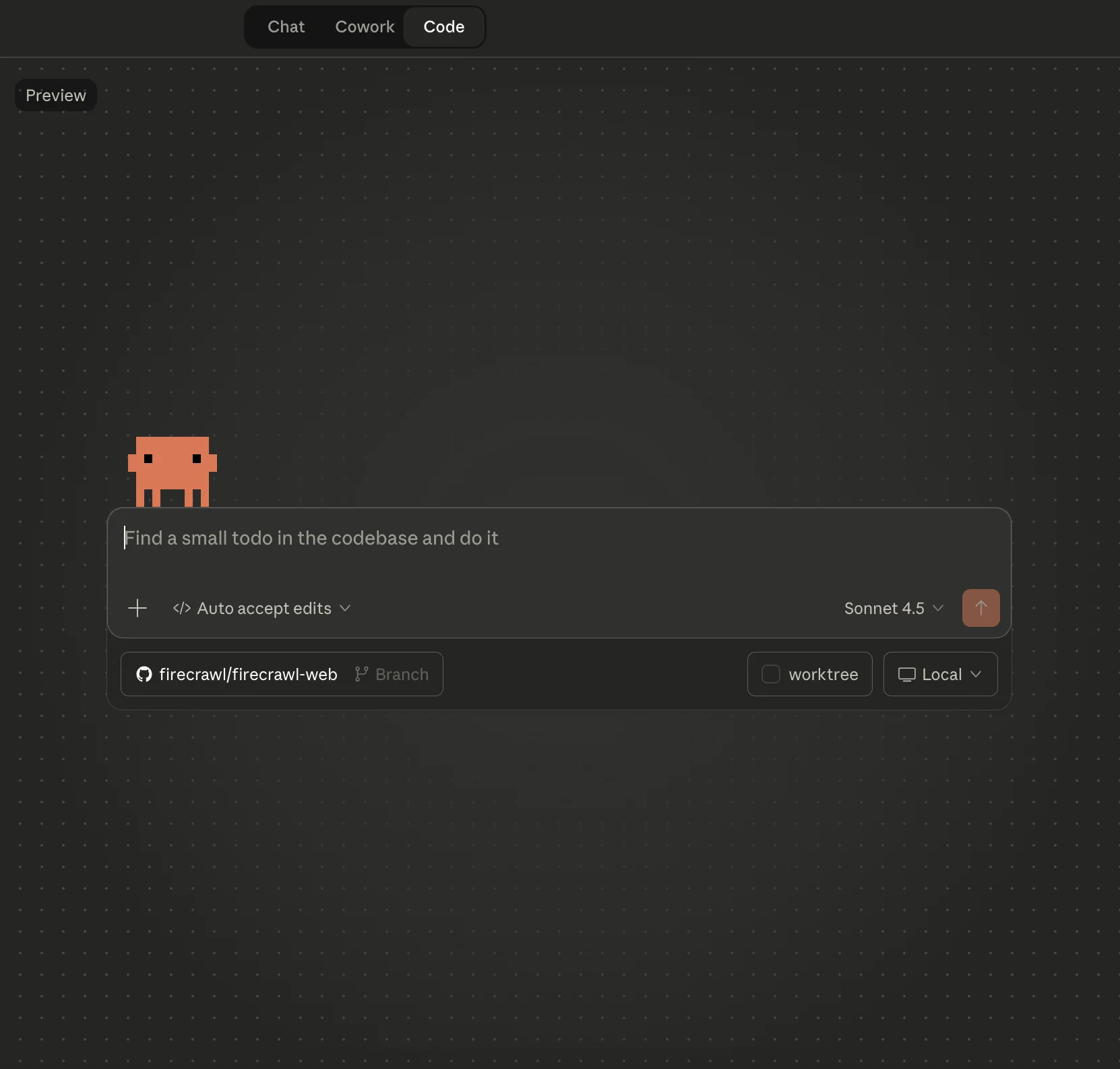
Pro tip: If terminals intimidate you, use Claude Code from the desktop app instead (that's what I do). You can drag and drop screenshots, paste images, and interact with it like a normal chat app.
What I use Claude Code for as a marketer
This post went viral recently and got me thinking - maybe I should actually write about how I use Claude Code for marketing:
So here's the breakdown of what I actually do with it:
Building custom agents
I've completely moved away from "I wish there was a tool for [xyz] problem" and instead just build my own solution in usually less than an hour now.
Firecrawl mentions tracker
This one's pretty straightforward but so useful. It's just a simple agent that uses the Firecrawl Agent under the hood. I even had Claude Code help me refine the prompt because my first version needed work.
Every Monday, I get this nice little report of interesting Firecrawl mentions from the past week. We're talking Reddit threads, Hacker News discussions, Twitter shoutouts, random niche forums - basically anywhere people are talking about us.
Why do I care? When I find these great mentions - like someone sharing how they used Firecrawl to solve a real problem or praising a specific feature - I work them into my content that week. It's way more credible to reference actual users than to just make claims.
I also have a similar setup tracking broader discussions around web scraping, web search APIs, data extraction, etc. If I see developers asking specific questions on Reddit this week, boom - that's my content roadmap for next week. Write what people are actually asking about.
Auto-refreshing decaying content
Okay this one's a bit more involved but it saves me hours every week. I have Ahrefs hooked up to Claude, and there's a cron job that checks my top 10 decaying blog posts and pings me on Slack.
From Slack, I just pick like 3 posts that feel high-leverage to optimize. I tell Claude exactly what needs refreshing, and it handles the grunt work - updating old stats, refreshing code examples, adding sections for new developments, fixing internal links.
Now, I'm not just letting it run wild and auto-publishing everything. I review every single change before it goes live. Fully autonomous content is usually terrible and definitely doesn't match our brand voice. Human-in-the-loop is key here. For the full map of every content job worth automating and how to reduce handoffs around the AI step, our guide to AI content workflows covers seven pipelines end-to-end with tool configurations.
Internal linking agent (RIP $30/month SaaS tool)
I used to pay $30/month for this SaaS tool that was supposed to find interlinking opportunities. It was... fine? But honestly the suggestions were kinda meh. I kept paying for it because I didn't have a better option.
Until I realized I could just build my own.
Since Claude Code has access to our entire marketing website repo, it can actually suggest smart internal links based on what makes sense semantically, not just keyword matching. It knows which anchor text sounds natural, which pages we want to prioritize, and how to avoid making it look spammy.
It's honestly so much better than the generic tool, and it's tuned exactly to how we think about our content strategy. Plus, you know, free.
Firecrawl for live web data
Obviously we have Firecrawl integrated with Claude Code at Firecrawl (would be weird if we didn't), and it's kind of ridiculous how useful this is. We're actually an official Claude plugin now, which makes the integration even smoother.
People assume Firecrawl is just a scraping tool - but it's so much more. It can act as the complete web data layer for your AI workflows.
Firecrawl is basically my research, trend analysis, writing, and fact-checking assistant
Using Firecrawl within Claude Code, I can research and pull data from websites and PDFs easily now. I'll tell Claude to grab screenshots from research papers or competitor sites and add them to blog posts. Or scrape real-time data for competitor analysis.
Or fact-check claims by pulling the actual source material. You can also search for emerging trends in your industry, track what competitors are talking about, or analyze what topics are getting traction across different platforms.
Example: When I'm writing a comparison article, I literally just say "Use Firecrawl to scrape the pricing pages of these 5 competitors and make a comparison table." It handles all the annoying scraping and data extraction stuff, and I can just focus on actually analyzing and writing about it.
Finding real questions people are asking
I also use Firecrawl /agent to find real FAQs for every blog post. The prompt is pretty simple:
Use Firecrawl Agent to find common questions [target audience] are asking about [topic] on [wherever your ideal customers hang out] in the last 3 months.Then I just answer those questions in my content. Super helpful because you're writing stuff people actually want to know, not just what you think they might search for.
SEO tasks I've automated
File conversions and image optimization
File conversions used to drive me insane. Getting the right image format, compressing things properly, making sure dimensions were right - just tedious busy work.
Now it's all automated. Everything gets optimized with the right formats without me having to think about it. And this actually matters for SEO:
- Images load faster (page speed++)
- WebP format cuts file sizes by like 30-40%
- Right dimensions = no weird layout shifts
- Alt text gets optimized in the same go
Running site health audits
Just last week I did a site health audit and Claude threw like 20+ suggestions at me. Lazy loading images, optimizing JS bundles, cutting down third-party scripts - all the good stuff.
I pinged an engineer on the team real quick to verify I wasn't about to break anything (always do this!!), and then just went down the list fixing things.
Tracking AI visibility (aka my AEO experiments)
Claude's actually pretty good at looking at data and finding interesting patterns.
Here's something I've been playing with: I pull our Vercel observability data to see what pages common bots like ChatGPT-User are crawling (I check for common bots at bots.fyi). Then I feed that to Claude and ask it to figure out what questions users might actually be asking that would surface this content.
Since Claude Code has access to the entire website repository, it can go over these articles and give suggestions for optimization.
I use those questions in Profound to track our AI visibility.
Is this foolproof? No. It's pretty speculative. But honestly, the entire AEO (Answer Engine Optimization) space right now is just educated guessing. At least this is speculation with some guardrails based on actual crawl data, so... ¯_(ツ)_/¯
My chaotic research system that actually works
Whenever I come across something interesting - stats, research papers, whitepapers, podcast clips, cool projects, random good X posts, whatever - I just dump it in a local file with a quick note. This is my personal repository of interesting things I read/see online.
Before I publish any content piece like a blog article, I tell Claude: "Go through this file and see if anything's relevant to this article. If yes, work it in naturally."
It's basically like having a research assistant with perfect memory who never loses track of that one stat you read three months ago and now desperately need.
What's next on my experiment list
There's so much I still want to experiment with Claude Code:
- Auto-documenting my experiments in Notion - right now I manually write up all my SEO experiment hypotheses and results and it's tedious
- Dynamic content personalization - adjusting content based on traffic source or user behavior
- Automated competitive intelligence - weekly reports on what competitors are publishing, their backlinks, ranking changes, etc.
- Creating blog cover images easily - generating custom cover images with a simple prompt instead of spending time designing them
The possibilities are kinda wild to be honest.
What I wish I knew when I started using Claude Code for marketing
Create Claude skills for anything you do more than once
Seriously, every time you do something and think "I'll probably need to do this again," make it a skill. And keep updating that skill each time you use it.
This is especially clutch for maintaining your writing style. I literally have a hiba-writing-style skill file.
And you don't have to write this yourself. Once you've completed a task, ask Claude to document the process and expected output and create a skill. And every time you use it, ask Claude to update it for you.
Skills are like building your own custom tools that work exactly how you need them to. Our Claude Code skill tutorial shows you how to build one from scratch, with a real Firecrawl web scraping example. If you want inspiration for what's already out there, check out the best Claude Code skills to try in 2026.
Learn enough to not break things
The people who tell you you don't need to know code at all to vibe code are lying. You don't need to become a developer, but you should understand your tech stack basics. Otherwise you will make a mess.
AI always finds the easiest path to solve a problem - even if it's hacky. But the easiest path isn't always the best path.
What I did: I asked Claude "what do I absolutely need to know to build a solid, high-performing Next.js website?" Then I went and learned those concepts. Now, I have a CS degree so this was easier for me, but the point is - you need to understand what Claude actually did. Ask it to ELI5 literally everything.
Learn at least:
- Basic web stuff (HTML, CSS, how JavaScript works)
- Your tech stack (Next.js, React, whatever you're using)
- SEO fundamentals (meta tags, sitemaps, structured data)
- How your deployment works
Get an engineer to sanity-check your work
Not everything Claude suggests is actually the best solution. If it's changes to your product or website or anything customer-facing, just shoot a quick message to an engineer on your team before you ship.
I learned this one the hard way. I pushed what I thought was a "performance optimization" that completely broke mobile rendering. Luckily an engineer caught it in staging, but if that had hit production? Yikes.
The review doesn't need to be formal - literally just "hey does this approach make sense?" can save you from a disaster.
Automate the stuff that makes you want to cry
Think about what you do every week that just feels like soul-crushing busy work. That's what you should automate first.
Make a list:
- Compiling reports
- Updating spreadsheets
- Checking competitor rankings
- Reformatting content for different platforms
If you're doing it every week, automate it. You have better things to do with your time.
Keep yourself in the loop
At least right now, human-in-the-loop is way better than trying to make everything fully autonomous. Your marketing needs personality, and AI doesn't really have that.
Let AI handle the grunt work - drafting, suggesting, automating the boring stuff. But you're the one adding:
- Your brand voice
- Strategic decisions
- Editorial judgment
- Creative direction
The goal isn't "AI does everything." It's "AI does the tedious stuff so I can focus on the things that actually matter."
Things to keep in mind when starting with Claude Code for marketing
Okay let me be honest about the downsides because it's definitely not perfect:
It's not always faster. A good developer will still be faster than me for most tasks. The win here isn't speed - it's independence. I can ship without waiting on anyone.
You will make mistakes. AI-generated doesn't mean correct. Test everything, review everything, and get engineers to check your technical stuff.
There is a learning curve. My first week was frustrating as hell. I broke things in dev environments. Made dumb mistakes. But that's just part of learning something new.
Note: Claude Code doesn't replace strategy. Claude can't tell you what landing page to build or what content angle to take. It executes your vision. The actual strategy, positioning, creative stuff? Still 100% on you.
Why should marketers start using Claude Code now
I really do spend my entire workday using Claude Code for marketing now. And this is just scratching the surface - there's so much more potential here that I haven't even explored yet.
If you're in marketing and think Claude Code for marketers isn't relevant to you because it's just for engineers, you're leaving money on the table. Like, a lot of money.
We're at this weird inflection point where the gap between "I have an idea" and "I shipped it" is basically nothing now. AI isn't going to change marketing work - it already has. The only question is whether you're going to figure this out now or wait until your competitors force you to catch up.
I'm experimenting now while there's still a learning curve advantage to be had.
You should too.
Frequently Asked Questions
Do I have to use Claude Code in the terminal?
No! While Claude Code is a CLI tool, you can use it from the Claude desktop app instead, which gives you a familiar chat interface. You can drag and drop screenshots, paste images, and interact with it just like the web version. I personally use the desktop app because it's more comfortable than working in the terminal. You get all the same functionality with a more user-friendly interface.
Do I need to know how to code to use Claude Code?
Not necessarily, but understanding basics helps. You don't need to be a developer, but knowing your tech stack fundamentals (like Next.js basics if you're building websites) prevents making technical messes. I have a CS degree which helped, but the key is learning enough to understand what Claude is doing and asking it to explain everything you don't get.
Can Claude Code really replace developers for marketing tasks?
No, and that's not the point. Claude Code makes marketers more self-sufficient for certain tasks like landing pages, simple automations, and routine optimizations. But you should always get engineer review for customer-facing changes, and developers are still essential for complex features, architecture decisions, and system-level work. Think of it as expanding what marketers can do independently, not replacing engineers.
What's the learning curve like for marketers using Claude Code?
It depends on your technical background. If you're comfortable with basic command line usage and understand web concepts, you can start being productive within a week. The key is starting small - automate one repetitive task first, then gradually expand. Ask Claude to explain everything (use 'eli5 everything'), and don't be afraid to experiment in development environments.
How much time does Claude Code actually save?
For me, tasks that used to take weeks of back-and-forth with designers and developers now take less than a day if I have a clear goal. But remember - it probably takes me longer than an experienced developer would take. The real win isn't speed for simple tasks, it's the independence to ship when you have clarity on what needs to be done, without waiting in a queue.
What are the risks of using Claude Code as a marketer?
The biggest risk is making technical decisions without understanding the implications. AI tends to find the shortest solution, which isn't always the best. That's why you need to: 1) Learn your tech stack basics, 2) Always get engineer review for customer-facing changes, 3) Test everything in development first, 4) Ask Claude to explain its approach before implementing. Human-in-the-loop is crucial.
How does Firecrawl integration help with marketing tasks in Claude Code?
Firecrawl is an official Claude plugin that makes it incredibly easy to pull live web data for marketing research. Instead of manually visiting competitor sites or copying data, you can ask Claude to scrape pricing pages, extract FAQ content from forums, or pull real-time information from any website. For example, when writing comparison articles, you can say 'Use Firecrawl to scrape the pricing pages of these 5 competitors and make a comparison table' and it handles all the data extraction automatically. This is especially useful for competitive analysis, content research, and fact-checking claims with actual source material.
Can Claude Code help me research content topics and find FAQs?
Yes, and this is one of the most powerful use cases for marketers. You can use Firecrawl's agent endpoint through Claude Code to find real questions your target audience is asking about specific topics across platforms like Reddit, forums, or community sites. For example, I use a prompt like 'Use Firecrawl Agent to find common questions developers are asking about web scraping on Reddit in the last 3 months' - and it returns actual questions people want answered. This helps you write content that addresses real user needs rather than guessing what people might search for. You can also use it to track brand mentions, monitor competitor discussions, and discover content ideas from actual conversations happening online.
What MCPs should I connect to Claude as a marketer?
I personally use Ahrefs (for SEO data and content decay tracking), Firecrawl (for access to web data), Google Search Console (for search performance data), Figma (for design mockups), and Hex (for data analysis). I also connect other marketing apps using Composio, which acts as a bridge to connect various tools. The key is connecting the tools you use daily in your marketing workflow - think analytics platforms, CRM systems, project management tools, or any service where you need to pull data or automate workflows.