TLDR
- AI adds judgment to the if-this-then-that automations content teams already run: research passes, comparisons, briefs, first drafts, refresh checks, and QA. Topic selection, the thesis, and final approval stay with people.
- Most wasted time sits in handoffs, not generation. Fetch inputs automatically, keep state in one place, use plain code for fixed rules, pass structured outputs between steps, and put approvals only where mistakes cost something.
- Skip standalone AI writing tools. Pair a model you already pay for with Semrush or Ahrefs for search data, Firecrawl for web pages, Airtable for state, and n8n, AirOps, Gumloop, or Zapier Agents to run the workflow. Most connect to Claude or ChatGPT through MCP.
- Seven workflows worth building first: content refresh, competitor monitoring, keyword-to-brief, interview-to-multichannel content, product-update content, automated QA, and a post-publish optimization loop.
I've been a tech content marketer for about 8 years now. And parts of our job have always been automatable: scheduling posts, publishing, email sends, spreadsheets for tracking production, CRM pipelines, reporting, and plenty more.
Something like this example I ran on Make.
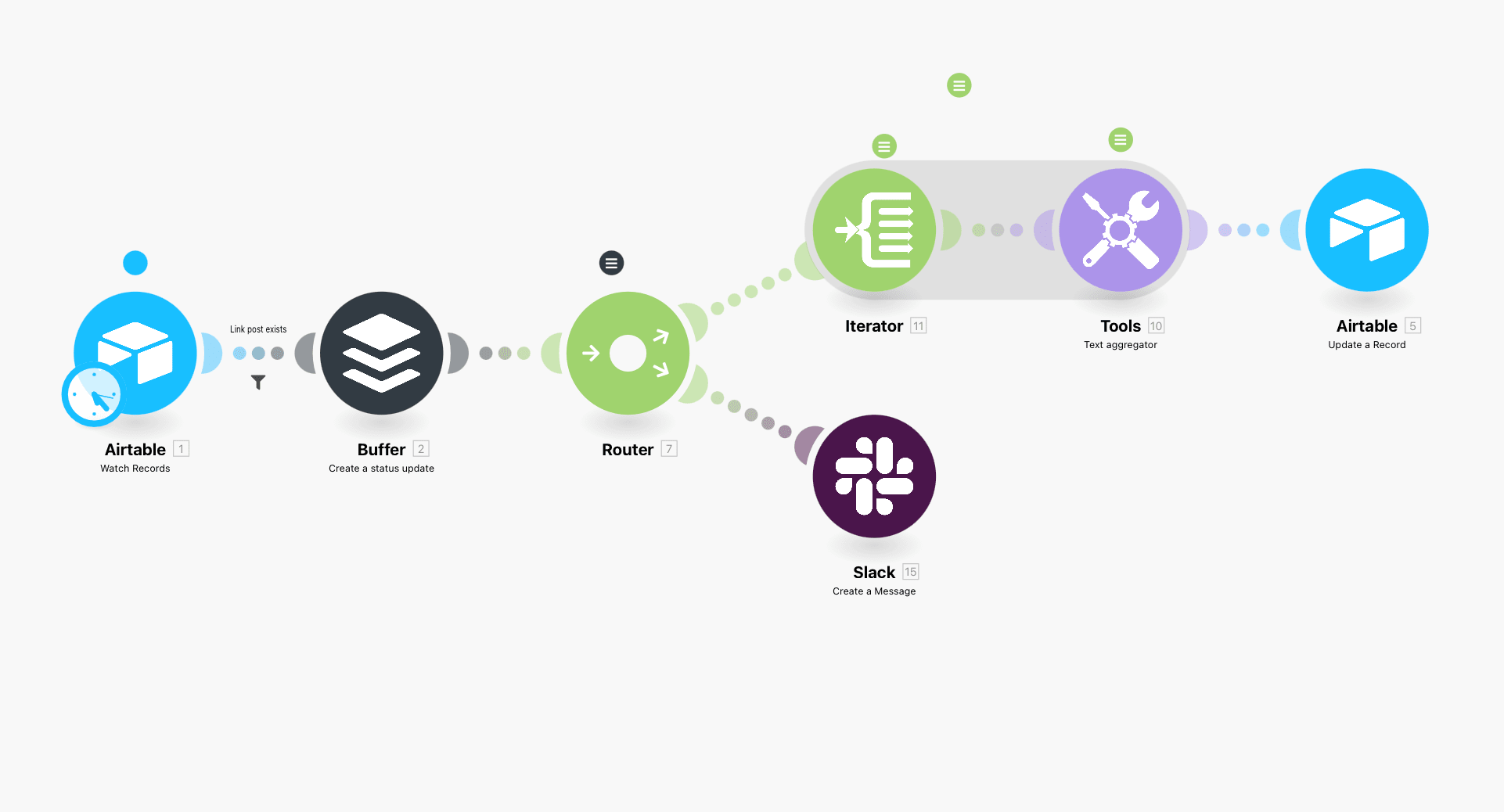
Automations before AI were all deterministic, however.
If X happens, do Y. If someone fills out a form, add them to a sequence. If a post reaches a certain status, send it to the next person. If traffic drops below a number, flag the page.
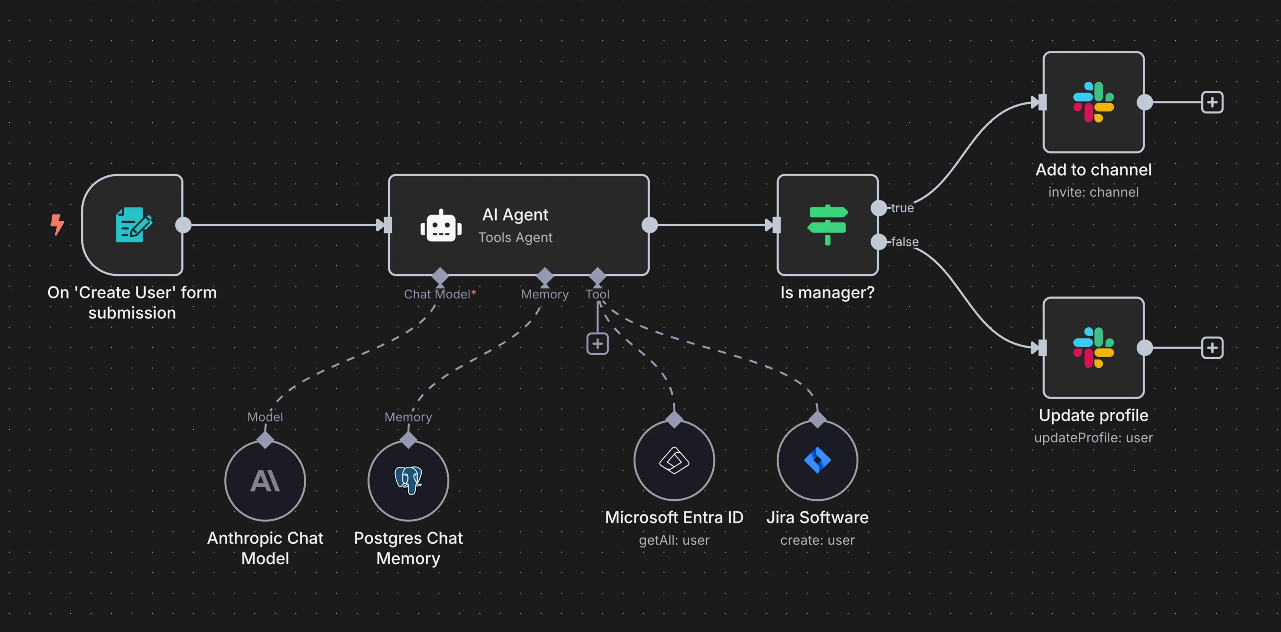
To go beyond the basics, you need to add judgment to your workflows. AI gives your workflows a way to make those subjective decisions, letting you add judgement to your originally fixed if-this-then-that rules.
Here’s a workflow with AI agents handling tasks (notice the AI agent step).
In this piece, I'll walk you through what you can realistically automate in content marketing today, how to cut down the manual work in agentic workflows, which AI tools are worth using today, and a few examples of what these automations can look like end to end.
What you can automate in content marketing
The work worth automating is the repeated collecting, comparing, moving, reformatting, and rule-based deciding that surrounds every content job. Research passes, briefs, refresh checks, QA, and reporting all qualify. Topic selection, the thesis, and final approval don't.
AI touches almost every stage of a content workflow now, but I wouldn't automate everything at once. Here's how I'd split the work:
| Content marketing job function | What AI can handle | What I’d keep human |
|---|---|---|
| Audience and competitor research | Collect sources, summarize pages, extract themes, compare positioning, group reviews and objections | Decide which insights matter |
| Keyword and topic research | Cluster terms, classify intent, compare SERPs, find recurring questions and gaps | Pick strategic topics and angles |
| Content briefs | Pull sources, competitor coverage, questions, internal links, product context | Set the thesis and editorial direction |
| First drafts | Draft from approved sources and a detailed brief | Original thinking, examples, final writing and judgment |
| Content refreshes | Find stale facts, compare current pages, flag missing sections, suggest changes | Decide what deserves changing |
| Repurposing | Turn one asset into multiple channel formats | Decide what’s worth repeating and how |
| SEO QA | Check headings, links, metadata, missing coverage and on-page issues | Stop the article from becoming SEO-by-numbers |
| Publishing ops | Format CMS publishing fields, prepare metadata, create image briefs, handle basic image generation, and draft social copy | Final publication approval |
| Distribution | Draft email, social, community and sales variants | Decide where and how to distribute |
| Reporting | Pull metrics, compare periods, flag unusual movement, and support predictive analytics | Explain why something happened and what to do next |
Where AI for content marketing stands in 2026
Generative AI use is already pretty normal in the industry. Canva’s 2026 survey found that 97% of marketing leaders use AI in their daily creative work.
For content specifically, Ahrefs surveyed 879 marketers and found that 87.37% use AI to help create content.
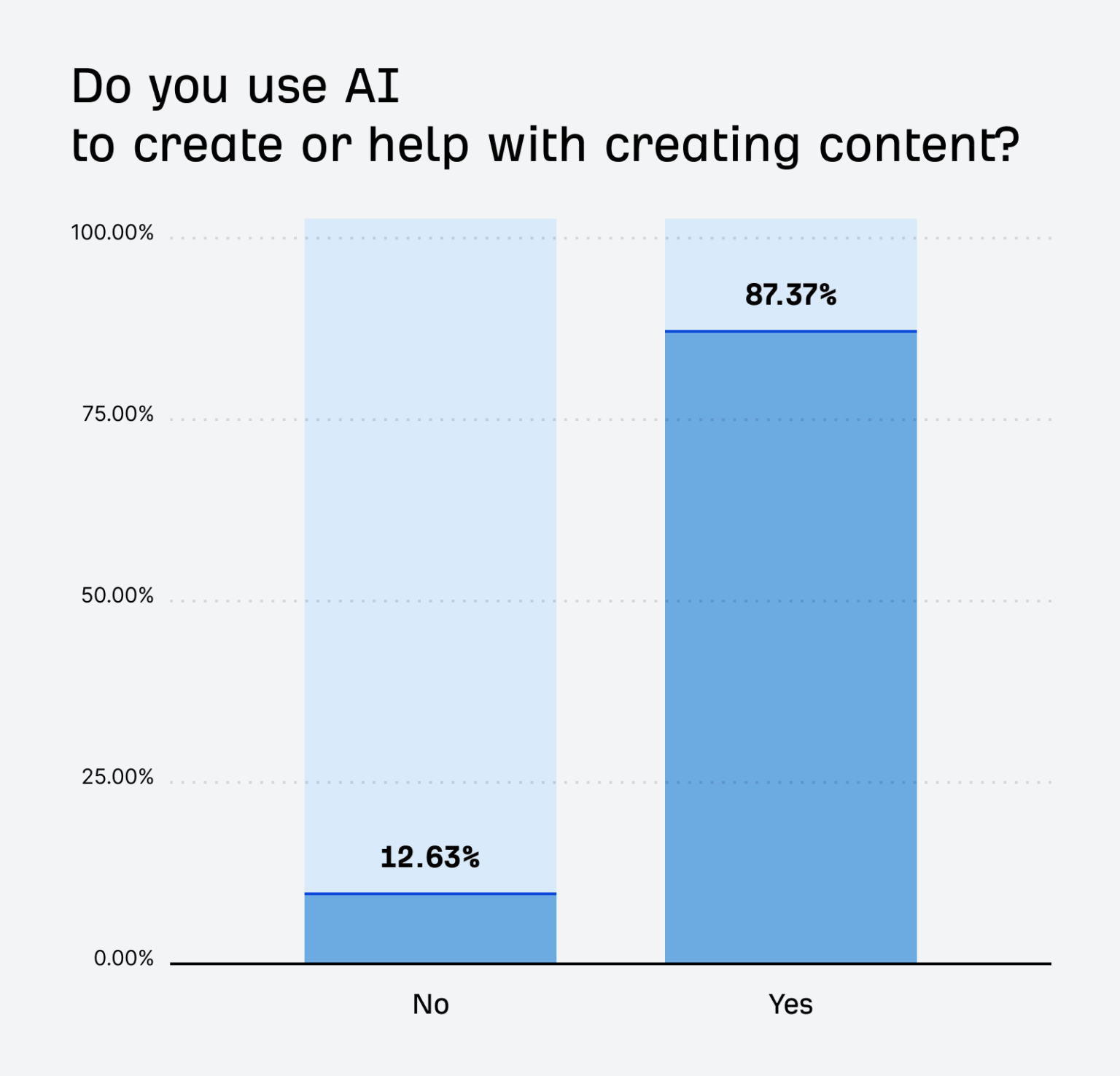
The most common jobs for AI per the Ahrefs survey weren’t full-draft generation. Instead:
- 76% use it for brainstorming
- 73% for outlining
- 67% for updating existing content
- 97% still have some kind of review process for AI-assisted content
The gap is in the workflows. Most teams use AI for individual tasks but haven't built it into a repeatable process.
BCG’s 2026 survey of 300 CMOs found that 42% are still using generative AI mainly to assist people with individual tasks. Just under a third have moved significant work into agent-led workflows, and only 8% are running campaigns where multiple agents operate autonomously.
So most content teams aren’t at the point where agents are independently running the whole operation.
AI is much more commonly sitting inside existing workflows: doing the research pass, sorting information, preparing a brief, creating the first version, checking something, or deciding what should happen next.
AI search (or AIO) is becoming another part of that work, especially for brand discovery and tracking visibility in AI search. If you want a quick read on where a page stands, Firecrawl's free AI visibility audit scores a URL for AEO and GEO and lists prioritized fixes.
How to reduce manual work in your agentic content workflows
The manual handoffs around the AI step cost more time than the generation itself, so that's where I'd look first.
Say you've built an AI workflow for content refreshes. If someone still has to export the traffic data, find the article, paste competitor URLs into a prompt, copy the result into Airtable, create a task, and move the finished copy into the CMS, you've automated one step in a process that still has manual handoffs.
Here's what a rough refresh workflow looks like before and after removing them:
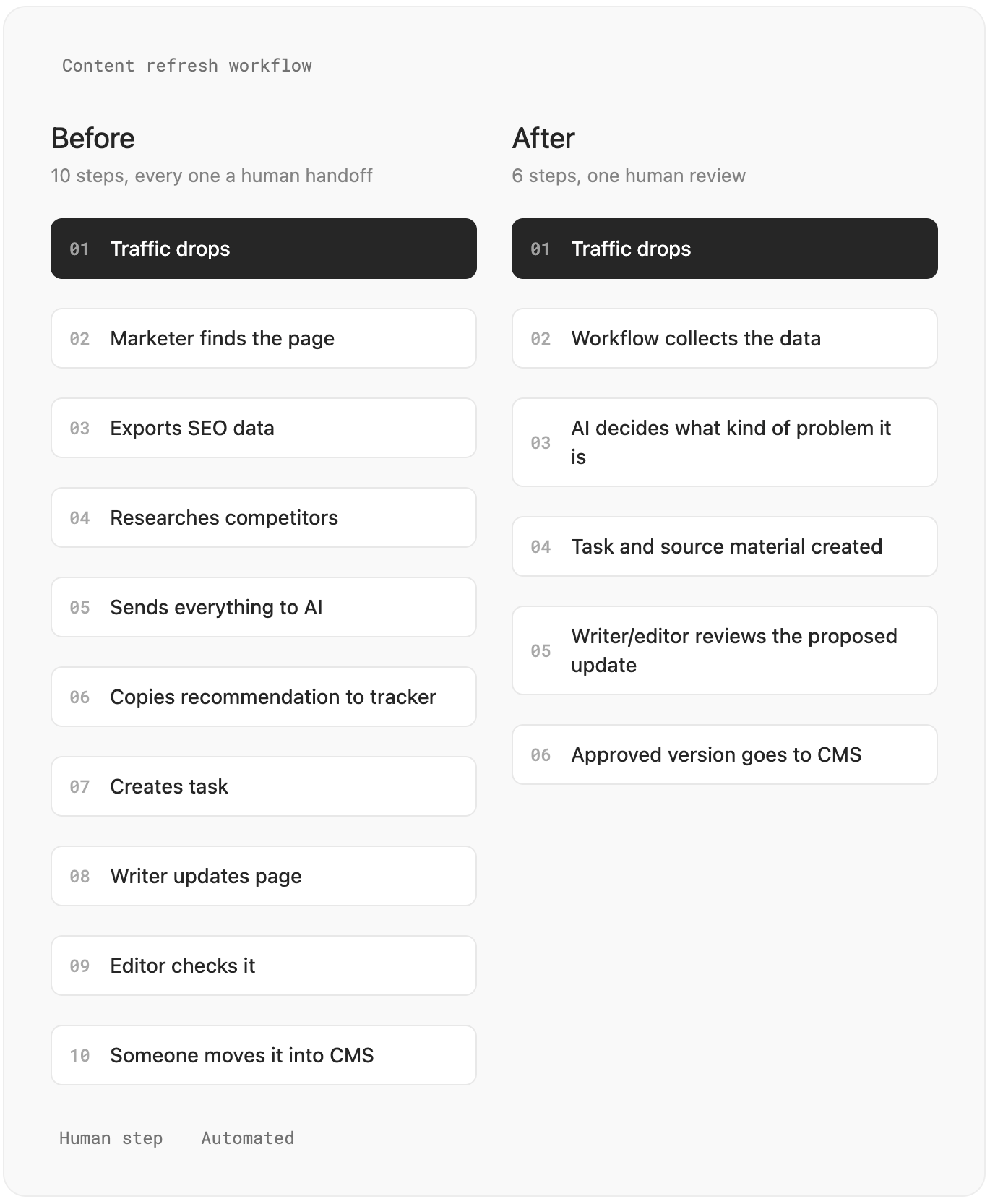
There are a few ways to cut the handoffs down.
1. Collect the inputs automatically. If the same job always needs analytics, an existing URL, competitor pages, and product docs, fetch them before the AI step runs. Nobody should be assembling the same context by hand every time.
2. Keep the state somewhere. The workflow needs one place where it can check the URL, owner, status, source material, proposed change, approval state, and final result. Otherwise the current version of the job ends up scattered between chats, spreadsheets, project-management tools, and the CMS.
3. Use normal automation for fixed rules. Don't spend model calls checking whether traffic fell more than 20%, whether a page is older than 12 months, or whether a URL returns a 404. Code can answer those questions exactly. Save AI for things such as whether search intent changed or whether two pages are competing for the same topic.
4. Pass structured outputs between steps. If the next part of the workflow needs to know what to do, return fields rather than a paragraph.
action: refresh
priority: high
reason: outdated_product_information
sections_to_update:
  - pricing
  - integrations
requires_review: true
Now another tool can act on the result without somebody reading it and translating it first.
5. Put approvals around consequences, not every step. A human probably doesn't need to approve every keyword classification. Publishing a page, changing a product claim, deleting a URL, or quoting an expert is different. Those are good places to stop and ask.
6. Plan for failed runs. Pages disappear. APIs time out. Models return malformed data. Sources disagree. A workflow should know whether to retry, skip the job, use another source, or send it to somebody rather than stopping halfway through.
And I'd measure the workflow by the work it removes:
| Instead of measuring | Measure |
|---|---|
| Articles generated | Accepted articles |
| AI tasks completed | Manual steps removed |
| Number of agents | Time from trigger to review |
| Tokens used | Cost per completed job |
| Drafts produced | Editing time per draft |
| Automations running | Failed runs and human interventions |
If the workflow generates a brief in 30 seconds but somebody still spends 20 minutes collecting its inputs and putting the output in the right place, the generation speed doesn't mean much.
What are the top AI tools marketers vouch for in 2026
The tools worth paying for give your workflows something a model can't: search data, web data, a database, automation, publishing access, or connections to the rest of your stack.
That rules out most AI writing tools. If you've already got access to a decent model, paying for another tool because it can generate blog posts or social copy doesn't make much sense.
Some of the tools below work directly inside Claude or ChatGPT through MCP. Others can run the whole workflow themselves.
1. Semrush or Ahrefs
What it adds: SEO and competitor data you can use inside your workflows.
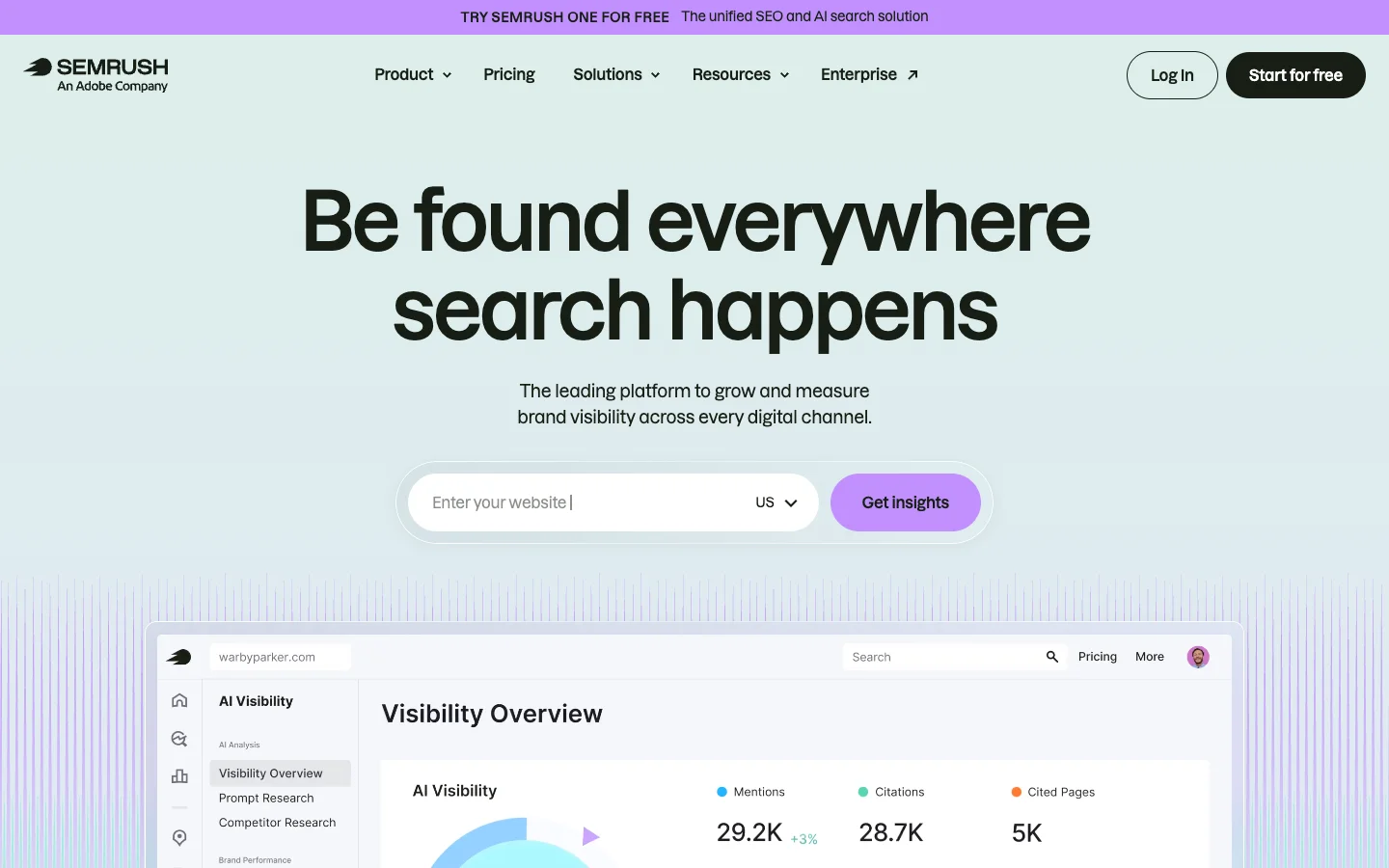
Semrush and Ahrefs already sit in a lot of content marketing stacks, so switching to another provider purely for AI doesn't make much sense. Luckily, both companies now expose their data through APIs and MCP servers.
That means you can pull rankings, keywords, backlinks, competitor data, and traffic estimates directly from Claude, ChatGPT, or a terminal agent instead of exporting CSVs first.
Semrush also has native apps in ChatGPT and Claude. Ahrefs has a native Claude connector and a hosted MCP server that can also be added to ChatGPT.
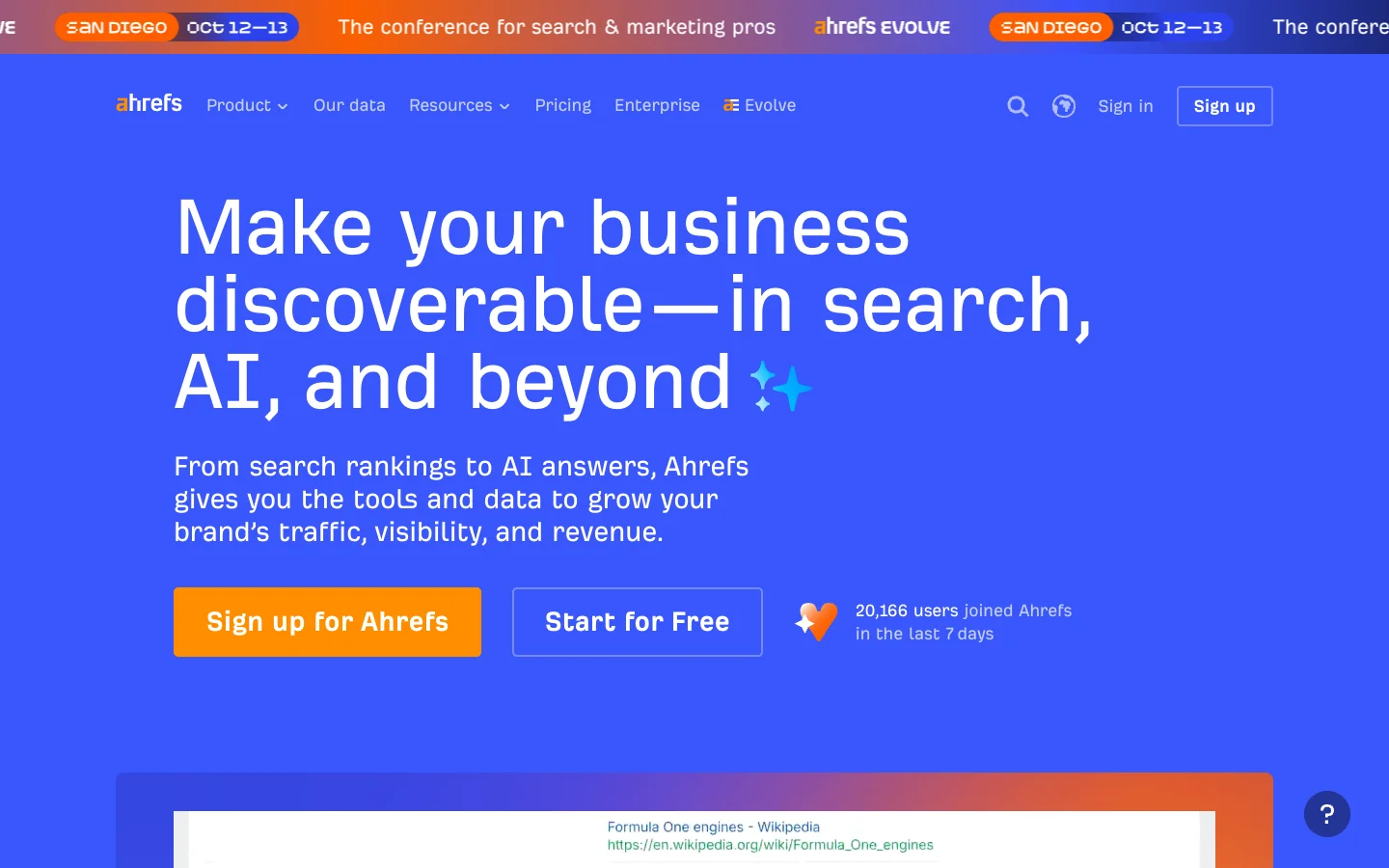
What I'd use Ahrefs or Semrush for:
- Finding pages that have lost rankings
- Keyword research
- Competitor analysis
- Content gap analysis
- Backlink research
- Finding refresh opportunities
- Tracking search visibility
- Prioritizing content based on search opportunity
How to connect Semrush or Ahrefs MCPs
For Semrush in ChatGPT or Claude, find Semrush in the Apps/Connectors section, click Connect, and approve access to your Semrush account.
If you're using Claude Code or Codex in the terminal:
claude mcp add semrush https://mcp.semrush.com/v2/mcp -t httpThen run /mcp inside Claude Code and authenticate.
For Ahrefs, Claude users can go to Customize > Connectors, find Ahrefs, and connect their workspace.
For ChatGPT, enable Developer mode under Settings > Apps > Advanced settings, create a new app, and use:
https://api.ahrefs.com/mcp/mcpChoose OAuth for authentication.
Claude Code users can run:
claude mcp add ahrefs https://api.ahrefs.com/mcp/mcp -t httpThen run /mcp and authenticate.
Example prompt to run after connecting the MCP
Using Semrush/Ahrefs data for [DOMAIN], find the pages that have lost the most estimated organic traffic over the last 30 days.
For each page:
- show the traffic change
- find the keywords responsible for most of the decline
- compare their current and previous positions
- check whether another page on the domain is competing for the same keywords
- classify the recommended action as refresh, consolidate, investigate, or leave alone
Sort the results by estimated traffic opportunity.
Return:
URL
Traffic change
Main keyword losses
Likely issue
Recommended action
Priority
2. Firecrawl
What it adds: Current web data in a format that saves 94% of your LLM’s input tokens.
A lot of content marketing depends on information sitting on websites: competitor pages, product docs, pricing, changelogs, articles, reviews, and sources.
Firecrawl handles the part where you need to get that information into a content generation workflow. It can search, scrape, crawl, map, and extract web data, then return it as clean Markdown or structured data instead of raw HTML.
The easiest way to use it is the official Firecrawl plugin for ChatGPT or connector for Claude. Developers can also call it through the API.
Content teams aren't the only ones building on it. Dub uses Firecrawl to power its AI page builder, which turns any company website into an affiliate program landing page in seconds. The same scrape-then-generate pattern works for content briefs and refreshes.
What I'd use Firecrawl for:
- Competitor monitoring
- Research pipelines
- Pricing-page tracking
- Content refresh research
- Product and documentation monitoring
- Collecting sources
- Extracting structured data from websites
- Crawling your own content
How to connect it
Install the official Firecrawl plugin for ChatGPT and connect your Firecrawl account when prompted. You don't need an API key or any MCP config, and the same install works in Codex. If your team works in Claude, there's an official Firecrawl connector for Claude too.
For other tools and workflows, connect the Firecrawl MCP server instead. It works with any MCP-compatible client, including Cursor, Claude Code, and workflow tools like n8n. Create a Firecrawl account and copy your API key first.
For a remote connection (for example, a custom connector in Claude), use:
https://mcp.firecrawl.dev/YOUR_API_KEY/v2/mcpReplace YOUR_API_KEY with your Firecrawl key.
For terminal agents and editors that run local MCP servers, use the firecrawl-mcp package and set FIRECRAWL_API_KEY in the server environment:
npx -y firecrawl-mcpFirecrawl Alexandria is available through the MCP server as well, so the examples below work in any of these setups.
Finding data with Firecrawl Alexandria
The plugin also includes Firecrawl Alexandria, which makes finding the data behind a piece much easier. It covers 400+ official data providers plus Firecrawl's own indexes. Instead of scraping a page that quotes a number, your assistant finds the provider that has it, shows what the call costs, and pulls the records. Looking up sources is free, and you pay a tool's listed price only when it runs.
For content marketing, that covers a lot of the research behind a brief:
- Firecrawl Trends: Google Trends-style search interest over time, related and rising queries, interest by region, and what's trending now. Use it to check a topic has demand before you write about it.
- Similarweb: a competitor's monthly traffic, marketing channel mix, traffic geography, and referral domains.
- Wayback Machine: archived snapshots of any page, so you can see how a competitor's homepage, pricing page, or positioning read months ago.
- Research Index and Semantic Scholar: peer-reviewed papers and their citations, so a stat in your post points to a primary source.
- PeerSpot: software ratings, review themes, and head-to-head comparisons for alternatives and comparison posts.
- Substack: a publication's archive and posts, to see what newsletters in your space are writing about.
- Particle: podcast episode transcripts and quotable clips for roundups and interview-style content.
- Benzinga and Nasdaq: recent news coverage of a company for product-update and newsjacking pieces.
Example prompts:
Use Firecrawl Trends to compare search interest in "AI SEO" and "generative engine optimization" over the past 12 months. List the rising related queries for each.Pull last month's Similarweb traffic and marketing channel mix for competitor-one.com and competitor-two.com. Which channels does each one rely on most?Use the Wayback Machine to compare competitor.com/pricing today with the snapshot closest to January 1. List what changed in plans, prices, and positioning.Find three peer-reviewed papers on how people use AI search in the Research Index. Give me one quotable finding from each, with the citation.Compare HubSpot and Salesforce on PeerSpot and summarize what reviewers say about pricing and setup.Example prompt to run after installing the plugin
Use Firecrawl to monitor these competitor pages:
[COMPETITOR URLS]
For each page, extract:
- product or company
- positioning
- pricing
- main features
- target audience
- new claims
- source URL
Compare the current information with the previous version if one is available.
Ignore formatting changes and minor copy edits.
Return:
1. A table of meaningful changes
2. The source URL for each change
3. A short note on whether the change is worth reviewing for our content strategy
3. Airtable
What it adds: A structured place for your content operation to live.
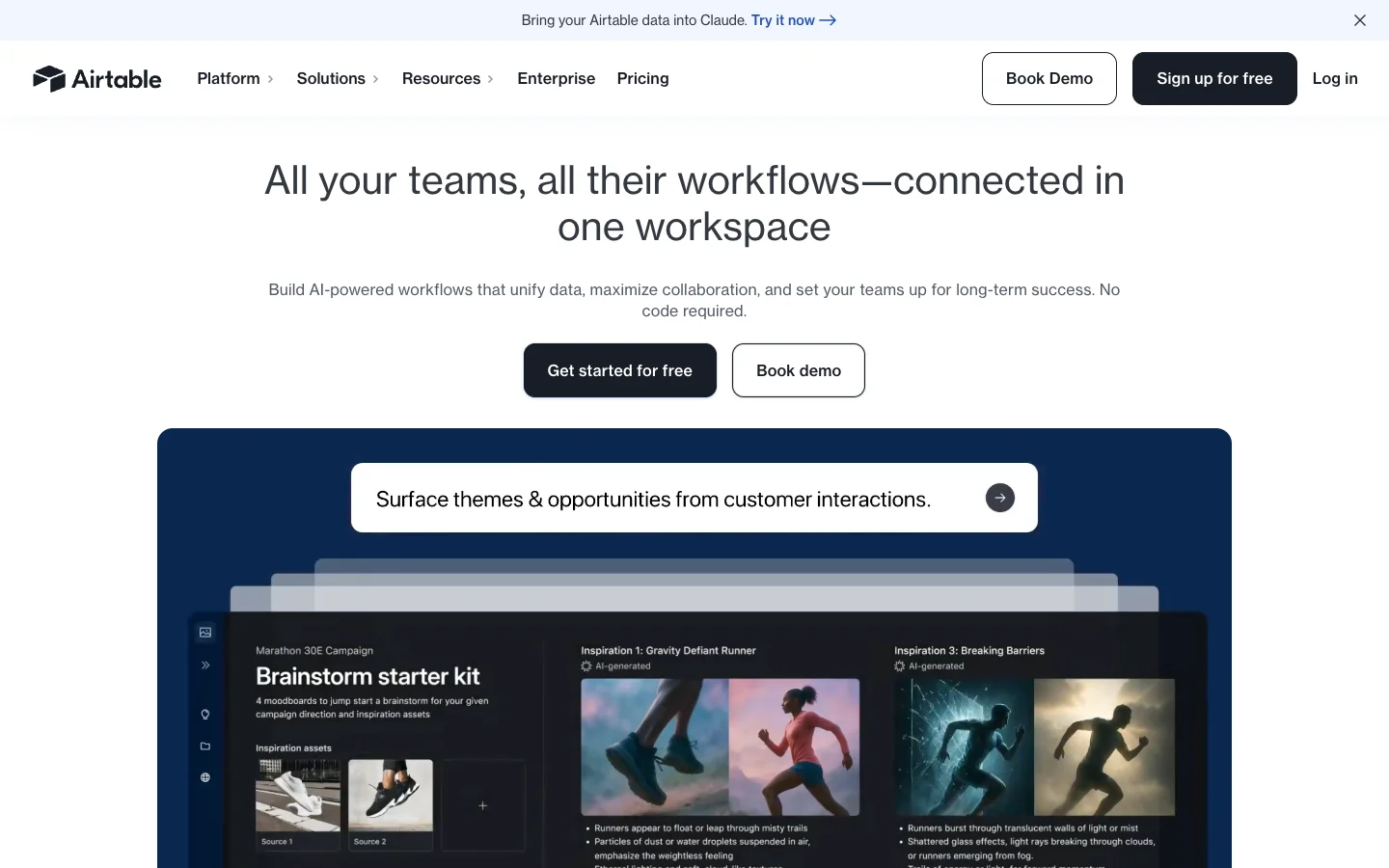
Once you start automating more of your content work, you need somewhere to keep the state of that work. Airtable can be the place to hold all your content inventory, briefs, analytics tracking data, etc.
Its MCP server can read and update records, create records and bases, and work with interfaces and automations. Airtable works with all MCP-compatible platforms.
What I'd use Airtable for:
- Editorial calendars
- Content inventories
- Refresh queues
- Content briefs
- Approval workflows
- Keyword databases
- Campaign tracking
- SME pipelines
- Storing structured research
How to connect it
In Claude, go to Settings > Connectors, find Airtable, and connect your account. You can then choose which bases Claude can access.
For Claude Code:
claude mcp add --transport http airtable https://mcp.airtable.com/mcpThen run:
/mcpand authenticate with Airtable in the browser.
Airtable's same MCP server also works with ChatGPT and other MCP clients.
Example prompt to run after connecting the MCP
Use my Airtable base [BASE NAME] and the table [CONTENT INVENTORY].
Find every page where:
- traffic has fallen more than 20%, OR
- the page hasn't been updated in more than 12 months
For each page, assign:
- refresh priority: high, medium, or low
- recommended action: refresh, consolidate, investigate, or leave alone
- a one-sentence reason
Update only the Priority, Recommended Action, and Reason fields.
Do not change the URL, owner, status, or existing notes. At the end, give me a summary of the high-priority pages you updated.
4. n8n
What it adds: A place to build customizable and controlled content workflows with AI, code, APIs, and normal automation in the same flow.

n8n lets you combine model calls, agents, normal rules, API requests, code, loops, databases, approvals, and more than 500 integrations in the same workflow. It can also be self-hosted if you want more control over the setup.
It earns its place once a workflow has enough branches and custom logic that a simple trigger-and-action setup starts getting annoying.
n8n's AI Assistant can now create, edit, test, and troubleshoot workflows from a plain-language prompt, so you don't necessarily have to build every node yourself.
What I'd use n8n for:
- Content research pipelines
- Content refresh workflows
- Content QA
- Keyword and topic classification
- Repurposing workflows
- Human approval flows
- Connecting analytics, search, CMS, and content tools
- Workflows that need custom APIs or code
- Giving an AI agent access to existing automations
How to use it
In n8n Cloud, open AI Assistant from the sidebar and choose the project where you want the workflow created.
Give these specifics about the workflow you're trying to build:
- what starts the workflow
- which apps it should use
- what data should move between them
- where AI should make a decision
- what the final output should be
- what it must not do automatically
The Assistant proposes a plan, builds the workflow, and can test and fix it before you publish it.
You’ll still need to connect the credentials for the apps the workflow uses.
n8n recommends being specific about integrations and data flow rather than asking it to build a large workflow from a vague description.
Example workflow to build with n8n:
After signing up, you could either work with the integrations and modules available or let the n8n workflow builder help you set things up.
n8n’s template library already has content workflows that combine Airtable, AI, Slack approvals, and WordPress publishing. Firecrawl is natively integrated as an n8n node — see the Firecrawl n8n integration guide for the one-click setup and a 10,000-credit starter — so any content workflow that needs live competitor pages, pricing tables, or documentation can pull and process that data inside the same flow.
But n8n’s AI Assistant can build workflows directly from a prompt, so you can start with something like:
Create a content workflow using Airtable, OpenAI, Slack, and WordPress.
Every hour, check the Airtable Content table for records where Status is "Idea".
For each new idea:
1. Mark the record as Processing.
2. Send the topic and brief to OpenAI and create a blog draft.
3. Save the draft back to Airtable.
4. Send the draft to Slack for approval.
5. If approved, create a draft post in WordPress and update the Airtable status to Approved.
6. If rejected, update the Airtable status to Needs Revision.
Do not publish the WordPress post automatically.
Show me the workflow plan before building it.
That follows an existing n8n content workflow pattern rather than asking the Assistant to invent the whole setup from scratch.
5. AirOps
What it adds: AI search data and content opportunities you can query directly from an agent.
If you don’t want to build a custom workflow to use AI for content marketing automation, AirOps is a great built-in tool.
AirOps brings AI search visibility, Google Search Console data, GA4 data, prompts, citations, competitor data, and your existing pages into one platform. You can use it to run your end-to-end content operations too.
In my limited experience it was highly configurable. The catch is cost, which climbs fast.
What I'd use AirOps for:
- Tracking AI search visibility
- Finding pages losing AI citations
- Comparing AI visibility with competitors
- Finding prompts where competitors appear and you don’t
- Comparing SEO and AI search performance
- Finding content refresh opportunities
- Tracking citation gaps
- Creating prioritized refresh queues
How to start using AirOps:
Sign up on their website, connect the integrations you need, and start generating and publishing content. You still need to add keywords and make edits.
But with the AirOps MCP, you can go a step further and make Claude or Codex the manager for your AirOps workspace.
You can use the MCP to let your agent analyze the data, configure brand guidelines to make the content output from AirOps more closely aligned with your requirements, and even add new content requirements to the workspace.
Example workflow
This example prompt will work when you have some data in your workspace. That means connecting AirOps and the MCP server and waiting for maybe a week for the data to populate.
Use the brand kit in AirOps.
Look at the last 7 days and find:
- pages that are losing AI citations
- high-volume prompts where we're not mentioned
- prompts where competitors are being cited instead
- pages with strong Google search performance but weak or declining AI visibility
For each opportunity, show:
- page URL
- citation trend
- relevant prompts
- competing brands or pages
- Google Search Console performance where available
- recommended action
Prioritize the pages worth refreshing first.
After showing me the results, create an AirOps action grid containing only the pages you recommend refreshing, sorted by opportunity.
6. Gumloop
What it adds: Prebuilt AI agents for jobs like SEO research, content briefs, audits, and reporting.
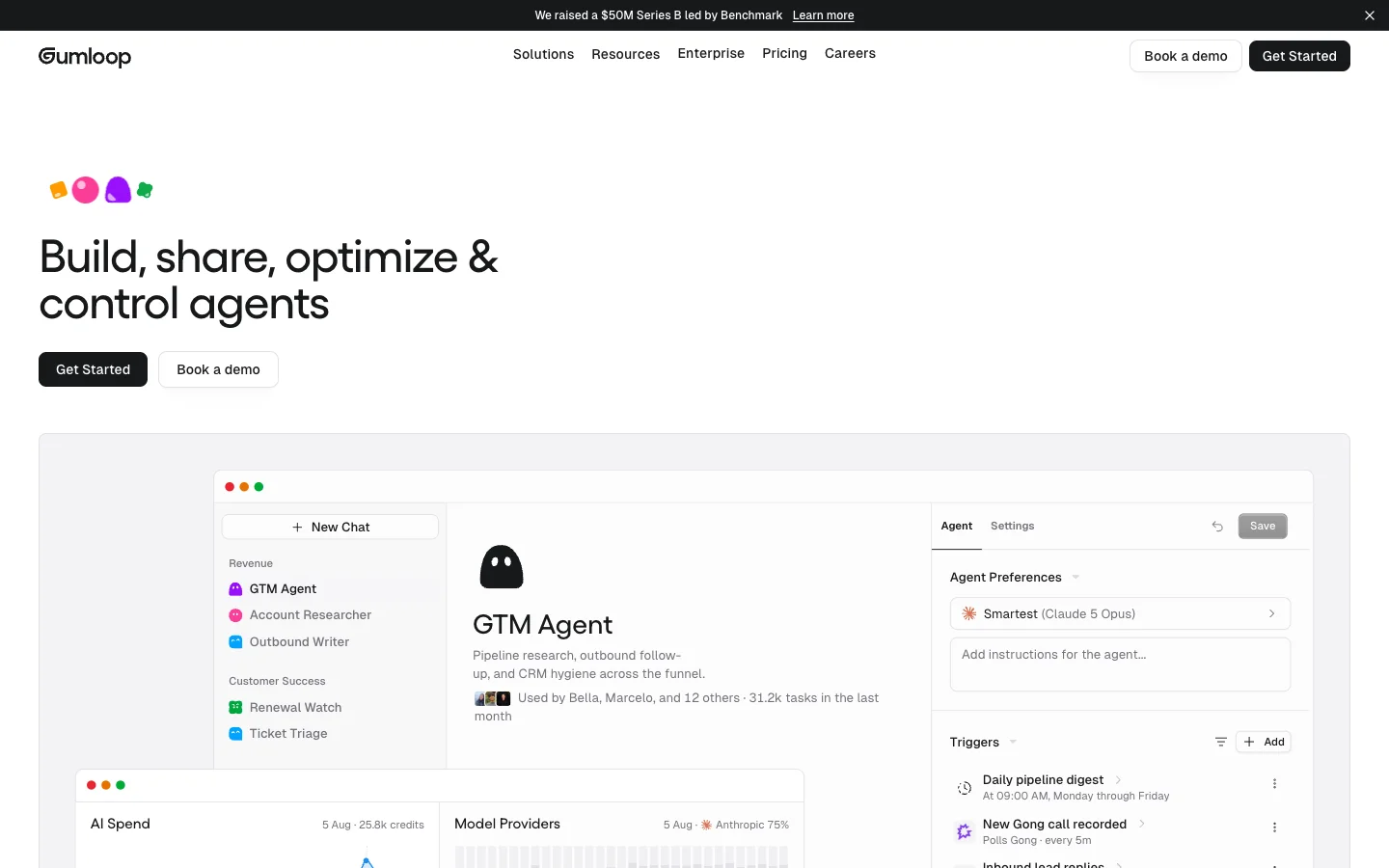
Gumloop gives you agents that can decide which connected tools they need to complete a task.
For content marketing, I’d start with one of its prebuilt agents rather than building a general marketing agent from scratch. Its SEO Content Brief Generator, for example, already has web search using Firecrawl, DataForSEO, Google Docs, and Google Sheets attached.
The agent searches the current SERP, scrapes ranking pages, pulls keyword data, compares competitors, and builds the brief from that research. It can then export the finished brief to Google Docs or send keyword tables to Sheets.
What I'd use it for:
- SEO content briefs
- SERP research
- Competitor content analysis
- Keyword expansion
- Content gap research
- Comparison and listicle briefs
- Landing-page briefs
- SEO audits
- Search performance reports
How to use it
Open Gumloop’s SEO Content Brief Generator and click Use this agent.
Gumloop creates a preconfigured agent with Firecrawl, DataForSEO, Google Docs, Google Sheets, and web search available. Authorize the accounts you want the agent to use, then give it a keyword in the chat.
You can also give it a reference URL, specific competitor URLs, or product context before it starts the research.
Example workflow
The workflows are prompt driven, the same way you’d use Claude or Codex. The difference is more tool access and better system prompts, which produce cleaner, ready-to-use outputs.
Replace the [KEYWORD] and [PRODUCT] placeholders, or give the agent the keyword alone and let it research the rest.
Create a content brief for the keyword "[KEYWORD]".
The product is [PRODUCT].
Research the product and understand the ICP for it.
Then research the live SERP and analyze the pages currently ranking.
Include:
- search intent
- SERP and competitor breakdown
- gaps in the current results
- related keywords and available metrics
- important questions to answer
- recommended H2/H3 structure
- title ideas
- meta description guidance
- instructions for the writer
Use competitors ranking in the top 5 positions for additional context.
Export the final brief to Google Docs.
7. Zapier Agents
What it adds: AI agents that can work across the apps you already use.
Zapier Agents lets you create an agent, give it instructions and access to the apps it needs, then have it run on its own or when you ask it to do something.
The useful part for content teams is the app access. An agent can research something, create content, update a database, put the output in a Google Doc, send it to Slack, or trigger another workflow without you moving everything between tools yourself.
Zapier Agents currently works across Zapier’s library of 9,000+ apps and supports knowledge sources, app actions, scheduled triggers, and agent templates.
What I'd use it for:
- Content research
- Competitor monitoring
- Repurposing
- Content request routing
- Creating and assigning tasks
- Moving finished work between apps
- Recurring content reports
- Workflows where the agent needs to choose which action to take
How to use it
Go to Zapier Agents and create a new agent.
You can either start from scratch or pick a template. For a custom agent, describe:
- what should trigger it
- what job it needs to do
- which apps it should use
Zapier then identifies the apps from your instructions and asks you to connect them. You can add knowledge sources, change the trigger and tools, test the agent, and publish it once you’re happy with the result.
Example workflow
Zapier has a Viral Content Creation Agent template for marketing teams.
The agent researches trending topics in your niche, picks one based on its potential, creates short- and long-form video scripts, writes captions and hashtags, prepares newsletter content, collects everything in a Google Doc, and sends the result to Slack.
Because this runs as a Zapier Agent, you can give it instructions directly. For example:
Research the latest topics in [NICHE] and find the strongest content opportunity for this week.
For the topic you choose:
- explain why you picked it
- create 3 hooks
- write a short-form video script
- write a longer video script
- create captions for [CHANNELS]
- create a newsletter draft
Put the final content package in Google Docs and send me the link in Slack.
Do not publish anything automatically.
You can also trigger a Zapier Agent from a normal Zap. Zapier documents a Run Agent action, so an event in another app can start the agent and pass information into it automatically.
Examples of AI for content marketing automations / end results
These are a few content marketing workflows I’d consider worth automating.
1. Automated content refresh pipeline
Tools to use: Semrush or Ahrefs + Firecrawl + AirOps or n8n + your CMS
What to build: Once a page meets your rules for becoming a refresh candidate, the workflow pulls its search and performance data, checks the current SERP, and looks at what has changed since the page was last updated.
Semrush or Ahrefs can provide rankings and keyword data, while Firecrawl can pull the current page and competing pages from the web. AirOps can handle this as a content-specific workflow, or you can build your own version in n8n.
The output is usually going to be a refresh brief or updated draft, with an editor reviewing it before anything goes live.
2. Competitor and market monitoring
Tools to use: Firecrawl monitor endpoint and Claude through MCP
What to build: The workflow checks the competitor pages you care about and tracks competitor changes such as pricing, positioning, product changes, or new claims.
Firecrawl’s monitor endpoint handles the monitoring end to end. You can also tell the monitor agent to only look for a specific change rather than triggering for everything. Considering it’s connected to your agent, you can have the agent keep an eye out for any Firecrawl monitoring webhooks.
3. Keyword-to-brief pipeline
Tools to use: Semrush or Ahrefs + Firecrawl + Gumloop, AirOps, or Claude through MCP
What to build: Once a topic gets approved, the workflow pulls keyword data and researches the pages currently ranking for it. Semrush or Ahrefs handles the search data, while Firecrawl can pull the ranking pages for deeper analysis, the same way SEO teams use it for SERP research and audits.
Gumloop already has an SEO Content Brief Generator for this job, or you can build the workflow yourself using MCP connections.
The final output can include search intent, competitor coverage, content gaps, useful sources, internal-link opportunities, and a suggested structure.
4. Expert interview to multi-channel content
Tools to use: n8n or Zapier Agents + your transcription tool + Claude/OpenAI + your content database
What to build: Once an interview, webinar, podcast, or SME call has been transcribed, the workflow pulls the transcript into an AI model to pull out the ideas worth using.
Those ideas can then be turned into ideas for new content or drafts for your blog, newsletter, LinkedIn, sales material, or other channels and saved to wherever your team works.
n8n gives you more control over the workflow, while Zapier Agents works well if most of the apps are already connected through Zapier.
5. Product-update content workflow
Tools to use: Firecrawl + n8n or Zapier Agents + your product docs + Airtable or your CMS
What to build: When product information changes, the workflow can point out what changed and check which existing content is affected.
If your documentation lives on the public web, Firecrawl’s monitor endpoint can extract those changes. If it lives in Notion, Google Drive, or another internal system, use that source directly.
The agent can then find affected pages, prepare suggested updates, and create tasks for the content team before anything gets published.
6. Automated content QA
Tools to use: n8n + Claude/OpenAI + your brand and product documentation + your CMS
What to build: Before a draft reaches an editor, run it through a set of automated checks.
Use normal workflow logic for things like broken links or required fields, then use an LLM for checks that need judgment: unsupported claims, missing context, repeated arguments, incorrect product information, or whether the draft followed the brief.
The workflow returns a list of issues for the editor rather than trying to publish a corrected version on its own.
7. Post-publish optimization loop
Tools to use: Semrush or Ahrefs + Claude + your analytics platform + n8n
What to build: The workflow watches published content and flags pages showing meaningful changes in search traffic, rankings, conversions, or AI search visibility.
Semrush or Ahrefs can cover traditional search performance, while AirOps can add AI citation and visibility data. n8n can pull those sources together on a schedule and write the results into Airtable or another content database. The output is a prioritized list of pages to refresh, consolidate, investigate, or leave alone.
Why the emphasis on web data for AI content marketing workflows?
Working content workflows depend on live web data: current rankings, competitor pages, pricing, documentation, or fresh research. Yes, I'm writing for Firecrawl, but the dependency exists either way.
You could use the built-in web fetch available within agents. On longer sessions, though, these built-in tools pollute context windows with unnecessary markup.
That’s where Firecrawl fits. It can search, agentically scrape, and crawl the web, then return the data as clean Markdown or structured JSON that your workflow can use directly. Firecrawl handles the data processing, so your agent only receives the data it requested. That is where the 94% input-token saving comes from.
So, if your workflow needs current information from the open web, Firecrawl removes the manual step of finding, copying, and cleaning that data first.
Firecrawl has a free tier with 1000 credits per month, enough to run a small content operation without additional fees. Sign up to grab your free API key.
Use Firecrawl in your agent
Add Firecrawl to ChatGPT, Claude, Cursor and more in one click.
Frequently Asked Questions
How should AI fit into a content marketing strategy?
Choose a repeated task with existing inputs, such as researching a refresh or drafting from an interview. Define what starts it and what output you need. Keep topic selection and editorial direction with your team.
How does AI content repurposing work?
Start with an approved article or an interview transcript. Have the model extract ideas worth repeating and adapt them for a newsletter or social post. Review the drafts for meaning before distributing them.
How can automation support marketing content governance?
Keep ownership and approval status with each content record. Use fixed checks for required fields and route product claims or publication decisions to a reviewer. Retain source material and proposed changes with the job.
How do AI tools automate content performance reporting?
Use a scheduled workflow to collect search and analytics data. An agent can compare periods and flag declining pages, then save a prioritized review list. A marketer still needs to investigate why results changed.
How can I use AI for content marketing while maintaining authenticity?
Use expert interviews and approved brand guidance as inputs. Keep original thinking and examples with the writer, then review adapted drafts for changes in meaning. Let AI handle research preparation and formatting.
How should a team measure content automation?
Track completed work and the effort still required around it. The article recommends tracking manual steps removed and time from trigger to review. Editing time per draft and failed runs requiring intervention show what still needs attention.
What is Firecrawl Alexandria?
Firecrawl Alexandria is a catalog of 400+ official data providers plus Firecrawl's own indexes, such as the Research Index. Your AI assistant finds the provider that holds the data you need, shows what the call costs, and pulls the records directly. That gives you the source itself instead of a web page that quotes it.
How can content marketers use Firecrawl Alexandria?
Use it for the research behind a brief. Check search demand and rising queries with Firecrawl Trends, compare competitor traffic and channel mix with Similarweb, see how a competitor's pricing page read months ago with the Wayback Machine, and back a stat with a peer-reviewed paper from the Research Index. It also covers software reviews on PeerSpot, Substack newsletters, podcast transcripts, and company news.
How do I use Firecrawl Alexandria in ChatGPT or Claude?
Install the official Firecrawl plugin in ChatGPT or the official Firecrawl connector in Claude, and connect your Firecrawl account. Alexandria is included, so you can ask for data in plain language, such as last month's traffic for a competitor or search interest in a topic over the past year. Other tools can reach Alexandria through the Firecrawl MCP server.
How much does Firecrawl Alexandria cost?
Finding providers and checking what a call costs is free. You pay the provider tool's listed price in Firecrawl credits only when it runs, and your assistant reports what each call cost. Some providers ask you to accept their terms before first use.