TL;DR
| Skill | What it does |
|---|---|
| Firecrawl | Live web search, scraping, crawling, change monitoring, and browser interaction through a CLI built for agents |
| Build with Google | Google's seven first-party bundles covering Modern Web Guidance, Chrome DevTools, Firebase, Android, Flutter, Science, and the SDK |
| Superpowers | The development lifecycle as composable skills. Installs with agy plugin install |
| Addy Osmani's agent-skills | 24 engineering skills plus eight Antigravity slash-command entry points |
| DeepMind Science Skills | 38 skills wired to AlphaFold, UniProt, PubMed, ClinVar, PDB and other primary databases |
| Stitch design skills | 15 design, build, and utility skills for moving between Google Stitch and frontend code |
| Antigravity Skill Vault | 300+ skills ported to Antigravity's format, installable by tag or bundle |
| Codelab samples | Four teaching skills from Google's authoring codelab. Read these before writing your own |
| Vercel agent skills | Vercel optimization, React performance, UI, writing, React Native, and component reviews |
| Trail of Bits | 40 security plugins for code auditing, static analysis, verification, and specialist security work |
| Anthropic document skills | Source-available workflows for creating and editing PDF, DOCX, XLSX, and PPTX files |
| Caveman | A brevity layer with a measured 65% average output-token reduction. Input and reasoning tokens are unchanged |
Remember the scene from The Matrix where Neo "downloads kung fu"? That is a pretty good representation of what skills do for coding agents.
Add a SKILL.md, and the agent gets instructions for a specific capability or direction such as web research, security reviews, or design work.
Antigravity launched without Agent Skills on November 18, 2025 but a later version added them on January 13, 2026, about eight weeks later, and I got to work. I checked Google's documentation covering all four Antigravity surfaces, including the 2.0 desktop app, CLI, IDE, and SDK. I also installed skills in a clean workspace and recorded the working commands.
What Antigravity skills are
A skill is a folder with a SKILL.md file in it. The Antigravity docs define skills "an open standard for extending agent capabilities."
Google adopted Anthropic's format, so compatible Claude Code skills can run in Antigravity.
A skill file needs two frontmatter fields.
---
name: my-skill
description: Helps with a specific task. Use when you need to do X or Y.
---

# My Skill

Detailed instructions for the agent go here.
name is optional and defaults to the folder name.
description is required. The agent uses it to decide whether to load the skill, so it functions as a routing rule.
Google's advice is to write your description in third person and include keywords that help the agent recognize when the skill is relevant. Google's example reads "The skill generates unit tests for Python code using pytest conventions."
The SKILL loading sequence is called progressive disclosure.
- Startup exposes each skill's name and description
- A matching task triggers the full
SKILL.md - The agent follows the loaded instructions
An idle skill contributes its metadata to startup context.
Where Antigravity skills live
Antigravity supports both workspace and global skill scopes. Workspace scope uses one documented path.
<workspace-root>/.agents/skills/<skill-folder>/
Note the plural. Antigravity defaults to .agents/skills and keeps backward support for the older .agent/skills.
Global scope has three documented paths.
| Source | Documented global path |
|---|---|
| Antigravity 2.0 docs | ~/.gemini/config/skills/ |
| Antigravity IDE docs | ~/.gemini/antigravity/skills/ |
| Antigravity CLI docs | ~/.gemini/antigravity-cli/skills/ |
Google's codelab favors ~/.gemini/config/skills/ as it is available across all Antigravity products. Use the workspace directory to isolate skills by project and commit the setup for teammates.
Antigravity skills, rules, workflows, and MCP
Skills, rules, workflows, and MCP servers each hook into the agent at a different layer. Google defines rules and workflows in terms of where they guide the model.
"Rules provide models with guidance by providing persistent, reusable context at the prompt level, Workflows provide a structured sequence of steps or prompts at the trajectory level."
| Mechanism | Where it lives | How it fires |
|---|---|---|
| Skills | .agents/skills/ | Agent-triggered on description match |
| Rules | ~/.gemini/GEMINI.md, .agents/rules/ | Always-on, glob, model decision, or @-mention, with a 12,000-character cap |
| Workflows | Markdown files | You type /workflow-name |
| MCP servers | .agents/mcp_config.json | Persistent connections, loaded every session |
MCP servers provide persistent connections to systems such as GitHub or PostgreSQL. Skills provide task instructions. MCP tool definitions load every session, while a skill body loads after a matching request.
Installing skills into Google Antigravity
Use npx skills, Vercel's installer for the open ecosystem.
npx skills add <owner>/<repo> -a antigravity
The command writes to .agents/skills/. Antigravity CLI also supports native plugins.
agy plugin install https://github.com/owner/repo
agy plugin list
Google's bundles install from Settings → Customizations → Build with Google Plugins.
1. Firecrawl: structured web context for your agents
The Firecrawl skill gives Antigravity live web search, scraping, crawling, site mapping, structured extraction, change monitoring, and browser interaction, all returned as clean Markdown instead of raw HTML.
To test it, I measured Firecrawl against raw HTML on Antigravity's own documentation. Fetching antigravity.google/docs/skills as raw HTML costs 38,931 tokens. Navigation, scripts, and duplicated menu markup account for more than nine-tenths of that response.
Firecrawl, on the other hand, returns the same page as 3,714 tokens of Markdown, a 90.5% reduction. Across ten pages, raw HTML runs about 390,000 tokens while Firecrawl stays under 40,000. That difference can determine whether a research task fits its context budget.
The skill teaches the agent to install and drive the Firecrawl CLI. Results write to files, JavaScript rendering is automatic, and each command maps to a distinct web task.
Installation
npx -y firecrawl-cli@latest init --all --browser
--all installs to every AI coding agent detected on the machine, Antigravity included. --browser opens browser authentication so you never paste a key. Free key at firecrawl.dev/app/api-keys.
Scoped to a workspace, the files land in the .agents/skills directory.
npx -y skills@latest add firecrawl/cli --agent antigravity
✓ firecrawl (copied)          → ./.agents/skills/firecrawl
✓ firecrawl-scrape (copied)   → ./.agents/skills/firecrawl-scrape
✓ firecrawl-search (copied)   → ./.agents/skills/firecrawl-search
✓ firecrawl-crawl (copied)    → ./.agents/skills/firecrawl-crawl
✓ firecrawl-map (copied)      → ./.agents/skills/firecrawl-map
✓ firecrawl-agent (copied)    → ./.agents/skills/firecrawl-agent
✓ firecrawl-monitor (copied)  → ./.agents/skills/firecrawl-monitor
✓ firecrawl-interact (copied) → ./.agents/skills/firecrawl-interact
The pack has grown since that run. It now also adds firecrawl-alexandria, firecrawl-developer-index, firecrawl-research-index, firecrawl-parse and firecrawl-download.
The global install writes to ~/.agents/skills, which Google's codelab confirms "is visible to Antigravity," though the CLI does not scan that folder.
What it includes
searchfinds pages by query andscrapereturns their contentcrawlcollects pages across a site and writes the results to filesmapdiscovers URLs when you cannot name the target page. Pointed at Antigravity's own site, it returned in 4.3 seconds with URLs I would not have found by browsing
firecrawl map https://antigravity.google --search skills
https://antigravity.google/docs/skills
https://antigravity.google/docs/ide/skills
https://antigravity.google/docs/cli/plugins
https://antigravity.google/docs/build-with-google
agentturns pages into schema-shaped data. A goal plus a JSON schema returned the full Build with Google catalog in one call
firecrawl agent "List every Build with Google plugin bundle in Antigravity, \
  with what each includes and its learn-more link" \
  --urls https://antigravity.google/docs/build-with-google \
  --schema-file schema.json --wait --pretty
{
  "bundles": [
    {
      "name": "Modern Web Guidance",
      "what_is_included": "Package of evergreen and expert-vetted skills for modern web",
      "learn_more_url": "http://goo.gle/modern-web-guidance"
    },
    {
      "name": "Chrome DevTools",
      "what_is_included": "Package of agent skills for Chrome DevTools and Puppeteer",
      "learn_more_url": "https://github.com/ChromeDevTools/chrome-devtools-mcp"
    }
  ]
}
- The
agentcall returned seven correctly structured bundles in two and a half minutes monitorwatches a page for changes and filters timestamp churn and tracking parameters. Scheduled Tasks send messages to the agent on a timerinteracthandles browser actions before extractionfind-toolsbrowses Firecrawl Alexandria, Firecrawl's library of 100+ data providers and its own search indexes.searchreturns matching tools next to web results by default, andscrape <provider>/<capability>runs one and returns structured records. Finding tools is free, a run costs the credits listed on the tool, and it needs an API key (keyless sessions don't include it)
firecrawl search alexandria "weekly npm downloads for a package"
Best use cases
Firecrawl fits research and monitoring tasks that need:
- Current pages as compact Markdown
- URL discovery across a documentation site
- Schema-shaped data extraction
- Change alerts
- Structured records from a data provider instead of a scraped page
Example prompts.
"Check the Antigravity changelog and list every skills-related change since March"

"Map the Firebase docs, find every page about Security Rules, pull them into .firecrawl/"

"Monitor our three competitors' pricing pages and webhook me when any changes"

"Open the staging dashboard, click through to billing, extract the plan table"

"Compare npm downloads for zod and valibot before I pick one"
Pros and cons
Pros
- Installs into Antigravity's native workspace directory unmodified
- Uses fifteen focused skills, which keeps routing specific
- Reached over 80% content recall in Firecrawl's published benchmark, ahead of the other scraping tools included in that evaluation
- Serves 1.25M+ developers across 150,000+ companies, according to Firecrawl
Cons
- Requires a key and consumes credits for sustained use, although endpoints work keyless on a rate-limited tier
- Includes 1,000 free credits per month, which suits research better than heavy crawling
Full reference at skills.sh/firecrawl/cli.
2. Build with Google bundles: first-party workflows for Google stacks
Build with Google packages seven first-party bundles of Skills, MCP servers, and editor extensions, each pre-configured for a specific Google ecosystem.
Installation
Open Settings → Customizations → Build with Google Plugins → Customize → Download, or select the bundles during onboarding.
What it includes
- Modern Web Guidance. Expert-vetted skills for accessible, performant, secure web code
- Chrome DevTools. Core Web Vitals audits, accessibility debugging, memory-leak diagnosis, and Puppeteer
- Firebase. Firestore, Auth, App Hosting, Security Rules, and deployment workflows
- Android CLI. Project creation, virtual-device deployment, R8 analysis, and natural-language UI testing
- Dart and Flutter. Static analysis, pub, adaptive layouts, and the Dart MCP server
- Science. DeepMind's scientific workflow skills
- Antigravity SDK. References and safety-policy templates for
google-antigravity
Best use cases
Match the bundle to the stack already in the repository:
- Firebase for Auth, Firestore, App Hosting, and Security Rules
- Chrome DevTools for browser diagnostics and Puppeteer (also pairs with Antigravity's browser subagent, which integrates natively with Chrome DevTools MCP)
- Science for DeepMind research workflows
- Android and Flutter for native build and analysis tools
Pros and cons
Pros
- Maintained by the relevant Google product teams
- Installs inside Antigravity from Settings or during onboarding
- Combines skills, MCP servers, and editor extensions for seven Google ecosystems
Cons
- Unrelated bundle descriptions still compete for the router's attention
- Works best when enabled only for stacks present in the project
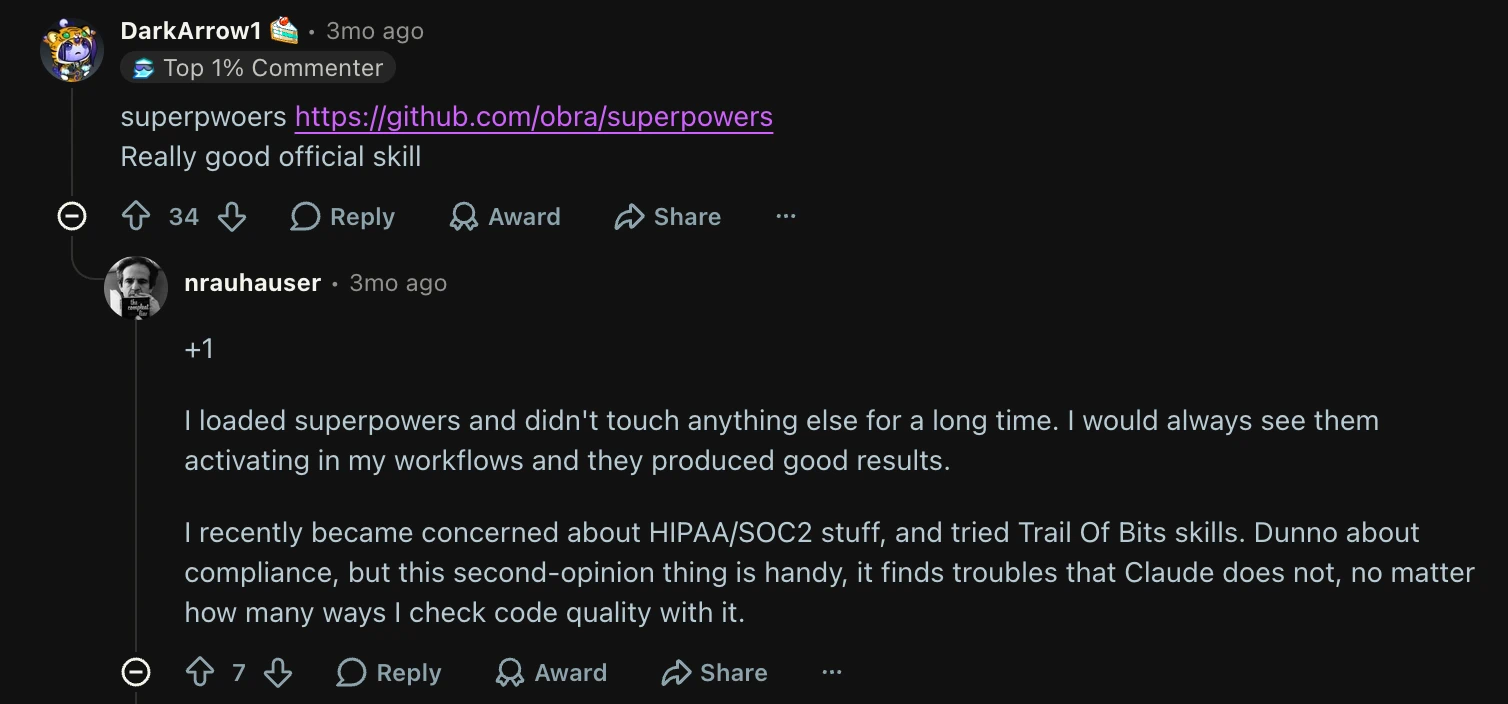
3. Superpowers: a spec-first development workflow
Superpowers decomposes a development methodology into skills that invoke each other. It intercepts the moment you ask for code and refuses to start there. The workflow pulls a spec out of the conversation, shows it back in readable chunks, plans, then implements test-first.
Installation
agy plugin install https://github.com/obra/superpowers
"Antigravity runs the plugin's session-start hook, so Superpowers is active from the first message," per the README. You can update the skill by running the same command.
What it includes
- Brainstorming and specification development
- Isolated Git worktree creation
- Written implementation planning
- Subagent-driven or checkpointed execution
- Red-green-refactor test-driven development
- Systematic debugging and verification before completion
- Code review, review feedback, and branch completion
- Parallel-agent dispatch and skill authoring
Best use cases
Superpowers fits a new feature, a multi-file change, or a bug with an unclear root cause. The workflow prioritizes reviewed design, test-first implementation, and verification.
Pros and cons
Pros
- Installs through Antigravity's native plugin command
- Connects specification, planning, TDD, debugging, review, and branch completion
- Activates from the first message through its session-start hook
Cons
- Adds unnecessary process to a small change
- Overlaps with Addy Osmani's lifecycle pack
- Needs to be the default development process to prevent ambiguous routing
4. Addy Osmani's agent-skills: modular engineering workflows and Antigravity commands
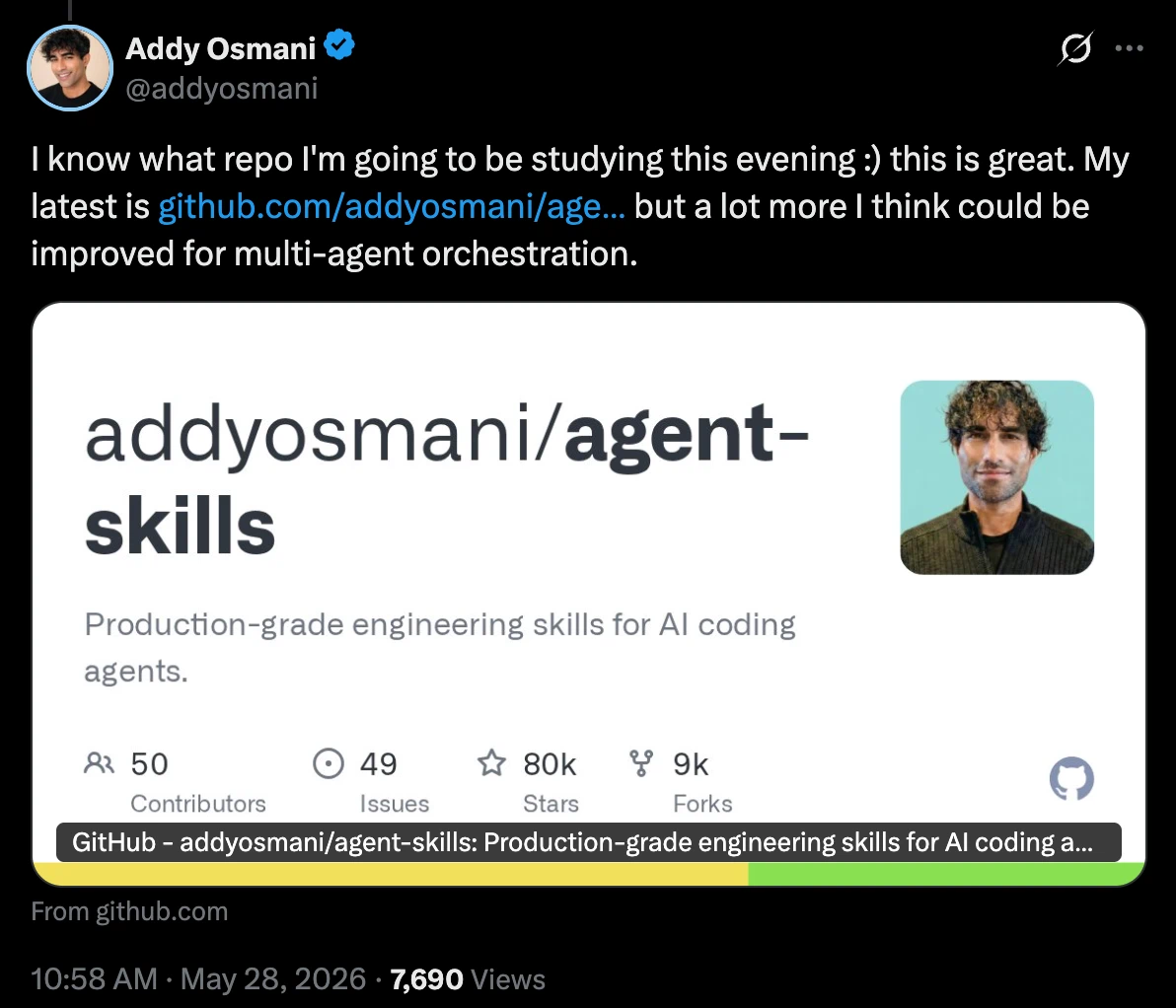
Addy Osmani's Agent Skills contains 24 skills for defining, planning, building, verifying, reviewing, and shipping software. The library exposes eight slash commands on top of those skills, while Antigravity can also activate an individual skill when a task matches its description.
The official repository maps its commands to the development lifecycle and documents both full and selective installation.
Installation
agy plugin install https://github.com/addyosmani/agent-skills.git
agy plugin list
The repository's Antigravity setup guide uses the native plugin route because it installs the skills, specialist personas, and commands together. It also renames /plan to /planning to avoid Antigravity's built-in command.
What it includes
- Define and plan. Requirements interviews, idea refinement, specification writing, and task breakdown
- Build and verify. Incremental implementation, test-driven development, source-driven development, browser testing, and debugging
- Review. Code quality, simplification, security hardening, and performance optimization
- Ship. Git workflows, CI/CD, migrations, documentation, observability, and launch checks
- Specialist review. Code reviewer, test engineer, security auditor, and web-performance auditor personas
Best use cases
Run /spec → /planning → /build when a feature needs an auditable path from requirements to code. Load code-simplification, source-driven-development, or /webperf for a focused review.
Pros and cons
Pros
- Provides 24 separate engineering skills and eight Antigravity slash commands
- Supports selective installation of the checks a repository needs
- Offers named command entry points for planning, implementation, review, and shipping
Cons
- Overlaps with Superpowers across planning and development workflows
- Requires a choice between explicit commands and automatic skill routing
- Can create ambiguous routing when installed beside another full lifecycle pack
5. DeepMind Science skills: workflows for scientific databases
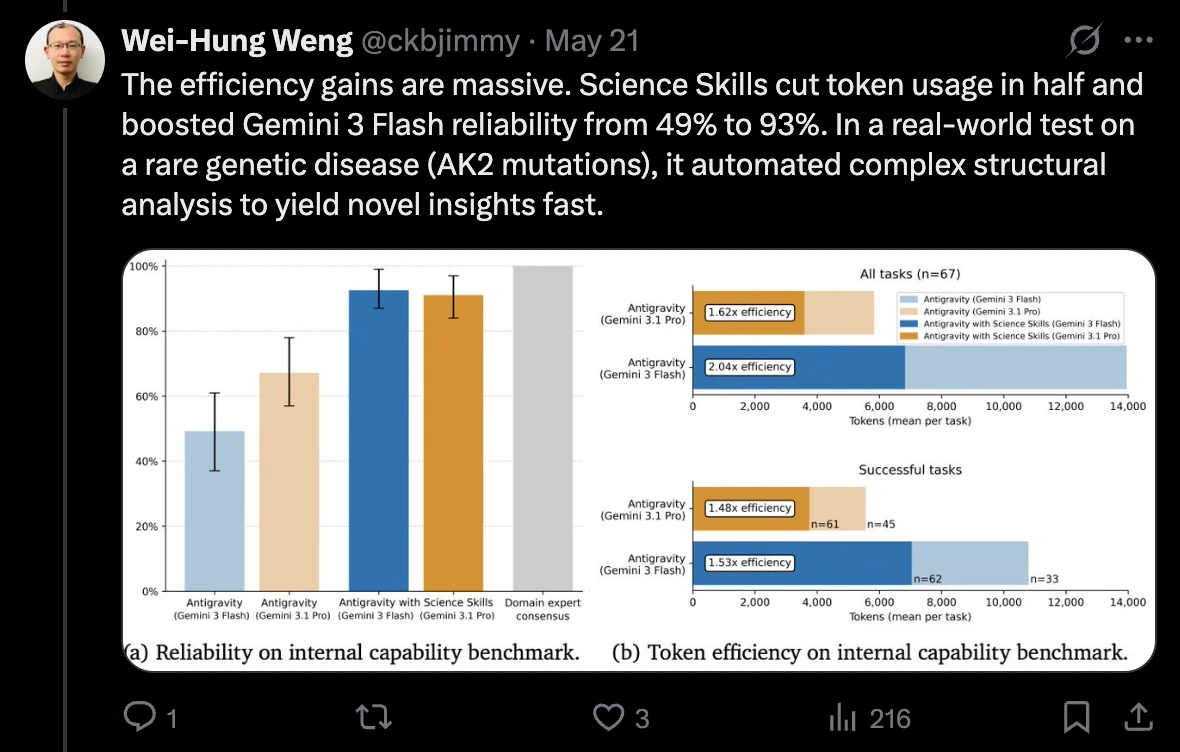
Google DeepMind's Science Skills package instructions, helper scripts, and references for specialized scientific tasks. Each workflow names the scientific resource it queries.
Installation
npx skills add google-deepmind/science-skills -a antigravity
You can also install Google's curated Science plugin from Settings → Customizations → Build with Google Plugins → Customize → Download.
What it includes
- Protein and structure work through AlphaFold, PDB, UniProt, Foldseek, PyMOL, InterPro, and STRING
- Variant and genomics queries through ClinVar, dbSNP, Ensembl, gnomAD, GTEx, ENCODE, and AlphaGenome
- Chemistry and drug data through ChEMBL, PubChem, Open Targets, openFDA, and ClinicalTrials.gov
- Literature search through PubMed, arXiv, bioRxiv, Europe PMC, and OpenAlex
Best use cases
Fetch a predicted protein structure from a UniProt accession, check a variant's population frequency and clinical classification, search recruiting trials, or build a bounded literature set from primary research databases.
Pros and cons
Pros
- Packages 38 scientific workflows as task-specific skills
- Connects agents to named research databases through helper scripts
- Covers structural biology, genomics, chemistry, clinical research, and literature search
Cons
- May ask permission to install
uvduring the first run - Requires API keys for AlphaGenome and OpenAlex
- Applies separate terms and rate limits from individual data sources
6. Stitch design skills: workflows between Stitch designs and frontend code
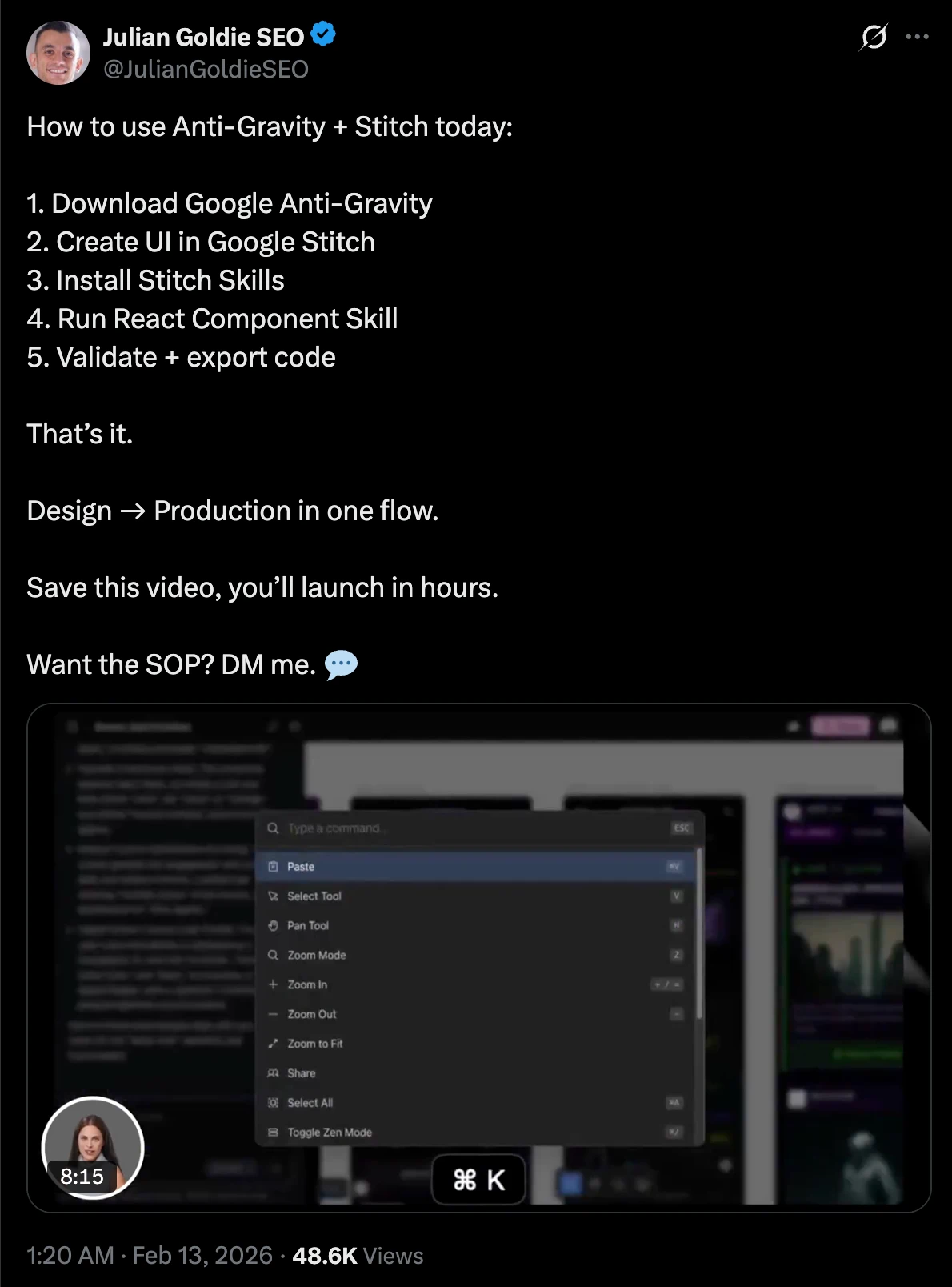
Google Labs' Stitch Design Skills contains 15 skills across design, build, and utility plugins. Antigravity is explicitly listed as compatible. The workflows turn a Stitch screen into code and move an existing frontend into Stitch.
Installation
npx skills add google-labs-code/stitch-skills -a antigravity
What it includes
- Design. Generate or edit screens, extract
DESIGN.md, convert code to a Stitch design, manage a design system, and upload local assets - Build. Generate React, React Native, React with Vite, shadcn/ui, and Remotion output from Stitch work
- Utilities. Improve Stitch prompts, generate design specifications, run a multi-page site loop, and apply stricter visual standards
Best use cases
Turn a Stitch project into validated React components, sync an existing implementation after the design changes, reverse-engineer a design system from a React/Vue/Svelte/Angular codebase, or generate multiple design variants from one brief.
Pros and cons
Pros
- Lists Antigravity as a compatible agent
- Provides 15 skills across design, build, and utility workflows
- Supports movement from Stitch designs to code and from existing frontends to Stitch
Cons
- Requires Stitch MCP
- Includes skills that depend on other skills in the repository
- Requires selective installs to include every listed dependency
7. Antigravity Skill Vault: a searchable catalog of 300+ skills
Antigravity Skill Vault ports domain knowledge, specialist-agent instructions, and multi-step workflows into Antigravity's skill format. Its catalog spans application development, infrastructure, security, architecture, data engineering, and AI/ML.
Installation
npx @rmyndharis/antigravity-skills search kubernetes
npx @rmyndharis/antigravity-skills install <skill-name>
npx @rmyndharis/antigravity-skills install --tag kubernetes
npx @rmyndharis/antigravity-skills install --bundle core-dev
What it includes
- Individual skills such as
fastapi-pro,nextjs-app-router-patterns, andrag-implementation - Infrastructure skills such as
kubernetes-architectandterraform-module-library - Security skills such as
security-auditor - Curated bundles including
core-dev,security-core,k8s-core,data-core, andops-core
Best use cases
Add framework-specific guidance to one repository, give an infrastructure project a Kubernetes or Terraform workflow, or install a narrowly scoped security bundle for a time-boxed audit.
Pros and cons
Pros
- Provides a searchable catalog of more than 300 Antigravity skills
- Supports installation by skill name, tag, or curated bundle
- Covers development, infrastructure, security, data, operations, and AI workflows
Cons
- Increases token use when hundreds of descriptions load together
- Raises the chance of unrelated activation across broad installations
- Comes with a maintainer warning against
install --all
8. Google codelab samples: patterns for authoring Antigravity skills
The Antigravity skills codelab repository teaches skill authoring through four progressively more capable examples, covering routing, reusable resources, example pairs, and executable validation. It accompanies Google's Authoring Google Antigravity Skills tutorial and functions as a curriculum rather than a production pack.
Installation
git clone https://github.com/rominirani/antigravity-skills.git
mkdir -p .agents/skills
cp -R antigravity-skills/skills_tutorial/<skill-name> .agents/skills/
Restart the Antigravity session after copying the folder.
What it includes
git-commit-formatter. Description-based routing and Conventional Commit outputlicense-header-adder. Loading a reusable Apache 2.0 header fromresources/json-to-pydantic. Learning from golden input and output pairs inexamples/database-schema-validator. Delegating deterministic SQL checks to a Python script
Best use cases
Read these before writing your first SKILL.md, copy the closest pattern as a starting point, or use the four levels to decide whether a task needs instructions, an asset, examples, or executable validation.
Pros and cons
Pros
- Teaches skill authoring through four progressively more capable examples
- Covers routing, reusable resources, example pairs, and executable validation
- Provides small samples that can be copied into a workspace
Cons
- Functions as a curriculum and lacks production-specific configuration
- Requires replacement of sample instructions and validation logic
- Covers four authoring patterns and leaves broader production concerns to the implementer
9. Vercel's agent skills: reviews for React, UI, and Vercel projects
Vercel's Agent Skills turn the team's engineering and content guidance into task-triggered audits. The pack has grown beyond its original React rules and now covers Vercel cost and performance, web interfaces, documentation, React Native, view transitions, and component composition.
Installation
npx skills add vercel-labs/agent-skills -a antigravity
Use --list first or add --skill <name> to install a narrower subset.
What it includes
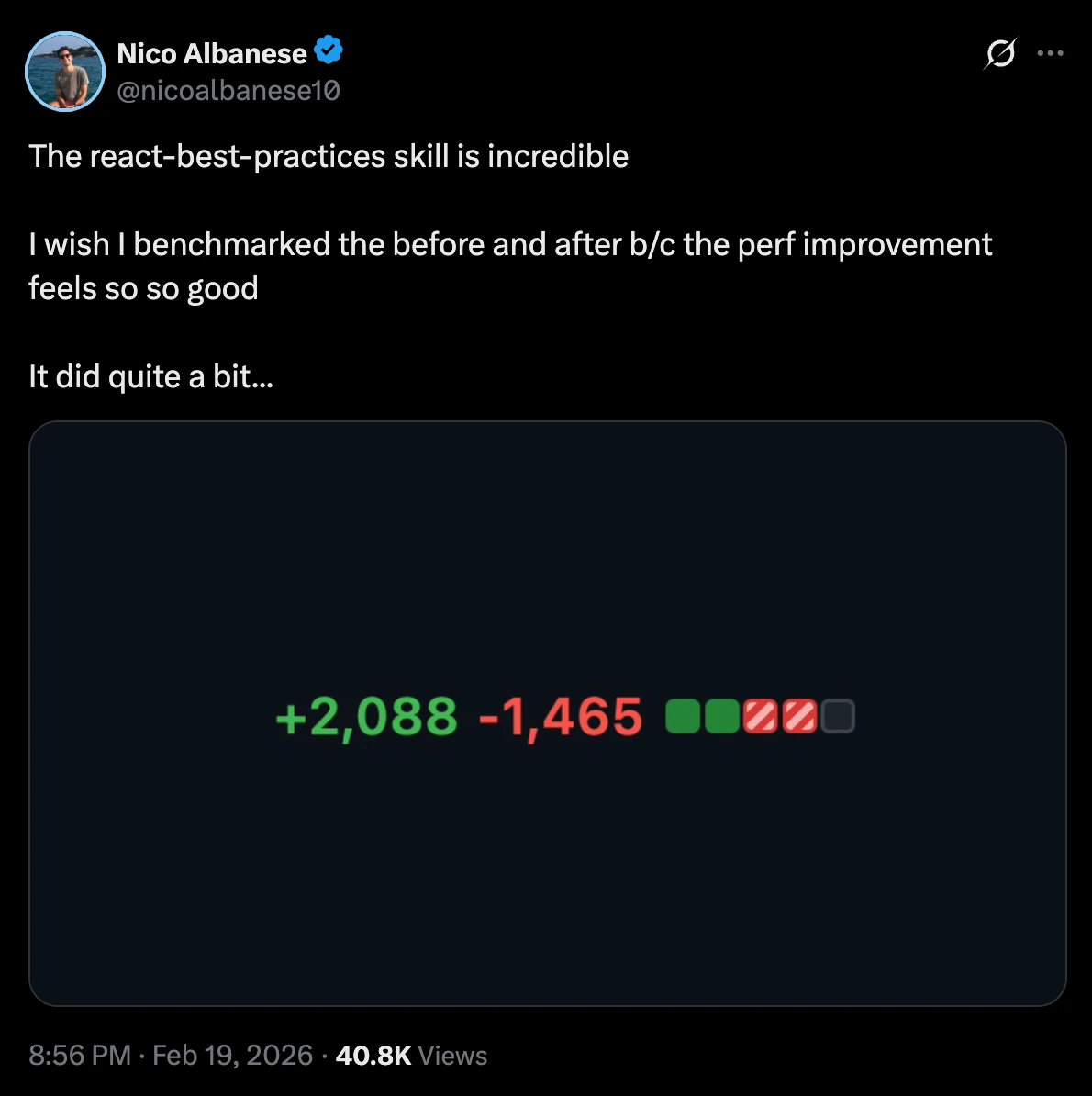
vercel-optimizestarts with deployed-project metrics, then ranks cost, caching, function, and performance opportunitiesreact-best-practicescontains 40+ prioritized React and Next.js performance rulesweb-design-guidelineschecks 100+ accessibility, interaction, typography, image, navigation, theming, and internationalization ruleswriting-guidelinesaudits documentation against Vercel's writing handbook- React Native, React View Transition, and composition skills handle narrower implementation patterns
Best use cases
Review a React or Next.js pull request before merge, audit a deployed Vercel application's expensive routes, check a UI for accessibility and UX misses, or give product documentation a rule-based edit.
Pros and cons
Pros
- Provides task-triggered reviews for Vercel, React, interfaces, and technical writing
- Supports targeted installation with
--listand--skill - Includes prioritized rules for performance, accessibility, composition, and documentation
Cons
- Focuses on review gates and guidance
- Leaves planning and implementation to the normal coding workflow
- Adds unrelated review descriptions when installed as a broad pack
10. Trail of Bits security skills: auditing, static analysis, and verification
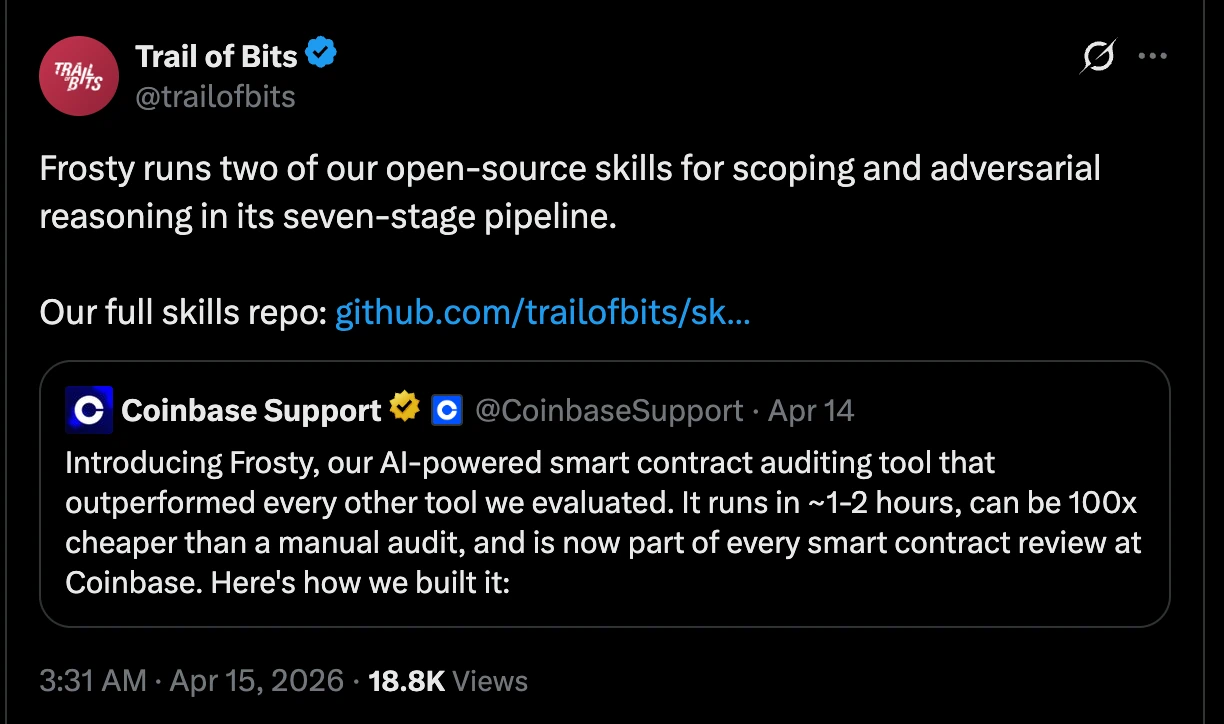
Trail of Bits Skills covers code auditing, smart-contract security, verification, malware analysis, reverse engineering, mobile security, and secure development. The plugin structure supports workflow-level installation.
Installation
npx skills add trailofbits/skills -a antigravity --list
npx skills add trailofbits/skills -a antigravity --skill static-analysis
What it includes
- Code auditing.
c-review,rust-review,differential-review,insecure-defaults, andsupply-chain-risk-auditor - Static analysis. CodeQL, Semgrep, SARIF parsing, rule creation, and variant analysis
- Verification. Constant-time analysis, mutation testing, property-based testing, zeroization review, and spec-to-code checks
- Specialized security. Smart-contract scanners, YARA authoring, Burp project parsing, Firebase APK scanning, and GitHub Actions agent audits
Best use cases
Run a security-focused diff review, build and test a Semgrep rule, inspect C or Rust unsafe boundaries, audit dependency risk, check cryptographic code for timing leaks, or prepare a codebase for a formal review.
Pros and cons
Pros
- Provides 40 plugins across auditing, static analysis, verification, and specialist security work
- Combines review procedures with executable analysis tools
- Supports installation at the plugin level
Cons
- Uses prerequisites that vary by plugin
- Requires authorization before testing code or systems
- Demands review of each selected plugin before execution
11. Anthropic's document skills: create and edit PDFs, documents, slides, and spreadsheets
Anthropic's Skills repository publishes four document skills for creating, reading, editing, and validating real files. Use them when an Antigravity task must produce .pdf, .docx, .pptx, or .xlsx.
Installation
npx skills add anthropics/skills -a antigravity --skill pdf docx pptx xlsx
What it includes
pdf. Text and table extraction, OCR, forms, merging, splitting, rotation, watermarks, encryption, and PDF creationdocx. Word creation and editing, templates, tracked changes, comments, find-and-replace, images, and rendered validationpptx. Deck creation and editing, templates, layouts, notes, slide extraction, thumbnails, and package validationxlsx. Spreadsheet and CSV creation, cleanup, formulas, formatting, charts, and recalculation checks
Best use cases
Turn analysis into a client-ready report, edit a contract with tracked changes, rebuild a deck from a template, extract tables from a PDF, or clean a workbook while preserving formulas and formatting.
Pros and cons
Pros
- Covers PDF, DOCX, PPTX, and XLSX creation and editing
- Includes scripts, templates, and format-specific validation
- Publishes source files for four document workflows
Cons
- Classifies the document skills as source-available demonstrations
- Uses licenses that exclude open-source use
- Requires skill-specific dependencies and local output testing
12. Caveman: shorter agent responses with token tracking
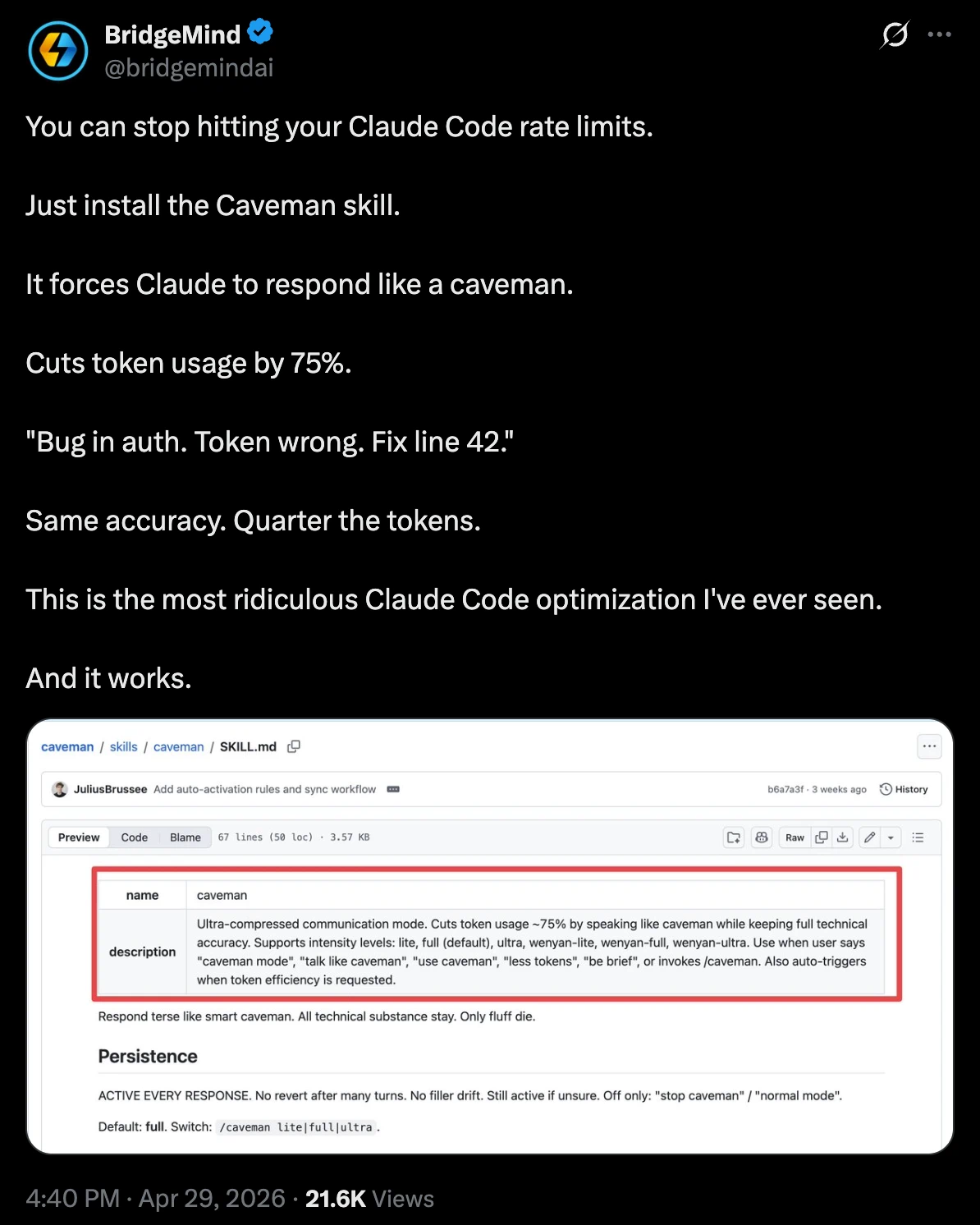
Caveman changes response style and leaves coding behavior unchanged. Its main skill removes narration and repetition, supports several compression levels, and keeps technical literals intact.
Installation
npx skills add JuliusBrussee/caveman -a antigravity
Activate it with /caveman or "talk like caveman," then choose lite, full, ultra, or a Wenyan variant.
What it includes
- Core response compression across several modes
- Compressed commit messages
- Single-line code-review comments
- Session statistics
- Memory-file compression
- A help card
cavecrewguidance for compressed subagent output
Best use cases
Keep long coding sessions readable, shorten repetitive CI or debugging updates, generate compact commit and review text, or compress an agent memory file whose prose is consuming input context on every run.
Pros and cons
Pros
- Reports a 65% average reduction in output tokens across ten published benchmark prompts
- Preserves code, commands, paths, URLs, and error messages
- Includes multiple compression levels, session statistics, and memory-file compression
Cons
- Leaves input and reasoning tokens unchanged
- Adds roughly 1–1.5k input tokens per turn
- Can go net-negative when the original response is already terse
- Needs the
litemode when explanatory prose still matters
Other skills worth knowing about
These are narrower, vendor-maintained options. Run the repository's documented installer where it has one. Use npx skills add <repo> -a antigravity when the repository supports the open skills CLI.
| Official source | What it includes | Best when |
|---|---|---|
| OpenAI Plugins | Current Codex plugin and skill examples. The older openai/skills repository is deprecated | You are studying skill-only plugin structure for Codex |
| Hugging Face Skills | Hub CLI, datasets, model selection, training, evaluation, Spaces, Gradio, and local-model workflows | The project builds, evaluates, publishes, or deploys models and datasets |
| Remotion Skills | React video creation, composition, animation, media, captions, rendering, maps, upgrades, and interactive video | The repository creates programmatic video with Remotion |
| Microsoft Agent Skills | Azure SDK and Microsoft Foundry skills across Python, .NET, TypeScript, Java, and Rust | The codebase uses Azure services or Microsoft Foundry |
| Cloudflare Skills | Workers, Agents SDK, Durable Objects, storage, browser rendering, and Cloudflare One guidance | You are building or reviewing a Cloudflare application |
| Supabase Agent Skills | Supabase product guidance plus prioritized Postgres performance and security practices | The task involves Supabase Auth, RLS, migrations, indexes, or query tuning |
| Expo Skills | Expo Router, native UI, data fetching, upgrades, EAS builds, updates, hosting, and workflows | You are building, shipping, or debugging an Expo or React Native app. Its README names Antigravity |
| Stripe Agent Skills | Current Stripe documentation and implementation best practices | The agent is adding or reviewing a Stripe integration |
| Sentry for AI | Sentry instrumentation, production-issue debugging, SDK upgrades, alerts, and AI/LLM monitoring | You need Sentry-aware setup or incident work through one of its generated agent distributions |
Building the top antigravity skills into your workflow
Choose the first skill according to the missing capability.
| Need | Start with |
|---|---|
| Current web research and extraction | Firecrawl |
| A structured development process | Superpowers or Addy's Agent Skills |
| First-party guidance for a Google stack | The matching Build with Google bundle |
| Shorter agent responses | Caveman, after checking its input-token overhead |
Install project skills under .agents/skills/. Every Antigravity surface reads that path, and the directory can travel with the repository.
Verify each project's support statement. Skills that implement the Agent Skills specification may also load even when their maintainers do not document or test Antigravity compatibility.
Want to also look for skills on other agents? We covered the best Claude Code skills, best Codex skills, and best OpenCode skills. How to Create a Claude Code Skill explains how to build a Firecrawl-powered SKILL.md that also runs in Antigravity.
Frequently Asked Questions
Does Google Antigravity support Agent Skills?
Yes. Antigravity shipped Agent Skills in version 1.14.2 on January 13, 2026. The docs call skills an open standard and link to agentskills.io, so the same SKILL.md files that run in Claude Code, Codex, and Gemini CLI run in Antigravity unmodified.
Where do Antigravity skills live on disk?
Workspace skills go in <workspace-root>/.agents/skills/<skill-folder>/, and every Antigravity surface agrees on that path. Official pages document three global paths. They are ~/.gemini/config/skills/, ~/.gemini/antigravity/skills/, and ~/.gemini/antigravity-cli/skills/. Use workspace scope for a consistent path.
What goes in an Antigravity SKILL.md file?
YAML frontmatter with a description (required) and a name (optional, defaults to the folder name), followed by markdown instructions. Optional scripts/, examples/, and resources/ folders sit alongside it and load only when the agent needs them.
How does Antigravity decide which skill to use?
Progressive disclosure. At the start of a conversation the agent sees each skill's name and description. A matching task triggers the full SKILL.md. Naming a skill explicitly forces activation.
How do I install a skill into Antigravity?
Three ways. npx skills add <owner>/<repo> -a antigravity works for anything in the open ecosystem and writes to .agents/skills/. The Antigravity CLI supports native plugins through agy plugin install <git-url>. Google's own bundles install in-product from Settings, Customizations, Build with Google Plugins.
What is the Firecrawl skill for Antigravity?
It teaches the agent to install and drive the Firecrawl CLI on its own, giving Antigravity live web search, scraping, crawling, site mapping, structured extraction, change monitoring, and browser interaction. The workspace install writes straight to .agents/skills/, which is exactly where Antigravity looks.
Why does the agent need a scraping skill if it can already browse?
Raw HTML is expensive. Fetching Antigravity's own skills documentation as raw HTML costs 38,931 tokens, most of it navigation markup. The same page through Firecrawl is 3,714 tokens of clean markdown, a 90.5% reduction. Multiply that across the pages a research task touches and it decides whether the task finishes.
Are there official Google skills for Antigravity?
Yes. Build with Google bundles seven first-party packages covering Modern Web Guidance, Firebase, Antigravity SDK, Android CLI, Science from DeepMind, Chrome DevTools, and Dart and Flutter. Enable them during onboarding or from Settings, Customizations, Build with Google Plugins. There is no separate Antigravity skills marketplace.
Do Claude Code and Codex skills work in Antigravity?
Skills that follow the shared Agent Skills format can run in Antigravity, and npx skills add <repo> -a antigravity handles the install. Antigravity supports allowed-tools in frontmatter. Claude Code features such as context: fork and skill-level hooks are unavailable, so skills that depend on them behave differently.
How many skills can I install before context suffers?
Startup loads each skill's name and description, so an idle skill costs roughly that metadata. Antigravity documents no skill-count limit. CLI 1.1.3 moved discovery to async loading. Overlapping descriptions still reduce routing accuracy.
What is the difference between skills, rules, and workflows?
Rules are persistent context at the prompt level, living in ~/.gemini/GEMINI.md or .agents/rules, capped at 12,000 characters. Workflows are a sequence of steps at the trajectory level, invoked as /workflow-name. Skills sit between them as packaged procedural knowledge that the agent equips when the task matches. Google documents no size limit.
Is it safe to install community skills?
Treat them like any dependency. Skills run with full agent permissions, which the Firecrawl installer states on screen when it finishes. Read the SKILL.md and skim bundled scripts before installing from a source you do not know. First-party repos from Google, Anthropic, Vercel, and Trail of Bits are reasonable defaults, and Antigravity's per-project security presets are a useful second layer.