TL;DR
The command line is the agent's native interface. A model reads and writes text, and a CLI is the purest text-in, text-out surface there is. So the best coding agents live in the terminal, and they lean on the same Unix tools developers have used for decades.
The popular CLIs agents reach for:
| CLI tool | What the agent uses it for | Scale |
|---|---|---|
| git | commits, diffs, branches | ~1.6M Homebrew installs/year |
| GitHub CLI (gh) | PRs, issues, CI from the shell | ~44.8k GitHub stars |
| ripgrep / grep | search the codebase | ~65k stars; Claude Code's search is built on it |
| bash | run commands, glue tools together | the execution substrate |
| curl | fetch URLs, hit APIs | ~20B installs (creator's estimate) |
| jq | parse and filter JSON | ~34.8k stars |
| vercel | deploy from the terminal | ~11.9M npm downloads/month |
Picture how an AI agent actually works. It reads text, it emits text, and the loop repeats. A graphical IDE wraps that text in panels, buttons, and state. A command line does not. It takes text in and returns text out, which is exactly the shape of the model underneath.
That match is why the token bill drops so hard. Anthropic showed that letting an agent write code to call tools, rather than making direct tool calls, cut one task from 150,000 tokens to 2,000, a 98.7 percent reduction. The terminal is where that efficiency lives.
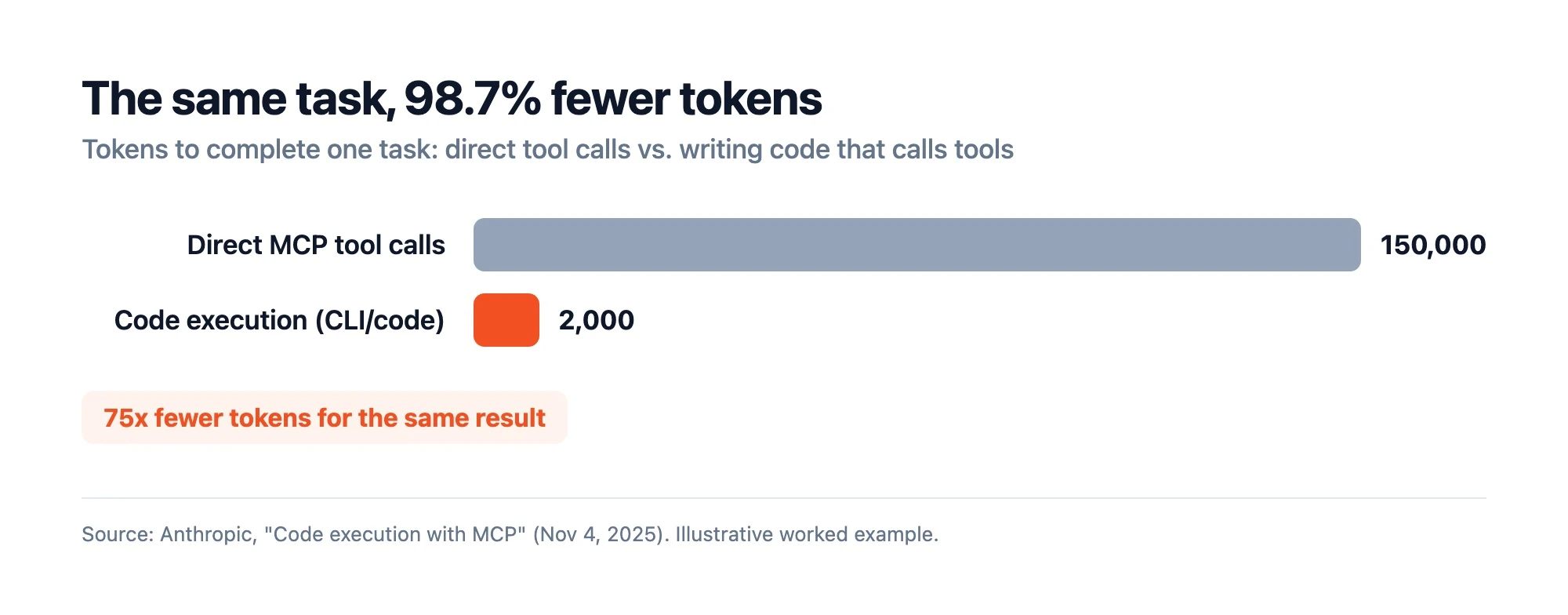 Source: Anthropic, "Code execution with MCP" (Nov 4, 2025). Illustrative worked example.
This piece makes the case from the model's side. Why the CLI fits how an agent thinks, which tools it reaches for, and what the data and developers say. For the IDE-versus-CLI angle, Firecrawl's post on why CLIs beat IDEs for AI coding is the companion read.
What is a CLI coding agent?
CLI coding agents, also called command line AI agents, work through the terminal. Each one reads your files, runs shell commands, edits code, and checks its own output, all as text. Claude Code, OpenAI Codex, Gemini CLI, and OpenCode are the popular examples — for a sourced comparison of all eight major options ranked on harness depth, token cost, and benchmark accuracy, see the best AI coding agents guide for 2026.
The model supplies the reasoning. The shell supplies the hands. Firecrawl's agent harness explainer covers why that wrapper matters as much as the model.
Why the command line fits how a model thinks
Three properties make the CLI a natural fit for an agent.
Text is the universal interface. Doug McIlroy's 1978 Unix maxim was to "write programs to handle text streams, because that is a universal interface," per the Unix philosophy. Text streams are also the only thing an LLM consumes and produces. The interface the model wants already existed.
Commands compose. Unix pipes chain small tools into one result. An agent can run grep, pipe to sort, pipe to head, and read one clean answer instead of paging through a UI. On Hacker News, the developer fmw put it plainly: the terminal is "an excellent abstraction layer to work around the limitations of LLMs. Tools like grep, the composability of commands through UNIX piping".
Models already know the shell. Cloudflare's engineers argue that models are better at writing code to drive tools than at calling tools directly, because they have "seen real-world code from millions of open source projects". Shell commands sit in that same training data. The agent is fluent in bash before you ask.
The people building on these agents noticed early. When OpenAI shipped Codex CLI, developer swyx called code-agent CLIs "an actually underrated point in the SWE design space," because you can use one "like a linux utility" to sprinkle intelligence into CI and PR review without buying a heavier SaaS. That thread drew 516 points.
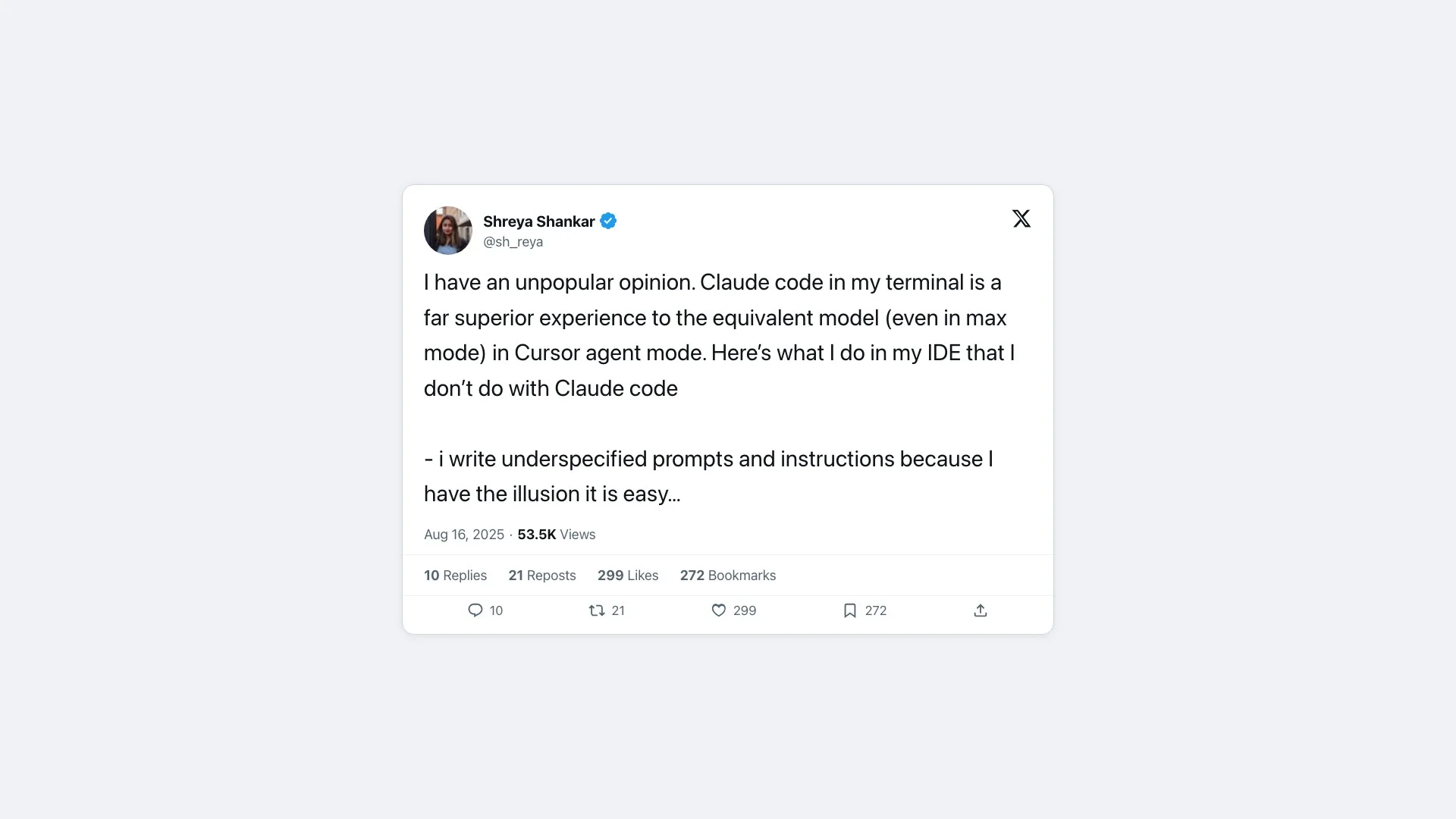 @sh_reya on X (299 likes)
How does the CLI save tokens?
Plan limits are the number you watch. Tokens per task are the number that drains them. The CLI is leaner because it returns compact text and lets the agent filter before anything hits the context window.
Anthropic's worked example is the cleanest proof. Direct tool calls dragged a task to 150,000 tokens. Writing code that called the same tools finished it in 2,000. The same post notes that piping a two-hour transcript back through a model twice can waste roughly 50,000 tokens, work a CLI filter avoids by returning only the rows that matter.
Anthropic states the takeaway directly in its own docs: "CLI tools are the most context-efficient way to interact with external services." For the deeper tradeoff, Firecrawl's MCP vs CLI breakdown compares the two approaches. For Claude Code users specifically, Firecrawl's Claude Code token efficiency guide details 12 techniques — including path-scoped rules, CLAUDE.md trimming, and model routing to Haiku — that benchmark at 77–91% cost reduction.
The terminal is now a benchmark
Terminal-Bench scores agents on real command-line work: building software, configuring a web server, managing certificates. The top score on Terminal-Bench 2.0 is 84.7 percent, from NexAU-AHE on GPT-5.5, with OpenAI's own Codex CLI on GPT-5.5 at 82.2 percent, across 89 tasks. A benchmark built purely around the shell exists because the shell is where agents now do the job.
The scores also show the harness at work. The same model performs very differently depending on the terminal loop wrapped around it. The frontier on terminal tasks is high and climbing.
The CLIs agents actually reach for
CLI agents are not exotic. They drive the same tools developers already trust, which is why they work so well out of the box.
- ripgrep for search. Code search is the agent's most common move, and almost every agent standardizes on ripgrep. Claude Code's Grep tool "is built on ripgrep" (about 65,000 stars), and Codex's system prompt tells it to prefer
rgbecause it is "much faster than alternatives like grep". - Structured diffs for edits. Agents do not retype files, they apply patches. Codex and OpenCode edit through
apply_patch, a structured-diff format, while Claude Code uses exact-string replacement with read-before-edit guards. Precise, reviewable edits are the point. - git and GitHub CLI. Agents commit, branch, and open PRs through
gitandgh(about 44,800 stars). They also do history archaeology. Codex's prompt tells it to "usegit logandgit blameto search the history," then commit, because only committed code gets evaluated. - bash as the substrate. Everything runs through the shell. OpenAI's writeup of the Codex agent loop shows the model issuing plain
lsandcat README.mdthrough a default shell tool. - curl for the web. When an agent needs a URL or an API, it reaches for curl, which its creator estimates sits on around 20 billion devices. Claude Code recommends curl through its Bash tool for raw pages.
- jq for JSON. API responses come back as JSON, and jq (about 34,800 stars) filters them to the few fields that matter before they cost context.
Some agents push search even further. Cursor built an Instant Grep engine it says beats ripgrep on large codebases. The pattern is consistent. Each tool does one thing, speaks text, and composes with the next. That is the Unix philosophy, and it is also a clean tool interface for a model.
What agents are best at is the loop these tools form: search the code, edit by diff, run the tests, commit. Anthropic's guidance is to "give Claude a check it can run" and let it iterate until the check passes. Localization is a measured strength too. A 2026 study found that "agentic explorers form a clear tier above classical retrieval" at finding the right files to change.
Why are developers switching to CLI agents?
OpenAI's Codex went from 1.6 million weekly users in March to more than 5 million by June 2026, up more than sixfold since February. Terminal agents are not a niche.
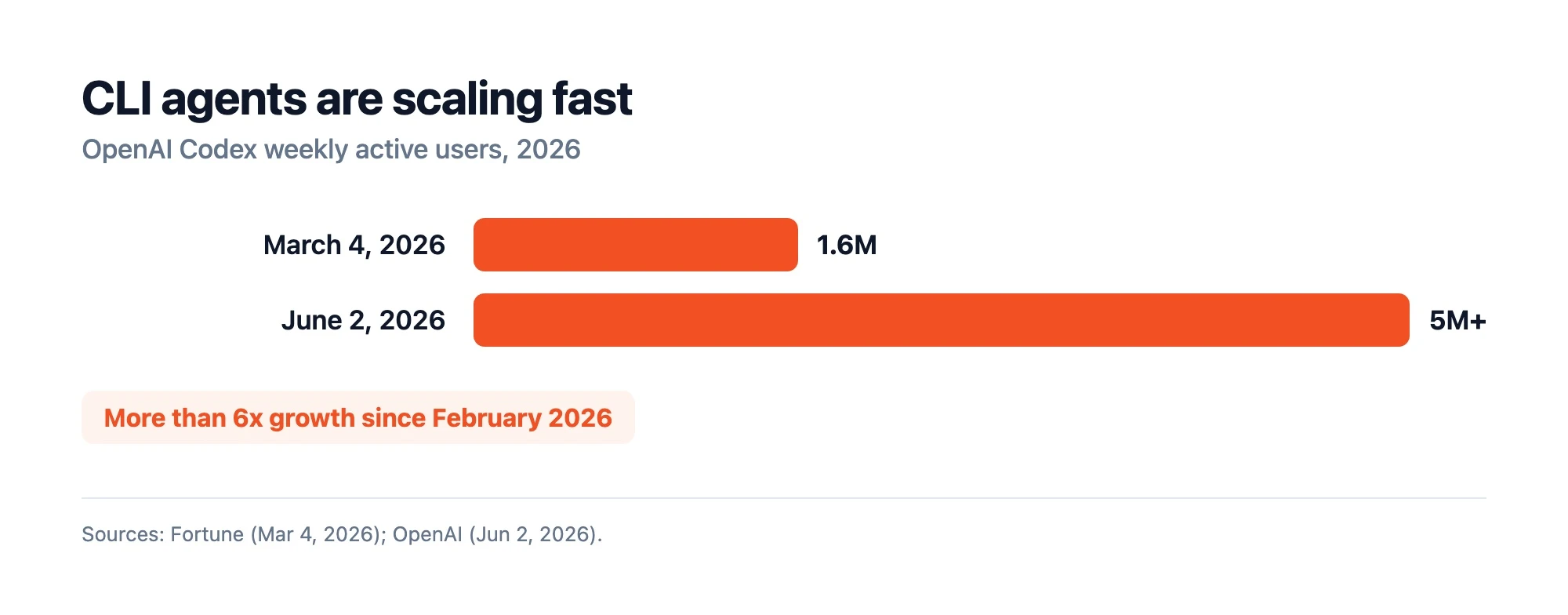 Sources: Fortune (Mar 4, 2026); OpenAI (Jun 2, 2026).
GitHub stars tell the same story over time. Four of these agents launched in 2025 and crossed 90,000 stars within a year, while Aider, the veteran of the group, sits near 46,000.
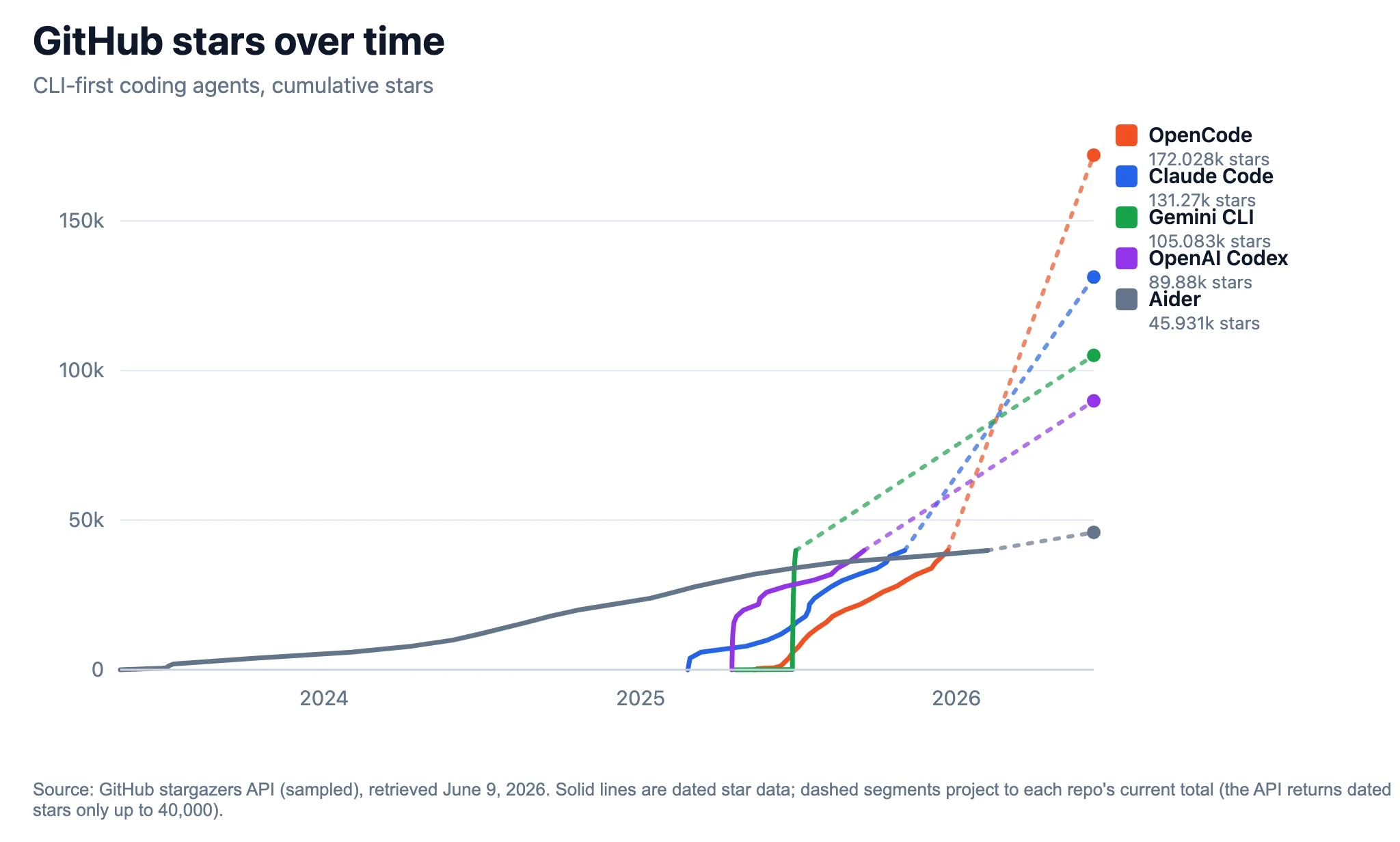 GitHub stars over time. Source: GitHub stargazers API (sampled, June 9, 2026); dashed segments project to each repo's current total.
The emotion is louder than the numbers. One r/codex thread, "I feel like there's no reason to use an IDE anymore," pulled 309 upvotes and 193 comments. Developer Kevin Kern wrote that "the terminal is having a real renaissance because it is such a natural home for agents."
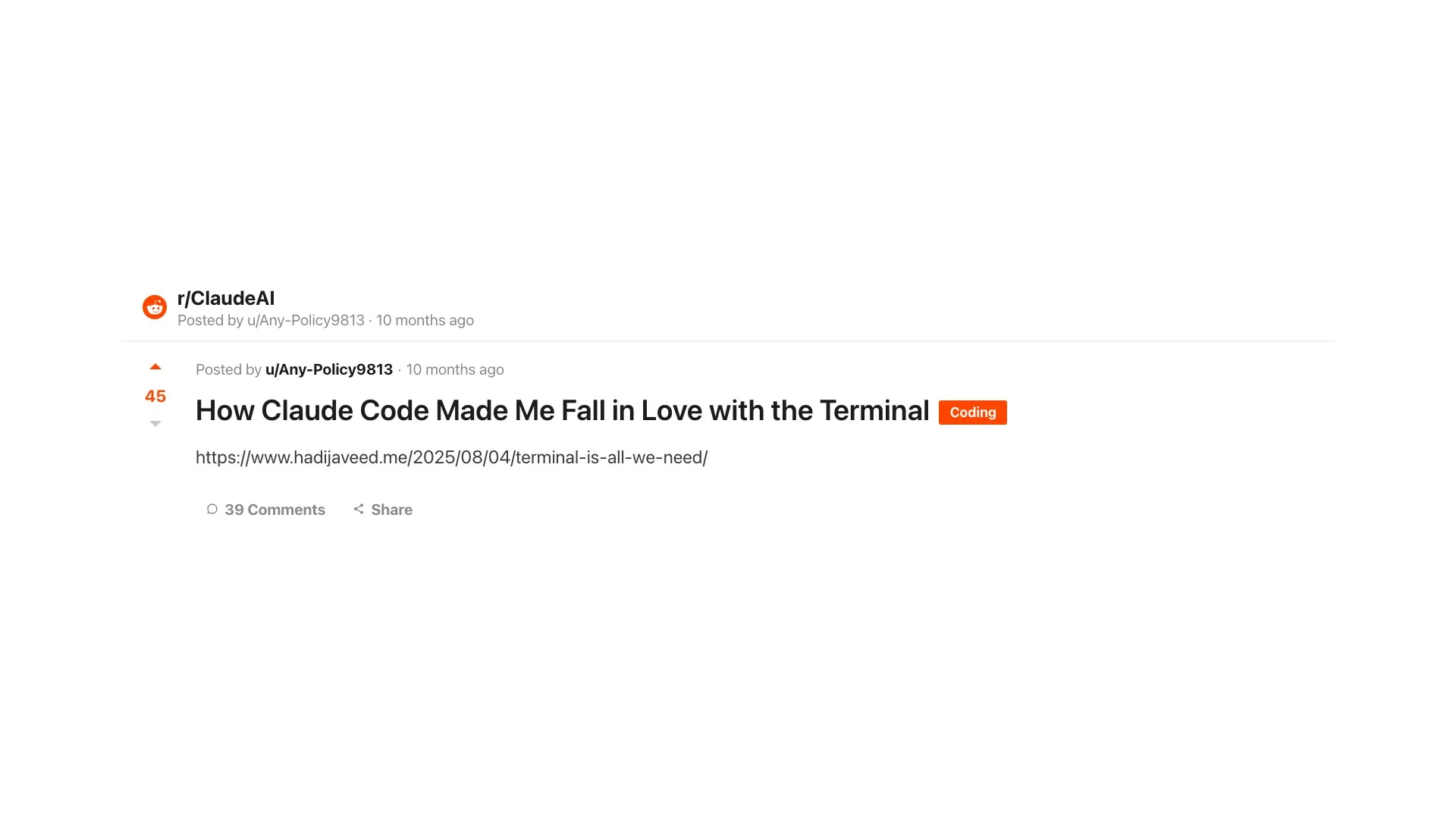 "How Claude Code Made Me Fall in Love with the Terminal." 45 upvotes on r/ClaudeAI. Source: reddit.com/r/ClaudeAI
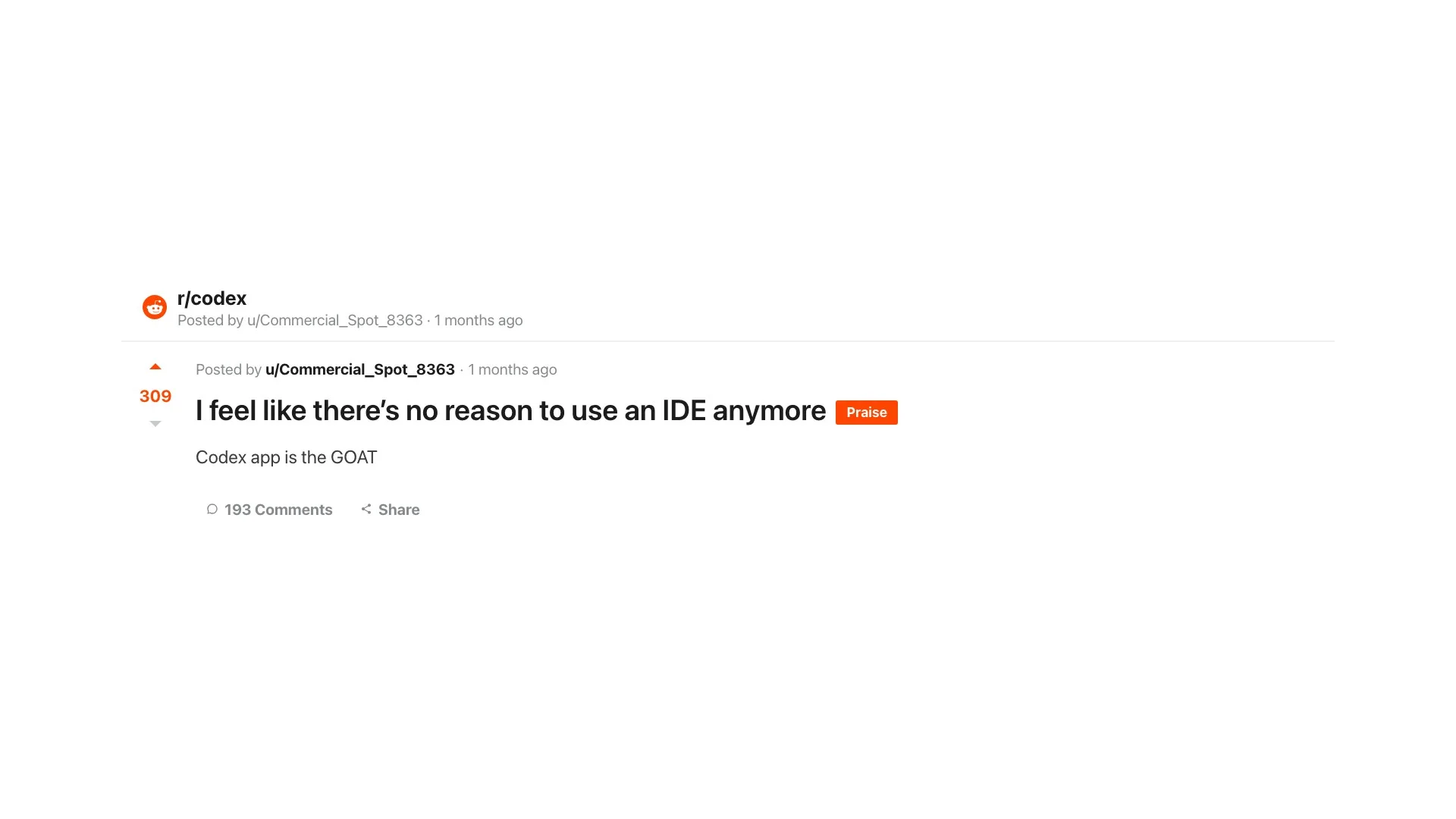 "I feel like there's no reason to use an IDE anymore." 309 upvotes, 193 comments on r/codex. Source: reddit.com/r/codex
The conversion stories repeat across the Claude Code, Codex, and OpenCode communities alike. The common thread is relief at dropping GUI overhead for a terminal coding agent that runs in plain commands.
Where does the CLI still fall short?
The CLI is not a clean win for every case. Three honest caveats.
Shell access needs guardrails. An agent that can run any command can also run a destructive one. Anthropic's own code-execution post flags sandboxing as a requirement, not an option. Run agents in containers or with permission systems on.
Many models still score low on terminal tasks. The 90 percent top score hides a long tail. In the Terminal-Bench 2.0 paper, the strongest agents still resolve under 65 percent, and the single most common command failure is calling an executable that is not installed or not on the PATH, at 24.1 percent of all failures. The harness and model both have to be good.
The GUI still wins sometimes. Visual diffs, debuggers, and design work read better with pixels than text. The terminal learning curve is also real for newer developers. The pragmatic answer is to run a CLI agent for autonomous work and keep an editor open for review. Firecrawl's Claude Code vs Codex comparison and Claude Code vs OpenCode cover that split.
Give your CLI agent the live web with Firecrawl
Here is a gap every terminal agent shares. Out of the box, none can see the live web. Yesterday's release notes and the current docs are invisible to a model trained months ago.
The fix fits the CLI model perfectly. Firecrawl is a web-data tool the agent can call like any other command, with search and scrape returning clean text instead of raw HTML. Firecrawl's piece on agentic search explains why cached training data is not enough.
It is also built for the token math that makes the CLI worth it in the first place. Firecrawl returns clean markdown instead of raw HTML, so the agent spends context on content, not boilerplate. See Firecrawl's token efficiency benchmarks for the numbers.
One command wires it into every coding agent on your machine:
npx -y firecrawl-cli@latest init --all --browserTry it free at firecrawl.dev. For more, see 10 Best MCP Servers for Developers in 2026 and How to Add Web Search to Codex CLI Using Firecrawl.
The interface was here all along
The agent revolution did not need a new surface. It needed the oldest one. Text in, text out, piped between small tools that each do one thing well. The CLI was built for that in 1978, and it turned out to be built for agents too.
The next time an agent solves a problem in three piped commands, remember that the terminal is not a throwback. For a model, it is the shortest path to getting work done.
Frequently Asked Questions
What is a CLI?
A CLI, or command line interface, is a text-based way to interact with a computer. You type a command, the program reads that text, and returns text back. It is the opposite of a graphical interface where you click buttons. Common CLIs include bash, git, and curl, and they are the native surface AI coding agents work in.
Why do AI coding agents use the command line instead of an IDE?
An LLM reads and writes text. A CLI takes text in and returns text out, so it maps directly onto how a model works. Shell commands are also composable, scriptable, and heavily represented in training data. That makes the terminal a more natural interface for an agent than a graphical IDE.
Does using the CLI save tokens?
Yes, often dramatically. Anthropic showed that having an agent write code to call tools, instead of making direct tool calls, cut one task from 150,000 tokens to 2,000, a 98.7 percent reduction. CLI tools return compact text you can filter before it reaches the model's context.
What CLI tools do AI agents use most?
The common ones are git, GitHub CLI (gh), grep or ripgrep for search, bash to run commands, curl for HTTP, and jq for JSON. Claude Code's Grep tool is built on ripgrep, and OpenAI Codex ships a default shell tool plus ripgrep on its PATH.
What is Terminal-Bench?
Terminal-Bench is a benchmark that scores agents on real command-line tasks, like building software, configuring servers, and managing certificates. Version 2.0 has 89 tasks. It exists because the terminal became the place agents actually work.
Are CLI coding agents better than IDE-based ones?
It depends on the job. CLI agents win on composability, scripting, automation, and token efficiency. IDE agents win on visual context and approachability. Many developers run a CLI agent for autonomous work and keep an editor open for review.
Can AI agents run shell commands safely?
With guardrails, yes. Agents like Claude Code and Codex run commands inside sandboxes and permission systems, and many developers run them in containers. Running an agent with unrestricted shell access on a sensitive machine is the risk to avoid.
How do I give a CLI agent access to the live web?
Most agents are blind to the live web by default. A Firecrawl MCP server or CLI adds search and scrape as commands the agent can call, so it can pull current docs before it writes code. Install it across your agents with npx -y firecrawl-cli@latest init --all --browser.