TL;DR
- Hermes is a local-first agent framework from Nous Research that creates and refines skills as it works.
- It uses persistent memory to remember user preferences and past conversations between sessions, getting sharper with use.
- Firecrawl is the default web provider, giving the agent search and crawl tools out of the box.
- A June 2026 update made web reading up to 60x faster and 49x cheaper by dropping a redundant summarization step and passing clean backend markdown straight to the agent.
- The new
/learncommand turns a directory, doc URL, past conversation, or pasted notes into a reusable skill without hand-writing a SKILL.md file.
The Hermes agent from Nous Research addresses the biggest limitation of most AI agent frameworks: they're stateless. Every session starts from a blank slate, so you repeat context and the agent never learns anything about you or the tasks you assign it.
Hermes takes the opposite approach. It runs on your own machine, remembers what worked in past sessions, and turns finished tasks into reusable skills it can pull up again later.
What is Hermes agent?
Hermes agent is an open-source framework from Nous Research, the lab behind the Hermes and Nomos model families.
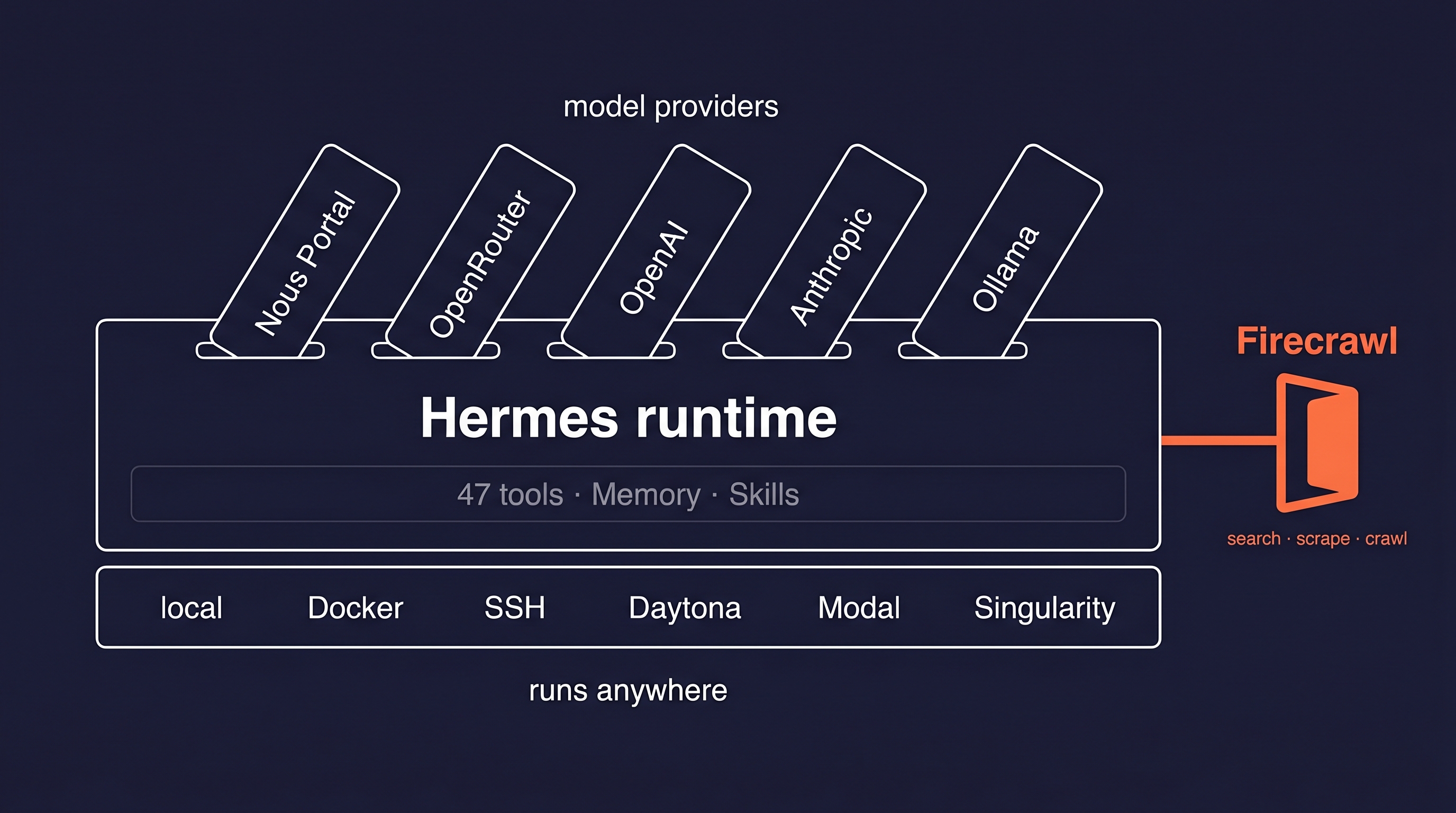
The piece that sets it apart from other agent runtimes is the learning loop. When Hermes finishes a complex task, it writes a new "skill" to disk and reuses that skill the next time a similar task comes up.
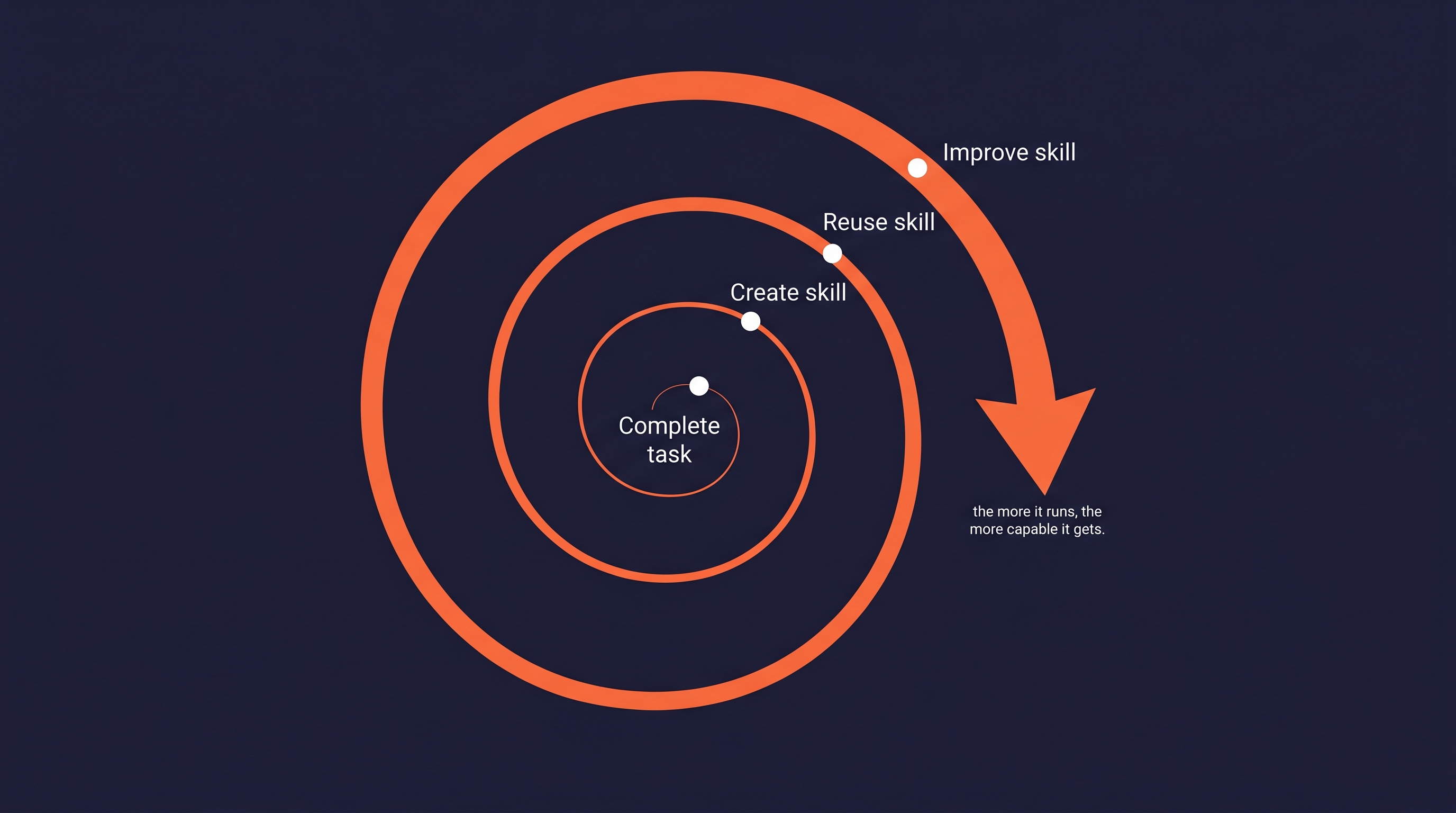
This learning cycle is built on a flexible architecture. The agent itself can live anywhere you can run a script. It supports six terminal backends including local execution, Docker, SSH, and serverless platforms like Daytona and Modal.
That means you can chat with an agent from a messaging app like Telegram while it works on a remote cloud VM you never log into directly.
The framework is also model-agnostic. You can switch between providers like Nous Portal, OpenRouter, OpenAI, and Anthropic, or connect to a local model through Ollama, by running the hermes model command. Pick the model that fits your budget and task, and swap it out later with one command.
For web access, Hermes uses a pluggable backend system.
Firecrawl is the default, and the framework auto-detects which provider to use from your API keys. Tavily, Exa, and Parallel are also supported. Firecrawl is the only one of the four that covers search, scraping, and multi-page crawling in a single backend.
What makes Hermes agent different?
The core of the agent's persistence is a pair of markdown files.
Hermes stores its own notes and summaries in MEMORY.md, a 2,200-character file, and builds a profile of your preferences in USER.md, a 1,375-character file. Both are injected into the system prompt at the start of every session.
For longer-term recall, the agent uses FTS5 full-text search to query all past conversations and can connect to eight external memory providers like Honcho or Mem0.
When the agent finishes a task that used five or more tool calls, it writes a new "skill" on its own. A skill is a portable knowledge document, compatible with the agentskills.io open standard, that the agent can pull up again the next time a similar task lands. For a full breakdown of how agent skills work — including SKILL.md structure, cross-platform compatibility, and how to build or install your own — see the dedicated guide.
You don't have to wait for the agent to write skills on its own, either. A June 2026 update added the /learn command, which authors a skill from source material you point it at: a local directory, a documentation URL, a past conversation, or pasted notes. The agent gathers the material with its own tools, reading local files with read_file and search_files or fetching online docs through its web backend, then writes a standards-compliant SKILL.md for you with no hand-authoring. When you point /learn at a doc URL, Firecrawl is what fetches and cleans the page before the agent distills it into a skill. Because there's no separate ingestion engine, /learn behaves the same across the CLI, TUI, messaging gateway, and dashboard, and every skill it saves becomes a slash command you can call later.
Skills can also be shared or installed from hubs like ClawHub and the official Skills Hub. Out of the box, Hermes agent ships with 47 built-in tools.
The built-in set covers web search, terminal execution, file editing, and memory management. For bigger jobs, it can delegate work by spawning up to three isolated subagents in parallel.
When the built-in tools aren't enough, MCP servers let it reach GitHub, databases, and other external systems without anyone writing a new native tool.
A built-in cron system lets you schedule automations with no daily run limits, a clear difference from hosted alternatives. The only constraint is your own API budget.
| Feature | Hermes Agent | Claude Code Routines |
|---|---|---|
| Daily run limit | None (only API budget) | 5/day (Pro), 25/day (Enterprise) |
| Provider lock-in | None (any OpenAI-compatible endpoint) | Anthropic only |
| Local-first | Yes (runs on your infrastructure) | No (Anthropic-hosted) |
| Persistent memory | MEMORY.md, USER.md, FTS5 search | Session-scoped only |
| Skills system | Auto-created after 5+ tool calls | No |
| Subagents | Up to 3 concurrent | Single agent |
| Messaging delivery | 15+ platforms (Telegram, Discord, Slack, etc.) | Limited |
| License | MIT, open source | Proprietary |
When a scheduled task completes, the agent can deliver the results to over 15 messaging platforms, including Telegram, Discord, Slack, WhatsApp, Signal, and Matrix.
What are people building with Hermes agent?
The agent's built-in cron scheduler is the engine behind most automations.
A single command can set up a recurring task, like generating a weekly AI news digest and delivering it to a Telegram chat.
The official documentation provides several automation templates that work with any model, from nightly backlog triage on GitHub to daily arXiv paper summaries saved to Obsidian notes.
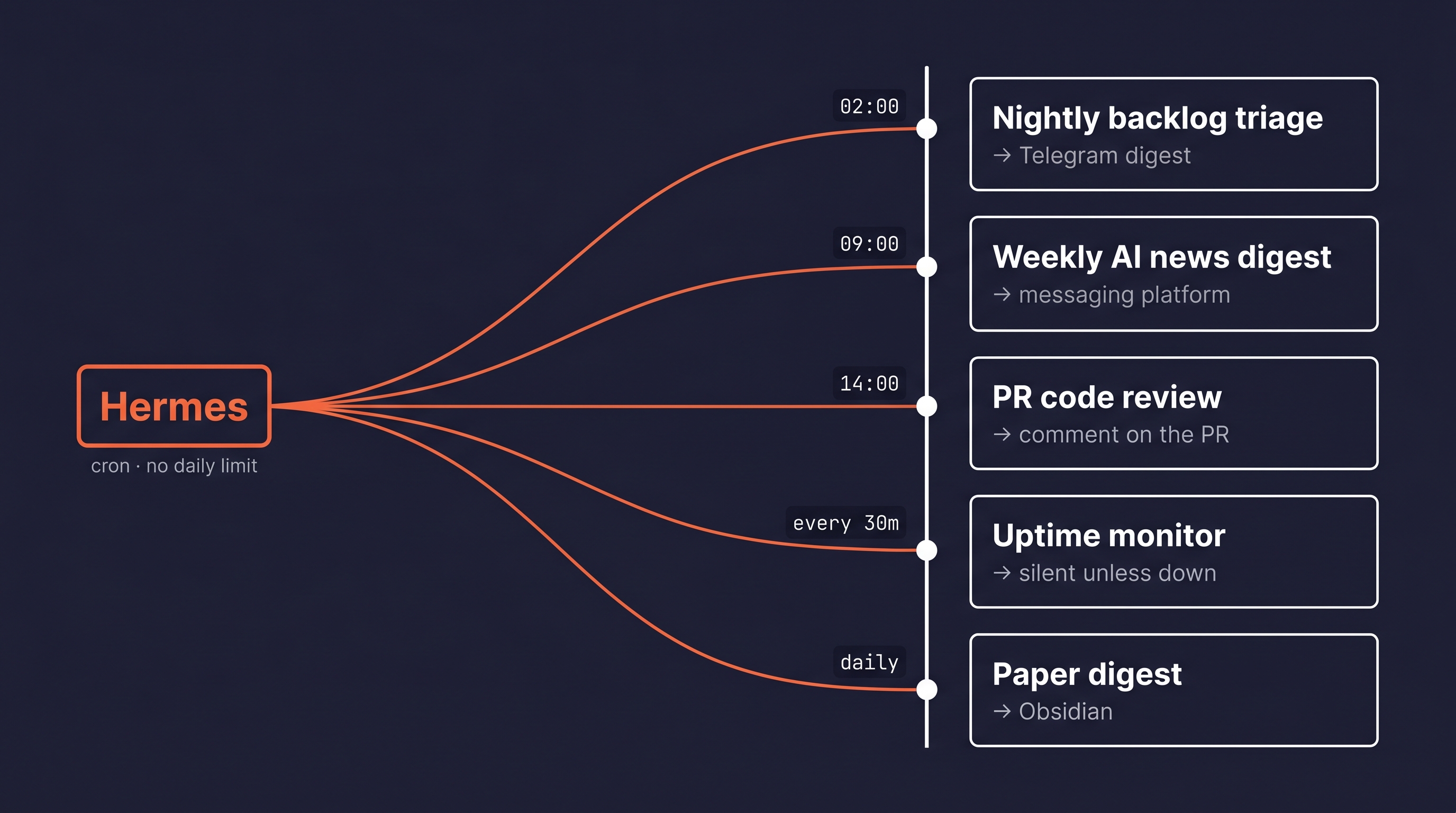
These templates show how to combine scheduling with the agent's tools.
An automatic pull request reviewer can be configured to read every new PR and post a review comment directly on GitHub. An uptime monitor checks a list of endpoints every 30 minutes and only sends a notification when a service is down.
Other examples include a nightly bug fix automation that pulls an issue, attempts a fix, and opens a draft PR, or a pricing monitor that watches a competitor's website and notifies you of any change.
An additional example is an weekly AI news digest runs on a schedule and uses the Firecrawl /search endpoint to pull fresh articles on whatever topics you specify before writing and delivering the summary. The agent queries Firecrawl for recent results, gets back clean markdown, and compiles the digest without you touching anything between runs.
Community projects often pair Hermes with other tools. One developer built an eBay deal finder that uses Firecrawl to scrape product listings and prices. Hermes runs on a schedule, pulls the latest data, and decides whether a listing is a good deal against the user's criteria.
The community also maintains DiscoverHermes, a portal for finding new projects, skills, and tools built for the agent.
How to get started with Hermes agent?
You can install Hermes agent with a single command piped from its GitHub repository.
The script works on Linux, macOS, Android via Termux, and Windows using WSL2. It's best to include the --skip-setup flag, which keeps the interactive setup wizard from hanging when the script is piped this way.
curl -fsSL https://raw.githubusercontent.com/NousResearch/hermes-agent/main/scripts/install.sh | bash -s -- --skip-setupThe installer clones the project into ~/.hermes/, creates a Python virtual environment, and adds the hermes command to your path.
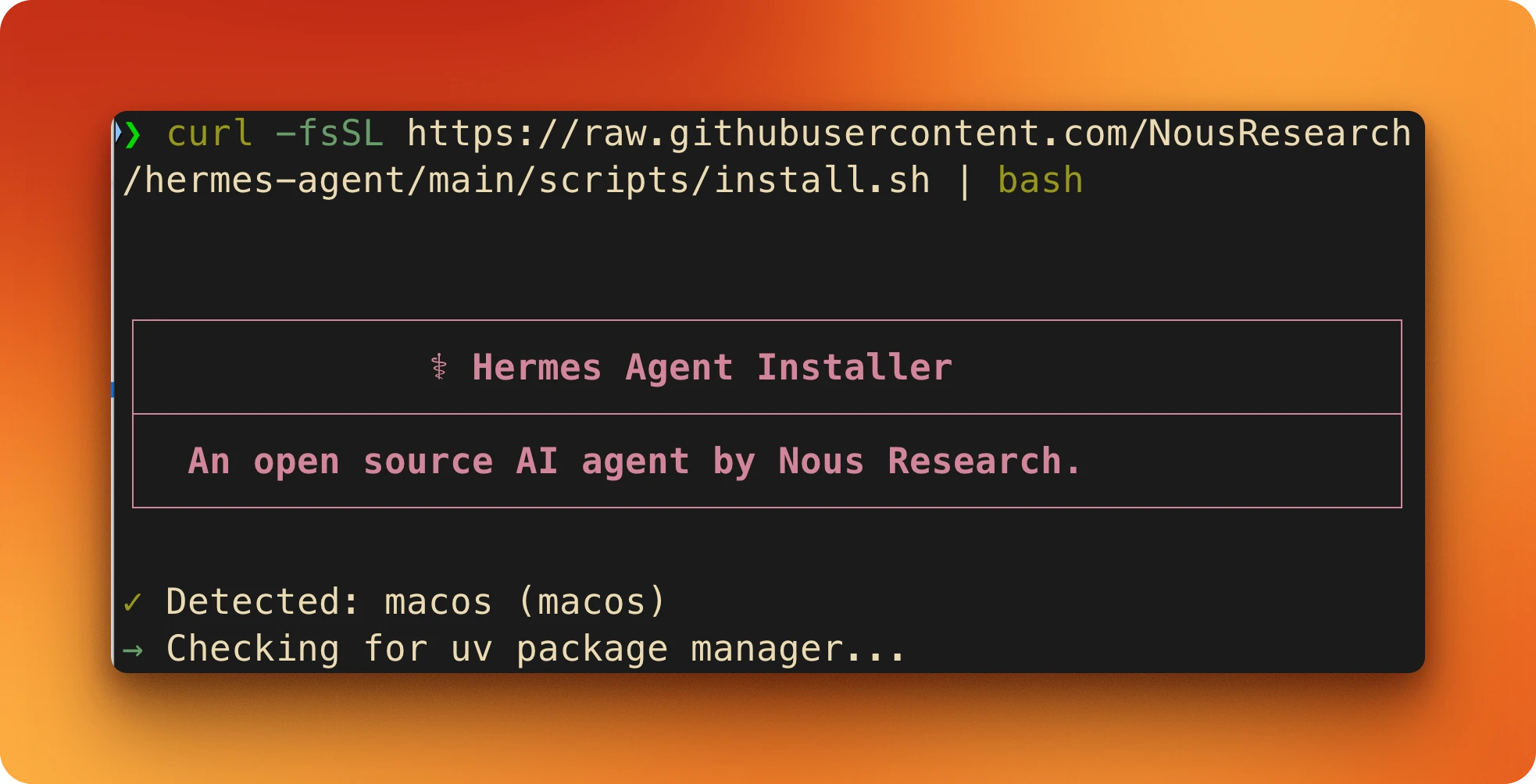
After it finishes, reload your shell configuration so the new path takes effect.
For Zsh users, that's source ~/.zshrc, and for Bash, it's source ~/.bashrc. With the path updated, run the interactive setup wizard with hermes setup or configure just the model provider with hermes model.
The hermes model command walks you through selecting an inference provider and entering your API key. Hermes works with any model that has at least a 64,000 token context window.
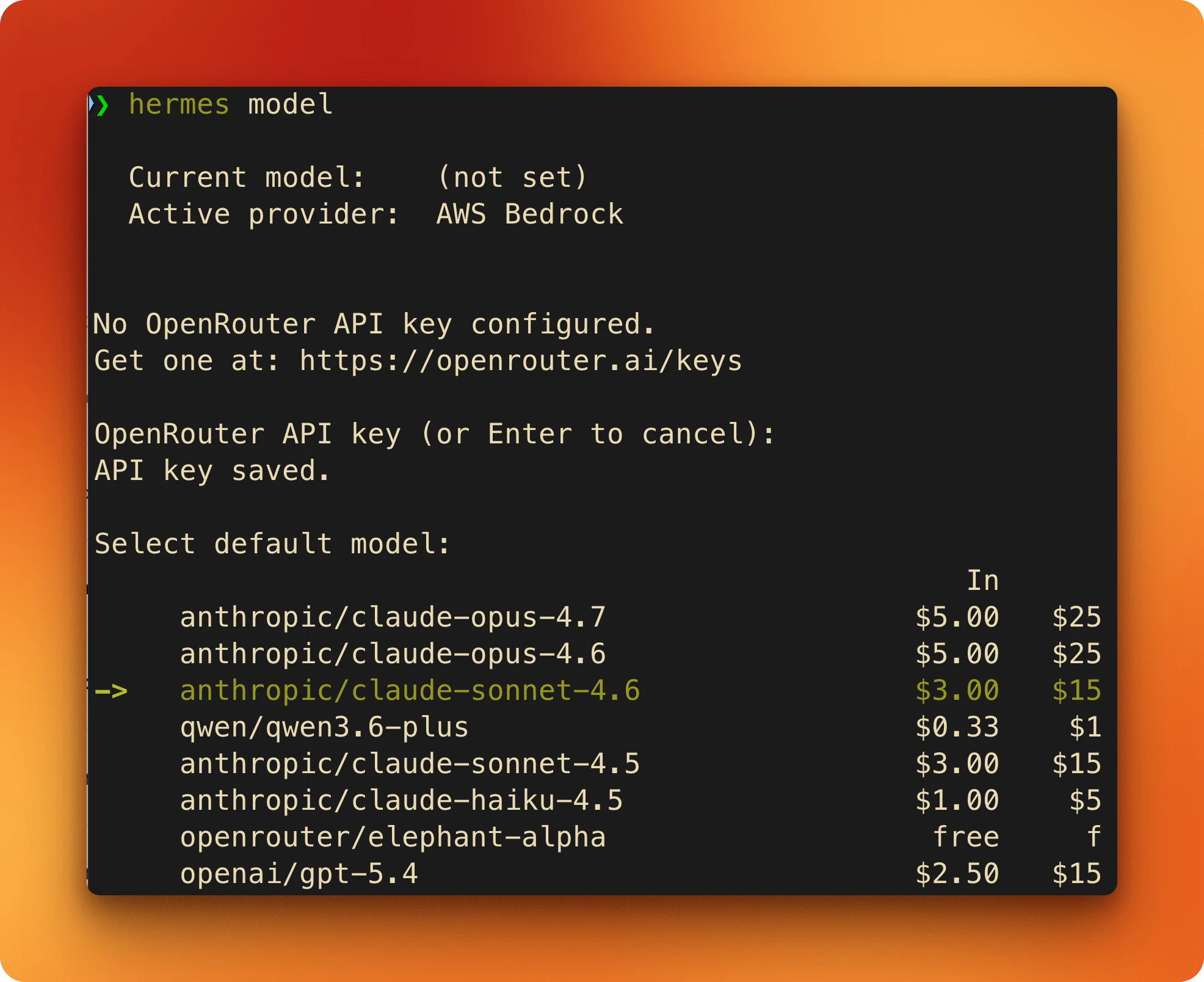
You can connect to a variety of services, each with different model access. All agent settings, including your API keys and configuration choices, are stored locally in the ~/.hermes/ directory.
| Provider | Access |
|---|---|
| Nous Portal | Access to Nous Research's own models |
| OpenRouter | A gateway to over 200 different models |
| Anthropic | Claude family (Haiku, Sonnet, Opus) |
| OpenAI | GPT-5 and smaller GPT models |
| Ollama | Run models locally on your own machine |
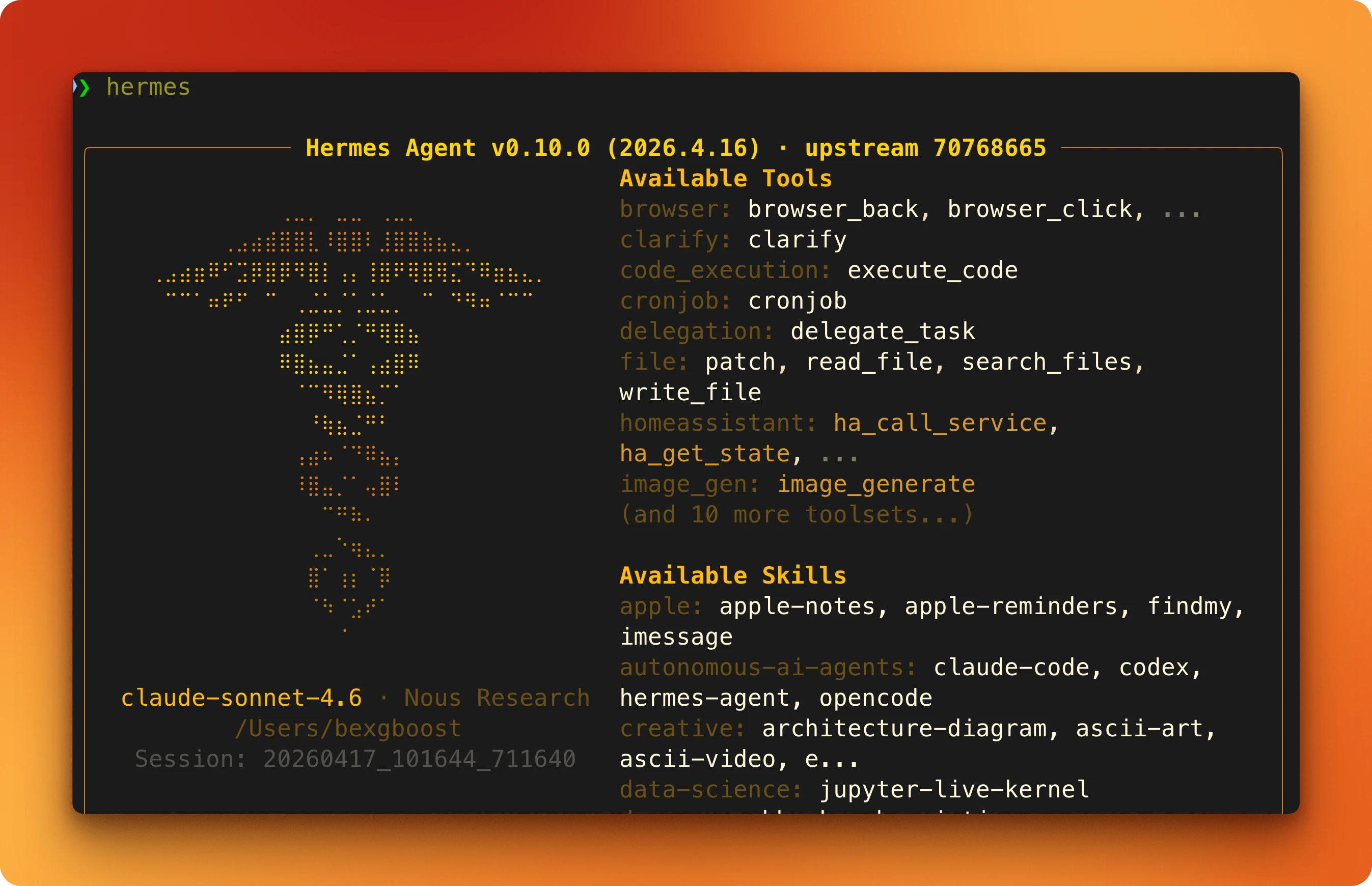
Once a provider is configured, start a new session by running hermes. The welcome banner shows the agent's version, the active model, and a list of available tools and skills.
From here, you can start a conversation. The agent will respond, and the status bar at the bottom will track token usage and response time for each turn.
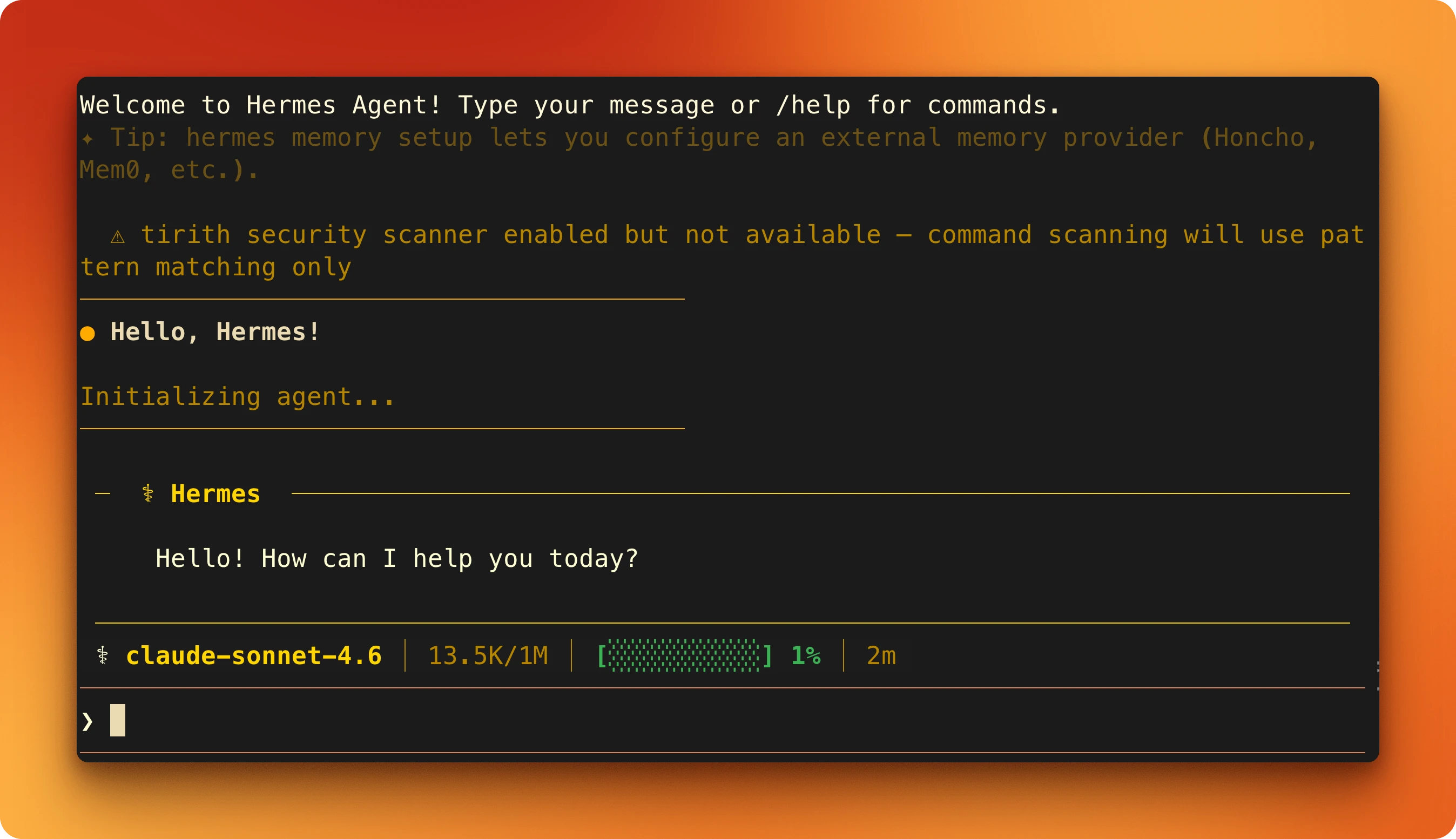
Several slash commands help you manage the session. /help lists all available commands, /tools shows the toolset, /model lets you switch models, and /save manually saves the current conversation state. To pick up where you left off in a previous session, use the continue flag: hermes --continue or its shorter version, hermes -c.
How do you extend Hermes agent beyond the defaults?
Hermes agent's base installation is a starting point. The framework becomes a more practical tool when you connect it to external services and custom logic for memory, skills, and communication.
Adding web access is the most common first step.
Firecrawl gives AI agents fast, reliable web context with strong search, scraping, and interaction tools, and it's the default web backend Hermes ships with. Hermes auto-detects it the moment you set FIRECRAWL_API_KEY in ~/.hermes/.env, and the env var alone is enough (no config edit needed).
If you want to pin the choice explicitly, run hermes tools and pick Firecrawl from the interactive menu. The wizard writes the web: block to config.yaml for you.
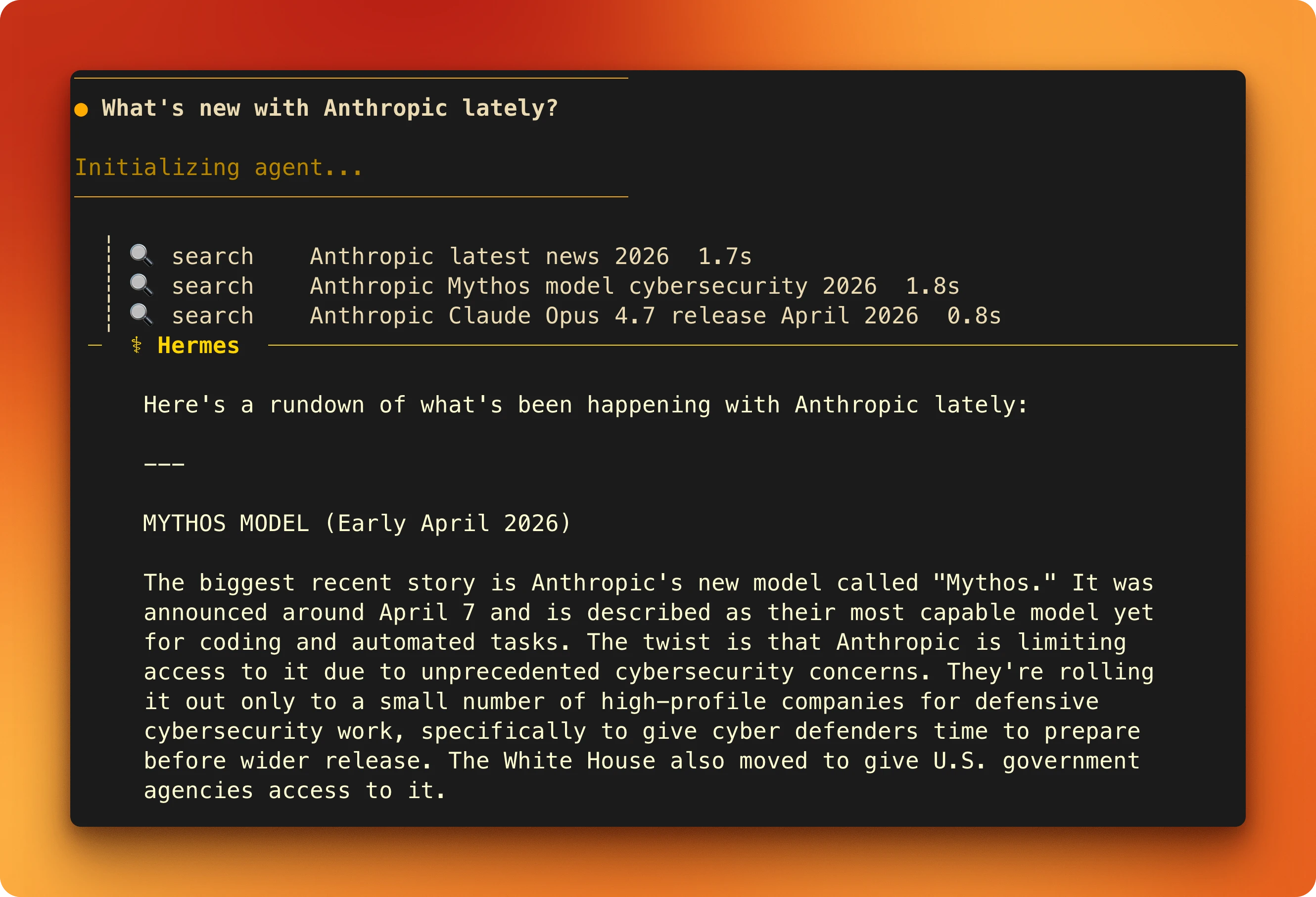
When you ask a question that requires current information, the agent decides to use its web_search tool. This triggers a request to Firecrawl's search endpoint, which finds relevant pages, reads their content, and returns clean markdown for the agent to use.
A June 2026 update made this loop dramatically faster. The web_extract tool used to run an auxiliary LLM over every scraped page to compress it, even though the scraping backends already return clean, boilerplate-stripped markdown. Nous Research removed that redundant step: the agent now reads pages up to 60x faster and 49x cheaper, with the same answer quality. In the team's own before-and-after eval across four documentation pages, total extract time dropped from 176.6 seconds to 15.1 seconds.
The mechanism is a truncate-and-store approach. Pages within a character budget (15,000 by default, configurable via web.extract_char_limit) pass through whole. Larger pages return a head-and-tail window with the full clean text saved to a local cache the agent can page through on demand, so nothing is lost. Because Firecrawl already returns clean markdown, there's nothing left to post-process: the content goes straight to the agent.
Other backends like Tavily and Exa only handle search, while Firecrawl also does full-page scraping and site-wide crawling. For a full comparison of Firecrawl, Tavily, Exa, Brave, Perplexity Sonar, and Serper as agent search backends, see the guide to search tools for AI agents.
For a complete breakdown of how web_search, web_extract, and the full browser toolset work in Hermes — including when to use each tool and how to configure providers — see Hermes agent web search tools.
To point the agent at a self-hosted Firecrawl, set FIRECRAWL_API_URL.
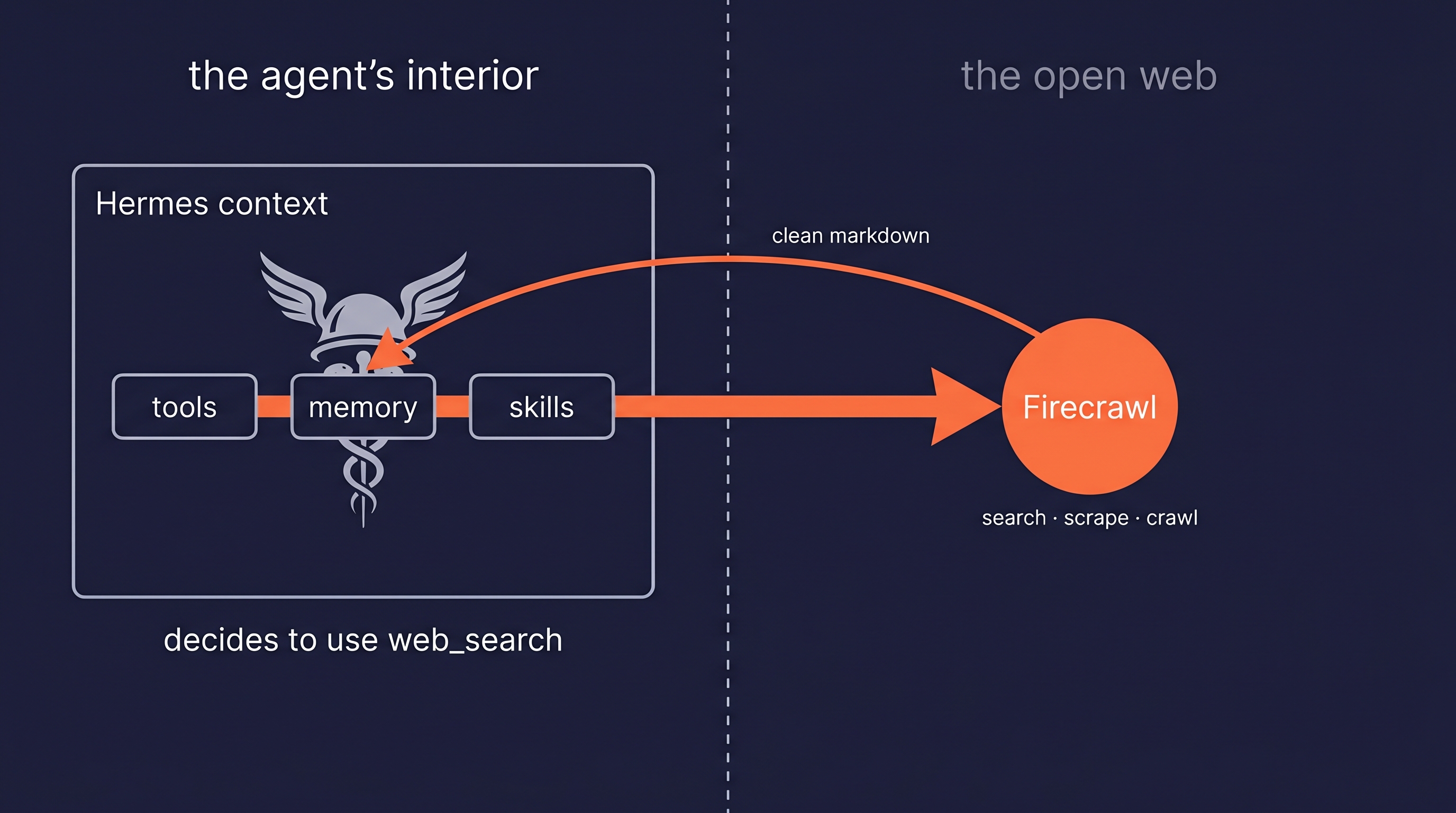
The agent then uses this markdown as context to answer your original question.
Firecrawl is also keyless as of June 2026: every developer gets 1,000 free credits a month automatically, with no signup or key required to start. The launch names Hermes agent as one of the MCP-compatible hosts that can search and scrape the moment it connects, so you can point the agent at the web before you've generated a single key.
Try Firecrawl with Hermes agent. No API key needed to start. Add one for higher rate limits, and the free tier includes 1,000 credits per month. Get your API key and add it to your Hermes setup in under a minute.
Beyond web access, the framework exposes four other extension points that you should be aware of.
MCP servers let Hermes reach tools like GitHub, databases, or local file systems without anyone writing a new native tool. You add them to config.yaml under the mcp_servers key, and the agent gains a new way to interact with external systems.
Custom skills can be written yourself or installed from a hub like skills.sh or ClawHub. The hermes skills search command finds available skills, and hermes skills install adds them to your agent.
Memory providers extend the default memory system. Plugins for Honcho, Mem0, and six other providers are available for more advanced, cross-session user modeling and context retrieval.
Messaging gateways let you interact with your agent from platforms other than the command line. The hermes gateway setup command walks you through connecting to services like Telegram, Discord, Slack, and WhatsApp for receiving notifications or chatting directly with your agent.
For a curated list of the best Hermes plugins — including Firecrawl for live web context, Composio for app integrations, Honcho for memory, and Langfuse for observability — see our full guide with setup instructions for each.
Should you use Hermes agent?
Hermes agent is worth picking up if you want an agent that lives on your machine, keeps working between sessions, and doesn't lock you to one model provider. If you're deciding between Hermes and OpenClaw, the OpenClaw vs Hermes Agent comparison covers the key differences in architecture, memory, and file handling tested side by side. Pair it with Firecrawl for search, scraping, and crawling, and you have an assistant you fully own.
The agent is open source, and the one-line install takes under a minute.
Ready to build your own persistent agent? No API key needed to start. Add one for higher rate limits. Get your Firecrawl API key and run the Hermes install script to get started.
Frequently Asked Questions
Is Hermes agent free and open source?
Yes. The entire framework is MIT-licensed and available on GitHub, where it has over 91,000 stars. You can run it on your own infrastructure without paying any licensing fees, but you are responsible for the cost of any third-party model APIs you use.
What models does Hermes agent support?
Hermes agent is model-agnostic and works with any provider that offers an OpenAI-compatible endpoint. Official support includes Nous Portal, OpenRouter, OpenAI, Anthropic, Google Gemini, and local models via Ollama. The only requirement is that the model must have a context window of at least 64,000 tokens.
How does Hermes agent compare to other agent frameworks?
The learning loop and persistent memory are the two pieces most other frameworks skip. Hermes turns finished tasks into reusable skills, carries user preferences across sessions via USER.md, and runs on your own hardware rather than a vendor's cloud.
Do I need a Firecrawl API key?
No, but web access is limited without one. Firecrawl is the default web backend, and Hermes agent auto-uses it whenever FIRECRAWL_API_KEY is present. Other search providers exist, but Firecrawl is the only one that covers the full range of web actions: search, single-page scraping, and multi-page crawling.
Can I use Hermes agent offline?
Yes. You can run Hermes agent without an internet connection by using Ollama as your model provider. This requires a compatible large language model with at least a 64K context window, downloaded and running on your local machine.
What search providers does Hermes agent support?
The framework supports four different web search providers. Firecrawl is the default, and the agent also has built-in support for Parallel, Tavily, and Exa. The agent automatically detects which provider to use based on the API keys available in its environment.
How do you create a skill in Hermes agent?
There are a few ways. The agent writes skills on its own after finishing a task that used five or more tool calls, and you can install skills from hubs like ClawHub or the official Skills Hub. As of a June 2026 update, you can also run the /learn command and point it at a local directory, a documentation URL, a past conversation, or pasted notes. The agent gathers that material with its own tools and writes a standards-compliant SKILL.md for you, so you never have to hand-author one.
Why is Hermes agent's web reading so fast?
A June 2026 update removed a redundant summarization step from the web_extract tool. It used to run an auxiliary LLM over every scraped page to compress it, but the scraping backends like Firecrawl already return clean, boilerplate-stripped markdown, so that content now passes straight to the agent. Pages within a character budget return whole, and larger pages are stored locally and paged on demand. The result is web reading up to 60x faster and roughly 49x cheaper with the same answer quality.
How do I customize Hermes agent's personality?
The agent's personality is defined in a file called SOUL.md located in your ~/.hermes/ directory. This markdown file contains the core instructions, principles, and persona that guide the agent's behavior and tone. You can edit it directly, or use the /personality command within a session to apply a pre-configured preset.