

TL;DR
- Choose OpenClaw if you want an always-on assistant that lives in your chat apps and keeps the agent fenced inside its own managed workspace, or if you need multiple named agents bound to separate channels.
- Choose Hermes Agent if you want a portable coding agent that works directly in your project files, remembers across sessions, and is built to be run on a remote box, executing tasks for you.
- Both are MIT-licensed, connect the same major chat platforms, use the same SKILL.md format, and ran cleanly without any bugs in my tests, so your decision comes down to memory and performance, the two differentiators.
- Community momentum has shifted: Hermes is gaining sustained traction while OpenClaw's growth has plateaued, which is worth factoring in if you are picking a tool for the long term.
OpenClaw was released in November 2025 and it completely changed how people interacted with LLMs. It hit 100,000 GitHub stars in two months and surpassed React's 10-year record by March 2026, the fastest any open-source project had grown to that scale. It converted a language model from something that responds to queries to taking action on your behalf.
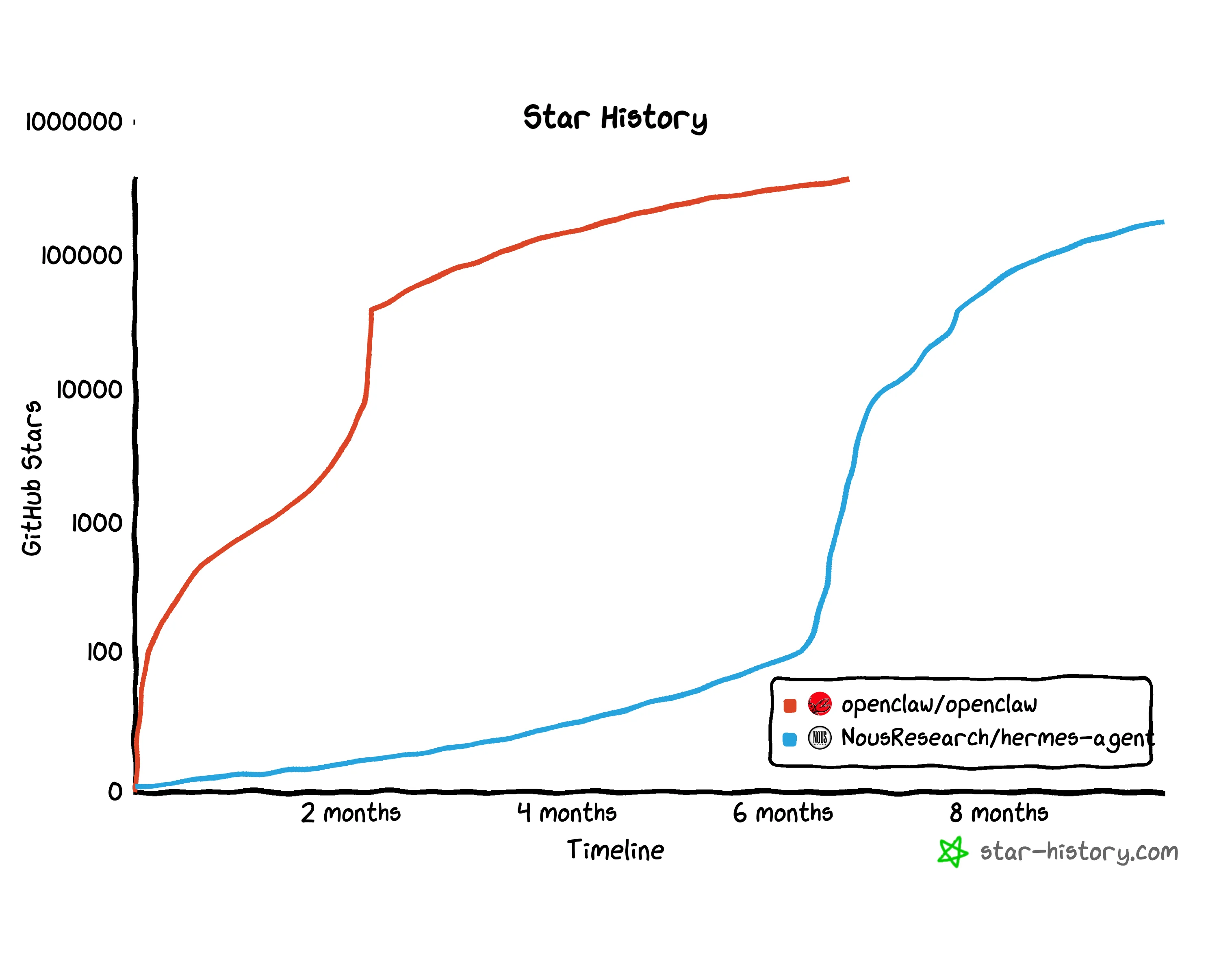 Star history of OpenClaw and Hermes Agent. Data from star-history.com
But by default, OpenClaw was quite bloated: its fresh install peaked at over 1 GB with more than 300 dependency packages. After the initial hype wore down, people started noticing the problems. Hermes Agent from Nous Research came out as a strong solution among many others that tried to solve the bloat and issues.
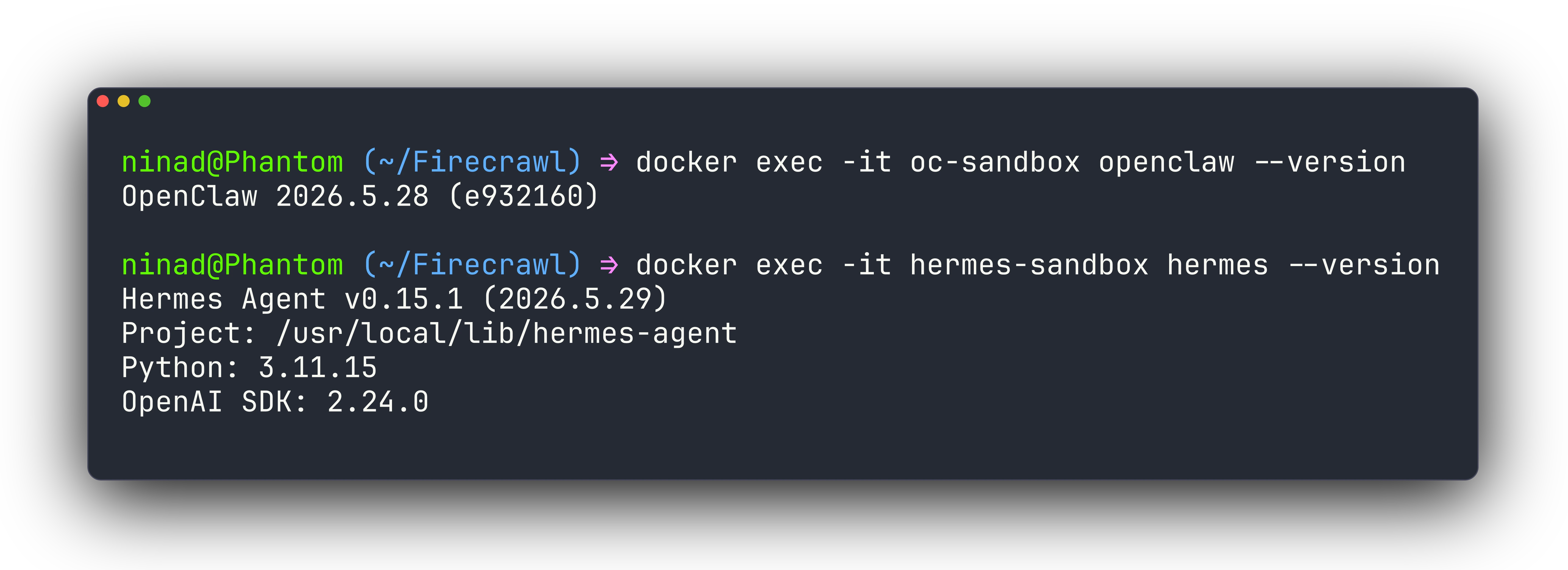
I am a long term user of both agents. So, to avoid the biases and memories changing agent behavior, I installed both OpenClaw and Hermes Agent in separate docker containers, wired them to a model, and ran the same workflows through each.
The idea was to see which one is more efficient at completing tasks without losing track of the nuances. To keep the comparison fair, I ran each agent in a sandbox so there’s as little overlap as possible. Let’s dive right into it.
What is OpenClaw
OpenClaw is a personal AI assistant built as a TypeScript monorepo. It’s the first agent that gained virality and created a cascade of other agents built on top of OpenClaw or on forked code. You can self-host on your server or a VPS.
But the purpose behind OpenClaw was to create an agent that lives on your computer, can work with all your personal files and pretty much do the job for you.
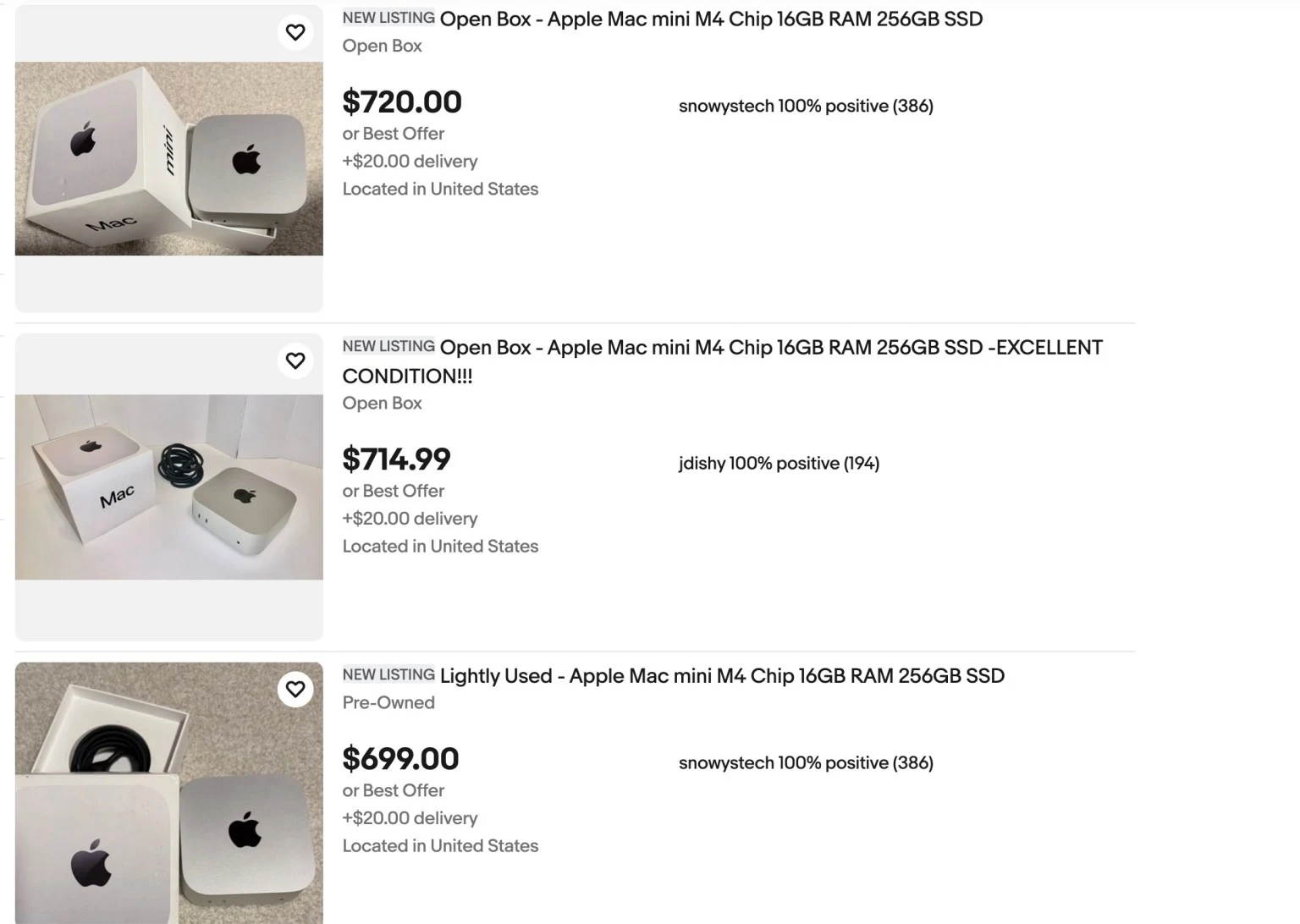
That’s why we saw the Mac Mini shortages and marked up Minis showing up on eBay.
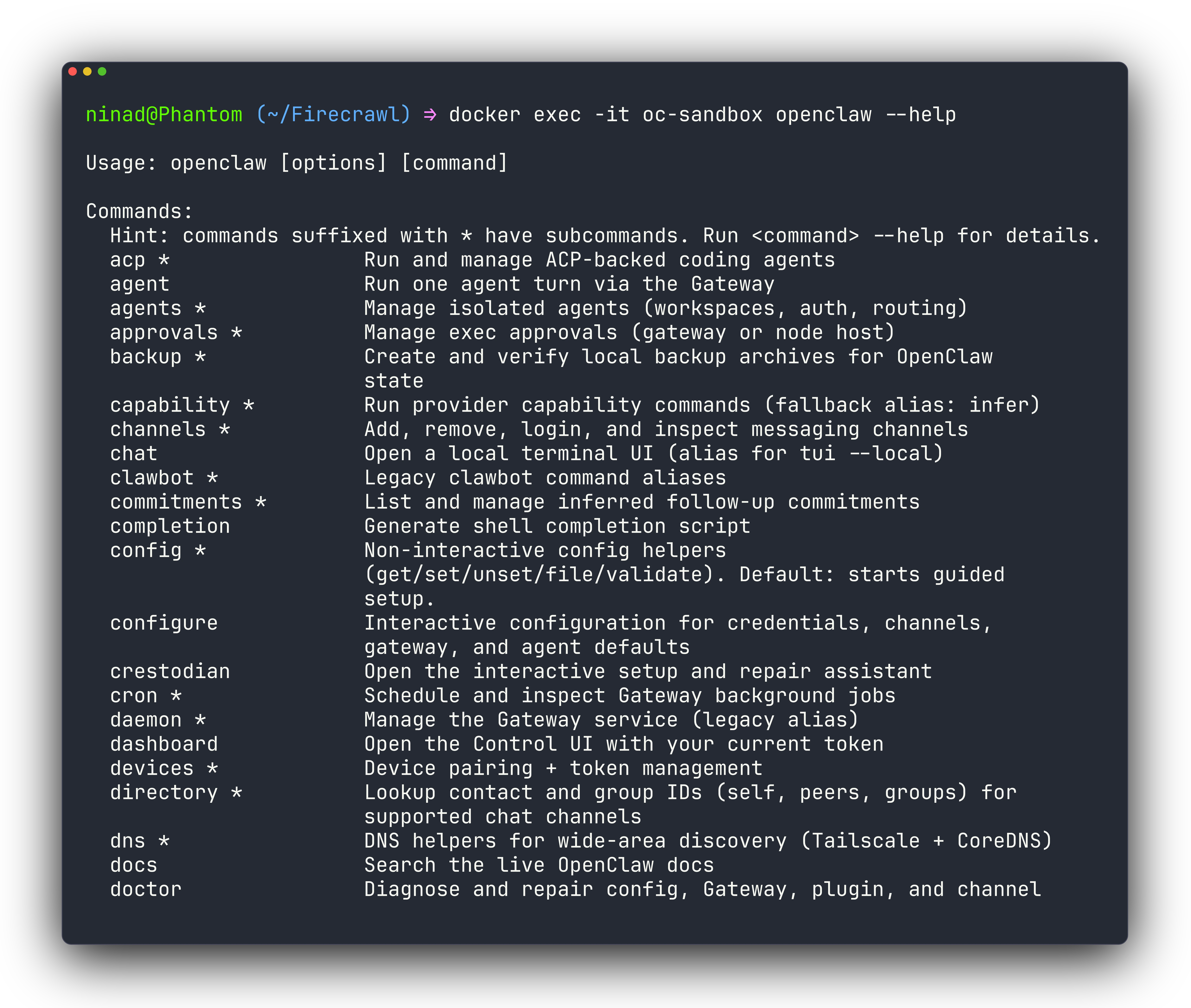
It took just one command to get OpenClaw running: npm install -g openclaw@latest.
With OpenClaw, breadth is the theme: the README lists more than 20 messaging channels including WhatsApp, Telegram, Slack, Discord, iMessage, Signal, and Matrix. That is in addition to the endless number of integrations.
What is Hermes Agent
Hermes Agent was created to be a self-improving Python agent from Nous Research. It is aimed at people who want an agent that works on real files, gets better at their tasks over time, and can run anywhere. If your mental model is "a coding-and-automation agent I can put on a VPS and still chat with from Telegram," Hermes targets that.
The version I tested was Hermes Agent v0.15.1, installed through the official script: curl -fsSL https://hermes-agent.nousresearch.com/install.sh | bash. Its headline feature is its learning loop, and I found concrete code behind each piece: skill creation from experience, skill editing during use, memory save-nudges, and search over its own past conversations.
Hermes advertises six execution backends and the ability to run on a $5 VPS or a serverless host that hibernates when idle, and it also offers the hermes claw migrate command for anyone that wants to quickly migrate from OpenClaw.
OpenClaw vs Hermes Agent: What is the difference?
Let’s talk about how each agent is built, how much work it is to connect models and channels, where your files end up, what the agent remembers, whether you can trust it with your shell, and where it can run.
| Dimension | OpenClaw | Hermes Agent |
|---|---|---|
| Language | TypeScript (pnpm monorepo) | Python 3.11+ (uv) |
| Install | npm install -g openclaw@latest, under a minute | Official script, pulls uv and Node, longer |
| Process model | Resident Gateway daemon | Runtime you invoke, optional gateway |
| Code shape | Many small plugin modules | A few large Python files |
| File writes | Managed workspace ~/.openclaw/workspace/ | Your current working directory |
| Memory store | Per-session JSONL transcripts | One SQLite database with full-text search |
| Memory cap | Full transcripts, compacted on overflow | 2,200 chars for notes, 1,375 for profile |
| Execution backends | Local plus optional Docker socket | Local, Docker, SSH, Singularity, Modal, Daytona |
| Chat channels | 20+ via plugins | Telegram, Discord, Slack, WhatsApp, Signal, more |
| Skill format | AgentSkills SKILL.md | AgentSkills SKILL.md |
| License | MIT | MIT |
| Migration | No reverse importer found | hermes claw migrate from OpenClaw |
| Multi-agent support | Persistent named agents with per-channel bindings | Parent + isolated sub-agents via delegate_task |
| Sub-agent concurrency | N/A | 3 concurrent by default, configurable |
| Context visibility | Requires log inspection | Live context usage shown in interface |
| Tool transparency | Opaque progress | Real-time tool display during execution |
| Interruption handling | Limited | Stops and redirects on new message mid-task |
| Self-learning | Static skills, manually curated | Auto-generates skills from repeated patterns |
| Skill marketplace | ClawHub (public registry, versioned) | Sparse, experimental |
1. Hermes vs. OpenClaw: Architecture and codebase shape
Your first decision driver is how each agent runs as a process, because that shapes everything else.
- OpenClaw is a control plane: You run a Gateway daemon that owns channels, sessions, and routing, and the CLI talks to it, with a --local flag to run a single embedded turn.
- Hermes is a runtime: The agent loop and tool dispatch live in the Python process you launch, and the messaging gateway is a separate mode you start only when you want it. The practical effect is that OpenClaw expects to be resident and Hermes expects to be invoked.
The language split has consequences you will feel as a maintainer. OpenClaw's TypeScript spreads channels and providers across plugins, so you swap units. Hermes concentrates logic in large Python files, so you can read the whole flow and drop it into an ML environment without fighting a plugin graph.
Multi-agent support
The architectural difference goes deeper when you need more than one agent running at the same time.
OpenClaw's Gateway can host multiple named agents side by side, each with its own workspace directory, auth profiles, model registry, and session store under ~/.openclaw/agents/<agentId>/. You bind each channel account — a WhatsApp number, a Slack workspace, a Telegram bot — to a specific agent by name. That means a research agent on Telegram and a task agent on Slack can run simultaneously with completely separate memories and no cross-contamination between them.
Hermes takes a different approach. Its delegate_task tool spawns child agent instances with isolated context: each subagent starts with a fresh conversation and only knows what the parent explicitly passes in the goal and context fields. Up to three subagents run in parallel by default (the ceiling is configurable with no hard cap). They are temporary: they complete their work, return a summary to the parent, and stop. There is no persistent agent binding or cross-channel routing in the Hermes model.
The practical split: if you need distinct personas tied to separate channels that should stay isolated over weeks, OpenClaw's binding model is built for that. If you need to fan a task out into parallel workstreams and collect results, Hermes's delegate model handles it cleanly.
2. Hermes vs. OpenClaw: Onboarding and wiring up a model
Both tools have a guided setup, and that is the path to use.
- OpenClaw lets you easily wire models through onboarding either just
openclaw onboardoropenclaw onboard --auth-choice minimax-global-api --minimax-api-key <key>to directly configure the model without going through the rest of the onboarding. The same command takes a--non-interactiveflag for headless installs. - Hermes does the same job with hermes setup (or hermes setup model for just that section), which prompts for the provider and key and stores them. You switch models later with hermes model, an interactive picker.
There is a quality detail that affects your output. OpenClaw disables MiniMax thinking by default on the Anthropic-compatible path, because MiniMax streams reasoning as OpenAI-style deltas that would otherwise leak internal thoughts into the visible reply.
Per-model routing in Hermes
One thing Hermes does that OpenClaw does not: per-request provider routing. When using OpenRouter as the LLM provider, you can add a provider_routing block to ~/.hermes/config.yaml and control which infrastructure handles each request — sorting by price, speed, or quality, or excluding specific providers entirely. This makes it possible to send lightweight tasks like summarization to a cheaper, faster provider and reserve a more capable one for reasoning steps. OpenClaw assigns a single model per agent, and switching it means touching each agent's config separately.
3. Running Hermes and OpenClaw for the first time
To confirm we have everything running, I’ll run a simple test prompt. All I’m looking for is a response. You can run these commands by typing one of the below in your terminal:
- openclaw chat
- hermes
Both answered "what is 17 times 23, and name your model" correctly on MiniMax. If you followed through up to this point, congratulations, you have an agent ready for use.
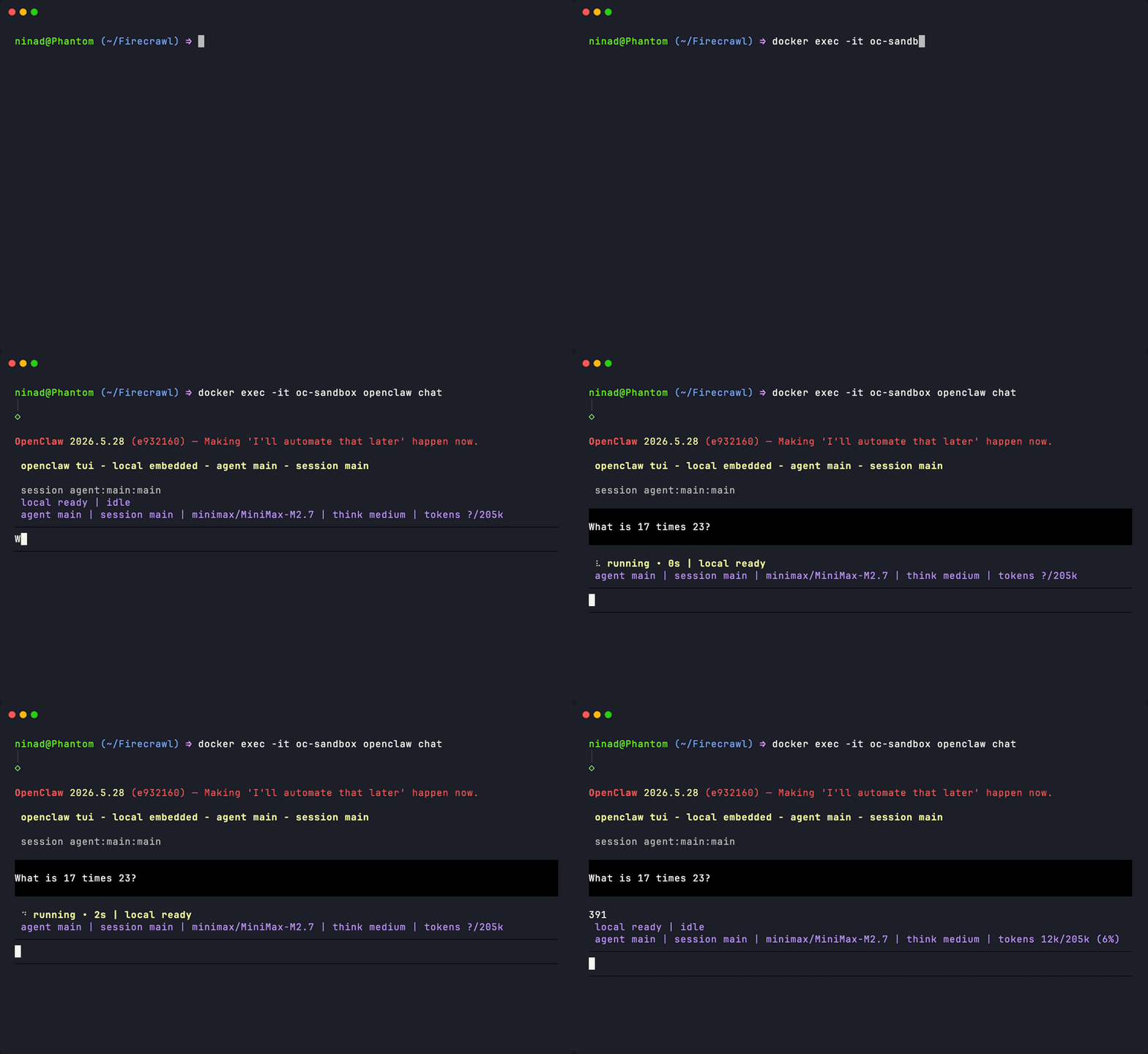
From these clips, you'll also notice how quick Hermes is at startup and responses compared to OpenClaw.
4. Where your files actually land
For anyone planning to use these for coding, this is the section that decides it. I gave both the same task: create fizzbuzz.py in the current directory, run it, and show the output.
- OpenClaw produced correct output, but the file was not where I launched it. It had written the file into a managed workspace at ~/.openclaw/workspace/, separate from my command's directory, which is a deliberate fence around the agent.
- Hermes produced the same correct output and wrote fizzbuzz.py straight into /root/work, the folder I ran it from, because its local backend operates on your actual working tree.
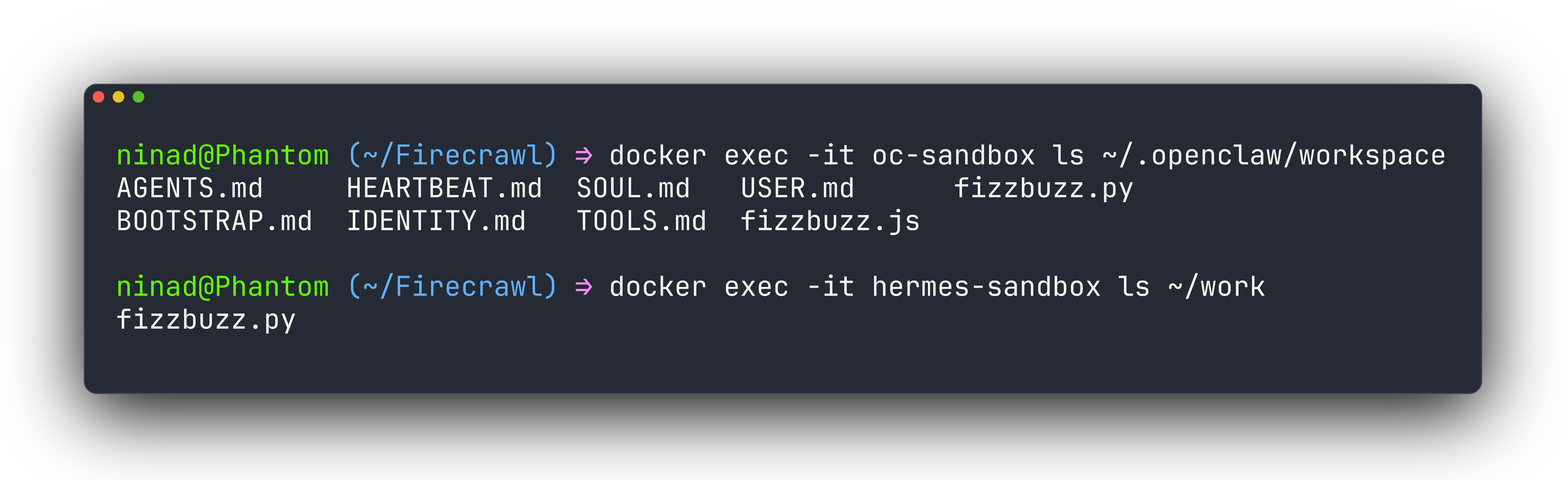
What that means for you is, OpenClaw's workspace keeps an agent from scribbling across arbitrary paths by default, which is reassuring for an assistant exposed to chat. Hermes editing your current directory is exactly what you want when the agent is supposed to change the repo you are standing in.
5. OpenClaw vs Hermes: Memory and what it remembers about you
If you want an agent that learns your context over weeks, you need it to have memory. And the two take different routes to it.
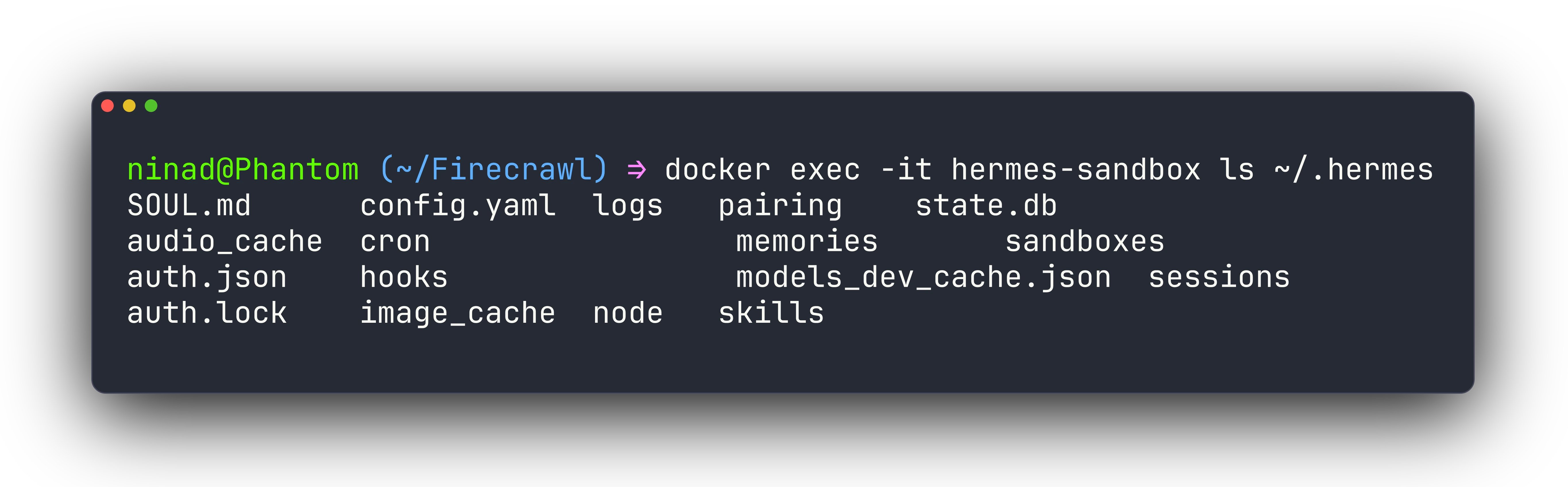
- OpenClaw stores conversations as append-only transcripts, which I found as per-session JSONL files under ~/.openclaw/agents/main/sessions/, each paired with a .trajectory.jsonl, plus a SQLite database reserved for task runs.
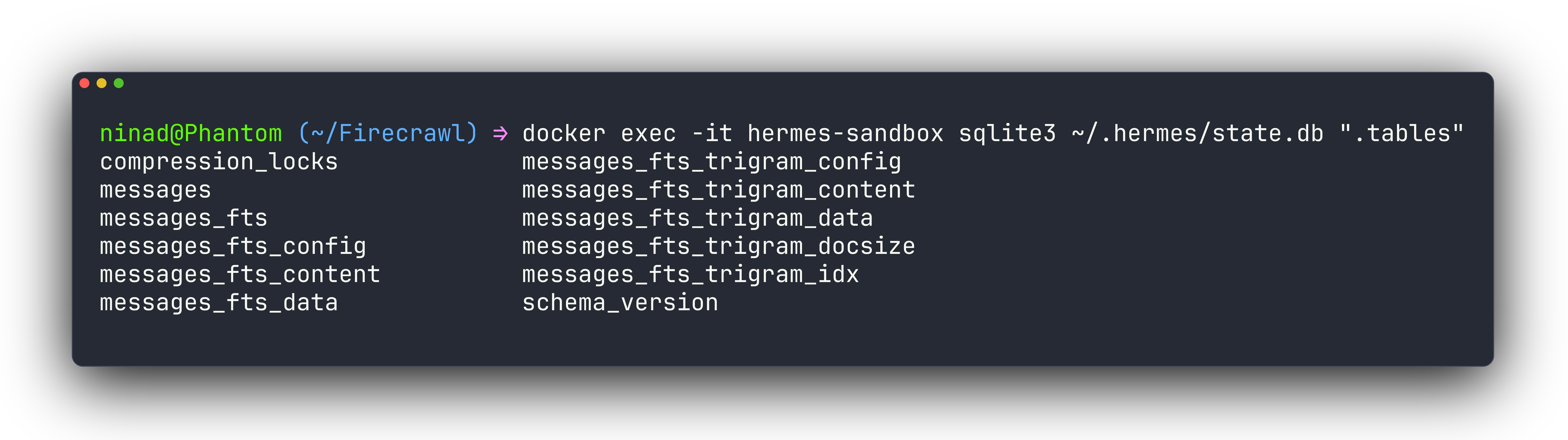
- Hermes puts everything in one searchable SQLite store. Its ~/.hermes/state.db carries sessions and messages tables alongside two FTS5 virtual tables, messages_fts and a trigram index messages_fts_trigram, so cross-session full-text recall is a built-in feature and the database already held my sessions at schema version 25.
Hermes also keeps a short, human-readable memory on purpose. Its config caps persistent memory at 2,200 characters, roughly 800 tokens, and the user profile at 1,375 characters, roughly 500 tokens, stored as MEMORY.md and USER.md, with a nudge every 10 turns to save and a flush that grants one turn to persist before a reset wipes context, and its identity lives in SOUL.md.
One practical consequence of OpenClaw's broader retrieval reach is context leakage. Because its retrieval fires across a wide history, an agent working on a focused task can silently pull in sessions from unrelated work: a different project, an older research thread, a draft that was never sent. The result is not an error you can catch cleanly — the agent simply starts with a slightly wrong premise that compounds quietly. Hermes's tiered approach — checking core memory first, then reachable memory, then going deeper only when needed — limits how much stale context enters an active task.
Hermes also surfaces context consumption directly in its interface, so you can see how heavy the current session is before behavior starts to change. OpenClaw's context load is largely invisible unless you actively inspect logs or external tooling.
For your decision, read the intent. OpenClaw favors complete recall of the conversation and compacts it when it overflows. Hermes favors a curated, greppable memory that survives across every session you ever run, which is the behavior that backs its self-improvement claim.
6. Security and whether you can trust it with your shell
This is where things begin to diverge in my opinion. OpenClaw was never built with security in mind. And for that reason, you’ll see a lot of articles and posts around OpenClaw vulnerabilities. Like this piece by Cisco, for example.
Things have changed since the initial days of OpenClaw, however. Now it ships an approval and sandbox subsystem, with source files for exec approvals, a sandbox command, an Agent Client Protocol (ACP) approval classifier, and a permission relay that can route a tool approval to a human over a chat channel before anything executes.
During my run, in --local single-turn mode, OpenClaw executed shell commands without prompting me, so the human-approval gate is a Gateway-and-policy feature rather than a wall on every embedded turn.
Because Hermes was built after OpenClaw, it handled many security issues by default. It guards execution with patterns and scrubbing instead. Its approval module matches configurable command patterns with a timeout, its code-execution tool strips environment variables whose names contain KEY, TOKEN, SECRET, PASSWORD, CREDENTIAL, or AUTH before handing the environment to agent-written code, and a skills guard can scan agent-created skills for dangerous patterns.
As a long term user, I have always inclined towards Hermes Agent just because of how the context is cleaner, the agent is more capable of reasoning over the given instructions, and its memory and file structure is well-thought out.
7. Where you can run OpenClaw and Hermes Agent
Hermes has multiple options to run away from your laptop, with six execution backends: local, Docker, SSH, Singularity, Modal, and Daytona, plus a file-sync helper for shipping work to remote targets.
OpenClaw's isolation runs through its managed workspace and an optional Docker socket for sandboxed tool execution. Its strength is staying connected to your channels and filesystem on your local device, rather than relocating the compute.
While you can run OpenClaw on a VPS, it’s just not the intended goal of the tool. If you want an agent that hibernates on Modal or Daytona between tasks, go with Hermes. And if you’d rather have a resident assistant always listening on your device, reading files, and chat apps, OpenClaw is a good choice.
8. Channels and the skill ecosystem
If you care about reach and reuse, both have multi-channel gateways and both implement their platforms in open-source code.
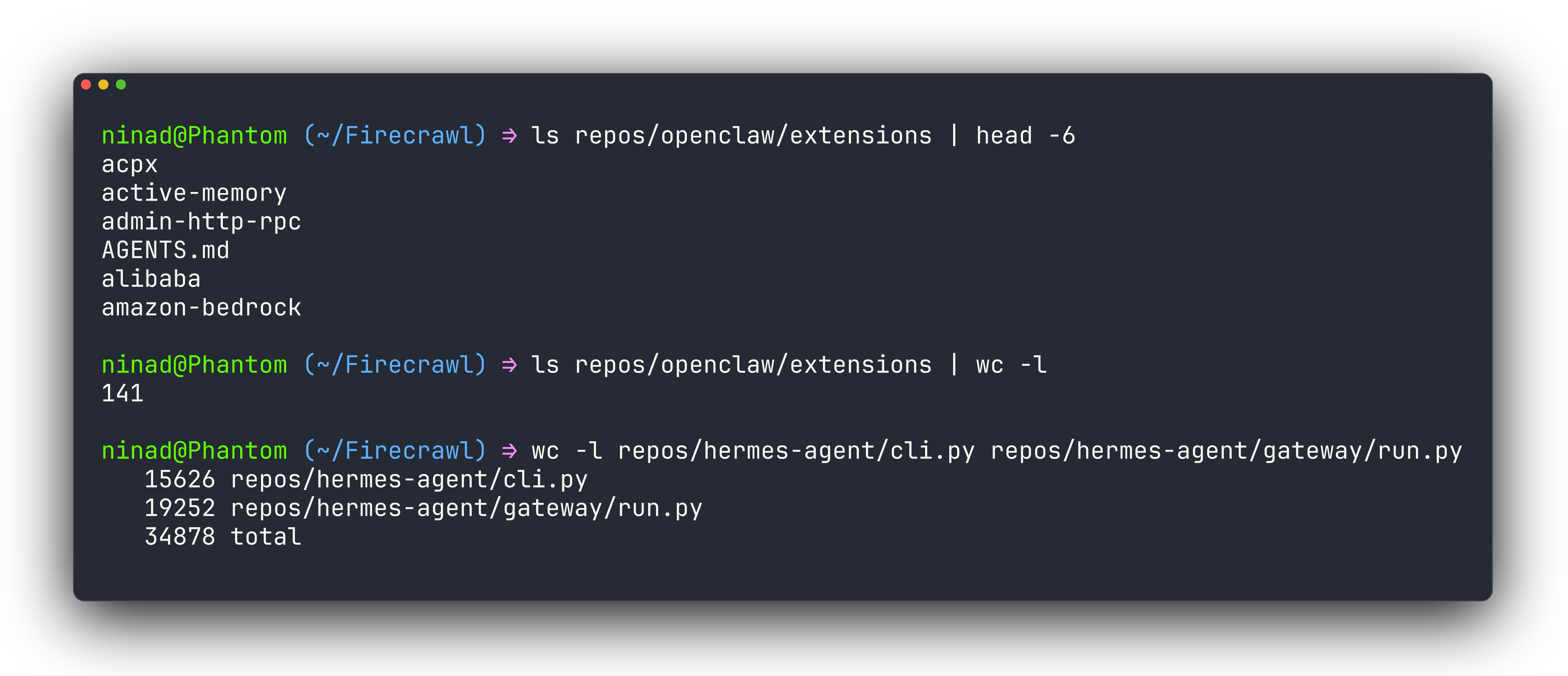
OpenClaw keeps channels as extensions/plugins across 20-plus platforms, and Hermes keeps them under gateway/platforms/ covering Telegram, Discord, Slack, WhatsApp, Signal, Email, and Matrix among others.
Fortunately, they speak the same skill format. Each uses the AgentSkills SKILL.md specification with name and description frontmatter. The Hermes repo carries 177 such files, and OpenClaw's skill-creator describes the same format, so a skill is largely portable between them.
The ecosystems around those skills are not equally mature, though. OpenClaw has ClawHub, a public skill registry where developers publish versioned, searchable SKILL.md packages — think of it as npm for OpenClaw skills. The catalog covers the common automation surfaces: calendar tools, email labelling, ticket triage, research pipelines. Forks exist for most of the popular ones, so there is usually a community-maintained variant that fits your edge case.
Hermes's equivalent is sparser and more experimental. What Hermes does differently is generate skills automatically: it monitors repeated tool sequences and, when a pattern recurs often enough, proposes turning it into a reusable skill the agent can invoke by name on future runs. With ClawHub you download and manage skills yourself. With Hermes, the agent develops them from your actual usage patterns over time.
You can also add new skills from skills.sh. Some of the important ones I’ve added to my Hermes setup are:
- find-skills: This helps hermes find skills when it needs to perform certain tasks that it doesn’t know how to do.
- Firecrawl: The default web search is good but flaky and I’d rather control what goes into the agent context than filling it up with raw HTML that the agent will pull.
- TTS by Elevenlabs: Supply an elevenlabs API key to your agent and hand this skill over to let the agent respond with voice notes over your preferred channel.
- Front-end design: I regularly have my agent work on my website’s design and do not want it to add those typical purple gradients to it. This skill lets your agent output decent designs by default.
Explore the skills marketplace manually or let your agent find the right skills for the tasks you provide. These can make your workflows much smoother. For OpenClaw specifically, the OpenClaw Firecrawl guide covers the full web integration from API key to browser automation, and the best OpenClaw search providers compares all eleven web backends with setup instructions. For Hermes specifically, see our roundup of the best Hermes plugins — covering Firecrawl, Composio, Honcho, Hindsight, and Langfuse with honest takes on each.
9. Migrating from OpenClaw to Hermes
Initially, only Hermes shipped with an OpenClaw to Hermes migration command. The command, hermes claw migrate previews and imports an OpenClaw setup with flags for --dry-run, --preset full, --migrate-secrets, and --no-backup.
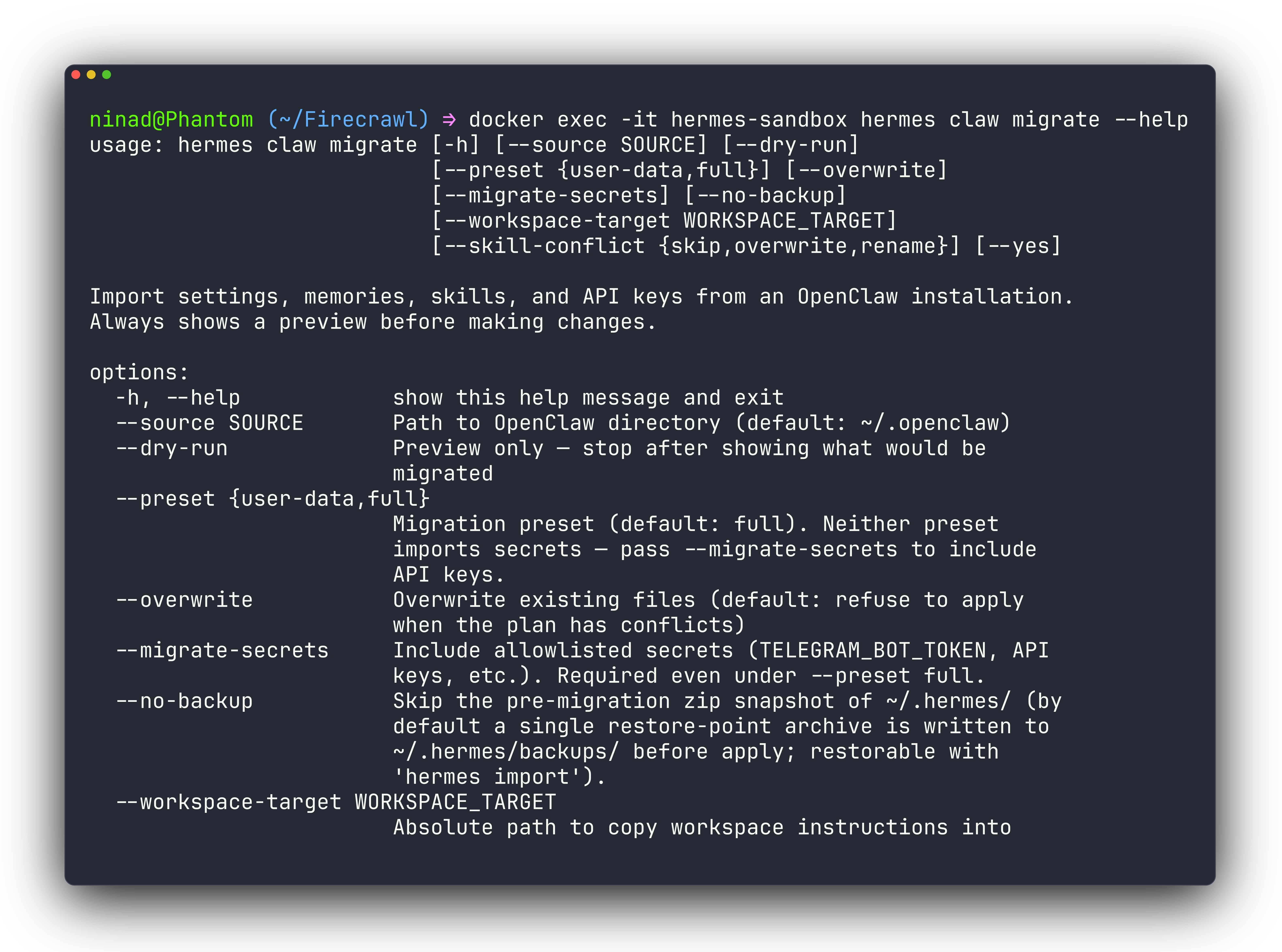
It detects running OpenClaw processes, warns that a messaging token cannot serve two agents at once, offers a pre-migration backup, and imports your SOUL.md, MEMORY.md, USER.md, skills, and channel configs.
OpenClaw followed suit and created an openclaw migrate hermes command. While I haven’t migrated back to OpenClaw to test this command, I can say the hermes claw migrate command works perfectly well.
10. Day-to-day operations and diagnostics
You will live with each tool's diagnostics, so it helps to see their personalities before you pick.
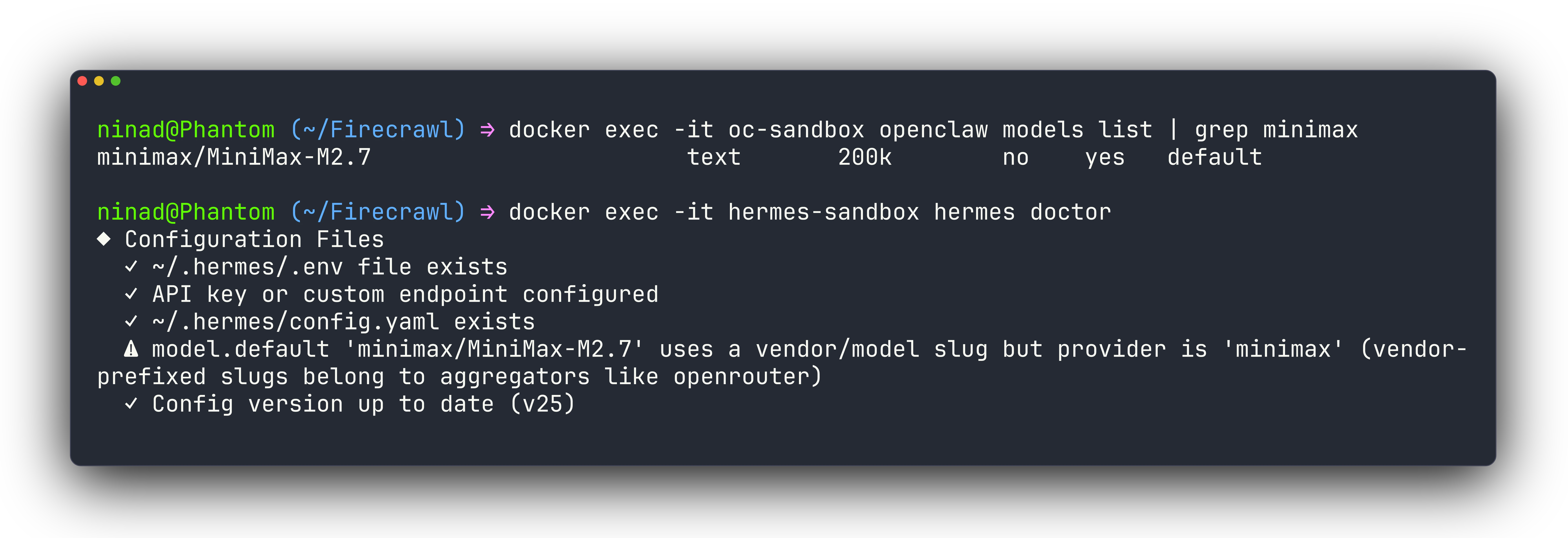
Hermes runs a clinical hermes doctor checklist covering security advisories, the Python environment, required and optional packages, configuration files with a schema version, a dated notice about retired models, and auth providers, and it flagged my model-slug format without being asked.
OpenClaw's openclaw doctor opens with an ASCII-art banner. It suggests compile-cache and supervisor tuning for low-power hosts like a Raspberry Pi, detected that my MiniMax auth was configured and enabled it automatically, and offered openclaw doctor --fix to apply changes.
Tool visibility and interruption handling
The day-to-day feel of each agent also comes down to how much you can see while a task is running and how much control you have before it finishes.
OpenClaw shows that something is happening, but the tool-level detail is mostly opaque from the chat interface. If the agent is running a multi-step workflow, you see status messages but not which specific tool is executing at any given moment.
Hermes maps each tool call to a visual indicator in real time, so you can follow what the agent is actually doing step by step without opening logs. More usefully, it handles mid-task interruptions: if you send a new message while a task is in progress, Hermes stops the current work and shifts focus to the new instruction. OpenClaw tends to finish its current turn before picking up a new message.
This matters more than it sounds. Agents go off in the wrong direction, and the earlier you can redirect one, the less cleanup you deal with afterward. Being able to stop a half-finished task is a practical safety valve.
OpenClaw vs Hermes: Which is the right choice then?
After holding the model constant and running the same work through both, here’s my take.
Reach for OpenClaw when you want a resident, multi-channel assistant whose file operations stay fenced by default and whose tool execution can be gated by a human over chat.
Reach for Hermes when you want a portable agent that works on your real files, remembers across sessions through one searchable store, and can relocate to a VPS or a serverless host that sleeps when idle.
Both earned their place in my testing. But if I had to pick one, I’d lean towards Hermes for the simple fact that it has far less context bloat and much better memory handling. In a benchmark running 300 events through both agents on the same model, OpenClaw’s recall latency hit 19.6 seconds while Hermes answered the same query in 113 ms. The gap comes from architecture: OpenClaw feeds its full JSONL session log back into the LLM context window on every recall, while Hermes runs a local SQLite FTS query.
If you are still undecided, just run both on independent dockers, connect them to the same channel (you can connect both to your Telegram) and run your workflows through both agents for the first few days. These trials should tell you enough to decide which agent is better for you. If you're evaluating a wider field of personal AI assistants — including Vellum, Manus, and Claude Cowork alongside these two — see our scored shortlist of the best AI assistants in 2026.
Frequently Asked Questions
Is Hermes Agent a fork of OpenClaw?
No. Hermes Agent is an independent Python project from Nous Research, not a fork of OpenClaw's TypeScript codebase. The only bridge between them is a one-way importer, hermes claw migrate, which pulls an existing OpenClaw setup into Hermes.
Can I run OpenClaw and Hermes Agent at the same time?
Yes, as long as they stay isolated. Each agent needs its own container or VPS and its own messaging token, because a single chat token such as one Telegram bot can only serve one agent at a time. Running them in separate Docker containers keeps their state and credentials apart.
Does migrating from OpenClaw to Hermes keep my skills and memory?
Yes. The hermes claw migrate command imports your SOUL.md, MEMORY.md, USER.md, skills, and channel configs, and you can preview the whole import with --dry-run before committing. Both agents read the same AgentSkills SKILL.md format, so individual skills carry over without a rewrite.
Which agent is better for editing a real codebase?
Hermes, because its local backend writes straight into your current working directory, so a file it creates lands in the repo you launched it from. OpenClaw writes into a fenced workspace at ~/.openclaw/workspace/ by default, which protects arbitrary paths but means generated files do not show up where you ran the command.
Is it safe to give OpenClaw shell access?
It depends on the run mode. OpenClaw ships an approval and sandbox subsystem plus a relay that can route a command to a human over chat for sign-off, though that gate lives in the Gateway and its policy, and --local single-turn mode executes shell commands without prompting. Hermes scrubs environment variables named with KEY, TOKEN, SECRET, PASSWORD, CREDENTIAL, or AUTH before any agent-written code runs.
