Build a Finance Research Agent with Live Web Search + Scraping Using Firecrawl
 Hiba Fathima
Ask an LLM about a company's most recent earnings. It won't refuse. It will answer confidently, cite specific numbers, and mostly be wrong.
Not hallucinating wrong. Stale wrong. LLM training data has a cutoff. Financial data has a quarterly clock. The two don't align.
A finance research agent fixes this by removing the LLM from the loop on facts. It scrapes live sources first, then hands the data to the model for analysis. The model reasons. It doesn't recall.
In this guide, you'll build a finance research agent that scrapes live data from SEC EDGAR, company IR pages, and the web, then passes it to an LLM for analysis.
TL;DR
| Problem | Solution |
|---|---|
| LLM training data goes stale quarterly | Agent scrapes live sources every run; no stale data |
| SEC filings are raw HTML/XBRL | Firecrawl's Scrape returns clean markdown; no parser needed |
| Hard to find the right source across the web | Firecrawl Search discovers relevant URLs dynamically |
| Extracting structured metrics (revenue, EPS) from long documents | Firecrawl scrape with Zod schema returns typed JSON |
| Standardized statements and filings lists sit behind licensed APIs | Firecrawl Alexandria returns Fiscal.ai, SEC EDGAR, and FRED as tools in the same search call |
What is a finance research agent?
A finance research agent is a system that combines live web retrieval with an LLM to answer financial questions using current, sourced information. The key word is live. The agent doesn't recall financial data from training. It fetches it from the web each time it runs, extracts what's relevant, and passes it as context to the model.
This is fundamentally different from a finance chatbot. A chatbot draws on training data. A finance research agent draws on the real web at query time: SEC filings, company IR pages, financial news.
Firecrawl's web scraping service handles retrieval and extraction. Point it at a financial page and it returns clean markdown or structured JSON: both ready to pass directly to an LLM.
Why financial data is hard to get right in LLM applications
The training cutoff problem
LLMs have a knowledge cutoff. For financial use cases, this is a hard constraint. A model trained on data through early 2025 has no knowledge of what happened in Q4 2025 earnings season. When you ask about a company's most recent quarter, the model either declines or, more dangerously, answers with data from a prior period. The distinction between training data vs live web data matters more in finance than almost any other domain.
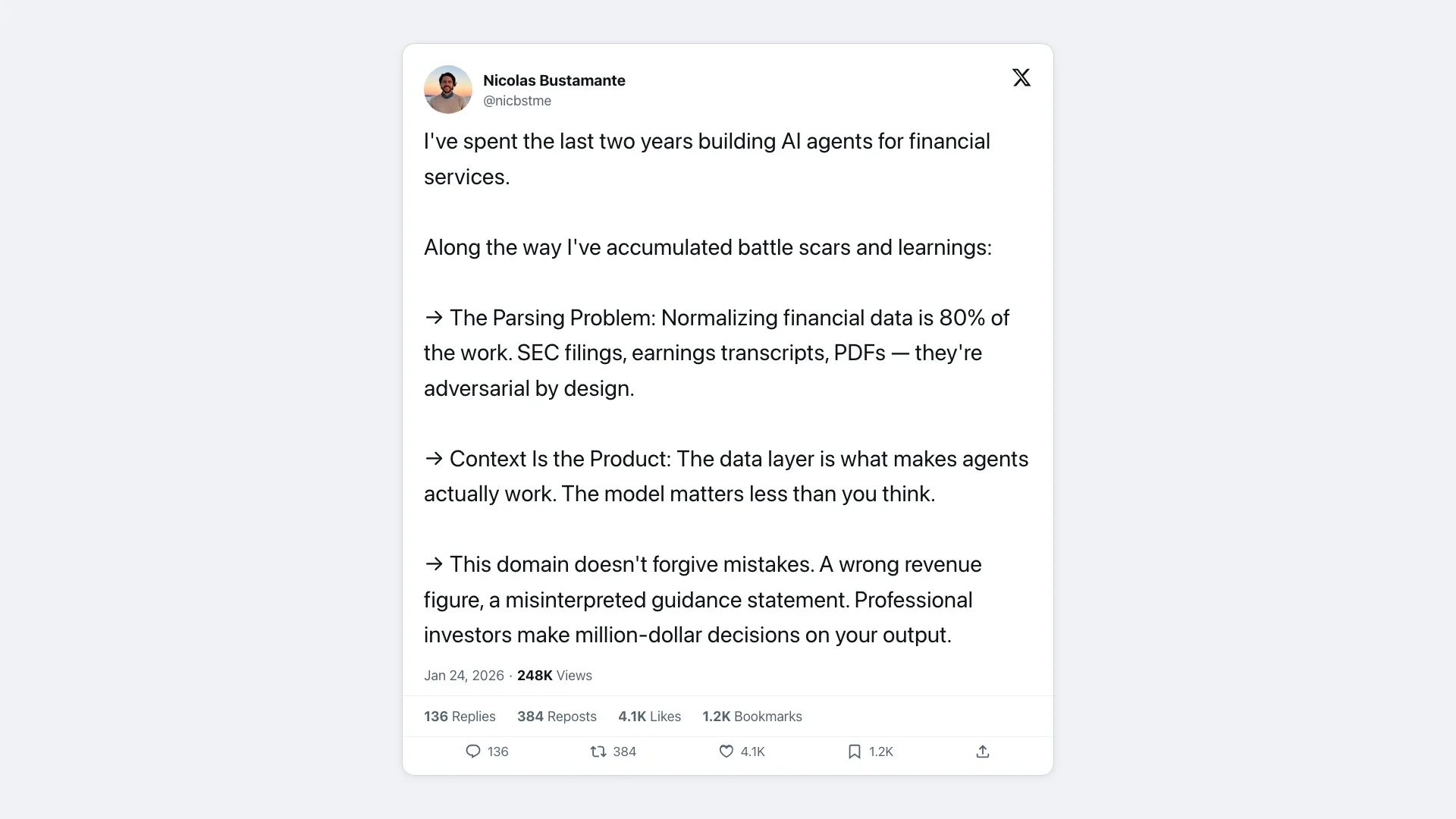
@nicbstme on building AI agents for financial services.
A 2025 arXiv study evaluating 197,000+ financial questions found that LLMs display what researchers call "retrograde knowledge bias": they answer revenue questions correctly for 54% of companies when asked about 2017 data, but only 6% when asked about 1995 data. Accuracy degrades unpredictably across time periods, even for public data that has been available for decades.
The FailSafeQA benchmark found a 41% hallucination rate for financial queries under adversarial inputs. These are questions that are slightly ambiguous or incomplete, exactly the kind a real user would ask.
The cost barrier for developers
Institutional financial data is expensive.
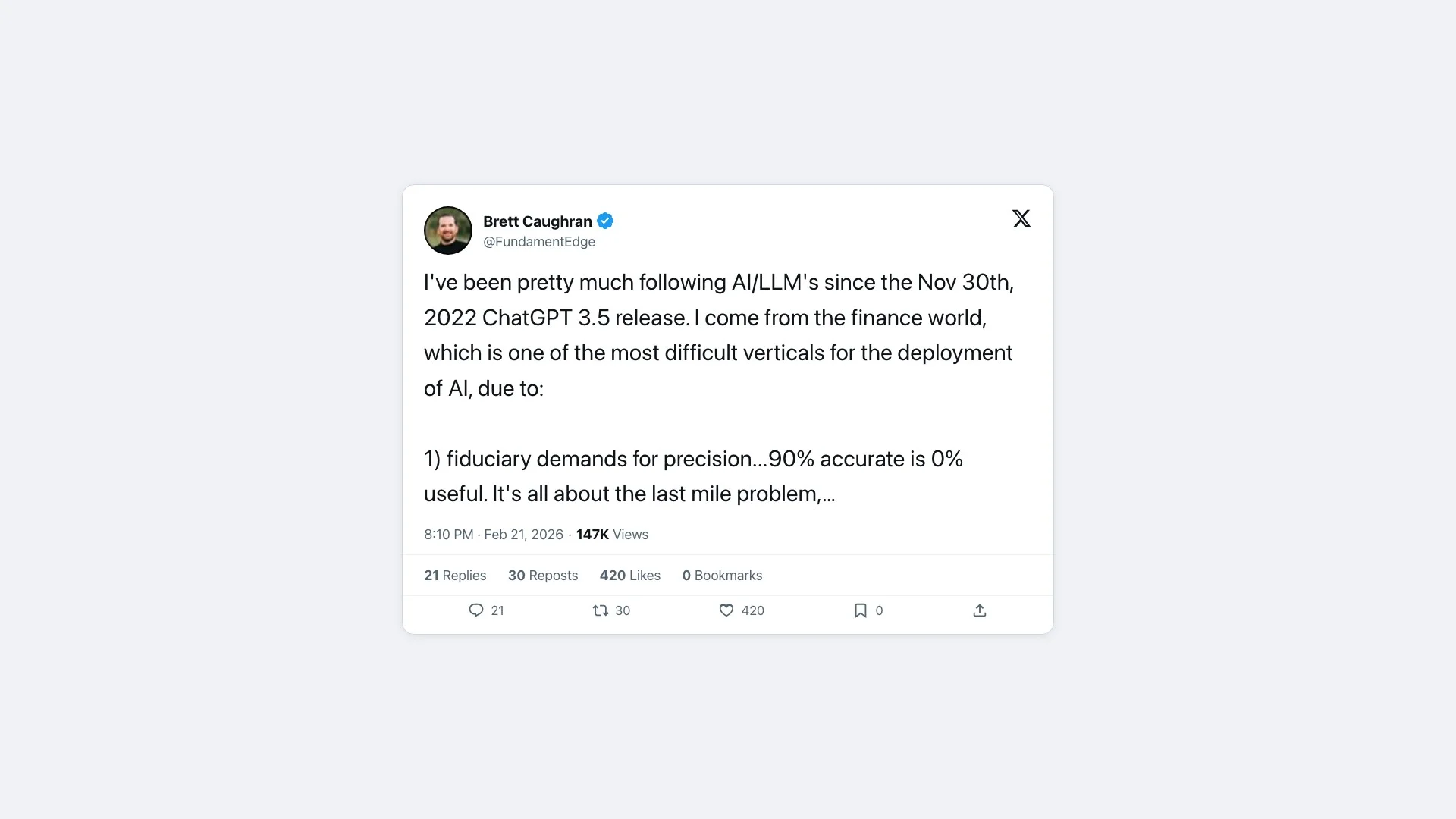
@FundamentEdge on why finance is one of the hardest LLM verticals.
Bloomberg Terminal runs approximately $28,320–$31,980 per seat per year, according to third-party transaction records (as of May 2026). Bloomberg doesn't publish official pricing. FactSet starts around $4,000/user and scales to $30,000/user depending on modules. LSEG Workspace (formerly Refinitiv Eikon) runs $10,000–$42,000/user.
For developers building AI applications, this is a non-starter. As one developer put it on Hacker News, the major vendors are "predatory and will change the goalposts to charge you as much as you can bear."
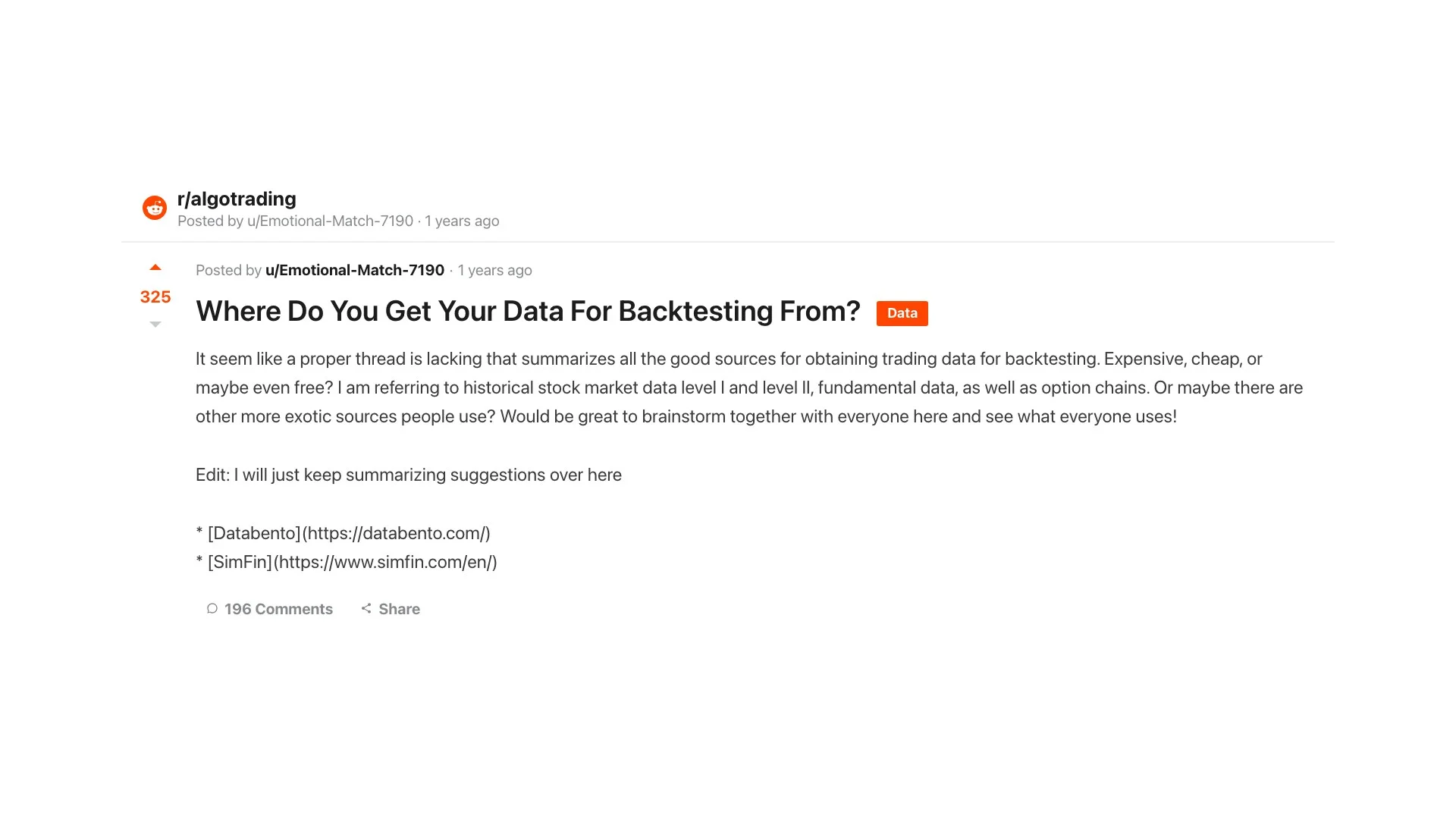
r/algotrading: where do developers get financial data for backtesting?
The yfinance trap
yfinance is an open-source Python library that pulls financial data from Yahoo Finance. It's widely used for fetching historical prices, fundamentals, and earnings data with a simple API. The obvious workaround for developers, but it's not a real API. It scrapes Yahoo Finance's HTML. Yahoo tightened its rate limits around early 2024, and developers now report hitting YFRateLimitError after 4–5 requests per day. A tool that breaks at 5 requests/day isn't usable in any agent workflow.
Why public web data fills the gap
SEC EDGAR is a public, government-operated database. Every 10-K, 10-Q, 8-K, and earnings release is available at no cost. Company IR pages are public. Financial news is public. The data is there. The challenge is extracting it reliably from pages that use JavaScript rendering or XBRL markup. That's a smart web search and scraping problem, not a data access problem.
That's exactly what Firecrawl solves.
Key data sources for a finance research agent
| Data source | Example | Content type | Best Firecrawl primitive |
|---|---|---|---|
| SEC EDGAR | edgar.sec.gov | 10-K, 10-Q, 8-K filings | Scrape + JSON extraction |
| Company IR pages | investor.apple.com | Earnings releases, press releases | Scrape |
| Financial news | reuters.com/finance | Analysis, price action, macro context | Search + Scrape |
| Federal Reserve / Treasury | federalreserve.gov | Rate decisions, economic data | Scrape, or FRED through Firecrawl Alexandria |
| Licensed and official data | Fiscal.ai, SEC EDGAR, World Bank | Standardized statements, filings lists, 13F holdings, macro series | Search with sources: ["web", "alexandria"], then Scrape with an alexandria block |
| Earnings call transcripts | fool.com, seekingalpha.com | Management commentary | Scrape |
| Market aggregators | finance.yahoo.com | Prices, summary data | Scrape + JSON extraction |
| Alternative data | job boards, review sites, web traffic | Hiring signals, sentiment, product traction | Search + Scrape |
The agent should use Search before scraping. Company IR page structures change frequently. SEC EDGAR filing URLs for specific filings are not guessable. A search step dynamically discovers the right current URL instead of relying on hardcoded paths that break.
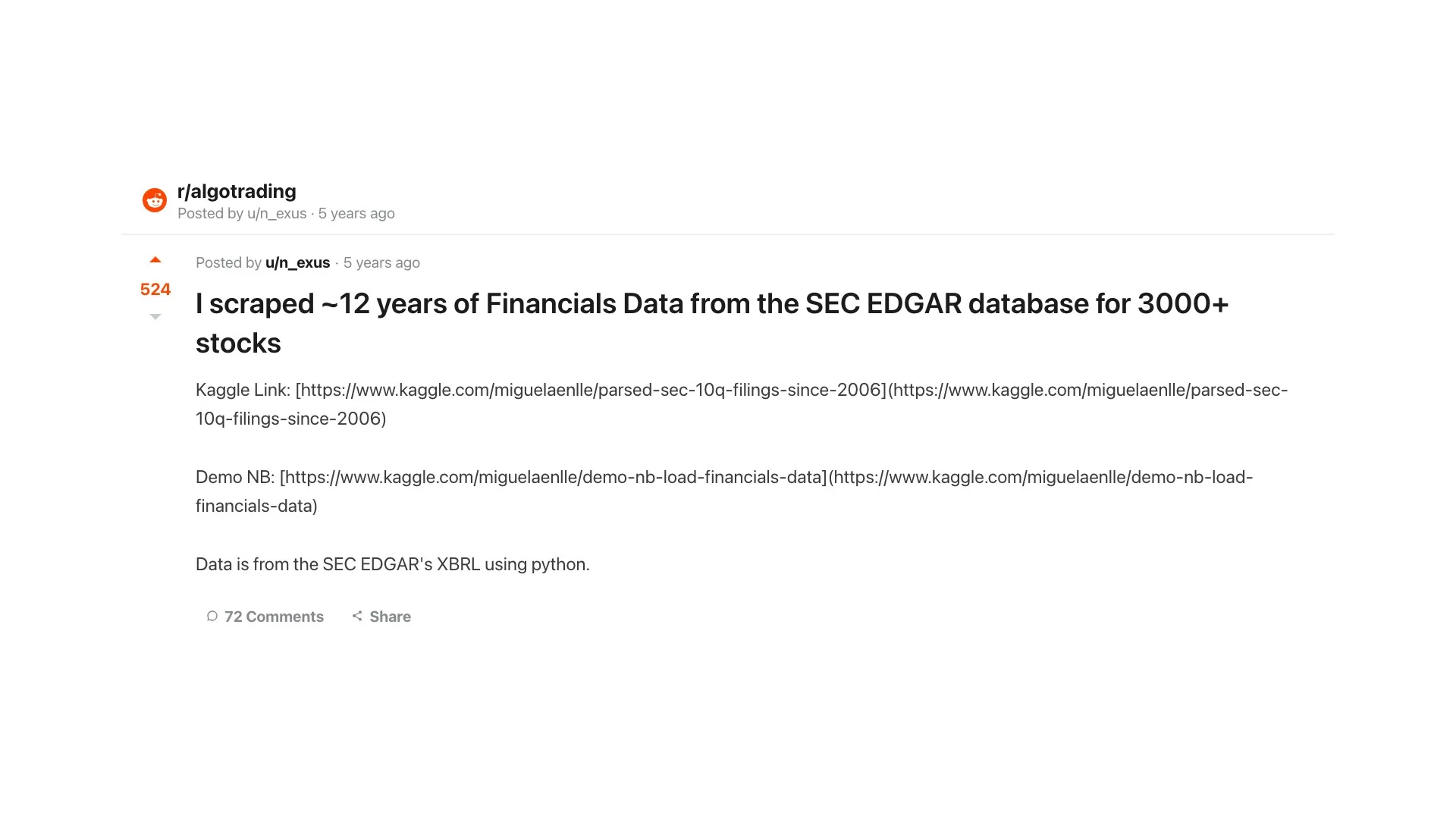
r/algotrading: manually scraping 12 years of SEC EDGAR data.
Among these sources, company IR pages deserve special attention. They're often the fastest source for earnings data. A company publishes its earnings release on its IR page the moment it goes out, before any aggregator picks it up and days before the corresponding 10-Q lands on EDGAR. For time-sensitive analysis, this gap matters.
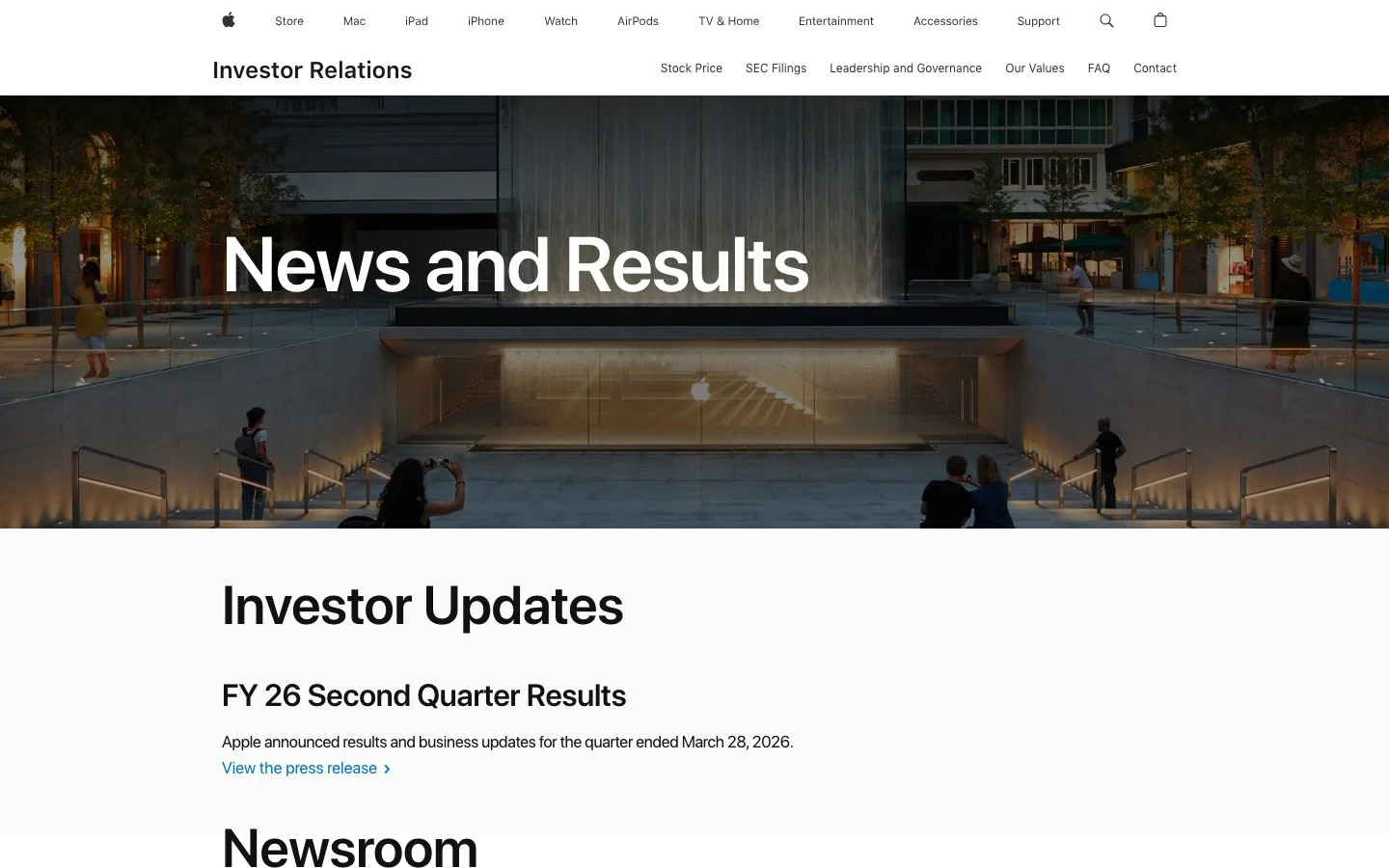
Apple's IR page, updated minutes after each earnings release. The SEC filing typically lands on EDGAR days later.
Why Firecrawl handles financial data well
Most financial data sources are not friendly to standard scrapers. Here's what makes them hard, and how Firecrawl handles each issue.
JS-heavy pages and dynamic rendering
The SEC EDGAR filing viewer uses dynamic rendering. Many company IR pages are React SPAs. A standard fetch + HTML parser returns empty or incomplete content.
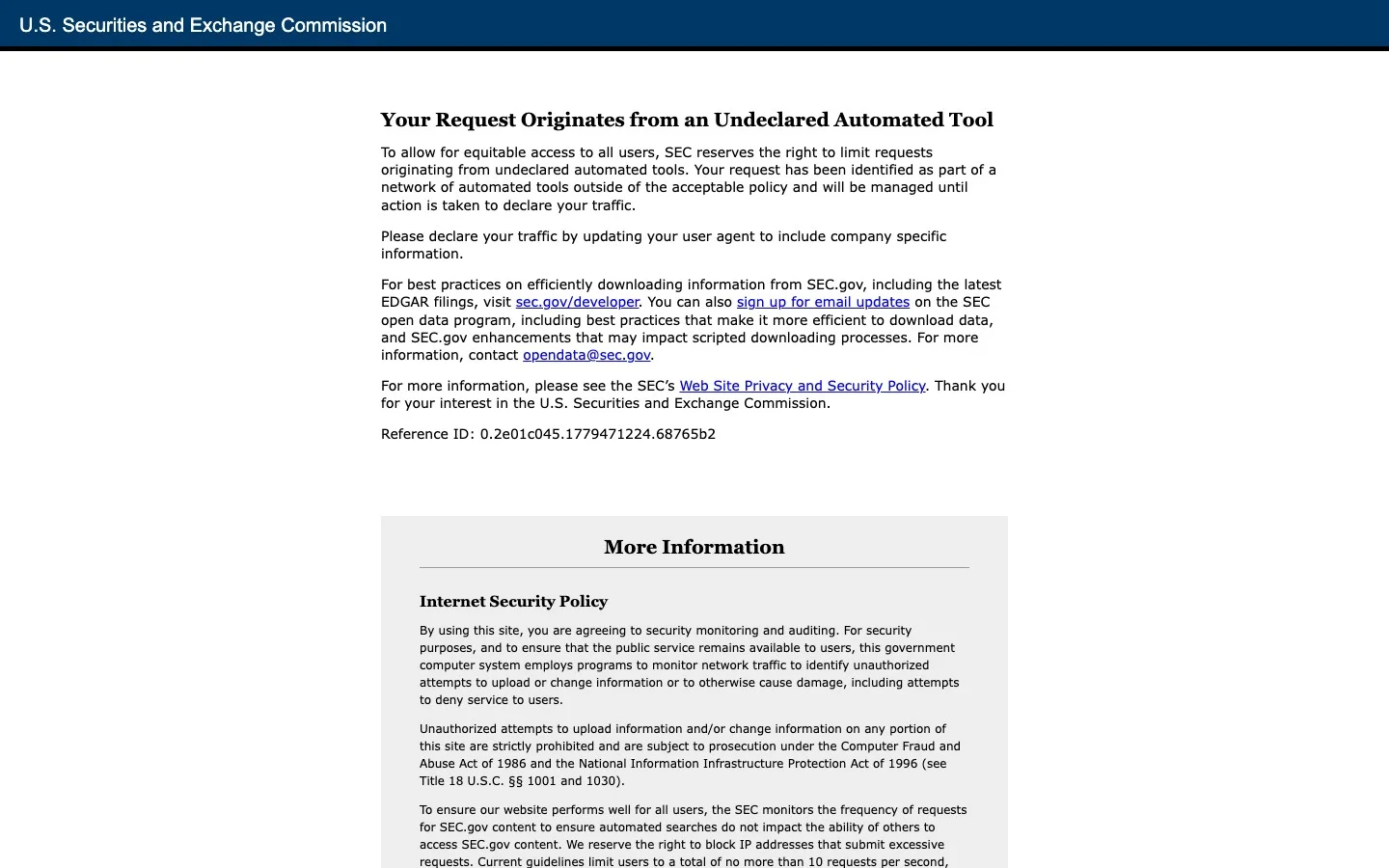
What you get when you hit SEC.gov without JavaScript rendering. Firecrawl renders the page and returns the filing content.
Firecrawl renders JavaScript server-side. The same API call works on static HTML and JS-heavy SPAs. No configuration change needed.
Clean markdown by default
Firecrawl strips navigation, footers, cookie banners, and ad chrome by default. What comes back is the document content, not the page wrapper. For a 10-K filing, this means the financial statements and MD&A text, not the 30% EDGAR navigation chrome surrounding them.
Every token of noise is a token wasted in the LLM context window. Clean input makes the analysis better and the cost lower.
Structured extraction without selectors
Traditional scrapers require CSS selectors or XPaths. These break every time a site redesigns. Firecrawl's JSON extraction mode accepts a Zod schema. You describe the fields you want; Firecrawl locates them using LLM-assisted extraction. This works across different company IR page layouts without custom selectors per company.
Try it for yourself at firecrawl.dev/playground: paste any earnings release URL and see the clean markdown output.
Parsing local files
Not all financial documents live on the web. Downloaded 10-K PDFs, emailed research reports, and exported spreadsheets are common inputs for finance workflows.
Firecrawl's /parse endpoint handles these directly. Upload a PDF, DOCX, or spreadsheet and get back the same clean markdown or structured JSON that /scrape returns for web pages. Tables come back with reading order preserved. You can request structured JSON extraction in the same call.
This means one consistent pipeline handles both live web retrieval and local file processing. No separate AI PDF parser needed.
How the agent pipeline works
The finance research agent follows four steps: Search, Scrape, Extract, Analyze. Each maps to a Firecrawl primitive or the LLM layer.
Step 1: Search for relevant sources
The Search API takes a natural-language query and returns URLs with page content. For a finance agent, the query might be:
"Apple FY26 Q2 earnings release investor relations"
The response includes the URL, title, and optionally the full page content in markdown. For simple queries, the search result already contains enough context. No second scrape needed.
Searching first means the agent always finds the current, correct source, even if company IR page URLs change between quarters. For a broader comparison of deep research APIs suited to agentic research workflows, that guide covers the tradeoffs. For a comparison of all leading search tools for AI agents including Brave, Exa, Tavily, and Serper, see the full guide.
Step 2: Scrape the page into clean markdown
The Scrape API takes a URL and returns clean markdown. onlyMainContent: true strips headers, footers, and nav. What remains is the document body.
For a 10-K filing, this is hundreds of pages. The agent should scrape the filing, then chunk by section headers before passing to the LLM. Firecrawl's markdown preserves heading structure, which makes section-based chunking straightforward.
Step 3: Extract structured metrics as JSON
When you need typed values (revenue, EPS, guidance), define a Zod schema and pass it to the scrape endpoint as a JSON format object. Firecrawl extracts those values and returns structured JSON. No selectors. No regex. The schema works across different IR page layouts.
Step 4: Analyze with an LLM
The LLM receives the scraped markdown and extracted JSON as context. It's not being asked to recall financial data from training. It's being asked to reason over the data you just retrieved. This is the difference between asking a model to know something and asking it to think about something.
Always include the source URL and a retrieval timestamp in the prompt. The model can then cite its sources in the output.
Full TypeScript code: a finance research agent
Install dependencies:
npm install firecrawl ai @ai-sdk/anthropic zodSet environment variables:
FIRECRAWL_API_KEY=fc-...
ANTHROPIC_API_KEY=sk-ant-...
The agent is split into two files. tools.ts defines three Firecrawl-powered agent tools. agent.ts wires them into a generateText loop with a finance-specific system prompt.
Part 1: Define the tools (tools.ts)
import { Firecrawl, type SearchResultWeb } from "firecrawl";
import { tool, zodSchema } from "ai";
import { z } from "zod";

const firecrawl = new Firecrawl({ apiKey: process.env.FIRECRAWL_API_KEY });

const FinancialMetricsSchema = z.object({
  company_name: z.string(),
  reporting_period: z.string(),
  revenue_millions: z.number().optional(),
  net_income_millions: z.number().optional(),
  earnings_per_share: z.number().optional(),
  revenue_guidance_next_quarter: z.number().optional(),
  key_risks: z.array(z.string()).optional(),
});

export const searchFinancialSources = tool({
  description: "Search the web for financial news, SEC filings, and earnings releases",
  inputSchema: z.object({
    query: z.string().describe('Search query, e.g. "Apple FY26 Q2 earnings investor relations"'),
    limit: z.number().optional().default(5),
  }),
  execute: async ({ query, limit }) => {
    const results = await firecrawl.search(query, { limit });
    const items = (results.web ?? []) as SearchResultWeb[];
    return items.map((r) => ({
      url: r.url ?? "",
      title: r.title ?? "",
      content: r.description ?? "",
    }));
  },
});

export const scrapeFinancialPage = tool({
  description:
    "Scrape a financial page (SEC filing, earnings release, IR page) and return clean markdown",
  inputSchema: z.object({
    url: z.string().url().describe("URL to scrape"),
  }),
  execute: async ({ url }) => {
    const result = await firecrawl.scrape(url, {
      formats: ["markdown"],
      onlyMainContent: true,
    });
    return { content: result.markdown?.slice(0, 10000) ?? "" };
  },
});

export const extractFinancialMetrics = tool({
  description:
    "Extract structured financial metrics (revenue, EPS, guidance) as typed JSON from a page",
  inputSchema: z.object({
    url: z.string().url().describe("Earnings release or IR page URL"),
  }),
  execute: async ({ url }) => {
    const result = await firecrawl.scrape(url, {
      formats: [
        {
          type: "json",
          schema: zodSchema(FinancialMetricsSchema).jsonSchema as Record<string, unknown>,
        },
      ],
    });
    return result.json ?? {};
  },
});
Part 2: The agent (agent.ts)
import { generateText, stepCountIs } from "ai";
import { anthropic } from "@ai-sdk/anthropic";
import { searchFinancialSources, scrapeFinancialPage, extractFinancialMetrics } from "./tools";

export async function runFinanceAgent(company: string, question: string) {
  const { text } = await generateText({
    model: anthropic("claude-sonnet-4-6"),
    system: `You are a financial analyst with live web access via Firecrawl.

Use searchFinancialSources to find relevant sources first. Then scrapeFinancialPage to read the full content of the most relevant pages. Use extractFinancialMetrics when you need structured numbers (revenue, EPS, guidance). Always cite the source URL and retrieval date in your output.`,
    prompt: `Research ${company}: ${question}. Write a 3–5 paragraph research summary with citations.`,
    tools: { searchFinancialSources, scrapeFinancialPage, extractFinancialMetrics },
    stopWhen: stepCountIs(5),
  });

  return text;
}

const result = await runFinanceAgent("Apple", "FY26 Q2 earnings and revenue guidance");
console.log(result);
Three things about this code:
Each tool has a single job. searchFinancialSources finds URLs. scrapeFinancialPage retrieves full page content as clean markdown. extractFinancialMetrics returns typed fields. The model decides which tool to call and in what order based on the system prompt and what it already knows. This is the core pattern behind AI agents.
The system prompt directs tool use. Rather than relying on implicit model behavior, the prompt explicitly tells the agent to search first, then scrape, then extract when structured data is needed. This ordering produces better results and costs less.
stopWhen: stepCountIs(5) manages the loop. The model calls tools in sequence without any manual orchestration. The loop runs until the model decides it has enough context or hits the step limit. No custom retry logic or state management needed.
What you can build with a finance research agent
| Use case | What the agent does | Sources |
|---|---|---|
| Earnings analysis | Searches for the latest release, scrapes key financials, extracts structured metrics, compares against prior-quarter guidance | Company IR pages, SEC EDGAR 8-K |
| Due diligence automation | Compiles the first-pass research: filings, news coverage, executive backgrounds, regulatory history | 10-K, 10-Q, financial news, regulatory filings |
| Competitive intelligence | Tracks public disclosures, pricing pages, and product announcements weekly; flags material changes | 8-K filings, company websites, financial news |
| Portfolio monitoring | Pulls latest 8-K filings, checks for SEC enforcement actions, summarizes analyst rating changes across a watchlist | SEC EDGAR, financial news, analyst coverage |
When to use a dedicated financial data API instead
A finance research agent is not a replacement for a financial data API. Use a dedicated API (Alpha Vantage, Polygon.io, Tiingo) when you need:
- Tick-level or OHLCV price data: structured APIs provide this cleanly; web scraping is the wrong tool
- Normalized fundamentals at scale: querying 500 companies' P/E ratios is a database problem, not a scraping problem
- Real-time streaming data: WebSocket feeds from dedicated APIs are lower latency than scrape-on-demand
Standardized statements, filings lists, IR event calendars, and macro series sit between those two extremes, and the agent no longer has to leave Firecrawl for them.
Add alexandria to the search call's sources and Firecrawl Alexandria returns those providers as tools next to the web results, with Fiscal.ai covering standardized and as-reported statements, SEC EDGAR covering filings and 13F holdings, and FRED and the World Bank covering economic data.
const found = await firecrawl.search("Apple 10-K filings and earnings calendar", {
  sources: ["web", "alexandria"],
  limit: 5,
});

for (const tool of found.tools ?? []) {
  console.log(tool.provider, tool.capability, tool.description);
}
Each tool lists its inputs, response shape, and price in credits. The agent reads that contract, then calls the tool through scrape with an alexandria block (provider, capability, options) in place of a URL.
Finding tools costs nothing and each call is billed at the tool's listed price, so the agent can check for a structured source before it scrapes a page. Some publishers require an org admin to accept their terms once before the first call.
The finance research agent excels at qualitative and narrative data: what management said about margins, what changed in the risk factor section, how a competitor described its pricing strategy. These are questions no structured API answers. They're answered by the real web, and Firecrawl gets you there.
For more context on the LLM hallucination problem in financial applications, the FailSafeQA paper (arXiv:2502.06329) and the retrograde knowledge bias study (arXiv:2504.00042) are worth reading. Both establish why retrieval-augmented approaches outperform static LLM recall for financial queries.
For a complete look at how Firecrawl fits into investment and finance workflows, see the finance use cases documentation. For a breakdown of finance-first APIs worth combining with this approach, see best investment research APIs.
Extending the agent for production use
The agent in this guide is intentionally minimal. It runs on demand for a single company and question. From here, you can:
- Schedule it to run before earnings dates using a cron job (see automated data collection patterns for scheduling and ETL approaches)
- Add a vector store to chunk and index long 10-K filings for section-level retrieval
- Feed the output into a Slack notification or email digest
- Extend the tools to track SEC EDGAR's RSS feed for new 8-K filings
- Route structured questions (statements, filings lists, macro series) to Firecrawl Alexandria providers and keep scraping for the narrative sources
The Firecrawl Search and Scrape APIs are the consistent foundation: the data layer that handles the real web while your agent focuses on analysis.
Start for free at firecrawl.dev/pricing. The free tier includes 1,000 credits, enough to run several full agent sessions before you need to upgrade.
Frequently Asked Questions
What is a 10-K filing?
A 10-K is an annual report that every US public company must file with the SEC. It contains audited financial statements, a business overview, risk factors, and management discussion. 10-Ks are filed within 60–90 days of a company's fiscal year end and are the most comprehensive picture of a company's financial health available to the public.
What is a 10-Q filing?
A 10-Q is the quarterly version of the 10-K. US public companies file three 10-Qs per year (Q1, Q2, and Q3; Q4 data rolls into the annual 10-K). They contain unaudited financial statements and are filed within 40–45 days of each quarter end.
What is an 8-K filing?
An 8-K is a current report filed within four business days of a material event. Examples include earnings releases, mergers, CEO changes, bankruptcy filings, and major contract wins. 8-Ks are the primary source for breaking corporate news before it hits the press.
What is an earnings release?
An earnings release is a company's own press release announcing quarterly financial results. It typically precedes the 10-Q filing by a few days and includes revenue, profit, EPS, and guidance for the next quarter. Earnings releases are published on company IR pages and filed as an exhibit to an 8-K.
What is EPS (earnings per share)?
EPS is a company's net profit divided by the number of outstanding shares. It's one of the most-watched metrics in earnings analysis. 'Beat' means actual EPS exceeded analyst consensus estimates; 'miss' means it came in below. EPS guidance tells investors what management expects next quarter.
What is SEC EDGAR?
EDGAR (Electronic Data Gathering, Analysis, and Retrieval) is the SEC's public database of all filings submitted by US public companies. Every 10-K, 10-Q, 8-K, and proxy statement is available for free at edgar.sec.gov. It's the authoritative primary source for US public company financial data, processing approximately 4,700 filings per day.
What is an IR page?
IR stands for investor relations. A company's IR page (e.g., investor.apple.com) hosts earnings releases, SEC filing links, earnings call webcasts, and annual reports. IR pages are typically updated faster than EDGAR for time-sensitive disclosures like earnings releases.
What is an earnings call?
An earnings call is a live conference call where a company's executives present quarterly results and answer analyst questions. Transcripts are widely published. The management commentary often contains more forward-looking color than the formal filings and is a key source for qualitative analysis.
Can I use Firecrawl to scrape SEC EDGAR filings directly?
Yes. SEC EDGAR is a public database with no login requirement. Firecrawl handles JavaScript rendering and returns clean markdown from any filing page.
How do I extract structured financial metrics rather than raw text?
Use Firecrawl's scrape endpoint with a Zod schema in formats: [{ type: 'json', schema }]. Firecrawl uses LLM-assisted extraction to locate those values in the page content and return typed JSON, with no CSS selectors needed.
How does this compare to financial data APIs like Alpha Vantage or Polygon.io?
Financial APIs provide structured, normalized data for specific fields (prices, OHLCV, some fundamentals) and are excellent for those use cases. Firecrawl covers qualitative and narrative data those APIs don't: earnings call transcripts, MD&A sections, product announcements, and any public web page. The two approaches complement each other.
Can the agent handle full 10-K filings (100+ pages)?
A full 10-K can exceed 200k tokens. The practical approach: scrape the document, chunk by section headers, then retrieve only the sections relevant to your research question before passing to the LLM. Firecrawl's markdown output preserves heading structure, which makes section-based chunking straightforward.
Does Firecrawl work on paywalled financial sites like Bloomberg?
Firecrawl scrapes publicly accessible pages. Paywalled content behind a login is not accessible, and scraping it may violate terms of service. All sources in this guide (SEC EDGAR, company IR pages, government economic data, and many financial news outlets) are publicly available without a paywall.
Can I use this agent with OpenAI or other models instead of Anthropic?
Yes. The Vercel AI SDK is provider-agnostic. Swap anthropic('claude-sonnet-4-6') for openai('gpt-4o') or any other supported provider. The Firecrawl tools are identical regardless of which LLM you use.
Can the finance research agent get standardized financials without scraping?
Yes, through Firecrawl Alexandria. A search call with web and alexandria in sources returns finance data tools next to the web results, including Fiscal.ai for standardized and as-reported statements, filings lists, and IR event calendars, SEC EDGAR for filings and 13F holdings, and FRED and the World Bank for macro series. In the TypeScript SDK the tools come back on result.tools, and the agent runs one through scrape with an alexandria block (provider, capability, options) in place of a URL. Discovery is free and each call is billed at the tool's listed price.
Do Firecrawl Alexandria providers require anything beyond a Firecrawl API key?
The key must belong to a team with Firecrawl Alexandria access, and some licensed publishers require an organization admin to accept their terms once before the first call. When that is needed, the call returns a THIRD_PARTY_DATA_TERMS_REQUIRED error with a URL where the admin accepts, and the agent should stop and hand that URL to a person rather than accept on its own.