Nimbleway has consolidated its proxy-and-scraping catalog into five endpoints: Search, Extract, Crawl, Map, and Agents. A Nimbleway alternative worth its salt should cover those five jobs (and more), with output that a model can read without needing a "parse" step.
I tested each tool here hands-on, running the same URLs and workflows through all of them, and researched what real users say on G2 and Trustpilot. This article is a mix of my own findings and what I found on the web.
TLDR
| Alternative | Covers Nimble's | Default output | Starts at |
|---|---|---|---|
| Firecrawl | Search, Extract, Crawl, Map, Agents, plus Monitor | Markdown and JSON | $0 (1,000 credits/mo) |
| Bright Data | Extract, Crawl, Map, Search, proxies | JSON, Markdown on some products | Free tier, then $1.5/1k records |
| Oxylabs | All five via AI Studio, plus proxies | HTML or JSON, Markdown in AI Studio | $12/mo (AI Studio) |
| Apify | Extract, Crawl, Search via Actors | Per-Actor, Markdown on AI Actors | $0 ($5 usage/mo) |
| Zyte | Extract, structured data | HTML or JSON | $5 free credit, then $0.06/1k |
All information in this blog post is valid as of July 2026.
- Choose Firecrawl if the output feeds a model or an agent and you want Markdown or JSON from the first call.
- Choose Bright Data or Oxylabs if proxy access to defended sites is the constraint.
- Choose Apify if a prebuilt Actor already exists for your target.
- Choose Zyte if you want billing tied to successful responses with no monthly floor.
What is Nimbleway?
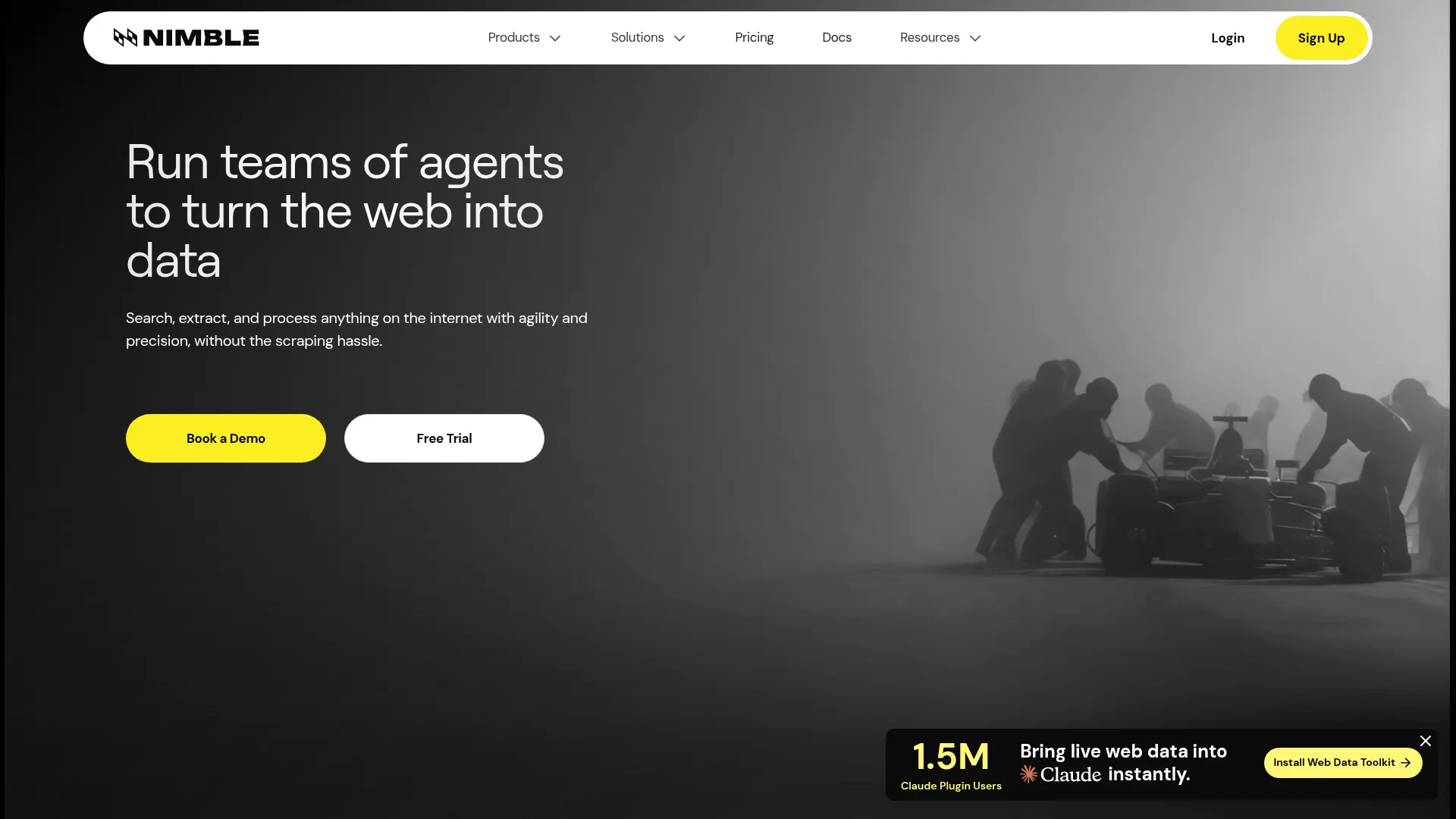
Nimbleway, also known as Nimble, converts live web pages into structured data through an API. The homepage leads with "Run teams of agents to turn the web into data," promising to search, extract, and process anything on the internet "without the scraping hassle," and the product now resolves to five endpoints instead of the older spread of separate proxy, browser, and per-site scraping products.
Features of Nimbleway:
- Search runs a web search and returns ranked results: metadata only on the default lite depth, full page content on deep, and a
fastdepth that returned a 403 on my self-serve key when I tested it - Extract fetches one page and returns raw HTML by default, or Markdown, a screenshot, or CSS-parsed fields when asked
- Crawl walks a site through internal links as an asynchronous job
- Map lists the URLs on a domain with titles and descriptions, 49 links from a test site in 3.9 seconds
- Agents run prebuilt extractors for Amazon, Walmart, Google and returning normalized JSON, plus a Generate Agent tool that writes a custom agent from a plain-English prompt
- Beyond the five endpoints: a hosted MCP server with 18 tools, a LangChain integration, and Jobs for cron-scheduled runs
Pricing:
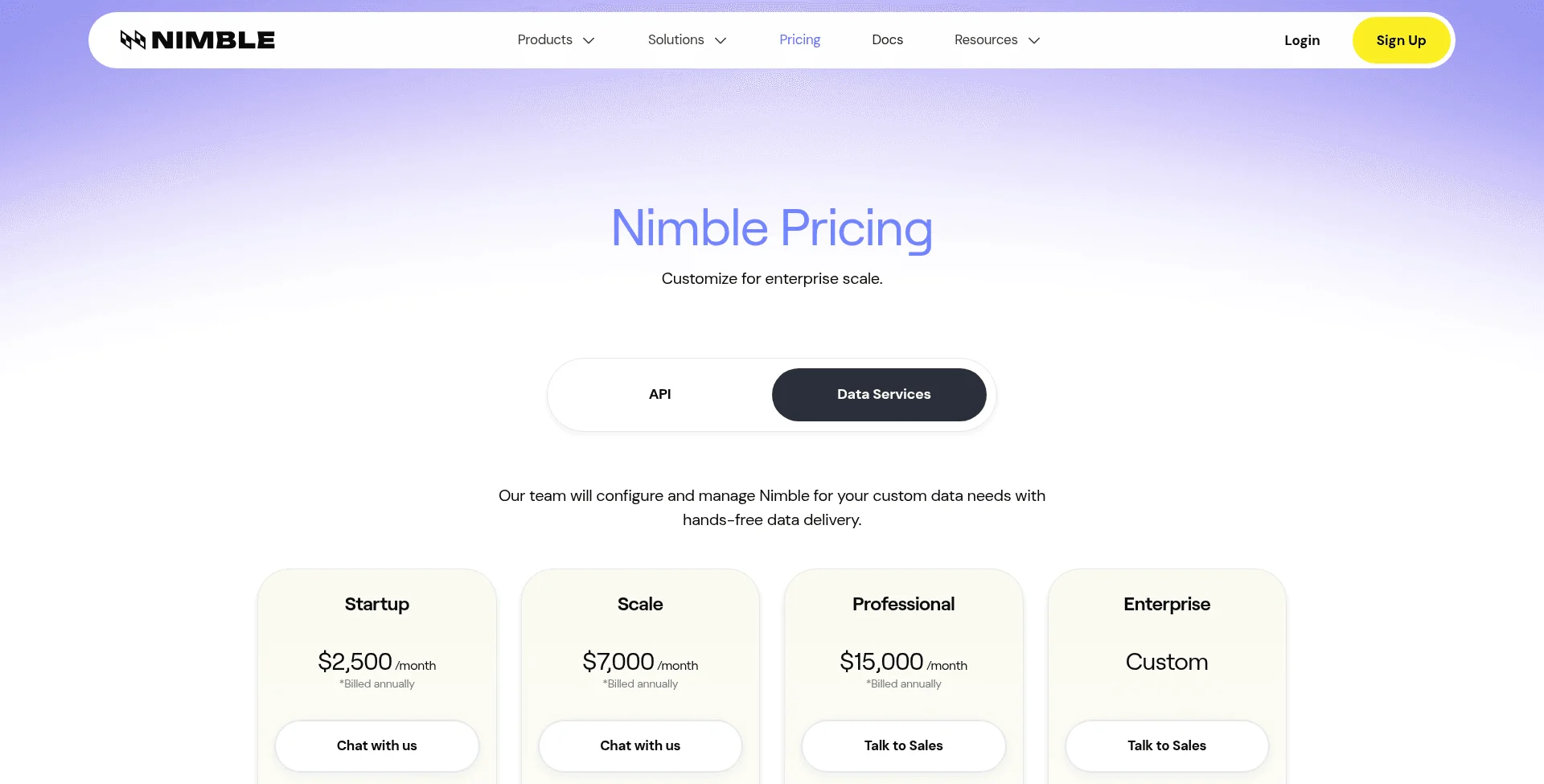
Nimble has split its pricing in two sets. One is the pay as you go pricing which has no monthly floors and the data services, which is managed by their team and starts at $2500/month.
API (self-serve, pay-as-you-go):
| Plan | Monthly | Included |
|---|---|---|
| Free trial | $0 | 5,000 web pages |
| Pay-as-you-go | Usage-based | Extract/Crawl/Map $0.90–$1.45 per 1,000 URLs, Search $1.50 per 1,000 inputs, Agents $3 per 1,000 pages |
Data Services (managed, sales-gated, billed annually):
| Plan | Monthly | Included |
|---|---|---|
| Startup | $2,500 | 5 concurrent agents, 350K pages/mo, 7-day storage |
| Scale | $7,000 | 10 agents, 1.2M pages/mo, 30-day storage |
| Professional | $15,000 | 20 agents, 3M pages/mo, 90-day storage |
| Enterprise | Custom | Custom |
Why do users look for Nimbleway alternatives
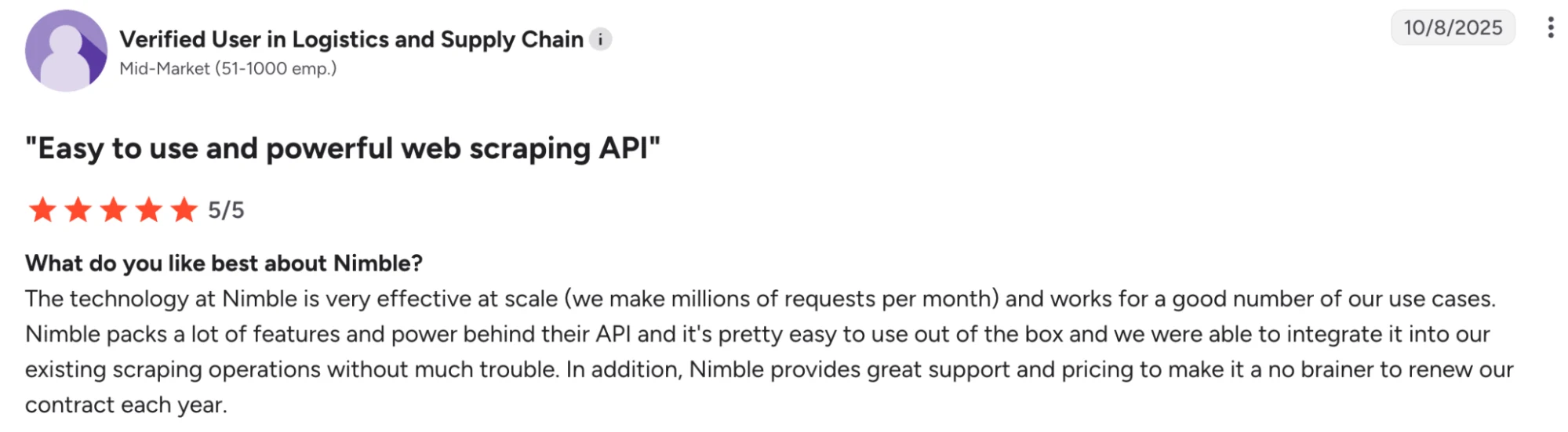
Nimble holds a 4.9 out of 5 rating on G2 and reviewers praise its reliability at scale and the breadth of its APIs.
On the other hand, Nimbleway also has a 2.8 TrustScore on Trustpilot, which is quite rough. But the points on why people switch are mostly about product fit:
- The full-service tier is priced for medium-to-large teams. A G2 reviewer says the product "is primarily aimed at medium to large companies, so it's unlikely to be used by individual clients that require it for a short or one-off project."
- Dashboard and onboarding have a learning curve. G2's summary of the reviews calls the dashboard "can be confusing," and a reviewer said onboarding "takes a little time because the platform is different from any other proxy provider."
- Advanced use cases can outgrow the API and docs. A reviewer wanted "more advanced features and options... for the trickier scraping operations that require more back and forth page interaction," and another called the documentation "insufficient" for advanced cases.
- Billing and support friction. The sharpest complaint: "Upgrade my plan without asking for permission, also no option to cancel plan, no chat, no support" (from a reviewer who otherwise rated Nimble 5 out of 5 overall).
- AI-generated search answers are enterprise-only. In my tests, requesting
include_answeron the Search API returned a 403 ("This feature is only available for enterprise accounts"), and the low-latency Fast Mode carried the same gate. - Raw HTML by default. The Extract API returns raw HTML unless you pass a
formatsparameter. On a Wikipedia page, that default response measured 48,870 tokens, and included the full navbar, header, and footer markup along with the article content.
The Trustpilot score reads lower mostly because of how few reviews: three 5-star reviews from March 2024 and one 1-star review from May 2026, which Trustpilot's recency weighting pulls hard on a 4-review base.
Top 5 Nimbleway alternatives in 2026
If you have made up your mind to switch to a different product, here are the five Nimbleway alternatives worth a look, each judged on how much of its five-endpoint surface a product covers and what it actually returns on a real call.
1. Firecrawl - The web data API built for agentic, AI-ready workflows
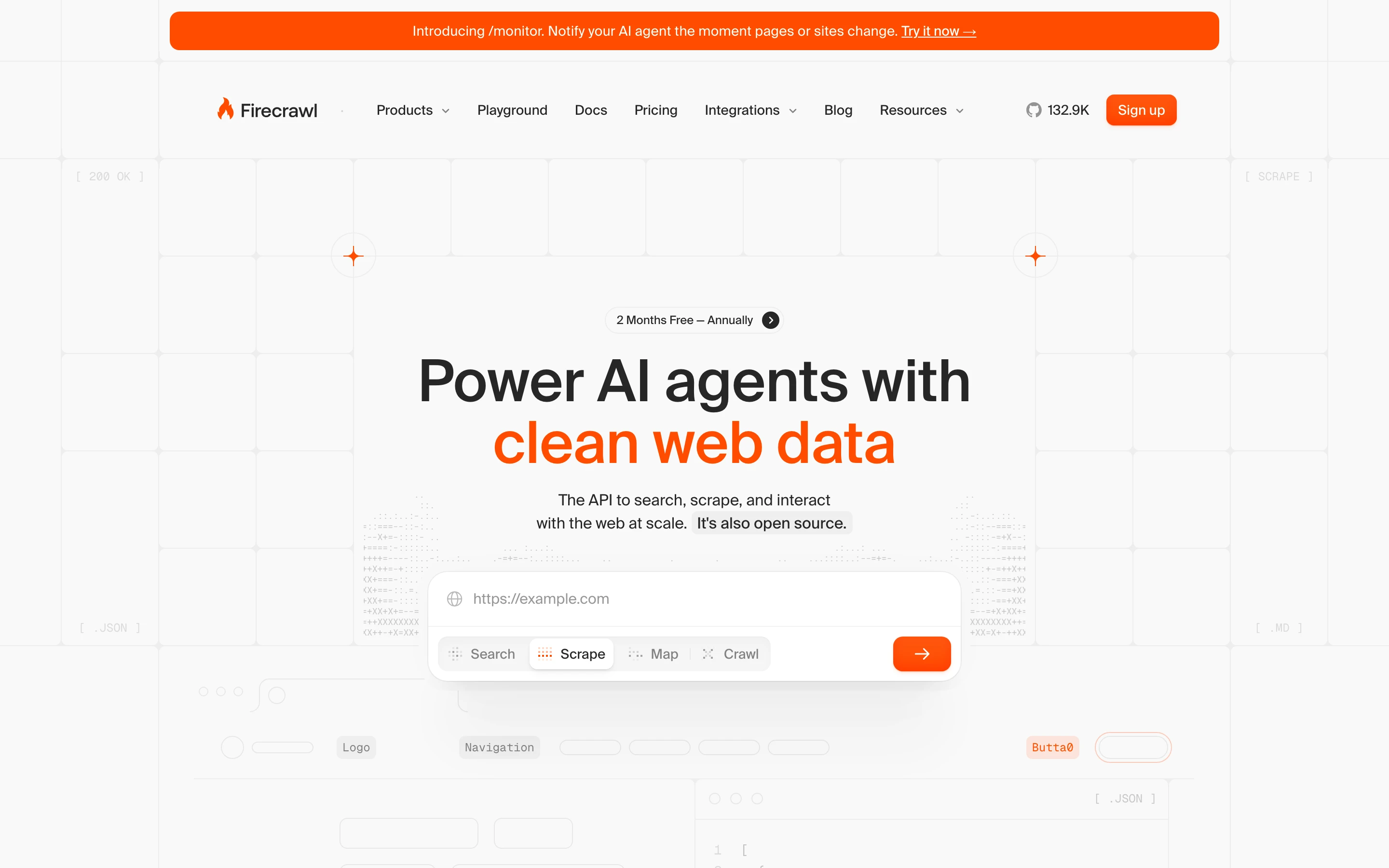
Firecrawl is the open-source web data API whose surface lines up most directly with Nimbleway's five endpoints, built so the first response is already model-ready. The core splits into three suites, Scrape, Search, and Interact, with Crawl, Map, Parse, Agent, and Monitor alongside them.
Key features of Firecrawl vs. Nimbleway
| Firecrawl | Nimbleway |
|---|---|
| Scrape returns clean Markdown or JSON from one call, title parsed into metadata | Extract returns raw HTML by default, Markdown only via a formats parameter |
| Search returns full page content for every result through its search endpoint | Search returns metadata only on lite depth, full content on deep |
| Interact clicks, fills forms, logs in, and navigates JavaScript-heavy flows | Browser Actions inside Extract cover click, scroll, type, and fill, but need JS rendering enabled at the higher per-1,000 rate |
| Crawl and Map pull an entire site or list every URL on a domain | Crawl and Map run only as async jobs you poll for results |
| /agent takes a URL and a goal and returns data in one call, no per-site setup, with 5 free runs a day | Agents cover a growing library of prebuilt targets like Amazon, Walmart, and Google; every other website means building out a new agent workflow yourself before you can pull any data |
| /monitor schedules recurring scrapes, detects content changes, notifies by webhook or email | Jobs run agents on a cron schedule, but nothing detects content changes or diffs |
| Open source at roughly 143,000 GitHub stars, with Python, Node, Go, and more SDKs | Proprietary, with Python, Node, Go, and CLI SDKs |
| A research index purpose-built for research agents — search paper abstracts, pull passages, walk citation networks, browse related GitHub repos | No equivalent, papers and code have to be pulled through generic Search or Crawl |
| 1,000 free credits every month, one credit per page | 5,000 free trial pages to start |
| Keyless — hit the API from an agent or a curl call with no signup and no API key | API key required before the first request |
How Firecrawl compares to Nimbleway
Firecrawl returns Markdown without a formats parameter, so the same Wikipedia page that Nimbleway handed back as raw HTML came back as Markdown with the title already in metadata, which means fewer input tokens on every model call downstream.
from firecrawl import Firecrawl

firecrawl = Firecrawl(api_key="fc-YOUR-API-KEY")

doc = firecrawl.scrape("https://en.wikipedia.org/wiki/Web_scraping")
print(doc.markdown)
That call's actual output starts already clean, with the title pulled into metadata:
metadata.title: "Web scraping - Wikipedia"

# Web scraping

Web scraping

Method of extracting data from websites

For broader coverage of this topic, see [Data scraping](https://en.wikipedia.org/wiki/Data_scraping "Data scraping").
Then, I passed a schema to the API call which returned structured JSON straight away. Testing against a product page, I got back the title, price, availability, and description as below:
{
  "title": "A Light in the Attic",
  "price": "£51.77",
  "availability": "In stock (22 available)",
  "description": "It's hard to imagine a world without A Light in the Attic. This now-classic collection of poetry and drawings from Shel Silverstein celebrates its 20th anniversary with this special edition. Silverstein's humorous and creative verse can amuse the dowdiest of readers...more"
}
The same data through Nimbleway means using the Agents API or wiring CSS selectors into Extract.
I also tested Firecrawl's /agent and /monitor.
/agent took the goal and the expected schema, navigated to the appropriate URL, and returned all the information I'd requested, with no per-site setup. Nimbleway's agents work the same way but only for sites already in its library (like Amazon, Google, and Walmart). For every other website, you have to build out the agent's scraping workflow yourself in its workflow builder before you can pull any data. Firecrawl skips all of that by just taking a URL and a goal.
/monitor has no Nimbleway equivalent. It ran a baseline check on a daily schedule in 5.9 seconds and tagged the page new on the first run. Then on subsequent runs, it labelled each page either same, changed, new, removed, or error before sending a webhook or email.
Firecrawl pricing
The free forever plan provides 1000 credits a month which are enough to prototype and test.
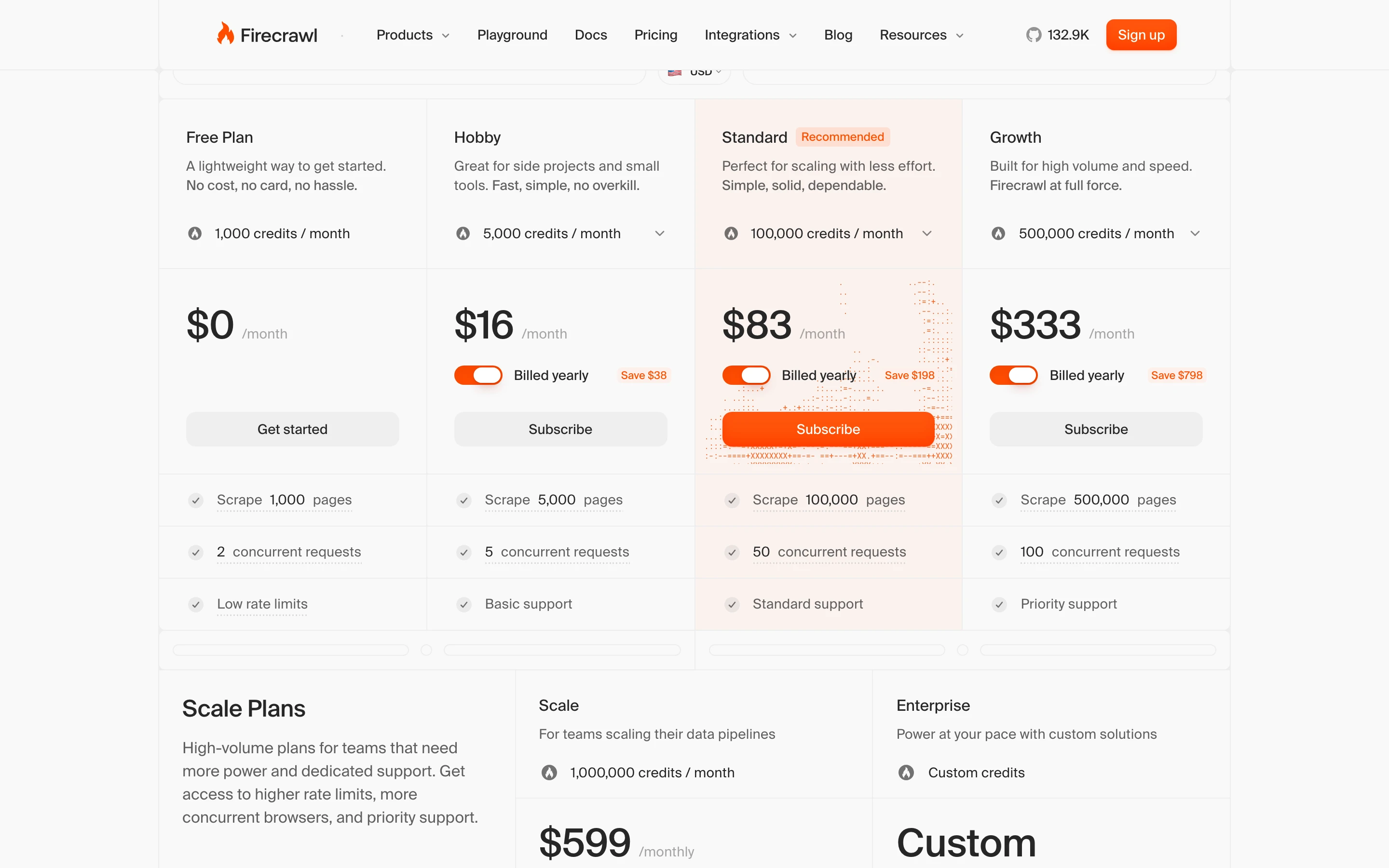
| Plan | Price (billed monthly) | Price (billed annually) | Credits |
|---|---|---|---|
| Free | $0 | $0 | 1,000 |
| Hobby | $19/mo | $16/mo | 5,000 |
| Standard | $99/mo | $83/mo | 100,000 |
| Growth | $399/mo | $333/mo | 500,000 |
| Scale | $749/mo | $599/mo | 1,000,000 |
| Enterprise | Custom | Custom | Custom |
When to choose Firecrawl over Nimbleway
Pick Firecrawl when the output feeds a model, an agent, or a vector store and you want Markdown or JSON without a parsing layer or a sales call. The free tier's 1,000 monthly credits handle basic workflows just fine, and a single API covers scrape, search, interact, and monitoring.
Stick with Nimbleway if the pipeline already runs on its prebuilt Agents for Amazon, Walmart, or Google.
2. Bright Data - The largest proxy network on the market
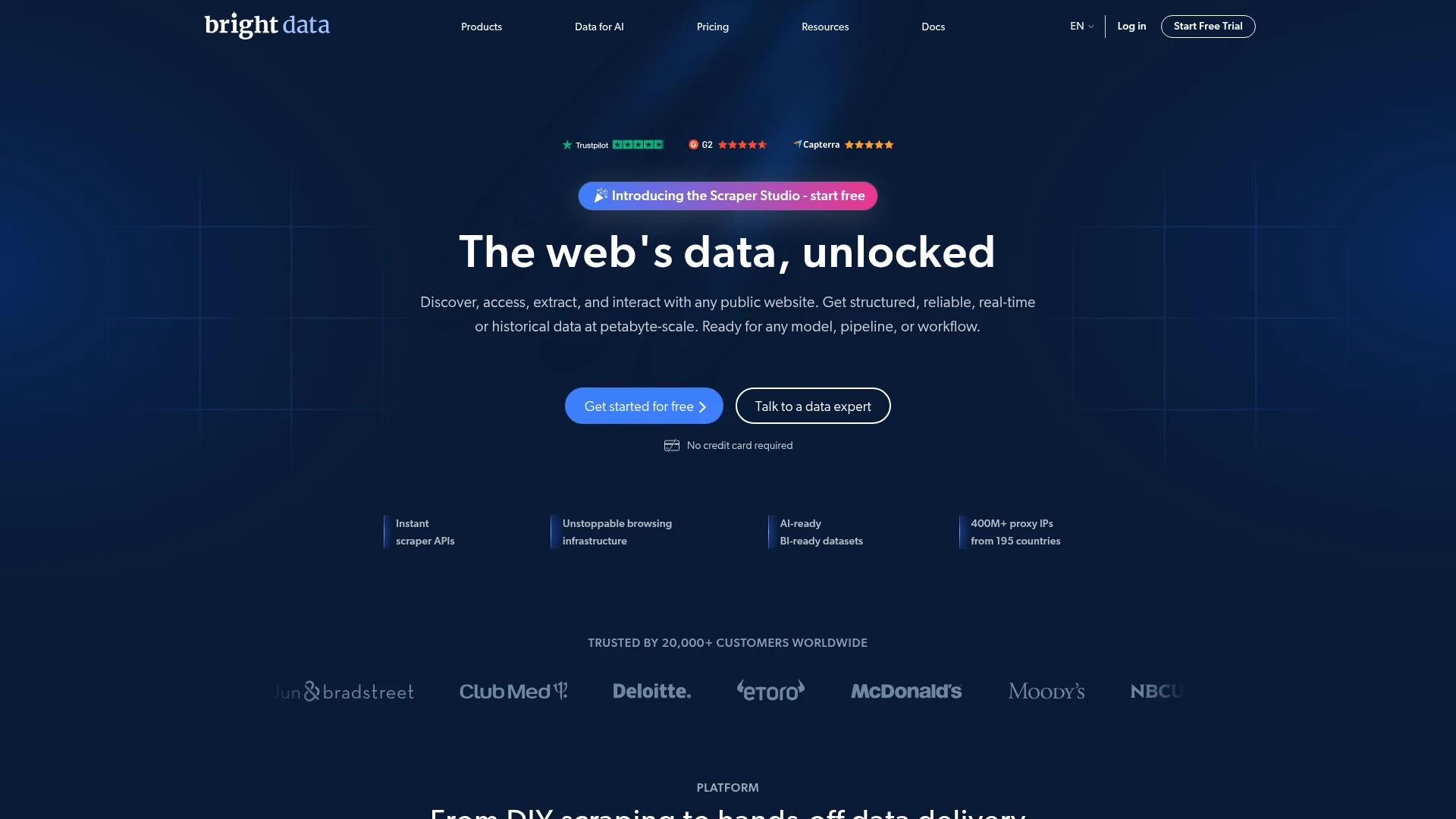
Bright Data runs one of the largest proxy networks in the market, more than 400 million residential IPs, with a family of scraping products on top.
Key features of Bright Data vs. Nimbleway
| Bright Data | Nimbleway |
|---|---|
| Web Scraping API with 1,000+ prebuilt scrapers, billed per successful record | Agents run prebuilt extractors for Amazon, Walmart, Google, and similar targets |
| Crawl API maps site structure and returns Markdown, text, HTML, or JSON | Crawl walks internal links as an async job, raw HTML by default |
| SERP API with Markdown output aimed at LLMs and AI agents | Search returns full content on deep depth, AI answer gated to enterprise |
| CAPTCHA Solver handles CAPTCHA challenges, retries, and JS rendering | JS rendering built into each API |
| Browser API for Playwright, Puppeteer, or Selenium through the network | No direct equivalent |
| Residential, datacenter, ISP, and mobile proxies sold standalone | Proxies built into the APIs, no standalone proxy product |
| A 350+ dataset marketplace | No self-serve dataset marketplace |
| An official MCP server for agent access | A hosted MCP server with 18 tools, plus the Agents API |
How Bright Data compares to Nimbleway
Bright Data spreads what Nimbleway packs into five endpoints across separate products you assemble yourself: the Crawl API for crawling and mapping, the SERP API for search, and its MCP server for agent access.
| Capability | Bright Data | Nimbleway |
|---|---|---|
| Packaging | Separate products you assemble | Five endpoints plus prebuilt agents |
| Search | SERP API, Markdown output | Search API, deep mode |
| Proxy network | 400M+ residential IPs | Integrated proxies |
| Agent access | MCP server | MCP server plus Agents API |
| Billing | Per successful record | Per 1,000 units or managed plan |
Bright Data pricing
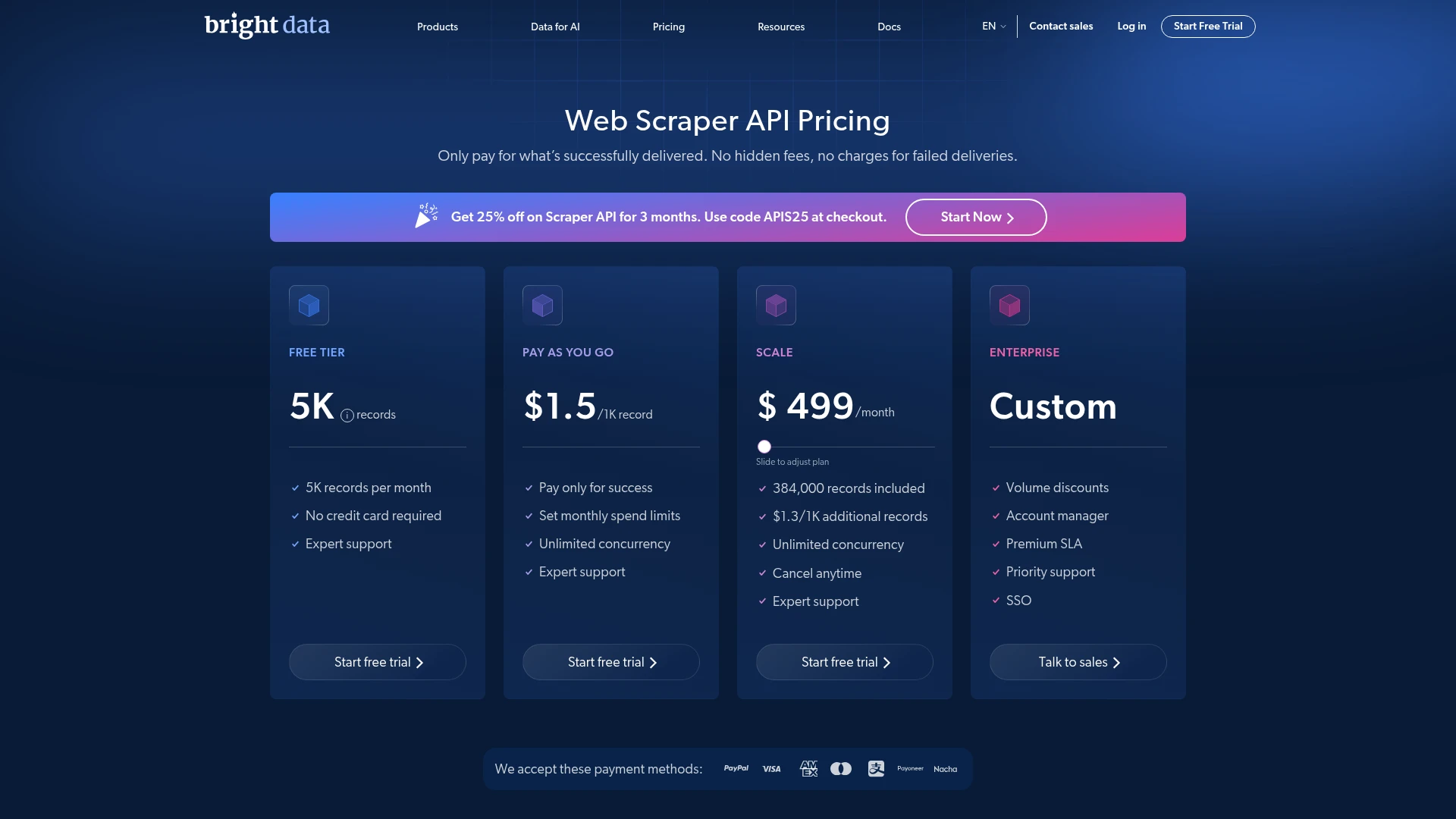
The Web Scraper API prices out as below. Proxies and the Web Unlocker are billed separately, so make sure you account for those in your budgets.
| Plan | Monthly | Included |
|---|---|---|
| Free | $0 | 5,000 records |
| Pay-as-you-go | Usage-based | $1.5 per 1,000 records |
| Scale | $499 | 384,000 records |
When to choose Bright Data over Nimbleway
Pick Bright Data when reliably accessing complex sites at volume is the problem you're trying to solve, and you'd rather pay per product instead of the full platform. The dataset marketplace also covers common data sources with no scraping setup at all.
Stick with Nimbleway if a single platform with packaged Agents is what you need.
3. Oxylabs - Proxy scale with an AI Studio layer on top
Oxylabs pairs a 175-million-IP residential network with AI Studio, a suite that lines up almost one to one with Nimbleway's endpoints.
Key features of Oxylabs vs. Nimbleway
| Oxylabs | Nimbleway |
|---|---|
| AI Studio runs AI-Search, AI-Scraper, AI-Crawler, AI-Map, and a Browser Agent | Search, Extract, Crawl, Map, Agents cover the same five jobs |
| Custom Parser returns raw HTML or parsed JSON | Extract returns raw HTML or CSS/Xpath-parsed fields |
| OxyCopilot (beta) writes parsing instructions from a plain-English prompt | Generate Agent builds an agent from a plain-English prompt |
| Residential, datacenter, ISP, and mobile proxies sold standalone | Proxies built into the APIs, no standalone proxy product |
| Web Unblocker for reliable access to complex targets | JS rendering built into each API |
| Official MCP, LangChain, and LlamaIndex integrations | MCP server and LangChain, no LlamaIndex |
| Markdown free in AI Studio, parsed JSON at 4 credits per call | Markdown via the formats parameter at no extra cost |
How Oxylabs compares to Nimbleway
Oxylabs is the closest structural match on this list. AI Studio mirrors Nimbleway's five jobs one to one, so what separates the two is the infrastructure underneath. Oxylabs sells its proxy network separately, and the AI layer starts at a flat $12/mo. With Nimbleway, proxies are built into the API calls.
| Capability | Oxylabs | Nimbleway |
|---|---|---|
| AI suite | AI Studio: Search, Scraper, Crawler, Map, Browser Agent | Search, Extract, Crawl, Map, Agents |
| AI Studio output | Markdown or JSON | Markdown or parsed fields |
| Proxy network | 175M+ residential IPs | Integrated proxies |
| AI integrations | MCP, LangChain, LlamaIndex | MCP, LangChain |
| Entry point | AI Studio $12/mo, Web Scraper $49/mo | Pay-as-you-go API, or managed plans from $2,500/mo |
Oxylabs pricing
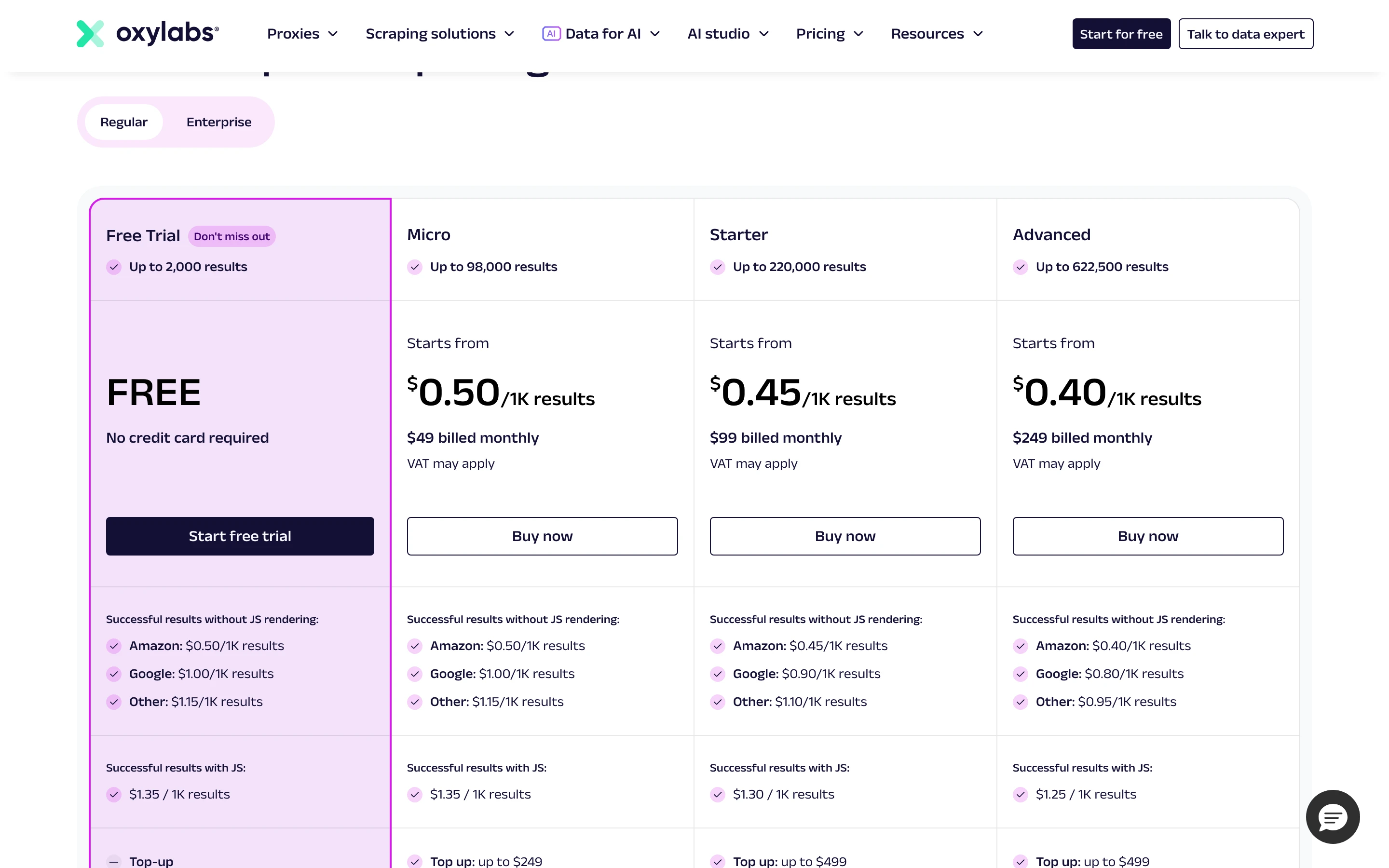
Pricing splits across AI Studio, the Web Scraper API, and proxies as below.
| Plan | Monthly | Included |
|---|---|---|
| AI Studio | $12 | 3,000 credits, Markdown free, JSON at 4 credits/call |
| Web Scraper API | $49+ | Falls to $0.25 per 1,000 results at volume |
| Proxies | Custom | Billed separately by gigabyte or IP |
When to choose Oxylabs over Nimbleway
Pick Oxylabs when you want Nimbleway's API layout on top of a deep proxy network, with a $12 entry point to trial the AI features. The proxy catalog also suits teams that manage the network layer directly.
Stick with Nimbleway if the managed plan's enterprise support and SLA matter more than a lower entry price.
4. Apify - A marketplace of prebuilt Actors for any target
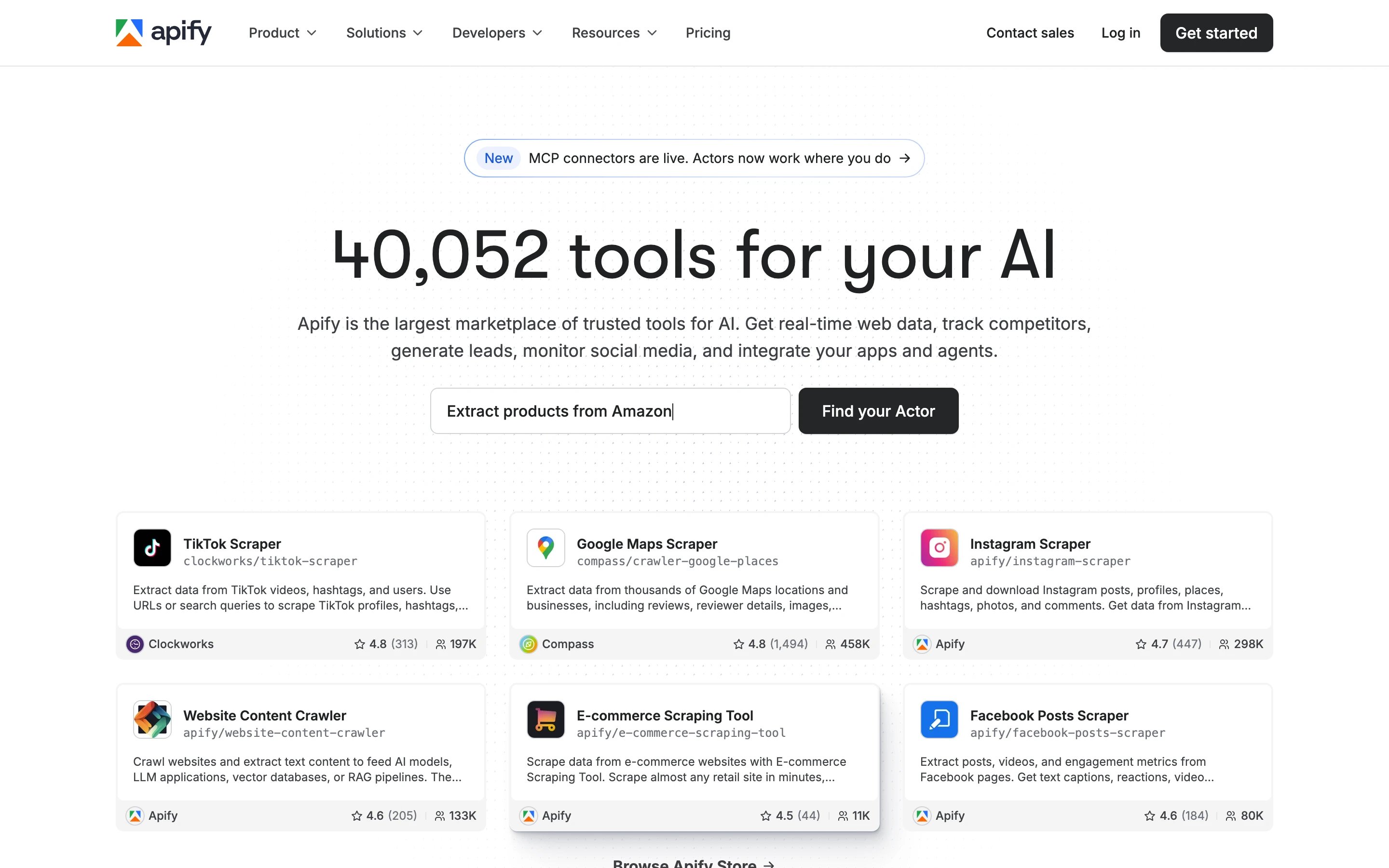
Apify is a marketplace of more than 46,000 Actors, which are prebuilt programs for specific scraping and automation jobs. Instead of calling fixed endpoints, you pick an Actor for your target, run it on Apify's platform, and schedule or chain it from there.
Key features of Apify vs. Nimbleway
| Apify | Nimbleway |
|---|---|
| Marketplace of 46,000+ prebuilt Actors for common targets | Agents run prebuilt extractors for Amazon, Walmart, Google, and similar targets, or a custom agent via Generate Agent |
| RAG Web Browser Actor that searches and returns clean Markdown for retrieval | Search returns full page content only on the slower deep depth |
| Website Content Crawler that turns a site into Markdown for LLMs and RAG | Crawl returns raw HTML by default |
| Apify Proxy with datacenter, residential, and SERP options | Proxies built into the APIs, no standalone proxy product |
| Scheduling, dataset and key-value storage, and a full REST API | Jobs cover cron scheduling, with results stored on Nimble |
| Export results as JSON, CSV, Excel, or XML | JSON only, though Jobs can also export JSONL, CSV, or Parquet to S3 |
| An official MCP server plus LangChain, LlamaIndex, Pinecone, and OpenAI integrations | MCP server and LangChain integration |
| Free plan with $5 of monthly platform usage | 5,000 free trial pages |
How Apify compares to Nimbleway
Common AI jobs map to a dedicated Actor rather than a named endpoint.
I ran the RAG Web Browser Actor on a search query, and it returned the results as clean Markdown in 13 seconds. This is technically the search-plus-scrape job Nimbleway splits across its Search deep mode.
Picking and configuring Actors replaces calling fixed Extract, Map, and Agents endpoints, and billing runs on compute units, one unit being a gigabyte of memory for an hour. For a deeper look at Apify against other AI-ready scrapers, see the Apify alternatives comparison.
| Capability | Apify | Nimbleway |
|---|---|---|
| Model | 46,000+ Actors you run and compose | Five endpoints plus prebuilt agents |
| AI-ready output | RAG Web Browser and Website Content Crawler, Markdown | Markdown via parameter |
| AI integrations | MCP, LangChain, LlamaIndex, Pinecone, OpenAI | MCP, LangChain |
| Execution | Actor runs, built for batch and scheduling | Sync and async APIs |
| Billing | Compute units plus plan usage | Per 1,000 units or managed plan |
Apify pricing
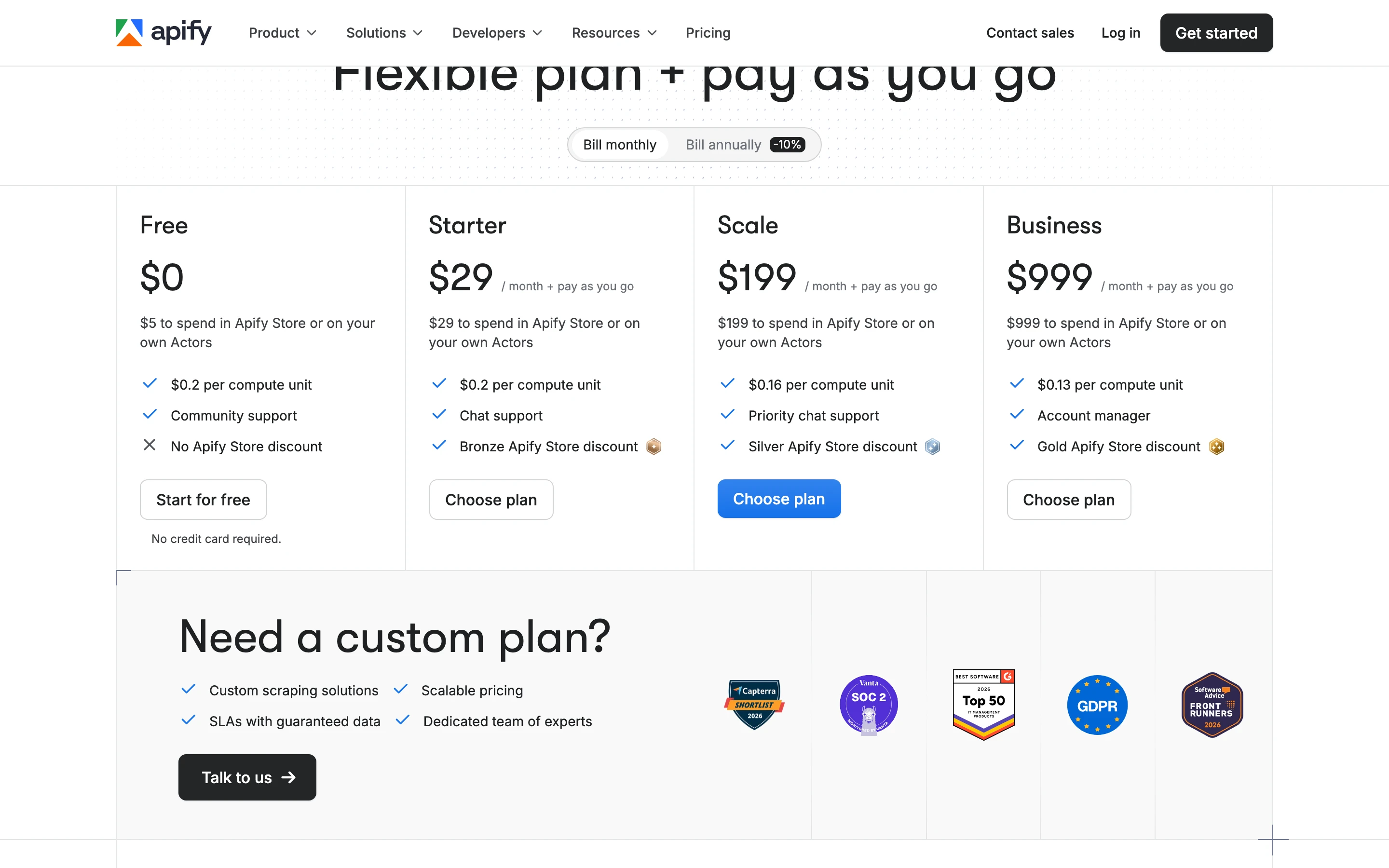
Plans run as below, with pay-as-you-go usage on top. Compute is billed in units, where one unit equals 1 GB of memory (RAM) running for an hour.
| Plan | Monthly | Included |
|---|---|---|
| Free | $0 | $5 of monthly usage |
| Starter | $29 | Platform usage, compute at $0.20/unit |
| Scale | $199 | Platform usage, compute at $0.16/unit |
| Business | $999 | Platform usage, compute at $0.13/unit |
When to choose Apify over Nimbleway
Pick Apify when a prebuilt Actor already covers your target, or when scheduling and orchestration matter as much as the scrape. You get to pick from the thousands of pre-built actors so you see results fast.
Stick with Nimbleway if fixed endpoints beat picking and maintaining Actors from the Apify marketplace, or a single vendor needs to own the whole pipeline.
5. Zyte - Pay-per-success extraction in one endpoint
Zyte bundles proxies, browser rendering, and AI extraction into one endpoint and bills only for successful responses.
Key features of Zyte vs. Nimbleway
| Zyte | Nimbleway |
|---|---|
| Zyte API combines proxies, rendering, and AI extraction in one call | Extraction spread across the Extract, Crawl, Map, and Agents endpoints |
| AI extraction types for product, article, job posting, SERP, and general page content | Agents run prebuilt extractors for Amazon, Walmart, Google, and similar targets, or a custom agent via Generate Agent |
| Custom attributes that use an LLM to pull fields you define with your own schema | Extract returns CSS-parsed fields, no LLM-defined schema |
| pageContent that returns a compact, LLM-friendly JSON version of a page | Extract returns raw HTML by default, Markdown only via a formats parameter |
| Billing only for successful responses, with no monthly floor | Per-1,000-unit pricing or a managed plan |
| Scrapy Cloud for hosting, scheduling, and running spiders | No direct equivalent |
| No official MCP server | A hosted MCP server with 18 tools, built in |
| $5 of free credit for the first month | 5,000 free trial pages |
How Zyte compares to Nimbleway
Zyte covers less of Nimbleway's surface and goes deeper on the part it keeps.
There is no one-call Search, Crawl, or Map: search happens through SERP scraping and crawling through Scrapy.
Extraction is where Zyte can be considered ahead. Where Nimbleway requires a prebuilt agent or CSS selectors before it hands back structured fields, Zyte's AI extraction worked that out on its own: on a book page it returned the name and price with no schema, then generated a one-sentence summary and an is_fiction boolean from LLM custom attributes in the same call.
| Capability | Zyte | Nimbleway |
|---|---|---|
| Pricing model | Per successful response, no floor | Per 1,000 units or managed plan |
| AI extraction | Product, article, SERP, custom LLM attributes | Prebuilt agents, CSS parsing |
| Search | SERP scraping | Search API, deep mode |
| Crawl and Map | Through Scrapy | One-call endpoints |
| Free tier | $5 of free credit | 5,000 free pages |
Zyte pricing
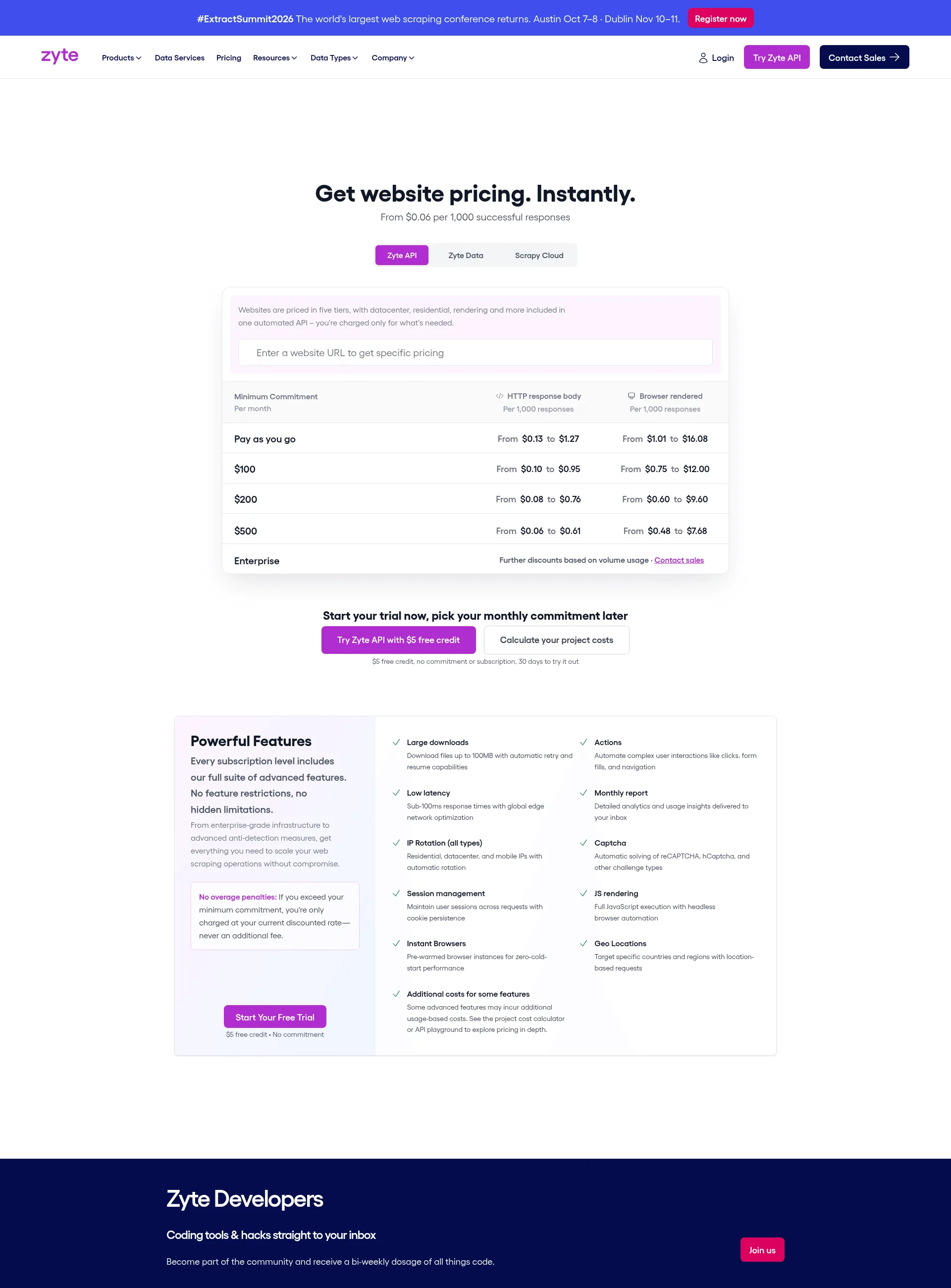
Zyte bills per successful response on a tier the platform assigns from the target site and request type, starting from $0.06 per 1,000 responses, with no enterprise minimum.
| Plan | Monthly | Rate |
|---|---|---|
| Free credit | $0 (first month) | $5 credit |
| HTTP requests | Usage-based | $0.13–$1.27 per 1,000 |
| Browser-rendered requests | Usage-based | $1.01–$16.08 per 1,000 |
When to choose Zyte over Nimbleway
Pick Zyte when volume is variable or bursty and you want costs tied to successful responses. The pay-per-success model drops the monthly commitment for teams that scrape in spikes.
Stick with Nimbleway if bundled Search, Map, and Agents beat assembling extraction on top of Scrapy Cloud for crawling and scheduling.
Switching from Nimbleway to Firecrawl: A quick migration guide
Moving off Nimbleway comes down to four steps, most of which replace a formats parameter and a parsing step with one flag.
- Sign up and grab an API key. The free tier gives 1,000 credits with no card and no sales call. Nimbleway's own free trial works the same way for 5,000 pages.
- Test it in the Playground before writing code. The Playground runs Scrape, Crawl, Map, Search, and Parse against a real URL so the Markdown or JSON output is visible before anything gets wired up.
- Point existing calls at the new endpoint.
from firecrawl import Firecrawl

firecrawl = Firecrawl(api_key="fc-YOUR-API-KEY")
doc = firecrawl.scrape("https://example.com")
Anywhere Nimbleway's Extract API needed a formats parameter and a parsing step afterward, Firecrawl's Markdown comes back parsed and model-ready by default.
- Wire it into existing automation. Beyond the Python, Node, Go, and other SDKs, Firecrawl connects through Zapier, Make, n8n, and LangChain, so a workflow already built around Nimbleway's webhooks can point at Firecrawl without a rewrite.
Switch if the destination is a model, an agent, or a vector store. Stay on Nimbleway if the pipeline already leans on its Agents API for Amazon, Walmart, or Google.
Wrapping up
Nimble earns its 4.9 on G2 for reliability and support, and the move to five endpoints makes it a cleaner product than the proxy catalog it was before. But if you're still looking out for a Nimbleway alternative, pick one of these five tools based on which ones satisfy your requirements best.
If proxy access to defended sites is what you're after, Bright Data and Oxylabs are the obvious picks. Apify makes sense when a prebuilt Actor already covers your target, and Zyte fits teams that want billing tied to successful responses. Looking for a no-code option instead of an API? See Octoparse alternatives.
For AI and agent work, Firecrawl is the cleanest swap. It mirrors Nimbleway's five-endpoint surface, adds change monitoring, returns Markdown by default at a third of the tokens I measured from raw HTML, and runs on a free tier with 1,000 monthly credits. It's also keyless, so an agent can hit the API on the first call with no signup step in the way.
Frequently Asked Questions
Who should consider a Nimbleway alternative?
Teams that want a flat monthly plan instead of pure usage-based billing, teams that don't need Nimbleway's fully managed Data Services tier (which starts at $2,500 per month, sales-gated), and teams building AI pipelines that prefer Markdown or JSON over the raw HTML the Extract API returns by default. G2 reviewers note that Nimble is aimed at medium to large companies rather than individual or one-off projects.
What does Nimbleway return by default?
The Extract API returns raw HTML unless a formats parameter requests Markdown, screenshots, or parsed fields. On the same Wikipedia page, Nimbleway's default response measured 48,870 tokens of HTML and Firecrawl's default measured 14,075 tokens of Markdown.
How do users rate Nimbleway?
Nimble holds a 4.9 out of 5 rating on G2 and a 2.8 TrustScore on Trustpilot as of July 2026. Reviewers praise reliability at scale and responsive support, and they flag a confusing dashboard, an onboarding learning curve, and premium pricing.
Which alternative is closest to Nimbleway's API design?
Firecrawl and Oxylabs AI Studio both map almost one to one onto Nimbleway's Search, Extract, Crawl, Map, and Agents structure. Firecrawl adds change monitoring and returns Markdown by default, and Oxylabs AI Studio runs on a 175M-IP proxy network.
Is there a free way to test these tools?
Yes. Firecrawl gives 1,000 credits a month and is keyless, so you can hit the API with no signup and no key before deciding to create an account. Zyte and Apify each give $5 of free usage, Bright Data and Oxylabs run free trials on their scraper APIs, and Nimbleway itself offers 5,000 free web pages.
Can a standard Nimbleway key return an AI-generated search answer?
No. Requesting include_answer on the Search API returns a 403 stating that the feature is only available for enterprise accounts, and the low-latency Fast Mode carries the same requirement.