Firecrawl MCP gives your Cursor AI agent web search, scraping, crawling, and structured extraction capabilities without leaving the editor.
When Andrej Karpathy coined "vibe coding" in February 2025, he described building apps in Cursor by just talking, accepting all changes, and never reading diffs.
The tweet got 6.7 million views but at the time, Cursor's AI agent could only work with what was already in your project. It couldn't look up documentation, check a live API, or pull data from the web.
But with the introduction of the Model Context Protocol (MCP), AI coding agents could use external tools through a standardized interface. Firecrawl MCP is one of the most popular MCP servers for Cursor, with 6,500+ stars on GitHub.
I'll walk you through the process to set up Firecrawl in Cursor and use it in a real project.
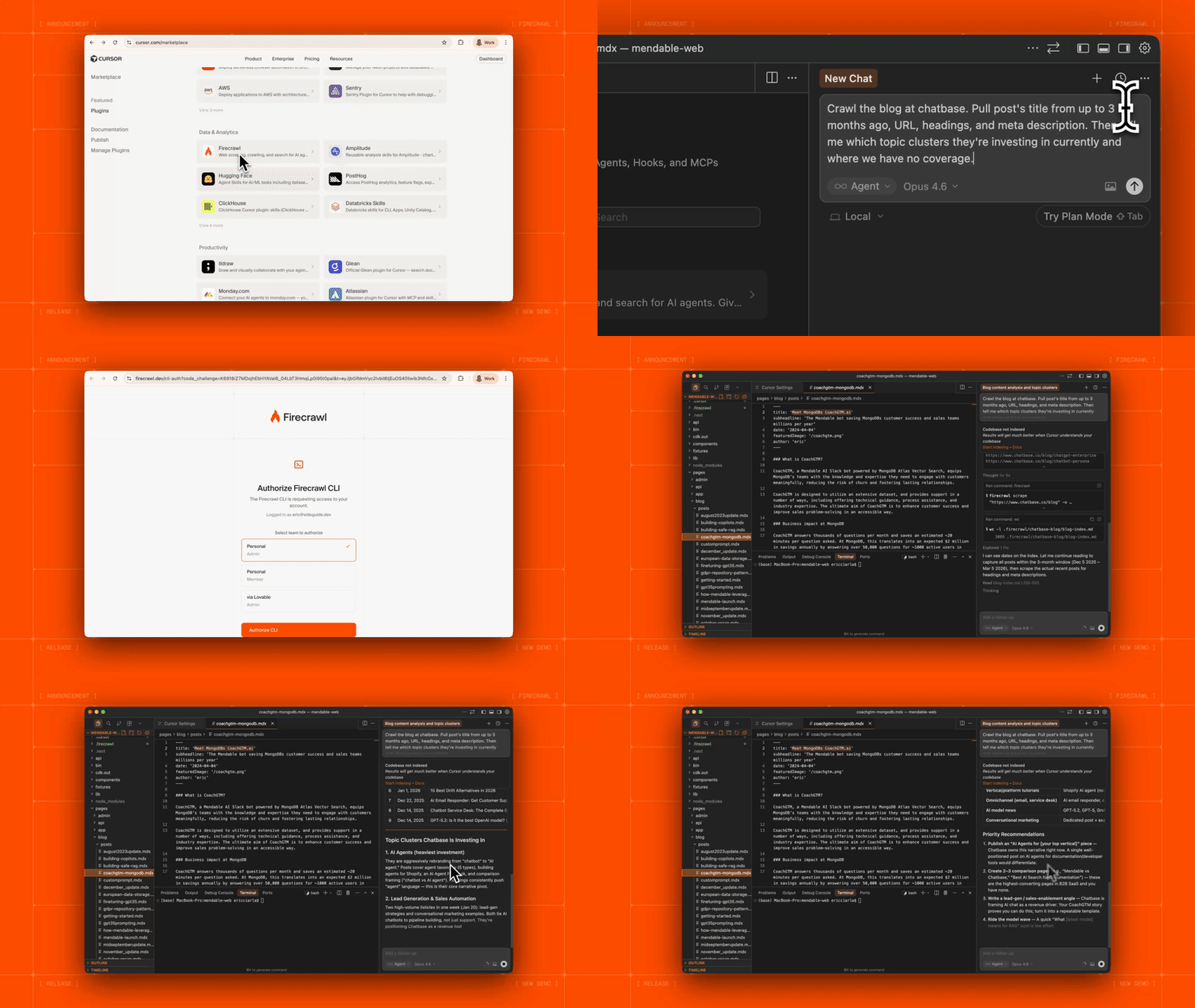
P.S: Firecrawl is now an official Cursor plugin. Let Cursor agents tap into the live web for real-time context, whenever they need it. Full CLI capabilities (search, scrape, crawl, and browse), industry-leading >80% web coverage, one-click install — get it from the Cursor Marketplace.
TL;DR
- The Firecrawl MCP server gives your Cursor AI agent real-time access to the web, allowing it to scrape URLs, search for documentation, and extract structured data while you code.
- It enables workflows like auto-generating code from live docs, building price trackers, or cloning designs by simply describing what you want in Agent mode (
Cmd+I). - Setup takes 2 minutes: Get a free API key from firecrawl.dev, then add the server config to Cursor's Tools & MCP settings.
- You don't need to pick tools manually. Just tell the agent "Scrape this URL" or "Search for this error," and it will select the appropriate Firecrawl function.
- Prefer one-click install? Firecrawl is now an official Cursor plugin — install it directly from the Cursor Marketplace with no JSON config needed.
What is the Firecrawl MCP server?
Firecrawl is the web data API to search, scrape, and interact with the web at scale, turning websites into clean, LLM-ready markdown or structured JSON. It handles JavaScript rendering and dynamic content out of the box. The Firecrawl MCP server wraps this API so any MCP-compatible client (Cursor, Claude Desktop, VS Code, Windsurf) can use it.
The MCP server gives your Cursor AI agent access to 12 powerful tools:
- firecrawl_scrape: Scrapes a single URL to clean markdown, HTML, screenshots, or JSON.
- firecrawl_search: Runs web searches filtered by language, country, and source.
- firecrawl_developer_search: Queries the Firecrawl Developer Index, a semantic index over 70M+ developer artifacts (READMEs, GitHub issues, pull requests, OpenAPI specs, external docs). The HTTP API also supports filters for
types,repos,language, andmin_stars. Ideal for finding the exact PR that fixed a bug or the doc page that answers a question from inside Cursor. - firecrawl_crawl: Asynchronously follows links across a site respecting depth limits.
- firecrawl_map: Fast discovery of all URLs on a site without extracting content.
- firecrawl_extract: Pulls structured data using LLM-powered extraction and a JSON schema.
- firecrawl_deep_research: Autonomously explores multiple sources for comprehensive analysis.
- firecrawl_agent: Browses and navigates autonomously to extract data.
- firecrawl_batch_scrape: Processes multiple URLs in parallel with built-in rate limiting.
- firecrawl_interact: Scrape a page and immediately take actions in it — click buttons, fill forms, navigate deeper — using natural language prompts or Playwright code. Built on the new /interact endpoint.
Get your free Firecrawl API Key
How to use Firecrawl MCP in Cursor
Once Firecrawl MCP is connected to Cursor, you simply describe what you need in Cursor's Agent mode. The agent automatically picks the right tool. Here are 8 ways you can call the Firecrawl MCP while using Cursor:
1. Reading documentation while building
Suppose you're integrating Stripe and can't remember the webhook verification flow. Instead of switching to a browser, you type:
"Use Firecrawl to scrape the Stripe webhook documentation at stripe.com/docs/webhooks and show me the signature verification steps."
The agent calls firecrawl_scrape, gets clean markdown, and uses it to write your verification code. Because Firecrawl strips navigation, ads, and boilerplate, the agent gets only the relevant content. This means fewer wasted tokens and more accurate code generation.
2. Searching for code patterns
If you need to implement rate limiting in FastAPI but aren't sure about the current best practice, you can say:
"Search for FastAPI rate limiting middleware 2025 and summarize the top approaches."
The agent runs firecrawl_search, reads the results, and gives you a comparison with code snippets. The official docs recommend a two-step workflow here: search first without scrape options (faster), then selectively scrape the most relevant results to get the full content.
3. Extracting structured data for your app
If you want to build a price comparison feature but don't know the exact details, you can let the Cursor agent use Firecrawl to fetch accurate information.
"Extract the product name, price, and availability from these three URLs" (plus a JSON schema).
The agent uses firecrawl_extract and hands you structured JSON you can plug straight into your data model. No regex. No CSS selectors. The LLM interprets the page content against your schema and returns exactly the fields you asked for.
4. Cloning a design
This use case went viral. You can point Firecrawl at any website, scrape it with the branding format (which extracts colors, fonts, typography, and spacing), and then ask Cursor to rebuild the design.
The firecrawl_scrape tool with formats: ["markdown", "branding"] returns both the content and the design tokens. One developer demonstrated cloning an entire website's design in under five minutes using this approach with Cursor Compose.
5. Competitive research during development
"Use deep research to analyze how the top 5 project management tools handle recurring tasks."
The firecrawl_deep_research tool autonomously crawls multiple sites, follows relevant links, and produces a synthesized report. You get a detailed competitive analysis without opening a single browser tab. The findings land directly in your Cursor context where the agent can act on them immediately.
6. Mapping a site before a migration
"Map all URLs on docs.example.com and find pages related to authentication."
The firecrawl_map tool with a search filter returns a URL list you can use to plan a documentation migration or content audit. It's the same first step in a full website migration — mapping every URL before touching the new CMS.
7. Ingesting an entire codebase's docs
Working with an unfamiliar framework?
"Crawl the first 20 pages of docs.astro.build and summarize the routing system."
The agent uses firecrawl_crawl with a low limit to stay within token bounds, then synthesizes what it finds. Keep maxDepth at 2 or 3 to avoid pulling in hundreds of pages. For larger doc sites, use firecrawl_map first to discover URLs, filter to the ones you care about, then firecrawl_batch_scrape only those.
8. Interacting with dynamic pages
Some data is behind a search form, pagination, or login. Instead of writing browser automation scripts, you can use the /interact endpoint to scrape a page and then take actions in it:
"Scrape amazon.com, then search for 'wireless keyboard' and extract the prices of the top 5 results."
The agent scrapes the page to get a scrapeId, then calls firecrawl_interact with natural language prompts to search, click, and extract — all within the same browser session. You can also pass Playwright code for precise control. Sessions support persistent profiles so you can stay logged in across scrapes.
Step-by-step setup guide
Fortunately, it's extremely easy to set up Firecrawl MCP in Cursor.
Prerequisites
If you'd rather skip the manual config entirely, Firecrawl is available as an official Cursor plugin — one click in the Cursor Marketplace and you're done, no JSON or Node.js required.
For the MCP server setup, you need three things before starting:
- Node.js v22+ installed on your machine. Verify with
node --version. - A Firecrawl API key. Go to firecrawl.dev and create a free account (1,000 credits per month, no card required).
- Cursor latest version. Ensure you are on Cursor 1.0+ (late 2025 onward).
Step 1: Configure the Firecrawl MCP in Cursor
There are two ways to configure Firecrawl MCP in Cursor. Pick whichever matches your version.
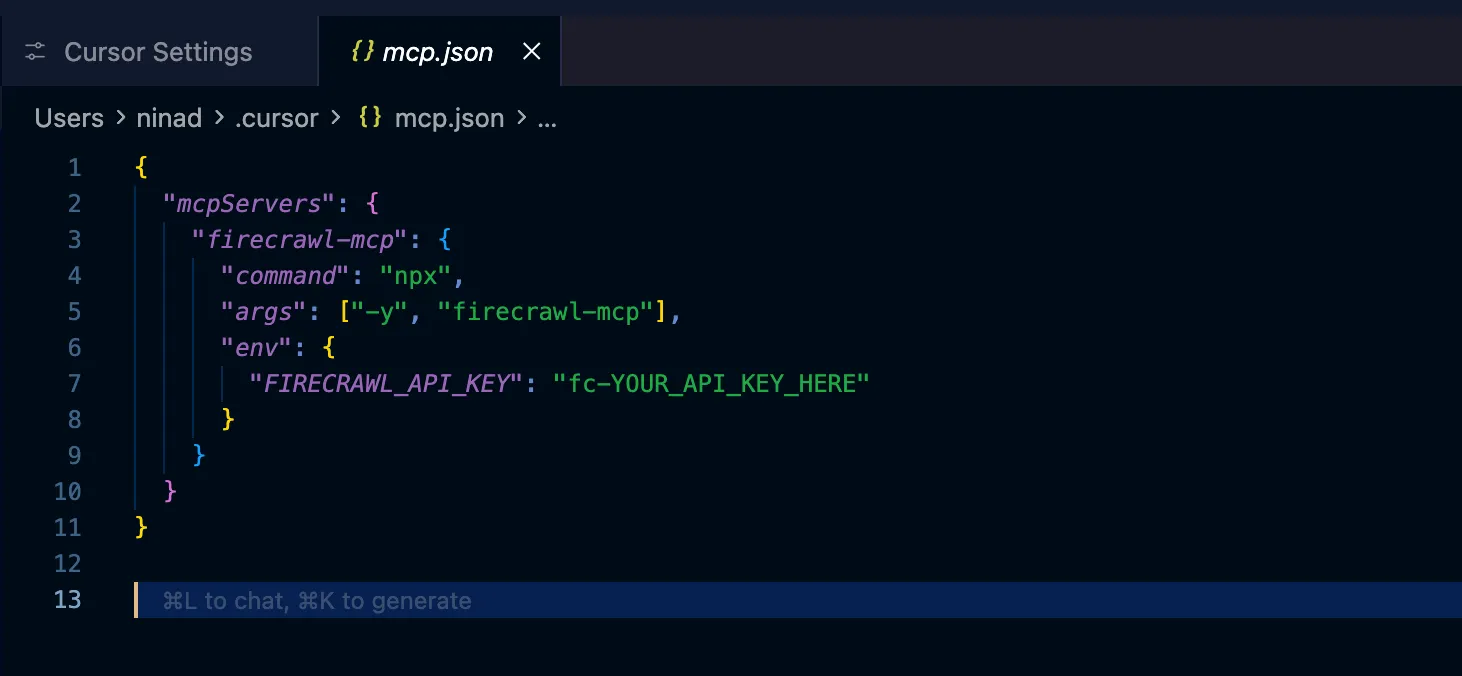
Method 1: Edit mcp.json directly
Cursor stores MCP configuration in a JSON file. You can set it globally (~/.cursor/mcp.json) or per-project (.cursor/mcp.json).
Paste this configuration:
{
  "mcpServers": {
    "firecrawl-mcp": {
      "command": "npx",
      "args": ["-y", "firecrawl-mcp"],
      "env": {
        "FIRECRAWL_API_KEY": "fc-YOUR_API_KEY_HERE"
      }
    }
  }
}
Replace fc-YOUR_API_KEY_HERE with your actual API key.
Windows users: The env field syntax works on macOS/Linux. On Windows, use this:
{
  "mcpServers": {
    "firecrawl-mcp": {
      "command": "cmd",
      "args": ["/c", "set FIRECRAWL_API_KEY=fc-YOUR_API_KEY_HERE && npx -y firecrawl-mcp"]
    }
  }
}
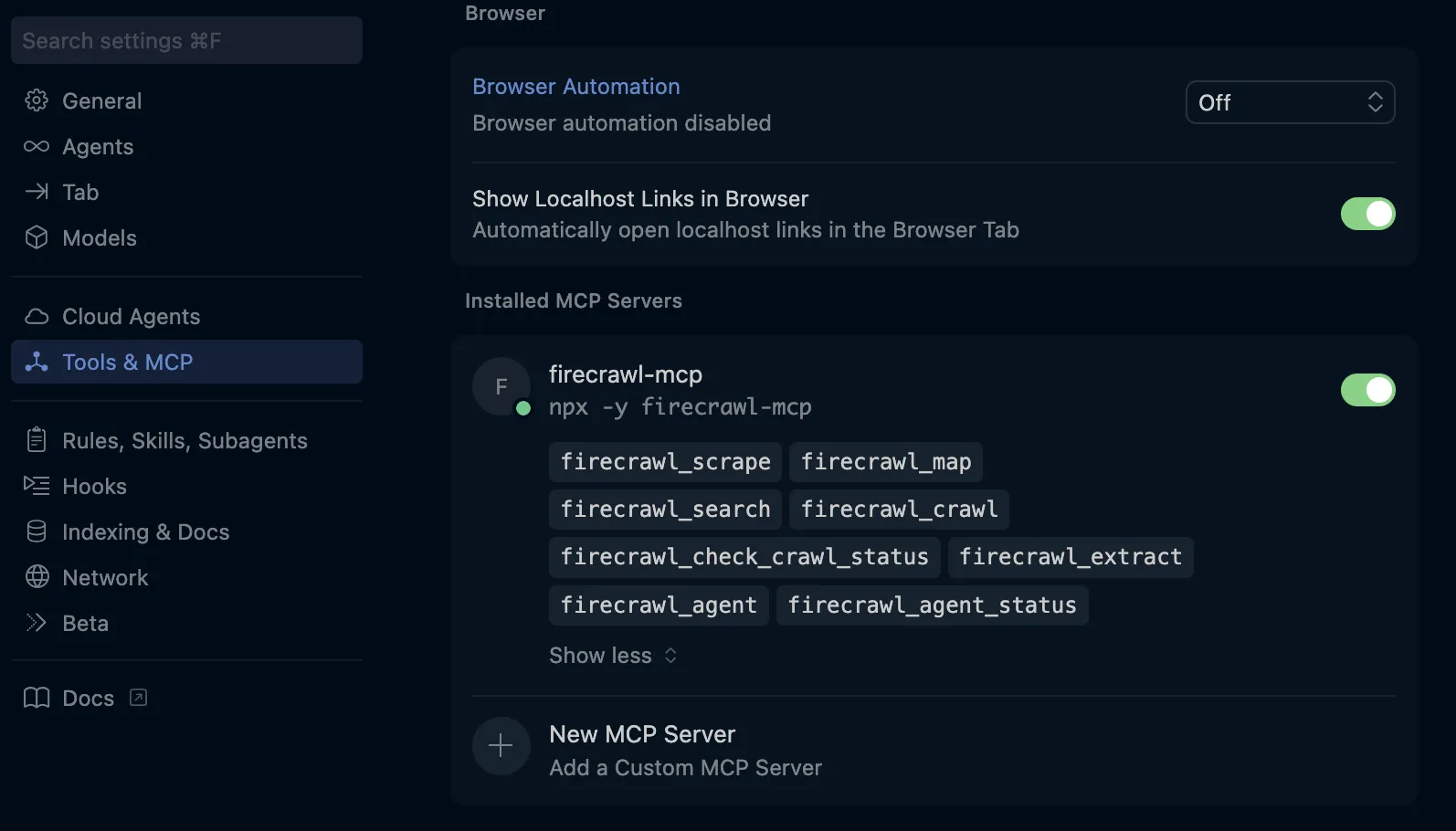
Once set up, go to Cursor Settings > Tools and MCP to verify installation.
Method 2: Use the Cursor Settings UI
- Open Cursor Settings with Cmd+, (Mac) or Ctrl+, (Windows).
- Click "Tools & MCP" in the left sidebar.
- Under "Installed MCP Servers", click "New MCP Server".
- Cursor opens the
mcp.jsonfile. Paste the JSON config shared above. - Save the file.
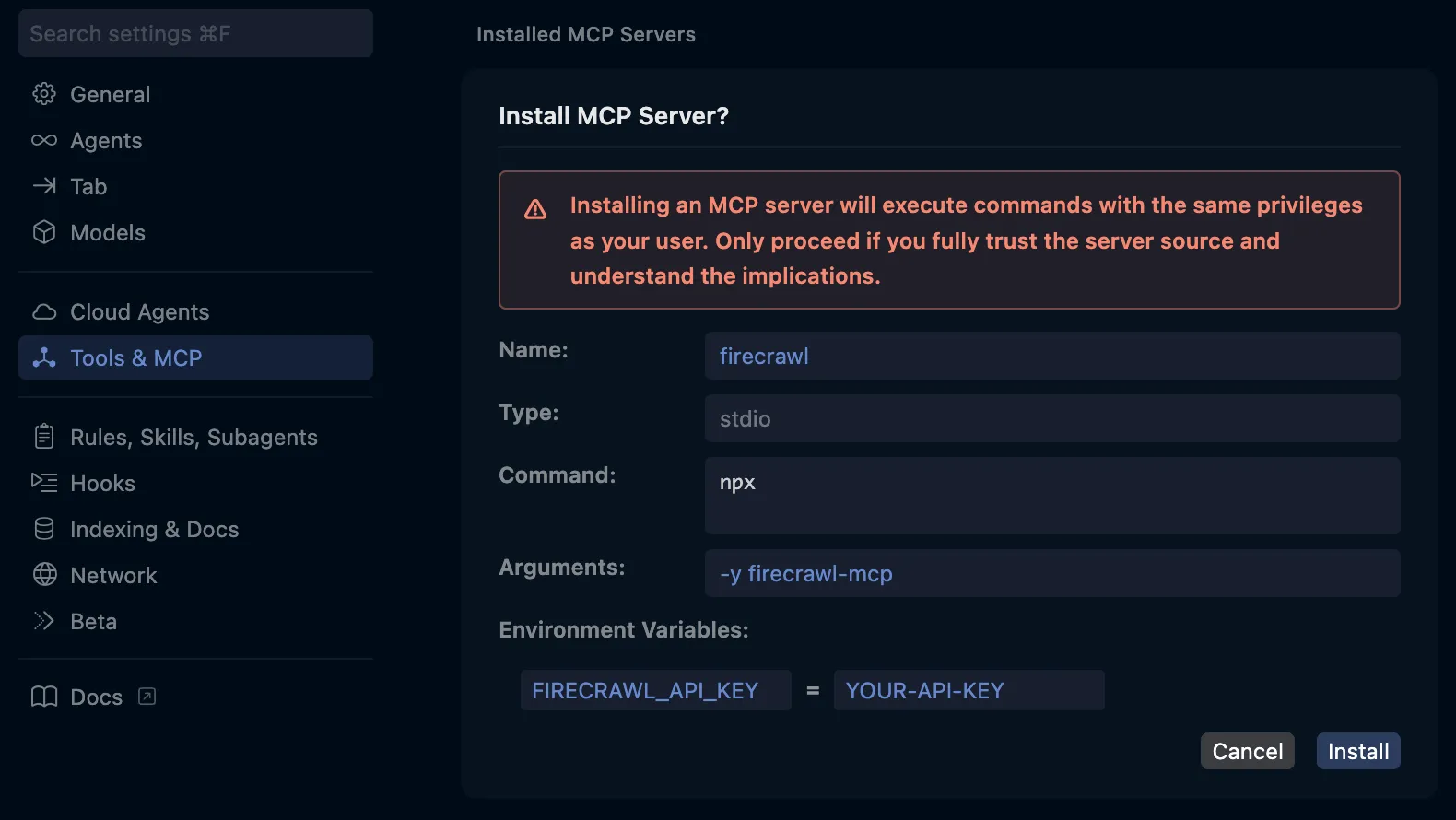
Method 3: One-Click Install
Skip the manual config by clicking the button below to validly configure Cursor automatically:

Just replace the API key in the environment variables.
Step 2: Verify the connection
After saving your config:
- Open Cursor Settings → Tools & MCP → MCP Servers.
- Look for "firecrawl-mcp".
- A green dot means it's connected.
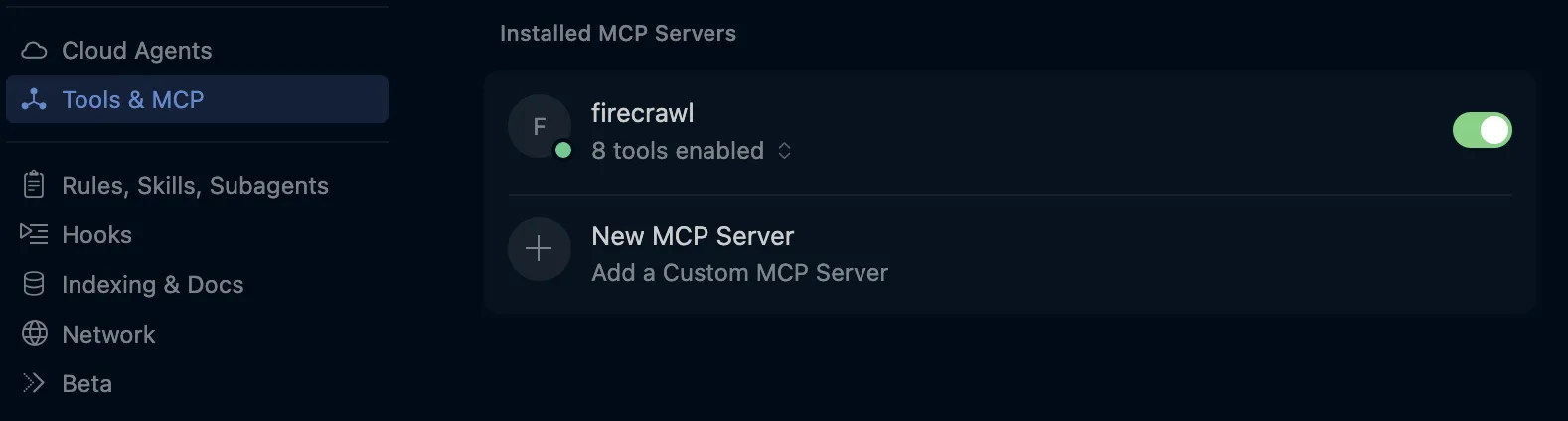
If you see a red dot, check the logs (refresh icon or bottom panel).
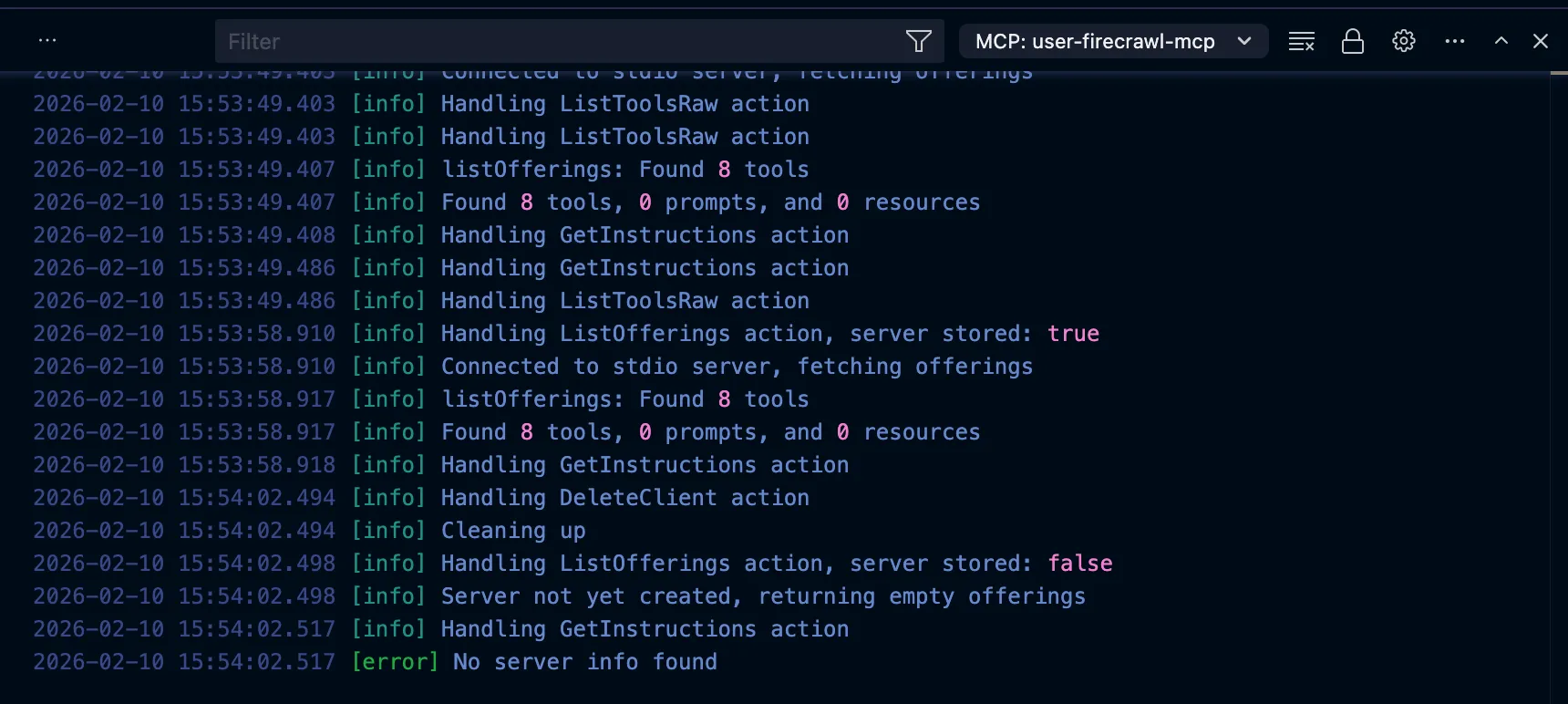
Common troubleshooting tips:
- npx not found: Ensure Node.js is in your system PATH.
- API key issues: Check for the
fc-prefix and no extra spaces. - Logs: Use
Cmd+Shift+P→ "Developer: Show Logs" → "Cursor MCP".
Step 3: Test the integration
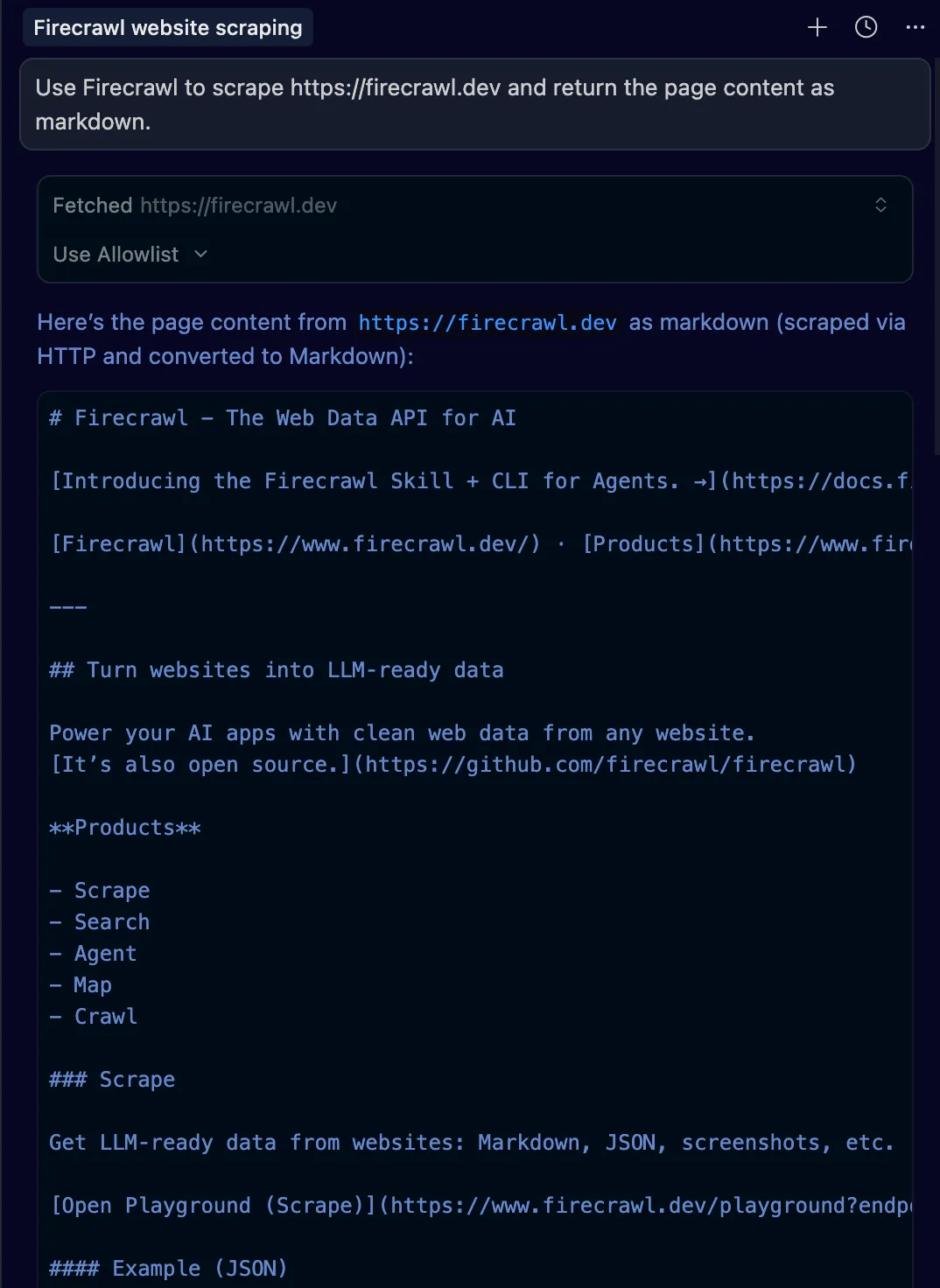
Open Agent mode (Cmd+I) and type:
"Use Firecrawl to scrape https://firecrawl.dev and return the page content as markdown."
Click "Allow" on the confirmation dialog.
Building a competitor price tracker
Let's build a real-world app: a Python script that monitors competitor pricing pages.
1. Create the project:
mkdir pricing-tracker && cd pricing-tracker2. Prompt the Agent: "I want to build a competitor pricing tracker. Use Firecrawl to scrape the pricing pages of these three SaaS tools and extract the plan names, prices, and key features into a structured format: [Notion, Linear, Todoist pricing URLs]. Then create a Python script that stores this data in a SQLite database and generates a comparison markdown report."
3. Watch it work: The agent recognizes it needs web data and calls firecrawl_scrape on each URL.
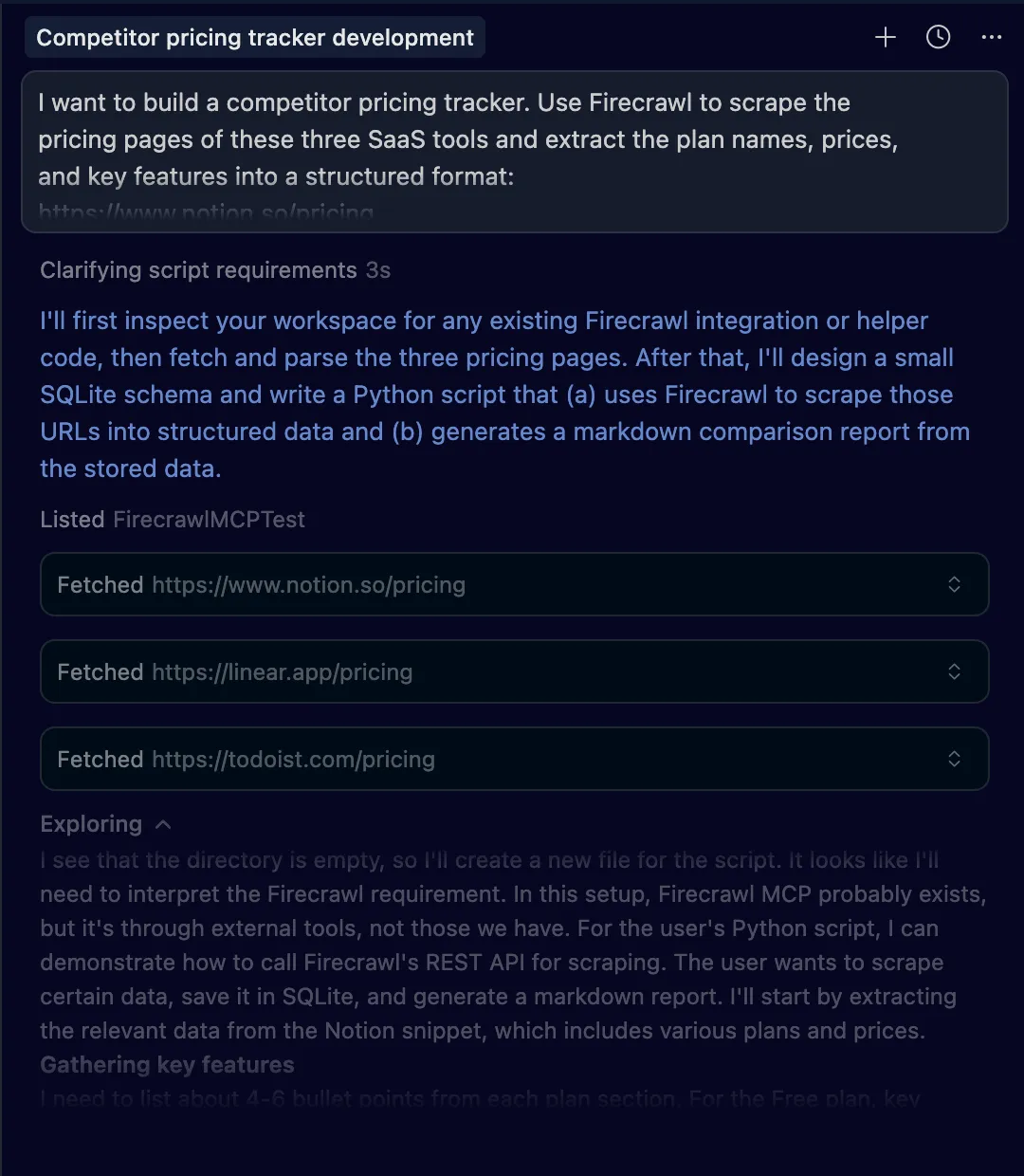
After parsing the content (using Firecrawl's built-in JS rendering), it writes your Python script with SQLite storage and a report generator.
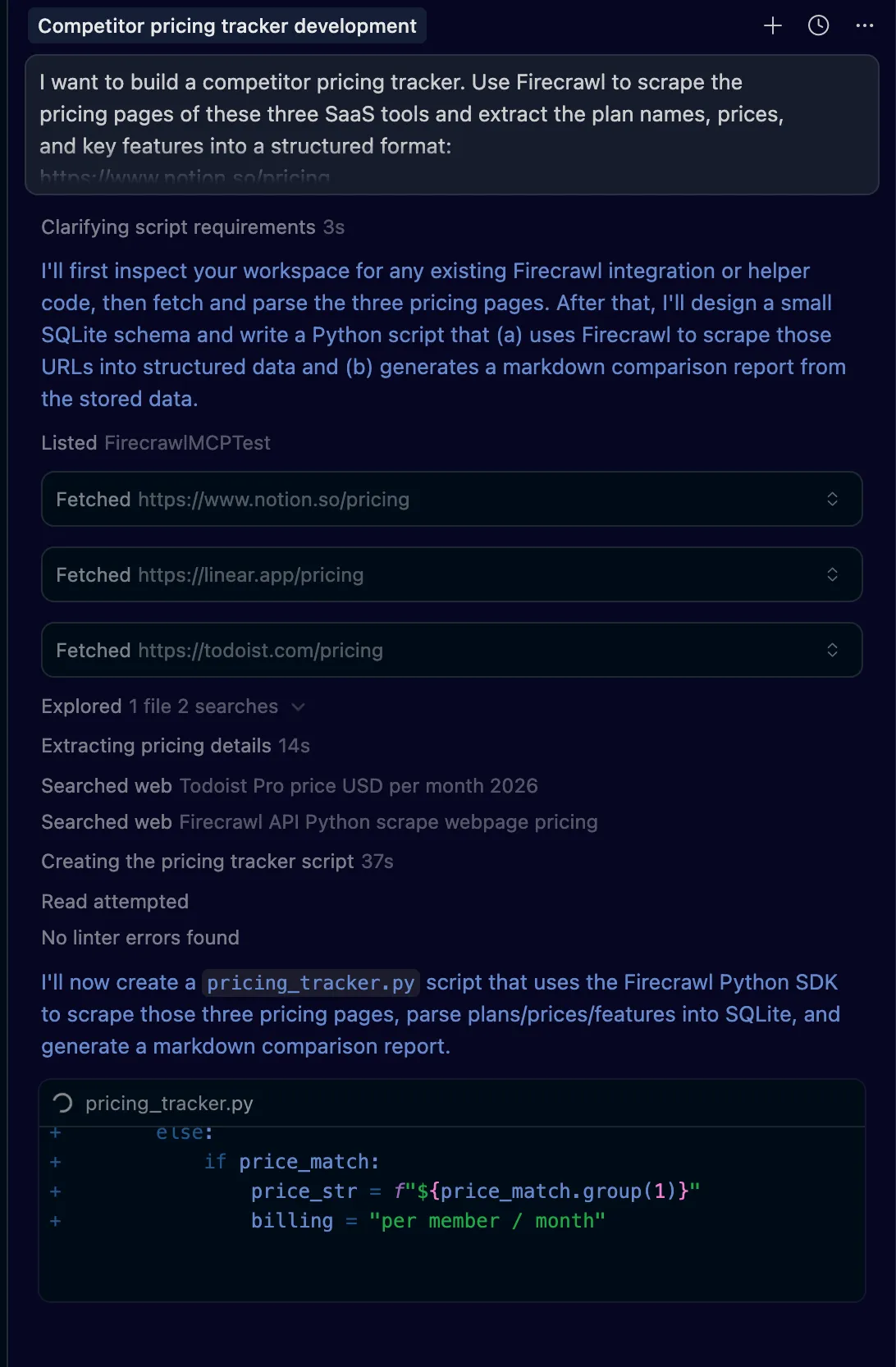
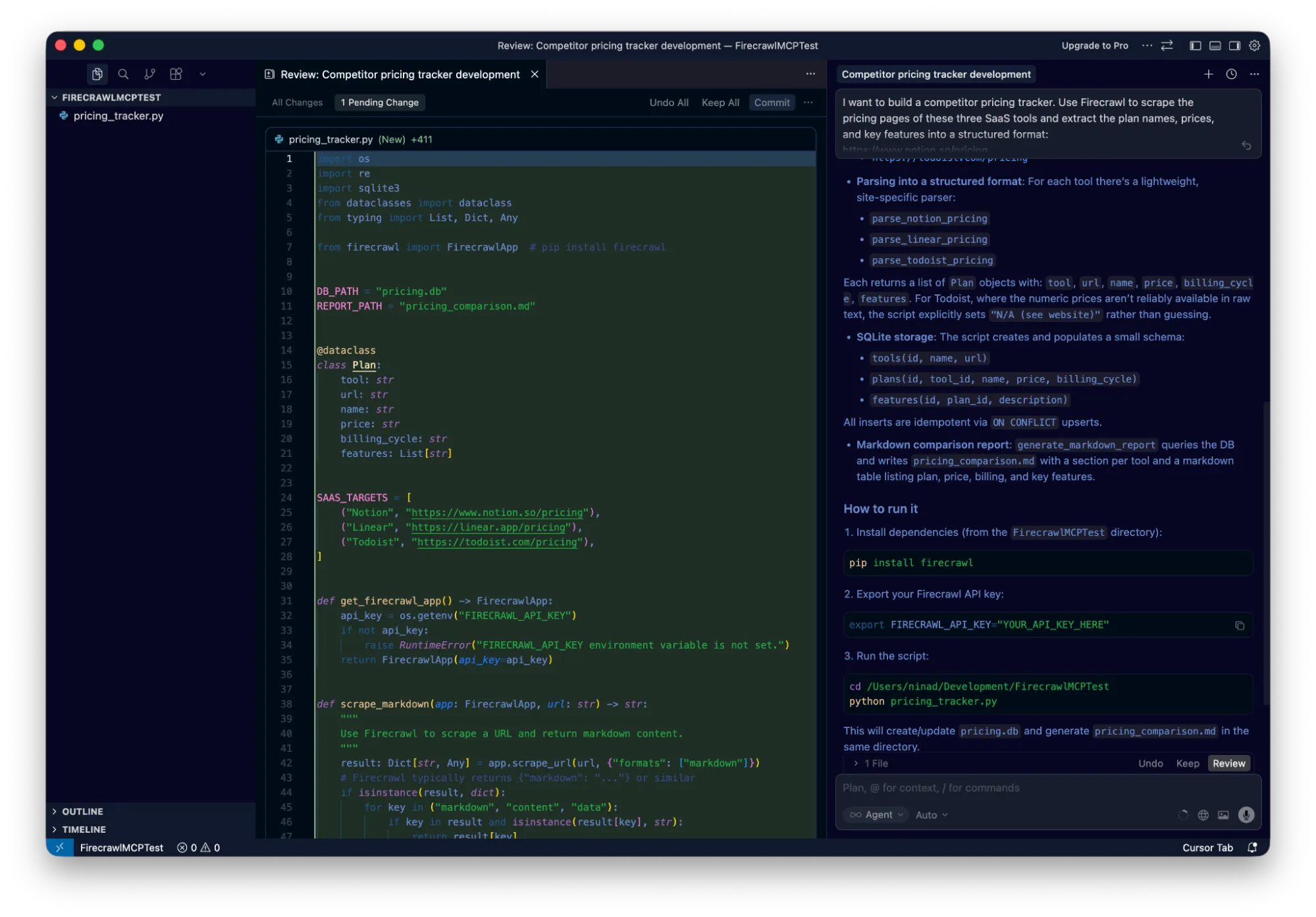
The final output is a working script and a generated comparison report.
Which tool for which job?
Since there are 12 tools, here is a quick guide on when to use what:
| Tool | Best Use Case |
|---|---|
| firecrawl_scrape | You know the exact URL and want content fast. |
| firecrawl_search | You need to find information but don't know the URL. |
| firecrawl_extract | You need specific data fields (price, email) in structured JSON. |
| firecrawl_map | You want to discover all pages on a site (sitemap). |
| firecrawl_deep_research | You need comprehensive analysis across many sources. |
| firecrawl_agent | You need autonomous browsing/navigation (login, click buttons). |
| firecrawl_interact | You need to scrape a page then take actions in it (search, click, fill forms). Docs → |
| firecrawl_batch_scrape | You have a list of multiple URLs to process in parallel. |
Start agentic engineering today
A year after coining "vibe coding," Karpathy proposed "agentic engineering."
Agentic engineering is about giving AI tools real web access and data. Firecrawl MCP in Cursor makes this reality. Your agent can search docs, scrape live sites, and map domains — all without leaving your editor. Beyond coding agents, OpenClaw shows how to give a self-hosted personal agent the same live web capabilities. For the full picture of what MCP servers developers are pairing with Firecrawl today, see the best MCP servers for developers and the top web search MCP servers comparison. If you want to run Firecrawl-powered tasks on a repeating schedule without writing code, see how to schedule recurring web tasks with Claude Desktop or get started with Cursor Automations directly inside the editor.
The fastest way to get started: install Firecrawl directly from the Cursor Marketplace with one click, then open Agent mode and start prompting.
Frequently Asked Questions
Does Firecrawl MCP work in Cursor's Ask mode?
No. MCP tools only work in Agent mode. Open Composer with `Cmd+I` (Mac) or `Ctrl+I` (Windows) and select "Agent".
Do I need to pay for Firecrawl?
Firecrawl offers a free tier with 1,000 credits per month (no card required). This covers ~100 scrapes or 50 searches. Paid plans are available for higher volume.
Can I use Firecrawl MCP with a self-hosted instance?
Yes. Add the `FIRECRAWL_API_URL` environment variable pointing to your instance (e.g., `https://firecrawl.your-domain.com`).
I see a red dot next to the server name. What do I do?
Click refresh. If that fails, check `npx` path (`which npx`). The most common issue is Cursor not finding your Node.js installation.
How many MCP servers can I run at once?
Cursor supports ~40 active MCP tools simultaneously.
Will the agent automatically use Firecrawl?
Yes. If you ask to "search the web" or "scrape this site," the agent automatically selects the Firecrawl tool. You can also be explicit: "Use Firecrawl to..."