TL;DR
Codex orchestration runs on a spectrum, from a single session spawning subagents to an always-on system driven by your issue tracker.
| Rung | Mechanism | Isolation | Best for |
|---|---|---|---|
| In-session subagents | worker / explorer spawned in one session | Shared workspace, separate threads | Parallel exploration or review of one change |
| Custom agents | TOML files under .codex/agents/ | Per-agent model, sandbox, and MCP | Specialized, repeatable roles |
| Batch fan-out | spawn_agents_on_csv | One worker per row | Audits across many similar items |
Worktrees + codex exec | Git worktrees, headless runs | Separate branches and directories | Parallel feature work, scripted fleets |
| Symphony | Issue tracker as control plane | Isolated autonomous runs | Always-on, team-scale orchestration |
- Subagents are on by default in current Codex releases, but Codex only spawns them when you explicitly ask.
- Concurrency is capped by
agents.max_threads(default 6) and nesting byagents.max_depth(default 1). - More agents means more tokens and more review, so cap the fan-out at what you can actually verify.
- Any subagent can carry its own MCP tools, which is how a research agent gets live web data.
A single coding agent has a ceiling, and it is a human one. OpenAI's own team found that most engineers "could comfortably manage three to five sessions at a time before context switching became painful" when they tried to scale up agentic work, a wall they hit while building Symphony. Past that point you are not coding, you are juggling.
Codex multi-agent orchestration is the lever that raises the ceiling. Instead of babysitting one agent, you let one Codex session spawn a team of specialized agents, run them in parallel, and hand you back a consolidated result. This guide walks through how it works, then builds a real workflow you can run today. For a full comparison of Codex against Claude Code, OpenCode, and the other major AI coding agents — ranked on harness depth, token cost, and SWE-bench accuracy — see Firecrawl's sourced breakdown.
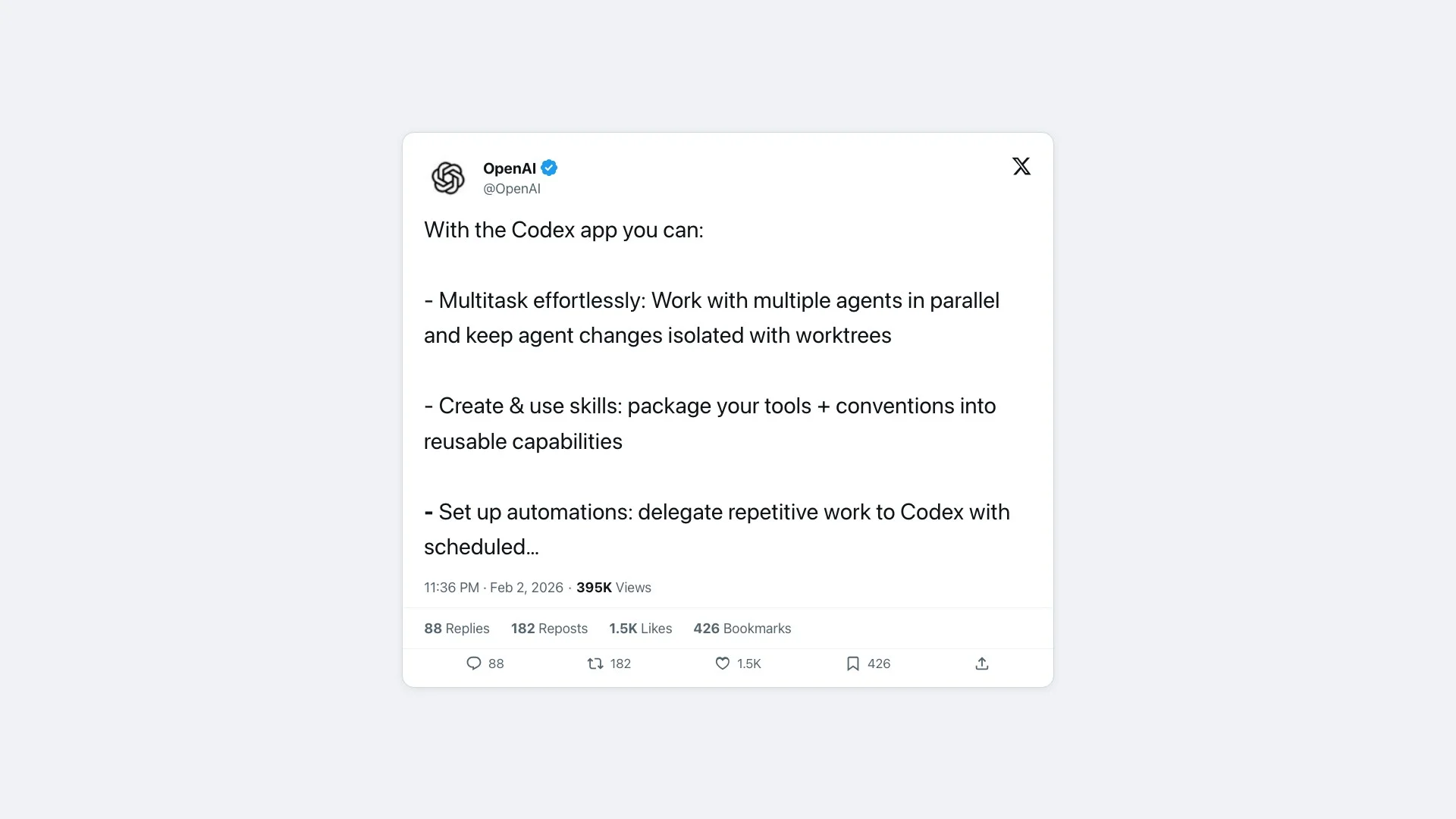
OpenAI built parallel agents into the product directly. With the Codex app you can "work with multiple agents in parallel and keep agent changes isolated with worktrees," as the launch post put it. The same primitives are available in the Codex CLI, which is where this guide spends most of its time.
Pairing orchestrated agents with live web data? Firecrawl gives any Codex subagent clean, LLM-ready markdown from real websites through a single MCP server. More on that in the runnable example below.
What is multi-agent orchestration with Codex?
Multi-agent orchestration with Codex is the practice of running several OpenAI Codex agents at once, each scoped to a narrow job, and combining their work into one outcome. At the smallest scale, a single Codex session "can run subagent workflows by spawning specialized agents in parallel and then collecting their results in one response," per the subagents documentation.
The same idea scales up. Git worktrees give each agent its own branch, the Codex app supervises many agents across a project, and Symphony assigns an agent to every open ticket. The mechanics change at each level, but the goal is constant: more parallel work per human reviewer.
Why orchestrate instead of running one agent?
A single agent runs into predictable limits. Addy Osmani, who writes extensively on agentic coding, frames it as three walls: "Every developer eventually hits three walls with a single agent: context overload, no specialization, and no coordination," from his essay The Code Agent Orchestra.
Orchestration answers each wall directly:
- Context overload eases because each agent carries its own context window instead of stuffing one window with the whole task.
- No specialization disappears once you give each agent a focused role, model, and sandbox.
- No coordination is handled by Codex itself, which spawns agents, routes follow-ups, waits for results, and closes threads.
The honest tradeoff is cost on two fronts. Subagents "consume more tokens than comparable single-agent runs," the docs warn, and review time grows with every parallel branch. Simon Willison put the second cost plainly: "the natural bottleneck on all of this is how fast I can review the results," in Embracing the parallel coding agent lifestyle. Orchestration moves the bottleneck from typing to reviewing, so plan for it.
For a fuller comparison of how Codex stacks up against other agents on speed and depth, see our Claude Code vs Codex breakdown.
How does Codex run subagents?
Codex ships three built-in agents that any session can spawn:
defaultis the general-purpose fallback.workeris execution-focused, for implementation and fixes.exploreris read-heavy, tuned for codebase exploration.
You trigger a fan-out by asking for it in plain language. A prompt like "spawn one agent per review point, wait for all of them, and summarize each" causes Codex to open one thread per point and consolidate the answers. Codex "handles orchestration across agents, including spawning new subagents, routing follow-up instructions, waiting for results, and closing agent threads," so you steer rather than wire anything together.
Two global settings govern the fan-out. They live under [agents] in your config.toml:
[agents]
max_threads = 6   # concurrent agent threads (default 6)
max_depth   = 1   # nesting depth (default 1: a child can spawn, no deeper recursion)
Raising max_depth is tempting and risky. The docs note it "can turn broad delegation instructions into repeated fan-out, which increases token usage, latency, and local resource consumption." Keep it at 1 unless you have a specific reason. While agents run, /agent in the Codex CLI lets you switch between threads, inspect them, or stop one. Subagents inherit the parent session's sandbox policy, and approval requests can surface from background threads while you work on the main one.
If you are deciding between wiring tools through MCP or shelling out to a CLI, our MCP vs CLI guide covers the tradeoffs that apply here too.
How do you define custom Codex agents?
Custom agents are where the real differentiation is. Each one is a standalone TOML file under .codex/agents/ for a project or ~/.codex/agents/ for personal use. Codex identifies an agent by its name field, and a custom agent that reuses a built-in name overrides it.
| Field | Required | Purpose |
|---|---|---|
name | Yes | How Codex refers to the agent when spawning it |
description | Yes | When Codex should pick this agent |
developer_instructions | Yes | The agent's behavior and guardrails |
model | No | Pin a model, for example gpt-5.4 or gpt-5.4-mini |
sandbox_mode | No | read-only, workspace-write, or full access |
mcp_servers | No | Tools this agent can call, such as Firecrawl |
The model choices matter for cost. Per the Codex models page, gpt-5.5 is the default for complex work, gpt-5.4 is the high-reasoning flagship, and gpt-5.4-mini is "recommended for subagents" because it is fast and efficient. Pin the small model to cheap, high-volume agents and reserve the flagship for the agent whose judgment you trust most.
Custom agents read the same project conventions as the rest of Codex, including your AGENTS.md file, so shared standards apply to every spawned agent. For more on packaging reusable agent behavior, see our overview of Claude plugins and skills, which covers a parallel ecosystem.
How do you build a parallel review and research workflow?
Here is a complete, runnable workflow. It splits a pull request review across three Codex agents that run in parallel: one maps the code, one reviews it, and one verifies external APIs against live documentation using Firecrawl. This adapts the official three-agent review pattern, swapping the docs source for a web-data agent.
Start with the project config at .codex/config.toml:
[agents]
max_threads = 3
max_depth = 1
The read-only explorer maps the affected code. Save it as .codex/agents/code-explorer.toml:
name = "code_explorer"
description = "Read-only explorer that maps the code paths a change touches."
model = "gpt-5.4-mini"
model_reasoning_effort = "medium"
sandbox_mode = "read-only"
developer_instructions = """
Stay in exploration mode.
Trace the real execution path, cite files and symbols, and do not propose fixes unless asked.
Prefer fast search and targeted file reads over broad scans.
"""
The reviewer looks for real risks, using the high-reasoning flagship. Save it as .codex/agents/reviewer.toml:
name = "reviewer"
description = "PR reviewer focused on correctness, security, and missing tests."
model = "gpt-5.4"
model_reasoning_effort = "high"
sandbox_mode = "read-only"
developer_instructions = """
Review code like an owner.
Prioritize correctness, security, behavior regressions, and missing test coverage.
Lead with concrete findings and include reproduction steps when possible.
"""
The research agent verifies third-party API behavior against current docs and the live web. It carries the Firecrawl MCP server, so it can search and scrape real pages. Save it as .codex/agents/web-researcher.toml:
name = "web_researcher"
description = "Verifies external APIs and library behavior against live web documentation."
model = "gpt-5.4-mini"
model_reasoning_effort = "medium"
sandbox_mode = "read-only"
developer_instructions = """
Use the Firecrawl tools to confirm APIs, options, and version-specific behavior on the live web.
Return concise answers with source links. Do not make code changes.
"""

[mcp_servers.firecrawl]
command = "npx"
args = ["-y", "firecrawl-mcp"]
env_vars = ["FIRECRAWL_API_KEY"]
That [mcp_servers.firecrawl] block is the web-data layer. With it, the research agent can call firecrawl_search to find the right source and firecrawl_scrape to pull clean markdown from it, instead of guessing from stale training data. Grab a key from the Firecrawl dashboard and export it as FIRECRAWL_API_KEY before you run. The Firecrawl MCP docs also offer a remote URL form if you prefer not to run the server locally.
Now drive all three agents from one prompt in the Codex CLI:
Review this branch against main. Have code_explorer map the affected code paths,
reviewer find real risks, and web_researcher verify the third-party APIs the patch
relies on against their live documentation. Wait for all three, then summarize.
Codex spawns the three agents, runs them in parallel up to your max_threads cap, and consolidates their findings into one report. To run the same workflow headlessly in CI, use the non-interactive mode:
codex exec --json "Review this branch against main with code_explorer, reviewer, \
and web_researcher; wait for all three and summarize the findings." > review.jsonl
codex exec streams progress to stderr and prints the final result to stdout, and --json gives you a structured event stream you can parse in a pipeline. For a deeper look at giving Codex live search in the first place, see our guide on Codex web search with Firecrawl.
How do you scale beyond one session?
In-session subagents share a workspace, which is fine for review but risky for parallel feature work. To run agents that all write code at once, isolate them with git worktrees. Each worktree is a separate branch and directory, so two agents editing the same file never collide.
The pattern is a short script: create one worktree per task, then launch a background codex exec run in each.
for task in auth-fix search-index export-csv; do
  git worktree add "../$task" -b "$task"
  (cd "../$task" && codex exec --sandbox workspace-write \
    "Implement the $task ticket. Run the tests before finishing.") &
done
wait
This is the fleet model that practitioners actually run, and it has rough edges. One r/codex thread captures the reality well.
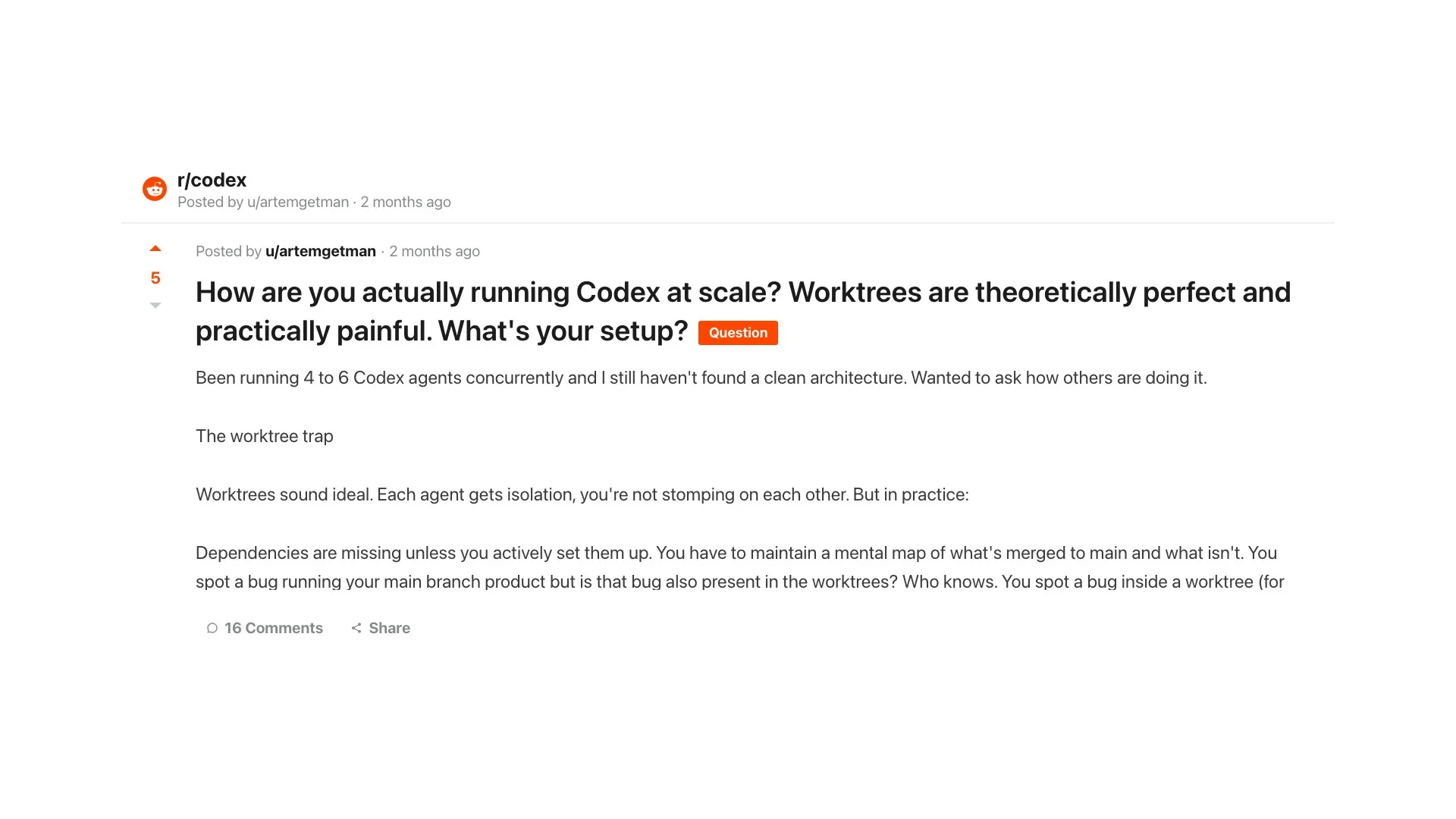
The author, running "4 to 6 Codex agents concurrently," describes the worktree trap: "Worktrees sound ideal. Each agent gets isolation, you're not stomping on each other. But in practice: Dependencies are missing unless you actively set them up. You have to maintain a mental map of what's merged to main and what isn't." Isolation solves collisions, not coordination.
For repetitive audits over many similar items, Codex has a dedicated primitive. spawn_agents_on_csv reads a CSV, spawns one worker subagent per row, and exports the combined results to a new CSV. It fits "reviewing one file, package, or service per row," which is faster than prompting each item by hand.
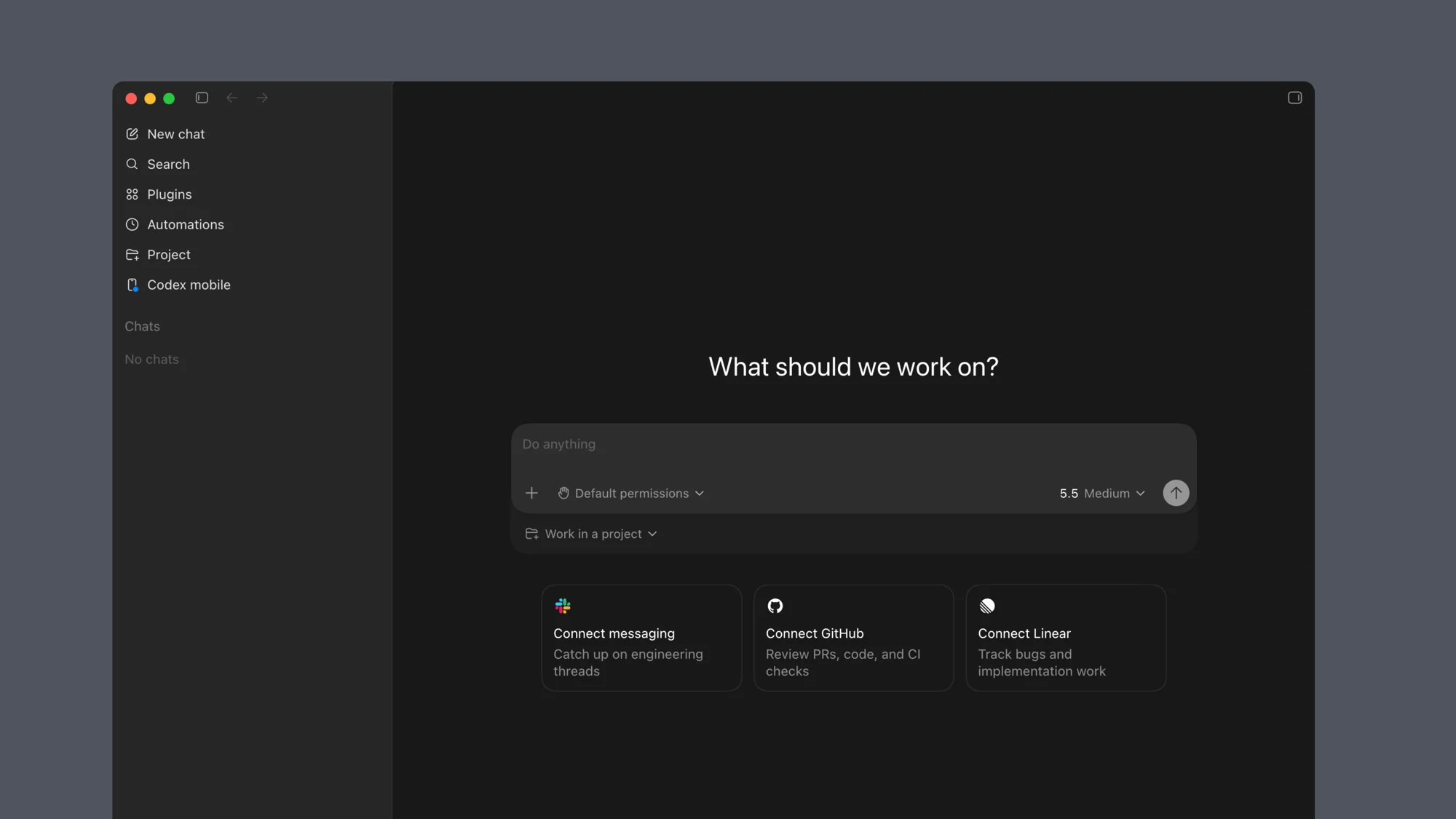
When you want a visual command center rather than a terminal full of background jobs, the Codex app supervises multiple agents and their worktrees in one window. If you are weighing it against other agent runners, our Claude Code vs OpenCode comparison covers the broader field.
What does always-on orchestration look like?
The top rung removes the human from the dispatch loop entirely. OpenAI's Symphony, an open-source orchestrator with around 25,000 stars on GitHub, "turns project work into isolated, autonomous implementation runs." It connects to a board like Linear, where "every open task gets an agent, agents run continuously, and humans review the results."
The payoff OpenAI reports is concrete: "a 500% increase in landed pull requests on some teams." That number is the whole argument for orchestration in one line. The work that used to wait for an engineer to start it now starts itself, and the engineer's job shifts to review and direction. Symphony is the heavyweight option, but the principle scales down to the worktree script above.
How many agents should you actually run?
More agents is not strictly better. The constraint is review capacity, not compute. Osmani's guidance from running these setups is specific: "Three to five teammates is the sweet spot. Token costs scale linearly, and three focused teammates consistently outperform five scattered ones."
A practical rule: add a parallel agent only when you can keep up with reviewing its output. The review-and-research workflow above uses three because a human can hold three consolidated reports in their head. A worktree fleet of six is feasible, but only if you have the discipline to merge and verify each branch. Past your personal review limit, extra agents produce work that piles up unreviewed, which is slower than running fewer.
How does Codex orchestration compare to Claude Code?
Both tools converged on the same model: one human supervising a team of specialized agents. Codex leans on TOML-defined custom agents and worktrees, while Claude Code offers an experimental Agent Teams mode for parallel execution alongside a growing catalog of Claude Code skills for repeatable workflows. The shape is similar, and many engineers run both as parallel coding agents in separate terminals, as Willison does.
Rather than relitigate the matchup here, our Claude Code vs Codex article compares harness depth, pricing, and speed in detail. The orchestration takeaway is that the patterns transfer: if you learn agent orchestration in one tool, you can apply it in the other.
Where web data fits in an orchestrated fleet
Every orchestrated workflow eventually needs information that is not in the repo: current API behavior, a library's latest options, competitor data, live documentation. That is the gap a research agent fills, and it is only as good as the web data behind it.
Firecrawl is the web data API that agent uses to search, scrape, and interact with the web at scale. One MCP server gives any Codex subagent the ability to search the live web and turn real pages into clean, token-efficient markdown, the same capability that powers data-gathering agents like the one in our finance research agent build. It handles the JS-heavy pages and anti-bot friction that break naive scrapers, and it returns structured output your agents can act on. For indexing whole sites instead of single pages, see how we think about a web index for agents.
Start orchestrating: define two or three custom agents, give the research one a Firecrawl key, and run the review workflow above on your next pull request. Grab a free Firecrawl API key and wire it into your web_researcher agent in under five minutes.
Frequently Asked Questions
What is multi-agent orchestration in Codex?
It is a workflow where one Codex session spawns several specialized subagents that run in parallel, then collects their results into a single consolidated response. Codex handles the spawning, routing, waiting, and thread cleanup for you, so you describe the work and review the output.
How many Codex agents can run in parallel?
Codex caps concurrent agent threads with the agents.max_threads setting, which defaults to 6. Nesting depth is controlled by agents.max_depth, which defaults to 1 so a child agent can spawn but cannot recurse deeper without an explicit change.
Do Codex subagents cost more than a single agent?
Yes. The official docs state that because each subagent does its own model and tool work, subagent workflows consume more tokens than a comparable single-agent run. The speedup comes from parallelism, not from saving tokens.
How do I define a custom Codex agent?
Add a TOML file under .codex/agents/ in your project or ~/.codex/agents/ for personal agents. Each file requires a name, description, and developer_instructions, and can optionally pin its own model, reasoning effort, sandbox mode, and MCP servers.
Can a Codex subagent use MCP tools like Firecrawl?
Yes. A custom agent can include its own mcp_servers block, so one subagent can hold web access through the Firecrawl MCP server while the others stay code-only. This is how you give a research agent clean, current web data.
What is the difference between worktrees and subagents in Codex?
Subagents run inside one session and share the workspace while working on separate threads. Git worktrees give each agent its own branch and directory, so parallel feature work does not collide. Many teams combine both: worktrees for isolation, subagents within each tree.
What is OpenAI Symphony?
Symphony is OpenAI's open-source orchestrator that turns a project board like Linear into a control plane for Codex agents. Every open task gets an agent, agents run continuously, and humans review the results. OpenAI reports a 500% increase in landed pull requests on some teams.
How do I orchestrate Codex agents in CI or scripts?
Use codex exec for non-interactive runs. It streams progress to stderr, prints the final message to stdout, supports a JSONL event stream with --json, structured output with --output-schema, and resuming a session with codex exec resume. This is the backbone for scripted fan-out across worktrees.