

TL;DR: Best Context7 alternatives
- Firecrawl Developer Index: Curated index of issues, PRs, READMEs, and docs; leads DevDex at 63.1% Recall@10
- Parallel: General search and extract API for agents; 57.7% overall, strongest repo-finding at 81.9%
- Mintlify Search Index: One MCP for 200,000+ libraries served straight from publishers, 54.6% overall
- Exa: Neural web search API with strong docs and issue coverage, 53.7% overall
- DeepWiki: Devin-generated wikis and Q&A over public GitHub repos, browser-native for exploring unfamiliar code
Context7 is one of the most popular MCPs shipped in the last two years. Upstash's index sits at 61.4k GitHub stars and covers over 126,000 libraries, and developers reach for it because their coding agent's training data goes stale the moment a framework ships a new release.
As one developer put it on r/ClaudeAI, docs are an exact source of truth while the model's training is not: think of what the model knows as "an extremely compressed jpeg of all its training data". Context7 gives the agent the real file. That is why it became the shorthand for "up-to-date library docs in Claude Code."
Being the most popular tool in a category is not the same as being the best fit for what you are actually asking of it. We wanted to see how Context7 held up next to the newer developer-retrieval tools that ship today. So we ran the numbers.
The Firecrawl Developer Retrieval benchmark (DevDex) scores eight systems on 1,179 tasks across three tracks: repository, issue-to-fix, and documentation. Context7 is docs-only by design, and that shows up in the results: it does well on the docs track (46.6% Recall@10, second overall on that track) but lands at 16.8% overall because roughly 78% of its repo queries and 52% of its issue and PR queries return nothing.
That is not a knock on Context7. It is what happens when coding agents ask three questions (which repo, which PR, which doc) of a tool built for one.
These are the best Context7 alternatives I would hand someone starting today. Five tools that either extend the docs-only surface Context7 covers, or replace it outright with a broader developer retrieval index. If you want the wider playbook for wiring current library docs into Claude Code, Cursor, and other agents, see our guide on up-to-date documentation for AI coding agents.
What is Context7 and why look for an alternative?
Context7 is an MCP server built by Upstash that pulls current, version-specific library documentation into Claude Code, Codex, Cursor, and other agents at query time. You add it to your agent's config, ask a question, and Context7 returns fresh doc snippets from a curated set of libraries.
It went viral on launch and has stayed one of the most-installed MCPs for developers in 2026.
The limitation is in the name. Context7 is a documentation index. It does not index GitHub issues, it does not surface the pull request that fixed a bug, and repository search is not part of the product.
If your agent asks "which repo implements X capability" or "which PR changed the retry behavior in openai-python", Context7 returns nothing useful. The DevDex benchmark quantifies this: 0.8% Recall@10 on the repository track, 2.9% on issue-to-fix, and 46.6% on docs.
The alternatives below split into two shapes:
- Broader developer retrieval indexes (Firecrawl Developer Index, Parallel, Exa, Mintlify) that cover docs plus repos plus issues and PRs in one query.
- Codebase explorers (DeepWiki) that render a whole public repo as a browseable wiki for onboarding and cross-file reasoning.
Pick by what your agent is actually failing on.
How the DevDex benchmark reads
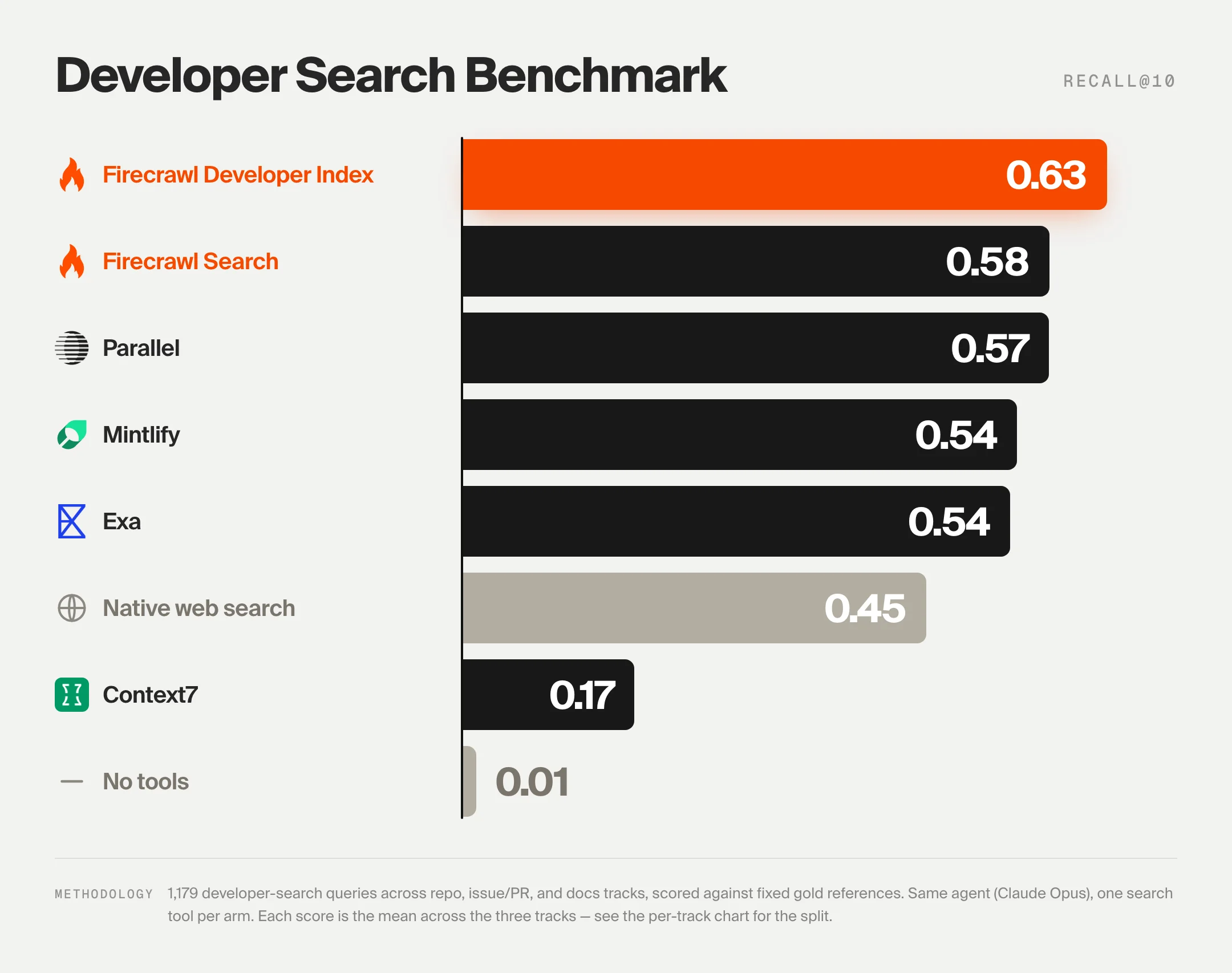
Before the list, the shorthand for the numbers you will see repeated below.
DevDex is an open benchmark that scores retrieval tools with one agent driver (Claude Opus 4.8), the same harness, and the same ten-result search depth. Two metrics:
- Recall@10 is the fraction of correct answers that appear in the agent's first ten citations.
- MRR@10 is the reciprocal rank of the first correct citation, so ranking the right answer first scores higher than ranking it tenth.
Overall score is the equal-weight mean of the three tracks. A memorization gate drops any question the model can answer without search, so the numbers measure retrieval, not what the model already knew.
Full code and a 594-item public sample live at firecrawl/benchmark-devdex, and the Firecrawl dev-index launch post walks through the design decisions behind the index that leads the benchmark.
1. Firecrawl Developer Search Index
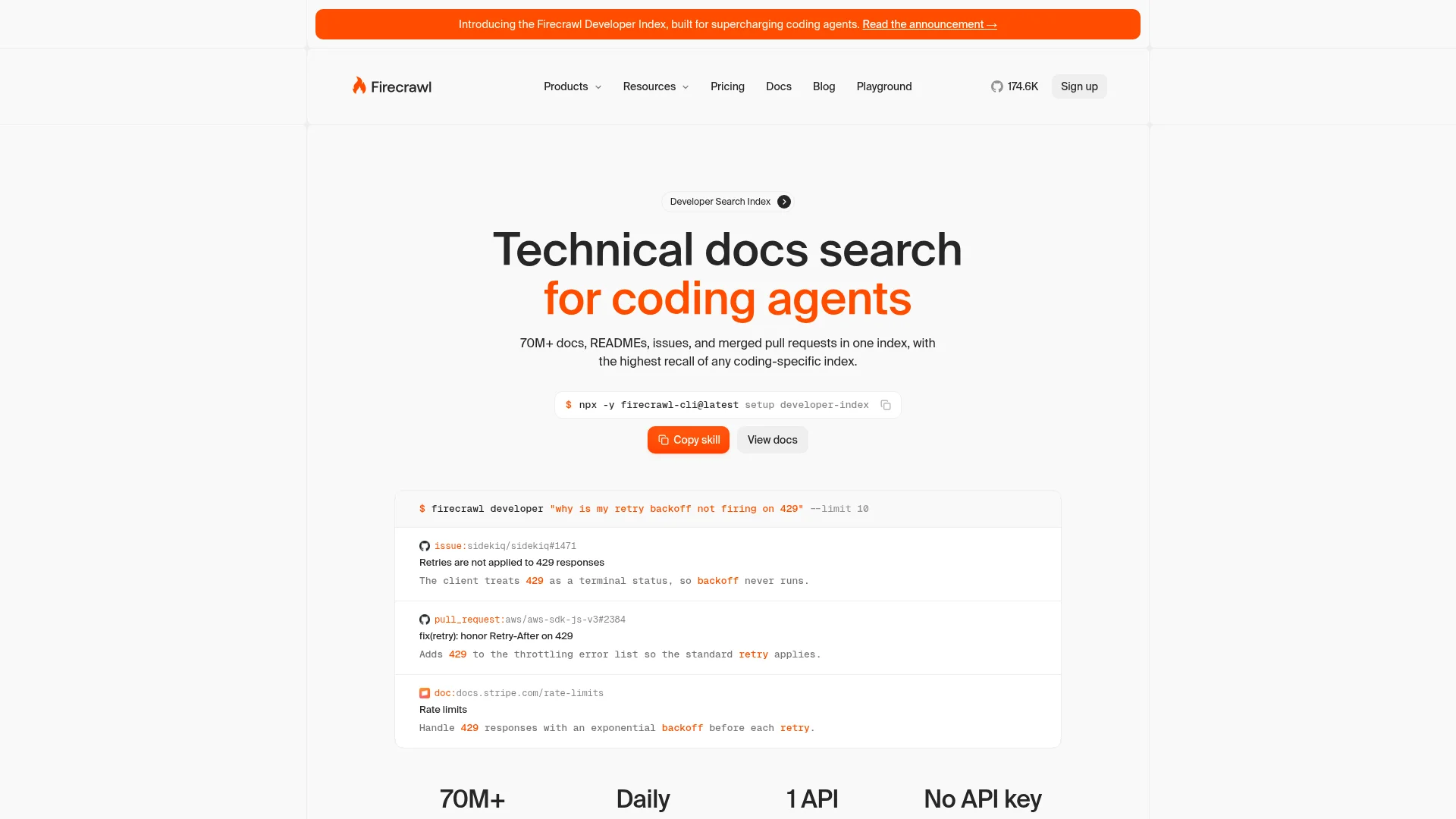
The Firecrawl Developer Index is a purpose-built retrieval surface for coding agents: GitHub issues, merged pull requests, READMEs, and curated documentation, addressable by natural-language question, and leads the open DevDex benchmark at 63.1% overall Recall@10.
Where Context7 stops at documentation, the Developer Index treats the primary sources coding agents actually cite as first-class inputs. A general web search returns SEO-ranked tutorial blogs when what you actually needed was the PR that changed an API contract, or the issue where a bug was reported and fixed.
The index points Claude, Codex, and Cursor at those sources directly, filtered by result type and repository attributes, with matched passages returned as markdown so tables and code blocks survive.
It sits alongside the rest of Firecrawl: /scrape for clean markdown, /search for whole-web queries, /crawl for site traversal, /parse for PDFs and Office docs, /interact for scripted browser actions, and /monitor for scheduled change tracking.
result_type: filter todoc,issue,pull_request, orreadmerepos/sources: scope to specific repos or documentation sites- Repository attributes: filter by
language,topic,license,min_stars,archived,fork - Stable IDs: every result carries an id like
issue:owner/repo#123for reproducible citations
Where it plugs in:
- REST API:
GET/POST /v2/search/developer, orPOST /searchwithcategories: ["developer"] - MCP: the Firecrawl MCP server
- CLI: the Firecrawl CLI;
--allinstalls into every detected agent on the machine - Native plugins: Claude Code plugin at claude.com/plugins/firecrawl, plus Codex, Cursor, Gemini CLI, Windsurf, and OpenCode via the CLI
- SDKs: Python, Node, Go, and Rust
Install (Developer Index skill):
npx -y firecrawl-cli@latest setup developer-indexRuns keyless with 1,000 free credits per month and no signup. Add an API key for higher rate limits. The wider Firecrawl CLI installs alongside with:
npx -y firecrawl-cli@latest init --all --browserExample prompts:
"Find the PR where retry behavior was changed in openai/openai-python"
"Which passage of the Next.js README documents the app router?"
"Show me open issues in facebook/react tagged bug, language TypeScript"
Honest take: The Developer Index wins the DevDex benchmark on issue-to-fix (66.0%) and documentation (47.2%) and comes in a close second to Parallel on the repository track (76.1% vs 81.9%). The gap Context7 leaves (repos and issues) is exactly what this index closes.
For open-web queries outside developer content, pair it with Firecrawl's /search or Parallel.
Cons: Heavy ongoing use needs an API key and burns credits. The free tier is 1,000 credits a month and GET /v2/team/credit-usage reports the remainder mid-period. The index is scoped to developer content, so route unrelated web queries through Firecrawl's general search endpoint instead. Some newer or private repos may not yet be indexed; scrape the repo or docs URL directly when the index misses.
Announcement post: Introducing the Firecrawl Developer Index. Full docs: docs.firecrawl.dev/features/developer. Benchmark: firecrawl.dev/benchmarks/devdex.
2. Parallel
Parallel is a web infrastructure API for agents that combines search, extract, monitor, and task endpoints, and scores 57.7% overall on the DevDex benchmark with the strongest repository-finding of any system tested at 81.9%.
Parallel is not a docs-only index. It is a general-purpose agent search stack that happens to be very good at surfacing repositories from a described capability.
The company also runs a dedicated Index (index.parallel.ai) that content partners publish into, and separate APIs for extraction, monitoring, and long-running research tasks.
For teams that already need a general web search for their agents and want one vendor for that plus developer retrieval, Parallel is the cleanest single-provider answer.
Search API: fast, cheap web search built for agent loops with structured citationsExtract API: pull structured fields from any URL, competitive with the best data extraction toolsTask API: long-running research and multi-step reasoning over the webMonitor API: watches URLs and pages for changes on a scheduleParallel MCP: registers the full stack with any MCP-compatible agent
Where it plugs in:
- REST APIs: seven products (Search, Extract, Task, Responses, Monitor, FindAll, Index)
- MCP: remote endpoint at
https://search.parallel.ai/mcp - CLI: the Parallel CLI
- Native plugins: one-click installs for Claude Code, Codex, Cursor, and VS Code, plus a Cursor plugin marketplace listing, an OpenCode plugin, and Claude Desktop over MCP
- Frameworks: Vercel AI SDK, Vercel Marketplace, Zapier
- SDKs:
parallel-webon PyPI (Python) and npm (TypeScript)
Install (MCP quickstart):
# Copy the onboarding prompt into Claude Code, Codex, or Cursor
# from parallel.ai/agents.md, or use the deep link:
# claude-cli://open?q=Use%20curl%20to%20read%20parallel.ai/agents.md
Full setup: docs.parallel.ai/integrations/mcp/quickstart.
Honest take: Parallel's repository-track lead (81.9% Recall@10) is the largest in the benchmark and the reason to consider it as a Context7 replacement even for teams doing docs work.
On documentation it lands at 28.2%, so pair it with a docs-first index if that is the majority of your queries. Read our Parallel Agents deep dive for how their Task API structures multi-step research.
Cons: The API surface is broader than most developer teams need, which means more decisions during setup. Pricing is usage-based across multiple product lines, so budget forecasting takes a beat compared to a flat MCP subscription.
Reference: Parallel alternatives comparison. Docs: docs.parallel.ai.
3. Mintlify Search Index
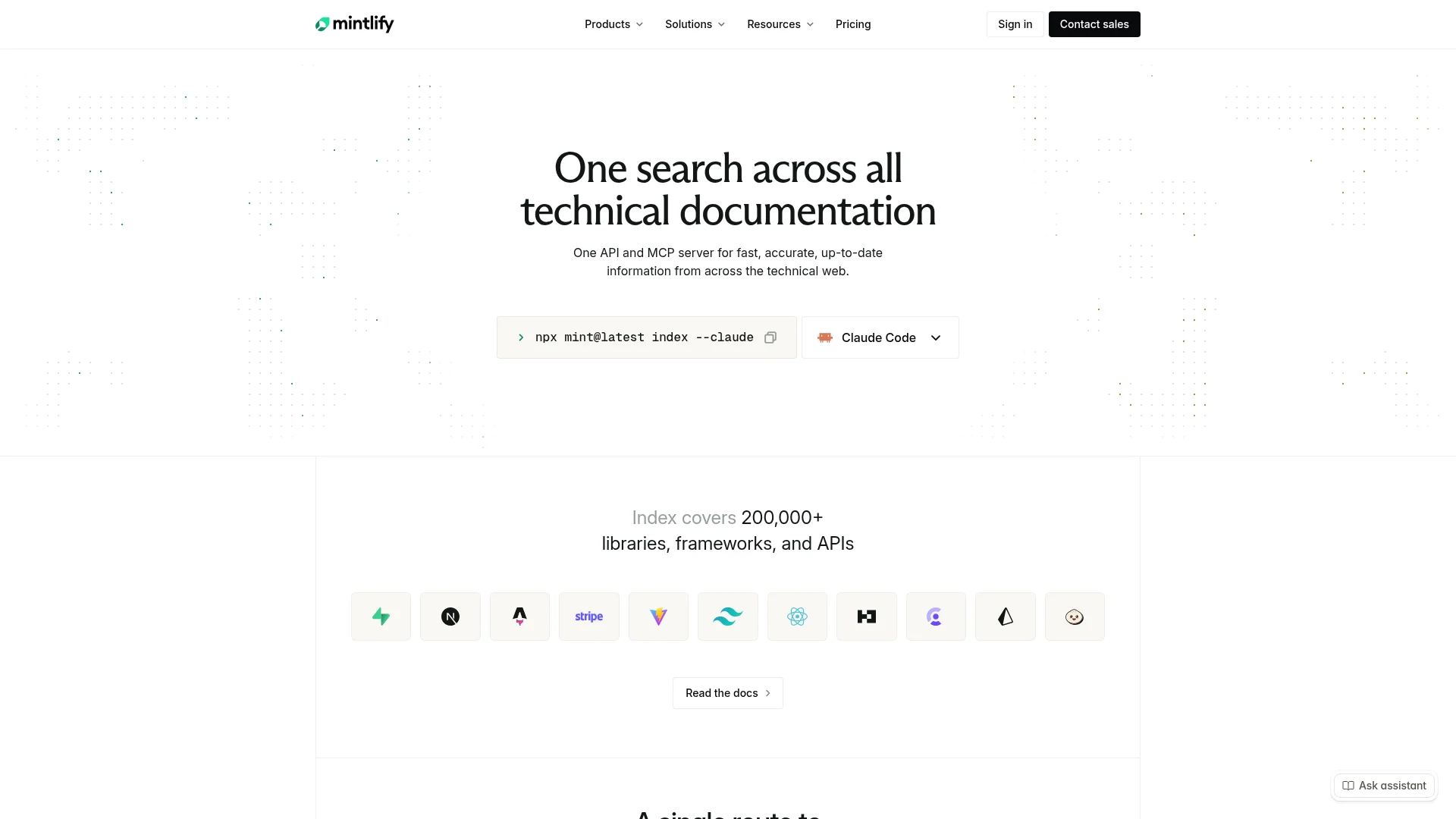
Mintlify's Search Index is a single API and MCP server over 200,000+ libraries, frameworks, and APIs, served straight from the publishers Mintlify already hosts documentation for, and scores 54.6% overall on DevDex.
Mintlify is the docs platform behind many developer product sites. The Search Index is the retrieval side of that: docs come straight from the publisher rather than from a third-party crawler, which cuts the lag between a doc update and what your agent sees.
It returns ranked sources and token-budgeted context, which is the shape agents want, and the company claims 43% faster response times than competing search tools.
mint index: MCP server that covers 200,000+ libraries out of the box- One endpoint returns ranked sources with token budgets applied
- Structured for agents rather than for browser reading
- Publisher-direct sourcing means updates land in the index as soon as the docs ship
- Works across Claude Code, Cursor, Codex, and any MCP-aware agent
Where it plugs in:
- MCP: public MCP server, no API key required
- REST API: access-controlled endpoints for
search,context, andcontents - CLI:
npx mint@latest indexinstaller for Claude Code, Codex, and Cursor - Admin MCP: separate MCP for documentation project management
Install:
npx mint@latest index --claudeSwap --claude for --cursor, --codex, or other flags per your agent. Full setup: mintlify.com/docs/search-index.
Honest take: If your queries are 90% docs, Mintlify is a natural Context7 replacement. DevDex puts it at 33.4% on the docs track vs Context7's 46.6%, so Context7 is a bit ahead on docs alone, but Mintlify beats it comfortably overall because it also handles repo and issue queries at 74.3% and 56.0%.
The trade-off is that library coverage depends on which publishers use Mintlify or opt in.
Cons: Coverage is broad but not universal: libraries hosted outside the Mintlify network may be indexed with more lag or lower fidelity than those Mintlify hosts directly. Some ranking behavior is tuned for docs and can under-return for niche issue searches.
Reference: mintlify.com/search-index.
4. Exa
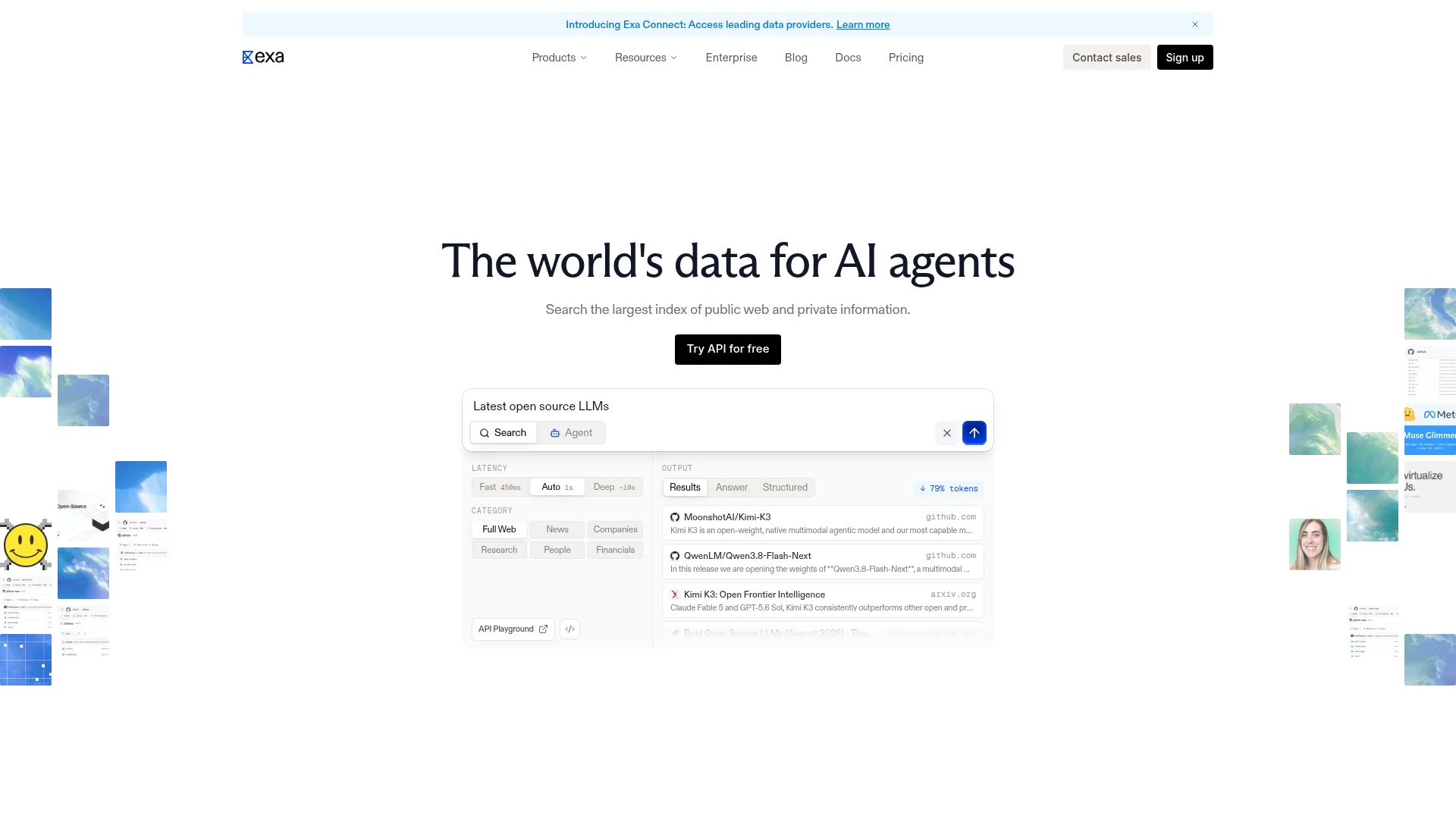
Exa is a neural web search API built for AI agents with strong developer content coverage: 53.7% overall on DevDex, 73.3% on repos, and 58.5% on issue-to-fix.
Exa built its name on "search the web the way an agent would": semantic embeddings under the hood, structured JSON output, and a Contents API that pulls page bodies in one call.
The company also ships a separate Agent API for autonomous research and Exa Connect for accessing gated data providers.
For teams treating Context7 as their agent's whole-web substitute (which is not what Context7 is designed for), Exa is the cleaner starting point for actual web-scale coverage.
Search API: neural search with recency, domain, and category filtersContents API: full page content and highlights in the same callAgent API: autonomous multi-step research over the webMonitors API: watches queries and returns diffs on a schedule- Exa Connect: gated data providers behind one interface
- MCP server for Claude Code, Codex, and Cursor
Where it plugs in:
- REST APIs: Search, Contents, Agent, and Monitors
- MCP: Exa MCP server
- Native plugins: Cursor, Copilot, Claude, Devin, Windsurf, Cline
- Frameworks: Vercel AI SDK, OpenAI SDK, LangChain, LlamaIndex, CrewAI, Mastra
- No-code: Zapier, Make
- SDKs: Python and JavaScript/TypeScript
Install:
Register the Exa MCP server in your agent's config with an API key from dashboard.exa.ai. See the best search tools for agents roundup for side-by-side setup notes.
Honest take: Exa is the strongest general web search API on the benchmark after Firecrawl Search and Parallel, and on issue-to-fix it comes in third overall. Where it lands behind the developer-first indexes is documentation retrieval (29.3%), which makes sense: it is a whole-web search, not a curated developer surface. Use it for the queries that leave the docs.
Cons: As a general search product, Exa returns some non-developer noise on developer queries, so filters and prompt shaping matter. Pricing scales with contents and content-length, so heavy full-page pulls need budgeting.
Reference: Exa alternatives comparison.
5. DeepWiki
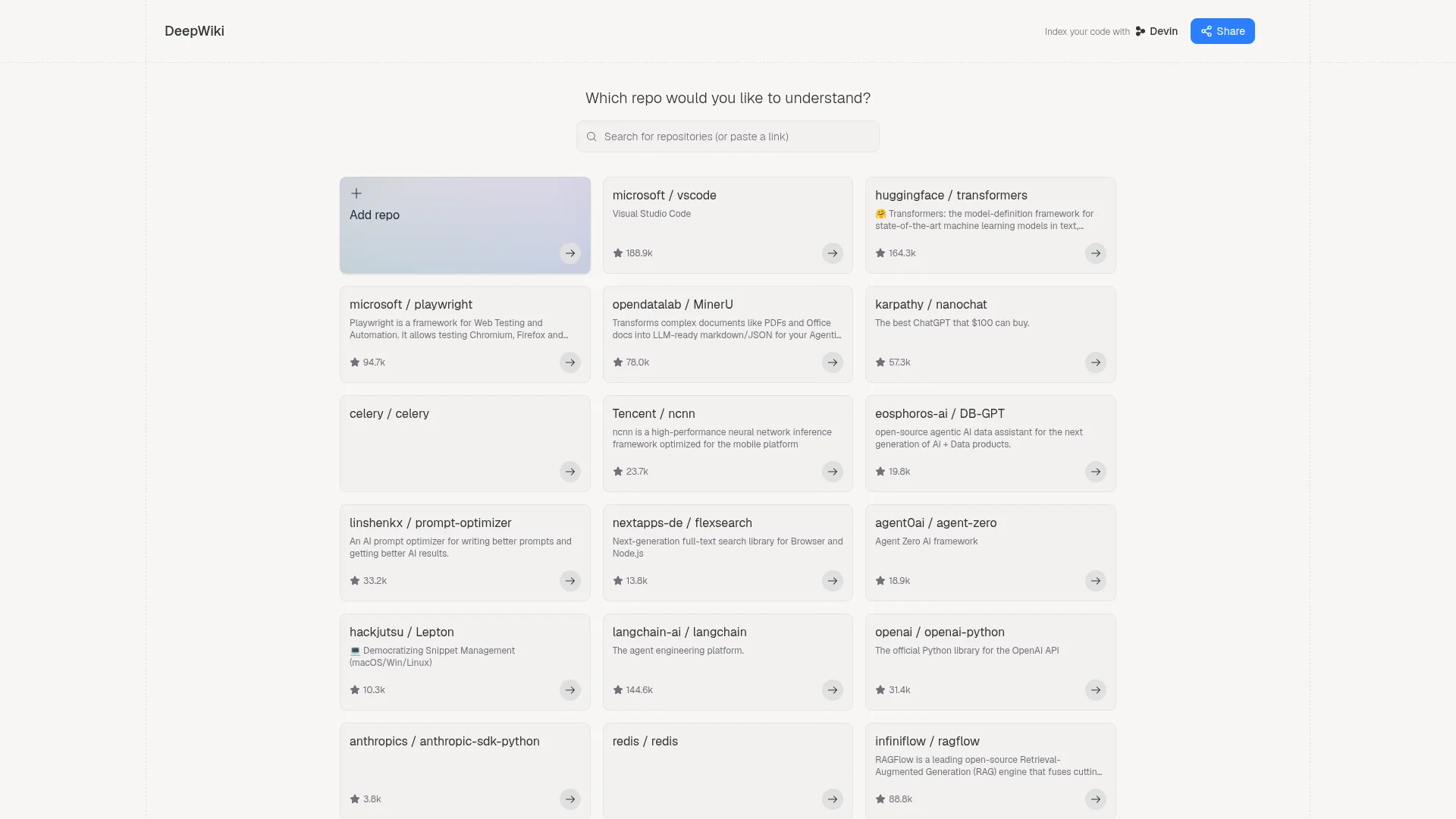
DeepWiki is Cognition's browsable, Devin-powered wiki for any public GitHub repository, and the best onboarding surface for a codebase you have never seen before.
DeepWiki is not a retrieval API in the sense the other four are. It is a rendered explanation: point it at a repo, and Devin generates a structured wiki with architecture overviews, module walkthroughs, and a chat interface for follow-up questions.
It sits next to the retrieval indexes rather than replacing them, and I use it for the "understand this unfamiliar codebase" case that Context7 was never trying to solve.
- Auto-generated wikis for public repositories (VS Code, Transformers, Playwright, MinerU, and many more)
- Chat over the codebase with citations back into the source files
- Powered by Devin, so updates ride the same indexing pipeline that keeps Cognition's coding agent current
- Free to browse public repos
- Adds a "Index your code with Devin" path for private codebases
Where it plugs in:
- Web UI only for public wikis: no MCP server, no REST API, no CLI
- In-browser chat with citations back into source files
- Private codebases: indexed through Devin, Cognition's coding agent, which has its own pricing
Install:
No install for browsing. Navigate to deepwiki.com/<owner>/<repo> for any public repository (for example, deepwiki.com/microsoft/playwright). Private-repo indexing runs through Devin.
Honest take: DeepWiki is the tool I open when I need to reason about a codebase, not just cite from it. The auto-generated wiki gives me the shape of the repo faster than a README, and the chat handles the follow-ups.
It does not replace an index for programmatic agent queries, which is why the DevDex benchmark does not score it. But it belongs on any Context7-alternatives list because "understand this repo" is a real thing developers ask Context7 to do that Context7 was never built for.
Cons: Not an MCP server, so it does not slot into an agent loop the way the other four do. Coverage skews to popular public repos, with lower-star projects generated on demand. Private-repo indexing runs through Devin, which has its own pricing.
Reference: deepwiki.com.
Building the top Context7 alternatives into your workflow
Context7 was the first tool to make "up-to-date library docs" feel solved. What became clear after two years of production use is that agents ask three questions, not one: which repo, which issue or PR, and which doc.
The DevDex benchmark is the cleanest read on how each tool handles those questions, and the split it exposes is what should drive your stack.
The combination that has changed my Claude Code workflow most: Firecrawl Developer Index for the primary source retrieval (repos, PRs, issues, docs in one call), Parallel or Exa for open-web queries that leave the developer surface, and DeepWiki as the browsable "explain this codebase" surface for onboarding.
Mintlify makes sense as the docs-first pick if the majority of your queries are library documentation and you want a single MCP that ships fast.
If you are still weighing which agent to run these under, our best MCP servers for developers roundup covers the wider MCP ecosystem alongside these indexes, and the best search tools for agents guide compares search APIs across use cases.
For teams shipping into Claude specifically, the best Claude Code skills list covers the skills that pair well with these retrieval indexes.
The DevDex benchmark and public dataset are open, so if you want to score your own retrieval stack on the same 594-item public sample, the harness runs against any MCP or search API you can drive with an agent.
Frequently Asked Questions
What are Context7 alternatives?
Context7 alternatives are developer retrieval tools that give coding agents up-to-date library documentation, GitHub issues, pull requests, and repository context at query time. They plug into Claude Code, Codex, Cursor, and other agents through an MCP server or API, replacing the stale training-data lookups that Context7 first popularized.
Why do developers use Context7?
Developers use Context7 because their coding agent's training data goes stale the moment a library ships a new release, and Context7 pulls current, version-specific documentation for over 126,000 libraries into Claude Code, Codex, Cursor, and other MCP-aware agents at query time. Instead of the model recalling framework APIs from what one Reddit thread called an extremely compressed jpeg of its training data, Context7 hands the agent the real doc snippet, which cuts hallucinated method names, wrong argument orders, and deprecated syntax. It went viral on launch and is one of the most-installed MCPs for developers in 2026, with 61.4k GitHub stars on the Upstash repo.
Why look for a Context7 alternative?
Context7 is a docs-only index. It scores 46.6% on the docs track of the open Firecrawl DevDex benchmark, but roughly 78% of repository queries and 52% of issue and pull request queries return nothing, so its overall Recall@10 lands at 16.8%. Teams that need the repo behind a described capability, the pull request that fixed a bug, or the doc that answers a how-to reach for a broader retrieval tool.
Which Context7 alternative retrieves developer content best?
The Firecrawl Developer Index leads the DevDex benchmark at 63.1% Recall@10 across three tracks (repository, issue-to-fix, documentation), ahead of Parallel (57.7%), Firecrawl Search (57.6%), Mintlify (54.6%), and Exa (53.7%). It also leads the issue-to-fix track at 66.0% and the documentation track at 47.2%.
How do I install a Context7 alternative for Claude Code?
Most of these tools ship as an MCP server or a CLI. The Firecrawl Developer Index installs with `npx -y firecrawl-cli@latest setup developer-index`. Mintlify uses `npx mint@latest index --claude`. Parallel, Exa, and DeepWiki expose MCP endpoints you register with your agent's config file. Restart the agent after install.
Are Context7 alternatives free?
Firecrawl runs keyless with 1,000 free credits per month and no signup required. Exa, Parallel, and Mintlify have free tiers plus paid usage-based plans. DeepWiki is free to browse for public repositories. Context7 itself has a free tier with rate limits.
Do these tools work outside Claude Code?
Yes. Each tool exposes an MCP server or standard API that works across Claude Code, OpenAI Codex CLI, Cursor, Gemini CLI, Windsurf, and any other MCP-compatible agent. The Firecrawl CLI installs to every detected agent on the machine with a single `--all` flag.
What is DevDex?
DevDex is the Firecrawl Developer Retrieval benchmark, an open evaluation that scores how reliably a retrieval tool surfaces the right developer answer across three tracks: repository (finding the repo behind a described capability), issue-to-fix (finding the issue or pull request where a bug was fixed), and documentation (finding the doc page that answers a how-to). It compares eight systems on 1,179 tasks using Recall@10 and MRR@10, driven by one agent (Claude Opus 4.8) through the same harness. The full harness and a 594-item public sample are open source at github.com/firecrawl/benchmark-devdex.
What is the Firecrawl Developer Index?
The Firecrawl Developer Index is a curated index of GitHub issues, merged pull requests, READMEs, and documentation, queryable by natural-language questions through Firecrawl's MCP server. Filters cover result type (doc, issue, pull_request, readme), repository attributes (language, topic, license, min_stars), and specific repos or sources. Each result carries a stable id like issue:owner/repo#123 plus matched passages in markdown.
How does the DevDex benchmark measure retrieval quality?
DevDex scores 1,179 tasks across three tracks: finding the repository behind a described capability, finding the issue or pull request that fixed a bug, and finding the doc page that answers a how-to. One agent (Claude Opus 4.8) drives every system through the same harness with a single search tool and ten results per call. Answers are scored deterministically against known-correct gold references, so no model judges the results, and a memorization gate removes items the model can answer without retrieval.
Can these tools be used together?
Yes. Many teams stack a developer-first retrieval tool (Firecrawl Developer Index or Mintlify) for library and repo context with a general web search API (Parallel or Exa) for open-web queries, and browse DeepWiki when they want a rendered walkthrough of an unfamiliar codebase.
