TL;DR
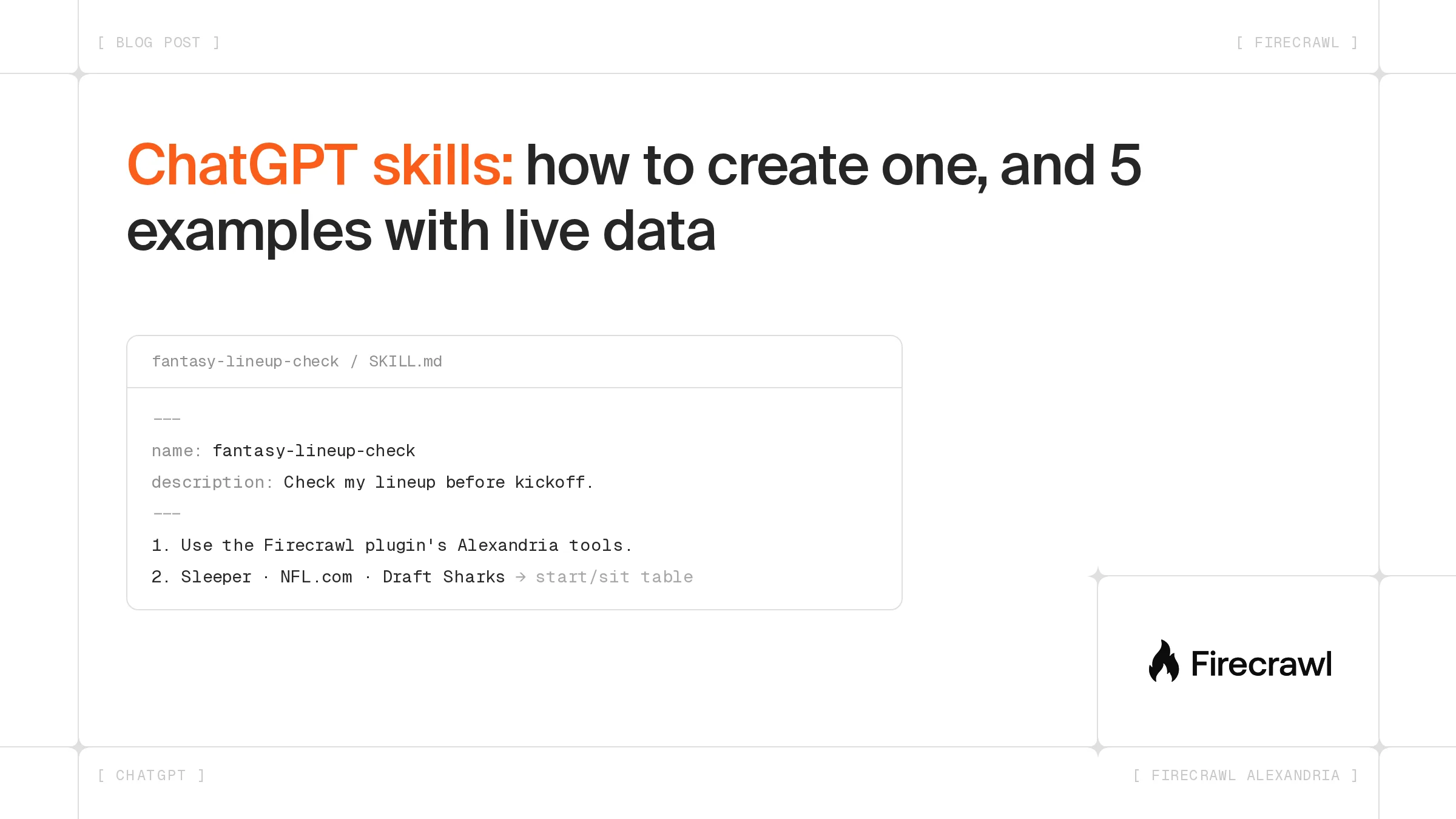
- A ChatGPT skill is a saved workflow. It's a folder with a SKILL.md file that holds a name, a description and step-by-step instructions, and ChatGPT loads it when your request matches the description.
- Skills are for eligible Business, Enterprise, Healthcare and Edu users. You can create one in chat, write it in the editor, upload a folder, or install one a teammate shared. On Enterprise and Edu, admins decide who can create, upload and share.
- Skills hold instructions, apps fetch data. Pair a skill with the Firecrawl plugin and it can search the web, read pages and call Firecrawl Alexandria data providers such as SEC EDGAR, Sleeper and Particle.
A skill saves you from pasting the same long prompt every week. Below: what a skill is, who gets it, how to make one, and five skills you can copy that pull live data.
What are ChatGPT skills?
ChatGPT skills are reusable workflows that tell ChatGPT how to do one task the same way every time. Each skill is a folder whose SKILL.md file holds a name, a description of when to use it, and the steps. ChatGPT reads only the name and description until a request matches, then loads the full instructions.
The smallest working skill looks like this, in the format from OpenAI's skills docs:
---
name: weekly-update
description: Turn my notes into a weekly team update. Use when I paste notes and ask for an update, recap or status report.
---

1. Group the notes into Done, In progress and Blocked.
2. Write one line per item, starting with a verb.
3. End with the top three priorities for next week.
You can use a skill in two ways:
- Call it by name. Type @ in the composer and pick the skill.
- Let ChatGPT choose. It runs the skill when your request matches the description.
A skill folder can also hold scripts, reference documents and templates. The format follows the open Agent Skills standard, the same one Codex uses, so one folder works in both. Our list of the best Codex skills shows what that looks like in practice.
Who can use skills in ChatGPT?
According to OpenAI's help center, skills work for eligible users on the Business, Enterprise, Healthcare and Edu plans, and workspace settings can limit them. Skills became generally available on July 9, 2026, under Plugins in the sidebar. Plus, Pro, Go and Free aren't on the list for creating your own skills.
| Plan | Your own skills | Plugins that carry skills |
|---|---|---|
| Business, Healthcare | Create, upload, share and install | Plugin directory, by plan and workspace |
| Enterprise, Edu | Same, once an admin turns on the permissions | Plugin directory, by plan and workspace |
| Free, Go, Plus, Pro | Not listed by OpenAI | Plugin directory, by plan |
On Enterprise and Edu, admins choose which roles can create, upload, share, publish and install skills for others. A plugin can bundle skills with apps, so the Firecrawl plugin brings its own skills along with its tools.
Individual users have noticed the gap. In a September 2026 feature request on the OpenAI community forum, a user asked OpenAI to bring native skills to Plus and Pro.
How do you create a skill in ChatGPT?
You create a ChatGPT skill from Plugins, then the Skills tab, then Create. ChatGPT gives you four ways in, and every eligible account starts with one built-in skill, skill-creator, which drafts the SKILL.md for you when you describe a workflow.
- Create with chat. Select Create with chat, ask in any chat, or call the creator directly with
@skill-creator. ChatGPT asks follow-up questions, then offers to install the skill. - Create with editor. Write or edit the files yourself in the Skills editor.
- Upload from your computer. Import a skill folder you wrote or got from a trusted source. ChatGPT scans uploads, and it marks some Needs Review and blocks risky ones.
- Install a shared skill. Open Shared with me or your workspace's tab, select the ••• menu, then Install.
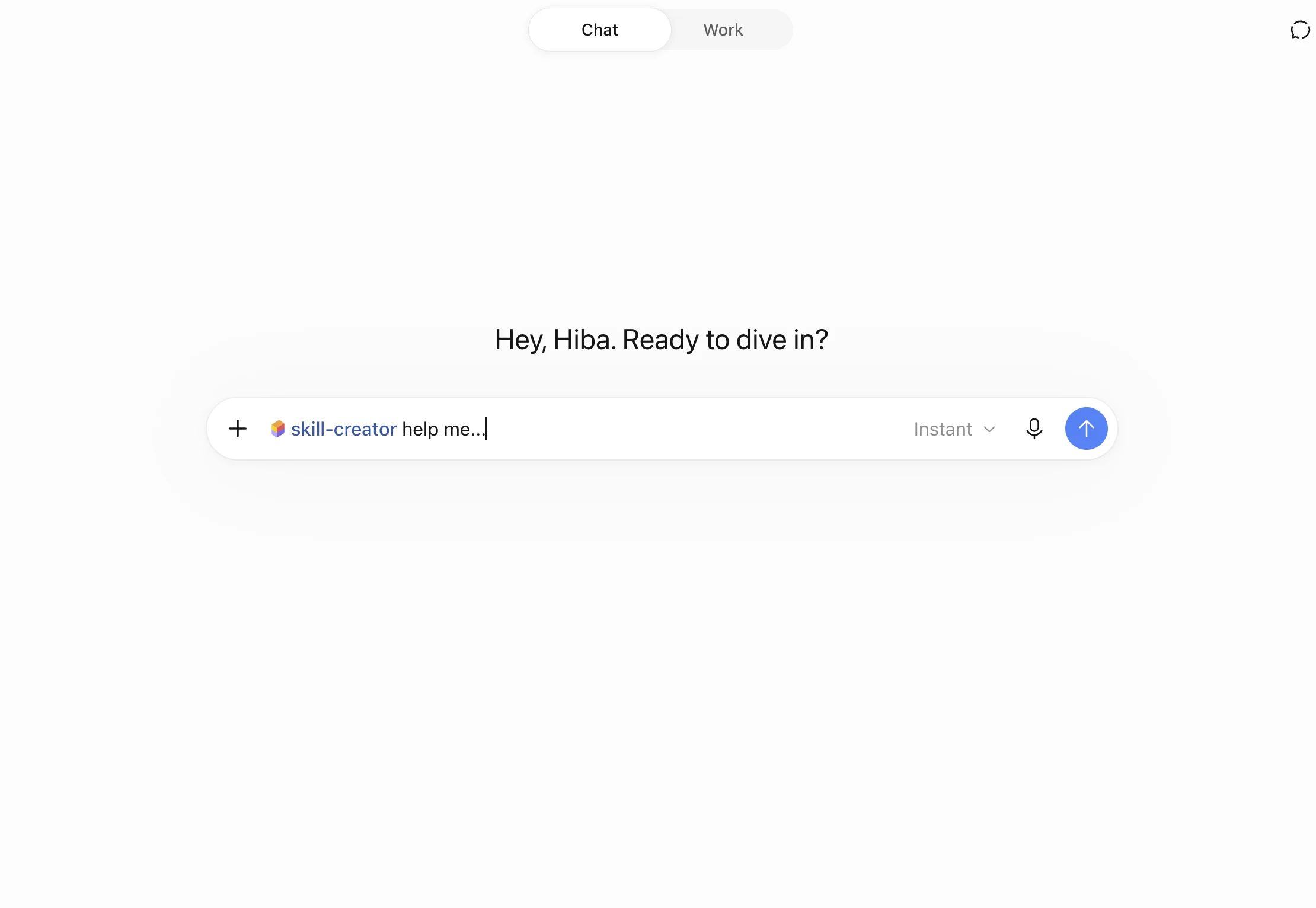
To start, type @skill-creator in a chat, paste this after it and fill in the brackets:
Create a skill called [name]. It should [the job, in one sentence].
Use it when I [the trigger, in my words]. Don't use it for [what's out of scope].
Inputs I'll give: [files, links, fields].
Steps: [1, 2, 3].
Output: [format, length, tone].
Before finishing, check that [your quality bar].
Review the draft, then select Install. Then test it with @ and a real request.
How do you write a SKILL.md that ChatGPT actually uses?
ChatGPT decides whether to load a skill from its description alone, so the description does most of the work. Write the task and its trigger words first, then what the skill should not handle. Keep each skill to one job.
- Front-load the description. "Check my fantasy lineup before kickoff. Use when I ask who to start or sit." beats "Helps with fantasy football."
- Number the steps. Name the inputs, the order and the output format.
- Name the tools. "Use the Firecrawl plugin's Alexandria tools" tells ChatGPT which app to call.
- Split big workflows. OpenAI's guidance is to build small skills you can combine, not one huge one.
- Prefer instructions over scripts. Add code only when a step has to run the same way every time.
How are ChatGPT skills different from custom GPTs and projects?
A skill teaches ChatGPT a task, a project holds shared files and chats, and a custom GPT was a whole custom assistant. Custom GPTs retire on December 11, 2026, and OpenAI migrates them into plugins, where the GPT's instructions become a skill.
| Skills | Projects | Custom GPTs | |
|---|---|---|---|
| What it holds | Steps for one task, plus optional files and scripts | Chats, files and instructions for one piece of work | Instructions, knowledge files, actions |
| How it runs | Automatically when a request matches, or with @ | You work inside the project | You open the GPT |
| Status | Live | Live | Retiring December 11, 2026 |
If you built a GPT, OpenAI's retirement FAQ covers migration. Custom actions don't carry over, so plan to replace them with an app.
How do you give a ChatGPT skill live data with Firecrawl?
A skill only holds instructions, so it needs an app to reach live data. The official Firecrawl plugin connects ChatGPT to Firecrawl /search, Firecrawl /scrape, Firecrawl /crawl and Firecrawl Alexandria, and any skill you write can tell ChatGPT to use them.
- Select Add to ChatGPT on the Firecrawl plugin page, or search for Firecrawl under Plugins.
- Sign in to Firecrawl. The free plan includes 1,000 Firecrawl credits a month.
- In your SKILL.md, tell ChatGPT to use the Firecrawl plugin, and name the provider when you know it.
The plugin finds a provider tool with firecrawl_search, reads its inputs and price with firecrawl_find_tools, and runs it with firecrawl_scrape (Firecrawl docs). The Firecrawl Alexandria in ChatGPT and Codex launch post shows that flow.
Two things to know before you start. Firecrawl Alexandria isn't part of keyless access, so it needs a signed-in Firecrawl account: the plugin's sign-in in ChatGPT, or an API key for the CLI and SDKs. Some providers, such as Apollo and Particle, also need a team admin to accept their terms once, in Firecrawl settings, before the first call.
What skills can you build with Firecrawl Alexandria?
Firecrawl Alexandria gives AI agents structured data from providers and Firecrawl's own indexes through one Firecrawl account. Finding a tool and reading its inputs is free, and running it costs the Firecrawl credits shown on the tool. A skill turns a lookup you repeat into one request.
| Area | Categories | Example providers |
|---|---|---|
| Business | Companies, people, jobs | Apollo, Fireround, People Data Labs, Greenhouse |
| Money | Finance, real estate | SEC EDGAR, Fiscal.ai, FRED, FDIC BankFind |
| Media and marketing | News, podcasts, marketing, digital intelligence | Benzinga, Particle, Similarweb, Trends |
| Public sector | Government, political science | SAM.gov, USAspending, CourtListener |
| Health and science | Health, healthcare, life sciences, research | ClinicalTrials.gov, NPI Registry, AlphaFold, Research Index |
| Software and AI | Developer, software, AI models, website skills | Developer Index, npm, PyPI, OSV |
| Everyday life | Sports, travel, restaurants, shopping, places, entertainment | ESPN, Amtrak, DoorDash, Best Buy |
| Reference and data | Knowledge, education, agriculture, energy, apps, automotive | Wikipedia, World Bank, EIA, Apple App Store |
1. Fantasy lineup check (Sleeper, NFL.com, Draft Sharks)
Reads your Sleeper league, checks the official injury report and compares this week's rankings, then gives a start/sit table.
---
name: fantasy-lineup-check
description: Check my fantasy football lineup before kickoff. Use when I ask who to start, sit or pick up this week. Not for betting or for changing my roster.
---

1. Ask for my Sleeper league ID and team name if I haven't given them.
2. Use the Firecrawl plugin's Alexandria tools. With Sleeper, read my league's scoring and my roster.
3. With NFL.com, get this week's official injury report for each of my players' teams.
4. With Draft Sharks, get this week's rankings for each position in my league's scoring.
5. Flag any starter who is out, doubtful, on bye, or ranked below one of my bench players.
6. Reply with a table: player, status, rank, start or sit, and the source for each.
Try: "@fantasy-lineup-check my league is 1234567890, team Gridiron Ghosts."
2. Account brief before a sales call (People Data Labs, Fireround, Apollo)
Builds a one-page brief on a company from its domain, covering size, industry, funding history and the people in the roles you sell to.
---
name: account-brief
description: Build a one-page brief on a company before a sales call. Use when I give a company domain and ask for a brief, account research or call prep.
---

1. Use the Firecrawl plugin's Alexandria tools.
2. With People Data Labs, enrich the company from its domain: industry, size, founded year, location.
3. With Fireround, list its funding rounds, newest first, with amount, stage and lead investors.
4. With Apollo people search, find up to five people with the titles I name. Don't reveal emails or phone numbers unless I ask.
5. Use Firecrawl search for news about the company from the last 90 days.
6. Write the brief: company snapshot, funding, people to meet, recent news, three questions to ask. Cite a source for every fact.
Try: "@account-brief supabase.com, titles VP Engineering and Head of Platform." Apollo needs a team admin to accept its terms first. For more on this kind of lookup, see our data enrichment guide.
3. Filing brief for a public company (SEC EDGAR)
Pulls a company's latest 10-K or 10-Q from SEC EDGAR, reads the risk factors and management's discussion, and lists what changed.
---
name: filing-brief
description: Summarize a public company's latest SEC filing. Use when I give a ticker and ask what's in its 10-K or 10-Q, what changed, or what the risks are.
---

1. Use the Firecrawl plugin's Alexandria tools with SEC EDGAR.
2. Find the company's two most recent filings of the form I ask for (10-K by default).
3. Read Risk Factors and MD&A from both: Items 1A and 7 in a 10-K, Part II Item 1A and Part I Item 2 in a 10-Q.
4. List new or removed risk factors, and changes in revenue, margins and guidance.
5. Use Firecrawl search for news about the company since the latest filing date.
6. Reply with: filing dates and links, what changed, new risks, and news since. Don't give buy or sell advice.
Try: "@filing-brief AAPL."
4. Podcast sponsor research (Particle)
Shows which podcasts a company sponsors and who else buys ads on a show, so you can plan a podcast budget.
---
name: podcast-sponsor-research
description: Research podcast sponsorships for a company or a show. Use when I ask where a brand advertises on podcasts, who sponsors a show, or which shows to pitch.
---

1. Use the Firecrawl plugin's Alexandria tools with Particle.
2. For a company, list the shows it sponsors, ranked by number of ad reads, with the date last seen.
3. For a show, list its sponsors with counts and how recent each one is.
4. If I give my own company, suggest five shows that sponsor similar brands and that we don't appear on.
5. Reply with a table: show, publisher, sponsors or ad count, last seen, and why it fits.
Try: "@podcast-sponsor-research where does Shopify advertise on podcasts?" Particle needs a team admin to accept its terms first.
5. Hiring signals for target accounts (Greenhouse, Ashby)
Reads the job boards of the companies you name and reports who is hiring for which teams, and since when.
---
name: hiring-signals
description: Report open roles at a list of companies. Use when I ask who is hiring, which teams are growing, or for hiring signals on target accounts.
---

1. Use the Firecrawl plugin's Alexandria tools. For each company, find its job board on Greenhouse or Ashby.
2. List every open role with title, team, location and the date it was posted.
3. If a company uses neither, use Firecrawl search and scrape to read its careers page.
4. Count roles by team, and flag roles posted in the last 14 days.
5. Reply with one table per company and a two-line summary of where it's hiring.
Try: "@hiring-signals discord, figma, openai."
amotivv builds governed AI agents for regulated businesses on Firecrawl: “Firecrawl is the layer of our stack that lets an AI agent read the live web instead of guessing about it.”
How do you start?
Install the Firecrawl plugin in ChatGPT, then paste one of the SKILL.md files above into Create with editor, or ask ChatGPT to build it from the prompt template. For more plugin tasks, see the plugin launch post and our guide to summarizing a whole website in ChatGPT.
Developers can run the same Firecrawl Alexandria tools from the Firecrawl CLI, the SDKs, the REST API or the MCP server.
Use Firecrawl in your agent
Add Firecrawl to ChatGPT, Claude, Cursor and more in one click.
Frequently Asked Questions
Are ChatGPT skills available on the Plus plan?
OpenAI's help center lists skills for eligible Business, Enterprise, Healthcare and Edu users, and it doesn't list Plus, Pro, Go or Free. Plugins, which can carry skills, show up in the plugin directory on every plan, but what you can install depends on your plan and workspace.
What file format does a ChatGPT skill use?
A skill is a folder with a SKILL.md file in it. The file starts with YAML frontmatter holding a name and a description, followed by Markdown instructions. Scripts, reference documents and templates are optional extra folders. The format follows the open Agent Skills standard, so the same folder also works in Codex and other tools that read it.
Can a ChatGPT skill use the internet or other apps?
A skill holds instructions, and connected apps do the fetching. Install an app or plugin, such as Firecrawl for web search, page scraping and data providers, then tell the skill which tools to use. The app keeps its own sign-in and workspace permissions.
Do ChatGPT skills replace custom GPTs?
OpenAI is retiring custom GPTs on December 11, 2026 and moving them to plugins. When a GPT is migrated, its instructions become a skill inside the replacement plugin, and its knowledge files become reference files. Custom actions don't transfer and need a replacement app.
Why doesn't ChatGPT use my skill?
ChatGPT picks a skill by matching your request to the skill's description, so a vague description rarely triggers. Put the task and its trigger words in the first sentence, then call the skill by name with @ to test it. Some users have reported skills that show as installed but aren't available in a chat, so check the OpenAI community forum if that happens.
Does Firecrawl Alexandria cost extra in ChatGPT?
Finding a data provider tool and reading its inputs is free. Running a tool costs the Firecrawl credits listed on it, and each response reports what it used. The free Firecrawl plan includes 1,000 Firecrawl credits a month.