TL;DR
| Tool | Best for | Quick differentiator |
|---|---|---|
| Firecrawl | AI and LLM data pipelines | Open source (top 100 GitHub repos), clean Markdown and JSON from one API, plus search, interact, and monitoring |
| ZenRows | Direct scraping API with AI angle | Fetch/Extract/Batch/Browser Sessions on one credit balance, pay only for successful requests |
| ScraperAPI | Direct scraping API on a big free tier | Structured endpoints (Amazon, Google, Walmart), LangChain integration, generous entry pricing |
| Bright Data | Enterprise-scale proxy operations | Large proxy network with per-product scraping APIs |
| Apify | Marketplace-led automation | 40,000+ prebuilt Actors and full platform control |
| Oxylabs | Proxy-heavy scraping at scale | Premium proxy infrastructure with a managed scraper API |
| Octoparse | Non-technical, point-and-click users | Desktop no-code builder with templates |
- Choose Firecrawl if you want machine-readable output your model can use immediately.
- Choose ZenRows or ScraperAPI if you want a direct ScrapingBee-style scraping API.
- Choose Bright Data or Oxylabs if your bottleneck is proxy scale and unblocking.
- Choose Apify if you want a marketplace of ready-made scrapers.
- Choose Octoparse if you want a visual tool and write no code.
We have to tip our hats to ScrapingBee. The team has built quite a capable web scraping API, and for many teams it handles all scraping needs well. But you may still hit a point where credit costs, output format, or the scale cap pushes you to look around. And if you're already there, this guide is for you.
I looked at seven ScrapingBee alternatives, the closest competitors in 2026, and tested them myself rather than relying on secondhand reviews, so the numbers here are what I actually saw.
The data is updated as of August 27, 2026.
What is ScrapingBee?
ScrapingBee is a web scraping API that handles proxies, headless browsers, and blocked-page handling so you can simply request a page and get its contents back. It's positioned as the web scraping API that keeps requests from being blocked.
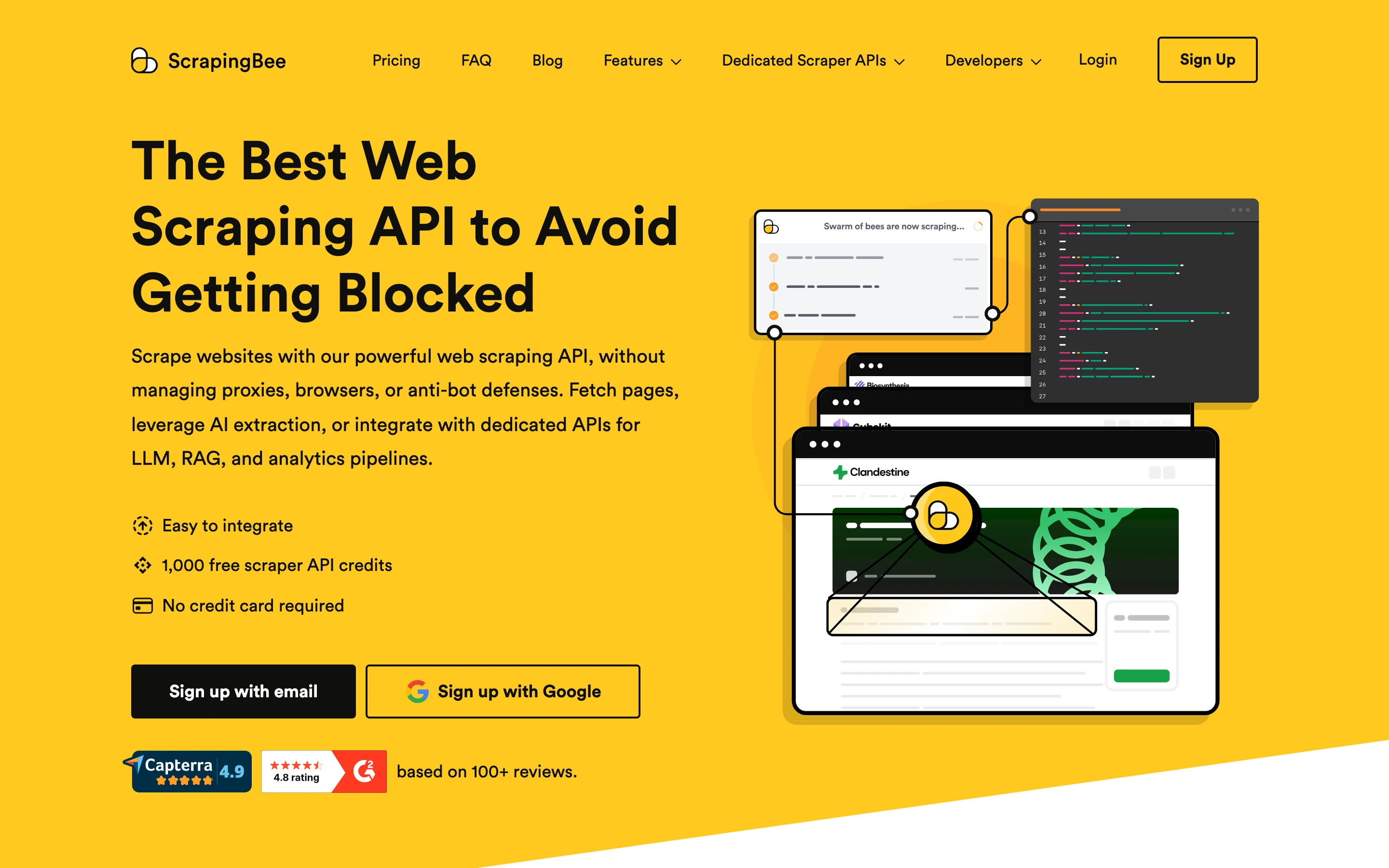
The core product is a scraping API that returns the page source by default, with a handful of capabilities layered on top:
- JavaScript rendering in a headless Chrome browser
- Automatic proxy rotation, with premium and stealth residential proxies for harder targets
- Geotargeting and full-page screenshots
- CSS and XPath extraction rules, so you can pull specific fields without parsing the HTML yourself
- AI data extraction via additional parameters (
ai_queryandai_extract_rules) for schema-based or prompt-based output - A Google Search API, plus dedicated Amazon and Walmart endpoints
As of August 2026, the pricing is credit based and plans run from Freelance at $49/mo (250,000 credits, 10 concurrent requests) up to Business+ at $599/mo (8,000,000 credits, 200 concurrent requests), with a free trial of 1,000 credits and no card required.
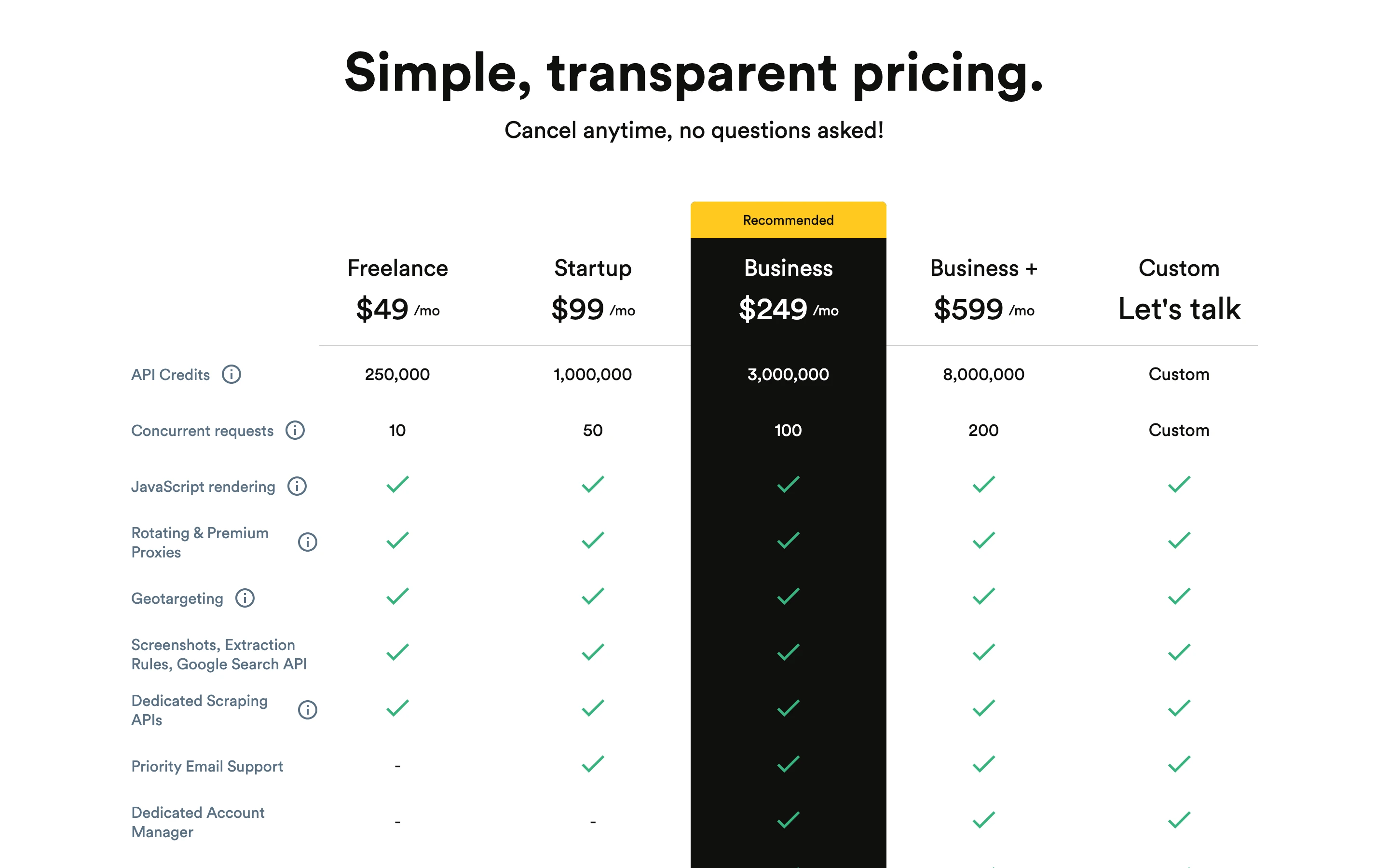
ScrapingBee's docs say a basic request is cheap, but the premium and stealth proxies you need for tough sites cost far more. A single stealth-proxy call costs 75 credits, so a plan's credits can run out much faster than the advertised number suggests when you scrape hard targets.
Top 7 ScrapingBee alternatives in 2026
Each tool below wins on a different axis: Firecrawl for AI-ready output, ZenRows and ScraperAPI as direct scraping API competitors, Bright Data and Oxylabs for proxy scale, Apify for marketplace automation, and Octoparse for no-code access.
| Alternative | Best for | Quick differentiator |
|---|---|---|
| Firecrawl | AI and LLM pipelines | Markdown and JSON output, plus search and monitoring |
| ZenRows | Direct scraping API | Fetch, Extract, Batch, and Browser Sessions on one balance |
| ScraperAPI | Direct scraping API | Structured endpoints for Amazon, Google, Walmart; LangChain |
| Bright Data | Enterprise proxy scale | Large proxy network and per-product APIs |
| Apify | Marketplace automation | 40,000+ prebuilt Actors |
| Oxylabs | Proxy-heavy scraping | Premium proxy infrastructure |
| Octoparse | No-code users | Visual desktop builder |
1. Firecrawl: API-first scraping built for AI
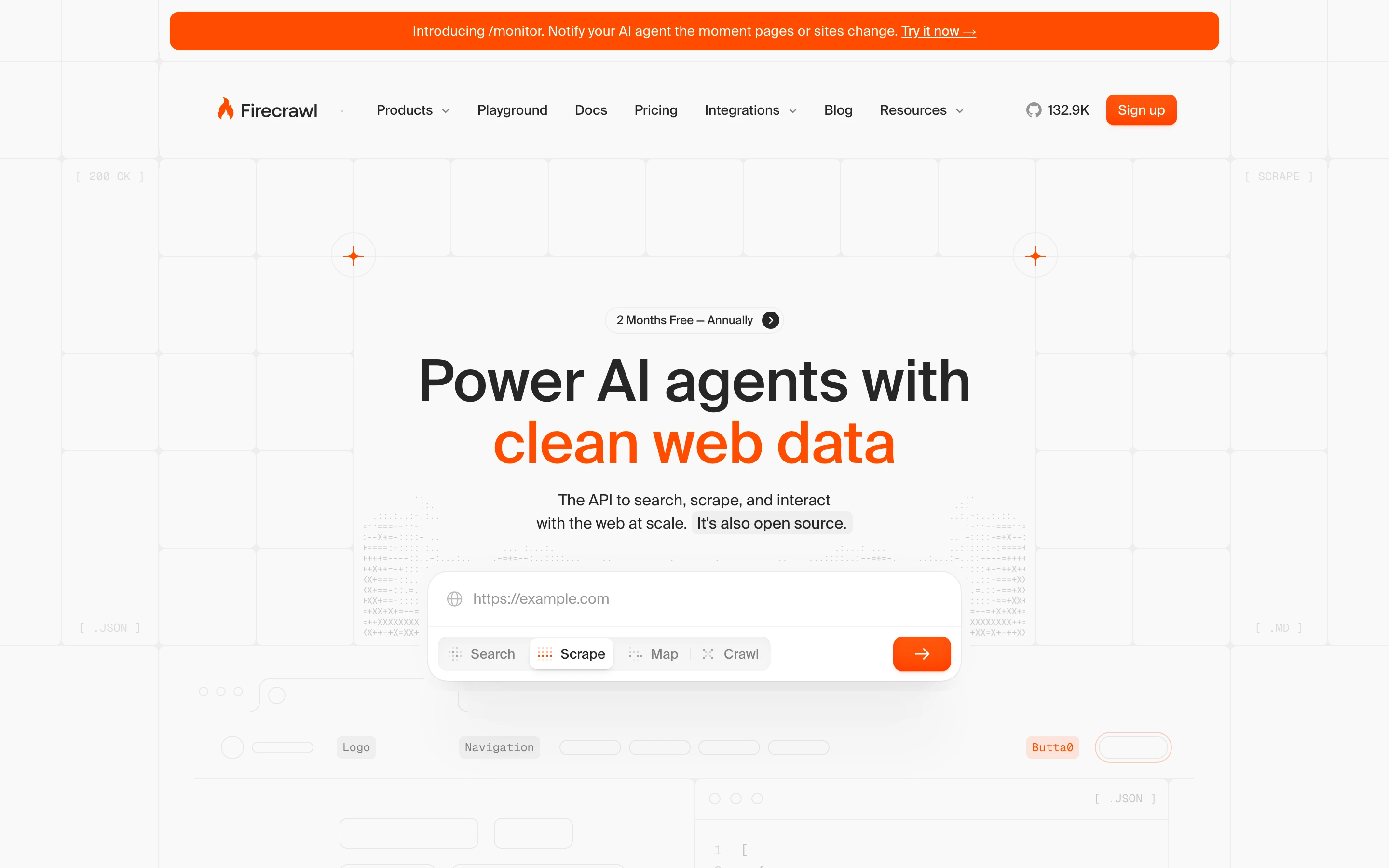
Firecrawl is an open-source web data API built for teams that feed live web data into models. Where ScrapingBee returns the page source by default and offers AI extraction as an opt-in layer, Firecrawl's default response is already model-ready Markdown or schema-defined JSON in one call.
Key features
- Scrape turns any page into clean Markdown or structured JSON in one call
- Search lets you query the web and get full page content back, not just links
- Interact clicks, fills forms, logs in, and navigates JavaScript-heavy flows
- Crawl and Map pull an entire site or list every URL on a domain
- /monitor watches pages or whole sites and notifies your agent the moment content changes
- Open source, with Python, Node, and REST SDKs and 1,000 free credits per month
ScrapingBee vs Firecrawl
On the same JavaScript-rendered page (Hacker News), Firecrawl returned roughly 55% fewer characters and ran about 2.5× faster than ScrapingBee. Here are the exact numbers from that test.
ScrapingBee returned 34,873 characters of raw HTML in about 2.85 seconds, with a response cost of 5 credits for the rendered request. Firecrawl returned the same page as 15,371 characters of clean Markdown in about 1.16 seconds, with the page title already parsed into metadata.
Here is the Firecrawl call that produced the output above:
from firecrawl import Firecrawl

firecrawl = Firecrawl(api_key="fc-YOUR-API-KEY")

doc = firecrawl.scrape("https://news.ycombinator.com", formats=["markdown"])
print(doc.markdown)
For structured data extraction, you pass a schema and Firecrawl returns JSON directly, with no HTML parsing in between:
schema = {
    "type": "object",
    "properties": {
        "top_stories": {
            "type": "array",
            "items": {
                "type": "object",
                "properties": {
                    "title": {"type": "string"},
                    "points": {"type": "integer"},
                },
            },
        }
    },
}

doc = firecrawl.scrape(
    "https://news.ycombinator.com",
    formats=[{"type": "json", "schema": schema}],
)
print(doc.json)
Output
{
  "top_stories": [
    { "title": "MiMo Code is now released and open-source", "points": 229 },
    { "title": "Lines of code got a better publicist", "points": 271 },
    { "title": "Show HN: Homebrew 6.0.0", "points": 107 }
  ]
}
Both tools rendered the JavaScript page reliably. ScrapingBee's default scrape returns HTML for you to parse or pass to its AI extraction parameters as a follow-on step, while Firecrawl's default already returns parsed Markdown that maps to what you asked for. In this test that was less than half the characters, 15,371 versus 34,873, which means fewer input tokens reach your model on every call. Firecrawl is built to be token efficient, so every call costs less downstream.
Firecrawl also runs keyless: you can hit /search, /scrape, /parse, /crawl, /map, and /agent from the SDKs, CLI, or MCP with no API key and no signup. ScrapingBee requires a signed-up account before you make the first request, so keyless-first evaluation and low-friction agent installs are a Firecrawl-only path in this comparison.
| Feature | Firecrawl | ScrapingBee |
|---|---|---|
| Default scrape output | Markdown and structured JSON | HTML (AI extraction via parameters) |
| Keyless usage | Yes, all core endpoints without an API key | No, account and API key required |
| Built-in search | Yes (Search suite) | Google Search API |
| Change monitoring | Yes (/monitor) | Via dedicated APIs and polling |
| Interaction / browser | Yes (Interact suite) | JS scenarios in headless Chrome |
| Open source | Yes | Proprietary |
| Language SDKs | Python, Node, REST | Python, Node, REST |
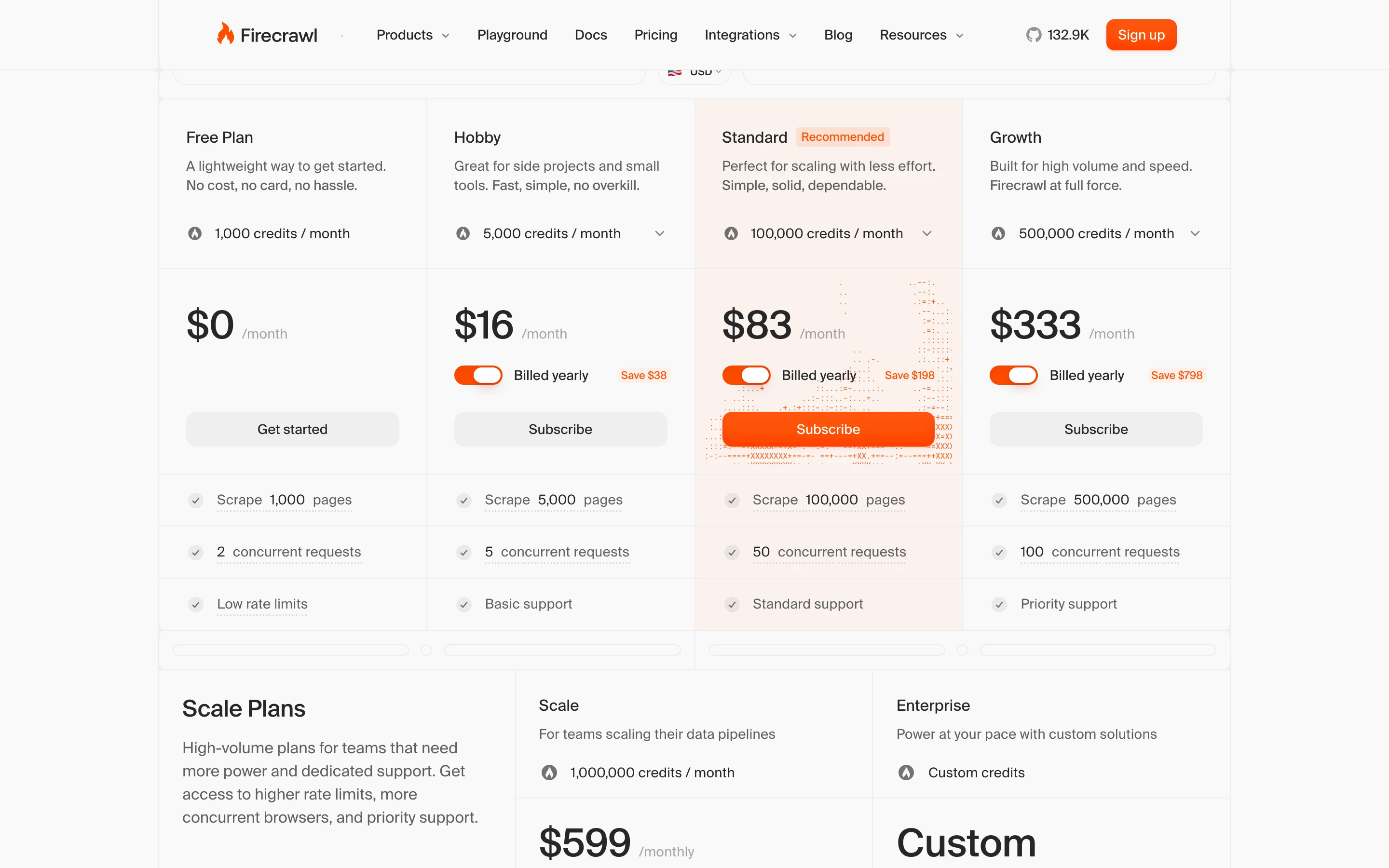
How much does Firecrawl cost?
Firecrawl uses transparent, credit-based pricing where one credit covers one page.
| Plan | Price (billed monthly) | Price (billed annually) | Credits included |
|---|---|---|---|
| Free | $0 | $0 | 1,000 |
| Hobby | $19/mo | $16/mo | 5,000 |
| Standard | $99/mo | $83/mo | 100,000 |
| Growth | $399/mo | $333/mo | 500,000 |
| Enterprise | Custom | Custom | Custom |
When should you choose Firecrawl over ScrapingBee?
Pick Firecrawl when your output feeds a model, an agent, or a vector store and you want Markdown or JSON without a parsing layer. The combination of scrape, search, interact, and monitoring in one API also suits teams that want a single web-data dependency rather than several. And because Firecrawl runs keyless, you (or a coding agent) can evaluate the full API on your hardest URL before any signup or key wiring.
Firecrawl is the complete web data API. For teams that need to go one layer up and need web search along with web scrape and web crawl, Firecrawl is your best choice.
2. ZenRows: direct scraping API with an AI angle
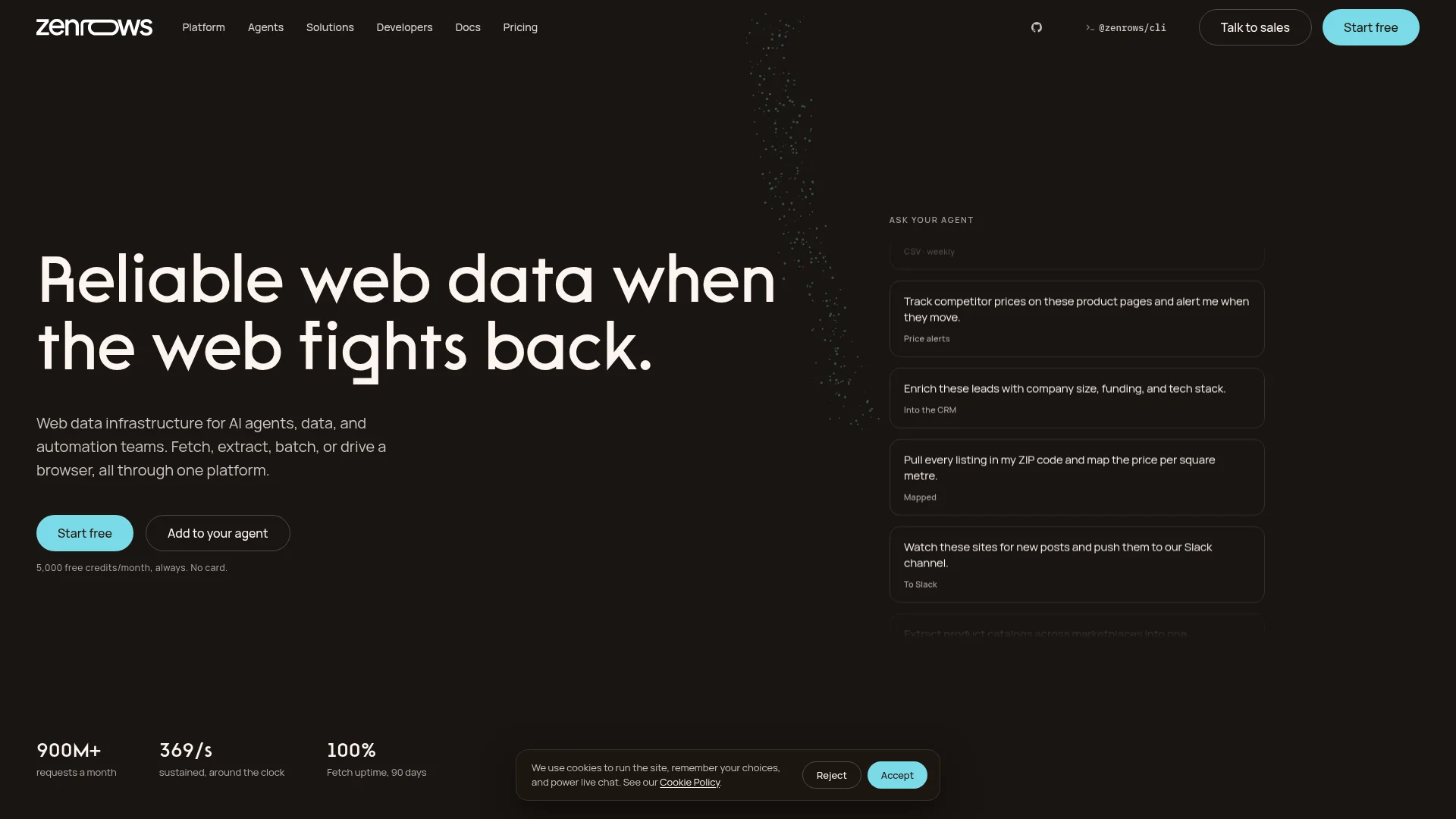
ZenRows is the closest structural competitor to ScrapingBee in this list: a scraping API you call to fetch a page, extract structured data, drive a real browser, or run batch jobs. It's positioned around one shared credit balance across every primitive, and you pay only for successful requests (404 and 410 count as usable).
Key features
- Fetch returns any URL as clean Markdown, HTML, or JSON in one call
- Extract auto-extracts structured data on supported sites, no schema to define (currently in beta)
- Batch processes thousands of URLs asynchronously at the same per-request rate as Fetch
- Browser Sessions drive a real browser for interactive flows, logins, and sessions
- MCP server, Python/Node/Go SDKs, CLI, and direct HTTP API on one credit balance
- Residential proxies (25,000 credits per GB, roughly 1,000 hard-protected pages), geotargeting, and JS rendering
- Pay only for successful requests, top-ups roll over one month, 5,000 free credits per month
ScrapingBee vs ZenRows
Both are scraping APIs built for protected pages, but they price and package the surface differently. ScrapingBee sells credits with JavaScript rendering on by default (5 credits per call whether needed or not) and stealth proxies that jump to 75 credits per request on some domains. ZenRows keeps every primitive (Fetch, Extract, Batch, Browser Sessions) on one shared balance: one credit is a standard successful page, JavaScript rendering costs 5, premium proxies 10, and both together 25.
ZenRows also ships built-in MCP support and an "Extract" primitive that returns structured data without a schema, so an agent that already talks over MCP can point at a URL and get back parsed fields. ScrapingBee's AI extraction lives as ai_query and ai_extract_rules parameters on the classic scrape call, closer to a data-shaping option than a distinct primitive.
| ZenRows | ScrapingBee | |
|---|---|---|
| Default output | Clean Markdown, HTML, or JSON from Fetch | HTML by default, JSON via CSS/XPath rules or AI extraction parameters |
| Primitives | Fetch, Extract, Batch, Browser Sessions on one credit balance | One scrape API with premium and stealth proxy tiers |
| Success billing | Pay only for successful requests (404/410 count as successful) | Credits deducted per request |
| MCP server | Native, one-line install | None built in |
| Free tier | 5,000 credits/month, no card | Free trial of 1,000 credits, no card |
| Concurrency | 5 (Free), 20 (Build), 50 (Scale), higher on Business/Enterprise | 10 (Freelance) up to 200 (Business+) |
How much does ZenRows cost?
As of August 2026, ZenRows offers a Free tier at $0/mo with 5,000 credits, Build at $16/mo (45K credits), Scale at $57/mo (250K), Business at $165/mo (1.2M), and Enterprise at $456/mo (5M), plus custom volumes. Annual billing gives roughly two months free. Every plan runs off one shared credit balance across Fetch, Extract, Batch, and Browser Sessions.
When should you choose ZenRows over ScrapingBee?
Pick ZenRows when you want a direct ScrapingBee-style API but prefer success-only billing, MCP-first setup, and a shared balance across scrape, extract, batch, and browser primitives rather than ScrapingBee's per-domain proxy tier mechanics.
3. ScraperAPI: direct scraping API on a big free tier
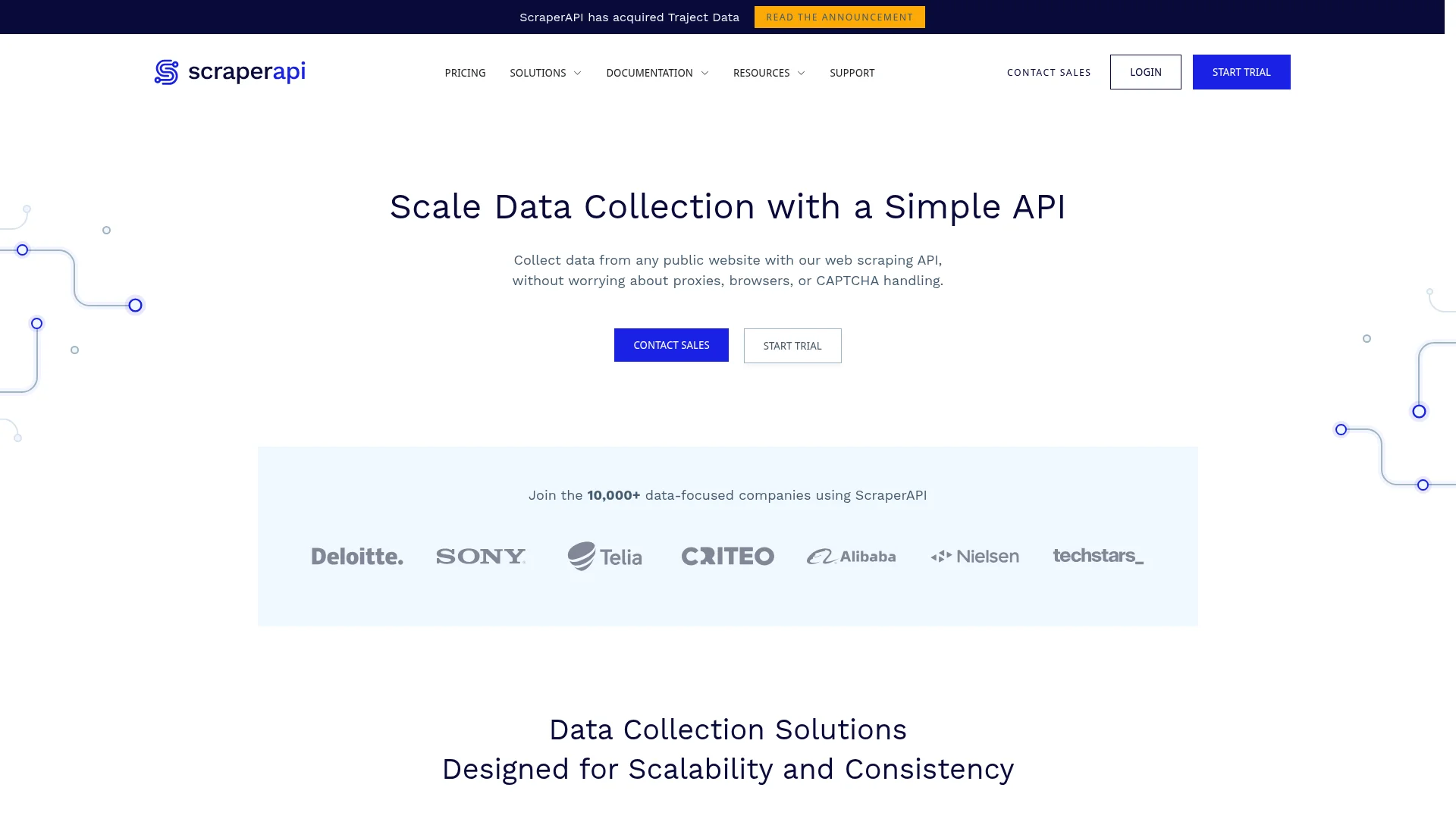
ScraperAPI is the other clean structural competitor to ScrapingBee: a scraping API that handles proxies, JavaScript rendering, and CAPTCHAs, positioned around simplicity and a large free entry point (5,000 credits on the 7-day trial with no card). It also ships structured endpoints for high-demand domains and an official LangChain integration.
Key features
- Scraping API returns page HTML with automatic proxy rotation, JS rendering, and CAPTCHA handling
- Structured Data endpoints for Amazon (product/search/review), Google (search/shopping), Walmart (search), returning parsed JSON
- Async Scraper Service and DataPipeline for large, scheduled jobs
- Official LangChain integration for AI agent workflows
- Custom session support, custom headers, desktop/mobile user agents, automatic retries
- Unlimited bandwidth and a 99.9% uptime SLA advertised on every plan
ScrapingBee vs ScraperAPI
The two products are close structural analogs: both are credit-based scraping APIs with structured endpoints for popular targets. The differences show up on the edges. ScraperAPI's Hobby plan at $49/mo ships 100,000 API credits and its Startup plan at $149/mo ships 1,000,000, while ScrapingBee's $49/mo Freelance tier ships 250,000 credits. Which one is cheaper per credit is misleading in isolation because both providers spend credits at different rates depending on which options are enabled.
ScraperAPI has an active LangChain integration, which makes it the friendlier default when the pipeline already lives in a LangChain agent. ScrapingBee has its own AI extraction parameters (ai_query, ai_extract_rules) but no first-party LangChain integration. Geotargeting also splits: ScraperAPI's Hobby and Startup plans restrict to US and EU only; global geotargeting starts at the $299/mo Business plan.
| ScraperAPI | ScrapingBee | |
|---|---|---|
| Default output | Page HTML, or parsed JSON via structured endpoints | HTML by default, JSON via CSS/XPath rules or AI extraction parameters |
| Structured domains | Amazon, Google (Search/Shopping), Walmart | Amazon, Walmart, Google Search API |
| LLM/agent story | Official LangChain integration and a dedicated AI & Automation solution | AI extraction parameters on the classic scrape API |
| Free entry | 7-day trial with 5,000 API credits, no card | Free trial of 1,000 credits, no card |
| Geotargeting | US and EU on Hobby/Startup; global from Business ($299/mo) | Geotargeting available across paid plans |
| Bulk/async | Async Scraper Service and DataPipeline | Data extraction jobs |
How much does ScraperAPI cost?
As of August 2026, ScraperAPI's plans are Hobby at $49/mo (100K API credits), Startup at $149/mo (1M), Business at $299/mo (3M), Business Plus at $475/mo (5M), Enterprise starting at $975/mo (10.5M), plus a 10% annual discount and larger enterprise tiers. Every plan includes JS rendering, premium proxies, JSON auto-parsing, rotating proxy pools, CAPTCHA handling, custom sessions and headers, and unlimited bandwidth.
When should you choose ScraperAPI over ScrapingBee?
Pick ScraperAPI when you want a direct ScrapingBee-style API with structured endpoints for Amazon/Google/Walmart, a first-party LangChain integration for AI workflows, and unlimited bandwidth on every plan. Note the geotargeting split: if you need non-US/EU locations, the entry plans do not cover it.
4. Bright Data: proxy infrastructure at enterprise scale
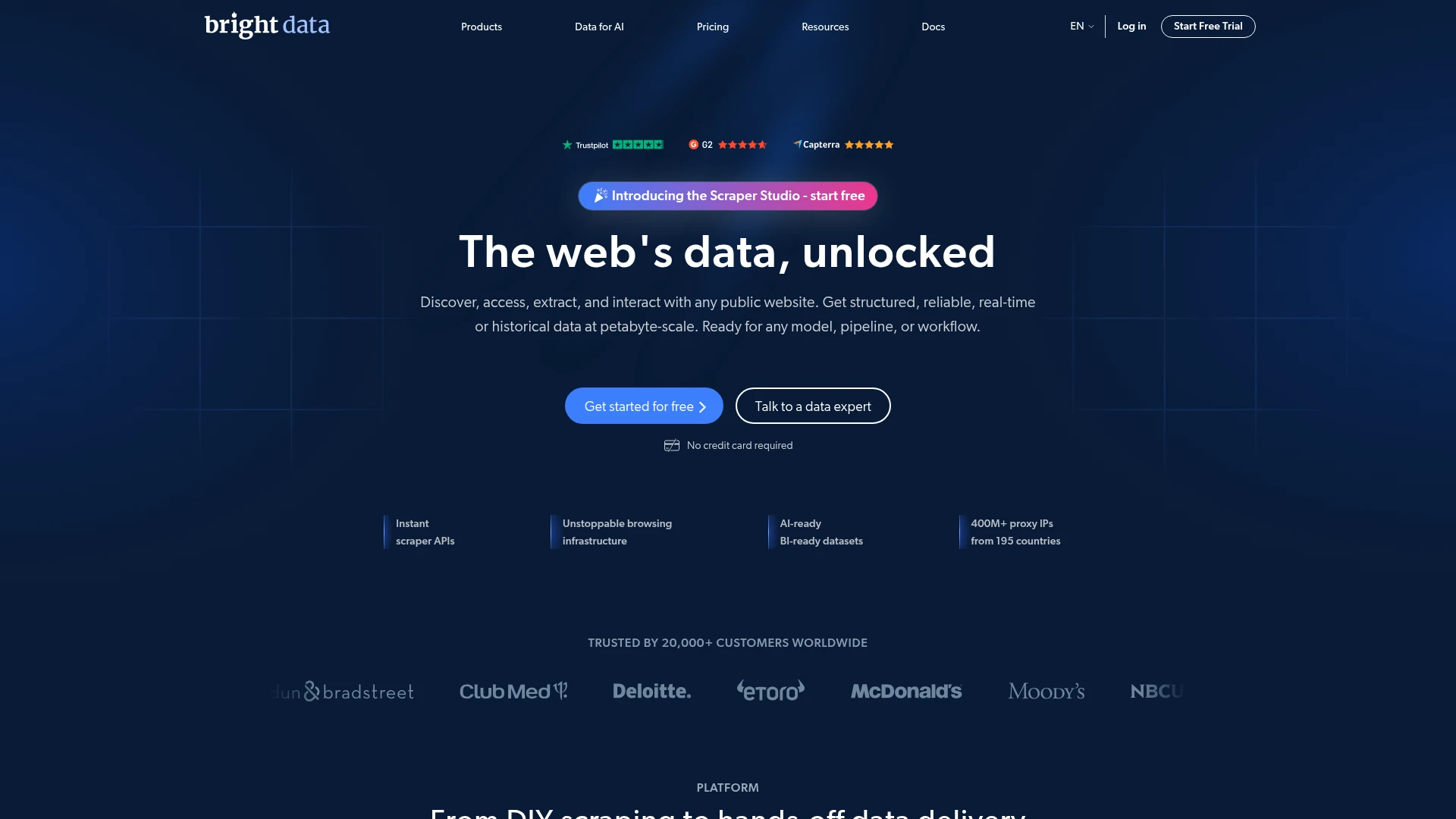
Bright Data is built around one of the largest proxy networks in the market, with a family of scraping products layered on top. It suits organizations whose main challenge is sustained, high-volume access to heavily defended sites.
The product line includes a Web Scraper API, Web Unlocker, Scraping Browser, SERP API, residential and datacenter proxies, and ready-made datasets. The company reports more than 20,000 customers, and the breadth is aimed at large data operations rather than quick one-off jobs.
Key features
- Web Scraper API with pre-built scrapers for specific domains, returning structured JSON, NDJSON, or CSV
- Web Unlocker returns unblocked HTML with automatic CAPTCHA solving, retries, and JS rendering
- Scraping Browser for Playwright or Puppeteer automation routed through the proxy network
- SERP API for structured search-engine results
- Residential, datacenter, ISP, and mobile proxies on one of the largest networks available
- Ready-made datasets marketplace for common sources
- Bulk async jobs up to 5,000 URLs, delivered to webhook, API, or your own storage
- Pay only for successfully delivered records
ScrapingBee vs Bright Data
Bright Data returns already-structured JSON, NDJSON, or CSV from pre-built scrapers for specific domains like Amazon, LinkedIn, TikTok, and Zillow, delivered to a webhook, the API, or your storage. It is a bulk, async tool (up to 5,000 URLs per job, billed per delivered record), so it fits supported-domain datasets at scale more than one-off arbitrary pages.
| Bright Data Web Scraper API | ScrapingBee | |
|---|---|---|
| What you get back | Parsed JSON, NDJSON, or CSV | HTML by default; JSON via CSS/XPath rules or AI extraction parameters |
| Coverage model | Pre-built scrapers per supported domain | Generic fetch on any URL |
| Execution | Async bulk jobs, up to 5,000 URLs per request | Synchronous request and response |
| Delivery | Webhook, API, or your own storage | API response body |
| Unblocking | Web Unlocker, sold as a separate product | Premium and stealth proxies in the same call |
| Billing | Per successfully delivered record | Credits per request |
| Best fit | Enterprise datasets on supported domains | Mid-size scraping on any URL |
How much does Bright Data cost?
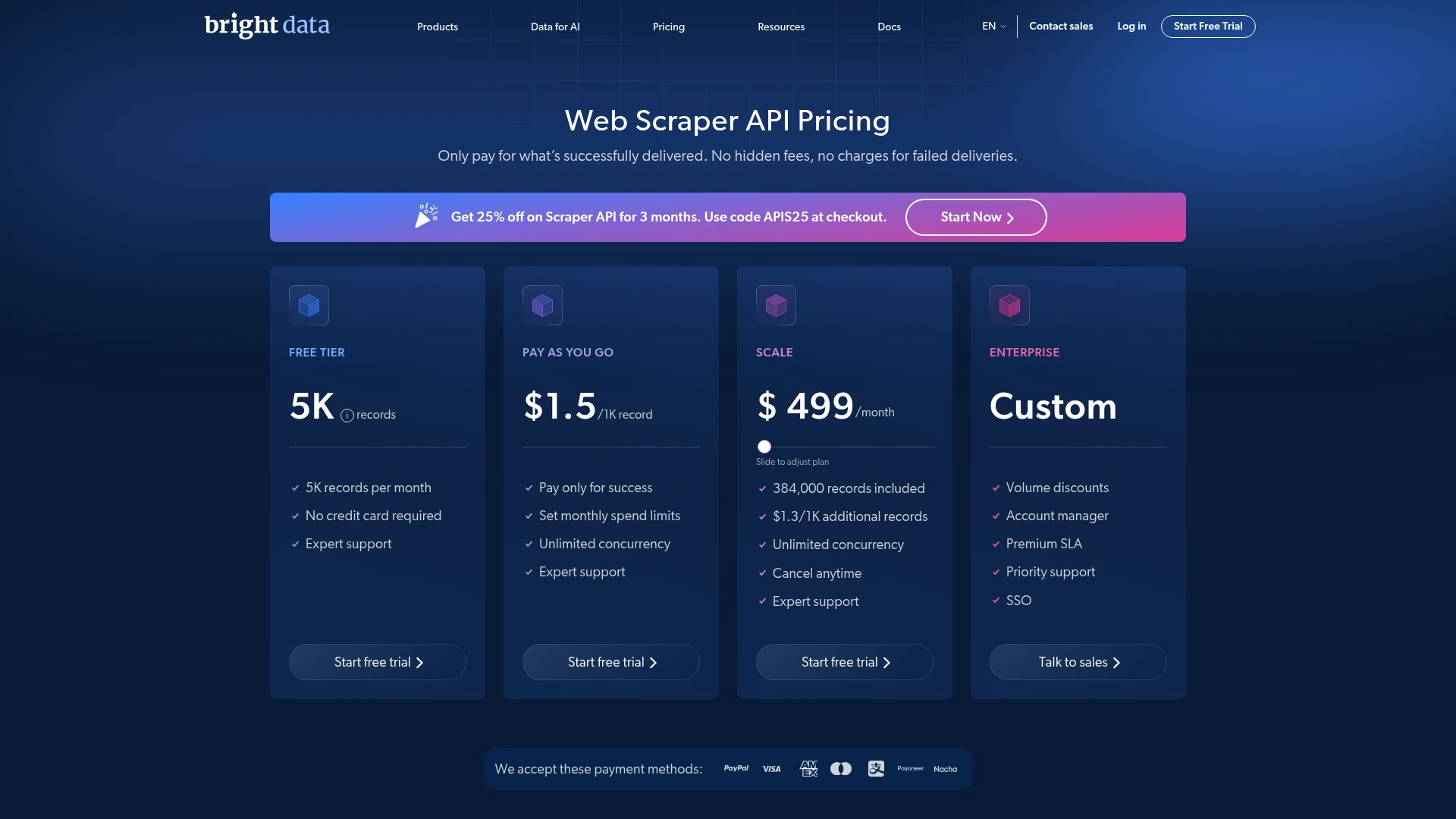
As of August 2026, Bright Data's Web Scraper API offers a free trial of 5,000 records per month, pay-as-you-go at $1.5 per 1,000 records, and a monthly plan that includes 384,000 records with additional records at $1.3 per 1,000.
Other products such as proxies and the Web Unlocker are priced separately, each on its own page.
When should you choose Bright Data over ScrapingBee?
Pick Bright Data when proxy scale and unblocking are your bottleneck and you have the volume to justify an enterprise-grade setup. The per-product pricing rewards teams that know exactly which capabilities they need.
5. Apify: a marketplace of prebuilt scrapers
Apify is a platform built around Actors, which are reusable scraping and automation programs you can run, customize, or publish. Its marketplace holds more than 40,000 prebuilt Actors, so common targets often have a ready-made scraper.
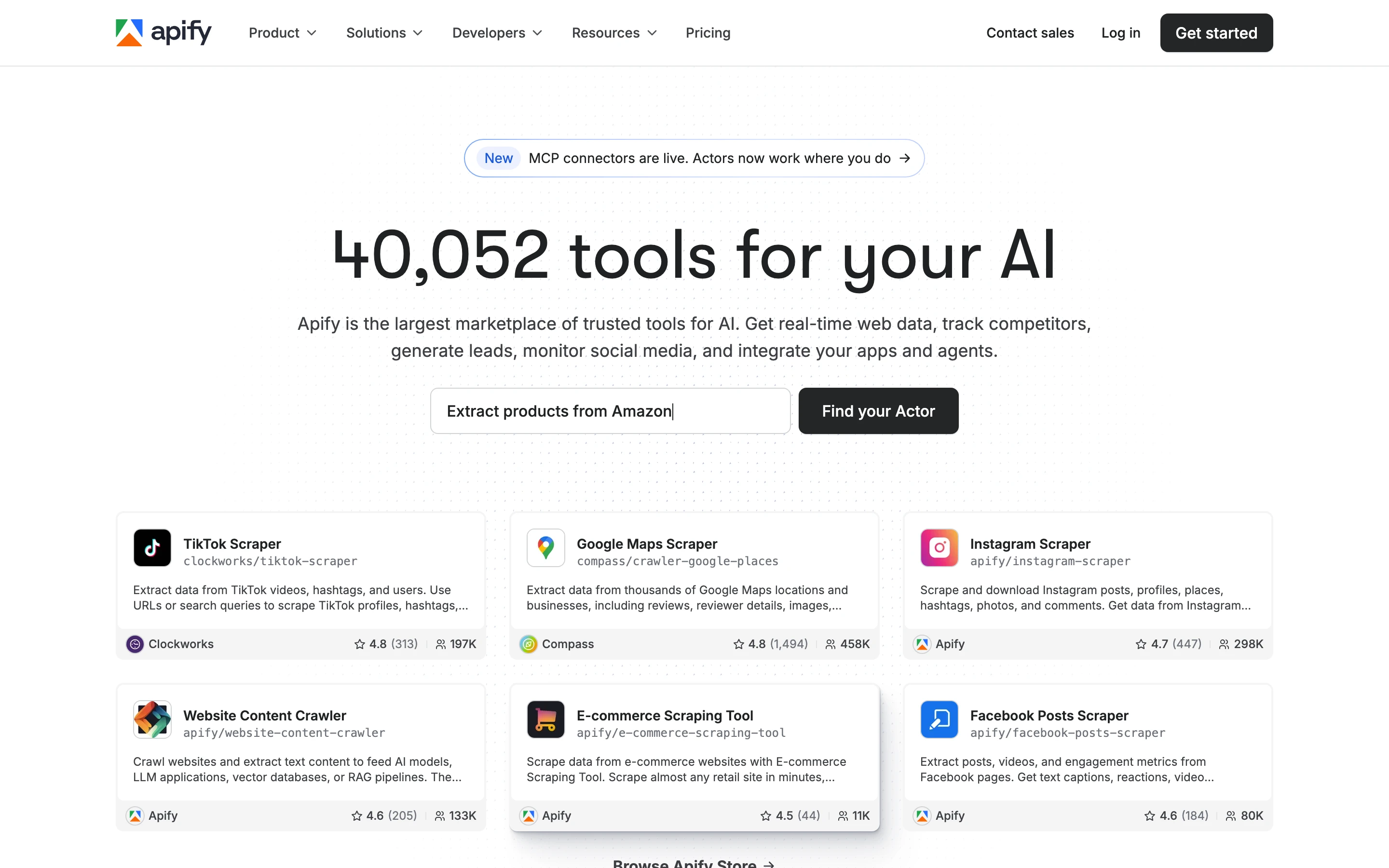
The platform gives you full control over each Actor, with scheduling, storage, and a complete API. That makes it a strong fit for teams that want to assemble workflows from existing parts rather than build every scraper from scratch.
Key features
- Marketplace of 40,000+ prebuilt Actors for common targets
- Website Content Crawler turns sites into clean text, Markdown, or HTML for LLMs and RAG
- Native integrations with LangChain, LlamaIndex, Pinecone, Qdrant, and OpenAI Assistants
- Crawlee open-source library to build, run, and publish your own Actors
- Scheduling, dataset and key-value storage, and a full REST API
- Export results as JSON, CSV, Excel, or XML
- Built-in proxies and anti-blocking
- Free plan with $5 of monthly platform usage
ScrapingBee vs Apify
Apify is a marketplace of 40,000+ Actors, so instead of one endpoint you pick the Actor that matches the job. To see what that returns, I ran its Google Maps Actor for specialty coffee shops in San Francisco. It came back with ranked places as structured JSON, each record already carrying the title, rating, review count, category, address, phone, website, opening hours, and coordinates, with no HTML to parse. The run took about 13 seconds, since Apify launches an Actor rather than answering a single synchronous request.
ScrapingBee's dedicated endpoints cover Amazon and Walmart but not Maps, so this dataset has no one-call equivalent there. For AI pipelines, a separate Apify Actor, the Website Content Crawler, returns clean Markdown instead of structured fields.
| Apify | ScrapingBee | |
|---|---|---|
| Model | 40,000+ Actors you run and compose | One scraping API |
| Site-specific scrapers | Prebuilt Actor for most popular targets (Maps, Amazon, social) | Dedicated Amazon and Walmart endpoints |
| LLM-ready output | Yes, via the Website Content Crawler (clean Markdown) | Via AI extraction parameters on the scrape API |
| AI integrations | LangChain, LlamaIndex, Pinecone, Qdrant, OpenAI | None native |
| Execution | Async Actor runs, built for batch and scheduling | Synchronous request and response |
| Output and storage | Dataset, exported as JSON/CSV/Excel/XML | API response body |
| Billing | Compute units plus plan usage | Credits per request |
How much does Apify cost?
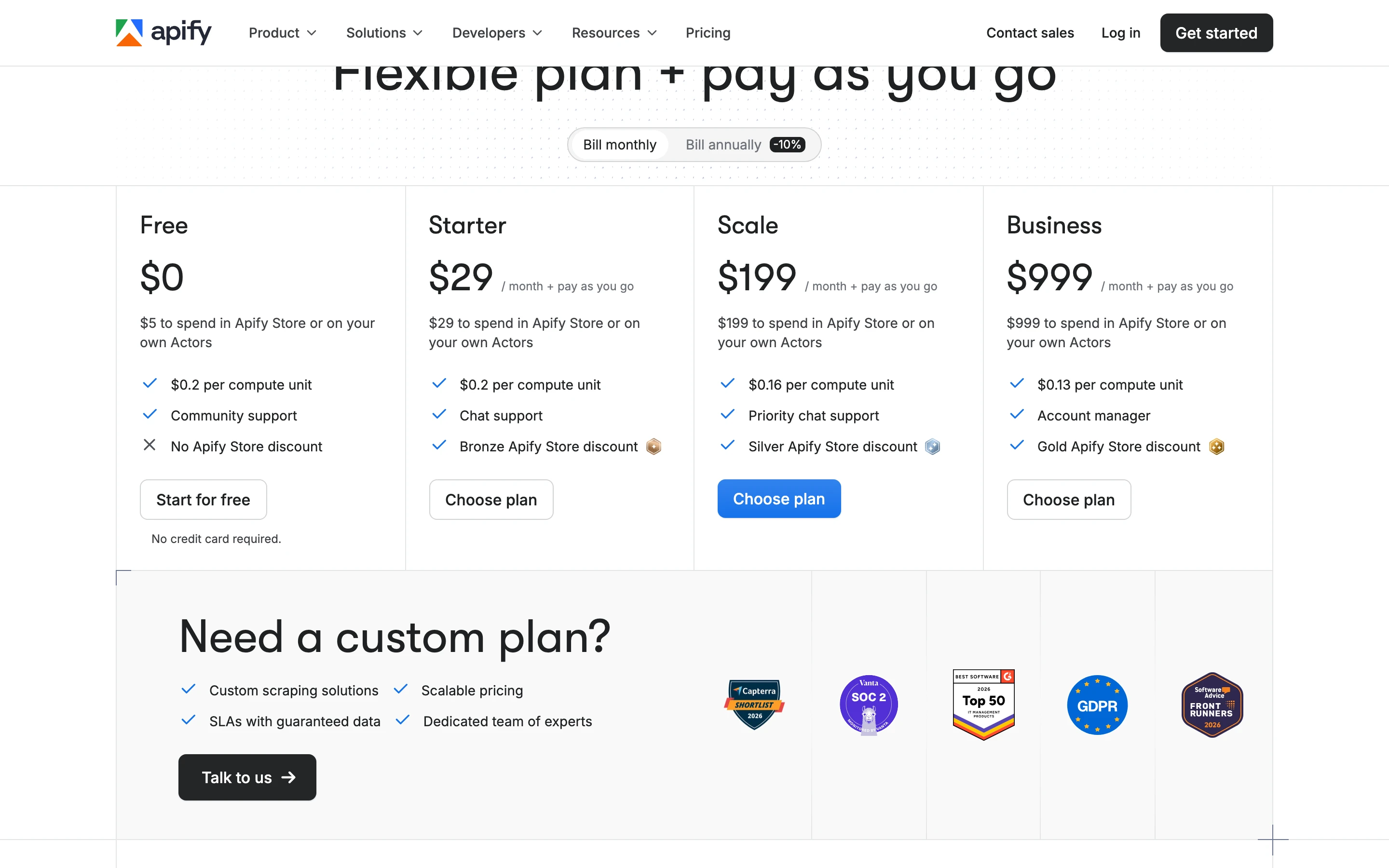
As of August 2026, Apify's plans are Free at $0 ($5 of platform usage, $0.20 per compute unit), Starter at $29/mo, Scale at $199/mo ($0.16 per compute unit), and Business at $999/mo ($0.13 per compute unit), with pay-as-you-go usage on top and an Enterprise tier.
When should you choose Apify over ScrapingBee?
Pick Apify when a prebuilt Actor already exists for your target or when you want to schedule and orchestrate scraping jobs on a platform. The marketplace can save significant build time for common sources.
6. Oxylabs: premium proxy infrastructure
Oxylabs is an enterprise proxy provider with a managed Web Scraper API on top of its network. It targets the same proxy-heavy, high-volume work as Bright Data, with a focus on reliability and support.
The catalog covers residential, datacenter, mobile, and ISP proxies, plus scraper APIs for general web and search targets. The emphasis is on sustained scale and unblocking rather than developer-experience features.
Key features
- Web Scraper API with dedicated per-domain parsers that return Parsed JSON
- OxyCopilot generates parsing instructions from a natural-language prompt
- SERP scraping including Google AI Overviews and AI Mode, parsed into structured data
- Residential, datacenter, ISP, and mobile proxies sold as separate products
- JavaScript rendering and geotargeting
- Real-time (sync) or async batch jobs, with push (webhook) or pull delivery
- Headless Browser and an AI Agents SDK for agent workflows
- Enterprise reliability with 24/7 support
ScrapingBee vs Oxylabs
Oxylabs returns Parsed JSON from dedicated per-domain parsers, with JavaScript rendering and geotargeting available, and its OxyCopilot assistant can generate those parsers from a plain-language prompt instead of hand-written selectors.
It can also scrape newer SERP surfaces like Google AI Overviews and AI Mode, which comes in handy if AI search results are what you are after.
| Oxylabs Web Scraper API | ScrapingBee | |
|---|---|---|
| Default output | Raw HTML or Parsed JSON via dedicated parsers | HTML by default, JSON via CSS/XPath rules or AI extraction parameters |
| Building extraction | OxyCopilot generates parsers from a prompt | You write CSS or XPath rules, or use AI extraction parameters |
| Search scraping | SERP API incl. AI Overviews and AI Mode parsing | Google Search API |
| Execution | Sync or async batch, push or pull delivery | Synchronous request and response |
| Best fit | Parsed structured data at scale | Mid-size fetch on any URL |
How much does Oxylabs cost?
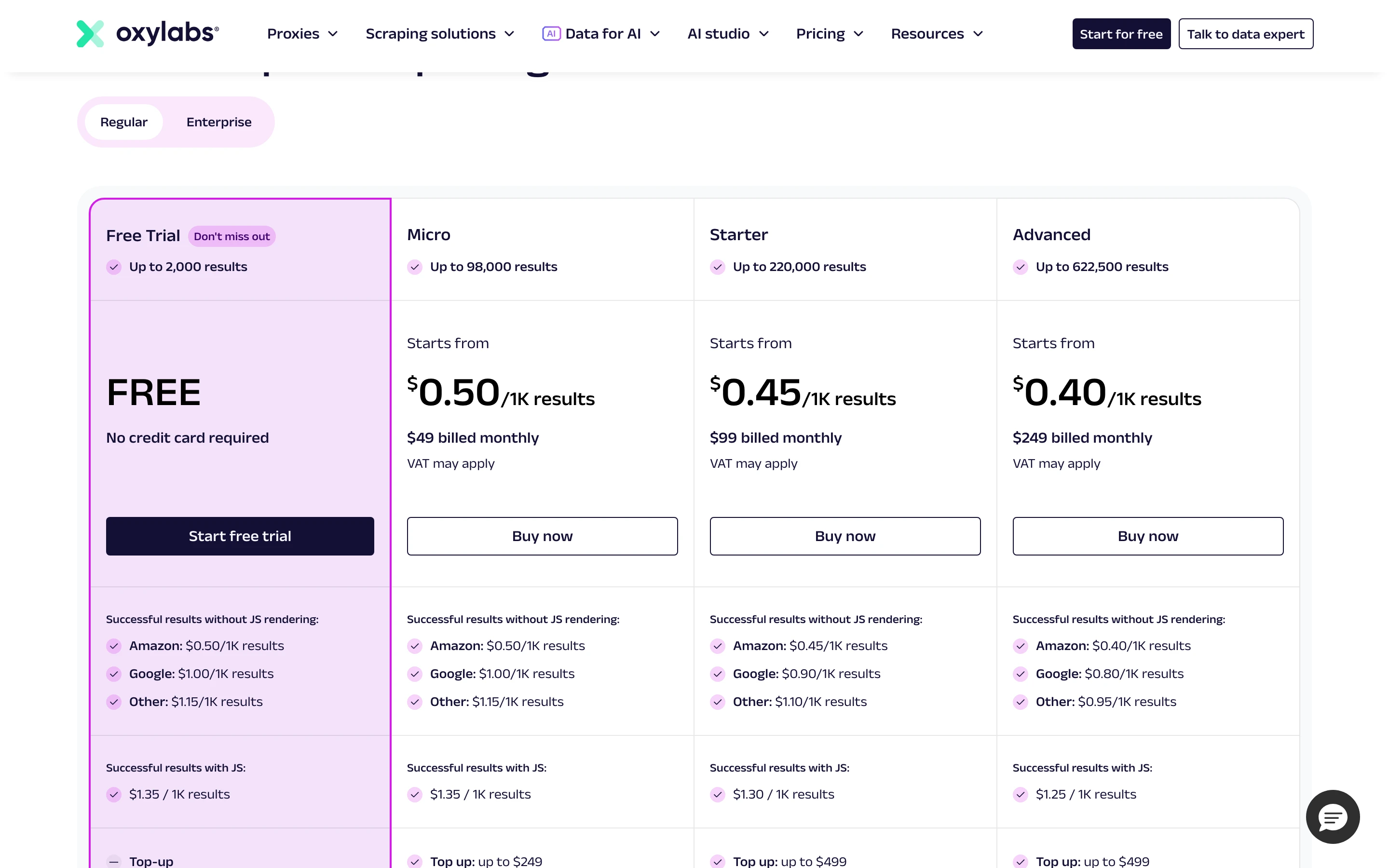
As of August 2026, Oxylabs prices its Web Scraper API from $49/mo, with proxy products billed separately by gigabyte or by IP. Enterprise plans and custom commitments are available for larger volumes.
When should you choose Oxylabs over ScrapingBee?
Pick Oxylabs when you need granular control over a premium proxy network at scale and value enterprise support. The separation of proxies and scraper API helps teams that manage the network layer deliberately.
7. Octoparse: no-code, point-and-click scraping
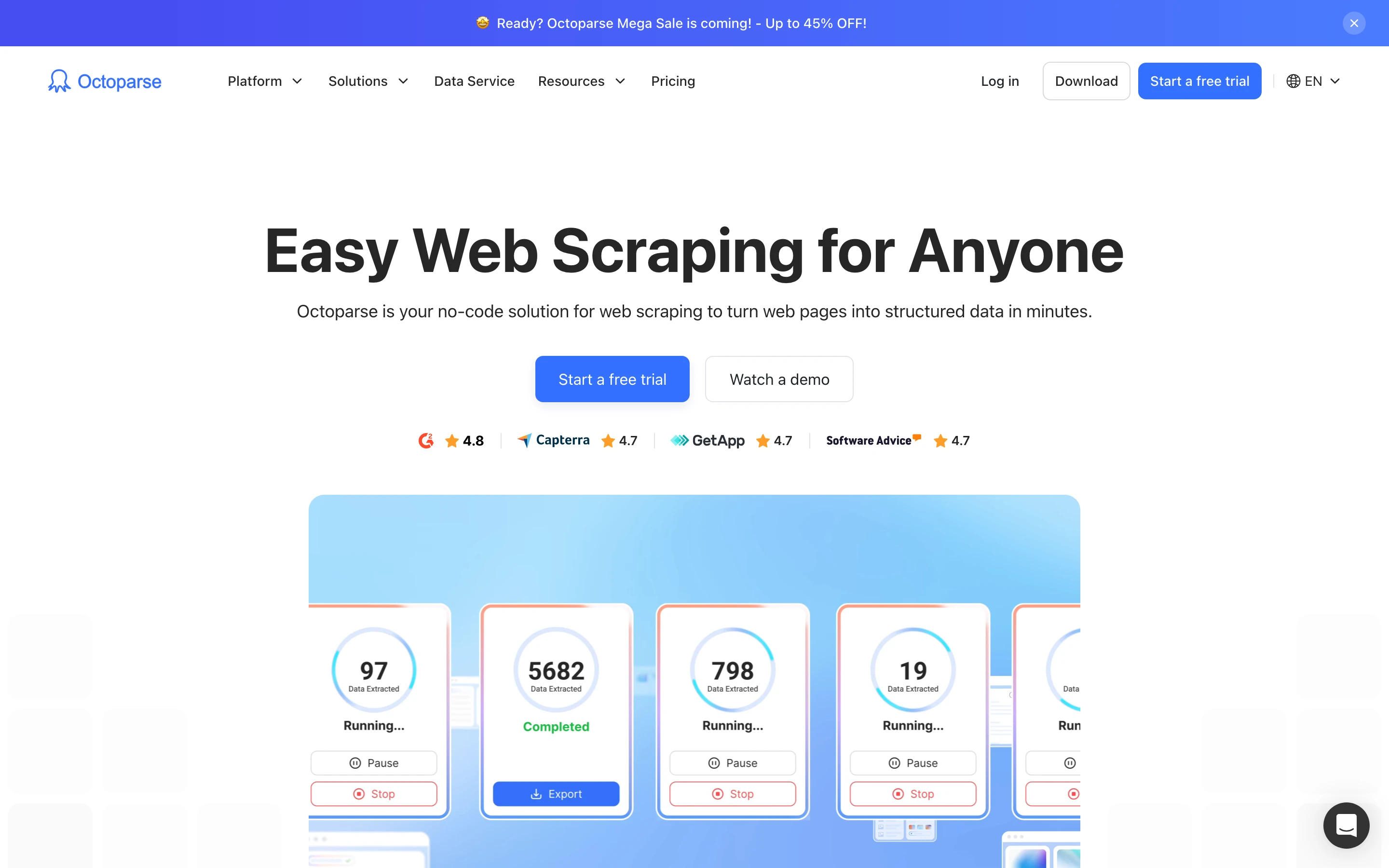
Octoparse is a desktop no-code scraper built for people who want web data without writing code. You point and click to select fields, and a visual workflow builder handles the rest.
A template marketplace covers popular sites, so non-technical users can often start without configuring a scraper at all. The tool runs as a desktop application with optional cloud execution on paid plans.
Key features
- Visual point-and-click desktop builder for Windows and macOS
- Auto-detect plus 500+ prebuilt site templates
- Local extraction or Octoparse Cloud runs with scheduling
- IP rotation, residential proxies, and automatic CAPTCHA solving on paid plans
- Export to Excel, CSV, JSON, and HTML
- Send data to databases (MySQL, SQL Server, PostgreSQL, Oracle), Google Sheets, Google Drive, Dropbox, or S3
- Advanced API and automatic export on higher tiers
- Free plan with 10 tasks and 50,000 rows of monthly export
ScrapingBee vs Octoparse
ScrapingBee is a code-first API, while Octoparse is a point-and-click desktop app with auto-detect and 500+ templates that runs in the cloud and exports straight to spreadsheets, databases, Google Sheets, or cloud storage. Its Advanced API is a task-based add-on, not an ad-hoc endpoint. Which one fits depends on who does the work: an engineer wiring an API into a pipeline, or an analyst clicking through a visual builder.
| Octoparse | ScrapingBee | |
|---|---|---|
| Interface | Visual desktop app, point and click | REST API |
| Getting started | Auto-detect plus 500+ templates | Write code against an endpoint |
| Where it runs | Local or Octoparse Cloud | Your code, on ScrapingBee's infrastructure |
| Output destinations | Excel, CSV, JSON, databases, Google Sheets, cloud storage | HTTP response body (HTML or JSON) |
| Blocking handling | IP rotation, residential proxies, CAPTCHA solving (paid) | Premium and stealth proxies, CAPTCHA handling |
| API access | Add-on on higher plans, task-based | Core product |
| Best fit | Non-technical, visual data collection | Developers, programmatic scraping |
How much does Octoparse cost?
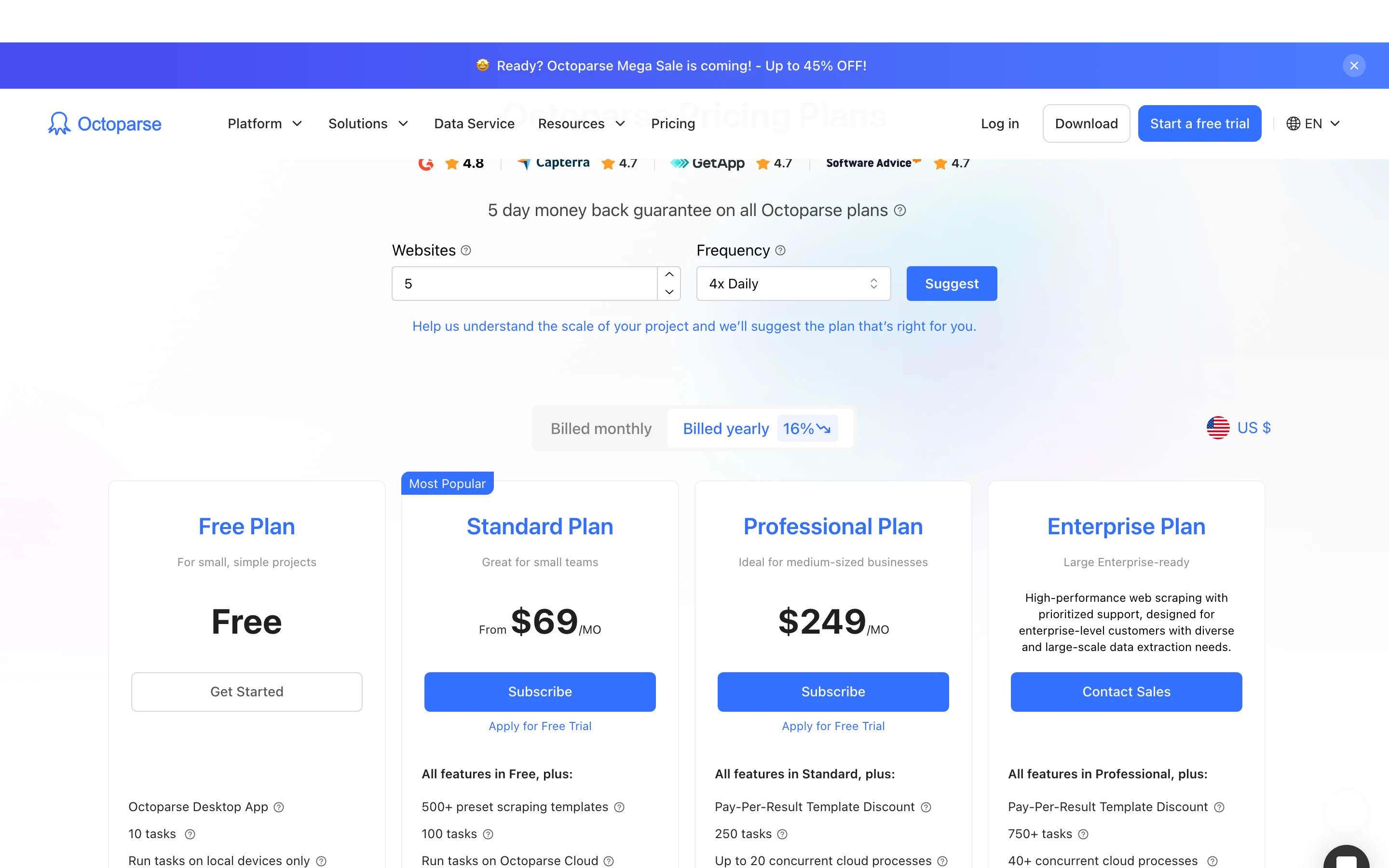
As of August 2026, Octoparse offers a Free plan with a 50,000-row monthly data export, a Standard plan from $69/mo, a Professional plan at $249/mo, and an Enterprise tier.
When should you choose Octoparse over ScrapingBee?
Pick Octoparse when the people collecting data do not write code and prefer a visual workflow. The template marketplace is a fast start for common, well-structured sites.
Which ScrapingBee alternative should you pick?
Match the pick to the job, not the brand:
- Feeding web data into AI models, agents, or a vector store: Firecrawl. One API returns clean Markdown or schema-defined JSON by default, and the same install covers search, interact, crawl, map, and change monitoring. Roughly 55% fewer characters and 2.5x faster than ScrapingBee on the same JS-rendered page in our test, which means fewer input tokens on every downstream call. Try it keyless with no signup or on the 1,000-credit free tier.
- A direct ScrapingBee-style API with success-only billing and MCP built in: ZenRows. Fetch, Extract, Batch, and Browser Sessions run off one shared credit balance. You only spend credits on successful requests (404 and 410 count as usable), and the MCP server plugs in for agent workflows in one line.
- A direct ScrapingBee-style API with a big free entry and LangChain out of the box: ScraperAPI. 5,000-credit trial, structured endpoints for Amazon/Google/Walmart, and an official LangChain integration. Note the geo split: US and EU only on Hobby and Startup; global geotargeting starts at the $299 Business plan.
- Massive proxy scale on heavily defended sites: Bright Data. Pre-built scrapers on supported domains, async bulk jobs up to 5,000 URLs per request, billed per delivered record. The right pick when unblocking at volume is the actual bottleneck.
- Ready-made scrapers for common targets (Maps, Amazon, social): Apify. 40,000+ Actors mean the scraper often already exists; you pick it, schedule it, and take structured JSON out. Native integrations with LangChain, LlamaIndex, Pinecone, Qdrant, and OpenAI Assistants make it the pick when the workflow already lives in one of those stacks.
- Enterprise proxy control with granular per-product billing: Oxylabs. Dedicated per-domain parsers, OxyCopilot for prompt-generated parsers, and SERP scraping that covers Google AI Overviews and AI Mode. Fits teams that manage the proxy layer deliberately and want 24/7 support alongside it.
- Non-technical users doing visual data collection: Octoparse. Point-and-click desktop builder, 500+ templates, exports straight to Excel, Google Sheets, databases, or cloud storage. Right when the person collecting the data does not write code.
The fastest way to decide is to run your own hardest target through the top two candidates and compare what you actually get back.
Frequently Asked Questions
What is the best ScrapingBee alternative for AI applications?
Firecrawl is the strongest fit for AI and LLM pipelines. It returns clean Markdown and structured JSON from a single API call, so the output drops straight into a model or vector store without an HTML parsing step.
Why do developers look for ScrapingBee alternatives?
The most common reasons are credit-cost predictability and pricing shape. ScrapingBee's credits are consumed at different rates depending on proxy type and JavaScript rendering, so the effective price per request is hard to forecast before running real traffic.
Is there a free ScrapingBee alternative?
Yes. Firecrawl can be tried keyless with no signup or API key, and its free tier offers 1,000 credits per month after sign-up. Apify gives $5 of platform usage on its free plan, and Octoparse has a free desktop tier with a monthly data export cap. As of August 2026 each lets you test core functionality before paying.
How does ScrapingBee's credit system work?
A request costs a variable number of credits based on the options used. ScrapingBee's documentation lists higher credit costs for premium and stealth proxies than for a classic request, and a JavaScript-rendered call in testing returned a cost of 5 credits, so the effective number of requests per plan depends on the targets being scraped.
Which ScrapingBee alternative is best for large-scale proxy scraping?
Bright Data and Oxylabs are built around large proxy networks and suit high-volume, proxy-dependent jobs. Both price proxy and scraper products separately and offer enterprise support for sustained scale.
How does Firecrawl differ from ScrapingBee on output format?
Both APIs can return structured data. ScrapingBee returns HTML by default and offers AI data extraction through additional parameters. Firecrawl returns clean Markdown or schema-defined JSON by default in a single call, so the AI-ready output is the standard response rather than an opt-in layer.