TL;DR:
- "Data acquisition tools" covers two unrelated markets. DAQ hardware reads sensor signals in labs and factories. Web data acquisition tools pull external data from websites, APIs, and data providers.
- There are five ways to acquire web data. You can buy it, call an official API, query a search API, scrape and crawl pages, or drive a browser. Most pipelines combine two or three.
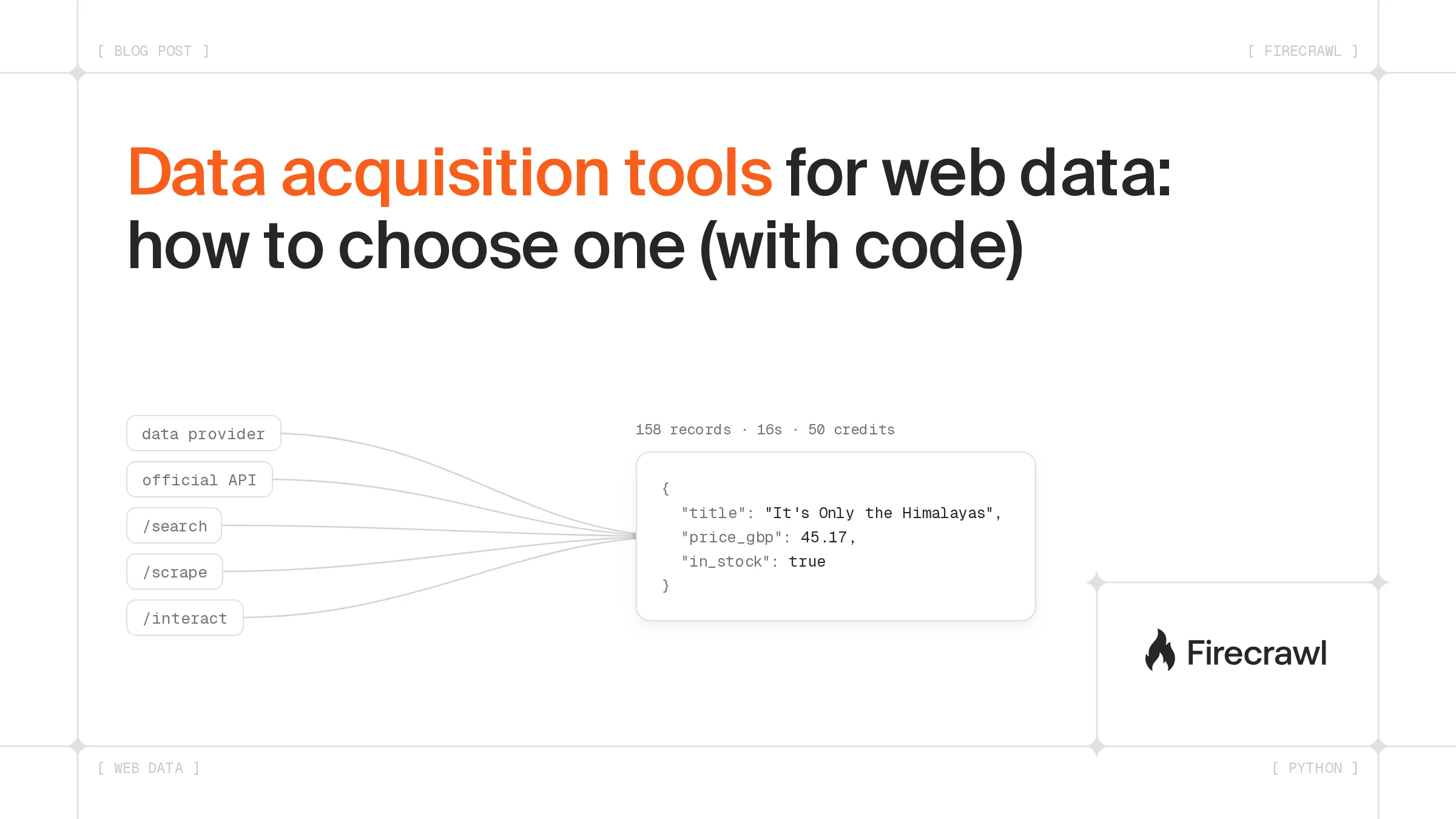
- Choose on cost per usable record, freshness, and upkeep. In our test, Firecrawl turned 10 catalog pages into 158 structured records in 16 seconds for 50 credits, about a third of a credit per record.
- Mapping the same site returned 1,229 URLs in 1.1 seconds for a single credit.
- Bought data is not automatically right. Firecrawl's company enrichment benchmark found employee counts averaged 57% accuracy across six providers.
Search "data acquisition tools" and Google hands you oscilloscopes, USB measurement boxes, and LabVIEW. That's fine if you're logging thermocouple readings. It's less helpful if your manager wants competitor prices in a spreadsheet every Monday, or your AI agent needs product specs from 400 supplier sites.
External data acquisition is a different job with its own data collection tools. This post sorts the options and shows how to pick one. Then it walks through a working web data pipeline in Python, with the real output, timings, and credit costs from my runs.
What are data acquisition tools?
Data acquisition tools are software or hardware that collect data from a source and turn it into something a computer can store and analyze. In engineering, that means DAQ systems reading analog sensor signals. In software and AI work, it means tools that pull external data from websites, APIs, and data providers into a database or an AI agent.
The two meanings share a name and almost nothing else:
| DAQ hardware | Web data acquisition | |
|---|---|---|
| Source | Sensors measuring voltage, temperature, pressure, vibration | Web pages, PDFs, public APIs, licensed datasets |
| Typical tools | DAQ cards, data loggers, LabVIEW, MATLAB Data Acquisition Toolbox | Scraping and crawling APIs, search APIs, browser automation, data providers |
| Output | Time series of sampled signals | Records, Markdown, JSON |
| Hard part | Sampling rate, noise, signal conditioning | Page changes, JavaScript rendering, coverage, freshness |
If you landed here looking for DAQ hardware or data acquisition software for sensors, a DAQ vendor's guide will serve you better. The rest of this post is about the web side.
What types of web data acquisition tools are there?
Web data acquisition tools fall into five types. Data providers sell finished records, official APIs come from the site itself, and search APIs find sources. Scraping and crawling tools read pages, and browser automation clicks through pages a scraper can't read. The right type depends on whether someone already packages your data.
- Data providers and datasets. Someone else collected the data and sells it per record or per file. Company firmographics, financial filings, and job postings are common examples.
- Official APIs. The site publishes an endpoint for its own data. When one exists and covers your fields, it's usually the most stable route.
- Search APIs. You start with a question, and a search API like Firecrawl /search returns the pages worth reading, optionally with their full content.
- Scraping and crawling tools. You have the URLs, or a site to walk, and need the content. This ranges from open-source libraries like Scrapy and Playwright to managed APIs like Firecrawl /scrape and Firecrawl /crawl.
- Browser automation and agents. The data only appears after a click, a form, or a scroll. Firecrawl /interact drives a real browser for that, and Firecrawl /agent navigates sites on its own from a description of the data you want.
The five types differ most on freshness, upkeep, and cost model:
| Type | Freshness | Setup effort | Ongoing upkeep | Cost model |
|---|---|---|---|---|
| Data provider | Provider's refresh cycle | Low | Low | Per record or per file |
| Official API | Live | Low to medium | Low | Free tier, then usage pricing |
| Search API | Live | Low | Low | Per query |
| Self-hosted scraper (Scrapy, Playwright) | Live | High | High | Your servers and engineering time |
| Managed scraping API (Firecrawl) | Live | Low | Low to medium | Per page, plus extras such as JSON extraction |
| Browser automation and agents | Live | Medium | Medium | Per browser minute or per task |
How do you choose a data acquisition tool?
Choose a data acquisition tool by working out the cost of one usable record. Add the tool's price to the engineering hours that keep it running, then divide by the records that arrive correct and on time. A cheap tool that needs weekly fixes often loses to a pricier one that doesn't.
These are the questions I'd answer before picking anything:
- Does a provider or API already sell this? If yes, price it first. Collecting data someone sells cleanly is usually wasted effort.
- How fresh does it need to be? Daily prices and weekly firmographics are different problems. Freshness sets your refresh schedule, and the schedule sets your bill.
- How many sources? Five large sites and 5,000 small ones need different tools. Many small sites favor something that reads any page without per-site code.
- What shape do you need? A spreadsheet row, a JSON object for an API, or Markdown for an LLM's context window. Converting formats later is extra code you'll maintain.
- Who fixes it when it breaks? Count the hours. A scraper that breaks once a month on 50 sites is a part-time job.
On my test run, the managed route worked out to about 0.32 credits per record (50 credits for 158 records). That number is only useful next to the alternative's equivalent, so do the same sum for whatever you're comparing it with.
Should you buy data from a provider or collect it yourself?
Buy data from a provider when it already sells your exact fields at the freshness you need. Collect it yourself when the data is niche, changes often, or lives on a few specific sites. Provider data also varies in quality, so test a sample against a source you trust before committing a budget.
In Firecrawl's company enrichment benchmark (October 2026), six providers filled in profiles for the same 200 US companies. Employee count was the hardest field, averaging 57% across the providers, with the best at 77.2% and the lowest at 46%. Two providers can sell the "same" field and disagree.
AI agents are spreading fast. In Stack Overflow's May 2026 pulse survey of 1,100 developers and working professionals, AI agent usage rose from 31% to 59% in a year. Cloudflare's July 2026 report on the agentic internet found that more than half of internet traffic is now non-human. An agent that needs company, price, or filing data needs a source it can call reliably.
The buy vs scrape decision doesn't have to cover the whole pipeline. Firecrawl Alexandria puts data providers and Firecrawl's own indexes behind the same API you use for scraping, so you can check whether a provider covers your data before writing a scraper. Discovery is free; running a provider's tool costs the credits it lists.
Firecrawl Alexandria groups its providers into 23 categories, listed below with a few providers from each:
| Category | Example providers |
|---|---|
| Public records | SEC EDGAR, Companies House, USPTO, FRED |
| Retail | Best Buy US, Etsy, IKEA, StockX |
| Health | FDA, UniProt, NIH RePORTER |
| Travel | Skyscanner, Trip.com, Recreation.gov |
| Finance | Coinbase Exchange, IMF Data, DeFiLlama |
| Sports | ESPN, MLB Baseball Savant, NFL.com |
| Places | OpenStreetMap, Bing Maps, BBB business profiles |
| Jobs | Greenhouse, Ashby and Workday job boards |
| Real estate | NYC property records, National Weather Service, FEMA / ORNL USA Structures |
| Company | People Data Labs, Kickstarter, Namecheap domain search |
| Developer | GitHub, Docker Hub, OSV.dev |
| AI models | Hugging Face, OpenRouter, Artificial Analysis |
| Entertainment | TMDB, JustWatch, BFI Collections Search |
| Restaurant | Domino's US, Pizza Hut US, SevenRooms |
| Apps | Apple App Store, npm, PyPI |
| Social | Community forums and review sites |
| Research | Research Index, Canadian Nutrient File |
| News | Substack, Trends |
| People | Apollo, Data Legion, FullEnrich |
| Tools | Wayback Machine, DOI.org |
| Marketing | Wikipedia, Upspring |
| Podcasts | Particle |
| Web analytics and marketing | Similarweb |
import os
from firecrawl import Firecrawl

firecrawl = Firecrawl(api_key=os.environ["FIRECRAWL_API_KEY"])

result = firecrawl.search(
    "company headcount and funding data",
    sources=["web", "alexandria"],
    limit=3,
)
for tool in (result.tools or [])[:3]:
    print(f"{tool.provider}/{tool.capability}: {tool.description[:70]}")
people-data-labs/company/enrich: Use when you have one company and want its firmographics, funding and
people-data-labs/company/search: Use to find companies by attribute - industry, headcount, funding stag
fireround/companies/profile: One startup or private company's profile and venture funding: its head
If a tool fits, you call it with firecrawl.scrape(alexandria={...}) and skip the scraper entirely. If nothing fits, you collect the data yourself, which is the rest of this post. The Alexandria launch post covers how providers are paid when agents pull their data.
Collecting data yourself doesn't have to mean running scraping infrastructure. Stanford AI Playground, which serves the Stanford University community, uses Firecrawl /search and Firecrawl /scrape for LLM grounding: it augments model responses with real-time web data from about 800 sources a day across more than 10,000 domains. Firecrawl is built for that kind of enterprise use, and 67% of Fortune 100 companies are Firecrawl users.
Stanford AI Playground coverage grew from 293 URLs in September 2025 to 13,469 in February 2026, a 46x increase in knowledge base breadth.
Looking for a data acquisition service or partner? Talk to Firecrawl's sales team about the sources, volume, and data providers you need.
How do you build a web data acquisition pipeline with Firecrawl?
A web data acquisition pipeline with Firecrawl checks Firecrawl Alexandria for ready-made data, finds sources with Firecrawl /search and lists a site's pages with Firecrawl /map. It then turns pages into structured records with Firecrawl /scrape and a JSON schema, scales that with Firecrawl batch scrape, reads PDFs with the same Firecrawl /scrape call, and watches for changes with Firecrawl /monitor. Each step ran against the live API on October 22, 2026.
The examples use Python, but Python is only one way in. Firecrawl has official SDKs for Python, Node.js and TypeScript, Go, Java, Ruby, Rust, .NET, PHP, and Elixir, plus a REST API you can call with cURL from anywhere. The Firecrawl CLI runs the same calls from a terminal. The MCP server connects Firecrawl to AI assistants and coding agents such as Claude, ChatGPT, Cursor, and Codex. Agent frameworks such as LangChain, LlamaIndex, Mastra, CrewAI, and the Vercel AI SDK have integrations, and so do no-code tools like n8n, Zapier, Make, and Dify. The SDKs, CLI, and REST API share the same endpoints and credit pricing, while MCP and no-code integrations expose a subset of those endpoints that varies by tool.
The example tracks book prices on Books to Scrape (books.toscrape.com), a sandbox store built for scraping practice, so you can run every snippet yourself without worrying about someone's production site.
What do you need to install?
pip install firecrawl-py
export FIRECRAWL_API_KEY=fc-...
The snippets below read your key from FIRECRAWL_API_KEY. To try the Firecrawl /search and Firecrawl /scrape steps before signing up, create the client with Firecrawl() and no key, which uses Firecrawl's keyless mode (capped per IP address per day). Firecrawl /map, Firecrawl batch scrape, and Firecrawl /monitor need a key.
How do you check Firecrawl Alexandria for ready-made data first?
Firecrawl Alexandria is the first stop in the pipeline because a provider may already return the records you planned to scrape. It works with the same API key as Firecrawl /scrape, so an agent can find a provider, read its inputs and price for free, then call it in one request. In Firecrawl's internal evaluations, AI agents using Alexandria scored 21% higher on answer quality than agents using built-in web tools, with the same model and prompts.
Here it pulls a company's annual reports straight from SEC EDGAR:
import os
from firecrawl import Firecrawl

firecrawl = Firecrawl(api_key=os.environ["FIRECRAWL_API_KEY"])

filings = firecrawl.scrape(
    alexandria={
        "provider": "sec-gov",
        "capability": "filings/filings",
        "options": {"ticker": "AAPL", "forms": ["10-K"], "limit": 3},
    }
)
result = filings.alexandria[0]
print(result.data["company"]["name"], "|", result.credits_cost, "credits")
for filing in result.data["filings"]:
    print(filing["filing_date"], filing["form"], filing["primary_document_url"])
Apple Inc. | 5 credits
2025-10-31 10-K https://www.sec.gov/Archives/edgar/data/320193/000032019325000079/aapl-20250927.htm
2024-11-01 10-K https://www.sec.gov/Archives/edgar/data/320193/000032019324000123/aapl-20240928.htm
2023-11-03 10-K https://www.sec.gov/Archives/edgar/data/320193/000032019323000106/aapl-20230930.htm
Three annual reports, each with its filing date and a direct document link, came back as typed records for 5 credits. There was no page to parse and no selector to maintain.
The same pattern covers the jobs teams most often bring to Firecrawl Alexandria:
| Use case | What the agent pulls | Firecrawl Alexandria providers |
|---|---|---|
| Company research brief | Filings and financial statements, next to the company's own site | SEC EDGAR and Fiscal.ai, plus Firecrawl /scrape for the website |
| Company enrichment | HQ, industry, headcount, and funding from a domain | Apollo, People Data Labs, FullEnrich |
| Prospecting and hiring signals | People by title and company, plus open roles | Apollo, FullEnrich, ZipRecruiter, Workable |
| Product and price comparison | Prices and specs across retailers | Best Buy US, Newegg US, Micro Center US |
| Dependency and security checks | Package metadata and known vulnerabilities | npm, PyPI, OSV.dev, Developer Index |
| Supplier risk screening | Sanctions matches, legal entity records, UK company filings | OpenSanctions, OFAC Sanctions List Search, GLEIF, Companies House |
| Government contracts | Open opportunities and past awards | SAM.gov, USAspending |
| Research | Papers and abstracts on a topic | Research Index, PubMed and PMC |
A team building risk intelligence for enterprise AI agents with Firecrawl told us it would rather pull exactly what it needs through Alexandria than pay for bulk access to each source.
When a provider covers your data, stop there. When it doesn't, the rest of the pipeline collects it from the web.
How do you find sources with Firecrawl /search?
If you don't know which sites carry your data yet, start with a query.
import os
from firecrawl import Firecrawl

firecrawl = Firecrawl(api_key=os.environ["FIRECRAWL_API_KEY"])

results = firecrawl.search("used book prices online store", limit=5)
for hit in results.web or []:
    print(hit.url.split("?")[0], "|", hit.title)
https://www.bookfinder.com/ | BookFinder.com: New & Used Books, Rare Books, Textbooks
https://www.betterworldbooks.com/ | Better World Books: Buy New & Used Books Online
https://bookoutlet.com/ | Book Outlet: Browse Discounted Books Online
https://m.alibris.com/ | Alibris - Buy new and used books, textbooks, music and movies
https://www.hpb.com/ | Used Books, Movies & Music
Results live under results.web, not results.data, which trips people up on their first try.
How do you list every page on a site with Firecrawl /map?
Once you know the site, Firecrawl /map returns its URLs without scraping them. It reads the sitemap and fills gaps from search results and earlier crawls.
import os, time
from firecrawl import Firecrawl

firecrawl = Firecrawl(api_key=os.environ["FIRECRAWL_API_KEY"])

start = time.time()
site = firecrawl.map(url="https://books.toscrape.com", limit=5000)
print(f"{len(site.links)} URLs in {time.time() - start:.1f}s")
for link in site.links[:3]:
    print(link.url)
1229 URLs in 1.1s
https://books.toscrape.com/catalogue/political-suicide-missteps-peccadilloes-bad-calls-backroom-hijinx-sordid-pasts-rotten-breaks-and-just-plain-dumb-mistakes-in-the-annals-of-american-politics_917/index.html
https://books.toscrape.com/catalogue/pet-sematary_726/index.html
https://books.toscrape.com/catalogue/vogue-colors-a-to-z-a-fashion-coloring-book_355/index.html
A Firecrawl /map call costs 1 credit no matter how many URLs come back, so it's the cheapest way to size a job before you commit to scraping it. My earlier Firecrawl /map walkthrough goes further on filtering the list.
How do you turn pages into records with a JSON schema?
Pass a JSON schema and Firecrawl /scrape returns fields instead of HTML. There are no CSS selectors to maintain, so a layout change on the store doesn't break your parser.
import os
from firecrawl import Firecrawl

firecrawl = Firecrawl(api_key=os.environ["FIRECRAWL_API_KEY"])

schema = {
    "type": "object",
    "properties": {
        "books": {
            "type": "array",
            "items": {
                "type": "object",
                "properties": {
                    "title": {"type": "string"},
                    "price_gbp": {"type": "number"},
                    "in_stock": {"type": "boolean"},
                },
                "required": ["title", "price_gbp"],
            },
        }
    },
}

doc = firecrawl.scrape(
    "https://books.toscrape.com/catalogue/category/books/travel_2/index.html",
    formats=[{"type": "json", "schema": schema}],
)
books = doc.json["books"]
print(len(books), "books")
for book in books[:3]:
    print(book)
11 books
{'title': "It's Only the Himalayas", 'price_gbp': 45.17, 'in_stock': True}
{'title': 'Full Moon over Noah’s Ark: An Odyssey to Mount Ararat and Beyond', 'price_gbp': 49.43, 'in_stock': True}
{'title': 'See America: A Celebration of Our National Parks & Treasured Sites', 'price_gbp': 48.87, 'in_stock': True}
The travel category has 11 books, and all 11 came back. JSON extraction uses a model to read the page, so spot-check a sample against the page itself before you run an untested schema at volume.
How do you scale up with Firecrawl batch scrape?
The same schema runs across many pages in one job. This version maps the category pages and scrapes the first 10 in a batch.
import os, time
from firecrawl import Firecrawl

firecrawl = Firecrawl(api_key=os.environ["FIRECRAWL_API_KEY"])

schema = {
    "type": "object",
    "properties": {
        "books": {
            "type": "array",
            "items": {
                "type": "object",
                "properties": {
                    "title": {"type": "string"},
                    "price_gbp": {"type": "number"},
                    "in_stock": {"type": "boolean"},
                },
                "required": ["title", "price_gbp"],
            },
        }
    },
}

site = firecrawl.map(url="https://books.toscrape.com", search="category", limit=100)
categories = [
    link.url for link in site.links
    if "/category/books/" in link.url and link.url.endswith("index.html")
][:10]

start = time.time()
job = firecrawl.batch_scrape(categories, formats=[{"type": "json", "schema": schema}])
elapsed = time.time() - start

rows = [book for doc in job.data for book in (doc.json or {}).get("books", [])]
print(f"{len(job.data)} pages, {len(rows)} books in {elapsed:.0f}s, {job.credits_used} credits")
10 pages, 158 books in 16s, 50 credits
Each page cost 5 credits: 1 for the Firecrawl /scrape call and 4 for JSON extraction. If you only need the text, drop the schema and ask for "markdown", which costs 1 credit per page.
How do you get data out of PDFs with Firecrawl?
A lot of the world's important information is buried in PDFs, including annual reports, regulatory filings, research papers, government statistics, and product spec sheets. None of it shows up in a page's HTML, so a pipeline that only reads web pages misses it, and any serious data acquisition plan needs a way to read them.
Firecrawl reads PDFs through the same Firecrawl /scrape call. Point it at a PDF URL and you get Markdown back, tables included. The engine underneath, Fire-PDF, is built in Rust and is one of the fastest PDF parsers in the world. It routes every page through pdf-inspector, Firecrawl's open-source Rust PDF library and a developer favorite with more than 19,000 GitHub stars. Text-based pages are extracted natively in milliseconds, and only scanned pages go to OCR.
In pdf-inspector's published benchmark on 200 PDFs (refreshed July 31, 2026), it finished the full corpus in 0.47 seconds. LiteParse took 0.75 seconds, OpenDataLoader 2.6, and PyMuPDF4LLM and MarkItDown about 17 each. It also had the highest overall and table-structure scores.
import os, time
from firecrawl import Firecrawl

firecrawl = Firecrawl(api_key=os.environ["FIRECRAWL_API_KEY"])

start = time.time()
doc = firecrawl.scrape(
    "https://arxiv.org/pdf/1706.03762",
    formats=["markdown"],
    parsers=[{"type": "pdf", "mode": "auto"}],
)
elapsed = time.time() - start

print(f"{doc.metadata.num_pages} pages in {elapsed:.1f}s, {doc.metadata.credits_used} credits")
rows = [line for line in doc.markdown.splitlines() if line.startswith("| ")]
table = rows[rows.index(next(r for r in rows if r.startswith("| Model"))):]
for row in table[:6]:
    print("|".join(row.split("|")[:4]) + "|")
15 pages in 0.4s, 15 credits
| Model | BLEU EN-DE | BLEU EN-FR |
| --- | --- | --- |
| ByteNet \[18\] | 23.75 | |
| Deep-Att + PosUnk \[39\] | | 39.2 |
| GNMT + RL \[38\] | 24.6 | 39.92 |
| ConvS2S \[9\] | 25.16 | 40.46 |
The 15-page Transformer paper came back in under a second for 15 credits, 1 per page, and its results table arrived as a Markdown table with rows and columns intact. The mode setting is auto by default, which tries native extraction first and falls back to OCR per page. fast skips OCR, and ocr forces it for scanned documents. Add a JSON schema, as in the step above, to pull fields instead of Markdown. For a local file or a PDF that isn't public, upload it with Firecrawl /parse.
How do you watch pages for changes with Firecrawl /monitor?
Prices change, so acquisition is rarely a one-off. Firecrawl /monitor re-checks pages on a schedule and, with a plain-language goal, only alerts you when a change matches it.
import os
from firecrawl import Firecrawl

firecrawl = Firecrawl(api_key=os.environ["FIRECRAWL_API_KEY"])

monitor = firecrawl.create_monitor(
    name="Travel shelf prices",
    schedule={"text": "daily", "timezone": "UTC"},
    goal="Alert when a book's price changes or a book goes out of stock",
    targets=[
        {
            "type": "scrape",
            "urls": ["https://books.toscrape.com/catalogue/category/books/travel_2/index.html"],
        }
    ],
)
print(monitor.id, monitor.status, monitor.schedule.cron, monitor.estimated_credits_per_month)

firecrawl.delete_monitor(monitor.id)
01a16527-9635-768b-adbc-5f11d00d21fa active 0 0 * * * 60
The daily check on one page came with an estimate of 60 credits a month, an upper bound that assumes every check finds a change worth judging. The last line deletes the monitor so the example doesn't keep running; leave it out for a real one. The monitoring guide covers webhooks and whole-site monitors.
For pages that only show data after a click or a form, swap the Firecrawl /scrape step for Firecrawl /interact. For Word, Excel, PowerPoint, and other document files, Firecrawl /parse handles the conversion.
What mistakes do teams make with data acquisition tools?
The most common data acquisition mistakes are choosing on sticker price instead of cost per usable record, scraping data a provider already sells, and skipping validation. Each one shows up months later as stale dashboards or an AI agent repeating bad numbers.
- Pricing only the tool. A free library still costs the hours spent fixing it. Put engineering time into the comparison.
- Scraping what you could buy. Check providers and official APIs first. Tool discovery through Firecrawl Alexandria is free.
- Trusting the first run. A schema that works on one page can misread another. Spot-check a sample before a full run, and again after a site redesign.
- Ignoring freshness. Data that was right last quarter can be wrong today. Set a refresh schedule or a monitor from day one.
- Collecting more than you need. Every extra field is more storage, more validation, and more to keep current. Ask for the fields you'll use.
- Forgetting the site on the other end. Hammering a small site with requests gets you blocked and hurts the people running it.
Where to go next
If you're comparing scraping tools specifically, how to choose a web scraping tool goes deeper on that one category. For document and database sources as well as the web, see our roundup of data extraction tools for AI teams. If you're still deciding between a single-page scraper and a site crawler, scraper vs crawler lays out when each fits.
To try the Firecrawl /search and Firecrawl /scrape steps, start with Firecrawl's keyless mode, which needs no API key and is capped per IP address per day. Firecrawl /map, Firecrawl batch scrape, and Firecrawl /monitor need a key, and a free account comes with 1,000 credits a month. Run npx firecrawl-cli@latest or connect the keyless MCP server at https://mcp.firecrawl.dev/v2/mcp. Firecrawl is the context API for AI agents, and the same calls work from Python, Node, the CLI, or an AI assistant.
Frequently Asked Questions
What software is used for data acquisition?
It depends on the source. Lab and factory teams use DAQ packages such as LabVIEW or DewesoftX to read sensor signals. Teams pulling external data from websites use web scraping APIs, search APIs, official vendor APIs, browser automation, or data providers that sell ready-made records.
What are the three main types of data acquisition?
For external data, the three broad routes are buying it (datasets and data providers), requesting it (official APIs and search APIs), and collecting it yourself (scraping, crawling, and browser automation). Most production pipelines mix at least two of these.
Is it cheaper to buy a dataset or scrape the data myself?
Buying wins when a provider already sells the exact fields you need at the refresh rate you need. Collecting wins when the data is niche, changes often, or sits on a small set of sites. Compare the cost of each usable record, including the engineering time spent keeping the pipeline running.
How much does web data acquisition cost with Firecrawl?
A Firecrawl scrape costs 1 credit per page, structured JSON output adds 4 credits per page, and a Firecrawl /map call costs 1 credit no matter how many URLs it returns. In our test, 158 structured book records from 10 pages cost 50 credits.
Can Firecrawl extract data from PDFs?
Yes. Point Firecrawl /scrape at a PDF URL, or upload a local file to Firecrawl /parse, and it returns Markdown or structured JSON. Its Rust-based PDF engine extracts text-based pages natively and sends only scanned pages to OCR. Markdown costs 1 credit per PDF page, and structured JSON adds 4 credits per page.
Can I use data acquisition tools without writing code?
Yes. Firecrawl works inside no-code tools such as n8n, Make, Zapier, and Lovable, and through its MCP server in AI assistants like Claude and ChatGPT. Code gives you more control over schemas, retries, and storage once the pipeline grows.