TL;DR:
- Claude Code's
/designskill turns a prompt into a Claude Design canvas published as a Claude artifact, with artboards for desktop, mobile, and each page - It's a reduced version of Claude Design: no templates, no design systems, no layout changes on a design, no comments inside an artboard, no full screen or new tab view, and it's in research preview
- Asked to code its own design, Claude reached for plain HTML, CSS, and JavaScript and wrote an IIFE full of
varandfunctioncallbacks - The same prompt plus the
firecrawl-developer-indexskill produced a Next.js App Router site with Tailwind v4, because the agent looked up Tailwind's PostCSS setup andnext/fontinstead of guessing /design-synccan build a design system from React components, but the/designskill can't consume it, so Firecrawl'sbrandingscrape format supplies one instead: logo, favicon, OG image, button styles, colors, fonts, and typography read straight off a reference sitefirecrawl-website-design-cloneturns that into aDESIGN.md, which produced a much stronger second design plus its own design system page in the canvas- Total build time was under an hour, with no anti-slop design libraries installed, just Claude Code and Firecrawl
Anthropic has added a /design skill to Claude Code and Claude Desktop. Type it with a one-line description of a site and a few minutes later you get back a Claude Design canvas, published as a Claude artifact, with editable artboards for desktop, mobile, and each separate page. It's in research preview, and the designs it produces are genuinely good.
Two things go wrong once you try to do something with them. The canvas is a cut-down version of Claude Design, with no templates, no design systems, and no way to change a design's layout. And when Claude is asked to turn its own design into a working site, the code it writes is poor.
Firecrawl closes both gaps: its developer index fixes the code, and its branding scrape format supplies the design system the skill can't give you. Let's go through how to use both, starting with the design skill itself.
What the Claude Code design skill does
The design skill ships with recent versions of Claude Code and Claude Desktop, alongside the rest of the Claude Code skills worth having installed. You invoke it by typing /design in the prompt window followed by a description of what you want, and after a few minutes it hands back a URL to a Claude artifact.
That artifact isn't a static image. It's a Claude Design canvas, a pan and zoom surface holding multiple artboards: one for desktop, one for mobile, and one for each separate page of the site.
Here's the prompt that produced everything in the first half of this article:
a marketing site for a shop that sells houseplants
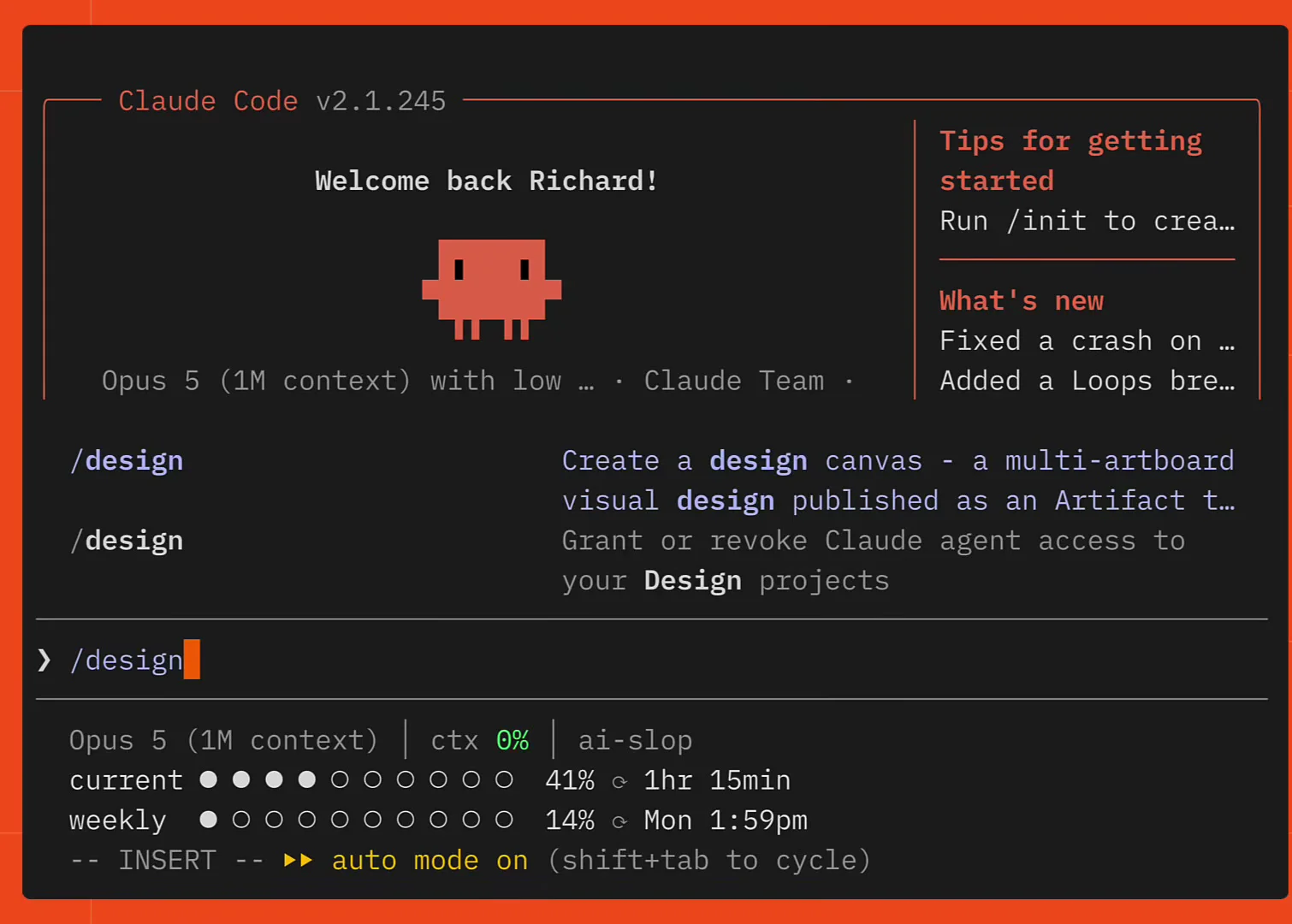
A DESIGN.md written from a real site's branding produces far better results than a bare line like this, which the second half of the article covers. For now it's the baseline.
What the design canvas lets you edit
A few minutes later the artboards are ready. Desktop, mobile, and the separate pages all sit on the same canvas.
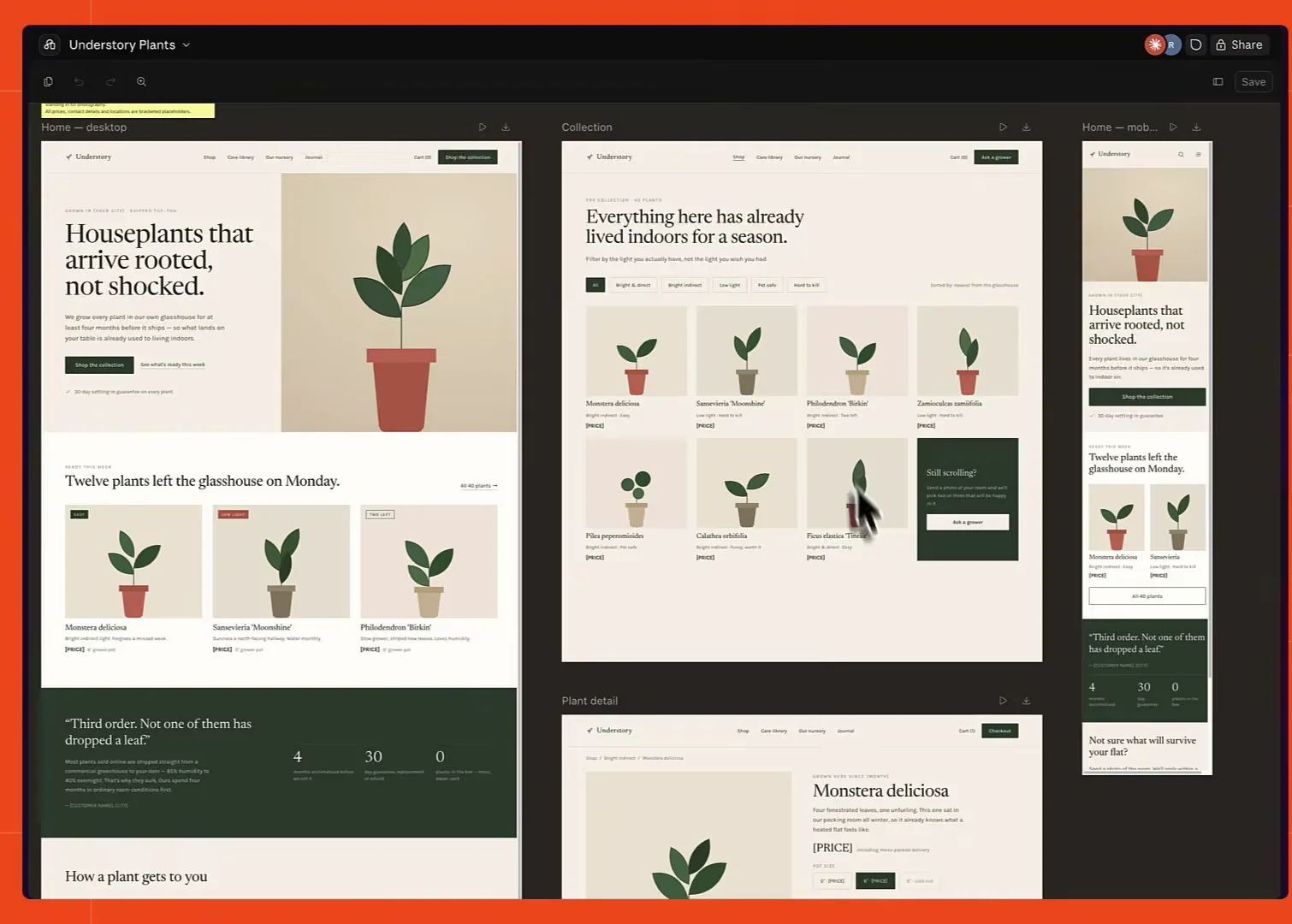
Click any element and you can change its font, its font size, or its text directly. Properties opens the full list of options for whatever you've selected.
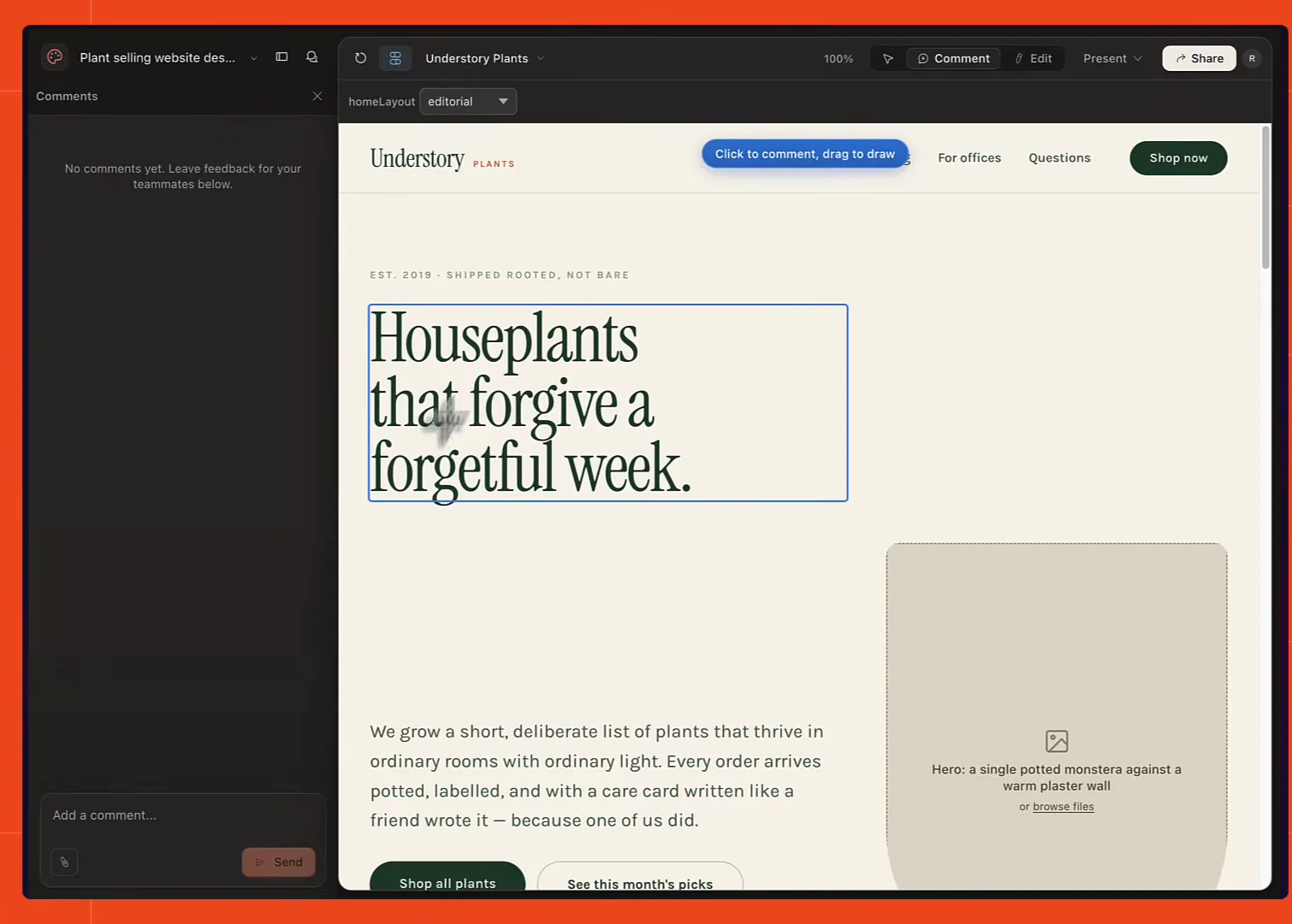
You can add comments by clicking outside the artboard and writing a prompt to send back to Claude, though for some reason that doesn't work inside the artboard. You can also click and drag items to different parts of the page to see how they read, and undo those changes.
The design itself is genuinely impressive, and the notes feature is the standout: Claude leaves one explaining the design style it used for the site, and you can leave your own for other people.
What Claude Design has that the design skill doesn't
If you already use Claude Design, a few absences will jump out fast. There's no access to templates or design systems, and clicking into a design doesn't let you change its layout on the fly.
Commenting is partial: the prompt box outside the artboard works, but you can't pin a comment onto the design itself the way Claude Design lets you. And there's no option to view the site full screen or in a new tab.
That's because the design skill isn't Claude Design. It creates a Claude artifact that happens to host a Claude design canvas, which is a smaller surface than the product itself.
Note: the whole feature is in research preview, so some of these gaps may close later.
The code the design skill writes from its own design
The stranger problem shows up at the next step. Asked to turn the published artifact into a working demo site, Claude did a genuinely accurate job of replicating the design.
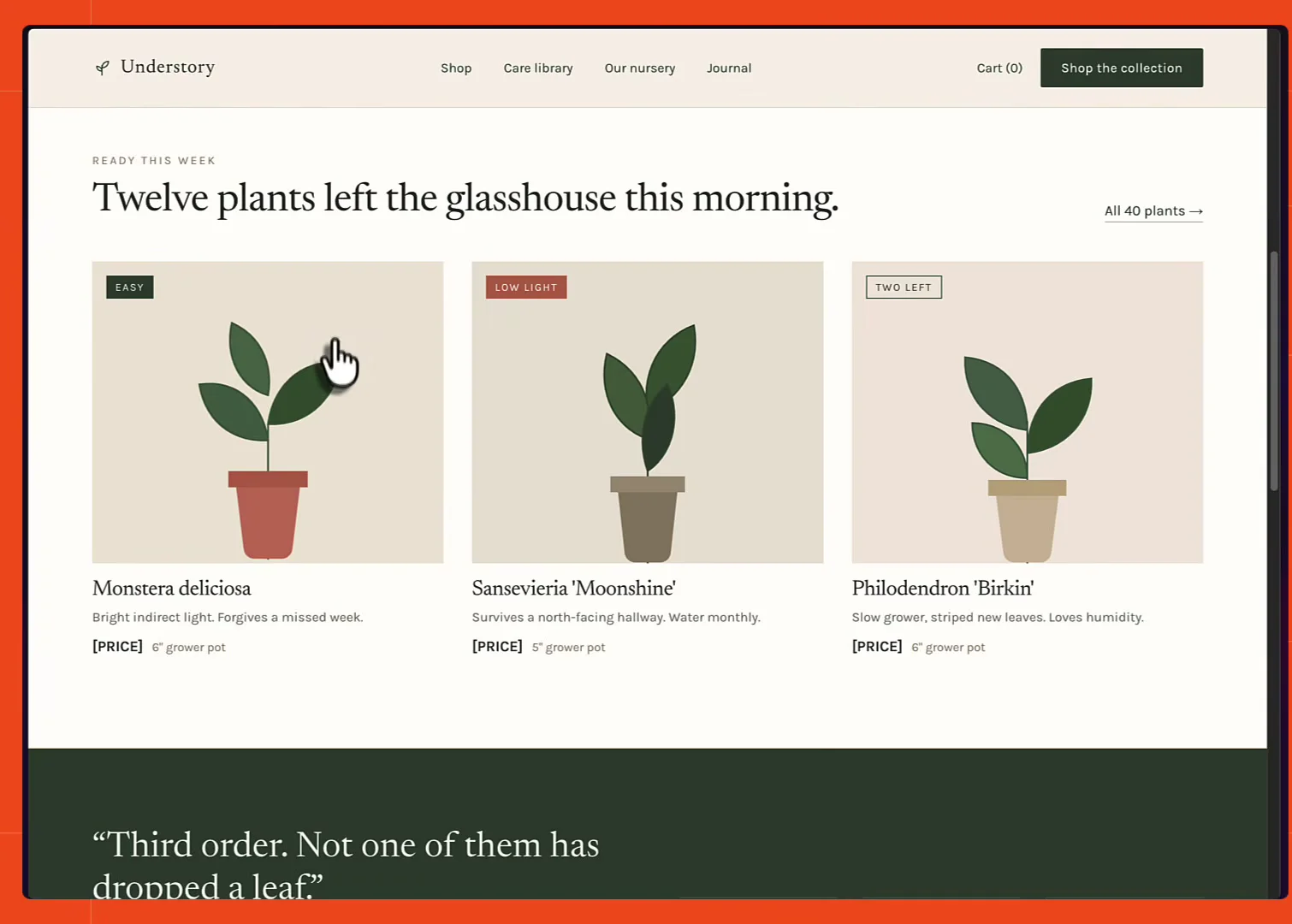
The code, though, is not good. First, it chose plain HTML, CSS, and JavaScript over any JS framework, unprompted. The HTML and CSS came out fine. The JavaScript is the problem:
// demo-1/main.js

(function () {
  'use strict';

  var toggle = document.querySelector('[data-menu-toggle]');
  var nav = document.querySelector('.nav');
  if (toggle && nav) {
    toggle.setAttribute('aria-expanded', 'false');
    toggle.addEventListener('click', function () {
      var open = toggle.getAttribute('aria-expanded') === 'true';
      toggle.setAttribute('aria-expanded', String(!open));
      nav.classList.toggle('nav--open', !open);
    });
  }

  // ...the rest of the file, same shape
})();
That's an immediately invoked function expression wrapping the whole file, var instead of let or const, and function expressions as callbacks instead of arrow functions. It works, but it's a single 69 line script with no module boundaries, so every feature you add makes the next one harder.
Getting a Firecrawl API key
Firecrawl fixes this, and the fastest route into it from Claude Code is the skills install:
npx -y firecrawl-cli@latest init --all --browser--all installs every skill segment, the CLI skills for live web work, the build skills for app code, and the 16 workflow skills for repeatable deliverables, to every AI coding agent it detects on the machine. --browser opens the authentication flow for you. Check it landed with firecrawl --status.
You don't strictly need a key to follow along. Developer search accepts keyless requests on Firecrawl Cloud, as do scrape, search, interact, and parse from the official clients, capped per IP per day on both requests and credits. A free API key raises those limits and adds 1,000 credits, and the rate limits page has the exact allowances.
Rebuilding the same design with the Firecrawl developer index
Say you want that same artifact coded properly. The fix is one clause in the prompt: name the skill.
Read the published design at the artifact URL and build a coded version under the demo-2 directory using the Firecrawl developer index skill
The Firecrawl developer index is a search index built specifically for coding agents. It covers issues, merged pull requests, and READMEs from public repositories alongside curated documentation sites, over 70 million artifacts in total, refreshed continuously. It's reachable through the CLI, MCP, or over HTTP, and it turns Firecrawl's web search into something that returns the exact technical passage the agent needs rather than a plausible blog post about it.
Claude read the artifact and then fired eight shell commands through the skill. Those queries are the record of what it was unsure about: Tailwind CSS v4's PostCSS setup, and next/font for Google Fonts.
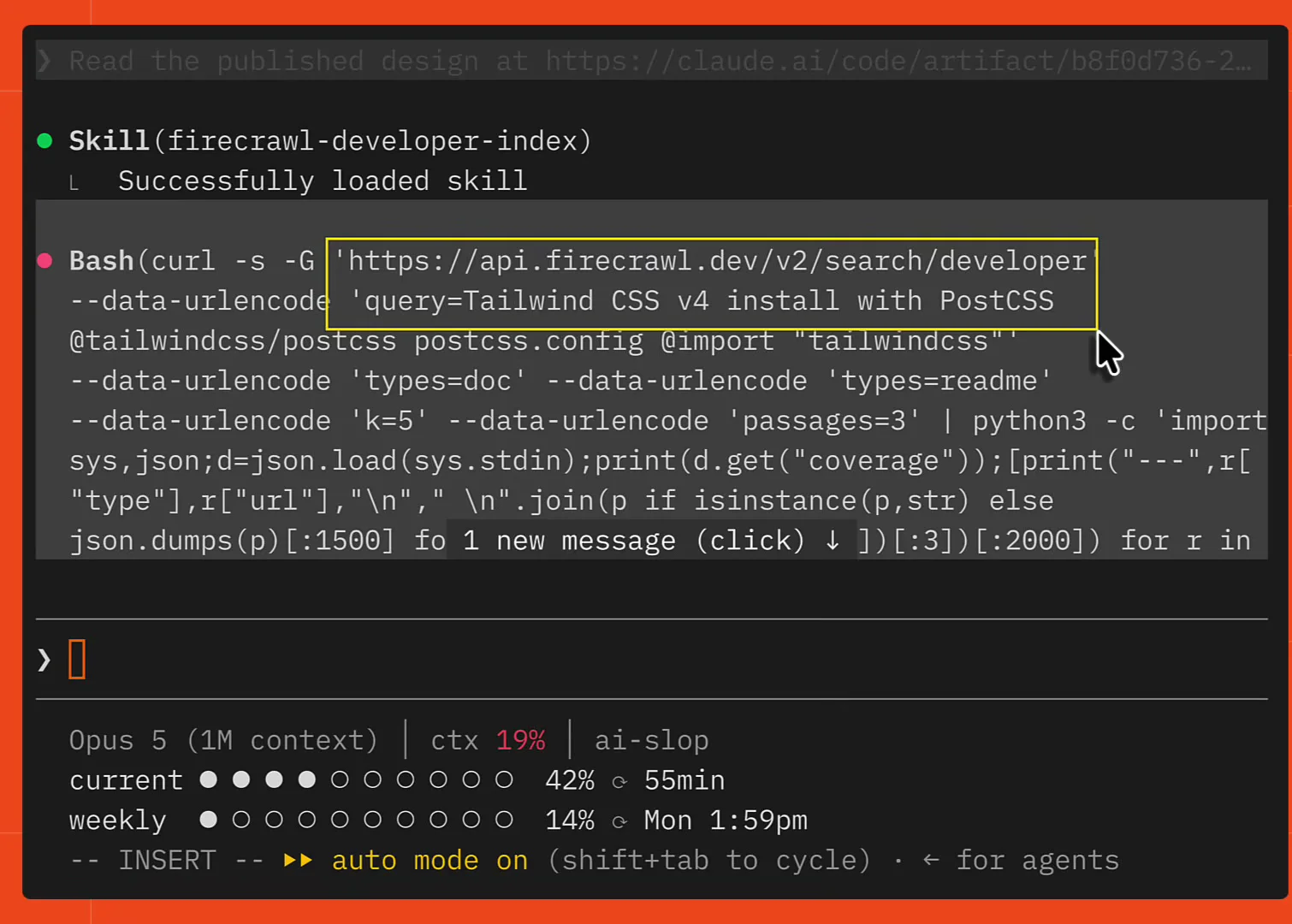
Each one is a plain GET against the developer search endpoint:
curl -s -G 'https://api.firecrawl.dev/v2/search/developer' \
  --data-urlencode 'query=Tailwind CSS v4 install with PostCSS @tailwindcss/postcss postcss.config @import "tailwindcss"' \
  --data-urlencode 'types=doc' \
  --data-urlencode 'types=readme' \
  --data-urlencode 'k=5' \
  --data-urlencode 'passages=3'
types picks which halves of the index to search, doc and readme here because this is a documentation question rather than a bug hunt. k caps the results at five and passages returns three matched passages per result, so the agent reads the relevant paragraphs instead of a whole page. Developer search costs 2 credits per 10 results, rounded up.
This is why the output differs. The site came back as a Next.js App Router app with Tailwind CSS v4, and three specific details are right that a model working from memory tends to get wrong: Tailwind v4 ships its PostCSS plugin as the separate @tailwindcss/postcss package with no tailwind.config.js at all, params is a Promise in recent Next and has to be awaited, and next/font reaches Tailwind v4 through an @theme inline block.
/* demo-2/app/globals.css */

@theme inline {
  --font-sans: var(--font-karla), "Helvetica Neue", sans-serif;
  --font-display: var(--font-newsreader), "Iowan Old Style", Georgia, serif;
}

@theme {
  --color-cream: #f6f1e8;
  --color-ink: #22271f;
  --color-leaf: #2f4032;
}
The @theme block is the whole configuration surface now. Declaring --color-leaf there is what makes bg-leaf, text-leaf, and border-leaf exist as utilities, and @theme inline is used for the fonts so Tailwind emits a reference to the variable next/font produces rather than a copy of its value.
The design came out the same. The structure underneath did not.
There's a layout.tsx holding the site metadata, one component per element, and a page component per route, with only the mobile menu, the collection filters, and the buy panel marked as client components. It's more code than the single 69 line script, and far easier to add to.
Also read: How to give AI coding agents up-to-date documentation.
Why a design-sync design system can't reach the design skill
That's the code half fixed. The design half is where the missing design system support starts to bite.
A design system in Claude Design is the reusable set of colors, type, and component styles that every new design inherits, so your designs come out looking like your product instead of looking generated. You can build one from React components inside Claude Code using the design-sync skill, which reads your existing components and derives the system from them.
The catch is that the two features don't meet. Once /design-sync has produced a design system, the /design skill can't use it for future designs. That system only applies inside Claude Design itself, so the end to end loop doesn't close in Claude Code.
Pulling a design system off any site with the branding scrape format
So supply one from outside. Firecrawl's scrape endpoint has a branding format that extracts a site's design decisions, and a screenshot format for the visual. Scrape is the right endpoint here because the reference URL is already known; /search is what you'd reach for to find the reference in the first place, and /interact for a site that hides its styles behind a login or a click. Run both against a URL in the playground and the response carries the design system the page is already using. The full scrape API tutorial covers the other formats the same endpoint returns.
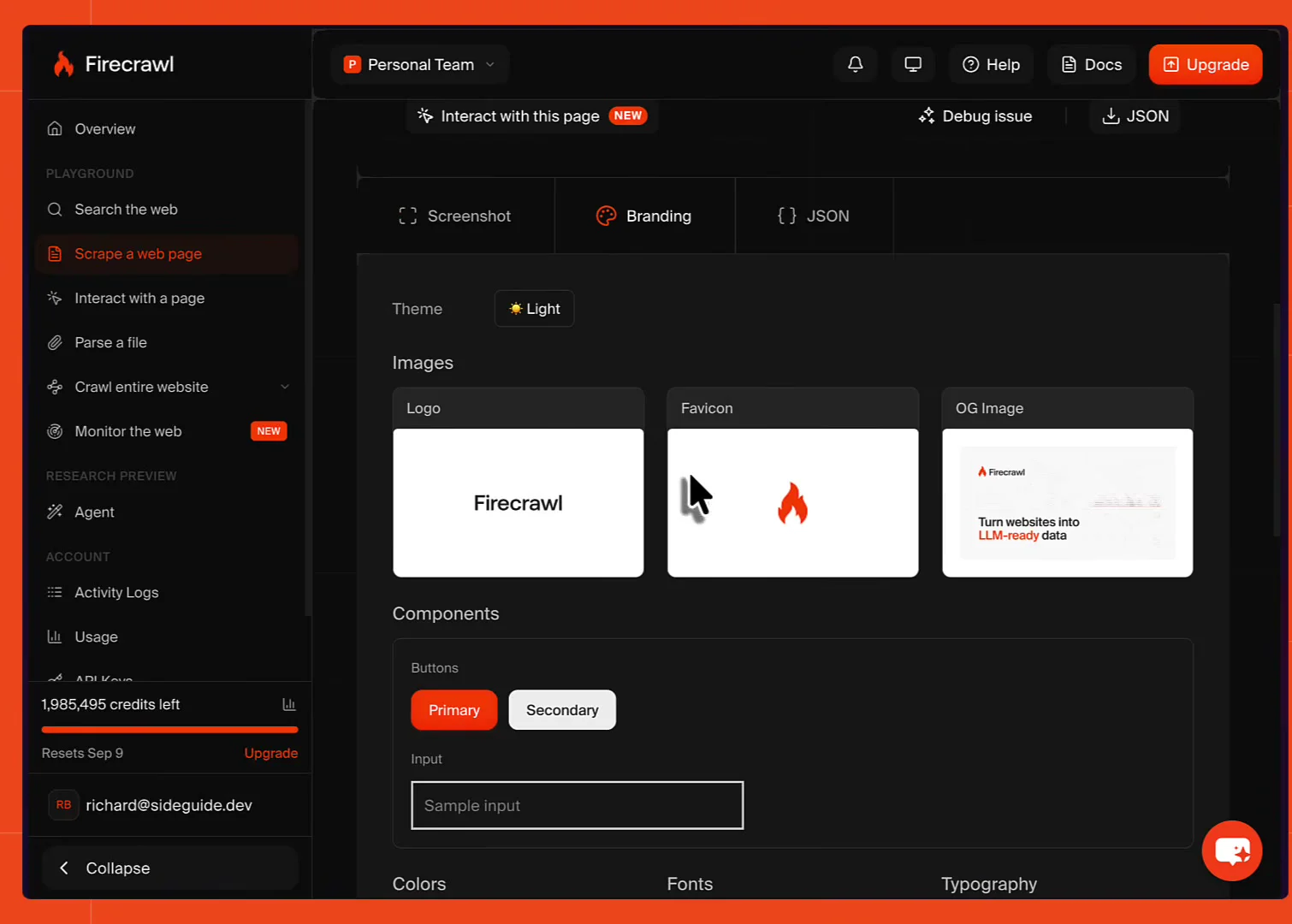
You get the screenshot for Claude to look at, plus the brand assets: the logo, the favicon, and the Open Graph image. Then the components, primary and secondary button styles with their backgrounds, text colors, and border radii. Then every color the site uses, the exact font families, and typography detail like heading sizes and font weights.
// scrape-branding.js

import { Firecrawl } from "firecrawl";

const firecrawl = new Firecrawl({
  // apiKey: "fc-YOUR-API-KEY", // optional, raises rate limits
});

const result = await firecrawl.scrape("https://www.americanhousing.com/", {
  formats: ["branding", "screenshot"],
});

console.log(result.branding);
formats is the only argument doing work here. Ask for branding and you get the structured branding object back on the result, with colors, fonts, typography, spacing, components, and images keys. Adding screenshot gets you the rendered page as well, which matters because some of what makes a site feel a certain way is layout and photography rather than tokens. Firecrawl's logo extraction in particular got a substantial accuracy upgrade in branding format v2.
Cloning a reference site into a DESIGN.md your agent can read
Firecrawl goes one step further than the raw JSON. The firecrawl-website-design-clone skill takes the branding and screenshot output and writes it into a DESIGN.md file, which is the format an agent can actually design against.
So the workflow becomes: find a site whose look you want, hand the URL to Firecrawl, and let it build the system. It's the design half of what Open Lovable does when it clones a website as a modern React app, except the output is a spec your agent designs against rather than finished code. Site Inspire is a good hunting ground for this.
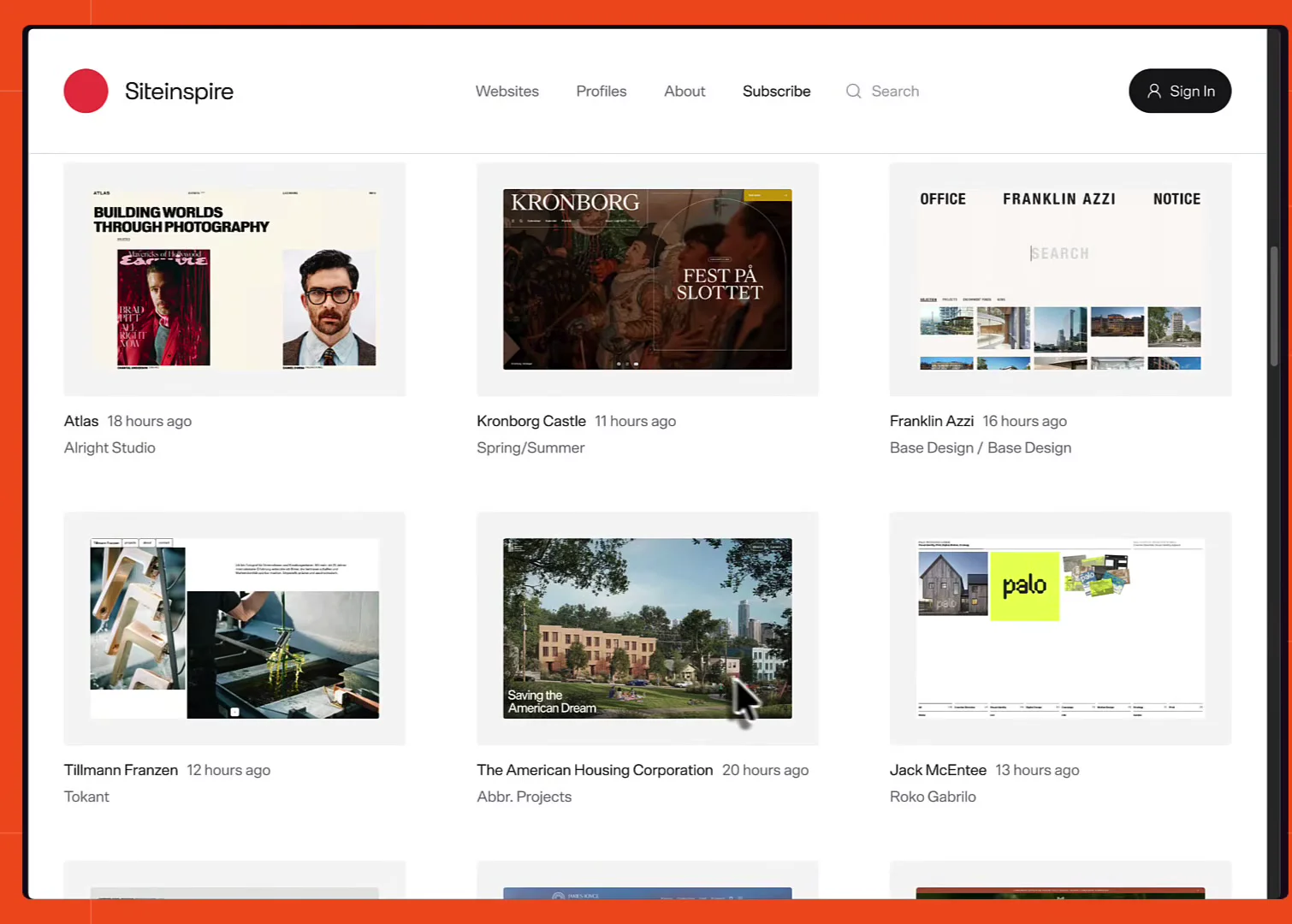
The pick here was The American Housing Corporation: the animation works well, and the colors and type are strong. Note the URL, make sure the agent can reach an image source like Lummi or Unsplash so the design gets real photography instead of placeholders, and hand the whole thing over in one prompt:
/design build a minimal modern site that sells small houseplants for people who
live in city apartments. Use Firecrawl to study this site, get screenshots from
it, follow the brand style and use it for the design:
https://www.americanhousing.com/ Use images from sites like
https://www.lummi.ai/ again using Firecrawl, and create a design system here in
demo-3 that can be used for the design
Claude picks up the design clone skill, works through the site with the Firecrawl CLI, takes a screenshot, and pulls the branding: components, inputs, buttons, and the rest. The DESIGN.md it wrote records the source URL and capture date, and reads the token values out of the site's own CSS custom properties rather than eyeballing them from pixels:
<!-- demo-3/DESIGN.md -->

| Role         | Token          | Value     | Notes                          |
| ------------ | -------------- | --------- | ------------------------------ |
| Page ground  | `--cumulus`    | `#FDFFF1` | Warm off-white, not white      |
| Ink          | `--driveway`   | `#302D2D` | Never pure black               |
| Primary      | `--red`        | `#953012` | Reads terracotta               |
| Secondary    | `--blue`       | `#1968B4` |                                |
Those names are the reference site's own. Because the scrape reached the shipped stylesheets, the system inherited the real decisions, including the one rule that defines the whole look: zero border radius on everything except buttons, which are fully round.
The DESIGN.md-driven artboards and the design system page
The artifact that came back is a different class of design from the first one. It uses photography, sets type large where large is warranted, and holds a consistent visual language across artboards.
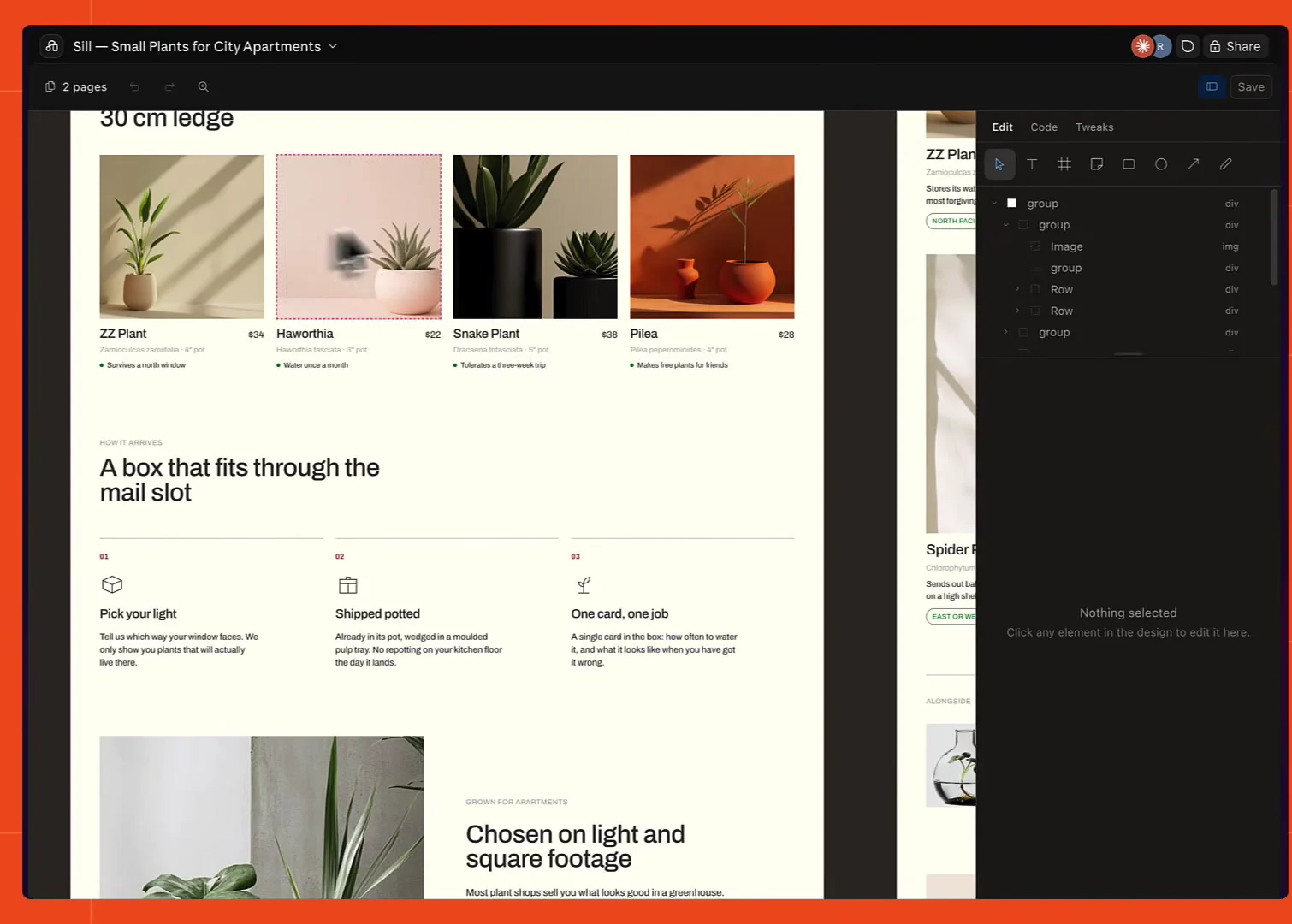
Alongside the mobile and page artboards it produced two extra pages, one of which is a design system page: every color, the fonts, the button styles, and the visual language rules written out, all derived from the Firecrawl scrape.
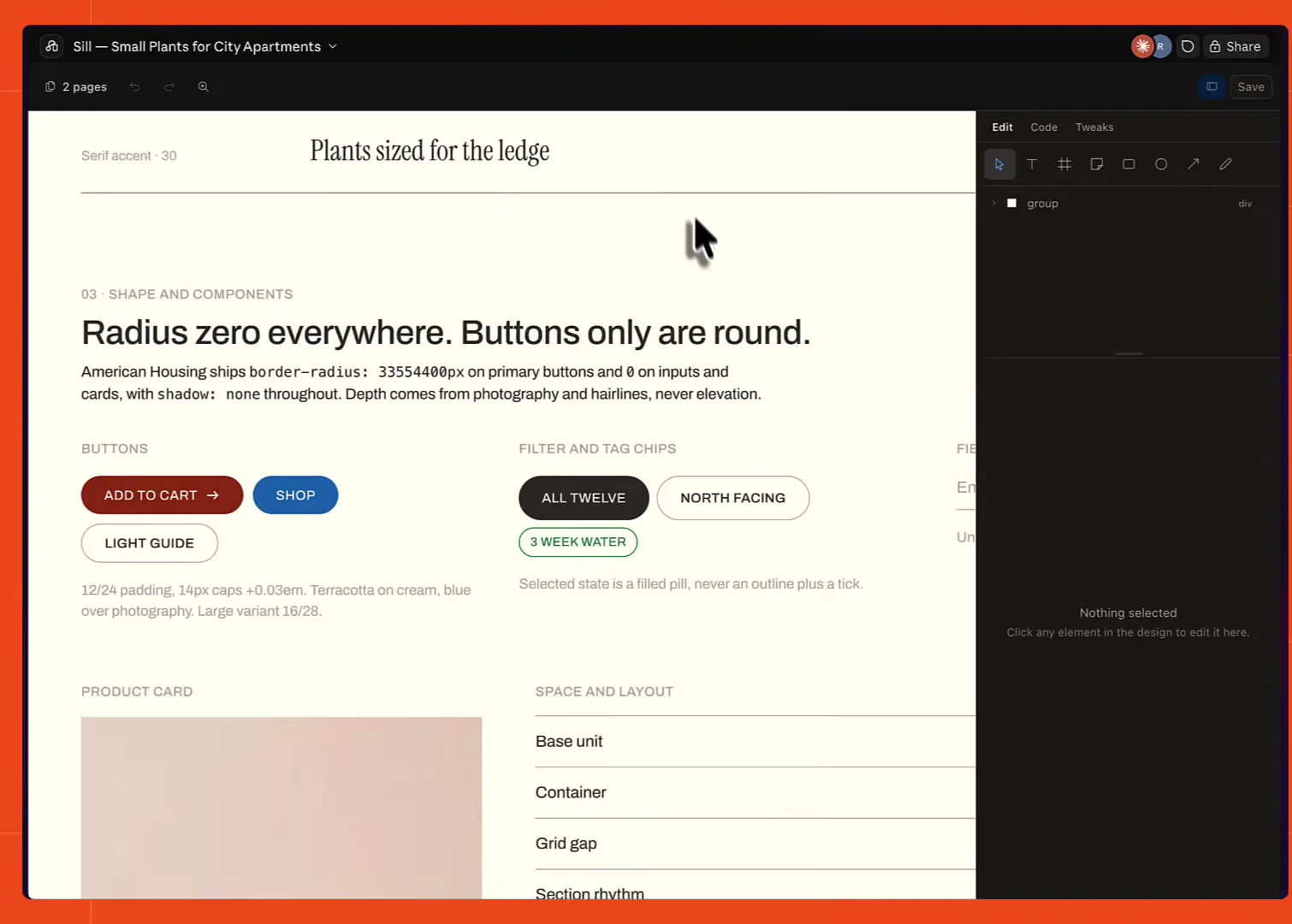
That's the gap in the design skill closed from the outside. Not through Claude Design's own design systems, which /design can't see, but through a DESIGN.md sitting in the repo that both the design step and the coding step can read.
Coding the second design with the developer index
Same move as before for the build. In a fresh session Claude found the artifact that had just been created, then took a prompt to write the code for it using the developer index skill.
This time the lookups were about Next.js App Router specifics and how params works in current Next. The finished site matches the canvas, down to the hover effect on the images and the motion borrowed from the reference site.
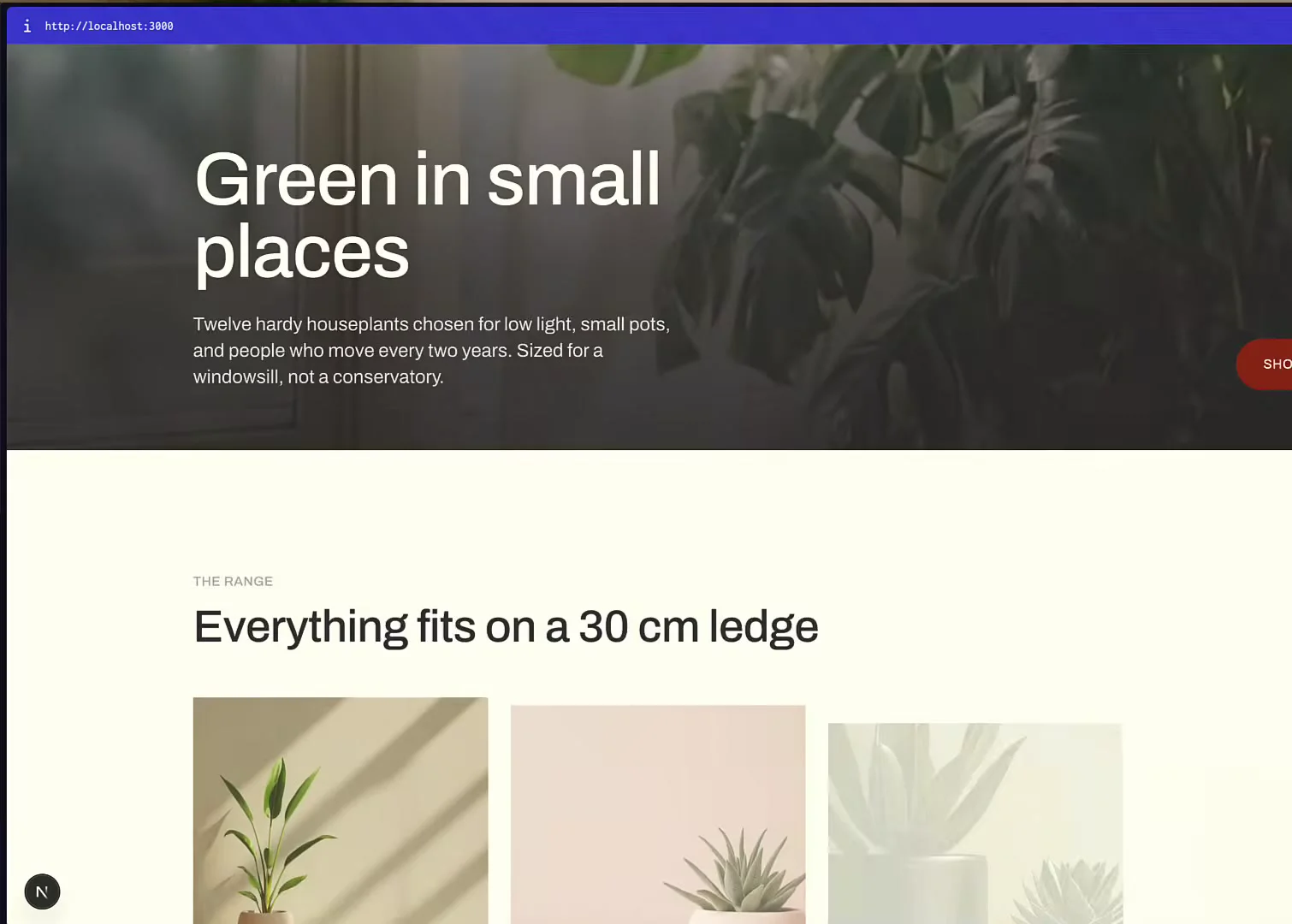
The interactive parts work too: a light and price filter across the collection, and product pages where changing the pot size updates the price.
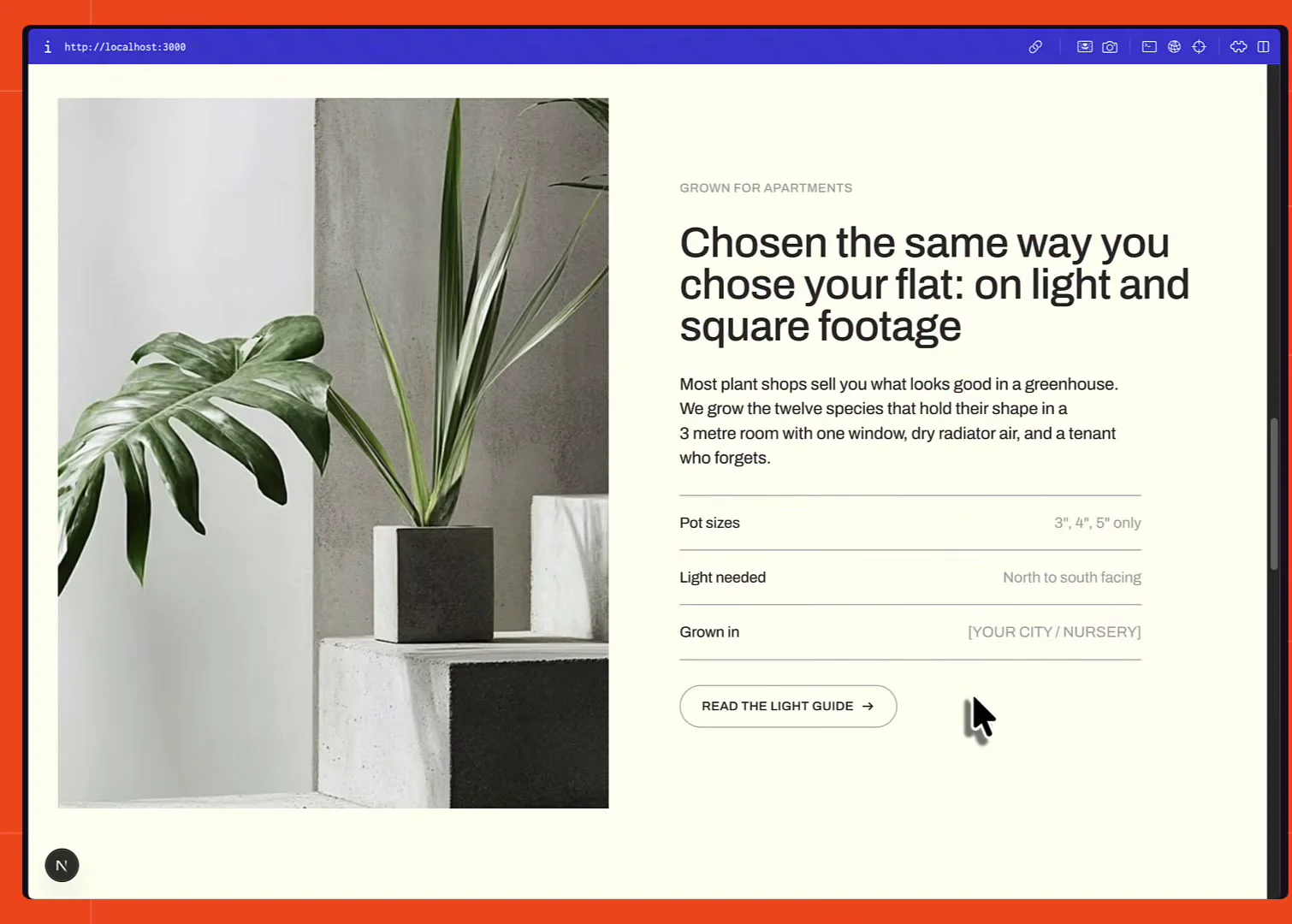
From there it's ordinary iteration. Adding a video background and a set of animations on top of the same code got it to something that reads as a real storefront rather than a generated one, cart included. You can click through the finished result at Sill, which is the deployed version of that last build, filters, product options, cart and all.
The whole thing took under an hour. No anti-AI-slop design libraries were installed for any of it, just Claude Code and Firecrawl.
Claude Code's design skill gets you an editable canvas; the developer index makes the code that comes out of it maintainable, and the branding scrape gives the canvas a real design system to work from.
Check out the Firecrawl docs to go deeper.
Frequently Asked Questions
What is the /design skill in Claude Code?
It's a skill in recent versions of Claude Code and Claude Desktop that turns a text prompt into a Claude Design canvas, published as a Claude artifact. You get multiple artboards for desktop, mobile, and individual pages, and you can select elements to change fonts, sizes, and text, drag items around, undo, and leave notes.
Is the Claude Code design skill the same as Claude Design?
No. The design skill creates a Claude artifact that hosts a design canvas, which is a smaller feature set than Claude Design itself. Templates and design systems aren't available, you can't change a design's layout on the fly, comments don't work inside an artboard, and there's no full screen or new tab view. It's in research preview, so this may change.
Why is the code Claude writes from a design artifact so bad?
Left alone it reached for plain HTML, CSS, and JavaScript instead of a framework, and the JavaScript came out as an IIFE using var and function expression callbacks rather than let, const, and arrow functions. The design was replicated accurately, but the code is awkward to extend.
What is the Firecrawl developer index?
It's a search index built for coding agents, covering issues, merged pull requests, and READMEs from public repositories plus curated documentation sites, over 70 million artifacts in total. An agent queries it in natural language and gets back ranked results with the matched passages, so it writes code against current APIs instead of whatever was in its training data.
Can you use a Claude Design design system inside Claude Code?
Not currently. You can create a design system from React components in Claude Code with the design-sync skill, but the /design skill can't then use that system for future designs. The system only applies inside Claude Design itself.
How do I extract a website's colors and fonts with Firecrawl?
Scrape the URL with the branding format. The response returns the logo, favicon, and OG image, the primary and secondary button styles, the full color set, the font families, and typography details like sizes and weights, all read from the page rather than guessed.
What does the firecrawl-website-design-clone skill produce?
It runs a branding scrape and a screenshot against a reference URL and writes the result into a DESIGN.md file that an agent can read: tokens, type scale, spacing, component styles, and layout rules, with the source URL and capture date recorded as evidence.
Do I need a Firecrawl API key to use the developer index?
No, you can follow the whole build without one. Keyless requests work on Firecrawl Cloud for developer search and for scrape, search, interact, and parse through the official clients, subject to a per-IP daily ceiling on requests and credits. Signing up for a free key lifts that ceiling and adds 1,000 credits, and the rate limits page lists the exact allowances.
How do I install the Firecrawl skills for Claude Code?
Run npx -y firecrawl-cli@latest init --all --browser. The --all flag installs the CLI, build, and workflow skill segments to every AI coding agent detected on the machine, and --browser opens the authentication flow. Verify with firecrawl --status.