Most popular Claude Code skills reshape an agent's personality, how it talks, how cautious it is, how it reviews a PR. Firecrawl skills are different: they give an agent genuinely new abilities, search, scrape, and interact with any site, plus run full workflows like market research, an SEO audit, or cloning an entire site's design system from a single sentence.
Three layers of skills
The install gives an agent three segments, each living in its own repo:
- Core skills (
firecrawl/cli) teach the agent the Firecrawl endpoints directly:search,scrape,interact,crawl,map, and more, essentially how to drive the Firecrawl CLI. - Workflow skills (
firecrawl/firecrawl-workflows) sit on top of the core skills and chain them into a whole job end to end, market research, lead generation, competitive intel, live QA, and more. There are 16 of these at the time of writing. - Build skills (
firecrawl/skills) teach an agent how to integrate Firecrawl into your own app's code using the SDKs and API, a topic for its own video.
This walkthrough sticks to the core and workflow skills.
Installing the skills
One command installs all three segments, for every detected agent on the machine:
npx -y firecrawl-cli@latest init --all --browserThis works in any coding harness, so it can be dropped straight into Claude Code, an agent SDK, or an equivalent setup. Restart your agent harness afterward so it picks up the new skills. Breaking down what each piece does:
npx -yruns the Firecrawl CLI without installing it globally first.-yskips confirmation prompts, useful when an agent runs this unattended, though you can drop it if you're running the command yourself.initis the subcommand that actually installs the skills.--allinstalls every skill segment, core, workflows, and build, for every agent harness it detects on the machine.--browseropens a window to sign in to Firecrawl automatically, if you haven't already saved an API key.
If you only want one segment, each has its own repo you can point an agent at instead. To install individual skills one at a time, search "firecrawl" on skills.sh.
One setup note: disable or uninstall the Firecrawl MCP server and the Firecrawl plugin for Claude Code first, so they don't clash with the new skills doing the same job.
Core skills in action
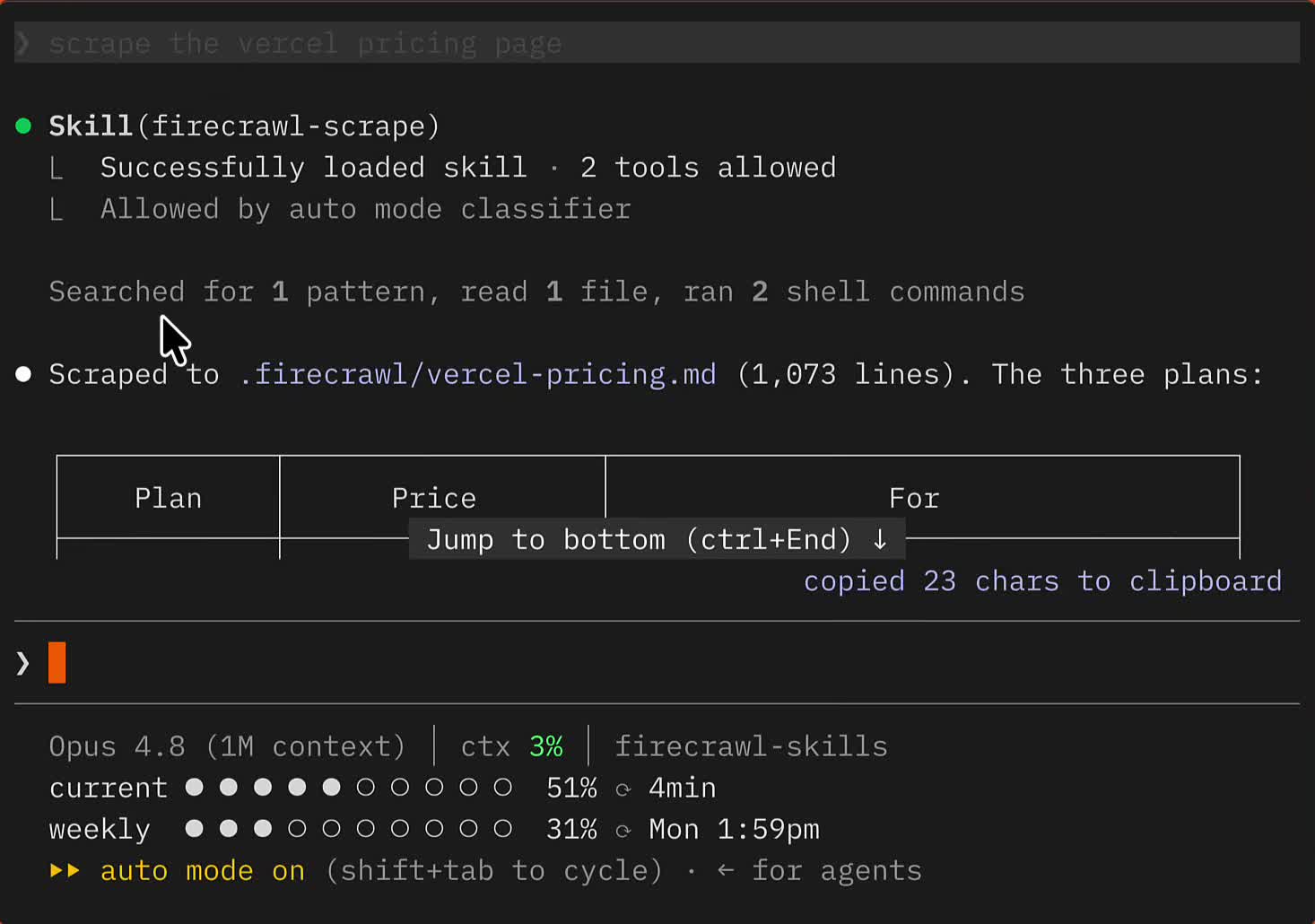
With skills installed, a plain prompt is enough, no mention of Firecrawl or which endpoint to use:
Scrape the Vercel pricing page
The agent picks up the firecrawl-scrape skill automatically and returns a detailed answer:
The same goes for:
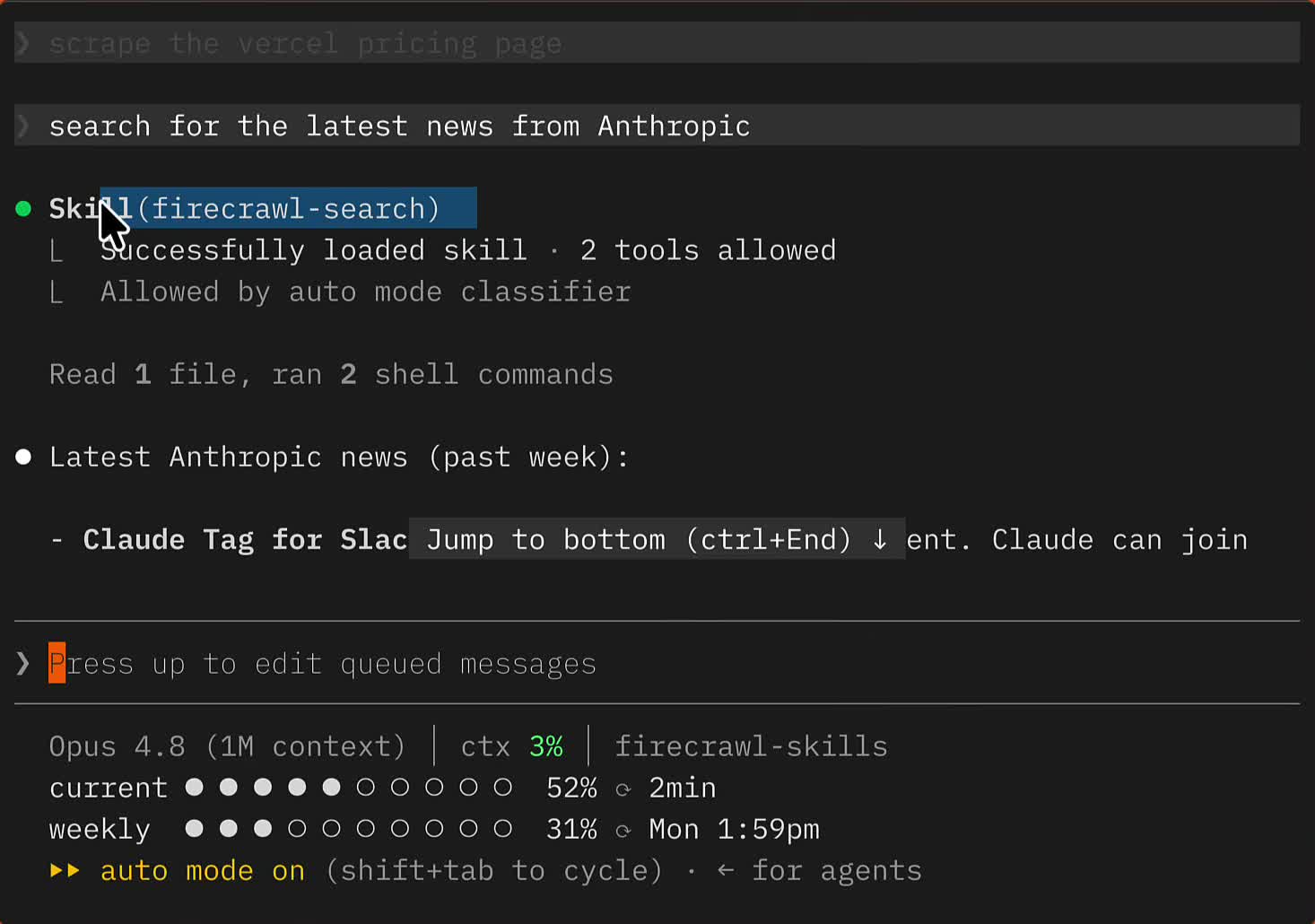
Search for the latest news from Anthropic
which triggers firecrawl-search the same way:
Workflow skills need a nudge
Workflow skills are pickier. A prompt like:
Compare Stripe versus Adyen on pricing and other things
might just use a generic Firecrawl scrape instead of the dedicated Competitive Intel workflow, results vary by model and harness. Naming the workflow explicitly fixes it:
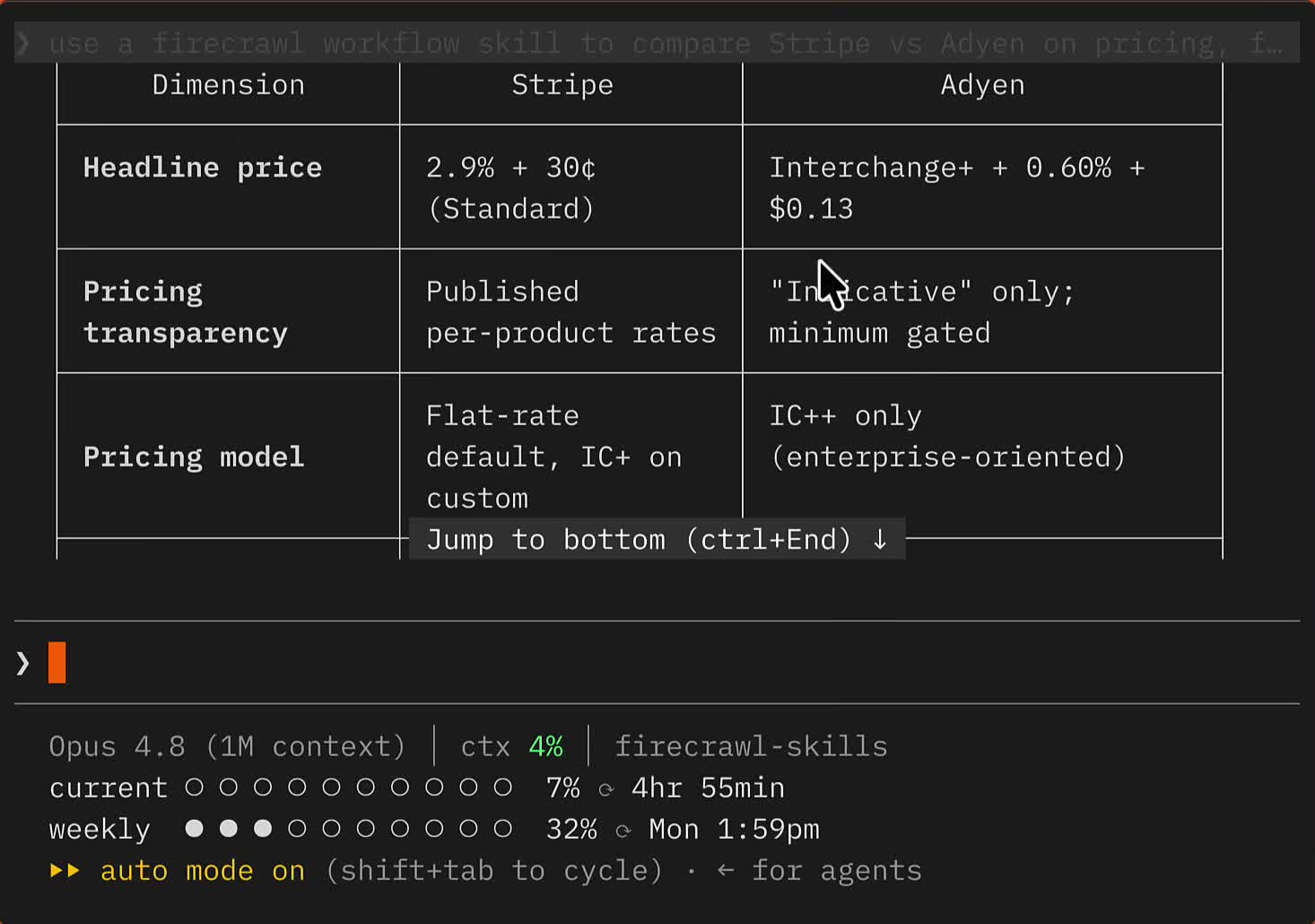
Use a Firecrawl workflow skill to compare Stripe vs Adyen on pricing, features, and recent announcements
This reliably picks the right one, pulling from live pricing, blog, and newsroom pages into a much more comprehensive comparison than a generic scrape produces:
The same pattern holds for other workflows. Naming an SEO audit workflow explicitly:
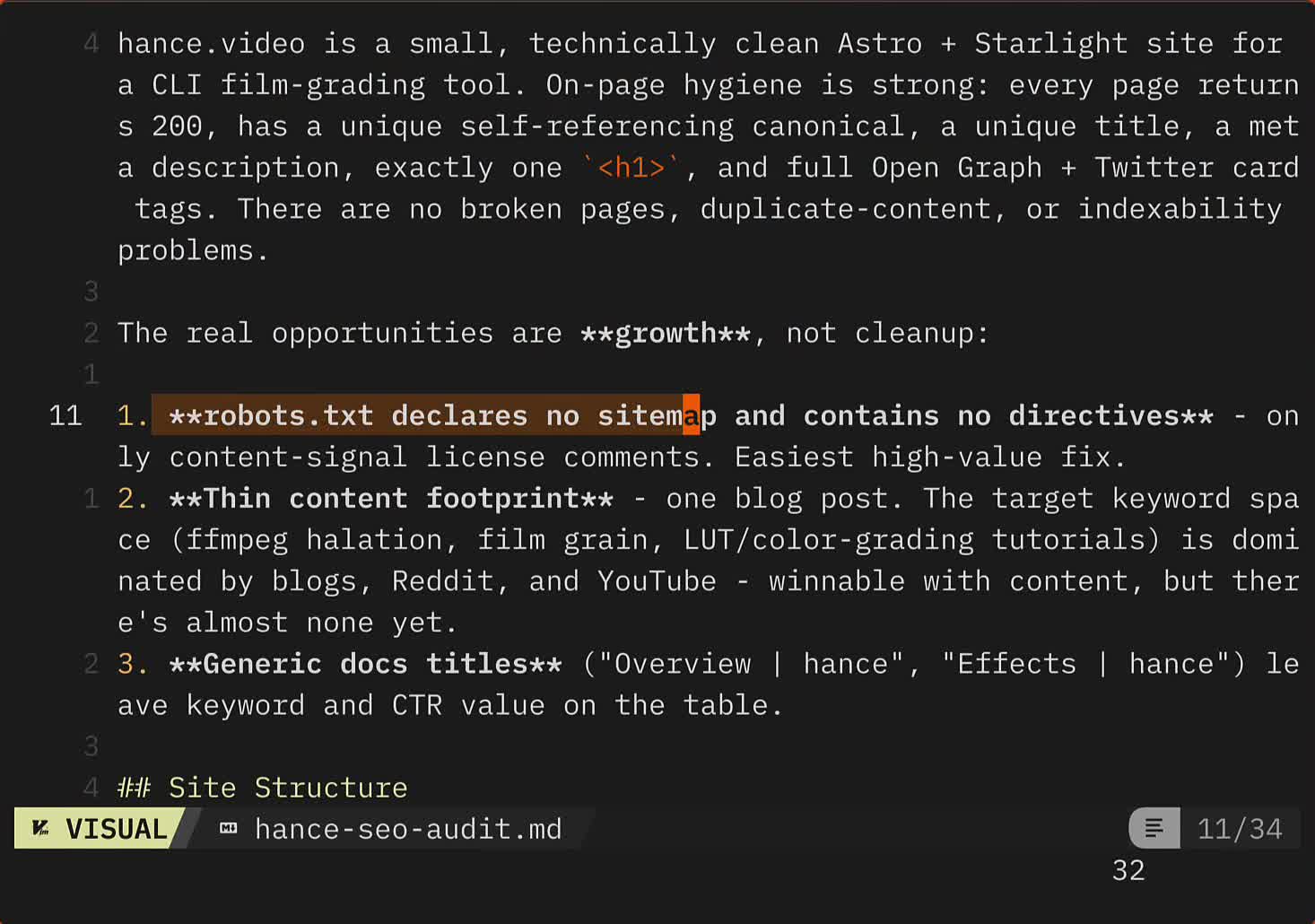
Use a Firecrawl workflow skill to run an SEO audit on my site
gets a full report (URLs crawled, pages scraped, missing sitemap, thin content, generic titles) built from a sequence of Firecrawl CLI calls the agent runs itself:
Asking for a site's design system the same way:
Use a Firecrawl workflow skill to get me the design system of the Canva website
triggers the website design clone workflow, which screenshots the target and writes out a DESIGN.md with tokens, typography, and spacing:
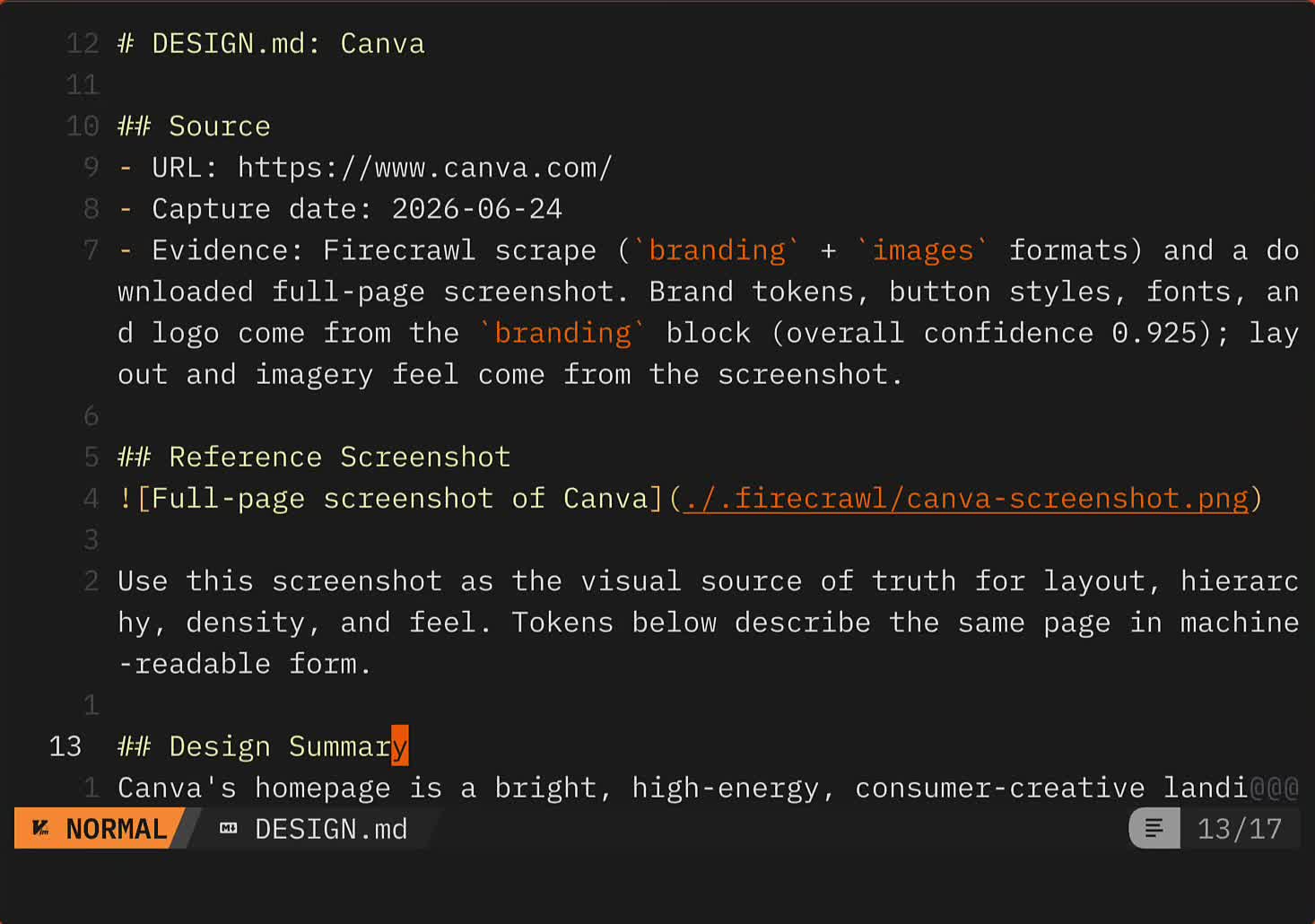
That DESIGN.md is also the missing piece in Claude Code's own /design skill, which can't read a Claude Design design system: see how to fix Claude Code's design skill with Firecrawl.
Between the core skills for live web work and 16 workflow skills for repeatable deliverables, this is a different shape than most Claude Code skills, less "how the agent behaves" and more "what the agent can now go and do." For ongoing competitor monitoring on a schedule — rather than one-off competitive intel comparisons — the competitor monitoring tutorial shows how to set up scheduled scrapes with AI-filtered alerts.
Prefer MCP over skills? That's fair, see the Firecrawl MCP server docs instead, or the AI onboarding docs to go deeper on skills.