How to Search, Scrape, and Crawl the Web from a Convex App with Firecrawl
 Richard Oliver Bray
TL;DR:
- The official Firecrawl Convex component (
npm install @firecrawl/firecrawl-convex) addssearch,scrape,map, and durablestartCrawlto a Convex app - Convex queries and mutations run in a sandbox with no network access, so every Firecrawl call goes inside a Convex action
startCrawlreturns{ crawlId, jobId }immediately and the crawl continues on Firecrawl's servers, so it survives closing the app- Firecrawl posts each finished page to a webhook route mounted at
httpPrefix, the component verifies theX-Firecrawl-SignatureHMAC, and a mutation writes the row - The component owns its own
crawlsandpagestables, so live progress is a plainuseQuery, not a polling loop - Webhook mode needs a cloud deployment with a public URL; for local dev pass
mode: "poll"tostartCrawlinstead scrapeOptionspass straight through to the Firecrawl API, soformats: ["markdown", "screenshot"]works, but watch Convex's 1MB document limit
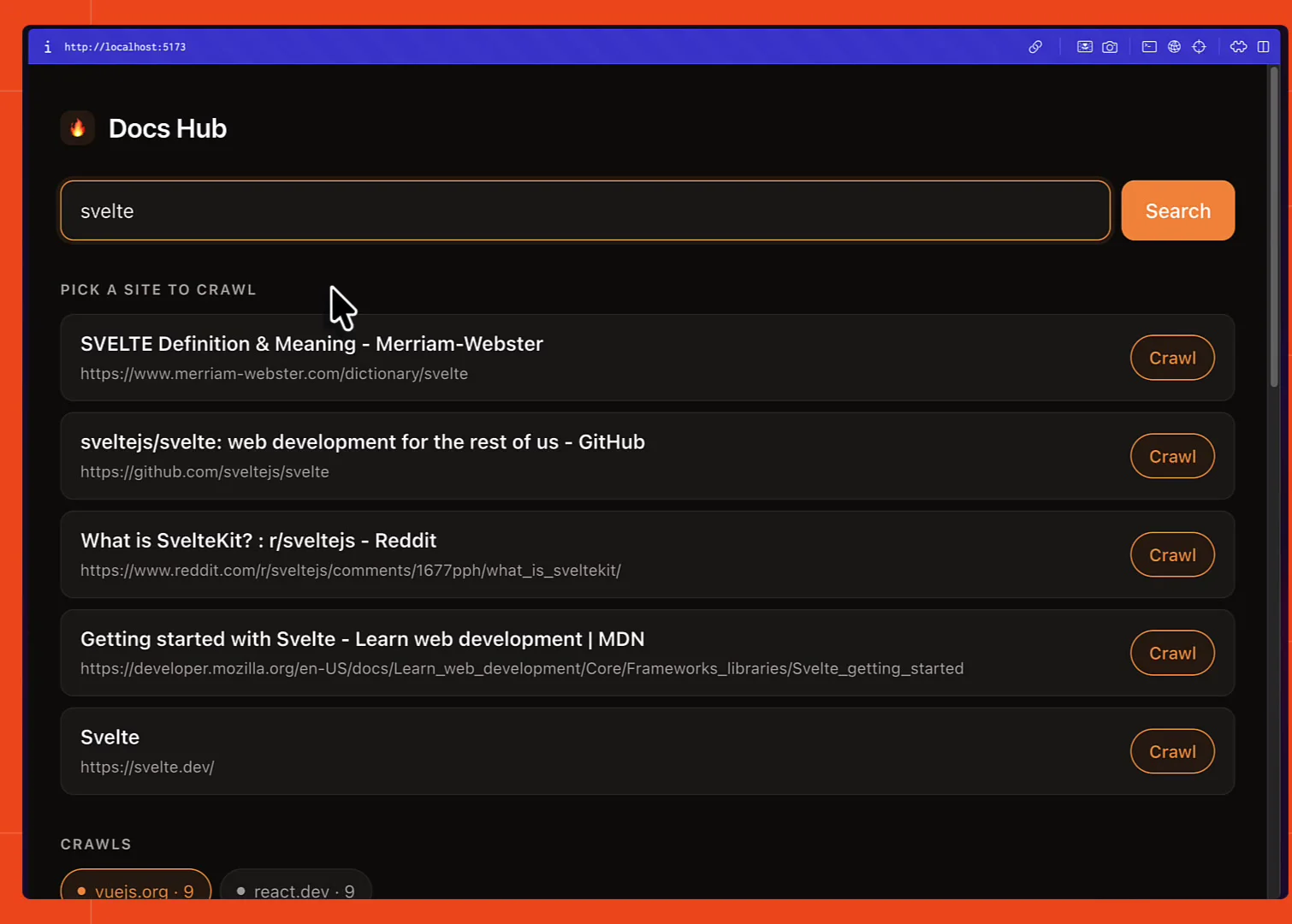
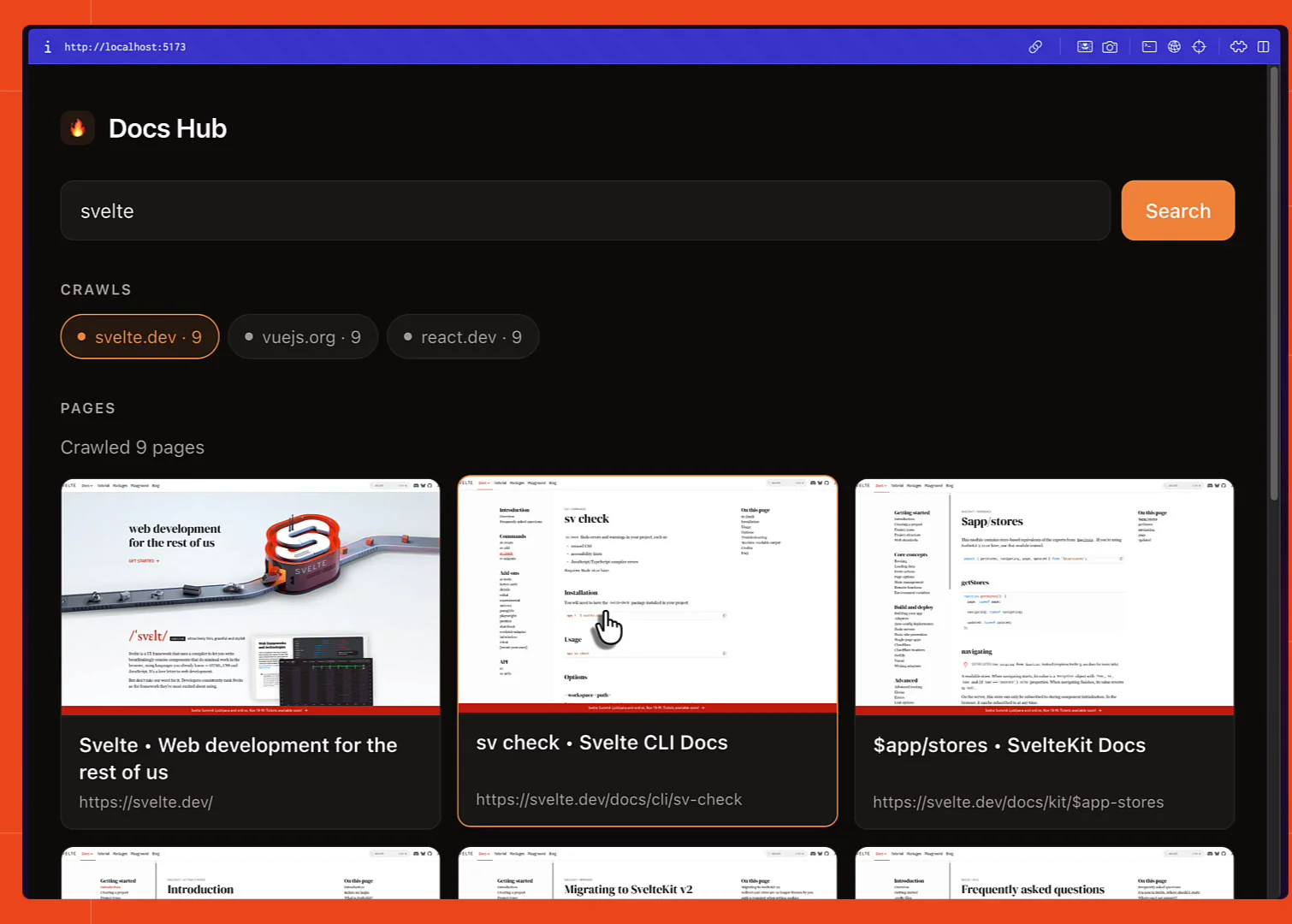
In this article we're going to build a documentation search app in Convex, using three Firecrawl endpoints to do the web-facing work. Search finds candidate documentation sites from a plain-text query. Crawl walks the site you pick, in the background, without holding a connection open. And scrape options on that crawl turn every page into clean markdown plus a screenshot.
All three come from the official Firecrawl Convex component, which runs inside your own deployment and writes crawled pages straight into your database as they arrive. The backend and database logic for the finished app comes to under a hundred lines.
Here's what we're aiming at: type a query, pick a site, and watch pages fill in.
What is a Convex app
Convex is a backend platform where your database and your server-side TypeScript live in the same deployment. You write functions in a convex/ directory, they're the only things that touch the data, and the client calls them by name instead of over hand-rolled REST routes. The part that matters here is that reads are reactive: Convex tracks which documents a read touched and pushes a new result to every subscribed client when any of them change. That's why crawl progress later in this article needs no polling loop.
Getting a Firecrawl API key
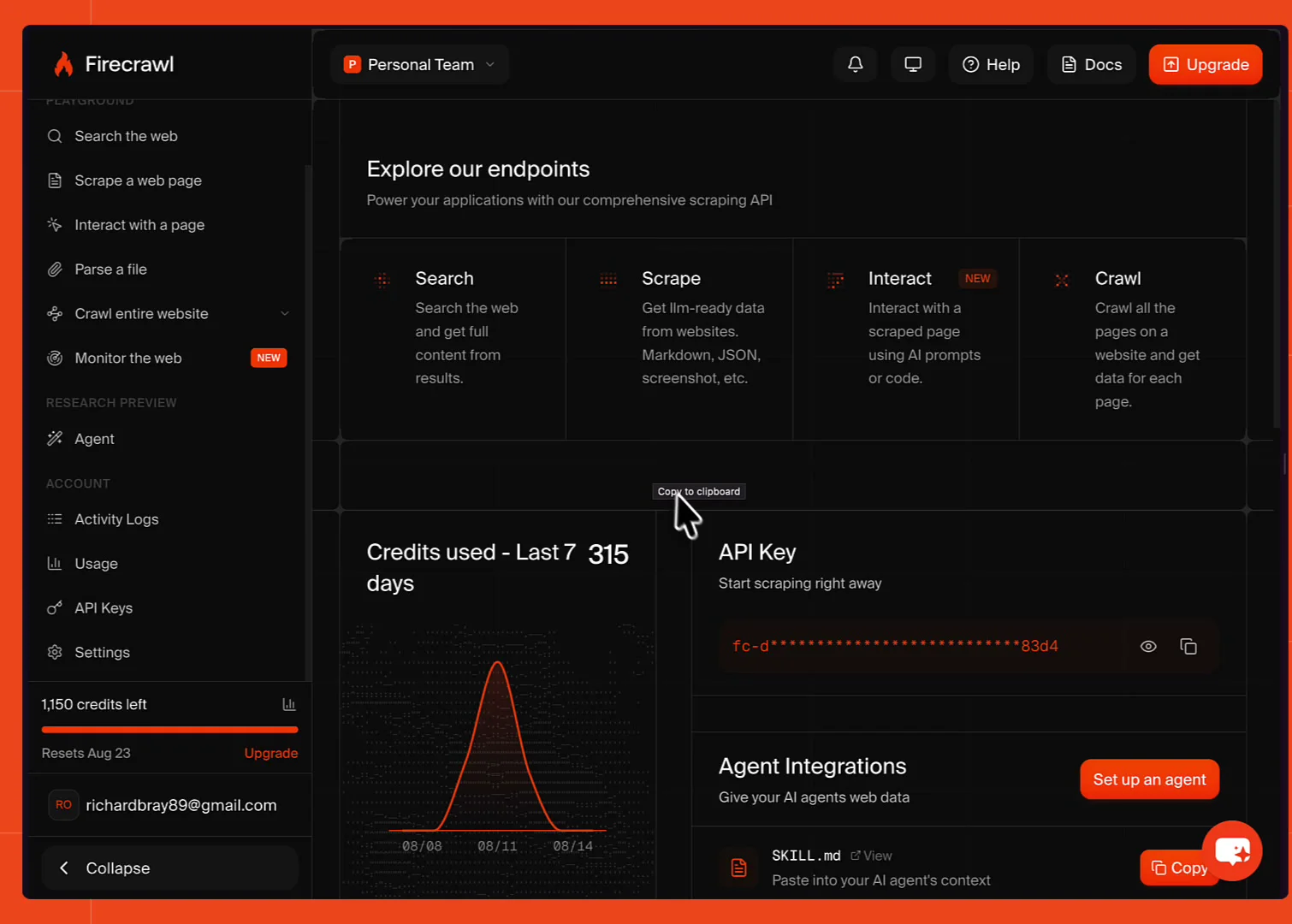
Sign up at firecrawl.dev, and the key is on the dashboard home page under API Key. The free tier comes with credits to try this out.
Search and scrape are both usable keyless from the official clients, rate-limited per IP, so you can try those endpoints before signing up for anything. The Convex component isn't one of those paths though: it declares FIRECRAWL_API_KEY as a required part of its env, so you'll want a key before wiring it up.
What is a Convex component
A component is an installable package that brings its own backend with it: tables, functions, and HTTP routes, mounted inside your deployment under their own namespace. Its tables aren't part of your schema, so you never define or migrate them, and its functions can only be reached through the API it chooses to expose. Components run on your deployment rather than someone else's service, so a Firecrawl call from one is a call from your own backend. The Convex components directory lists the published ones.
Installing the Firecrawl Convex component
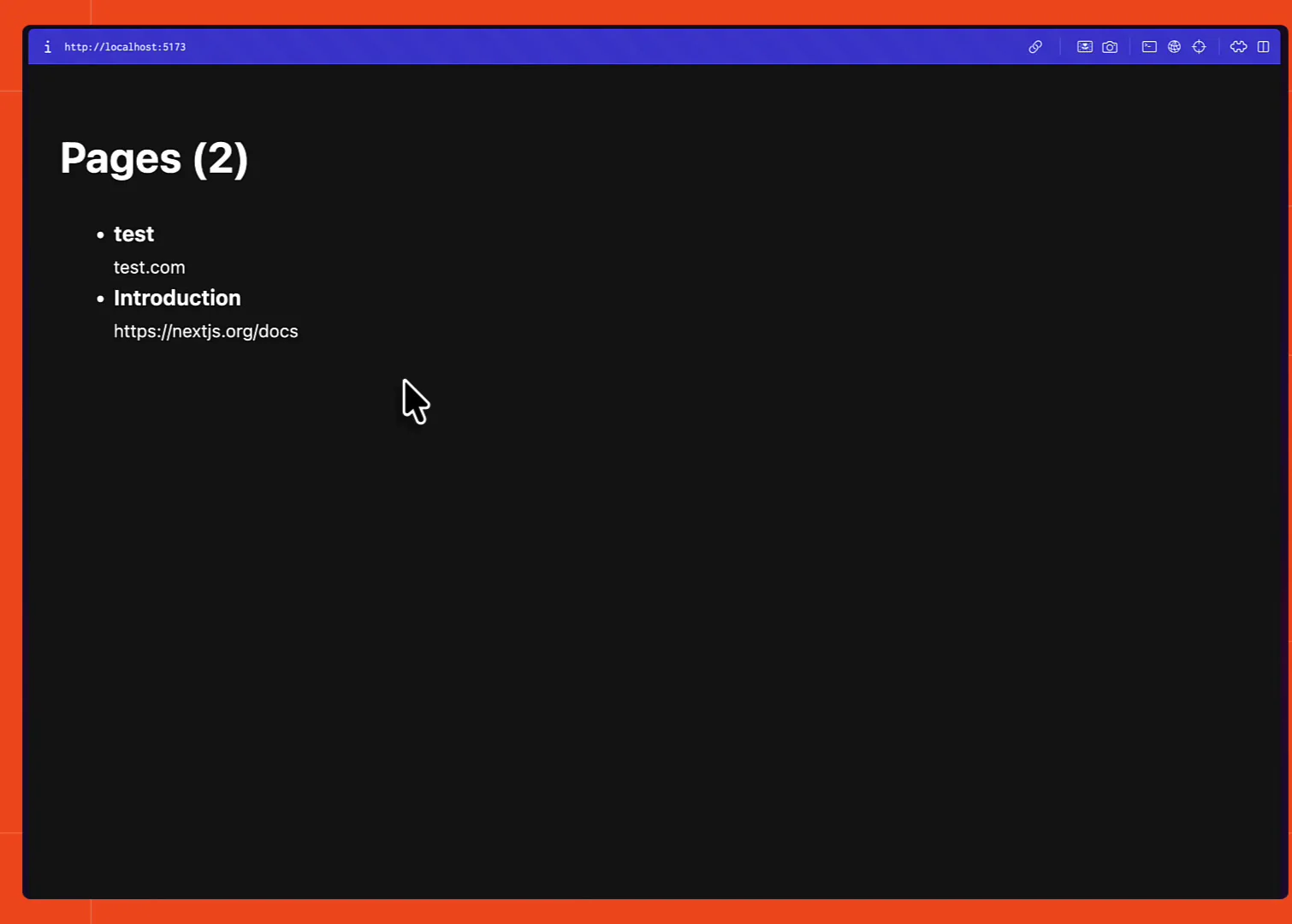
The starting point is a plain React app that renders rows from a Convex pages table. Adding a test row in the dashboard makes it show up in the app immediately, and nothing about it is pretty yet. It's on GitHub as firecrawl-convex-starter if you want to follow along from the same place, npm install then npx convex dev and you're at this screen.
Note: this runs against a cloud Convex deployment rather than a local one. Local deployments have no public URL, so Firecrawl's servers can't post webhooks to them. That only matters for crawling, and there's a way around it covered below.
The install steps are on the component's page in the Convex directory.
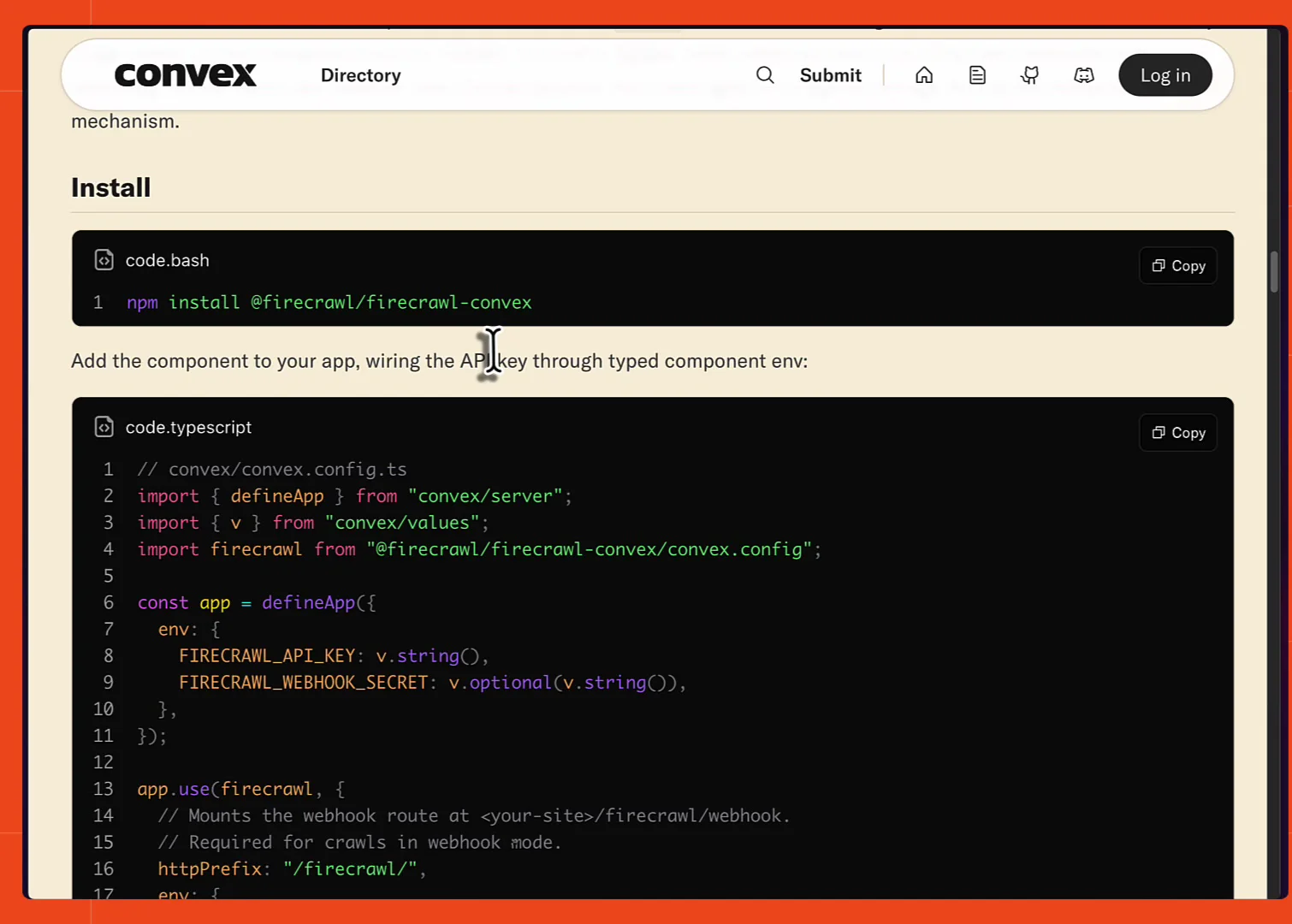
npm install @firecrawl/firecrawl-convexThen register the component in convex/convex.config.ts. If you don't have that file yet, create it.
// convex/convex.config.ts

import { defineApp } from "convex/server";
import { v } from "convex/values";
import firecrawl from "@firecrawl/firecrawl-convex/convex.config";

const app = defineApp({
  env: {
    FIRECRAWL_API_KEY: v.string(),
    FIRECRAWL_WEBHOOK_SECRET: v.optional(v.string()),
  },
});

app.use(firecrawl, {
  httpPrefix: "/firecrawl/",
  env: {
    FIRECRAWL_API_KEY: app.env.FIRECRAWL_API_KEY,
    FIRECRAWL_WEBHOOK_SECRET: app.env.FIRECRAWL_WEBHOOK_SECRET,
  },
});

export default app;
app.use installs the component's tables and functions into your deployment, in a space your own app code can't touch directly. httpPrefix is what mounts the webhook route, at <your-site>/firecrawl/webhook, and it's required for crawls in the default webhook mode.
Setting the Firecrawl env vars on your deployment
Env vars go straight onto the deployment rather than into a local .env file, so export them in your shell first, then set them:
export FIRECRAWL_API_KEY="fc-..."
export FIRECRAWL_WEBHOOK_SECRET="..."

npx convex env set FIRECRAWL_API_KEY "$FIRECRAWL_API_KEY"
npx convex env set FIRECRAWL_WEBHOOK_SECRET "$FIRECRAWL_WEBHOOK_SECRET"
The component declares FIRECRAWL_WEBHOOK_SECRET as v.optional(), but you should set it. Each account gets its own, in the Advanced tab of your Firecrawl account settings.
It matters because the webhook URL is public. Anyone who gets hold of it could post rows straight into your database.
With the secret set, every delivery gets checked twice: against the X-Firecrawl-Signature HMAC, and against a per-crawl token the component hands Firecrawl when it registers the webhook. Anything failing either check is rejected with a 401 before a single row is written.
Queries, mutations, and actions
Convex has three function types and the difference decides where Firecrawl code can go. Queries read data and are the reactive ones. Mutations write it, in a transaction. Both run in a deterministic sandbox with no network access, which is what lets Convex re-run and retry them safely, and which also means neither can call an external API. Actions are the escape hatch: they run in a normal Node-style environment, can fetch anything, and hand their results back to the database by calling a mutation.
Writing your first action: web search from Convex
Every Firecrawl call goes in an action, the Convex function type that's allowed to talk to third-party APIs. Actions live in the convex/ directory, so create convex/web.ts:
// convex/web.ts

import { v } from "convex/values";
import { FirecrawlClient } from "@firecrawl/firecrawl-convex";
import { action } from "./_generated/server";
import { components } from "./_generated/api";

const firecrawl = new FirecrawlClient(components.firecrawl);

export const search = action({
  args: { query: v.string() },
  handler: async (ctx, args) => {
    return await firecrawl.search(ctx, args.query, { limit: 5 });
  },
});
That's fully working web search. FirecrawlClient wraps the component running inside your deployment, so you get a typed API rather than raw component references, and args is the Convex validator for what the action accepts.
The handler is one line of Firecrawl: firecrawl.search with a limit of 5, the same call you'd make with the Firecrawl Node SDK. Option names are passed through to the v2 API untouched, so the Firecrawl docs are the reference for what each one does.
This wrapper action is also where authentication, authorization, and rate limiting belong, since components can't see ctx.auth.
Note: the demo adds a small normalize helper here and a returns validator to flatten results into { title, url }, because Firecrawl returns SearchResult objects normally but FirecrawlDocument objects once scrapeOptions is set. That's a detail of this UI rather than the component, so it's in the repo instead of here.
Calling the search action from React
On the client, useAction turns the action into a function you can call:
// src/App.tsx

import { useState } from "react"
import { useAction } from "convex/react"
import { api } from "../convex/_generated/api"

type Result = { title: string; url: string }

const search = useAction(api.web.search)

const [results, setResults] = useState<Result[] | null>(null)
const [searching, setSearching] = useState(false)

async function onSearch() {
  setSearching(true)
  const found = await search({ query })
  setResults(found)
  setSearching(false)
}
That's it for web search. onSearch runs from the form's onSubmit, and results come back immediately. Searching astro returns a mix of results, and searching astro site floats astro.build to the top.
Note: onSearch really wants a try/catch around it. Component errors are ConvexErrors carrying { code, status, path, message }, so you can branch on error.data.status === 402 for out of credits or 429 for rate limited.
Search needs no webhooks at all, so this much works on a local Convex deployment. Crawling is where that changes.
Why crawls need webhooks and a cloud deployment
Convex actions run in a serverless environment, which isn't built to hold something open for the length of a 500 page crawl. So the component doesn't try.
The action starts the crawl on Firecrawl's servers and returns straight away. Firecrawl keeps going, and as each page finishes it posts to an HTTP endpoint in your deployment, which verifies the signature and calls a mutation to write the row. That mutation is what updates the UI.
That's the cloud deployment caveat from earlier. Firecrawl needs a public URL to post to, and Convex shows the one it'll use as the HTTP Actions URL on the deployment's health page.
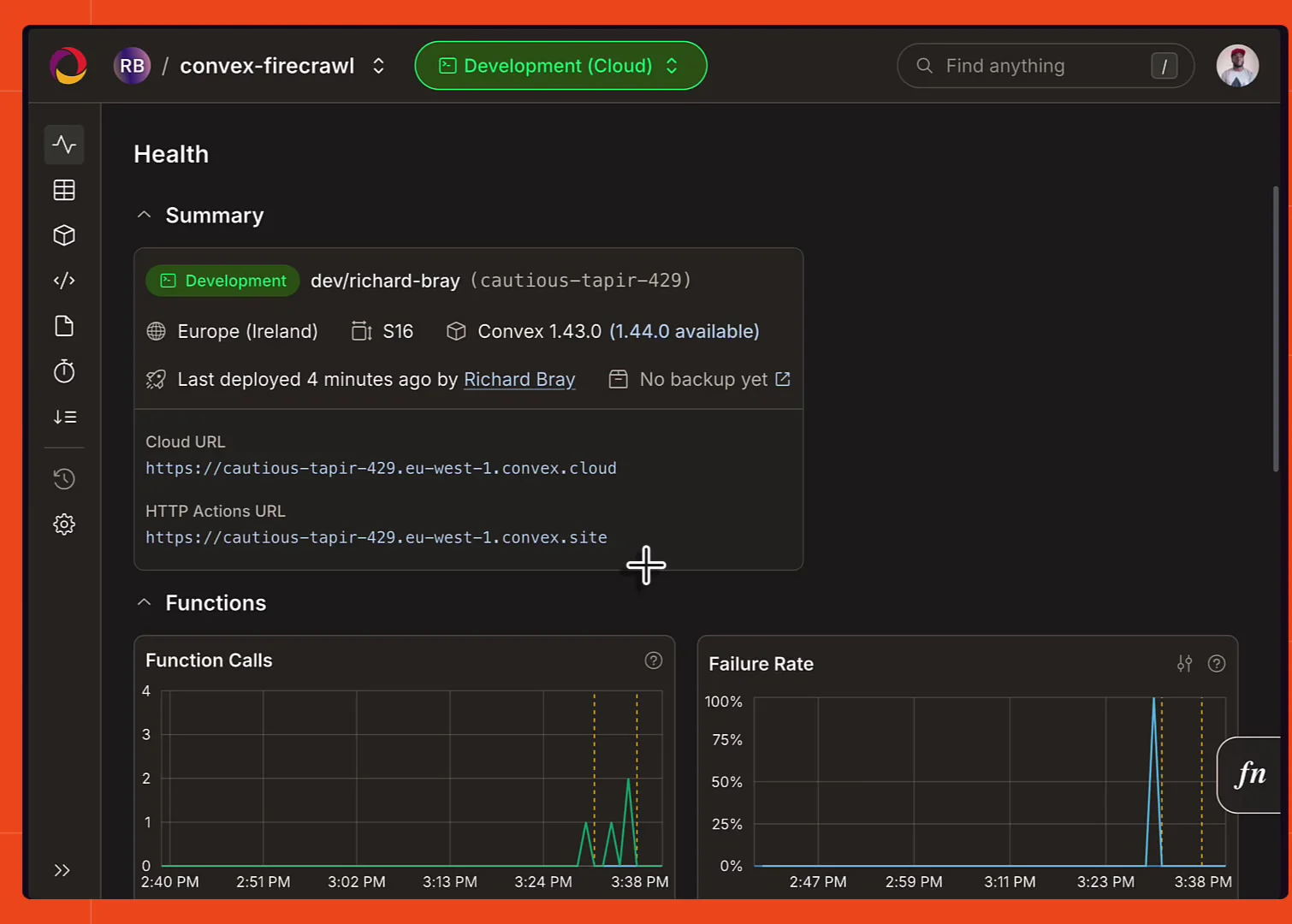
If you're working against a local deployment, pass mode: "poll" to startCrawl instead. The component polls Firecrawl's status endpoint and backs off to 30 second intervals, which needs no public URL at all.
What is a durable crawl
A durable crawl is one whose state lives in your database instead of in whatever process kicked it off. The action records the crawl, gets a crawlId, and exits within a second or two; the work carries on at Firecrawl's end and arrives page by page. Nothing in your app is waiting, so there's no request to time out, no connection to drop, and no progress to lose if you close the tab or redeploy. Reading it back is just reading two rows of your own data.
Starting a durable crawl from an action
Back in web.ts, underneath the search action:
// convex/web.ts

export const startCrawl = action({
  args: { url: v.string() },
  handler: async (ctx, args) => {
    // Keep the crawl under whatever path was picked, so it can't wander onto
    // the marketing site (outbound social links abort the whole job).
    const [segment] = new URL(args.url).pathname.split("/").filter(Boolean);
    const includePaths = segment ? [`^/${segment}`] : undefined;

    return await firecrawl.startCrawl(ctx, {
      url: args.url,
      options: {
        limit: 25,
        includePaths,
        scrapeOptions: {
          formats: ["markdown"],
          onlyMainContent: true,
        },
      },
    });
  },
});
startCrawl returns { crawlId, jobId } right away, and that's the whole action. It works the same way startCrawl does in the Firecrawl SDK.
The options are Firecrawl's own: limit caps it at 25 pages, formats: ["markdown"] asks for markdown, and onlyMainContent: true strips headers, footers, and navigation. includePaths is the demo's own guard, scoping the crawl to the first path segment of the URL that was picked so a docs crawl of nextjs.org/docs can't wander off into the marketing site.
Watching pages land with reactive queries
The crawl's progress and its pages are both plain Convex queries reading component state, which is what makes them live:
// convex/web.ts

// Live crawl status: total, completed, pageCount, creditsUsed, error.
export const crawlProgress = query({
  args: { crawlId: v.string() },
  handler: async (ctx, args) => {
    return await firecrawl.getCrawl(ctx, args.crawlId);
  },
});

// Pages as they land.
export const crawlPages = query({
  args: { crawlId: v.string(), paginationOpts: paginationOptsValidator },
  handler: async (ctx, args) => {
    return await firecrawl.listPages(ctx, args);
  },
});
crawlProgress returns the crawl record, which drives the progress indicator. crawlPages returns the pages themselves, paginated, so it works with usePaginatedQuery.
// src/App.tsx

function CrawlView({ crawlId }: { crawlId: string }) {
  // Both are queries, so both update on their own as the crawl runs.
  const crawl = useQuery(api.web.crawlProgress, { crawlId })
  const { results } = usePaginatedQuery(
    api.web.crawlPages,
    { crawlId },
    { initialNumItems: 100 },
  )

  const running = !crawl?.finalized
  // ...
}
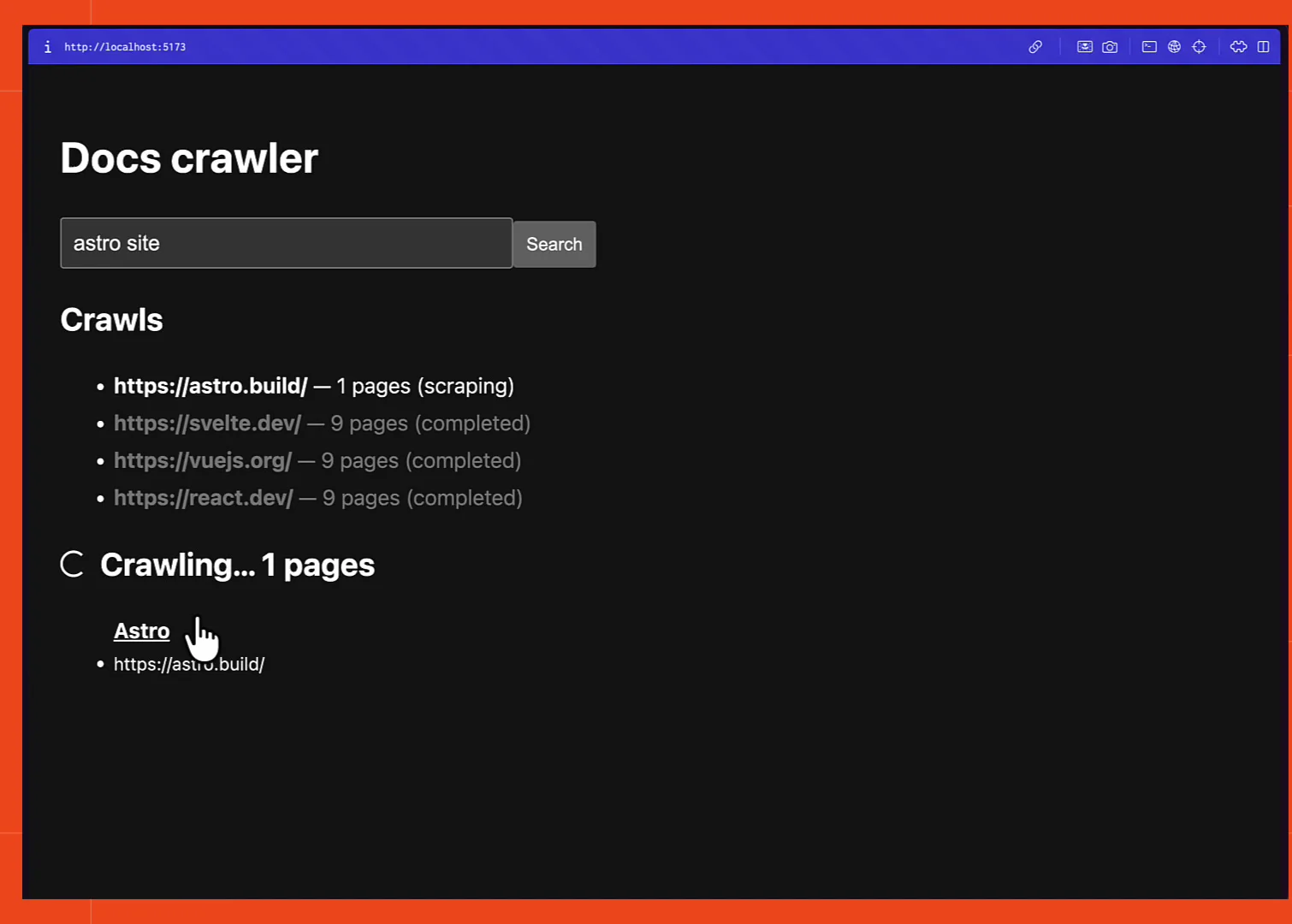
There's no polling code anywhere in that component. Searching astro site and crawling the top result shows the crawling indicator and a page count that climbs on its own.
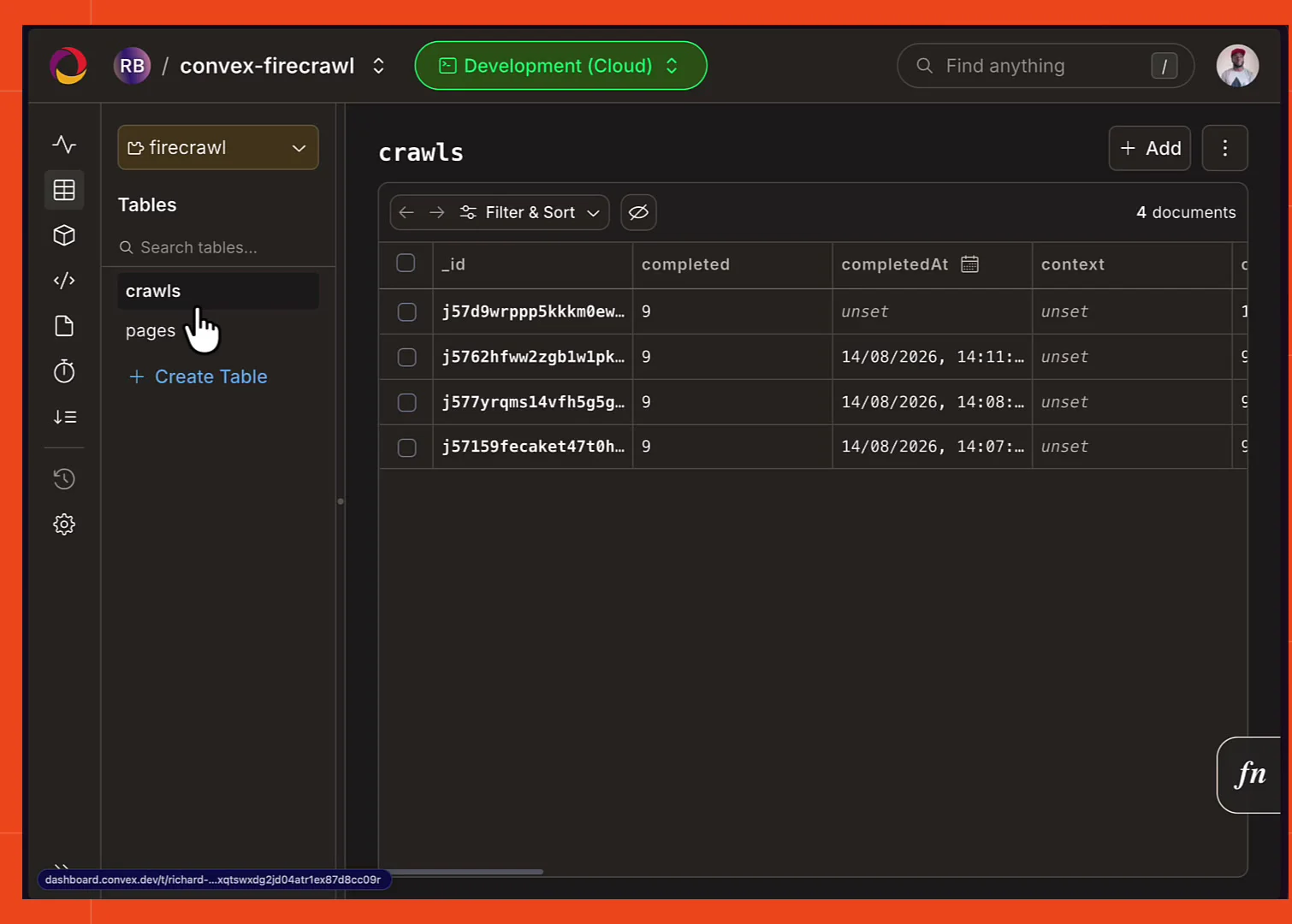
Where the crawled data lives in the Convex dashboard
One thing that catches people out: none of this shows up in your app's tables. The component owns its own, so you have to switch the dashboard's component dropdown from app to firecrawl to see them.
There are two: crawls, which is what the progress query reads, and pages, which holds the scraped content.
Adding screenshots to crawled pages
Because scrapeOptions are passed straight through, anything the Firecrawl scrape endpoint supports works here. The finished version of the app asks for screenshots alongside markdown:
// convex/web.ts

scrapeOptions: {
  formats: ["markdown", "screenshot"],
  onlyMainContent: true,
},
That's the only change needed to get the thumbnail on every card. The crawl limit drops from 25 to 9 to go with it, because Convex documents cap at 1MB and a screenshot is a big chunk of that budget.
The component budgets every page in UTF-8 bytes before writing it. Text and link lists get truncated, and a screenshot or extracted JSON blob that doesn't fit is dropped whole, with truncated: true set on the page. Pages that can't be stored at all show up as an unstored count on the crawl rather than disappearing silently.
Markdown is stored per page too, so clicking a card can open the scraped content directly, syntax highlighting and all.
Search, scrape, and durable crawls, all from inside the deployment you already have. The full demo is on GitHub, with a branch per build stage, and the same Convex-plus-Firecrawl pairing powers Firecrawl Observer if you want a bigger example to read.
Check out the Firecrawl Convex component docs to go deeper.
Frequently Asked Questions
Can Convex functions call third-party APIs like Firecrawl?
Only actions can. Queries and mutations are deterministic and retryable, which rules out network calls, so Convex gives you a third function type for exactly this. Put the Firecrawl call in an action and have it pass the result to a mutation for storage.
How do I install the Firecrawl Convex component?
Run npm install @firecrawl/firecrawl-convex, then register it in convex/convex.config.ts with app.use(firecrawl, { httpPrefix: "/firecrawl/", env: { ... } }). That adds the component's own tables and functions to your deployment. Then set FIRECRAWL_API_KEY on the deployment with npx convex env set.
What is a durable crawl in Convex?
It means the crawl's state is a row in your database rather than something held by a running process. startCrawl hands back a crawlId in a second or two and the action ends there. Firecrawl works through the site on its own servers and posts each finished page to your deployment, so closing the app or redeploying loses nothing.
Why does the Firecrawl Convex component need webhooks?
Convex actions run in a serverless environment that isn't designed to hold a connection open for minutes at a time, which is what a 500 page crawl needs. Instead of waiting, the component registers a webhook. Firecrawl posts a crawl.page event as each page finishes, the component verifies the signature, and a mutation writes the row.
Do I need a cloud Convex deployment to crawl with Firecrawl?
For the default webhook mode, yes, because a local Convex deployment has no public URL for Firecrawl's servers to post to. For local development you can pass mode: "poll" to startCrawl and the component polls Firecrawl's status endpoint instead. Web search works fine on a local deployment either way.
Is the Firecrawl webhook secret optional?
The component declares FIRECRAWL_WEBHOOK_SECRET as optional, but you should set it. Firecrawl signs every delivery with an X-Firecrawl-Signature HMAC header, and the secret is what lets the component verify it. The webhook URL is public, so without verification anyone who finds it could post rows into your database.
How do I show live crawl progress in a React app?
Wrap the component's getCrawl and listPages in ordinary Convex queries, then read them with useQuery and usePaginatedQuery. Because they're queries reading component state, they re-run on their own as pages land, so the page count and the page list update without any polling code.
Can Firecrawl capture screenshots of crawled pages in Convex?
Yes. scrapeOptions on startCrawl are passed straight through to the Firecrawl API, so formats: ["markdown", "screenshot"] stores both on each page row. Convex documents cap at 1MB, so screenshots eat into that budget and a screenshot that doesn't fit is dropped whole with truncated: true set on the page.