TL;DR
- Firecrawl /monitor is the website change detection tool built for AI agents and data pipelines. It watches single pages, whole sites or new results across the web, alerts only on changes that match a goal you write in plain English, and works inside ChatGPT, Claude and Grok Bot. A Markdown page check costs 1 Firecrawl credit.
- Website change detection tools check a page on a schedule and alert you when its content changes. Each check is compared with the last saved snapshot, and the difference reaches you by email, Slack or webhook.
- The tools split into apps for people and APIs for software. Visualping, Distill.io, PageCrawl.io and ChangeTower are hosted apps with free tiers of 3 to 25 pages. changedetection.io and urlwatch are open source.
This post compares eight website change detection tools, starting with Firecrawl /monitor, which hands AI agents and AI assistants the diff instead of the whole page, then the hosted apps that email a person and the open-source tools you run yourself. These are the best website change detection tools I'd point a team to today.
What is website change detection?
Checking a web page on a schedule, comparing each version with the last saved snapshot, and alerting someone when the content differs is called website change detection. Tools vary in what they compare (text, pixels or specific fields), how they filter noise, and where the alert lands.
Most tools follow the same five steps:
- Fetch the page, including content that JavaScript renders after load.
- Snapshot it as text, HTML, a screenshot or a set of extracted fields.
- Diff the snapshot against the previous one.
- Filter out noise such as timestamps, rotating banners and ad slots.
- Alert by email, SMS, Slack, webhook or an API response.
The filter step is where tools differ most. A plain text diff fires every time a copyright year rolls over. CSS selectors narrow the watch to one part of the page, and AI filtering checks each change against what you asked to track.
Which website change detection tools are best in 2026?
For 2026, the best website change detection tools are Firecrawl /monitor for email alerts, AI agents and data pipelines, Visualping and Distill.io for browser-based alerts, changedetection.io and Firecrawl for self-hosting, and PageCrawl.io, ChangeTower and Fluxguard for business teams that need volume or a long change history.
| Tool | Type | What it watches | Free tier | Paid from | Developer access |
|---|---|---|---|---|---|
| Firecrawl /monitor | API, dashboard, ChatGPT, Claude and Grok Bot | Pages, whole sites, new results across the web | 1,000 Firecrawl credits a month | $19 a month (Hobby, 5,000 credits) | REST API, Python and Node SDKs, CLI, MCP server, ChatGPT, Claude and Grok Bot |
| Visualping | Hosted app and Chrome extension | Pages, visual and text | 5 pages, 150 checks a month | $14 a month (10 pages) | REST API and MCP server on every plan |
| changedetection.io | Open source, plus a hosted plan | Pages and page elements | Free to self-host | $8.99 a month hosted | MCP server |
| Distill.io | Browser extension and cloud | Pages and page elements | 25 monitors, 5 in the cloud | $15 a month | Webhook alerts |
| PageCrawl.io | Hosted app | Pages | 6 pages, 220 checks a month | $160 a year (Standard) | MCP server |
| ChangeTower | Hosted app | Pages, domain scans on Enterprise | 3 pages, checked daily | $12 a month | Webhooks and MCP from $78 a month |
| Fluxguard | Hosted app | Sites, visual, HTML and text | 3 sites a month | $110 a month | Webhooks on Premium |
| urlwatch | Open-source CLI | Pages, parts of pages | Free | Free | Config files and command line |
Prices are each vendor's list price, billed monthly unless the row says otherwise.
1. Firecrawl /monitor
Firecrawl /monitor checks pages, sites or web searches on your schedule and sends you, or your agent, only what changed.
It runs on the same engine as Firecrawl /scrape and Firecrawl /crawl, so JavaScript-heavy pages come back as clean Markdown before they are compared. Each event carries the diff in text and JSON, plus an AI verdict on whether the change matters to your goal.
- Three scopes: watch known URLs, crawl a whole site to catch added, changed and removed pages, or run recurring searches across the web for results that match a goal.
- Goals and an AI judge: each changed page gets a verdict on whether it matters to your goal, a confidence level and a reason.
- Field-level tracking: JSON mode follows fields such as a price or a stock flag and reports the previous and current value.
- Alerts where you work: webhooks, email summaries and Slack notifications from the dashboard.
- Every surface: a dashboard, the REST API, Python and Node SDKs, the Firecrawl CLI, the Firecrawl MCP server, and AI assistants such as ChatGPT, Claude and Grok Bot.
Setup and pricing are in the Firecrawl section further down.
2. Visualping
Visualping is a hosted monitoring app that compares pages visually and as text, with AI summaries of each change.
Visualping's free plan covers 5 pages and 150 checks a month at an hourly maximum. Personal plans start at $14 a month for 10 pages, and Business plans start at $140 a month.
- AI change summaries and an important-or-not flag on every plan
- A Chrome extension for recording steps such as clicks before each check
- REST API and MCP server access on every plan, drawing on the monthly check quota
Best for: people who want visual alerts on a short list of pages.
Cons: Slack, Microsoft Teams and Google Sheets alerts are Business features, and the free plan's 150 checks cover its 5 pages about once a day.
3. changedetection.io
changedetection.io is an open-source change detection tool you can self-host with Docker, with an optional hosted plan.
The hosted plan costs $8.99 a month, covers up to 5,000 URLs and checks pages about every 5 minutes. The GitHub repository has about 35,900 stars.
- CSS, XPath, trigger-text and ignore-text filters
- Restock and price alerts for product pages
- Over 85 notification formats, including Slack, Discord, Telegram and email
- AI change summaries when you bring your own LLM key
Best for: technical users who want a free, self-hosted monitor.
Cons: self-hosting means running and updating the server and its browsers yourself, and AI summaries need a separate model provider account.
4. Distill.io
Distill.io is a browser extension and cloud service that watches whole pages or selected elements.
Distill.io's free plan includes 25 monitors, 5 of them in the cloud with checks every 6 hours. Paid plans start at $15 a month for 50 monitors and 10-minute cloud checks.
- Local monitors in the browser extension or desktop app, with intervals from 5 seconds
- Macros that run steps on a page before a check (paid plans)
- Email, push, SMS and webhook alerts
Best for: individuals who track a handful of pages from their own browser.
Cons: free cloud checks run every 6 hours, and the free plan sends 30 email alerts a month.
5. PageCrawl.io
PageCrawl.io is a hosted monitoring service that targets business teams watching hundreds or thousands of pages.
PageCrawl.io's free plan tracks 6 pages with 220 checks a month. Its Standard plan starts at $160 a year, Enterprise at $300 a year with 5-minute checks, and Ultimate at $999 a year with 1-minute checks.
- AI summaries and filtering, with a monthly allowance per plan
- Actions such as clicks and typing before a check
- An MCP server for AI tools
- Unlimited history on Enterprise and Ultimate
Best for: teams that need many pages under watch at a fixed yearly price.
Cons: AI summaries and filtering are capped by plan, with 15 on the free plan, and free checks run at most hourly.
6. ChangeTower
ChangeTower is a hosted monitoring app with snapshot history, built around compliance and competitor tracking.
ChangeTower's free plan monitors 3 pages daily. Paid plans start at $12 a month for 25 pages checked daily, and hourly checks start on Essential at $36 a month.
- Selective monitoring of page sections and elements
- Keyword triggers that fire when terms appear or disappear
- Snapshot history from 30 days up to custom retention
Best for: compliance and legal teams that want a dated record of each page.
Cons: webhooks, Slack and MCP access start on the $78 a month Business plan, and domain scanning is Enterprise only.
7. Fluxguard
Fluxguard is a hosted service that crawls sites and detects visual, HTML and text changes.
Fluxguard's free plan monitors 3 sites a month. Paid plans run from $110 to $550 a month on a credit-based system.
- Custom page filters and network blocks for cleaner diffs
- AI translation on every plan, with AI summaries and custom prompts from the Plus plan
- Checks as often as every 5 minutes on Premium
Best for: enterprise teams monitoring full sites with AI summaries.
Cons: webhooks and AI filtering start on the $550 a month Premium plan.
8. urlwatch
urlwatch is an open-source command-line tool that watches pages, or parts of pages, and reports changes.
urlwatch is a Python project with about 3,100 GitHub stars. You define jobs in a config file and run them from cron or another scheduler.
- Filters for parts of a page
- Notifications by email, to your phone or through other channels
- Browser jobs that load a page in a browser before comparing it
Best for: developers who want a scriptable monitor with no hosted service.
Cons: there's no dashboard or hosted option, so scheduling, storage and uptime are on you.
How does Firecrawl /monitor detect website changes?
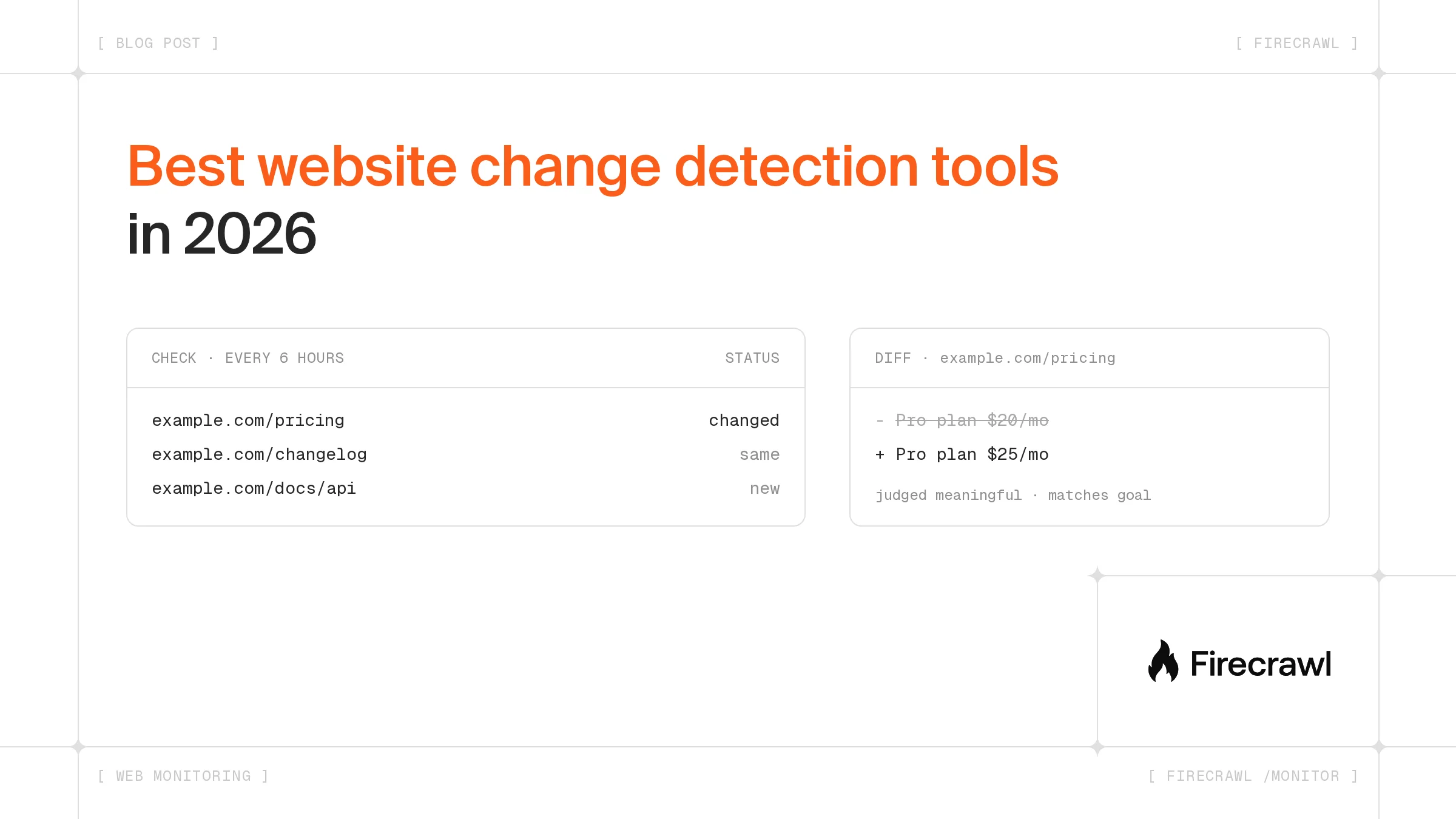
Firecrawl /monitor runs a check on your schedule, scrapes each page into Markdown, compares it with the last retained snapshot and labels every page as same, new, changed, removed or error. When you add a goal, an AI judge decides whether each change matters before an alert goes out.
Schedules accept cron or plain text such as every 30 minutes or daily at 9am, from every 5 minutes up. A single monitor can hold up to 50 targets, and you can mix the three types:
- Page monitors watch URLs you already know: pricing pages, changelogs, docs, job posts and status pages.
- Website monitors crawl a site on each check, with include and exclude paths, and report pages that were added, changed or removed.
- Web-scale monitors run up to 12 search queries on a schedule and alert when a new result matches your goal. The web-scale /monitor launch post covers it in depth.
For prices, stock levels and other structured values, JSON mode extracts the fields you define on every check and reports each one as a previous and current pair. A layout change that leaves the price alone stays quiet.
Each event carries only the diff, which the Firecrawl /monitor page puts at up to 90% fewer tokens than re-reading the page. That matters when the reader is an agent with a context window to protect.
How much does Firecrawl /monitor cost?
Firecrawl /monitor has no per-monitor fee. Each check pays for the scrape, crawl or search it runs, plus an optional Firecrawl credit for each changed page the AI judge reviews.
| What runs | Cost per check |
|---|---|
| Page monitor | 1 Firecrawl credit per URL |
| Website monitor | 1 Firecrawl credit per discovered page |
| Web-scale monitor | 2 Firecrawl credits per 10 results, plus 1 per judged result |
| AI judging on page and website monitors | 1 Firecrawl credit per changed page it reviews |
These rates cover the default Markdown diff. JSON mode adds LLM extraction, which the change tracking docs price at 5 Firecrawl credits per page.
Thirty pages checked once a day come to about 900 Firecrawl credits a month before judging, which fits the free plan's 1,000. The Hobby plan is $19 a month billed monthly for 5,000 Firecrawl credits, and each monitor returns a monthly credit estimate when you create it.
How do you set up Firecrawl /monitor in the dashboard?
You don't need code to start. The Firecrawl dashboard creates monitors in a few clicks:
- Open the monitoring dashboard and create a monitor.
- Add the pages, the site or the search you want to watch.
- Set a schedule and write your goal in plain English.
- Choose where alerts go: email, a webhook or Slack. Slack alerts are set up from the dashboard.
How do you set up Firecrawl /monitor in an AI agent?
The quickest route is to add Firecrawl to the AI assistant or coding agent you already use and describe the monitor in plain English.
- ChatGPT and Grok Bot: install the Firecrawl plugin for ChatGPT or Grok Bot, then ask it to watch a page for you.
- Claude: add
https://mcp.firecrawl.dev/v2/mcp-oauthas a custom connector, sign in with your Firecrawl account, then ask Claude to watch a page for you.
In a coding agent, connect the Firecrawl MCP server:
- Claude Code: run
claude mcp add --transport http firecrawl https://mcp.firecrawl.dev/v2/mcp-oauth, then sign in from/mcp. - Codex CLI: run
codex mcp add firecrawl --url https://mcp.firecrawl.dev/v2/mcp-oauth, thencodex mcp login firecrawl. - Cursor and other clients with a JSON config: add the entry below to your MCP settings.
{
  "mcpServers": {
    "firecrawl": {
      "url": "https://mcp.firecrawl.dev/v2/mcp-oauth"
    }
  }
}
Then paste a brief like this one:
Use Firecrawl to monitor https://www.firecrawl.dev/pricing every 6 hours.
Alert me when any plan price or credit allowance changes, and ignore
layout or wording edits. Show me the monitor's monthly credit estimate.
The agent creates the monitor with the Firecrawl monitor tools, and it can run a check or read the diffs later from the same chat.
How do you create a Firecrawl monitor from code or the CLI?
Developers can create the same monitor from the Python or Node SDK, the REST API or the Firecrawl CLI. This Python example watches a changelog once a day and judges each change against a goal:
import os
from firecrawl import Firecrawl

firecrawl = Firecrawl(api_key=os.environ["FIRECRAWL_API_KEY"])

monitor = firecrawl.create_monitor(
    name="Firecrawl changelog",
    schedule={"text": "daily at 9am", "timezone": "America/New_York"},
    goal="Alert when a new changelog entry is published. Ignore edits to older entries.",
    targets=[{"type": "scrape", "urls": ["https://www.firecrawl.dev/changelog"]}],
)

print(monitor.id, monitor.status)
print("next run:", monitor.next_run_at)
print("estimated credits per month:", monitor.estimated_credits_per_month)
The CLI does it in one command, with FIRECRAWL_API_KEY set in your shell:
npx firecrawl-cli@latest monitor create --name "Pricing page" \
  --page https://www.firecrawl.dev/pricing \
  --schedule "every 6 hours" \
  --goal "Alert when any plan price or credit allowance changes"
To receive events in your own app, add a webhook and listen for monitor.page, which arrives as each page finishes with its diff and judgment. The step-by-step Firecrawl monitor guide walks through webhooks, the CLI views and a full test run.
If you already run your own scheduler, the change tracking format adds the same diff to a single Firecrawl /scrape, /crawl or batch scrape call.
Who uses Firecrawl to keep agents current?
Minimal builds AI support agents for online stores. It re-scrapes each merchant's storefront on a schedule, so its agents answer from the live store rather than a copy taken at onboarding.
Storefronts come to us in every shape imaginable, and no matter the complexity, Firecrawl turns each one into clean, structured data our AI support agents can answer from.
Niek Hogenboom, Co-Founder, Minimal
On X, one developer wrote that Firecrawl /monitor replaced a lot of their n8n workflows:
Which website change detection tool fits your use case?
The right website change detection tool depends on who reads the alert. Firecrawl /monitor covers both people who want an email and AI agents or data pipelines that need structured diffs, self-hosters pick changedetection.io or Firecrawl, and teams that need a long version history look at ChangeTower or Fluxguard.
| Job | Pick | Why |
|---|---|---|
| Email me when a page changes | Firecrawl /monitor | Email summaries, setup from the dashboard or ChatGPT, Claude and Grok Bot, and 1,000 free Firecrawl credits a month |
| Give an AI agent or pipeline the diff | Firecrawl /monitor | Webhooks with text and JSON diffs plus an AI verdict |
| Track a price or stock level as a field | Firecrawl /monitor JSON mode | Previous and current value for each field |
| Catch pages that don't exist yet | Firecrawl web-scale monitor | Recurring search with deduped, judged results |
| Run it on my own server | changedetection.io or Firecrawl | Both are open source and free to self-host |
| Keep a dated record of each version | ChangeTower or Fluxguard | Snapshot history and archives |
| Watch hundreds of pages for a team | PageCrawl.io or Visualping Business | Seats, workspaces and higher page limits |
Competitor pricing pages are a common first job. The competitor monitoring guide sets one up end to end, and the Black Friday price tracker applies the same idea to retail prices.
How do you cut false alerts from website change detection?
Website change detection tools send false alerts when they compare the whole page, so dates, ads and rotating testimonials look like changes. The fix is to narrow what gets compared, either by watching one element, tracking named fields, or giving an AI model a goal to judge each change against.
- Watch part of the page. changedetection.io, Distill.io and ChangeTower take CSS selectors, and a Firecrawl website monitor takes include and exclude paths.
- Track fields, not text. Firecrawl JSON mode reports a change only when a field in your schema moves.
- Write a goal. Firecrawl goals, Visualping's AI alert criteria and PageCrawl.io's AI filtering all score changes against what you asked for.
- Keep scrape settings constant. Firecrawl's docs note that changing settings such as
onlyMainContentbetween checks makes comparisons unreliable.
Why do AI agents need website change detection?
AI agents act on what they read, so a stale page leads to a stale answer. Website change detection gives an agent a signal that a source moved and the exact lines that moved, instead of making it re-read every page on every run.
Agent use is growing fast. In Stack Overflow's May 2026 pulse survey of 1,100 developers and working professionals, 59% used AI agents at work, up from 31% in the 2025 Developer Survey. Intelligence teams expect AI to take over more of the gathering, too. In Valona Intelligence's 2026 survey of 103 competitive and market intelligence professionals, 75% saw significant AI potential in information collection over the next 12 to 24 months.
An agent that watches a pricing page by re-scraping it every hour reads the same content 720 times a month. A monitor reads it on the same schedule but only wakes the agent when something changed, with the diff attached. The Firecrawl /monitor launch post covers the pipeline behind that.
Building the top website change detection tools into your workflow
Most teams end up with two layers. People who want a heads-up on a few pages do well with a hosted app such as Visualping or Distill.io. Pipelines, agents and anything that writes to a database need an API that returns structured diffs, which is where Firecrawl /monitor fits, alongside Firecrawl /search for finding the pages worth watching.
For more on how Firecrawl compares pages, the change detection deep dive builds a wiki monitoring system from the change tracking format.
You can try Firecrawl /scrape with no API key through keyless access. Monitors need a free account, which includes 1,000 Firecrawl credits a month, and you can create your first one from the Firecrawl /monitor page.
Use Firecrawl in your agent
Add Firecrawl to ChatGPT, Claude, Cursor and more in one click.
Frequently Asked Questions
Which website change detection tool is best?
For most jobs, Firecrawl /monitor. It sends email alerts to people, diffs and an AI verdict to AI agents and data pipelines, and its free plan includes 1,000 Firecrawl credits a month. For self-hosting, changedetection.io and Firecrawl are both open source.
Are there free tools for website change detection?
Yes. changedetection.io and urlwatch are free to run on your own machine. Hosted free tiers include Visualping with 5 pages, Distill.io with 25 monitors (5 in the cloud), PageCrawl.io with 6 pages and ChangeTower with 3 pages. Firecrawl's free plan includes 1,000 Firecrawl credits a month, and a Markdown page check costs 1.
How does AI cut false alerts in website monitoring?
A language model reads the diff and compares it with what you said you care about. In Firecrawl, each monitor takes a goal in plain English, and every changed page comes back with a verdict on whether it matters, a confidence level and a reason. Timestamp and banner edits stay quiet.
Can I monitor a whole website for changes?
Yes. A Firecrawl website monitor crawls the site on each check and reports pages that were added, changed or removed, with include and exclude paths to narrow the scope. Fluxguard also crawls sites, and ChangeTower offers domain scanning on its Enterprise plan.
How much does Firecrawl /monitor cost?
There is no per-monitor fee. A page monitor costs 1 Firecrawl credit per URL per check, a website monitor 1 credit per discovered page, and AI judging adds 1 credit for each changed page it reviews. JSON mode costs 5 credits per page. The free plan has 1,000 Firecrawl credits a month, and Hobby is $19 a month billed monthly for 5,000.
Can an AI agent set up website change alerts?
Yes. Firecrawl /monitor works inside AI assistants such as ChatGPT, Claude and Grok Bot. With the Firecrawl MCP server connected, coding agents such as Claude Code, Codex and Cursor can also create a monitor, run a check and read the diffs from a plain-English request. Developers can do the same from the Python and Node SDKs, the REST API or the Firecrawl CLI.
How is change detection different from uptime monitoring?
Uptime monitoring asks whether a site responds. Change detection asks whether its content is different from the last check, such as a new price, a rewritten policy or a removed product. Many teams run both, because a page can be up while its content changes in ways that matter.