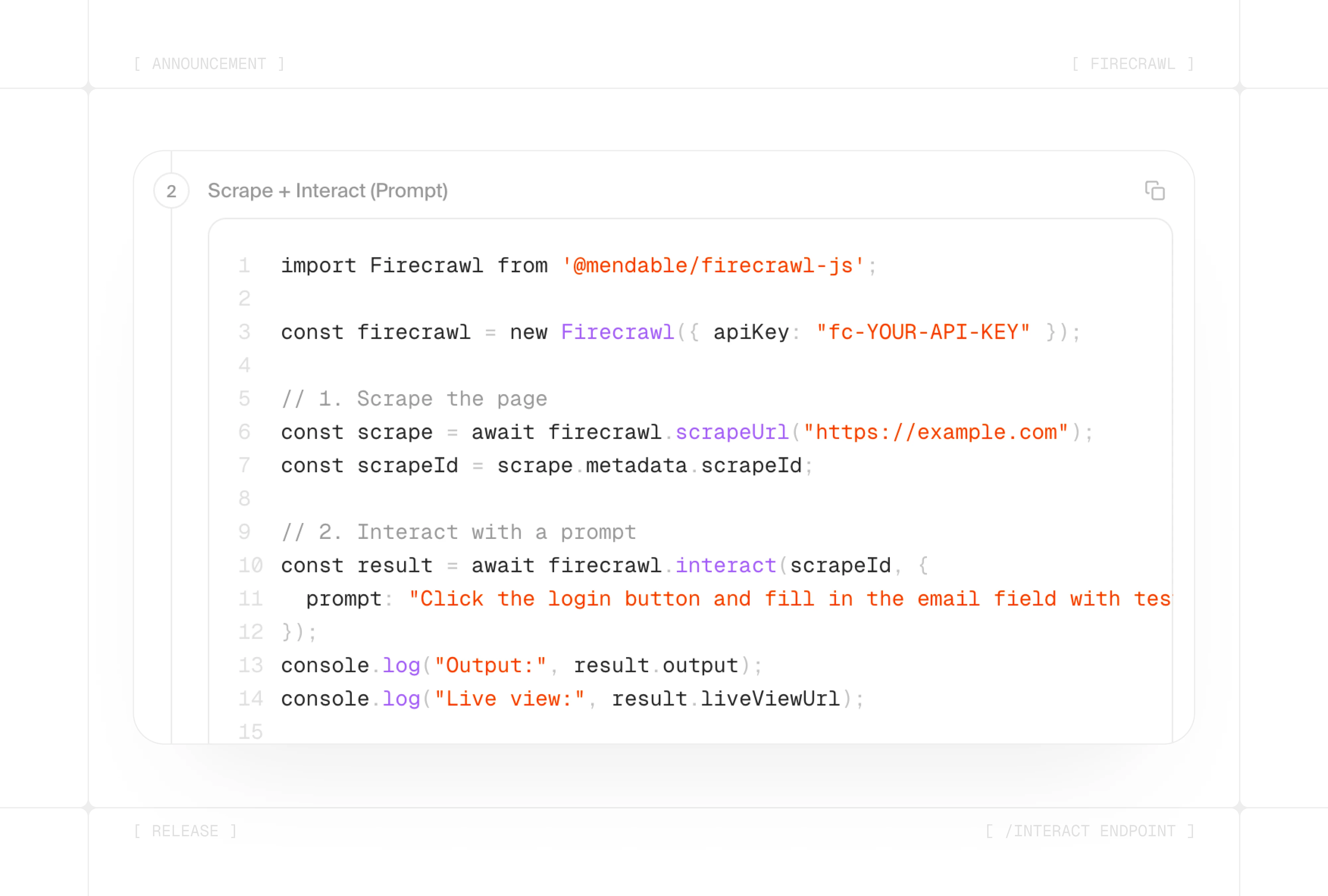
Today we're launching /interact — a new endpoint that turns any Firecrawl scrape session into a live browser you can control.
TL;DR:
- /interact — scrape a page and immediately take actions in it: click buttons, fill forms, navigate, and extract data that's only reachable through interaction
- Natural language actions — describe what to do in plain English and Firecrawl handles the clicks, typing, and navigation
- Code execution — write Node.js, Python, or Bash to control the browser with full Playwright access
- Live view — embed a read-only or interactive stream of the browser in your own UI
- Persistent sessions — state (cookies, localStorage, login) carries over between interactions and across scrapes
The problem: scraping stops at the page
Most web data you care about is behind an action. A search form. A login. A "load more" button. A filter dropdown.
Until now, Firecrawl gave you clean data from a URL — but what the page showed after an interaction was out of reach.
With /interact, you scrape a page and stay in that session. Then you tell it what to do next.
How Firecrawl /interact works
The workflow is three steps:
- Scrape —
POST /v2/scrapereturns ascrapeIdalong with the page's content - Interact —
POST /v2/scrape/{scrapeId}/interacttakes actions using a prompt or code - Stop —
DELETE /v2/scrape/{scrapeId}/interactends the session
Sessions stay alive for up to 10 minutes by default (with a 5-minute inactivity timeout), and you can chain as many interaction calls as you need within that window.
Two ways to take action on any page
1. Natural language prompts
Describe what you want in plain English. No code required.
# CLI
firecrawl interact "Search for iPhone 16 Pro Max"
firecrawl interact "Click on the first result and tell me the price"
Each prompt should be a single, clear task. The agent handles the mechanics — finding elements, clicking, typing, waiting for results.
2. Code execution
For precise control, pass Playwright code directly using the Firecrawl CLI. Node.js, Python, and Bash are all supported. The page object is pre-connected to the live browser session — no setup needed.
# Uses the last scrape automatically
firecrawl interact -c "
  await page.click('#next-page');
  await page.waitForLoadState('networkidle');
  const title = await page.title();
  const content = await page.\$eval('.article-body', el => el.textContent);
  JSON.stringify({ title, content });
"

# Or pass a scrape ID explicitly
# firecrawl interact <scrape-id> -c "await page.title()"
Watch the browser as it runs
Every /interact response includes two URLs:
liveViewUrl— a read-only stream, useful for monitoring or embedding in dashboardsinteractiveLiveViewUrl— a fully interactive stream where a human can take over the browser directly
This makes it easy to build tools that combine automated scraping with human-in-the-loop review.
Save browser state between scrapes
Need to stay logged in across scrapes? Named profiles save browser state — cookies, localStorage, sessions — so you don't re-authenticate on every call.
# CLI: scrape the login page, log in, then stop (state is saved)
firecrawl scrape https://app.example.com/login --profile my-app
firecrawl interact "Fill in user@example.com and password, then click Login"
firecrawl interact stop

# Session 2: scrape with the same profile — already logged in
firecrawl scrape https://app.example.com/dashboard --profile my-app
firecrawl interact "Extract the dashboard data"
firecrawl interact stop
The profile persists until you delete it, making recurring scrapes on authenticated pages much simpler.
What you can build with /interact
Navigate paginated results — click "next page" in a loop and extract data at each step, all in one session.
Fill and submit forms — trigger searches, apply filters, or submit queries to get dynamic results back as clean data.
Monitor live pages — embed the liveViewUrl in an internal tool so your team can watch a scrape unfold in real time.
Automate multi-step workflows — chain prompts or code blocks to complete a full task: search, filter, click, extract.
Get started
- Read the docs: docs.firecrawl.dev/features/interact
- Join the community: Share what you build in the Firecrawl Community.
Frequently Asked Questions
What is the /interact endpoint?
The /interact endpoint lets you take actions in a browser session after scraping a page — clicking buttons, filling forms, navigating, and extracting data from dynamic content — using either natural language prompts or code.
How does /interact work?
First scrape a URL with POST /v2/scrape to get a scrapeId, then call POST /v2/scrape/{scrapeId}/interact with a prompt or code block to perform actions. Stop the session with DELETE /v2/scrape/{scrapeId}/interact.
Can I use natural language with /interact?
Yes. You can describe the task you want to perform in plain English (e.g. 'Search for iPhone 16 Pro Max and click the first result') and Firecrawl handles the clicks, typing, and navigation automatically.
What code languages are supported for /interact?
Node.js (Playwright), Python (Playwright), and Bash (agent-browser CLI with 60+ commands) are all supported.
How much does /interact cost?
Interactions cost 2 credits per session minute, prorated per second. The initial scrape is billed separately at standard rates.
What is the difference between /interact and the browser sandbox?
/interact is attached to an existing scrape session — you scrape a URL first to get a scrapeId, then take actions in that same page. The browser sandbox is a standalone browser environment you launch independently, without needing a scrape first. Use /interact when you want to act on a page you just scraped; use the browser sandbox for full automation workflows that don't start from a scrape.