TL;DR
- Alloy is a design harness we built at Firecrawl: a visual workspace where AI agents create and edit brand assets with our guidelines, references, and craft skills in context.
- The agent runs in Codex or Cursor and edits the project files. Alloy supplies the context going in and the visual review, version history, and publishing coming out.
- Its main pieces are canvases, chats, maintained brand guidelines, reusable skills, previews, a Library of published work, tools, and automations.
- Editable product demos have been the biggest win, because a launch demo can keep changing without being re-recorded.
- Building internal tools has become the norm in 2026. Stripe's Protodash takes a similar approach for product prototypes.
- Alloy has saved me and my team days of work. Teammates without design expertise can use it to generate the assets they need.
Today, everyone is a builder, and that is the mindset at Firecrawl. Everyone here builds something useful, the design team included, and Alloy is what we built.
We're also big fans of Firecrawl at Firecrawl. It's a great product to build with, and it powers Alloy, which uses Firecrawl to search the web for design references.
Alloy is a design harness for creating, refining, and reusing Firecrawl brand assets with AI agents. In plain terms, it is a visual workspace. Briefs, references, chats, brand guidelines, skills, previews, and saved iterations sit in one place. Tools and automations help with repeatable production, and a Library holds the work we have chosen to publish.
I use "harness" deliberately. An agent harness is the context, tools, and control around a model that make it useful for a real job. Alloy is that layer for design. The agent itself runs in a tool such as Codex or Cursor and creates or edits the underlying project files. Alloy decides what context the agent gets, shows me what it made, keeps every version, and gives approved work a place to live.
In September, software factories got all the hype, with agents that open, review, and merge pull requests. Alloy is my design factory. It applies the same idea to brand and launch assets, with a person directing the work and judging what ships.
Why I built Alloy
Across different roles, I have been the person briefing designers, the person waiting for design capacity, and the person making the work myself. Alloy started from the frustrations I kept running into in all three seats. I was its first intended user.
Every launch produces a stream of visual work: product demos, graphics, social assets, animations, charts, and sales materials. Each comes in its own formats and goes through its own revisions.
A fairly simple sell sheet could take three or four days to turn around because the designer had other priorities. That was a capacity and workflow problem. The sheet spent most of those days waiting in a queue behind everything else.
That is what has historically made design hard to scale. Every adaptation adds another request to the queue and another round of manual production. Alloy helps us scale by making our design decisions and production patterns reusable, so each new asset can build on work we have already done.
I wanted to put more of that work in the hands of the person who understands the brief, while keeping the decisions that give Firecrawl its visual identity.
Where the idea came from
I have long admired agencies like Athletics that build creative tools around a brand. When the engagement ends, the client keeps a system its own people can use to make distinctive work for years.
Otto for Square is a good example. Square's team can adjust imagery, color, copy, direction, and speed, then export motion assets for different channels. Square wrote about the design side in Making Motion Design Accessible to All.
Bespoke creative technology like that used to be hard to justify without a specialist team. Agent-assisted coding has made it practical to build tools around one company's specific needs.
In 2026, building your own internal tools has become the norm. At Firecrawl, everyone is a builder, whatever their role, and we have a lot of internal tools running as a result. Alloy is mine.
Other teams are working on the same idea. Stripe design manager Owen Williams built Protodash, an internal AI prototyping platform where designers and PMs make high-fidelity Stripe dashboard prototypes without writing code. He walks through it on How I AI. It started as a bundle of Cursor rules and React components and grew into a full prototyping studio with design review modes and variant testing. Protodash is for product prototypes and Alloy is for brand and launch assets, but both rest on the same bet. Give an agent your company's components, rules, and context inside a tool built for your workflow, and more people can produce work that meets your standard.
I started with a basic version a couple of months ago, then experimented with other creative tools for image processing, brand treatments, and simple animation. Astra was the turning point for me. With strong references and guidance, the quality of the animations and tools I could make improved a lot, and ideas that had felt aspirational became worth attempting.
The design goal for Alloy is to support the whole creative loop: gather references, iterate on ideas, and produce high-quality, on-brand creative.
What's inside Alloy
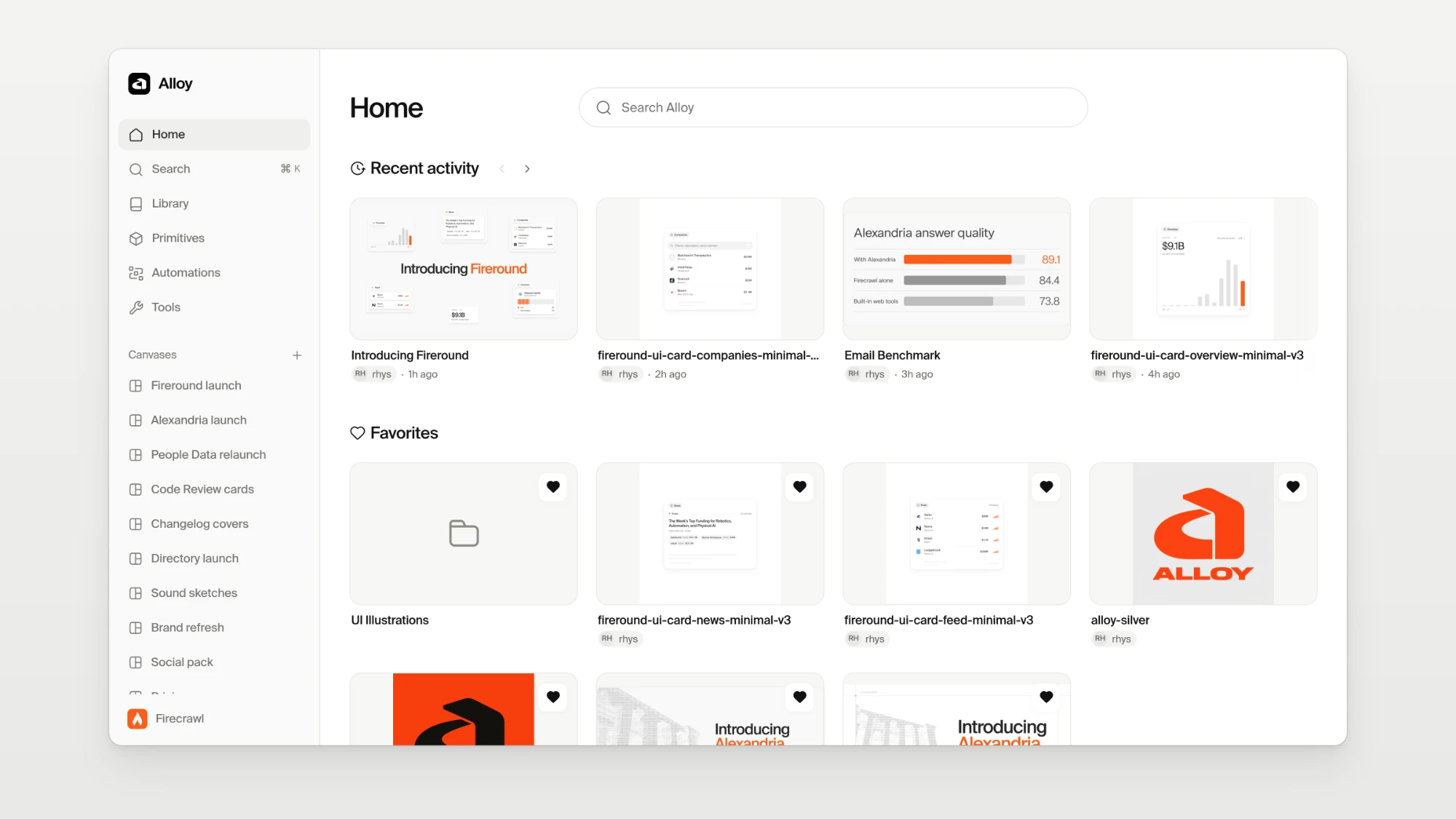
| Piece | What it does |
|---|---|
| Canvases | A visual space for briefs, references, working assets, and saved iterations |
| Chat | Multiple chats on a canvas to explore ideas, with inline @ tags or selected items for specific context |
| Brand guidelines | Maintained source for typography, colors, marks, layout, motion, and design principles |
| Skills | Reusable craft instructions for layout, type, interface detail, and accessibility |
| Previews | Review output, inspect motion, keep versions, and continue from a chosen direction |
| Library | Work someone has deliberately published for teammates to find and reuse |
| Tools | Reusable generators and visual treatments that give the agent a consistent starting point |
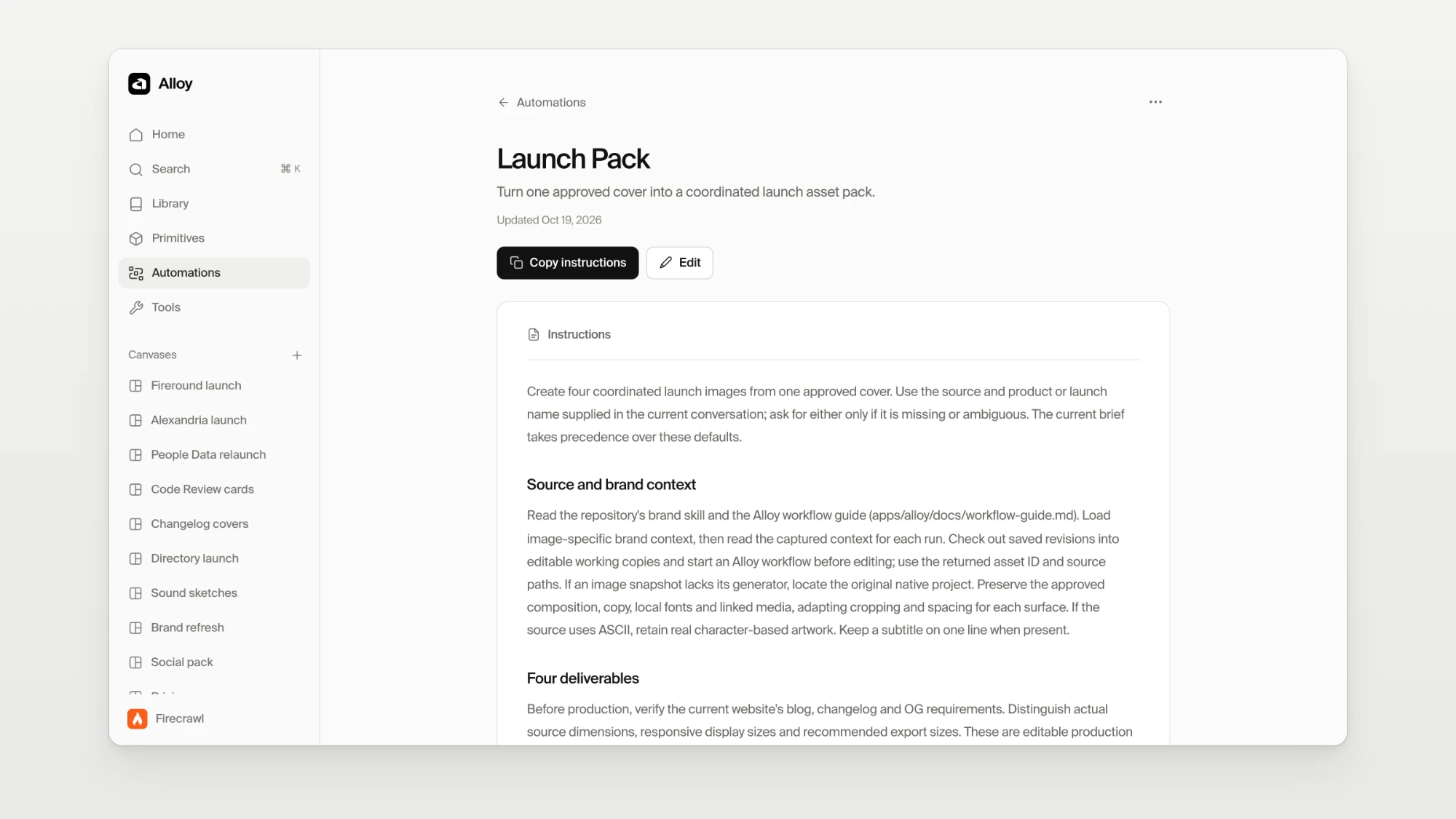
| Automations | Sequences for repeatable tasks, such as turning one image into a launch pack for email, changelog, and blog |
| Recreation | Turns a video, GIF, link, or live page into an editable, native animation |
| Sound | Music cards, code-generated sound effects, and tools to sync and mix audio to a video |
Canvases
A canvas holds the brief, the references, the working assets, and every saved iteration for one exploration. I can line up directions side by side, and the context that produced a result stays next to the result.
Chat
I can create multiple chats on a canvas to explore different ideas. Within each chat, I can @ tag items inline or select them on the canvas to give the agent specific context. A conversation can stay focused on one direction while the other explorations remain close by.
Brand guidelines
Alloy keeps a maintained source for Firecrawl's typography, colors, marks, layout, motion, and design principles. For each task, the relevant guidance and exact values go to the agent, so it works from our real hex codes and type scale instead of guessing.
Skills
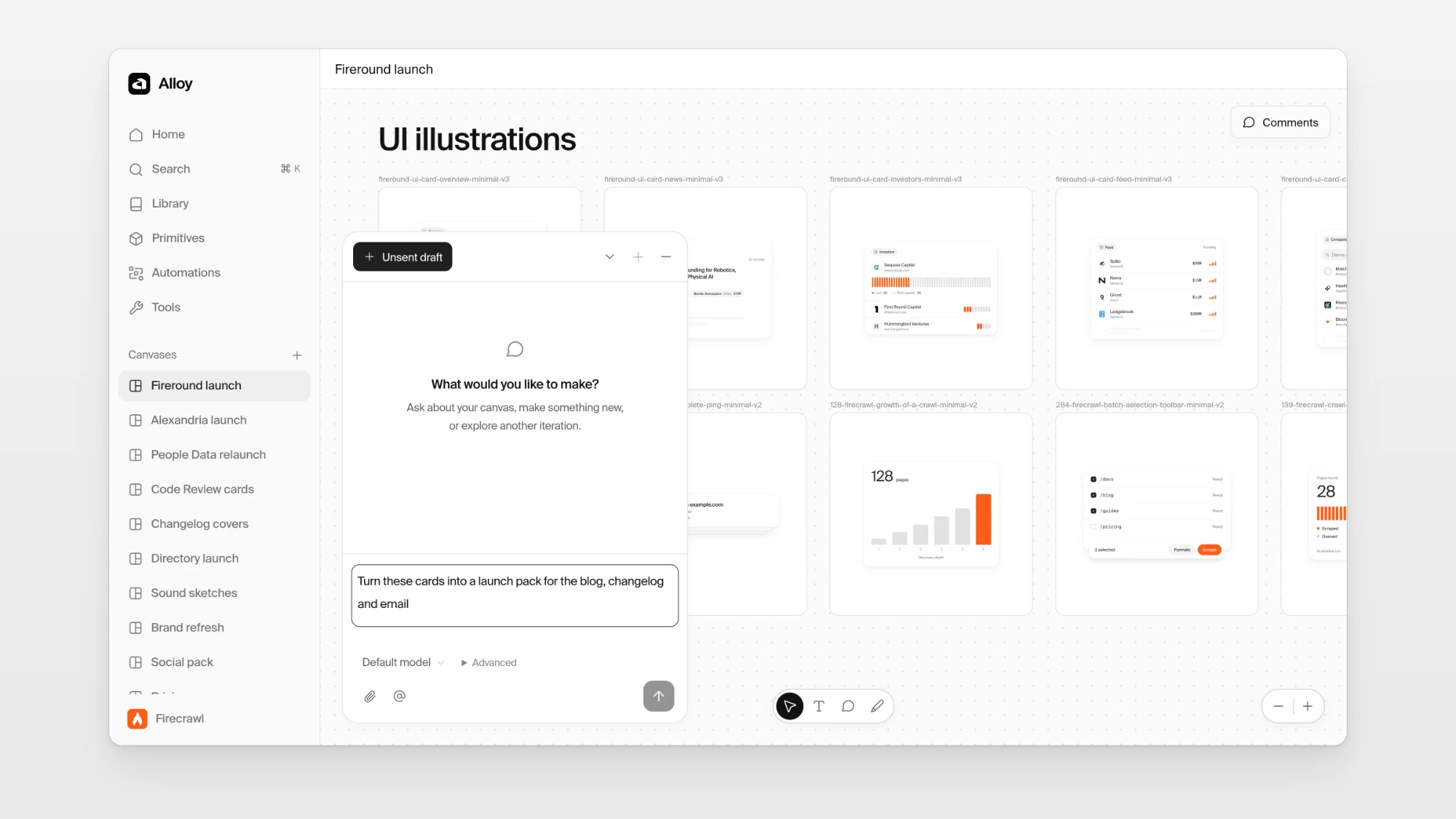
Skills are reusable instructions for how to approach the work: layout, typography, interface detail, and accessibility. The brand guidelines define the identity. Skills carry the craft the agent needs to apply that identity well on a particular task.
Previews
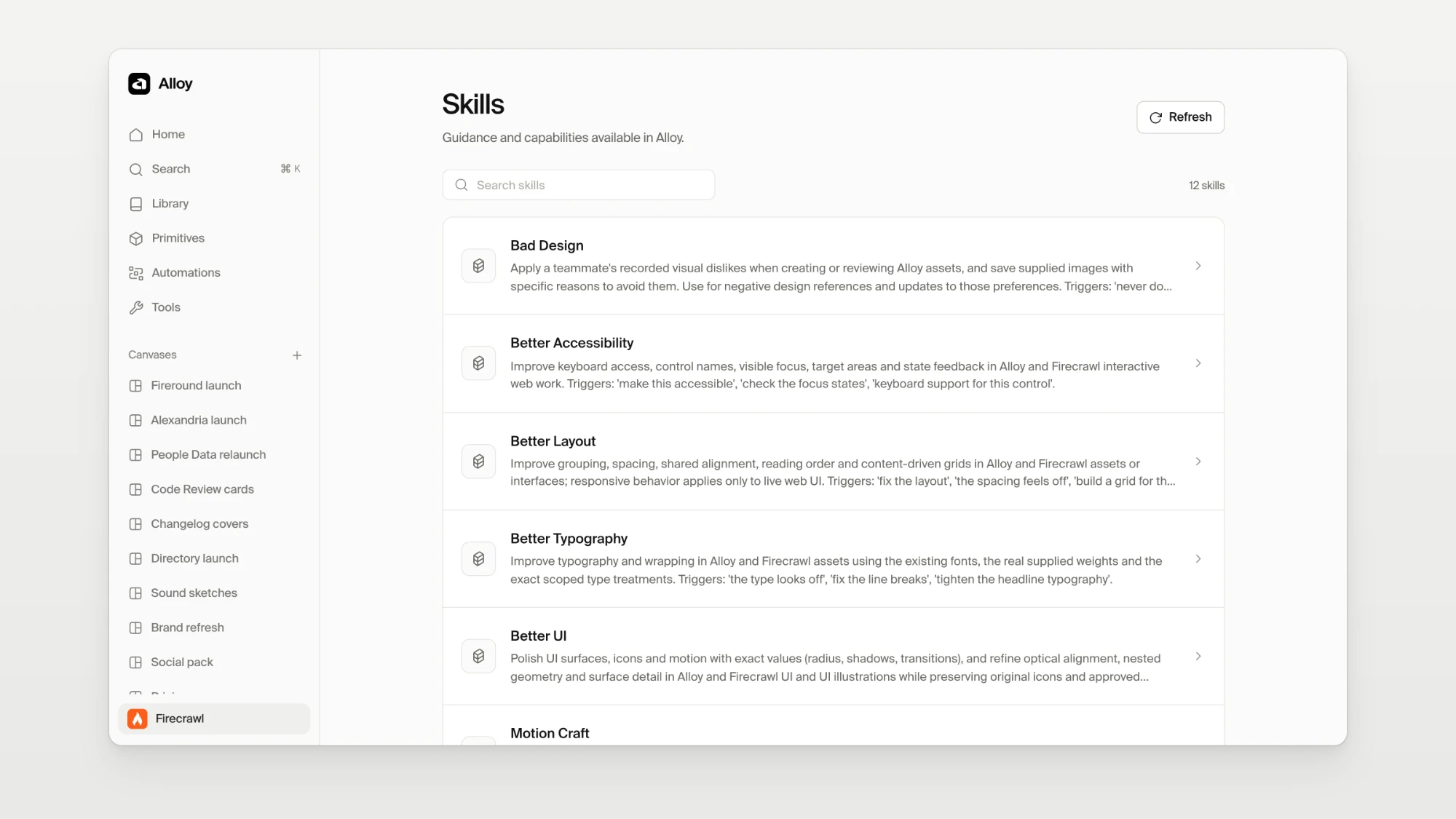
I review the output, scrub through motion, save versions, and pick up from whichever direction is strongest. Alloy keeps the native project files, so any composition stays open for further editing.
Library and publishing
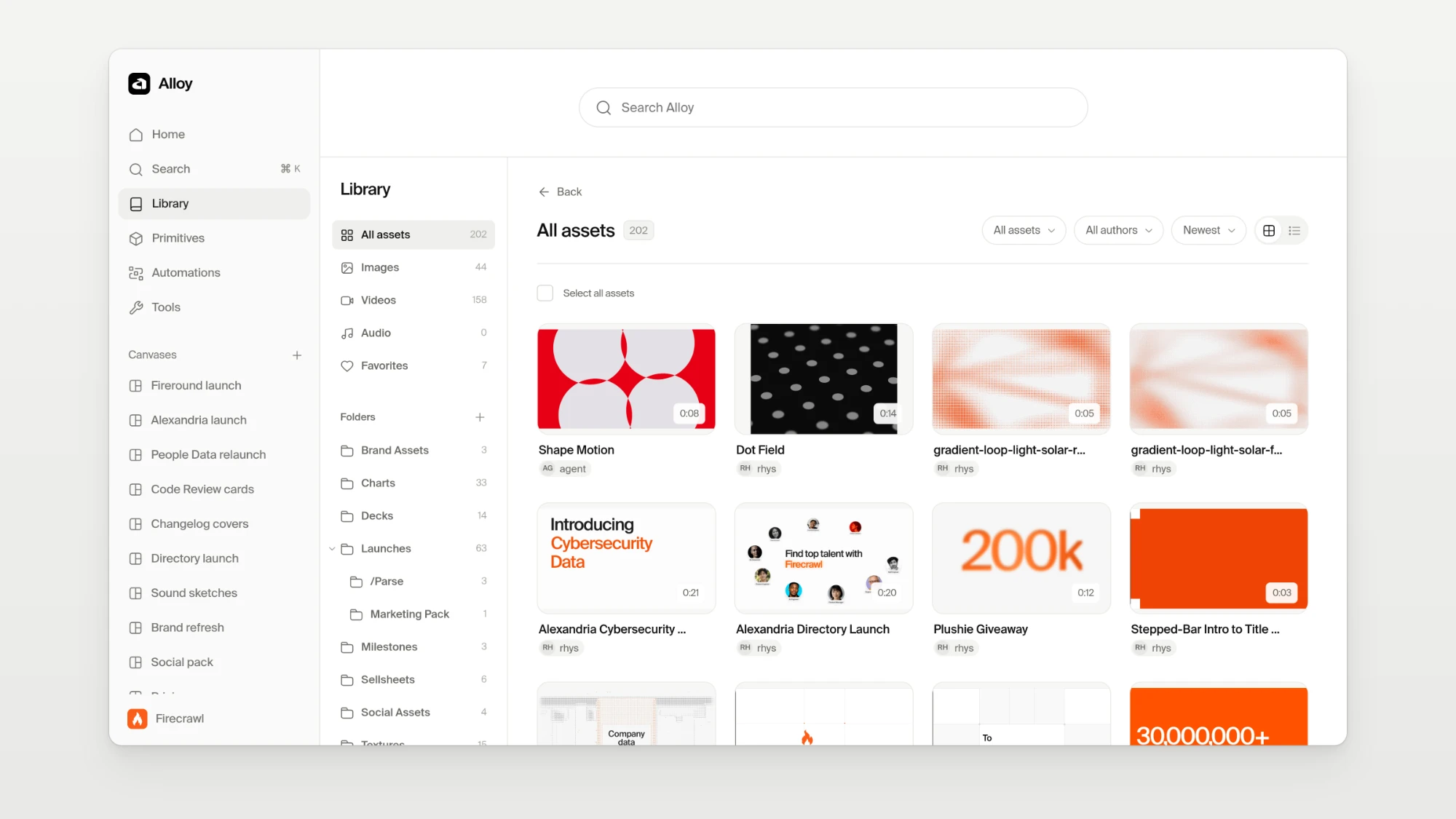
The Library is a collection of work someone chose to publish, which connected teammates can find and reuse. Experiments stay on the canvas until someone decides they belong in the Library.
Tools
Reusable generators and visual treatments cut down how much I have to rebuild for the next project. I can choose a chart style or diagram layout, adjust its settings, and give the agent that specific reference as a starting point for the brief.
Automations
Automations let me run sequences for repeatable tasks with the agent. From a single image, I can create a launch pack with assets for email, changelog, blog, and other channels. The sequence carries the brief and production instructions through each step, and I can review and refine the resulting assets before publishing them.
Why editable product demos matter so much for Firecrawl
Firecrawl gets demonstrated across a lot of surfaces: the terminal, and apps such as Grok, Claude, and ChatGPT. Reusable recreations of those interfaces give us a base for explaining many different workflows.
A screen recording captures one sequence of events. During a launch, the interface, the wording, the timing, or the story may still be moving, and a small change can trigger a disproportionate amount of rework.
With an editable demo, I can direct changes to zoom, pacing, transitions, callouts, and effects without performing and recording the sequence perfectly each time. It also removes several separate production stages. Before, I would capture and edit in Screen Studio, build extra animation or effects in After Effects, and stitch everything together at the end.
Now the agent makes changes in the underlying compositions, and Alloy gives me the visual review and version history. The demo stays editable as the launch evolves, which matters most in the weeks before launch, when the product and its positioning are still shifting.
Recreation: turning a reference into something editable
A lot of the motion I admire only exists as a video or a GIF. A recording shows the idea, but I can't change its timing, swap its copy, or reuse its camera move in our own work.
With Recreation, I give Alloy a reference, which can be a video, a GIF, a link, or a live page. I can add a note about what to take from it and which part matters. What comes back is a native, editable animation built from live text, HTML and CSS, and WebGL where it needs it, not a sequence of frames. Static image plates are only used for content that doesn't move.
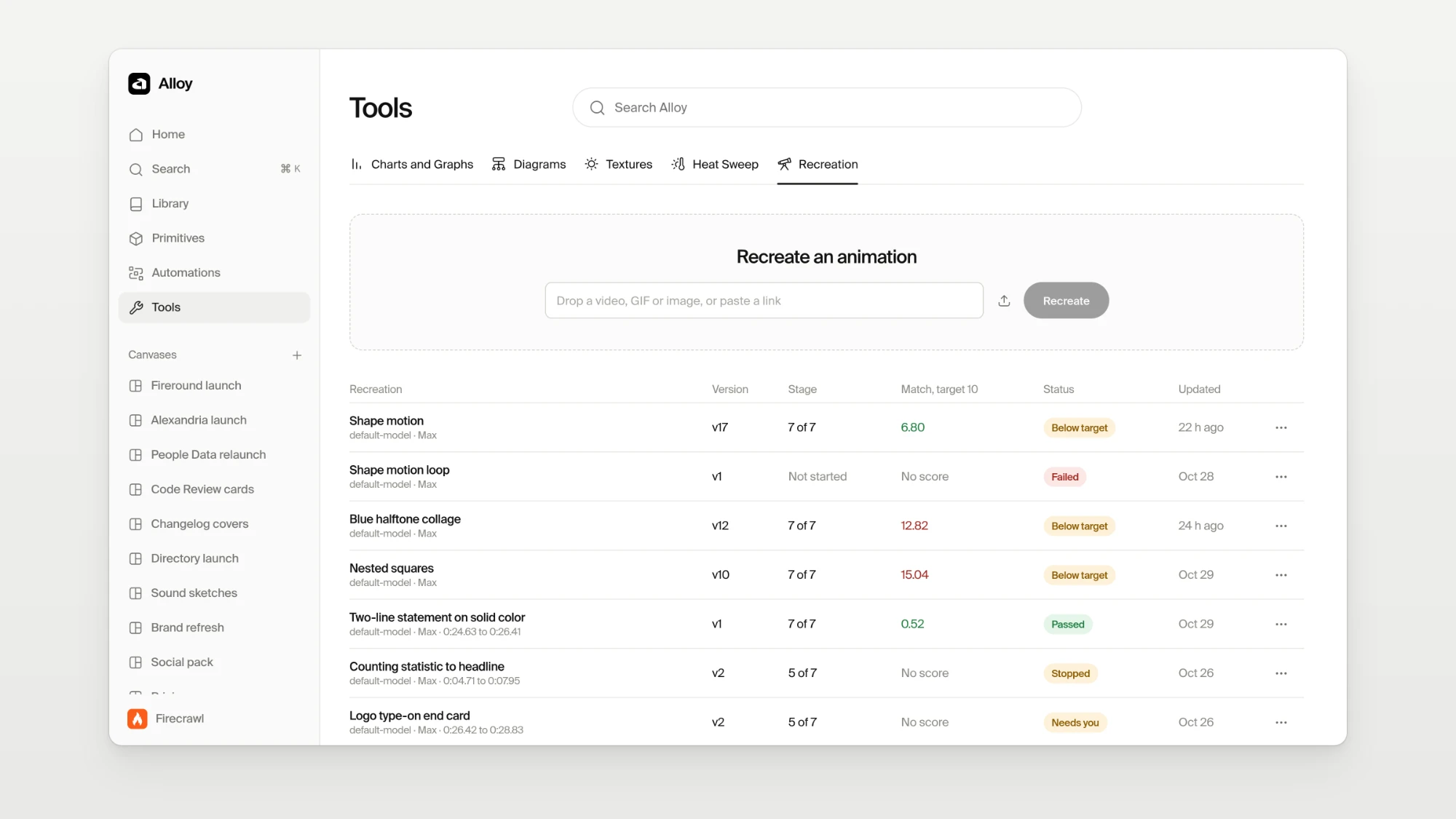
Under the hood, the agent pins the reference, tracks its motion and fits curves to it, then builds the composition. Every pass is rendered and scored frame by frame against the reference: how closely the pixels match, whether the motion follows the same curve, whether cuts land on the right frames, and whether text holds steady. A frame passes when it is within 10 of 255 levels of the reference, and text can't drift by more than a quarter of a pixel.
The Studio picks the next fix from a written order rather than leaving it to the agent. A pass that scores worse is rolled back to the best one so far, and three passes without improvement pause the run. The agent can run up to five passes, or four hours, before it asks me anything, and it only asks at specific, named moments. Up to three recreations can run at once.
Before we added that structure, none of the seven real references we tested passed all three gates, and on some of them jitter covered up to 92 percent of the frame. Some of the problems were in the references themselves. One 150-frame GIF had 57 frames that repeated the frame before, a stutter baked in when it was exported. Folding those frames out cut the measured jitter from 4.17 px to 1.98 px before the agent changed anything.
Primitives
A recreation that works can become a primitive, a reusable building block for other compositions. Natural typing and a camera zoom from our own ChatGPT demo are primitives now, along with a spec layout that flips, an expanding stack of roles, and the chat app demos we use to show Firecrawl working in apps such as Claude. There are 63 primitive packages in the catalog today.
Sound: audio as code
Stock music rarely fits a launch cut. Sound in Alloy works the same way as everything else in it: as source the agent can write and revise.
It draws on a diverse library of samples sourced from high-quality packs, from vintage drums to OP-XY samples, alongside 252 sound effects generated from code. Music lives on cards. Each card holds a short pattern written in a live-coding music language, plus its rendered WAV, so I can listen to it and the agent can still edit the source. Sync and mix tools line the audio up with a video's cuts and balance the levels.
Processing runs through Spotify's Pedalboard: EQ, compression, reverb, sidechain, and mastering. A PRINCIPLES.md file tunes the sound engine to our brand. It does for audio what the brand guidelines do for visuals, so the agent's choices about tone, space, and dynamics start from how Firecrawl should sound.
Renders come out as 48 kHz, 24-bit WAV files up to five minutes long, and the same source always renders a byte-identical file. Mixes target -14 LUFS with a -1 dBTP ceiling, a common loudness target for streaming platforms. The agent works from measurements, and my ear makes the final call.
What my workflow looks like today
- Gather references. I still collect and curate references from across the web myself. Picking them is part of the creative work, because they set the composition, pacing, feel, or level of finish I am aiming for. I can also ask Firecrawl to search across the web for specific references, supplementing my curated sources with candidates I might not have found on my own.
- Write the brief. I start with a brief or context document about the feature we are launching: what it does, who it is for, and what the audience should come away understanding.
- Provide creative direction for the agent. I bring the brief and references into Alloy and provide the overall creative direction: the idea, the feeling, and what the work needs to communicate. The agent guides production using the skills, tools, and brand guidelines for the task, while I steer the result.
- Review and give specific feedback. I compare variations visually and give pointed notes. A useful revision might be about one transition, a focal point, the hierarchy of a headline, or how quickly a demo gets its idea across.
- Keep, refine, publish. I save useful iterations, refine the chosen direction, inspect the final output, and publish it to the Library when it is ready to reuse.
What changed after Alloy
Alloy has saved me and my team days of work. Team members without design expertise can use it to generate the assets they need, drawing on our brand guidelines, approved treatments, and reusable tools.
For suitable projects, I can describe and revise motion without keyframing every change by hand in After Effects. The same goes for generating and refining visual treatments.
I can have agents explore ten, twenty, or even a hundred variations across projects. That lets me test directions I would have ruled out before because there was no production time for them.
The feedback loop is also much shorter. I can see whether an idea works, change my mind, and try another direction while the original thought is still fresh.
And good work compounds. A strong composition, treatment, or set of instructions becomes the starting point for the next launch, and each launch extends it.
Volume only helps with direction and guardrails
The ability to produce a hundred variations can just as easily produce a hundred variations of garbage. Generation volume is useful only when there is a clear direction and someone capable of judging the results.
The inputs decide most of the outcome: a useful brief, good references, current product context, brand guidelines, the right skills, and a prompt that describes what success looks like.
References carry qualities that are hard to put into words. They work much better when I say what to take from each one: its rhythm, hierarchy, framing, restraint, or the way it handles motion.
Brand rules and skills improve the odds of a good result, but they still need interpretation, visual inspection, and correction. Handing the agent a guideline does not prove the output follows it.
I have to know enough about what I want to direct the work, or deliberately structure the exploration so I can find out. Expecting the agent to read my mind is an unreliable workflow.
Alloy is "brand as software"
Paul Jun at Ramp published Brand as software on August 4, 2026, and it puts words to a lot of what Alloy is trying to do.
Jun argues that creative teams keep reproducing decisions they have already made, and that speeding up the production queue leaves the underlying workflow broken. His proposal is to put a company's context, standards, examples, and repeatable decisions into software that takes part in making the work. Those decisions then need owners, evaluation, and maintenance.
He also makes the point that a recognizable brand needs room for different expressions. A system that only repeats one template will scale sameness.
Alloy puts that idea into practice by keeping brand context, craft instructions, editable compositions, review, and reuse in the same working process. As Jun puts it, "Taste remains human. Repetition becomes software."
What happens to creative flow?
A lot of creative work depends on being immersed in making: touching the work, wrestling with an idea, and discovering something through execution (and happy accidents). Delegating execution can remove some of that pleasure and discovery along with the repetitive labor.
My hypothesis is that some of that flow can move into imagining more ambitious concepts.
Paul Rand made a version of this argument decades ago in A Designer's Art: "Design focuses more on conception than it does on execution. Designers have always handed parts of execution to typesetters, printers, and model makers while keeping authorship of the idea and how it communicates." Agents add another way to carry out parts of that work.
Working directly still matters. There will be moments when I want granular control in Figma, a manual adjustment, or an artist's touch, and a good workflow should leave room for that. A fast enough feedback loop lets me stay with an idea while exploring more ways to express it.
The question I want to keep exploring is how much more room a designer has to imagine when fewer ideas get ruled out by the cost of executing them. Alloy gives me a practical way to find out while keeping judgment and authorship in the loop.
Where Firecrawl fits
Today, Alloy supports Firecrawl's creative and marketing work and uses Firecrawl to gather references from across the web. Firecrawl supplies the business context, the brand, and many of the product stories we demonstrate, as well as the reference-gathering workflow.
We are big believers that the Firecrawl team should be power users of Firecrawl, in the tools we build for ourselves as much as in the product we ship. It helps that it is such a neat product to build with.
That discovery layer is live. I can ask Firecrawl to search across the web for specific references, supplementing the design resources, studios, and company websites I already curate. I can schedule this reference-gathering workflow to run daily and keep bringing in fresh candidates for review. High-performing social posts could be useful inputs too, where meaningful engagement data is available.
The goal is a wider pool of possible references. Choosing what is relevant, distinctive, and useful for a given brief would stay a manual, human call.
What's next: bringing Alloy to the entire team
I built Alloy around my own needs first. The next phase is making its useful patterns widely available to the entire team, so they don't have to rebuild the same context or learn every production tool.
Someone should be able to start from an approved asset or established treatment, adapt it to a new brief, and produce strong work without every request becoming a bespoke design task.
Designers would still contribute the original direction, the quality of the reusable patterns, and the hard exceptions. But now, their load is a little lighter, so they can dream even bigger.
Use Firecrawl in your agent
Add Firecrawl to ChatGPT, Claude, Cursor and more in one click.
Frequently Asked Questions
What is Alloy?
Alloy is an internal design harness at Firecrawl for creating, refining, and reusing brand assets with AI agents. It brings together canvases, chats, references, brand guidelines, skills, previews, tools, and automations, plus a Library for work that someone has explicitly published.
What is a design harness?
A design harness is the context, tools, and controls that make an AI agent useful for design work. The agent writes and edits the project files; the harness supplies the brand guidance, references, craft instructions, visual review, and version history around it.
Does Alloy replace Figma?
No. Figma is still the right tool when you want direct, granular control and time to work through details by hand. Alloy covers the repeated production work, such as adapting an existing treatment to a new brief or revising an animated product demo, where every change would otherwise be a bespoke request.
Which AI agents does Alloy work with?
The agent runs in a coding tool such as Codex or Cursor and creates or edits the underlying project files. Alloy provides the surrounding workspace: relevant context going in, and visual review, version history, and publishing coming out.
Does Alloy use Firecrawl?
Yes. Alloy uses Firecrawl to gather references from across the web, supplementing our curated sources. The discovery layer is live, and searches can run on a daily schedule to bring in fresh candidates. Choosing which references are relevant and useful stays a human decision.
Is Alloy available to use outside Firecrawl?
No. Alloy is an internal tool built around Firecrawl's brand and launch workflow. This post describes how it works so other teams can borrow the approach.