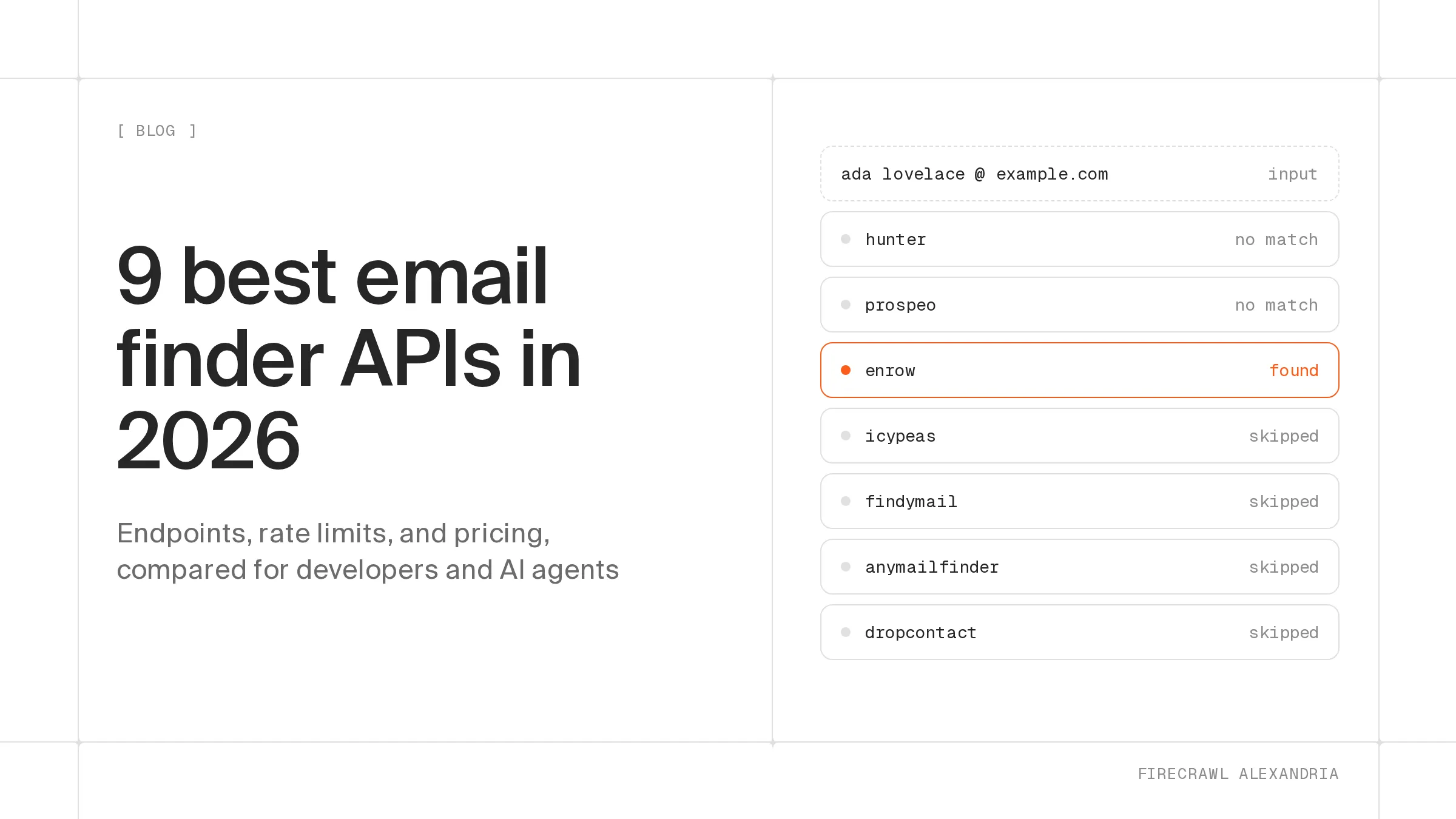
TL;DR: best email finder APIs
| API | Best for | Free tier | Lowest paid plan |
|---|---|---|---|
| Firecrawl Alexandria | Calling several email finders from one key, with fallback | Free to search for the right tool, 1,000 Firecrawl credits a month on a free account | Per call, priced in Firecrawl credits |
| Hunter | Clear docs, published rate limits, confidence scores | 50 credits a month | $49 a month, 2,000 credits |
| Prospeo | Fast single lookups and bulk enrichment | 100 credits a month | $49 a month, 2,000 credits |
| Findymail | Flat-rate prospecting plans | Free trial | $99 a month |
| Anymail Finder | Company-wide and role-based lookups | 7-day trial, 100 credits | $29 a month, 400 credits |
| Icypeas | Large bulk files at a low unit price | 50 credits at sign-up | $19 a month plus VAT, 1,000 credits |
| Enrow | Pay-per-result lookups with webhooks | 50 credits | $17 a month, 1,000 credits |
| Dropcontact | Email finding in code, Sheets, and AI assistants | 50 credits | Priced by monthly volume |
| Snov.io | An email finder bundled with outreach tools | Trial plan, 50 credits a month | $39 a month, 1,000 credits |
Prices are for monthly billing and change often. Check each provider's pricing page before you commit.
Maybe you're running cold outreach for sales or sourcing candidates for a role. Or you're in marketing like me and want to bring up the idea of a partnership with someone whose inbox you can't find. Either way, you have a name and a company, and you need the email address that goes with them. An email finder API turns those two into an address you can use, and the good ones tell you how sure they are. Every vendor uses a different request shape, a different credit model, and a different idea of what counts as a result, so the API you pick shapes your code as much as your hit rate.
This guide compares nine email finder APIs on what a developer needs before writing the integration: the endpoint, the inputs, rate limits, the free tier, and what a call costs. Every price and limit comes from the provider's own pricing page or docs, checked on November 19, 2026. Where a provider is also available in Firecrawl Alexandria, the guide also shows how it performed on live agent calls.
What is an email finder API?
An email finder API is an endpoint that takes a person's first and last name plus their company's domain or name, and returns the work email address that person most likely uses. Most also return a confidence score or a deliverability status, and many charge only when an address is provided.
Providers combine three sources to get there: addresses they have seen published on the web, the naming pattern a company uses (first.last@, f.last@, and so on), and a live check against the company's mail server. A provider that only guesses the pattern is fast but often wrong. One that checks the mail server takes longer, and each provider has its own rules for catch-all domains, which accept mail for any address.
Finding and verifying are separate jobs. A finder creates an email address from a name you provide, and a verifier tests the email you already have. Most finders in this list run a deliverability check on what they return, so you rarely need a second call.
How do you choose an email finder API?
Five things decide which email finder API fits your project. Hit rate matters too, but it varies with your list, so test each candidate on 50 to 100 people whose addresses you already know.
- Inputs. Every API here accepts a name plus a domain. Hunter, Anymail Finder, and Icypeas also accept a company name when you don't know the domain, which saves a lookup step.
- Billing on a miss. Most vendors below say a search that finds nothing is free. Read each one's rule for repeat lookups too, since some don't charge twice for the same person within a set period.
- Rate limits. Hunter publishes 15 requests per second on its email finder. Snov.io publishes 60 requests per minute across its API. Anymail Finder says it has no daily caps.
- Sync or async. Hunter and Findymail answer in the same request. Enrow, Icypeas, and Snov.io return a job ID, then deliver the result by polling or webhook.
- Where it runs. If an agent in ChatGPT, Claude, or Cursor does the lookups, an MCP server helps, and Firecrawl Alexandria lets you use several email finders without setting each one up separately.
How did these email finder APIs perform on live agent calls?
Firecrawl Alexandria's email and phone finding benchmark ranks providers on real calls that agents made through Firecrawl Alexandria in the previous 24 hours. For an email finder, the two numbers that matter are quality, the share of calls answered without a tool error, and speed, the P95 latency (95% of successful calls finish faster).
The table shows the providers in this guide that are in Firecrawl Alexandria, as listed on the benchmark page at the time of publication. The cost column is the price range per call in Firecrawl credits.
| Provider | Quality | Speed (P95) | Cost per call | Calls in the window |
|---|---|---|---|---|
| Prospeo | 100% | 414 ms | 15 Firecrawl credits | 1.7K |
| Icypeas | 100% | 687 ms | 0 to 19 Firecrawl credits | 508 |
| Enrow | 99.6% | 32.0 s | 2 to 4 Firecrawl credits | 37.9K |
| Anymail Finder | 99.4% | 42.5 s | 2 to 100 Firecrawl credits | 8K |
| Findymail | 97.9% | 21.5 s | 2 to 10 Firecrawl credits | 6.2K |
| Dropcontact | 90.9% | 93.5 s | 15 Firecrawl credits | 3.5K |
| Hunter | 88.9% | 8.4 s | 3 to 10 Firecrawl credits | 22.2K |
The window rolls every 24 hours, so the numbers move from day to day. Quality measures whether a call completed, not whether the email was the right one, so pair it with your own test on known addresses. (Snov.io is not in Firecrawl Alexandria, so it's not listed.)
The best email finder APIs in 2026
1. Firecrawl Alexandria
Firecrawl Alexandria is a library of data providers that your agent searches and calls through the same Firecrawl API key it uses for web search and scraping. Its email finders include seven of the eight other providers in this guide.
Every email finder in Firecrawl Alexandria runs through the same Firecrawl call and returns JSON, so you don't write a new client for each provider. If you use Firecrawl in ChatGPT or Claude, switching takes no extra work. Ask for a different provider, or tell your agent to try the next one when a lookup comes back empty. In code, you change the provider name and pass that provider's inputs, with the same key. When one provider returns nothing, your agent tries the next with the same key. That is the pattern behind the work email waterfall tool, which tries sources in cost order, stops at the first confident hit, and records which source answered each row.
- Email finders on one key: Hunter, Prospeo, Findymail, Anymail Finder, Icypeas, Enrow, and Dropcontact, plus other finders and verifiers in the people category.
- Free to search: describe the data you need and Firecrawl Alexandria returns matching tools with their inputs and their price in Firecrawl credits. You pay only when you run one.
- One bill: every call is billed in Firecrawl credits at the price listed on the tool, with no second API key to rotate.
- Ready-made workflows: the free work email finder runs a whole list from ChatGPT or Claude, and the guides for Claude and ChatGPT walk through it step by step.
- The live web next to the data: for facts no database holds, such as who joined a company last week, the same key runs Firecrawl
/search, Firecrawl/scrape, and Firecrawl/agent.
A Hunter lookup through Firecrawl Alexandria with the Python SDK looks like this, with options taken from the tool's documented inputs:
from firecrawl import Firecrawl

firecrawl = Firecrawl(api_key="fc-YOUR-API-KEY")

result = firecrawl.scrape(
    alexandria={
        "provider": "hunter",
        "capability": "people/email-find",
        "options": {
            "domain": "stripe.com",
            "first_name": "Patrick",
            "last_name": "Collison",
        },
    },
)

print(result.alexandria[0].data)
To fall back to another provider, change provider and capability and map the options to that tool's inputs. Enrow's email finder, for example, is enrow with people/email-find. The Node and Python SDKs, the REST API, the CLI, and the MCP server all reach the same providers, and in ChatGPT or Claude you connect Firecrawl once and ask in plain English:
Use Firecrawl Alexandria to find Patrick Collison's work email at stripe.com,
and tell me which provider answered and what it cost.Saurav Singh, a founder building in public, shared this result from Claude and Firecrawl:
Pricing: searching for a tool is free, and each call costs the price listed on the tool in Firecrawl credits. The benchmark table above shows each provider's per-call range.
Best for: teams and agents that want several email finders, a fallback when one misses, and one bill.
2. Hunter
Hunter's email finder takes a name and a domain or company name and returns the most likely address with a confidence score from 0 to 100, the public pages where the address was seen, and the result of an automatic deliverability check.
- Endpoint:
GET https://api.hunter.io/v2/email-finder, withdomainorcompanyplusfirst_nameandlast_nameorfull_name. An optionalmax_duration(3 to 20 seconds) lets Hunter spend longer refining a result. - Rate limit: 15 requests per second and 500 requests per minute on the email finder, per Hunter's API documentation.
- Billing: the docs state that no credit is charged when no email is found, and the pricing page says each repeated search counts once per calendar month.
- Other endpoints: Domain Search lists the addresses Hunter knows at a company, and the Email Verifier checks an address you already have.
Pricing: on Hunter's pricing page, the free plan included 50 credits a month and the Starter plan cost $49 a month billed monthly for 2,000 credits. Hunter's API page says you don't need a paid plan to use the API.
Best for: developers who want detailed documentation, published limits, and a confidence score on every result. Hunter is also in Firecrawl Alexandria.
3. Prospeo
Prospeo returns a person's work email through its Enrich Person endpoint, alongside the rest of their B2B profile, and handles up to 50 people at once with Bulk Enrich Person. Its person and company search endpoints help you build a list before you look anyone up.
- Endpoints: Enrich Person for one lead and Bulk Enrich Person for up to 50, per Prospeo's API docs.
- Billing: one credit per email found and zero when none is found, per the pricing FAQ. A mobile number costs 10 credits.
- Rate limits: set per plan. Prospeo's pricing table lists separate enrich and search API limits for Starter, Growth, and Pro, with the highest limits on Pro.
Pricing: on Prospeo's pricing page, the free plan included 100 credits a month and paid plans started at $49 a month billed monthly for 2,000 credits. Credits reset each billing cycle and don't roll over.
Best for: fast single lookups. Prospeo had the lowest P95 latency of the providers in this guide on Firecrawl Alexandria's benchmark (414 ms).
4. Findymail
Findymail's email finder takes a full name and a company domain in one POST request and returns the contact with their address. For large batches it supports webhook-based async processing, so your application doesn't wait on each lookup.
- Endpoint:
POST https://app.findymail.com/api/search/namewithnameanddomain, authenticated with a bearer token, per Findymail's email finder API page. - Billing: the API page says you pay only when an email is found, and the pricing page says Findymail doesn't charge again for an address you found in the previous 30 days.
- Extras: every plan includes API and MCP access, reverse email lookup, and phone finding.
Pricing: on Findymail's pricing page, prospecting plans started at $99 a month, with usage measured over rolling 5-hour and 7-day windows rather than credits. Credit-based plans for teams that resell data also started at $99 a month, for 5,000 finder credits at one credit per email.
Best for: sales teams that want a flat monthly plan instead of counting credits. You can find Findymail in Firecrawl Alexandria, too.
5. Anymail Finder
Anymail Finder's API finds a person's email from a name and a domain or company name, and adds lookups that start from less: all the addresses it holds at a company, or the address of the person in a given role.
- Endpoints: Find Person Email, Find Company Emails, Find Decision Maker Email, Verify Email, and Reverse Email Lookup, per Anymail Finder's API docs, which also publish an OpenAPI spec and an MCP server.
- Rate limit: the docs say there are no daily API call caps.
- Billing: a person search costs 1 credit and is charged only when an email comes back. Company emails cost 1 credit for up to 20 addresses, and a decision maker lookup costs 2 credits.
Pricing: on Anymail Finder's pricing page, plans started at $29 a month for 400 credits, and every monthly plan came with a 7-day trial and 100 credits.
Best for: role-based prospecting, when you know the company and the job title but not the name. You can also call Anymail Finder through Firecrawl Alexandria.
6. Icypeas
Icypeas finds a professional email from a first name, a last name, and a domain or company name. Each search is asynchronous. The first call returns an ID at once, and you read the result a few seconds later by polling or through a webhook while Icypeas checks the address with the mail server.
- Endpoint:
POST https://app.icypeas.com/api/email-searchwithfirstname,lastname, anddomainOrCompany, per the Icypeas API docs, which also publish anllms.txtfile and an OpenAPI spec. - Billing: 1 credit if an email is found, and 0.1 credit per verification.
- Bulk: up to 5,000 rows in a single bulk call.
Pricing: on Icypeas's pricing page, the Basic plan cost $19 a month plus VAT for 1,000 credits, credits rolled over, and a limited-time offer gave new accounts 50 free credits.
Best for: large files at a low cost per email. Icypeas is one of the email finders in Firecrawl Alexandria as well.
7. Enrow
Enrow's email finder is asynchronous by design. You POST a search, get an ID back at once, and receive the email and its qualification by webhook or by polling a GET endpoint. The response reports the credits each search used.
- Endpoint:
POST https://api.enrow.io/email/find/single, authenticated with anx-api-keyheader, per Enrow's API docs. A verifier endpoint uses the same flow. - Billing: "No result, no charge", per the pricing page. One pool of credits covers the email finder, phone finder, and verifier.
Pricing: on Enrow's pricing page, plans started at $17 a month for 1,000 credits, and every plan listed 50 free credits and API access.
Best for: backends that already handle webhooks and want a low entry price. Enrow had the most calls of any provider in this guide in the benchmark window (37.9K).
8. Dropcontact
Dropcontact finds and qualifies B2B work emails and enriches contacts with company data. You reach it through a REST API, a hosted MCP server for AI assistants, or a Google Sheets add-on, all on the same account and credits.
- Access: a REST API authenticated with an
X-Access-Tokenheader, per the Dropcontact developer docs. - Billing: an email Dropcontact doesn't find is credited back, per the pricing FAQ, and an optional carryover keeps unused credits.
Pricing: on Dropcontact's pricing page, plans were priced by monthly credit volume in euros, with 50 free credits to start.
Best for: teams that want email finding inside a spreadsheet or an AI assistant as well as in code. Dropcontact is available in Firecrawl Alexandria, too.
9. Snov.io
Snov.io's API finds emails from a name and a domain as part of a wider sales platform that also covers prospect search, verification, and email campaigns. Each lookup starts a task and then fetches its result with the task hash.
- Endpoints:
POST https://api.snov.io/v2/emails-by-domain-by-name/start, thenGET https://api.snov.io/v2/emails-by-domain-by-name/result, per Snov.io's API docs. - Rate limit: 60 requests per minute across the API.
- Billing: credits are shared across prospect search, email search, and email verification.
Pricing: on Snov.io's pricing page, the free Trial plan renewed every month with 50 credits, and the Starter plan cost $39 a month billed monthly for 1,000 credits.
Best for: teams that want the email finder and the outreach tool on one account.
Why is an email finder API aggregator better than a single provider?
An email finder API aggregator puts several providers behind one API, so the share of your list that gets an address no longer depends on one vendor's database. Firecrawl Alexandria works as that aggregator for email finding, with seven of the providers in this guide on one Firecrawl key, each returning JSON from the same call.
- More rows filled. Providers build their data from different sources, so each finds addresses the others miss, and hit rates change from one list to the next. When one provider comes back empty, your agent passes the row to the next one on the same key.
- One integration to maintain. The vendors above use different authentication, field names, and delivery models (some answer in the request, others by webhook). Through Firecrawl Alexandria you keep one client, and trying a new provider means changing the provider in the request and mapping its inputs.
- A fallback when a provider struggles. In the benchmark above, completion rates ranged from 88.9% to 100% and P95 latency from 414 ms to 93.5 seconds. An agent can route around whichever provider is slow or erroring that day.
- Lower cost per email found. The work email waterfall tries providers in cost order and stops at the first confident hit, so the pricier providers only see the rows the cheaper ones missed.
An email address is usually one step in a bigger job, building the list of people to contact in the first place. If you're building a full lead generation pipeline, this video shows how to do it with the same Firecrawl setup in ChatGPT:
How do you call several email finder APIs from one agent?
Firecrawl Alexandria lets one agent call several email finder APIs with the same key and request shape, then fall back from one to the next when a lookup comes back empty. Without it, each vendor needs its own account, key, client code, and retry logic, not to mention the time wasted wiring them all together.
In the usual waterfall pattern, you start with the cheapest provider that covers your market, send only the missing contacts to the next one, and record which source answered each row so you can audit the list later. With direct integrations, that means a client per vendor and a mapping layer to make their responses look alike. Through Firecrawl Alexandria every response comes back as JSON from the same scrape call, so the fallback is a loop over providers.
The same works without code. Connect Firecrawl to ChatGPT, Claude, Cursor, or Claude Code, then paste a list with a prompt like this:
Use Firecrawl Alexandria to find the work email for each person on this list
(first name, last name, company domain). Try the cheapest email finder first,
only retry the rows it misses with another provider, and tell me which provider
answered each row and what it cost.
Again, you can use our work email waterfall tool, which packages that brief so you can copy it into any connected assistant. For enrichment beyond the email, such as firmographics for each company, see our guide to the best company enrichment APIs and the complete guide to data enrichment.
Which email finder API should you pick?
Pick a single vendor when one provider already covers your market and you want its own dashboard and plan. If you'd rather not bet on one provider, start with Firecrawl Alexandria.
- Firecrawl Alexandria if you want the best chance of finding every email, because when one provider misses, your agent tries the next one on the same key and the same bill.
- Hunter if you want to build against detailed docs, because it publishes its rate limits and returns a confidence score you can set a threshold on.
- Prospeo if speed matters, because it had the lowest P95 latency of the providers in this guide on Firecrawl Alexandria's benchmark and enriches up to 50 people per bulk request.
- Findymail if you'd rather budget a flat monthly fee, because its prospecting plans measure usage over time windows instead of credits.
- Anymail Finder when you know the company and role but not the person, because its Find Decision Maker Email endpoint looks people up by job title.
- Icypeas and Enrow for large batches on a small budget, because they have the lowest listed entry prices in this guide and return results by webhook, so a big batch doesn't block your code.
- Dropcontact if your team works in spreadsheets and AI assistants, because one account and one pool of credits covers its REST API, MCP server, and Google Sheets add-on.
- Snov.io when you also want outreach from the same account, because its email finder sits inside a sales platform that also runs email campaigns.
Whichever you choose, run it on a sample of contacts whose addresses you already know before you buy credits in bulk. To try the Firecrawl Alexandria route, create a free Firecrawl account and ask your agent for a work email.
Use Firecrawl in your agent
Add Firecrawl to ChatGPT, Claude, Cursor and more in one click.
Frequently Asked Questions
What is an email finder API?
An email finder API, such as the ones in Firecrawl Alexandria, takes a person's name and their company's domain or name and returns the most likely work email address, usually with a confidence score or a deliverability status. Firecrawl Alexandria puts several of them, including Hunter, Prospeo, Enrow, and Icypeas, behind one Firecrawl API key, so an agent can call any of them with the same request format.
Which email finder API should I use?
The best email finder API depends on how much of your list one provider covers, how fast you need each answer, how many rows you look up at once, and what you can spend. For agents and lists where one provider leaves rows empty, Firecrawl Alexandria is the pick, because your agent can try one provider and fall back to the next on the same key without a second integration. For fast single lookups, Prospeo had the lowest P95 latency of the providers in this guide on Firecrawl Alexandria's contact-finding benchmark. For large batches on a small budget, Icypeas and Enrow have the lowest listed entry prices in this guide and return results by webhook. For outreach from the same account, Snov.io bundles its email finder with email campaigns.
Is there a free email finder API?
Firecrawl Alexandria is free to search: finding the email finder that fits a request costs nothing, and a free Firecrawl account includes 1,000 Firecrawl credits a month for the calls themselves. Most vendors also have a free tier. At the time of publication, Hunter's free plan included 50 credits a month, Prospeo's 100 credits a month, and Enrow, Icypeas, and Dropcontact each offered 50 free credits. Prices and free tiers change, so check each pricing page before you build.
How much does an email finder API cost?
Firecrawl Alexandria lists each email finder's price in Firecrawl credits before you call it, and at the time of publication the providers in this guide listed per-call prices from 0 to 100 Firecrawl credits depending on the provider and the lookup. Direct plans started at $17 a month for 1,000 credits on Enrow, $19 a month for 1,000 credits on Icypeas, $29 a month for 400 credits on Anymail Finder, and $49 a month for 2,000 credits on Hunter and Prospeo. Prices change, so treat these as a starting point.
Do email finder APIs charge when they don't find an email?
Firecrawl Alexandria shows each email finder's price in Firecrawl credits before you call it, so you know the cost of a lookup up front. On the vendors' own pages, Hunter, Prospeo, Anymail Finder, Findymail, Icypeas, and Enrow all say you pay only when an email is found, and Dropcontact says it re-credits emails it doesn't find.
What is the difference between an email finder API and an email verification API?
Firecrawl Alexandria lists them as separate tools because they answer different questions. An email finder starts from a name and a company and produces an address. An email verifier starts from an address you already hold and tells you whether it is likely to receive mail. Most finders run a check on the address before returning it, so you rarely need both for the same record.
Can I run an email finder API from ChatGPT or Claude?
Firecrawl Alexandria works inside ChatGPT and Claude once you connect the Firecrawl plugin or connector and sign in to your Firecrawl account; a keyless connection doesn't include Alexandria. Ask the assistant to search Firecrawl Alexandria for an email finder, and it can find the matching tool, show its price in Firecrawl credits, and run the lookup. Anymail Finder, Findymail, and Dropcontact also offer their own MCP access.
How do I find emails in bulk with an API?
Firecrawl Alexandria's work email waterfall tool takes a list of names and companies and works through providers in cost order, so you pay for a second lookup only on rows the first one left empty. Among single vendors, Icypeas accepts up to 5,000 rows in one bulk call, Prospeo enriches up to 50 people per bulk request, and Enrow and Findymail return results through webhooks so a large batch doesn't block your code.